
このページはアプリまたはその開発者の公式ページではなく、情報提供および論評を目的として作成された独立した編集出版物です。明示的に別段の記載がない限り、アプリおよびその開発者は、MWM、Apple、Google Play、アプリのパブリッシャー、またはアプリの開発者と提携、承認、後援、認可、またはその他の公式的な関係はなく、このページのいかなる内容も、アプリがMWMのサービスを使用して開発されたことを意味するものではありません。すべての商標、ロゴ、スクリーンショット、その他のコンテンツはそれぞれの所有者の財産です。


ダウンロード
250M+ユーザー評価
評価数
30.8M開発元
カテゴリ
Productivity対応言語
47最新バージョン
5.2612.0サイズ
414.7 MBリリース日
2015年1月29日Microsoft Outlook アプリの主要機能分析
テックアナリストが評価する、生産性向上とコミュニケーション効率化を促進する機能群
AIによるメールコーチング
本アプリは、Copilotを活用することで、送信前のメールのトーン、感情、明瞭さに関するヒントと提案を提供し、コミュニケーションの質を向上させます。
AIによる下書き生成
本ツールは、数語の入力からCopilotがアウトラインや下書きを作成し、ユーザーのメール作成プロセスを迅速に開始できるよう支援します。
AIによるメールスレッド要約
ユーザーは、Copilotの機能により、非常に長いメールスレッドの内容を瞬時に要約し、重要な情報を素早く把握することが可能です。
統合された受信トレイとカレンダー管理
このアプリは、複数のメールアカウントとカレンダーを1つの便利な場所で一元的に管理し、日々のコミュニケーションとスケジュール調整を効率化します。
スマート受信トレイと優先順位付け
本アプリは、スマートな受信トレイ機能により、すぐに対応が必要なメッセージとそれ以外のメッセージを区別し、ユーザーが重要な情報に集中できるよう支援します。
Officeドキュメントの直接編集
ユーザーは、Word、Excel、またはPowerPointの添付ファイルを対応するアプリで直接開き、編集後にメールに再添付することが可能です。
クラウドファイル連携
このツールは、メール、OneDrive、Dropboxなどからファイルを直接表示および添付することを可能にし、デバイスへのダウンロードの手間を省きます。
会議のスケジュールと空き状況共有
本アプリは、ワンタップで会議の空き状況を共有し、他のユーザーと簡単に会議時間を調整する機能を提供します。
包括的な検索機能
ユーザーは、ファイル、連絡先、今後の旅行情報など、探しているすべての情報をアプリ内で見つけることが可能です。
クイック操作(スワイプジェスチャー)
このアプリは、スワイプ操作によりメッセージを素早くスケジュール、削除、アーカイブできるため、受信トレイの管理を効率化します。
よくある質問
について知っておくべきこと Microsoft Outlook
What is Microsoft Outlook for iOS?
Microsoft Outlook for iOS is an app that centralizes email accounts and calendars in one convenient spot. It helps users stay productive, organized, and connected.
Does Microsoft Outlook for iOS have a smart inbox?
Yes, Microsoft Outlook for iOS features a smart inbox. It helps users sort between messages requiring immediate action and other emails.
Can users manage emails with swipe gestures in Microsoft Outlook for iOS?
Yes, Microsoft Outlook for iOS allows users to quickly schedule, delete, and archive messages using intuitive swipe gestures directly from the inbox.
How do I share meeting availability in Microsoft Outlook for iOS?
Microsoft Outlook for iOS allows users to share their meeting availability with just a tap, simplifying the process of finding suitable times to meet with others.
What can I search for in Microsoft Outlook for iOS?
In Microsoft Outlook for iOS, users can find everything they are looking for, including files, contacts, and forthcoming trips, using the built-in search function.
Can Microsoft Outlook for iOS access files from cloud storage?
Yes, Microsoft Outlook for iOS allows viewing and attaching files directly from email, OneDrive, Dropbox, and more, without downloading them to the phone.
Can I edit Word, Excel, or PowerPoint attachments in Microsoft Outlook for iOS?
Yes, Microsoft Outlook for iOS allows users to open and edit Word, Excel, or PowerPoint attachments directly in their corresponding apps, then attach them back to an email.
How does Microsoft Outlook for iOS summarize email threads?
Microsoft Outlook for iOS can instantly recap extra-long email threads using the "Summarise with Copilot" feature, condensing the content for quick understanding.
Can Microsoft Outlook for iOS generate email drafts?
Yes, Microsoft Outlook for iOS's Copilot feature jump-starts writing. Users type a few words, and Copilot generates an outline or draft.
Does Microsoft Outlook for iOS offer writing assistance for emails?
Yes, Microsoft Outlook for iOS provides "Coaching with Copilot." This feature offers tips and suggestions to improve email tone, sentiment, and clarity before sending.
What are the requirements to use Copilot features in Microsoft Outlook for iOS?
To use Copilot features in Microsoft Outlook for iOS, users require a Microsoft 365 Personal/Family subscription or a business account enabled with Copilot.
Which email accounts does Microsoft Outlook for iOS support?
Microsoft Outlook for iOS supports accounts from Microsoft Exchange, Office 365, Outlook.com (Hotmail, MSN), Gmail, Yahoo Email, and iCloud.
How do I purchase a Microsoft 365 subscription within Microsoft Outlook for iOS?
To purchase a Microsoft 365 subscription in Microsoft Outlook for iOS, open the app, go to Settings, and tap "Upgrade" next to your Outlook.com or Hotmail.com account.
How much does a Microsoft 365 subscription cost through Microsoft Outlook for iOS?
Microsoft 365 subscriptions purchased via Microsoft Outlook for iOS start at $6.99 per month in the US. Pricing varies by region.
What benefits come with a Microsoft 365 subscription purchased via Microsoft Outlook for iOS?
A Microsoft 365 subscription offers 1TB storage per user, full Word, Excel, and PowerPoint access on iOS, plus installation rights for these and other apps on PCs/Macs.
How do Microsoft Outlook for iOS subscriptions renew?
Microsoft 365 subscriptions purchased through Microsoft Outlook for iOS automatically renew via your iTunes account within 24 hours before the current period ends, unless auto-renewal is disabled.
Can I cancel a Microsoft Outlook for iOS subscription mid-period?
No, a Microsoft 365 subscription purchased through Microsoft Outlook for iOS cannot be canceled during its active subscription period.
Where can I find the privacy policy for Microsoft Outlook for iOS?
The privacy policy for Microsoft Outlook for iOS is accessible via the link: https://go.microsoft.com/fwlink/?LinkId=521839.
Does Microsoft Outlook for iOS include intelligent writing tools like spell check?
Yes, Microsoft Outlook for iOS includes intelligent writing tools such as spell check, which corrects errors like misspelled words during email composition.
以下のスクリーンショットと説明は、アプリの公式ストアリスティングから直接取得されたものであり、アプリ開発者の所有物です。
アプリストア
スクリーンショット
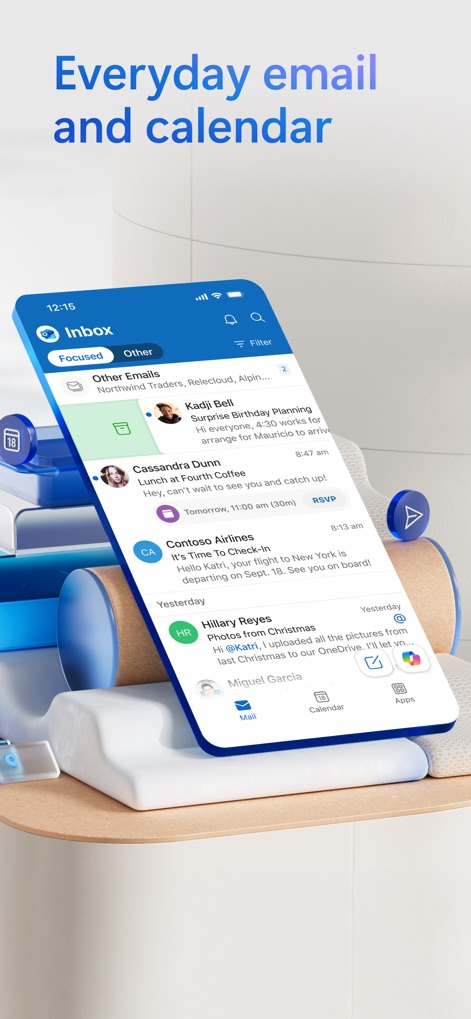
スマート受信トレイ
このアプリは、重要なメールを「Focused(集中)」タブで優先表示し、下部にある「Calendar(カレンダー)」タブからスケジュールへ素早くアクセスできるよう設計されています。
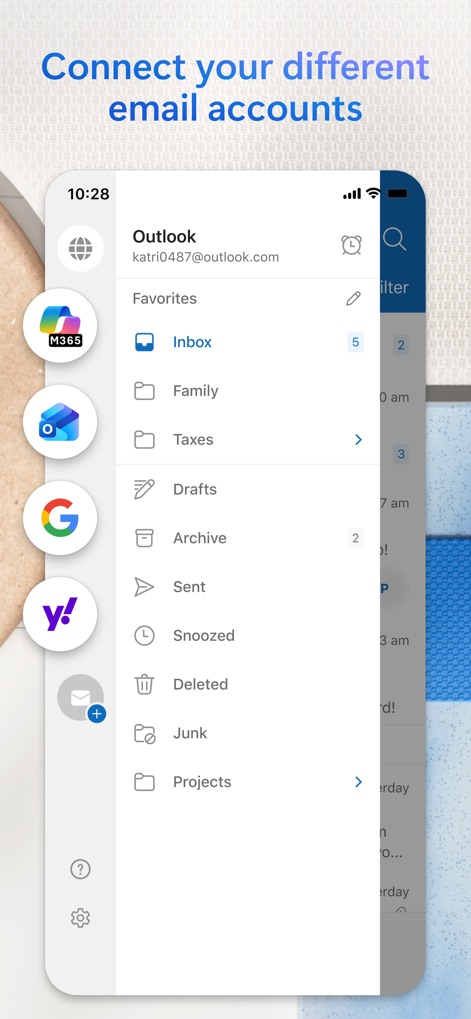
アカウント一元管理
ユーザーは、M365、Google、Yahooなどの複数のメールアカウントを一箇所に集約し、「Inbox(受信トレイ)」や「Projects(プロジェクト)」といった整理されたフォルダー構造で管理できます。
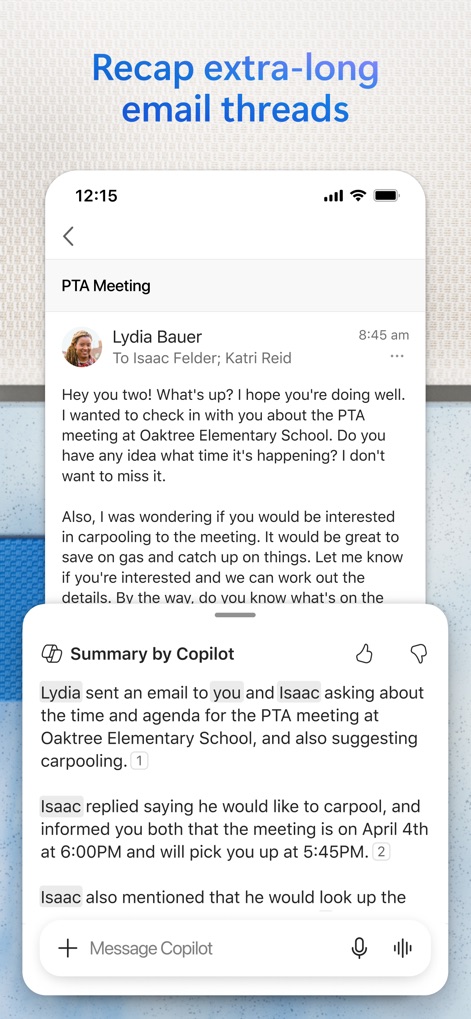
Copilotで要約
長文のメールスレッドも、本アプリの「Summary by Copilot(Copilotによる要約)」機能により、主要な情報を瞬時に把握でき、元のスレッド内容も確認可能です。
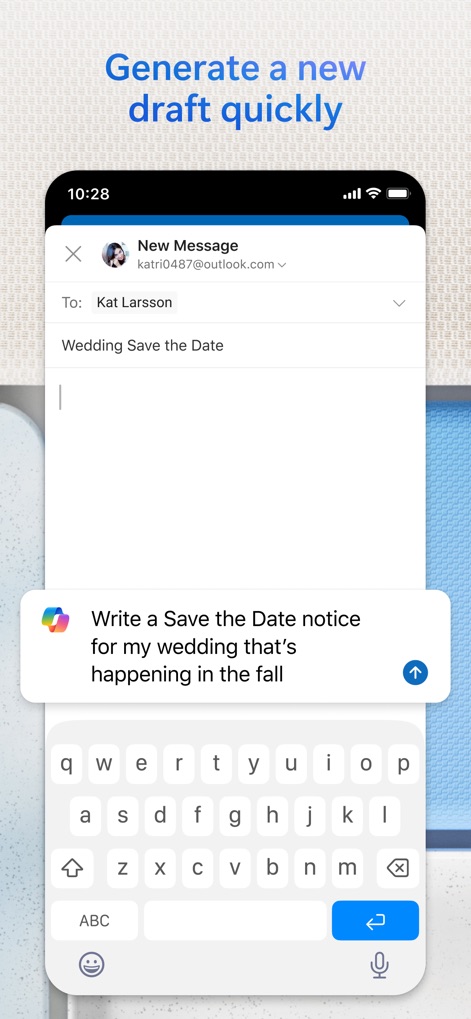
下書きを瞬時に生成
新規メッセージ作成画面では、「Copilot」が「Save the Date通知の作成」のような具体的な指示に基づいて、ユーザーの執筆作業を迅速に開始する下書きを生成します。
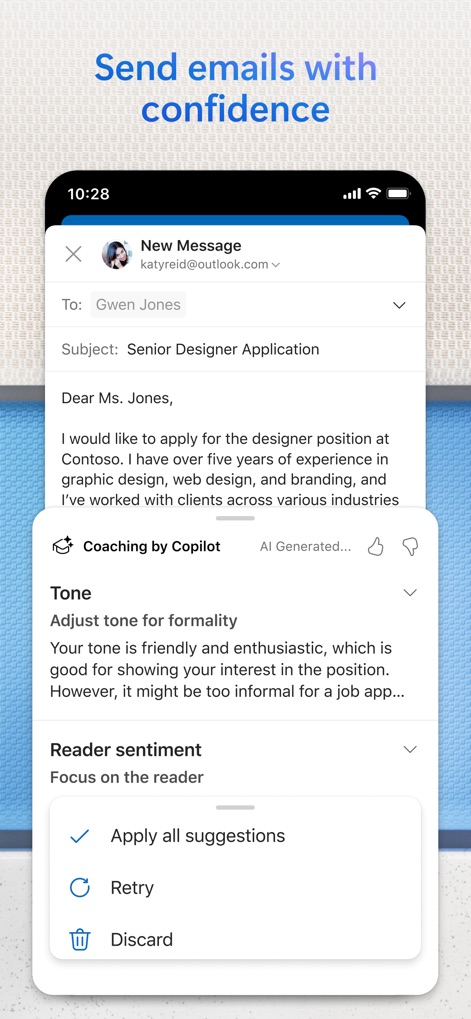
Copilotが執筆支援
このアプリは、「Coaching by Copilot(Copilotによるコーチング)」機能により、メールの「Tone(トーン)」や「Reader sentiment(読者の感情)」に関する具体的な提案を通じて、自信を持ったメール作成を支援します。
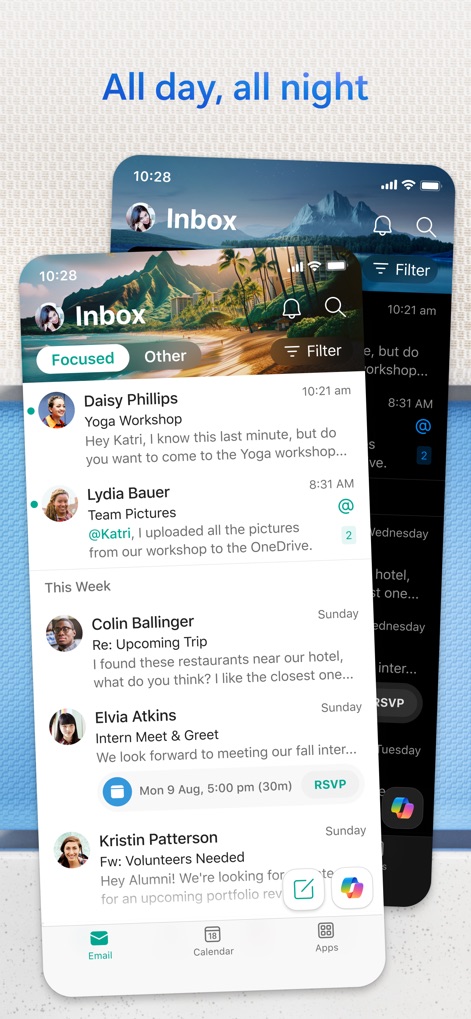
どこでも受信トレイ
ユーザーは「Focused(集中)」タブを通じて重要なメールを常に把握でき、クリーンで視認性の高いインターフェースで日々のコミュニケーションを管理できます。
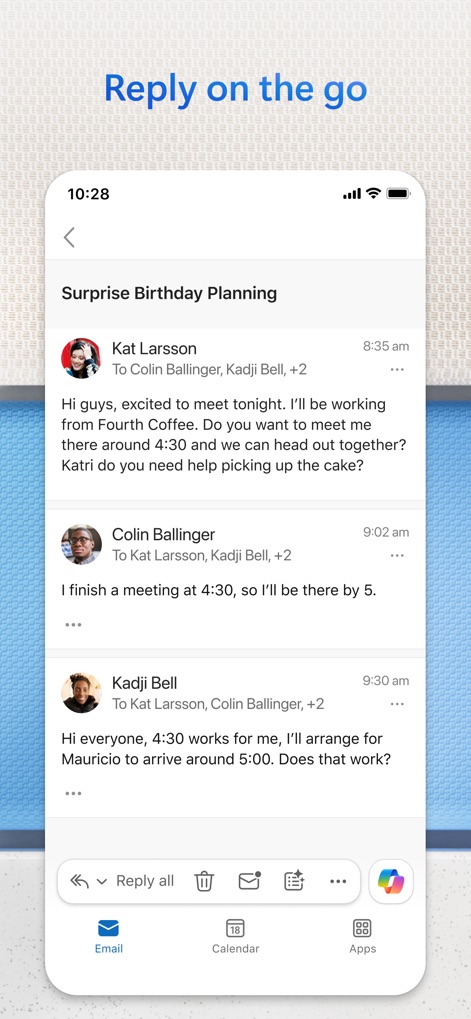
移動中に返信
長いメールの「会話スレッド」もモバイルデバイスでスムーズに閲覧でき、下部の「アクションバー」から簡単に返信や転送が可能です。
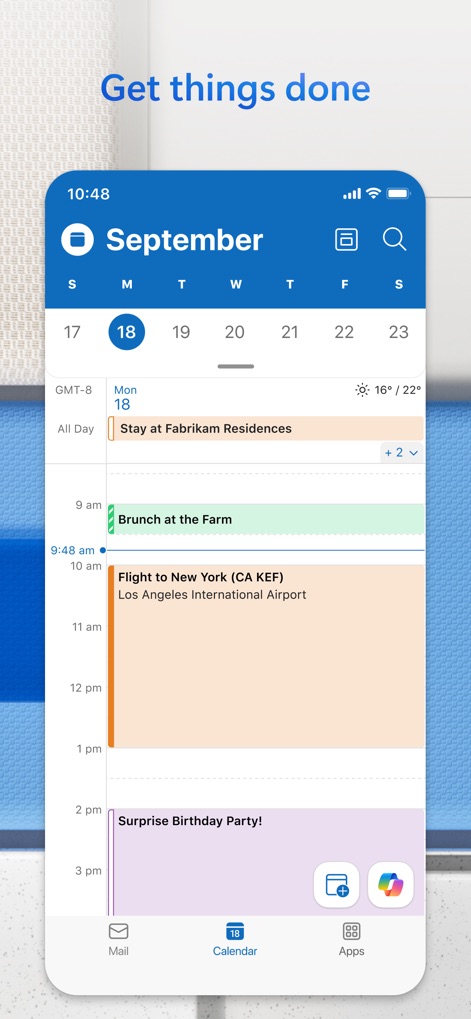
効率的なスケジュール
このアプリは、日付ごとに整理された「カレンダービュー」で日々の予定を明確に表示し、各イベントの「詳細と時間帯」を一覧で確認できるよう設計されています。
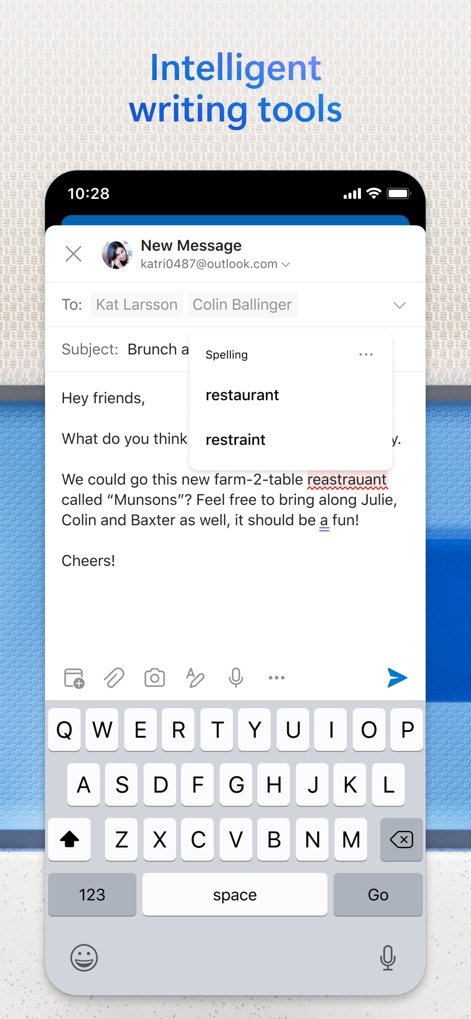
賢い執筆アシスト
メール作成時、このアプリは「スペルチェック」機能で誤字を指摘し、「関連する単語候補」を提示することで、より正確で効率的なコミュニケーションをサポートします。
説明
Download
類似アプリ
似た機能とユーザー体験を持つアプリ

Mail: Email, Cloud, Calendar
V Kontakte OOO

Yandex Mail: Email & Cloud
DIRECT CURSUS COMPUTER SYSTEMS TRADING LLC

Gmail - Email by Google
Google LLC

Yahoo Mail
Yahoo Inc.

Proton Mail - Encrypted Email
Proton AG

Email - Edison Mail
Edison Software Inc.

Zoho Mail - Email and Calendar
Zoho Corporation

GMX - Mail & Cloud
1&1 Mail & Media GmbH

AOL Mail, News, Weather
AOL Media LLC
このページはアプリまたはその開発者の公式ページではなく、情報提供および論評を目的として作成された独立した編集出版物です。明示的に別段の記載がない限り、アプリおよびその開発者は、MWM、Apple、Google Play、アプリのパブリッシャー、またはアプリの開発者と提携、承認、後援、認可、またはその他の公式的な関係はなく、このページのいかなる内容も、アプリがMWMのサービスを使用して開発されたことを意味するものではありません。すべての商標、ロゴ、スクリーンショット、その他のコンテンツはそれぞれの所有者の財産です。