
このページはアプリまたはその開発者の公式ページではなく、情報提供および論評を目的として作成された独立した編集出版物です。明示的に別段の記載がない限り、アプリおよびその開発者は、MWM、Apple、Google Play、アプリのパブリッシャー、またはアプリの開発者と提携、承認、後援、認可、またはその他の公式的な関係はなく、このページのいかなる内容も、アプリがMWMのサービスを使用して開発されたことを意味するものではありません。すべての商標、ロゴ、スクリーンショット、その他のコンテンツはそれぞれの所有者の財産です。

Microsoft SwiftKey AI Keyboard
このアプリは、ユーザーの思考に追いつく唯一のキーボードである。SwiftKeyは、単なる入力ツールではなく、ユーザーのデジタルな「声」を即座に、そして完璧に表現する拡張能力を提供する。
ダウンロード
12.5M+ユーザー評価
評価数
433.3K開発元
カテゴリ
Utilities対応言語
6最新バージョン
4.2.9サイズ
172.7 MBリリース日
2014年9月17日Microsoft SwiftKey AI Keyboard 機能分析
テックアナリストによる詳細評価
AIによる高度な予測変換と学習機能
本アプリは、ユーザーの入力スタイル、スラング、ニックネーム、絵文字の使用傾向などを継続的に学習し、パーソナライズされた単語やフレーズの予測、精度の高いオートコレクトを提供することで、入力速度と正確性を飛躍的に向上させます。
多彩な入力方式(スワイプ&タップ)
ユーザーは、指を滑らせて単語を入力するスワイプ入力と、従来のタップ入力から、自身のタイピング習慣に最適な方法を選択できます。これにより、個々のスタイルに合わせた快適なタイピングを実現し、入力効率を高めます。
高度なテーマカスタマイズ
本ツールは何十種類もの魅力的なキーボードテーマを提供し、ユーザーは自身の好みや気分に合わせてキーボードの外観を自由にカスタマイズすることが可能です。これにより、日々のデジタルコミュニケーションをよりパーソナルで楽しいものにします。
スマートな絵文字とGIFの統合
ユーザーは、表現豊かな絵文字やGIFを簡単に利用でき、本アプリはユーザーが頻繁に使用する絵文字を学習し、文脈に応じた適切な提案を行うことで、より感情豊かで効率的なコミュニケーションを支援します。
よくある質問
について知っておくべきこと Microsoft SwiftKey AI Keyboard
How does Microsoft SwiftKey AI Keyboard improve typing speed?
Microsoft SwiftKey AI Keyboard learns your writing style, including slang and emojis, and offers helpful predictions and accurate autocorrect. It also features swipe-to-type functionality to enhance typing speed.
Does Microsoft SwiftKey AI Keyboard offer predictive text?
Yes, Microsoft SwiftKey AI Keyboard provides helpful predictions that adapt to your unique typing style. This includes word choice, slang, nicknames, and emoji usage, making communication faster.
Can users customize the appearance of the Microsoft SwiftKey keyboard?
Yes, users can customize the Microsoft SwiftKey keyboard with dozens of themes. This allows matching the keyboard's style to personal preferences, offering a personalized typing experience.
Does the Microsoft SwiftKey AI Keyboard support swipe typing?
Yes, Microsoft SwiftKey AI Keyboard supports swipe typing. This feature allows users to type words by gliding their finger across the keyboard, enhancing both speed and efficiency.
What is the Copilot feature in Microsoft SwiftKey?
Copilot in SwiftKey integrates AI capabilities directly into the keyboard. It allows users to interact with AI for various tasks, such as asking for jokes or generating conversational responses.
Does Microsoft SwiftKey offer emoji predictions?
Yes, Microsoft SwiftKey offers emoji predictions. It learns your favorite emojis and suggests relevant emojis based on your typing context, streamlining emoji usage.
Can Microsoft SwiftKey AI Keyboard correct typing errors?
Yes, Microsoft SwiftKey AI Keyboard provides effective autocorrect functionality. This feature helps to correct typing errors in real-time and ensures accurate communication.
What is the toolbar feature in Microsoft SwiftKey?
The toolbar in Microsoft SwiftKey is an expandable menu located on the keyboard. It is filled with quick shortcuts, providing convenient access to various keyboard features and functions.
以下のスクリーンショットと説明は、アプリの公式ストアリスティングから直接取得されたものであり、アプリ開発者の所有物です。
アプリストア
スクリーンショット

CopilotとAIの融合
このアプリはCopilotとのシームレスな連携を提供し、ユーザーはAIによるジョーク生成や会話支援をキーボード上で行うことができます。
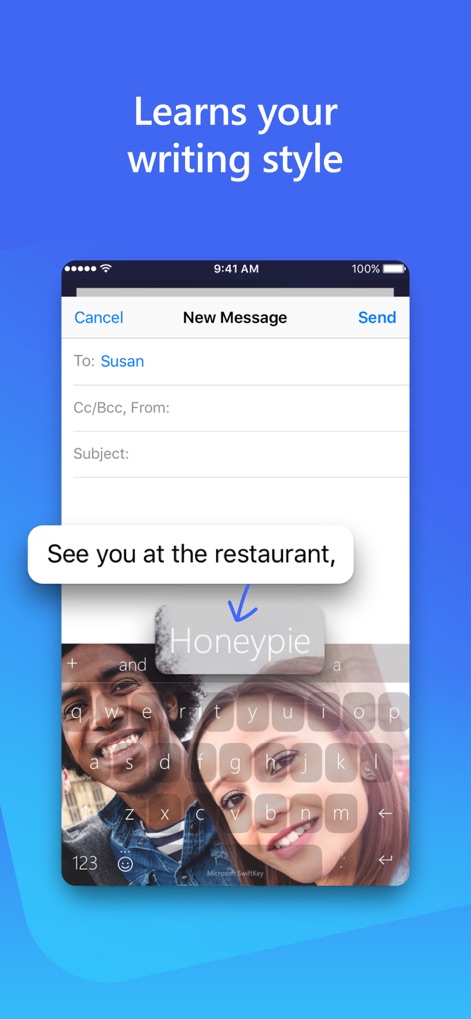
個性を学ぶキーボード
本アプリはユーザーの独自の書き方を学習し、背景画像付きのキーボード上でパーソナライズされた予測変換候補を提供します。
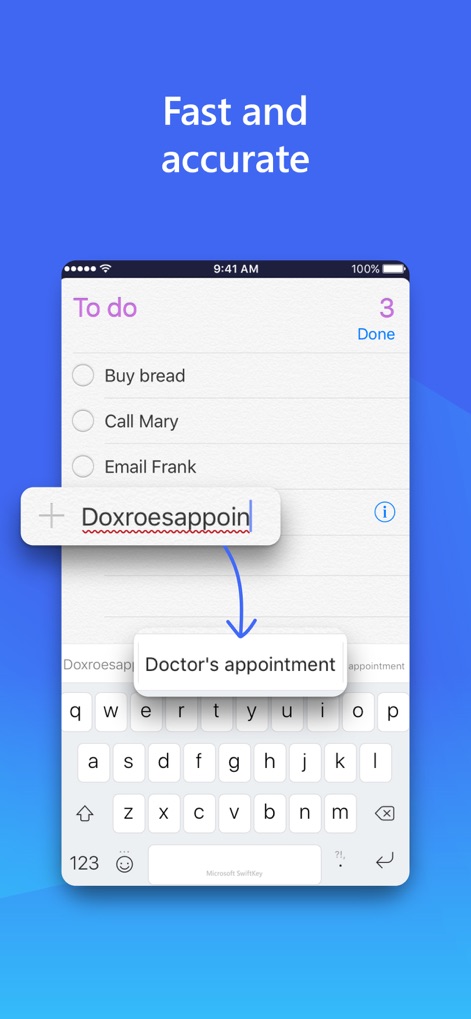
迅速な高精度入力
ユーザーは入力ミスを最小限に抑え、予測入力機能を通じて「Doctor's appointment」のような正確な単語補完を享受できます。
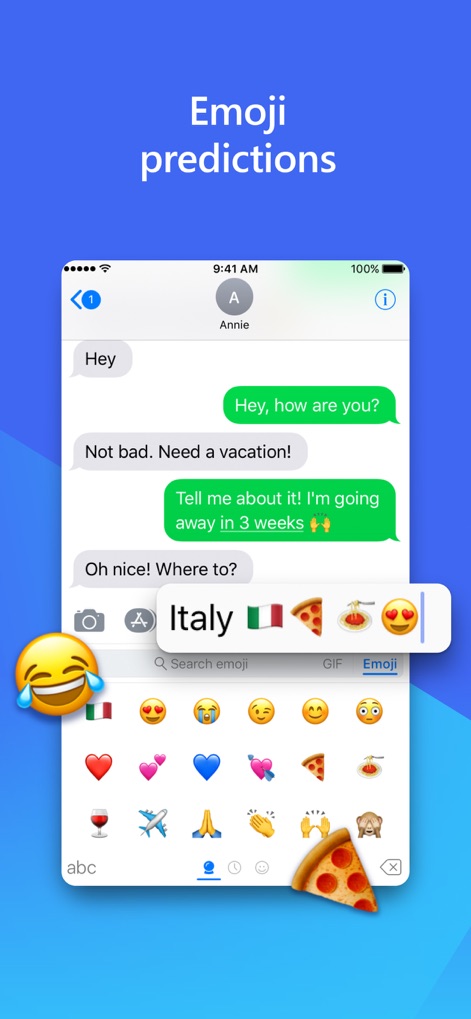
表現豊かな絵文字
このキーボードは会話の文脈に基づいて関連絵文字を提示し、ユーザーは豊富に用意された絵文字キーボードから最適なものを選ぶことができます。

グローバルな多言語対応
複数言語の自動認識により、ユーザーは「Goodnight. Te quiero」のように異なる言語をスムーズに入力でき、言語切り替え機能も利用可能です。
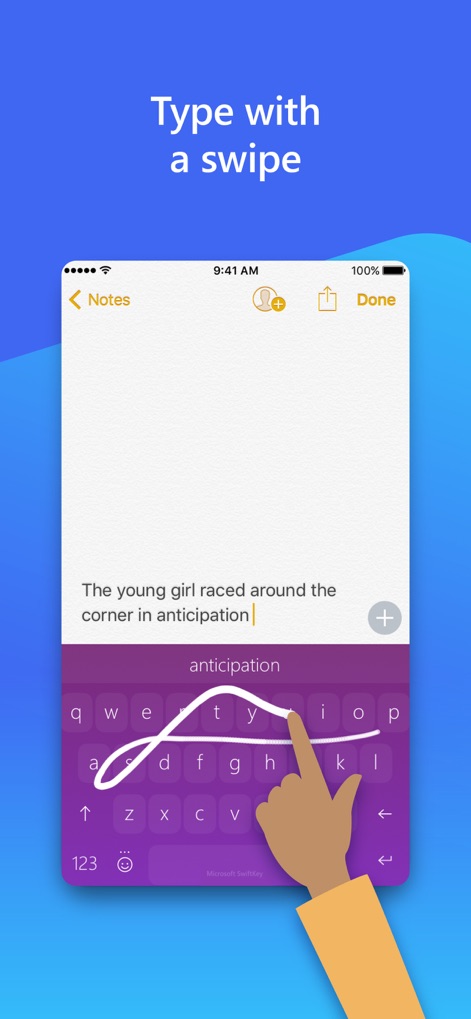
直感的なスワイプ入力
ジェスチャー入力により、ユーザーはキーボード上を指で滑らせるだけで単語をタイピングでき、効率的な単語予測がこれをサポートします。
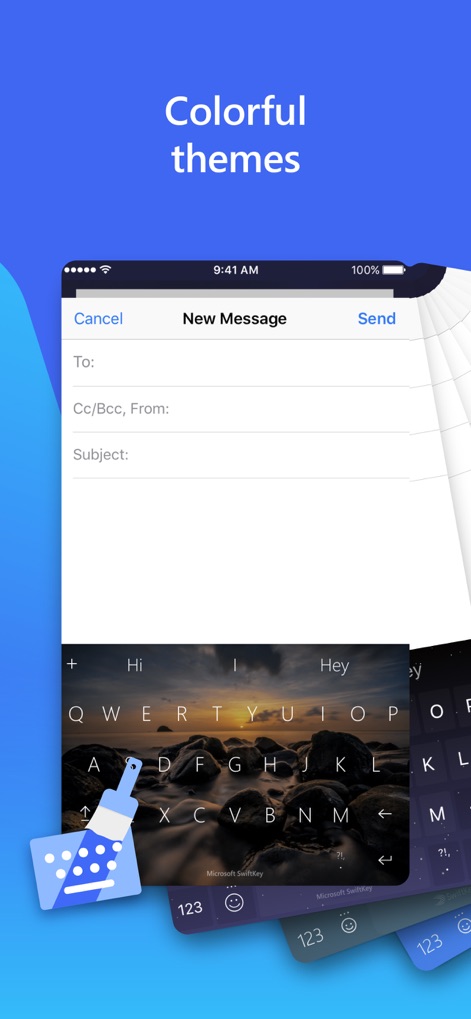
魅力的なテーマ設定
ユーザーは様々なキーボードデザインのカスタマイズを通じて、背景テーマの適用によってパーソナルな入力環境を作り出せます。
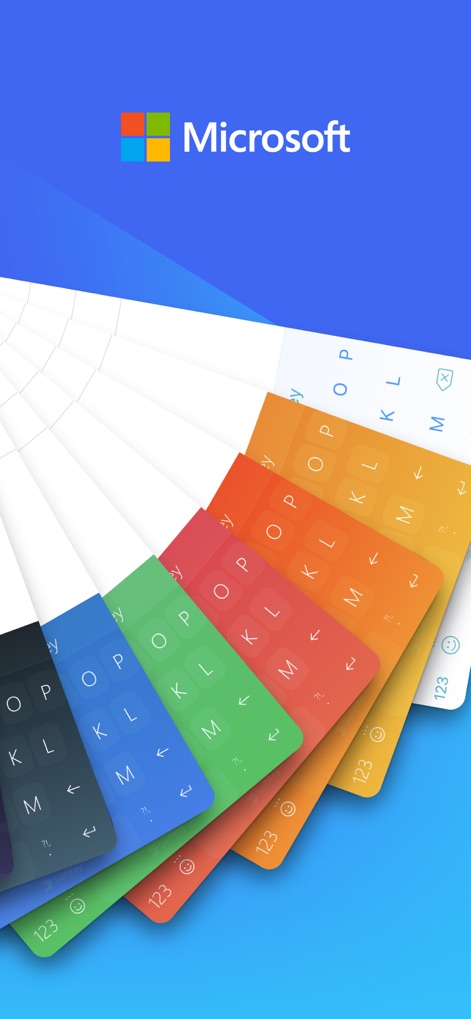
無限のカスタマイズ
このアプリは多彩なカラーオプションを備え、ユーザーはMicrosoftブランドのもと、カスタマイズ可能なデザインでキーボードを個性的に演出できます。
説明
Download
このページはアプリまたはその開発者の公式ページではなく、情報提供および論評を目的として作成された独立した編集出版物です。明示的に別段の記載がない限り、アプリおよびその開発者は、MWM、Apple、Google Play、アプリのパブリッシャー、またはアプリの開発者と提携、承認、後援、認可、またはその他の公式的な関係はなく、このページのいかなる内容も、アプリがMWMのサービスを使用して開発されたことを意味するものではありません。すべての商標、ロゴ、スクリーンショット、その他のコンテンツはそれぞれの所有者の財産です。