MicSwap: Microphone Recording

MicSwap: Microphone Recording

ダウンロード: App Store
ロゴ: MicSwap: Microphone Recording

MicSwap:ポケットに入るプロスタジオレコーディング

伝説的なマイクモデルと象徴的なスタジオ環境で、音楽、ポッドキャスト、ボイスオーバーをレベルアップしましょう。1万ドルの価格タグなしで、プロのように録音し、ハイエンドなサウンドを手に入れましょう。

開発元

Future Moments LLC

カテゴリ

Music

ダウンロード

1M+

ユーザー評価

4.4/5

評価数

1K+

対応言語

23

マイクロッカーをツアーする

このインターフェースを利用する 1M+ 人のユーザー.

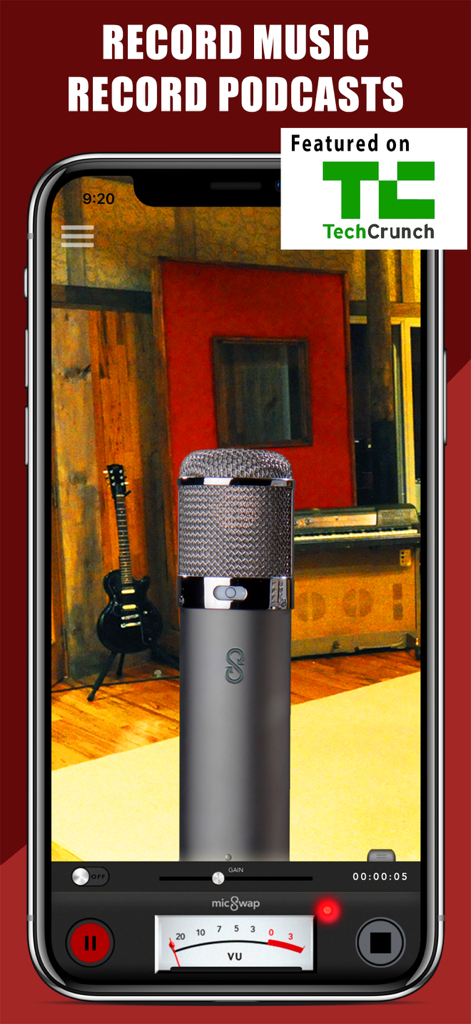
MicSwapアプリインターフェース、音楽やポッドキャスト用のレコーディングスタジオ環境にプロフェッショナルマイクを表示
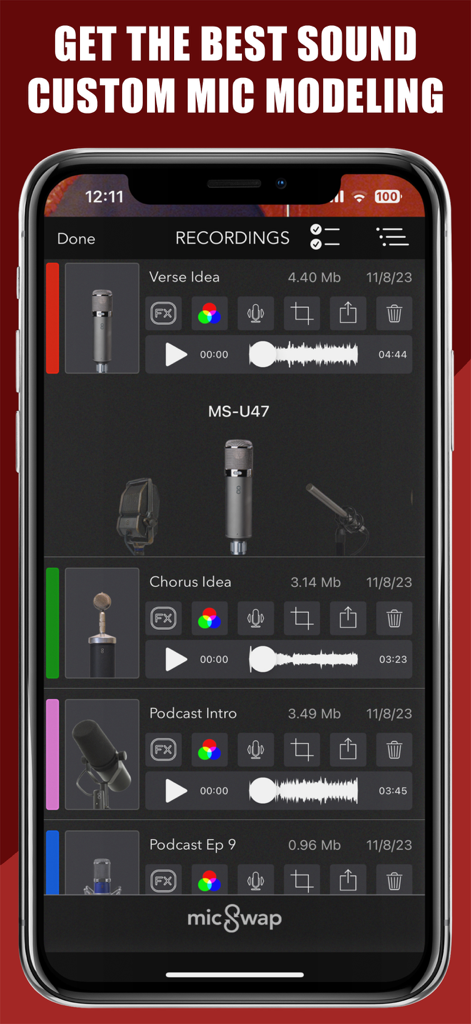
MicSwapアプリインターフェース、音楽やポッドキャスト用のレコーディングスタジオ環境にプロフェッショナルマイクを表示

MicSwapアプリインターフェース、カスタムマイクモデリングオプション付きの録音オーディオファイルを表示
MicSwapアプリインターフェース、カスタムマイクモデリングオプション付きの録音オーディオファイルを表示

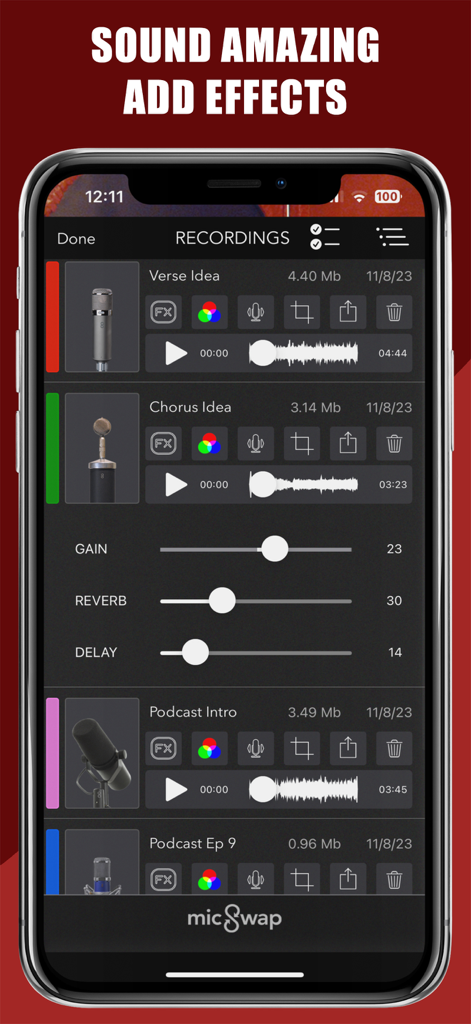
MicSwapモバイルアプリ、音楽やポッドキャスト用のオーディオ録音リストを表示、ゲイン、リバーブ、ディレイエフェクト調整可能
MicSwapモバイルアプリ、音楽やポッドキャスト用のオーディオ録音リストを表示、ゲイン、リバーブ、ディレイエフェクト調整可能

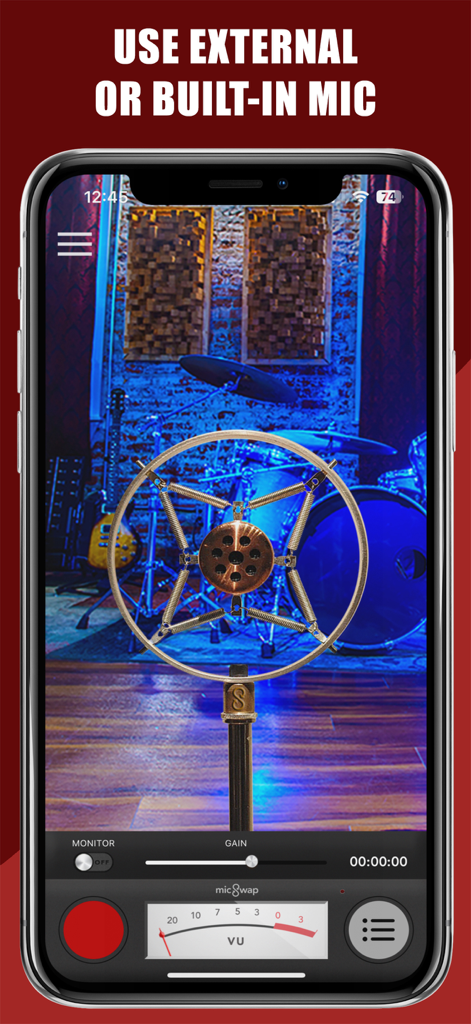
MicSwapアプリインターフェース、ヴィンテージマイクモデルとレコーディングスタジオの背景を表示
MicSwapアプリインターフェース、ヴィンテージマイクモデルとレコーディングスタジオの背景を表示

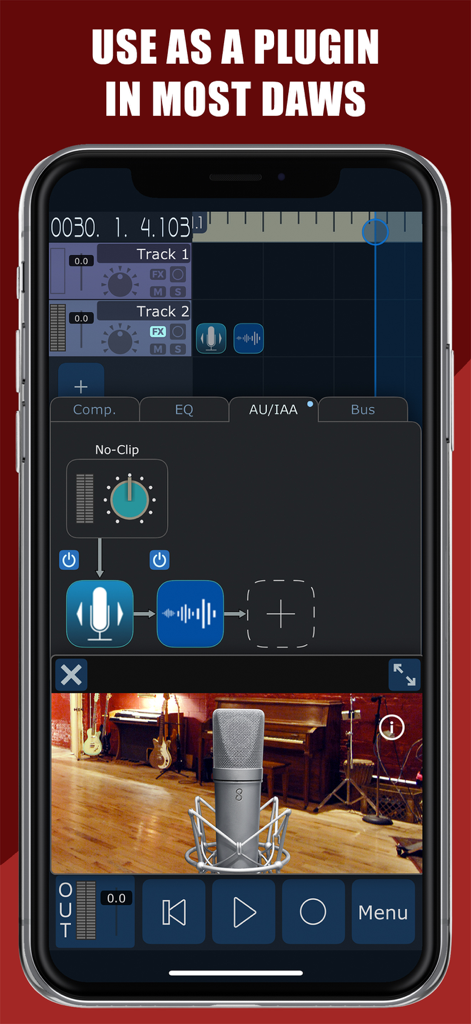
MicSwapアプリインターフェース、DAWプラグイン統合とマイクモデリングを実演
MicSwapアプリインターフェース、DAWプラグイン統合とマイクモデリングを実演

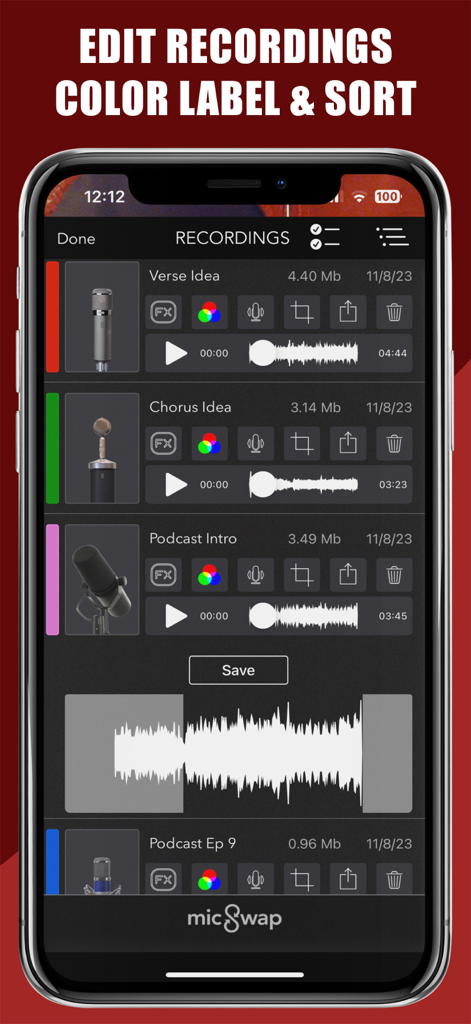
MicSwapのオーディオ録音リスト、カラーラベルと波形付き
MicSwapのオーディオ録音リスト、カラーラベルと波形付き

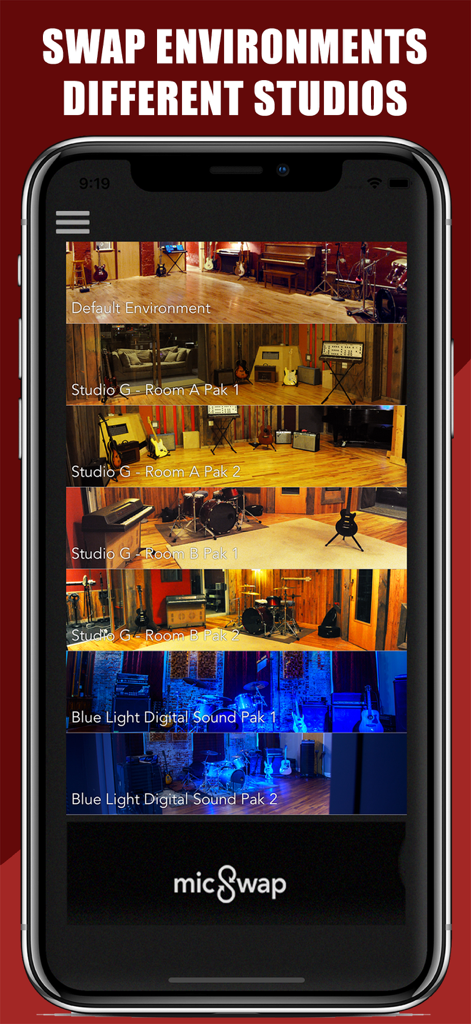
MicSwapアプリインターフェース、仮想レコーディングスタジオ環境とルームプリセットの選択を表示
MicSwapアプリインターフェース、仮想レコーディングスタジオ環境とルームプリセットの選択を表示

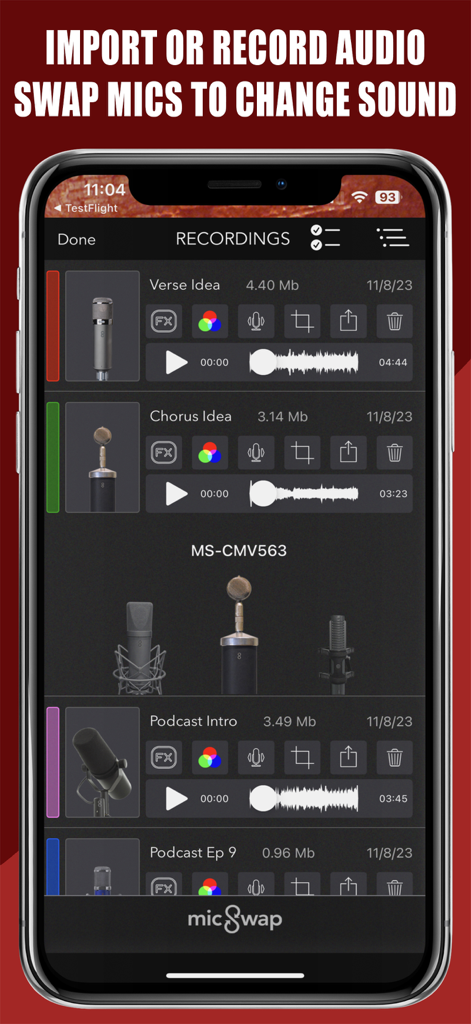
MicSwapアプリインターフェース、オーディオ録音とマイク選択のリストを表示
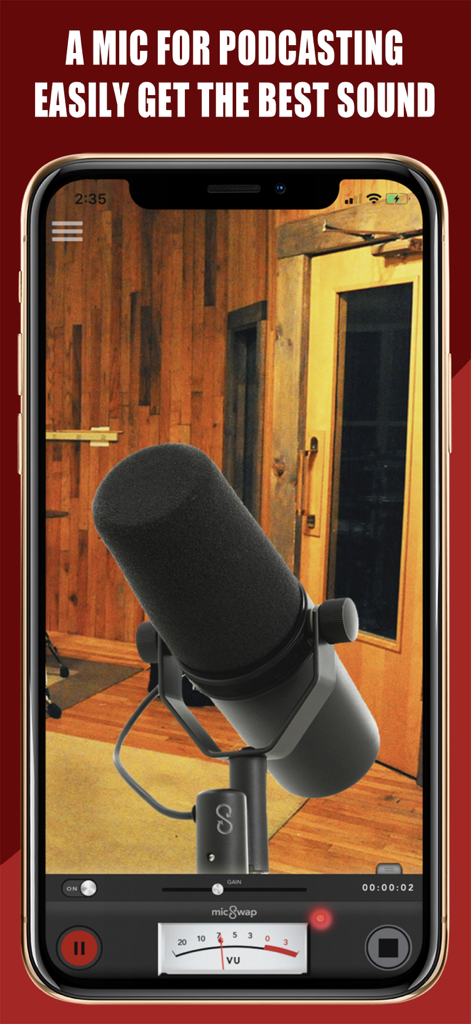
MicSwapアプリインターフェース、オーディオ録音とマイク選択のリストを表示

MicSwapアプリインターフェース、スタジオでのポッドキャスト用プロフェッショナルマイクと録音コントロールを表示
MicSwapアプリインターフェース、スタジオでのポッドキャスト用プロフェッショナルマイクと録音コントロールを表示

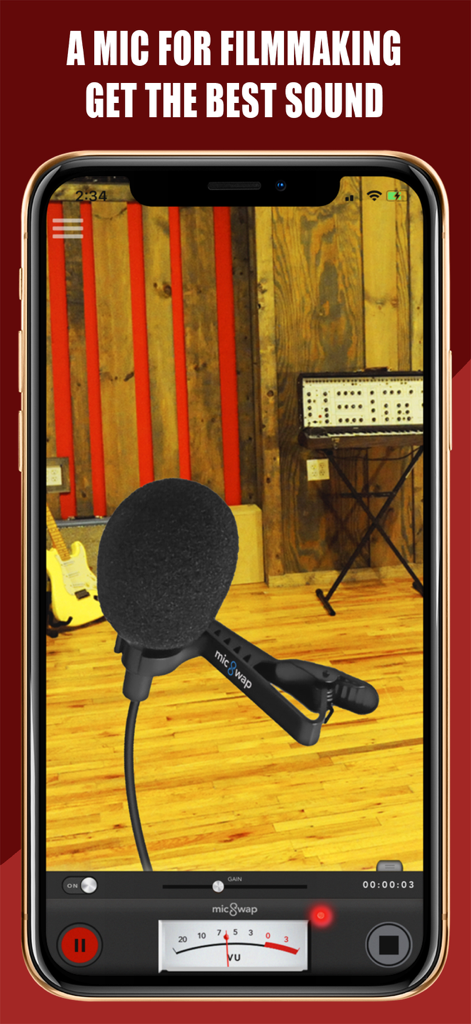
MicSwapアプリインターフェース、映画制作用の仮想ラベリアマイクとプロフェッショナルオーディオコントロールを表示

MicSwapアプリインターフェース、映画制作用の仮想ラベリアマイクとプロフェッショナルオーディオコントロールを表示

プロフェッショナルスタジオサウンドをシンプルに

このアプリを際立たせるツール、 1M+ 人のユーザーが選択.

🎙️

17の象徴的なマイク

Shure SM7bやNeumann U87のような伝説的なマイクを即座に切り替えて、ブティック価格なしで100万ドルのトーンを手に入れましょう。

🏢

プロスタジオ環境

タップ一つでレコーディングスペースを変更できます。セッションを乾燥した寝室からヴィンテージラジオブースやプロフェッショナルスタジオに移して、完璧な音響を実現しましょう。

🔌

シームレスなプロ統合

GarageBandおよびFL Studio内のAUv3プラグインとして機能し、プロの音楽またはポッドキャストワークフローに最適なポータブルな追加機能となります。

アプリについて

について知っておくべきこと MicSwap: Microphone Recording.

説明

A mobile recording studio for music, podcasting, voiceover, filmmaking and more. Record or import audio, swap microphones for different sounds, change studios, edit, color label, sort, share and store your recordings anywhere. This free version comes with 3 free mics of 17, and the ability to try then buy others. Subscribe to use with an external microphone or interface, all mics and studios, unlimited recording and the ability to use it as a plugin with other music apps.like GarageBand, FL Studio, Auria, Cubasis, Multitrack and more etc (Audiobus, IAA, AUv3 compatible). MicSwap can also transform your iPhone or iPad into a microphone when you connect it to external speakers. If you're using a computer without a microphone, MicSwap is am easy way to add a mic to your setup so you can add voiceover to videos, record podcasts, add commentary to games and more "If you’re yearning to broaden your sonic palette but don’t happen to have a spare $2K to spend, you’ll like MicSwap Pro a whole lot." - MacLife "One of the best recording apps for iOS" - iPadMusic.com "MicSwap Turns Your iPhone Into Rock And Roll" - TechCrunch "Like Instagram For Your Voice" - Forbes "A useful, well-produced app" - Music Radar • Studio, Mic Modeler & Recorder • Record, import, change the sound of any audio • Record in Wav or M4a • Swap Microphones for different sounds • Swap Recording Studios • Adjust the input gain • Live monitoring • Color code your recordings • Much more! FEATURES • Record with different mics for different sounds • 3 Microphones included • Change the sound of pre-existing audio • Adjust the gain (input) of any microphone • Edit / trim recordings • Enable / disable live monitoring • AU compatible • AudioCopy enabled • Change backgrounds by swapping studio environments • Color label recordings • Sort recordings by date, title, duration, mic used, & color • Descriptions of each mic & studio (Tap 'S' or (i) on mic) • Re-order the microphones. Put your favorites first. • Share your recordings anywhere 17 MICROPHONES MODELED • Shure SM7b (Podcasting) • Rode NTG3 (Boom Mic) • Shure SM58 • RCA 77 • Sony Lavalier • Megaphone • Amperite SR80 • Neumann U47 • Neumann U87 • Neumann KM140 • Neumann CMV563 • AKG 414 • AKG C12VR • Royer Ribbon R121 • Old Timey Radio Mic • Ribbon Fathead 1 • Ribbon Fathead 2 ALSO BY FUTURE MOMENTS: Video Audio Splitter Remix the Audio of Your Video MicSwap Remix AI Audio Stem Separator Crystal Audio AI Audio Cleanup Magic MAIVE Ai Video Generator VideoVerb Add Reverb to Your Videos Hear Boost Get Super Hearing & Recording MicSwap Mic Modeler & Recorder MicSwap MultiTrack Multitrack Mic Modeler & Recorder MicSwap Video Edit Video Audio with Mic Models & FX MicSwap Camera The Best Sounding Video Camera AudioFix Denoise & Clean the Sound of Your Video VideoMaster Instant Audio Post-Production for Videos AudioVerb Add Reverb & Delay to Your Audio AudioMaster Audio Mastering for Podcasts & Music Volume Booster Easily Boost the Sound of Your Audio or Video Use for Podcasting, Music Creation, Voiceover, Memos, Ideas, Songwriting, Singing, Karaoke, etc MicSwap is a highly intuitive tool that simulates a real studio environment. It's a mic locker and recording studio in your pocket. Record and filter new or pre-existing audio. Serious audio engineers, musicians, recording hobbyists, podcasters etc.. For an optimal audio experience, please use headphones. WE OFFER 3 SUBSCRIPTION PLANS *Prices are equal to the value that "Apple's App Store Matrix" determines is the equivalent of the subscription price in $USD. If you choose to subscribe, your subscriptions will automatically renew at the end of the selected time and will charge your credit card through your iTunes account. You can turn off auto-renew at any time from your iTunes account settings. Future Moments LLC privacy policy: http://future-moments.com/faq Future Moments LLC terms of use: http://future-moments.com/faq

最新バージョン

3.16

サイズ

333.9 MB

リリース日

2014年12月7日

プロスタジオサウンドを今すぐアンロック

MicSwapを伝説的なオーディオ品質のために信頼する100万人以上のクリエイターに加わりましょう。今すぐダウンロードして、ポケットにワールドクラスのマイクロッカーを携帯しましょう。

ダウンロード: App Store
FAQ

よくある質問

について知っておくべきこと MicSwap: Microphone Recording

MicSwap: Microphone Recordingとは何ですか?

MicSwapは、音楽、ポッドキャスト、ボイスオーバー、映画制作のためのモバイル録音スタジオアプリケーションです。ユーザーはオーディオを録音またはインポートし、マイクとスタジオを切り替え、録音を編集して共有することができます。

MicSwap: Microphone Recordingでオーディオを録音できますか?

はい、MicSwapはアプリ内で直接オーディオを録音します。ユーザーは既存のオーディオファイルをインポートしてエフェクトやマイクモデルを適用することもでき、WavやM4aなどの形式をサポートしています。

MicSwap: Microphone Recordingは異なるマイクモデルを提供していますか?

はい、MicSwapはさまざまなサウンドのために17種類のマイクモデルを提供しており、無料版には3種類が含まれています。ユーザーはマイクを切り替えて、新規または既存のオーディオのサウンドを変更できます。

MicSwap: Microphone Recordingは外部マイクで使用できますか?

はい、サブスクリプションにより、MicSwapで外部マイクまたはインターフェースを接続して使用できます。このアプリは、iPhone/iPadを外部スピーカー用マイクに変換することもできます。

MicSwap: Microphone Recordingは他のデジタルオーディオワークステーション(DAW)と互換性がありますか?

はい、MicSwapはGarageBand、FL Studio、Auria、Cubasis、Multitrackなどの他の音楽アプリと互換性があります。プラグインとしてAudiobus、IAA、AUv3標準をサポートしています。

MicSwap: Microphone Recordingで録音を編集できますか?

はい、MicSwapでは録音の編集とトリミングが可能です。また、カラーコーディング、さまざまな基準によるソート、入力ゲインの調整、エフェクトの適用などの機能も含まれています。

MicSwap: Microphone Recordingは異なるスタジオ環境を提供していますか?

はい、MicSwapではスタジオ環境を変更して、録音のサウンドとビジュアル背景を変更できます。この機能は、複数のスタジオオプションで利用可能です。

MicSwap: Microphone Recordingの料金はいくらですか?

MicSwapは3つのマイクを備えた無料バージョンを提供しています。すべてマイク、スタジオ、無制限の録音、外部マイクサポートへのフルアクセスにはサブスクリプションが必要です。価格はAppleのApp Store Matrixによって設定されています。

MicSwap: Microphone Recordingはライブオーディオモニタリングをサポートしていますか?

はい、MicSwapにはライブモニタリング機能が含まれています。ユーザーは録音中にこの機能を有効または無効にして、保存する前にリアルタイムでオーディオを聞くことができます。

MicSwap: Microphone Recordingのサブスクリプションを管理するにはどうすればよいですか?

MicSwapのサブスクリプションは、選択した期間の終了時に自動的に更新されます。ユーザーは、サブスクリプションを管理するために、いつでもiTunesアカウント設定から自動更新をオフにすることができます。

App information, icons, screenshots, and descriptions displayed on this page are sourced from the Apple App Store and are the property of their respective developers. Download estimates and rankings are based on MWM's proprietary models and may not reflect actual figures. This page is provided for informational and analytical purposes only.

Believe this page infringes your intellectual property? File a dispute