MidiMixer for AUM Auv3 Plugin
ダウンロード: App Store

このページはアプリまたはその開発者の公式ページではなく、情報提供および論評を目的として作成された独立した編集出版物です。明示的に別段の記載がない限り、アプリおよびその開発者は、MWM、Apple、Google Play、アプリのパブリッシャー、またはアプリの開発者と提携、承認、後援、認可、またはその他の公式的な関係はなく、このページのいかなる内容も、アプリがMWMのサービスを使用して開発されたことを意味するものではありません。すべての商標、ロゴ、スクリーンショット、その他のコンテンツはそれぞれの所有者の財産です。

ロゴ: MidiMixer for AUM Auv3 Plugin
ダウンロード: App Store

MidiMixer for AUM Auv3 Plugin

AUMエコシステム専用に設計された12チャンネルコントロール、グラフィカルオートメーション編集、シームレスなスナップショットトランジションで、iOSプロダクションワークフローを向上させましょう。

主要数値

ダウンロード

12K+

ユーザー評価

4.7/5

評価数

0

開発元

Limelight Software

カテゴリ

Music

対応言語

1

最新バージョン

1.09

サイズ

7.7 MB

リリース日

2020年12月9日
機能

AUMワークフローをマスターする

真剣なiPadプロデューサーのために設計された、プログレードのスナップショット、正確なグラフィカル編集、シームレスなマルチチャンネルコントロールで、AUMを強力なオートメーションの powerhouse へと変革しましょう。

流れるようなスナップショットフェード

最大8つのミキサースナップショットを作成し、それらの間のスムーズでタイミングの取れたフェードをトリガーします。ヴァースからコーラスへの移行や、シングルタップでの複雑なライブトランジションの実行に最適です。

精密オートメーションエディター

リアルタイムのフェーダー移動を録音するか、グラフィカル描画ツールを使用してトラックにプロフェッショナルな動きを追加します。もう「ガラス画面の疲労」はありません。デスクトップクラスのオートメーションコントロールだけです。

以下のスクリーンショットと説明は、アプリの公式ストアリスティングから直接取得されたものであり、アプリ開発者の所有物です。

アプリストア

スクリーンショット
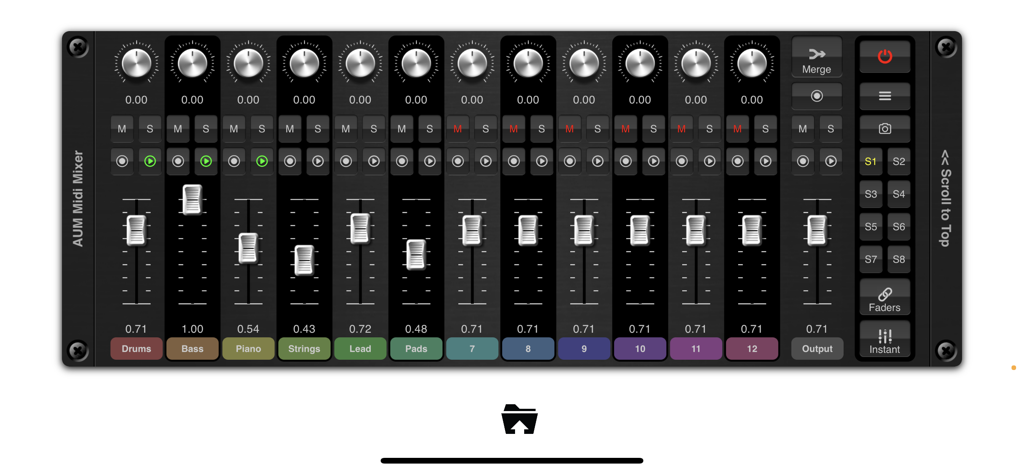
MidiMixer for AUM Auv3 Plugin - AUM用のMidiMixerインターフェース。12チャンネルフェーダーとミキサースナップショットを表示。
AUM用のMidiMixerインターフェース。12チャンネルフェーダーとミキサースナップショットを表示。

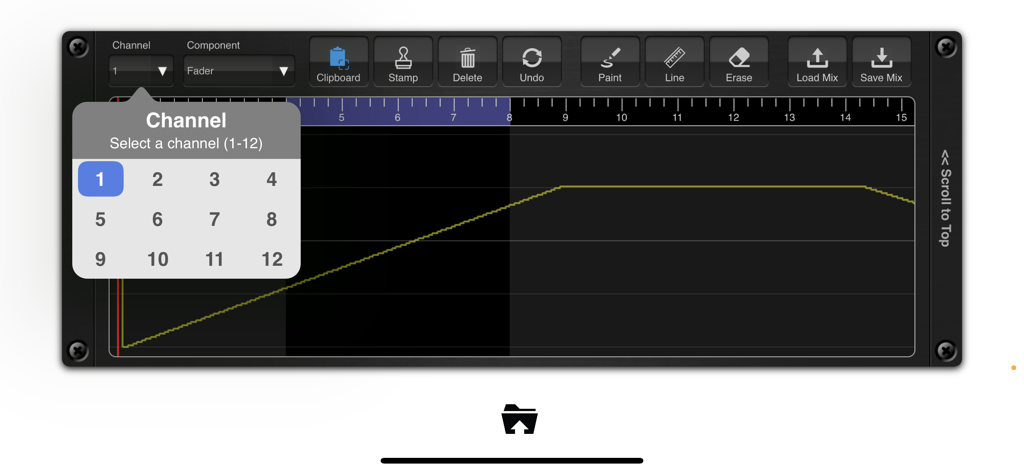
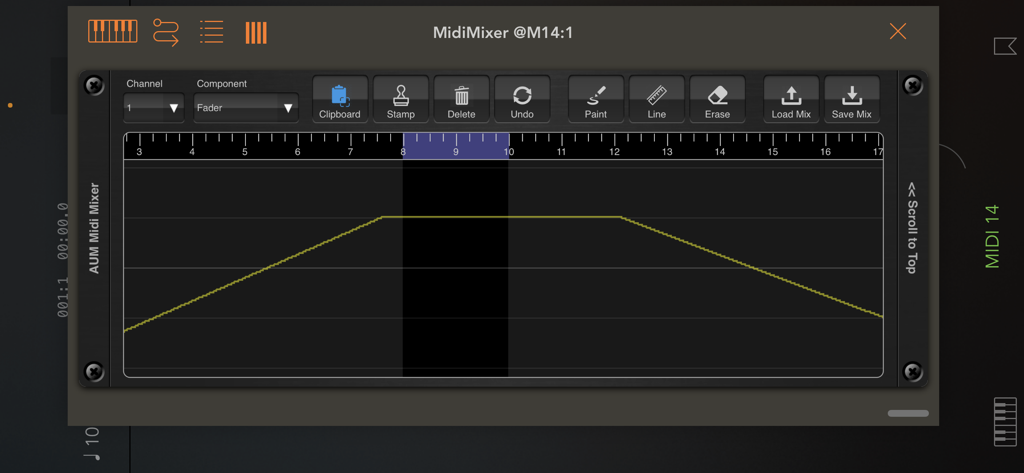
MidiMixer for AUM Auv3 Plugin - AUM用のMidiMixerのグラフィカルオートメーションエディターとチャンネル選択。
AUM用のMidiMixerのグラフィカルオートメーションエディターとチャンネル選択。

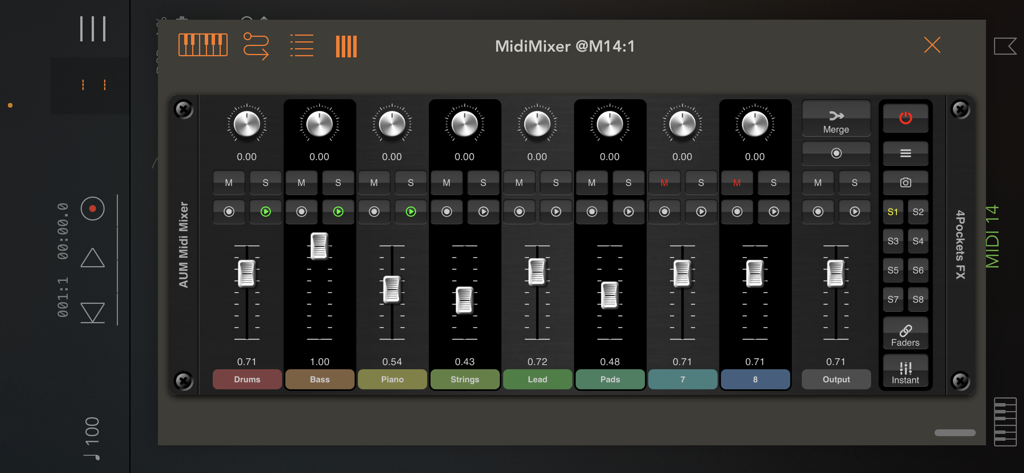
MidiMixer for AUM Auv3 Plugin - AUM内のドラム、ベース、ストリング用のフェーダーを表示するMidiMixer AUv3プラグインコンソール。
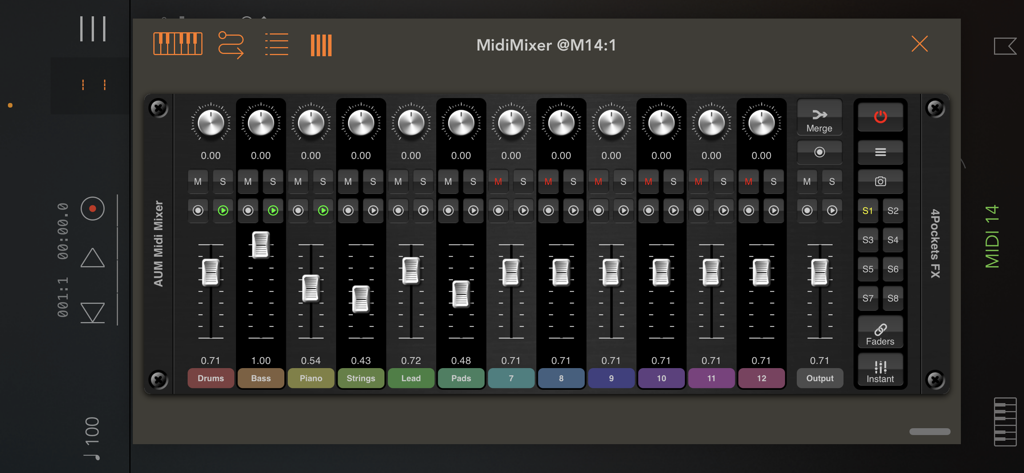
AUM内のドラム、ベース、ストリング用のフェーダーを表示するMidiMixer AUv3プラグインコンソール。

MidiMixer for AUM Auv3 Plugin - iOS音楽制作のためのフェーダーとスナップショットを備えた12チャンネルデジタルミキサーを示すAUM用MidiMixerのインターフェース。
iOS音楽制作のためのフェーダーとスナップショットを備えた12チャンネルデジタルミキサーを示すAUM用MidiMixerのインターフェース。

MidiMixer for AUM Auv3 Plugin - タイムライン上のフェーダーボリュームカーブと編集ツールを示すMidiMixerのグラフィカルオートメーションエディター。
タイムライン上のフェーダーボリュームカーブと編集ツールを示すMidiMixerのグラフィカルオートメーションエディター。

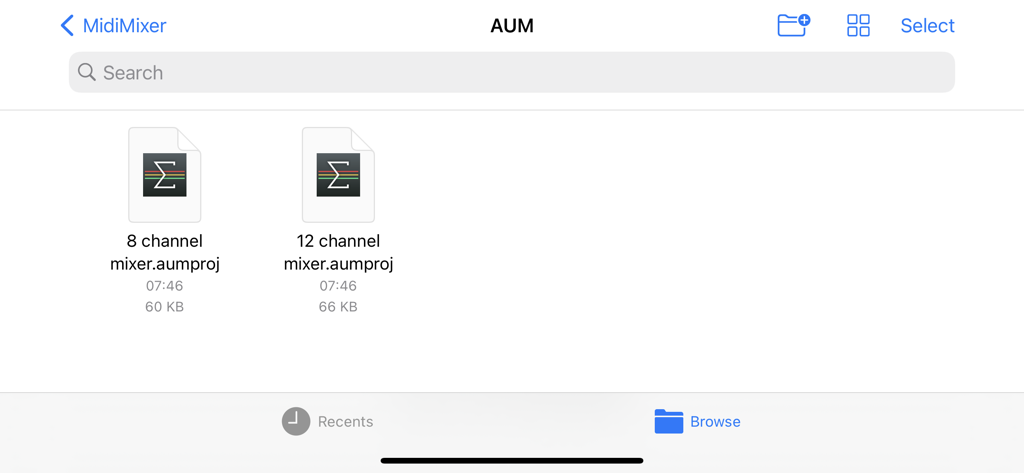
MidiMixer for AUM Auv3 Plugin - 8チャンネルおよび12チャンネルAUMミキサー用のセッションテンプレートを表示するMidiMixer内のファイルブラウザ。

8チャンネルおよび12チャンネルAUMミキサー用のセッションテンプレートを表示するMidiMixer内のファイルブラウザ。

説明

1st Sept: This version adds scene support for compatability with future versions of iOS. MidiMixer is an AUv3 plugin specifically designed for AUM which allows you to control your mix and record automation synced to AUM's timeline. You can control up to 12 AUM channels at once and create up to 8 snapshots of the mixing desk. You can smoothly fade from one snapshot into another at the touch of a button and even record these transitions as part of the automation for your song. Automation recording is a big part of MidiMixer, and as such can record real-time movement of controls or add them directly to the visual editor. Editor tools allow you to draw automation for each control in real time as your song plays. MidiMixer ships with a couple of default AUM session templates that will help you quickly configure AUM and MidiMixer ready to create your new song. MidiMixer works by sending control messages to AUM. It relies on the default settings for AUM which makes setup very quick and easy. By default, you have control over 12 AUM tracks and a single group track for overall volume. You can control AUM's fader, pan, mute and solo settings for each of the 12 channels. We also provide a user option which allows you to send custom data to control other AUM settings (or a piece of MIDI equipment of your choice). Features: • 8 mixer snapshots with smooth fade over 0-5s. • Record real-time control changes. • Graphical editor with editing tools. • Clipboard functionality for copying sections of automation. • 2 default AUM templates provided. • Fader lock allowing control of all faders at once. • Control up to 12 AUM channels. • Load and Save mixes. • Full song state saving. Checkout the 'Paul the Musicman' YouTube channel for a preview of this app in action. Please Note: Although this plugin can technically be loaded into any DAW, it was designed purely for use in AUM and as such its use outside of AUM is extremely limited. Also not recommended for use on iPhones with less than 6.5" display.

Download

ダウンロード: App Store

このページはアプリまたはその開発者の公式ページではなく、情報提供および論評を目的として作成された独立した編集出版物です。明示的に別段の記載がない限り、アプリおよびその開発者は、MWM、Apple、Google Play、アプリのパブリッシャー、またはアプリの開発者と提携、承認、後援、認可、またはその他の公式的な関係はなく、このページのいかなる内容も、アプリがMWMのサービスを使用して開発されたことを意味するものではありません。すべての商標、ロゴ、スクリーンショット、その他のコンテンツはそれぞれの所有者の財産です。







