MileTracker Pro
MileTracker Pro
ダウンロード: App Store

このページはアプリまたはその開発者の公式ページではなく、情報提供および論評を目的として作成された独立した編集出版物です。明示的に別段の記載がない限り、アプリおよびその開発者は、MWM、Apple、Google Play、アプリのパブリッシャー、またはアプリの開発者と提携、承認、後援、認可、またはその他の公式的な関係はなく、このページのいかなる内容も、アプリがMWMのサービスを使用して開発されたことを意味するものではありません。すべての商標、ロゴ、スクリーンショット、その他のコンテンツはそれぞれの所有者の財産です。

ロゴ: MileTracker Pro
ダウンロード: App Store

MileTracker Pro

不動産業者、営業担当者、自営業者向けの最も柔軟なトラッカーで、車両ログを自動化し、IRS準拠のレポートを作成しましょう。控除対象の走行距離をもう見逃すことはありません。

主要数値

ダウンロード

100

ユーザー評価

4.6/5

評価数

200

開発元

Silverware Software, LLC

カテゴリ

Finance

対応言語

5

最新バージョン

1.8.5

サイズ

59.8 MB

リリース日

2021年3月3日
機能

税金控除を簡単に最大化

IRS準拠の追跡、自動ログ、プロフェッショナルなレポートツールで時間とお金を節約する何千人ものプロフェッショナルに加わりましょう。

設定して忘れるだけの自動化

AutoTrackを有効にして、バックグラウンドで全ての走行を自動的に記録しましょう。ビジネスでの移動を記録し忘れて、控除を逃すことはもうありません。

IRS準拠のレポート

ワンタップでプロフェッショナルなPDFまたはCSVレポートを作成しましょう。厳格なIRS基準を満たすように設計されており、あなたとあなたの会計士にとって確定申告シーズンを楽にします。

以下のスクリーンショットと説明は、アプリの公式ストアリスティングから直接取得されたものであり、アプリ開発者の所有物です。

アプリストア

スクリーンショット
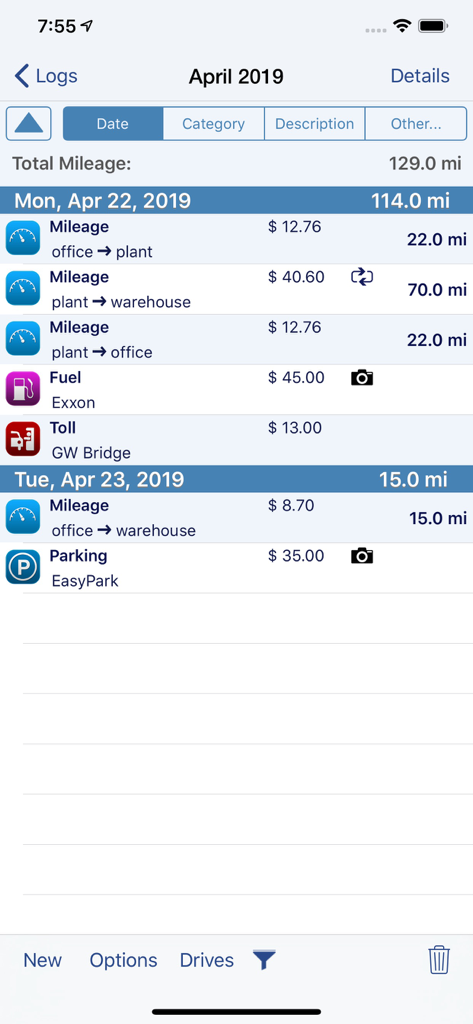
MileTracker Pro - MileTracker Proアプリのインターフェース。税金レポート用の走行距離、燃料、通行料、駐車料金の毎日のログが表示されています。
MileTracker Proアプリのインターフェース。税金レポート用の走行距離、燃料、通行料、駐車料金の毎日のログが表示されています。

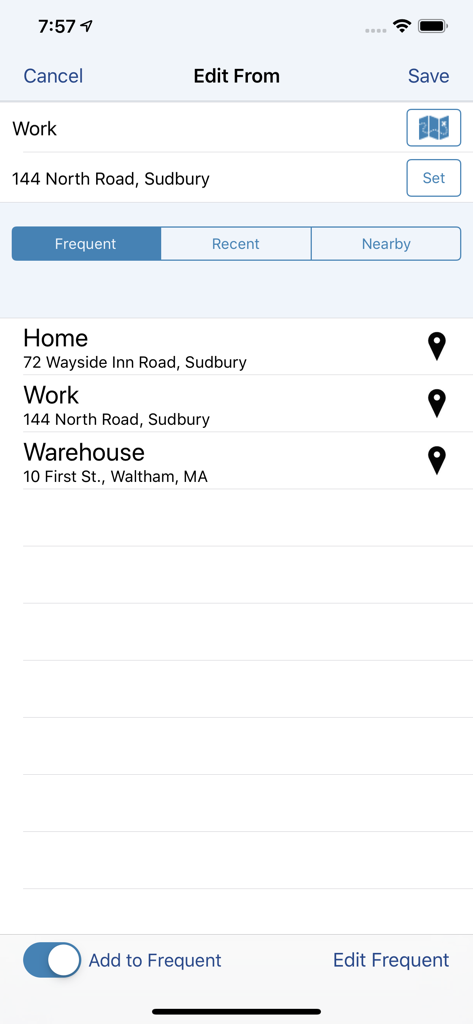
MileTracker Pro - MileTracker Proアプリの画面。自宅や職場などの頻繁な場所を選択し、税金準拠の走行距離追跡を行います。
MileTracker Proアプリの画面。自宅や職場などの頻繁な場所を選択し、税金準拠の走行距離追跡を行います。

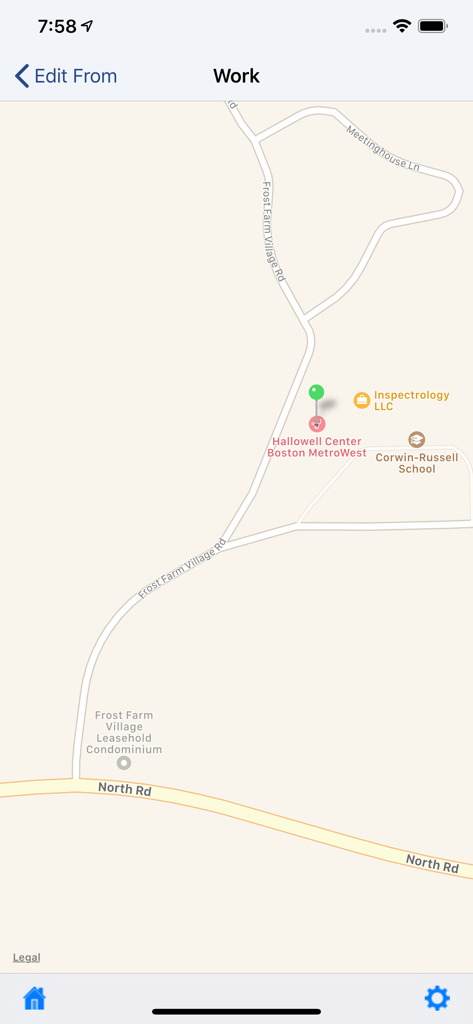
MileTracker Pro - MileTracker Proモバイルアプリのインターフェース。ビジネス走行距離と場所の選択を追跡するためのGPSマップが表示されています。
MileTracker Proモバイルアプリのインターフェース。ビジネス走行距離と場所の選択を追跡するためのGPSマップが表示されています。

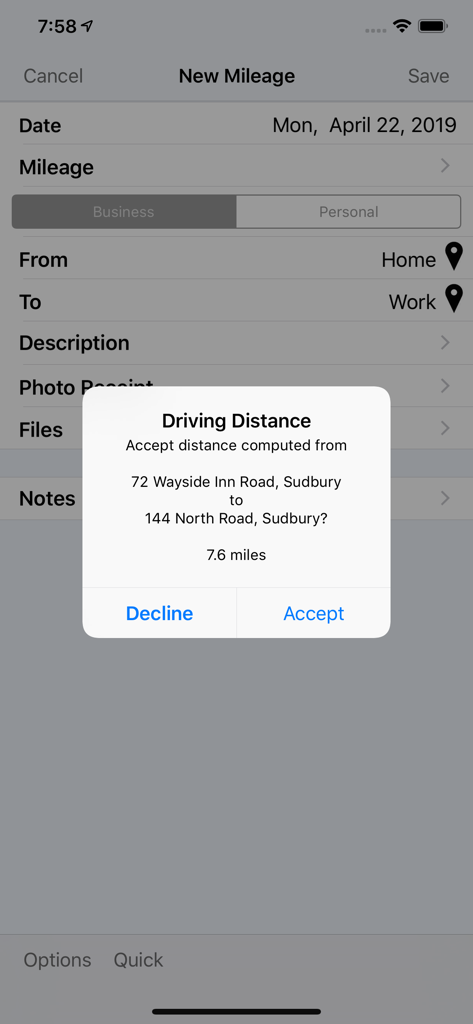
MileTracker Pro - MileTracker Proの自動走行距離計算ポップアップ。自宅と職場の住所間を示しています。
MileTracker Proの自動走行距離計算ポップアップ。自宅と職場の住所間を示しています。

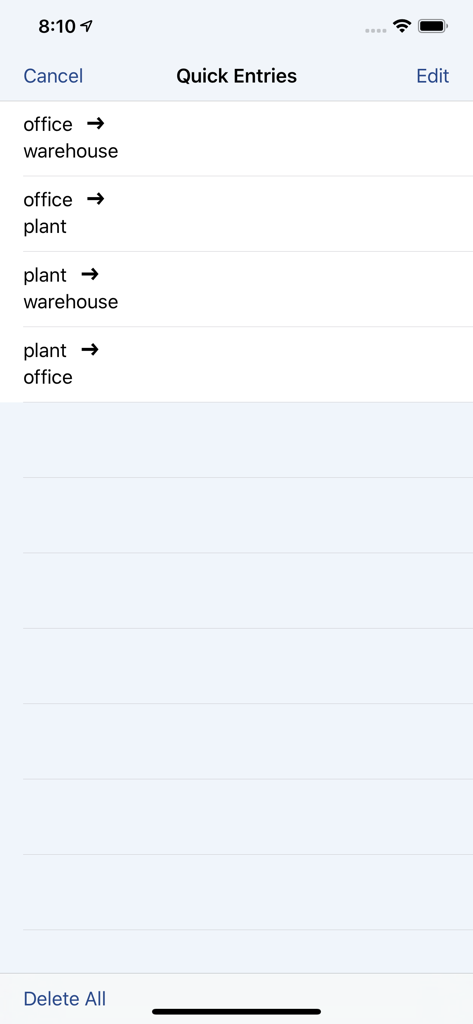
MileTracker Pro - MileTracker Proの頻繁なビジネス旅行ショートカットのリスト。手動での走行距離入力が迅速に行えます。
MileTracker Proの頻繁なビジネス旅行ショートカットのリスト。手動での走行距離入力が迅速に行えます。

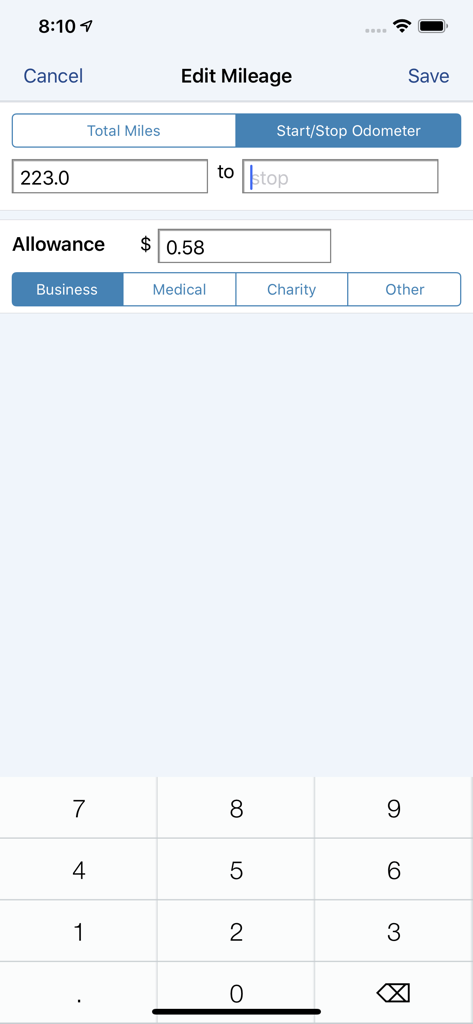
MileTracker Pro - MileTracker Proアプリのビジネス走行距離の手動オドメーター入力画面。
MileTracker Proアプリのビジネス走行距離の手動オドメーター入力画面。

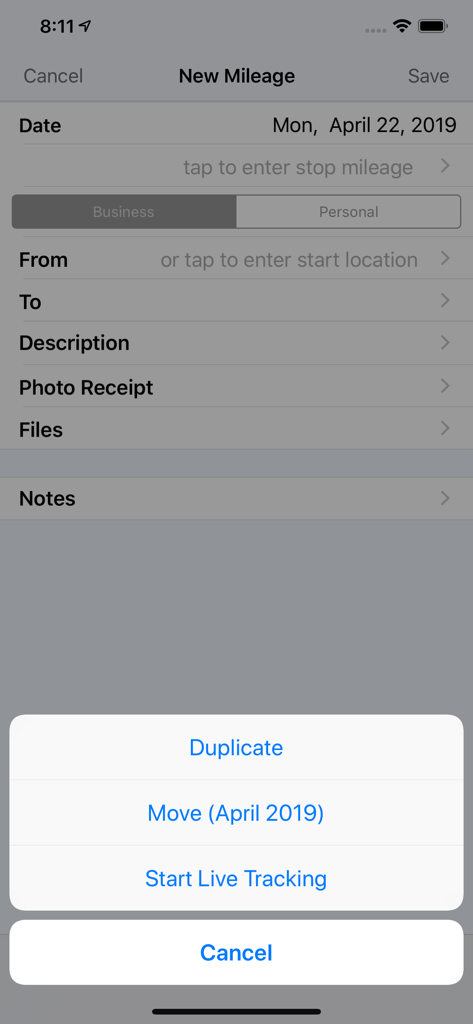
MileTracker Pro - MileTracker Proアプリのインターフェース。ライブ追跡と手動ログのオプションがある新しい走行距離入力画面が表示されています。
MileTracker Proアプリのインターフェース。ライブ追跡と手動ログのオプションがある新しい走行距離入力画面が表示されています。

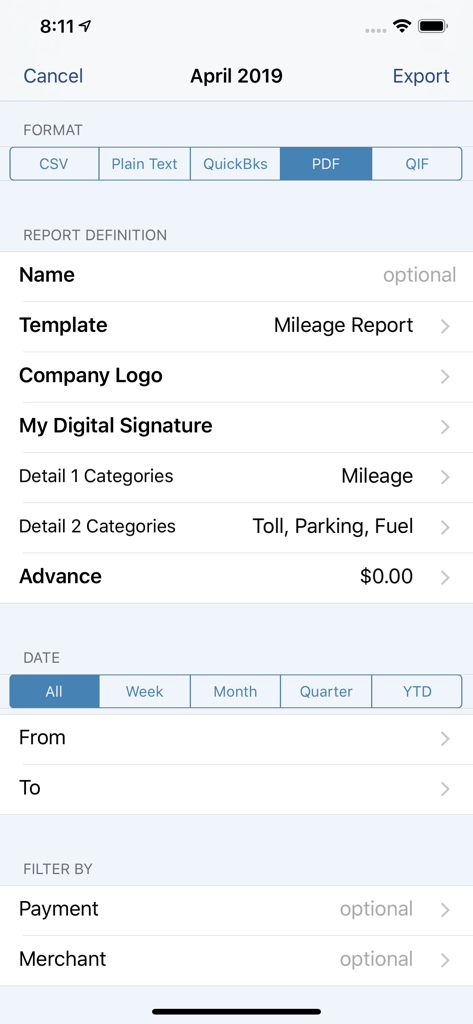
MileTracker Pro - MileTracker Proレポート設定画面。PDFやCSVなどのエクスポート形式と、カスタマイズ可能なフィルターが表示されています。
MileTracker Proレポート設定画面。PDFやCSVなどのエクスポート形式と、カスタマイズ可能なフィルターが表示されています。

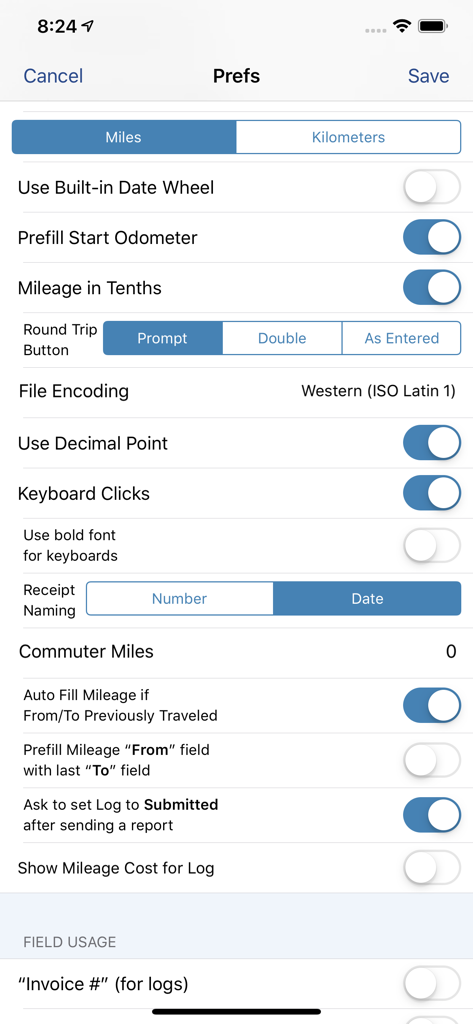
MileTracker Pro - MileTracker Proの設定インターフェース。走行距離と経費追跡の詳細なカスタマイズオプションが表示されています。
MileTracker Proの設定インターフェース。走行距離と経費追跡の詳細なカスタマイズオプションが表示されています。

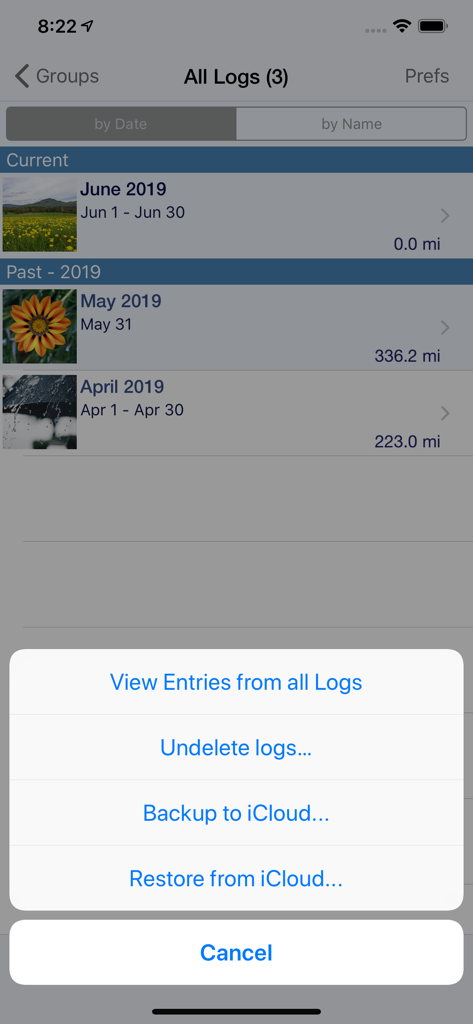
MileTracker Pro - MileTracker Proアプリの画面。走行距離ログとiCloudバックアップオプションが表示されています。

MileTracker Proアプリの画面。走行距離ログとiCloudバックアップオプションが表示されています。

説明

MileTracker Pro is the easiest and most feature rich app to track your mileage & driving expenses. Get ready for 2021 and start saving money now! MileTracker allows you to track mileage the way YOU want offering several different methods. Then when tax time arrives or expense reports are needed, you can easily create beautiful reports (accountants love our reports). MileTracker Pro is finely tuned and exceptionally reliable. MileTracker Pro replaces our MileTracker app which has been helping users track their time worked since 2010. WHY MileTracker IS BETTER * Elegant user interface * The most powerful and flexible Reporting features available * Offers considerably more features than other mileage tracking apps * Quick and easy on-screen filtering to view your tracked data * Organize your entries into Logs for maximum ease * Distinguish between Personal and Business EASE OF USE * The MOST extensive set of preferences available allowing you to customize the app and truly make it your own * Hide fields you do not use for concise entry forms * Remembers frequently used choices * Quick menu with list of frequent trips for super fast entry TRACK MILEAGE - Requires subscription to Unlimited Usage * Track mileage the way you want: 1. LIVE mileage tracking - the app will track your every move via GPS. This feature requires you to tell the app when you start and stop. 2. Enter Start/Stop odometer reading 3. Enter the start address and end address-the app will determine the travel distance 4. Special “real-estate agent” feature which allows one entry to contain multiple legs. * If using odometer, remembers last stop mileage and pre-fills start for next entry * Mark an entry as round trip to double the distance * Supports Multiple Vehicles * Miles or Km * Customizable mileage allowance AUTOTRACK - Requires subscription to AutoTrack (includes everything that Unlimited Usage includes too). See more details below. DRIVING EXPENSES * Track Fuel, Tolls and Parking expenses PHOTO RECEIPTS * Take photos of receipts * Crop images easily REPORTING * IRS compliant reporting * The most flexible and powerful reporting available * On-screen preview * Choose the attractive PDF format or CSV for importing into Excel * Email your reports and photo receipts * Export your reports to iCloud, Dropbox or your computer * Accountants LOVE our reports because they provide all the key information needed ON-SCREEN FILTERING * Sort entries by Date, Category or Client * Extensive on-screen filtering to find out EXACTLY what you need to know BACKUP AND SAFE KEEPING * Backup your data to iCloud, Dropbox or directly to your computer * Set backup to “Automatic” so your data is always safe SYNC * Keep your data synced between multiple devices (ie your iPhone and iPad) SUBSCRIPTION DETAILS * When first installed allows up to 25 manual entries * After using the 25 entries you will need to subscribe * There are two subscription options, Unlimited Usage or AutoTrack (available monthly or yearly) * Unlimited Usage is for those who prefer to track their mileage manually. * AutoTrack is for those who want a FULLY automatic tracking solution. All you need to do is carry your device with you. Then at your leisure “approve” those drives you wish to keep. * A new subscription includes 2 free weeks of unlimited usage. You can cancel prior to the end of the trial without any cost to you. * Payment charged to iTunes account at confirmation of purchase * Automatic renews unless auto-renew is turned off at least 24-hours before the end of the current period * Account will be charged for renewal within 24-hours prior to the end of the current period Demo Video on AutoTrack at: tinyurl.com/MileTracker silverwaresoftware.com/privacy silverwaresoftware.com/terms ------ Continued use of GPS running in the background can dramatically decrease battery life Questions/comments? Just choose the Email the Author link in the Prefs screen in the app

Download

ダウンロード: App Store

このページはアプリまたはその開発者の公式ページではなく、情報提供および論評を目的として作成された独立した編集出版物です。明示的に別段の記載がない限り、アプリおよびその開発者は、MWM、Apple、Google Play、アプリのパブリッシャー、またはアプリの開発者と提携、承認、後援、認可、またはその他の公式的な関係はなく、このページのいかなる内容も、アプリがMWMのサービスを使用して開発されたことを意味するものではありません。すべての商標、ロゴ、スクリーンショット、その他のコンテンツはそれぞれの所有者の財産です。