Millennium bim Smart IZI
ダウンロード: App Store

このページはアプリまたはその開発者の公式ページではなく、情報提供および論評を目的として作成された独立した編集出版物です。明示的に別段の記載がない限り、アプリおよびその開発者は、MWM、Apple、Google Play、アプリのパブリッシャー、またはアプリの開発者と提携、承認、後援、認可、またはその他の公式的な関係はなく、このページのいかなる内容も、アプリがMWMのサービスを使用して開発されたことを意味するものではありません。すべての商標、ロゴ、スクリーンショット、その他のコンテンツはそれぞれの所有者の財産です。


ロゴ: Millennium bim Smart IZI
ダウンロード: App Store

Millennium bim Smart IZI

アメリカから、口座管理、M-Pesa送金、Credelecなどの国内請求書の支払いを即座に行えます。安全で直感的、あなたのボーダーレスな生活のために設計されています。

主要数値

ダウンロード

193K+

ユーザー評価

4.4/5

評価数

500

開発元

Banco Comercial Portugues, SA

カテゴリ

Finance

対応言語

2

最新バージョン

4.12.0

サイズ

42.0 MB

リリース日

2013年1月30日
機能

モザンビークとの金融接続

米国にいながら、モザンビークの家族の財政を管理できる距離を埋めるバンキングアプリ。モザンビーク系ディアスポラのために設計されています。

即時の家族サポート

M-PesaおよびE-Molaモバイルウォレットに直接、数秒で送金。従来の電信送金よりも迅速かつ手頃な価格での送金を実現します。

リモート請求書管理

Credelec、テレビパッケージ、公共料金などをアプリから直接支払うことで、海外から自宅や家族のニーズに対応できます。

以下のスクリーンショットと説明は、アプリの公式ストアリスティングから直接取得されたものであり、アプリ開発者の所有物です。

アプリストア

スクリーンショット
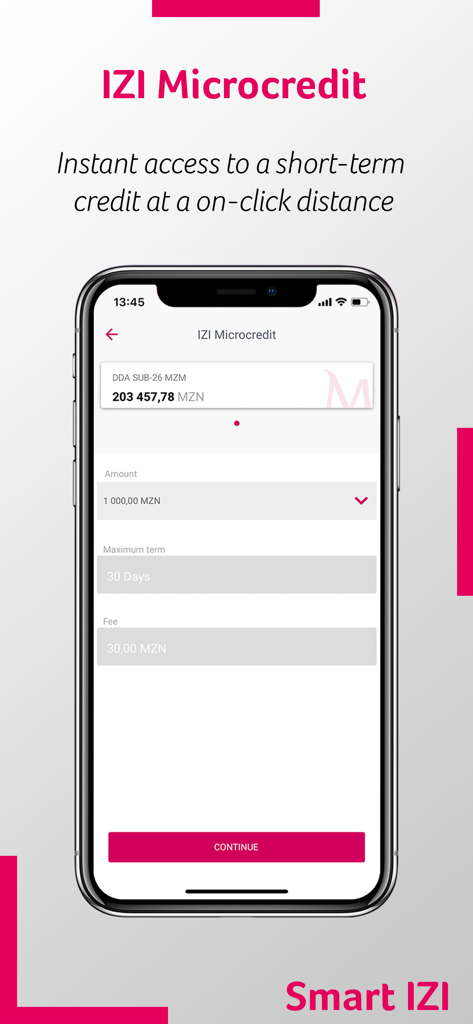
Millennium bim Smart IZI - Millennium bim Smart IZIアプリで、ローン金額と期間選択のあるマイクロクレジット申請画面を表示
Millennium bim Smart IZIアプリで、ローン金額と期間選択のあるマイクロクレジット申請画面を表示

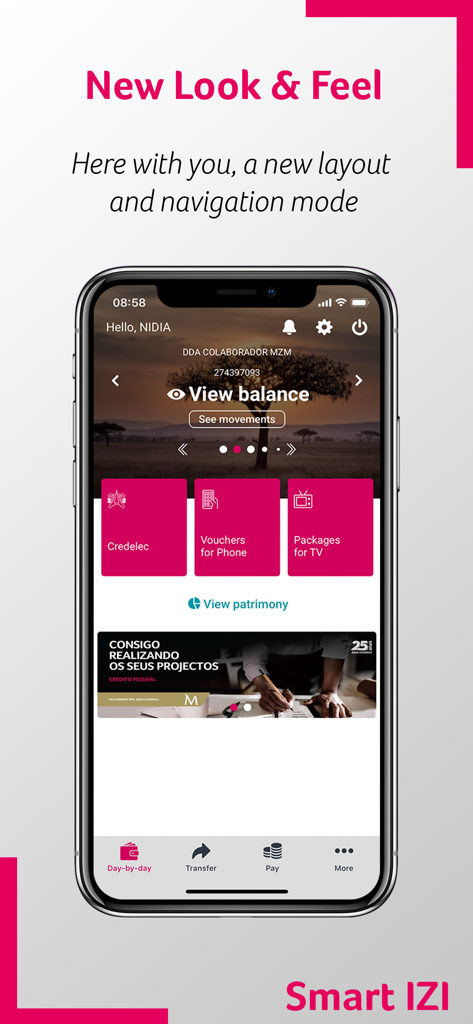
Millennium bim Smart IZI - Millennium bim Smart IZIモバイルバンキングダッシュボードに、口座残高表示と公共料金支払いオプションを表示
Millennium bim Smart IZIモバイルバンキングダッシュボードに、口座残高表示と公共料金支払いオプションを表示

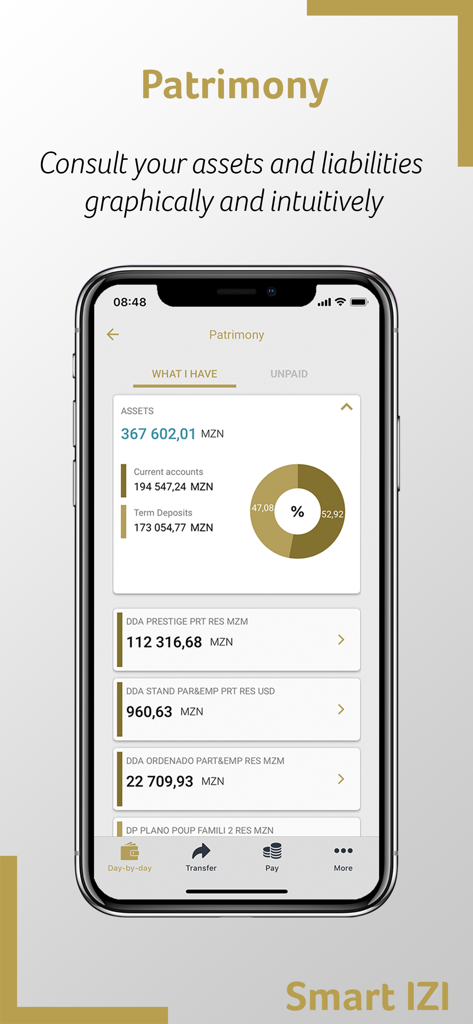
Millennium bim Smart IZI - Millennium bim Smart IZIアプリで、資産機能の資産と負債を表示
Millennium bim Smart IZIアプリで、資産機能の資産と負債を表示

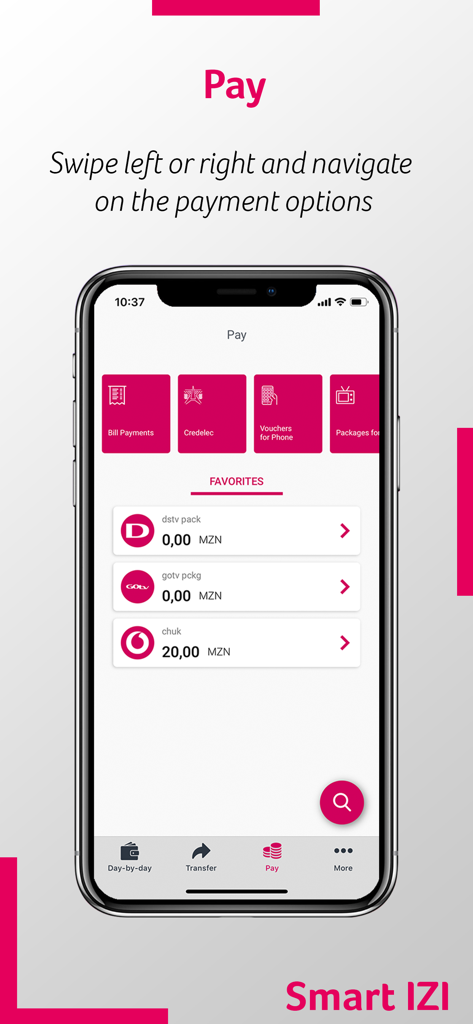
Millennium bim Smart IZI - Millennium bim Smart IZIモバイルアプリに、請求書と公共料金支払いオプションのある支払いメニューを表示
Millennium bim Smart IZIモバイルアプリに、請求書と公共料金支払いオプションのある支払いメニューを表示

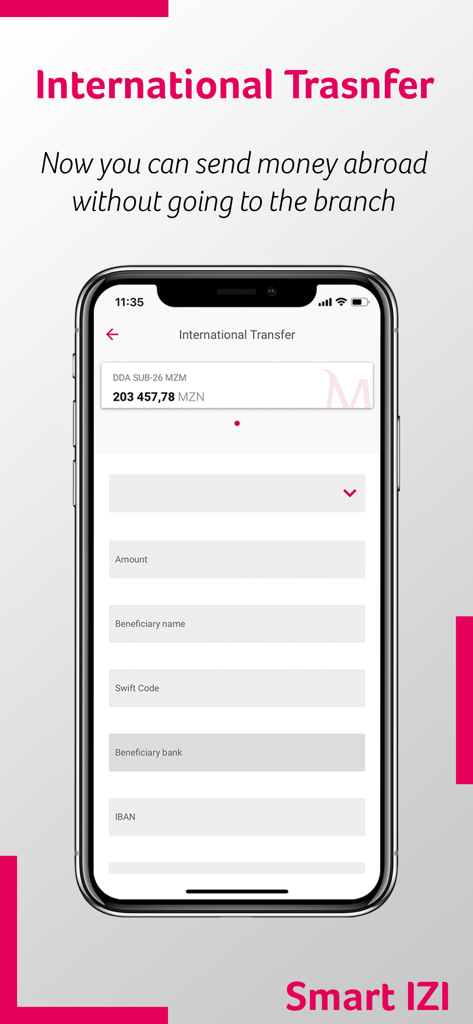
Millennium bim Smart IZI - Smart IZIモバイルアプリの国際銀行送金画面で、金額と受取人フィールドを表示
Smart IZIモバイルアプリの国際銀行送金画面で、金額と受取人フィールドを表示

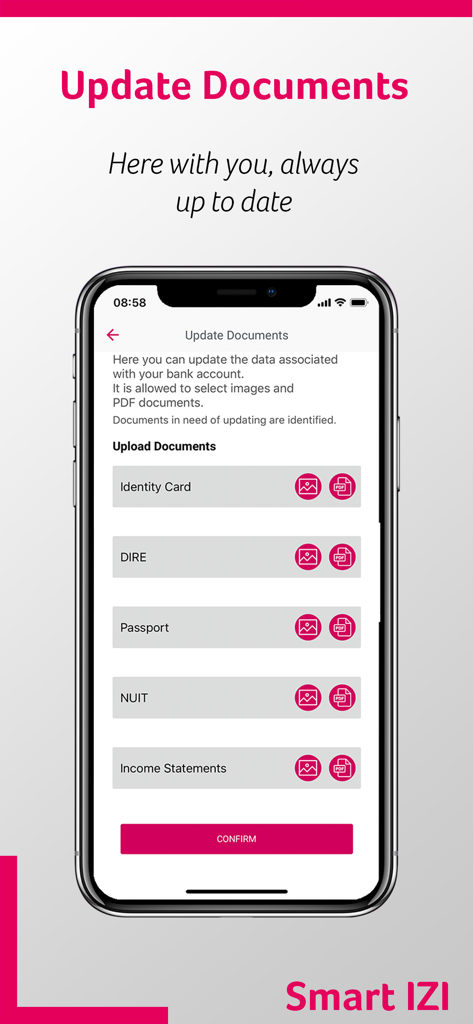
Millennium bim Smart IZI - Millennium bim Smart IZIバンキングアプリで、パスポートや身分証明書などの本人確認書類をアップロードするためのインターフェース。

Millennium bim Smart IZIバンキングアプリで、パスポートや身分証明書などの本人確認書類をアップロードするためのインターフェース。

説明

Navigation mode The first great feature of this new version is the Look and Feel, which comes along with new colours, layouts, as well as new menus and buttons. The new Smart IZI layout offers you a different navigation mode from the previous one. Now, after logging in, you can slide to the left or right on the products carousel and have an overview of all your products: accounts, cards, savings and loans. To make it even easier to navigate through the App, the new version of Smart IZI has a fixed navigation bar at the bottom of the screen where you can quickly access to "day-by-day", "transfer", " pay" and "more". Privacy mode The new version of Smart IZI brings with it the Privacy mode. Designed to ensure a higher confidentiality level of your financial information. With this new mode, you can always choose whether to hide or not your account balances after authentication. Quick Access Because simplifying is "making it more IZI", the new app has quick navigation options in the top right corner of the "day-by-day" feature: Alerts, Settings and Exit button. Segment Theme/Colors Now your App can distinguish your segment and define the colours of the visual components according to the Segment to which you belong. Alerts / Push Notifications Getting useful information about your assets and news about your Bank has become easier! Simply select the alert icon on the main page. Make sure to access settings first and enable the reception of Push-Notifications. Settings In this private area, you can easily: View and delete favourites; View authorization codes; Change the IZI PIN; Register / Update e-mail; Reset your Internet Banking password * (new); Enable / Disable the biometric configuration Enable / Disable the reception of Push-Notifications (Alerts) Products Carousel Navigating left or right, you will be able to view all your products (accounts, cards, savings, savings and loans) and also perform some specific operations for each product. You can also check movements, balances or details of the specific product by selecting the “More details” option. Transfer Performing transfer operations has never been easier, this option is also in the navigation bar. See here the type of transfers available for you: Intrabank Transfers Interbank Transfers Transfer for Phone Mobile Transfers M-Pesa E-Mola * (new); Schedules Pay Whenever you want to pay for a service, just click on “Pay” on the navigation bar. Here you can make the following payments: Credelec; Vouchers for Phone; Packages for TV; Bill Payments; INSS payment * (new); Cash Directo. More Here we have other no less important operations available to you, such as: Read QR  Code; Generate QR  Code; Savings IZI Withdrawal Request Check Book Send Invitations (only available to Prestige Customers) You can also view our Contacts, Branches and the current exchange rate. Patrimony You will be able to view your assets and liabilities in a graphic and intuitive way, just by clicking on the Patrimony button right below the product carousel. Favourites Paying and transferring can be even faster! Save your favourite transactions and re-use them whenever you want to make a next transaction. To do this, just select the option "Add as Favourite", at the end of the transaction, and that's it! Access requirements You can access Smart IZI through any device with the application installed. Use your mobile banking credentials to access the application, namely, cell phone number associated with the channel and the 4-digit access PIN, known as IZI PIN.   Millennium bim. Aqui Consigo.

Download

ダウンロード: App Store

このページはアプリまたはその開発者の公式ページではなく、情報提供および論評を目的として作成された独立した編集出版物です。明示的に別段の記載がない限り、アプリおよびその開発者は、MWM、Apple、Google Play、アプリのパブリッシャー、またはアプリの開発者と提携、承認、後援、認可、またはその他の公式的な関係はなく、このページのいかなる内容も、アプリがMWMのサービスを使用して開発されたことを意味するものではありません。すべての商標、ロゴ、スクリーンショット、その他のコンテンツはそれぞれの所有者の財産です。








