
このページはアプリまたはその開発者の公式ページではなく、情報提供および論評を目的として作成された独立した編集出版物です。明示的に別段の記載がない限り、アプリおよびその開発者は、MWM、Apple、Google Play、アプリのパブリッシャー、またはアプリの開発者と提携、承認、後援、認可、またはその他の公式的な関係はなく、このページのいかなる内容も、アプリがMWMのサービスを使用して開発されたことを意味するものではありません。すべての商標、ロゴ、スクリーンショット、その他のコンテンツはそれぞれの所有者の財産です。

Minecraft Education
生徒たちがすでに夢中になっているゲームベースのプラットフォームで、生徒たちの可能性を解き放ちましょう。コーディングやSTEMから歴史やリテラシーまで、コラボレーション、批判的思考、将来に備えたスキルを構築するために設計された、すぐに教えられる何百ものレッスンを探求しましょう。
ダウンロード
21M+ユーザー評価
評価数
117K+開発元
カテゴリ
Education対応言語
22最新バージョン
1.21.93.1サイズ
1.1 GBリリース日
2018年9月6日ゲームベースの学習で教室に力を与える
すべてのレッスンを生徒主導の没入型アドベンチャーに変えるプラットフォームで、エンゲージメントと達成の間のギャップを埋めましょう。
将来に備えたコーディングスキル
抽象的なロジックを具体的なゲーム内作成物に変換するビジュアルコードビルダーを通じて、PythonとJavaScriptで生徒を装備させます。
安全なソーシャルコラボレーション
生徒たちがリアルタイムで複雑な課題を協力して解決する、安全なマルチプレイヤーワールドでチームワークとデジタル市民権を育みます。
よくある質問
について知っておくべきこと Minecraft Education
Minecraft Educationとは何ですか?
Minecraft Educationは、学校や組織向けのゲームベースのプラットフォームです。ユーザーはブロック状の世界を探索して、読書、数学、歴史、コーディングなどの科目を tackling することができ、創造的で包括的な学習を刺激し、批判的思考と問題解決スキルを育みます。
Minecraft Educationはすべての年齢とスキルレベルに適していますか?
はい、Minecraft Educationはあらゆるタイプの学習者向けに設計されています。レッスンと標準化されたカリキュラムを提供します。プラットフォームは事前のゲーム経験を必要としないため、さまざまなスキルレベルの学生がアクセスできます。
Minecraft Educationはコーディングをサポートしていますか?
Minecraft Educationは、ブロックベースのコーディング、JavaScript、Pythonをサポートする機能であるCode Builderを統合しています。ゲーム内実行のための直感的なインターフェースを提供し、ユーザーが世界をプログラムして生命を吹き込むことができます。
学生はMinecraft Educationで協力できますか?
はい、Minecraft Educationはマルチプレイヤーモードを通じて協力プレイを可能にします。この機能により、学生はさまざまなプラットフォーム、デバイス、ハイブリッド環境でゲーム内で協力して作業し、チームワークと共有学習を促進できます。
学校や組織はMinecraft Educationのライセンスをどのように取得できますか?
Minecraft Educationのライセンスは、Microsoft 365 Admin Centerアカウントへの管理者アクセス権とともに購入されます。教育機関は、学術ライセンスに関する詳細情報について、Tech Leadに相談する必要があります。
Minecraft Educationのサブスクリプションはどのくらいの期間有効ですか?
iTunes経由で購入された各Minecraft Educationサブスクリプションは、購入日から1年間有効です。自動更新が手動でオフにされない限り、サブスクリプションは自動的に更新されます。
Minecraft Educationサブスクリプションの自動更新をキャンセルするにはどうすればよいですか?
iTunes経由で購入したMinecraft Educationサブスクリプションの自動更新をオフにするには、購入後にアカウント設定に移動する必要があります。自動更新は、現在の期間が終了する少なくとも24時間前に無効にする必要があります。
Minecraft Educationはアクセシビリティ機能を提供していますか?
はい、Minecraft Educationには、Immersive Readerなどのアクセシビリティ学習機能が含まれています。このツールは、プレイヤーがゲーム内テキストを読み取り、翻訳するのに役立ち、多様な学習者にとって包括的な環境を育みます。
Minecraft Educationにはゲーム内レッスンのライブラリがありますか?
はい、Minecraft Educationにはゲーム内レッスンのライブラリがあります。数百ものすぐに教えられるレッスン、創造的なチャレンジ、空白のキャンバスの世界が用意されており、さまざまな科目や学習スタイルをサポートします。
以下のスクリーンショットと説明は、アプリの公式ストアリスティングから直接取得されたものであり、アプリ開発者の所有物です。
アプリストア
スクリーンショット
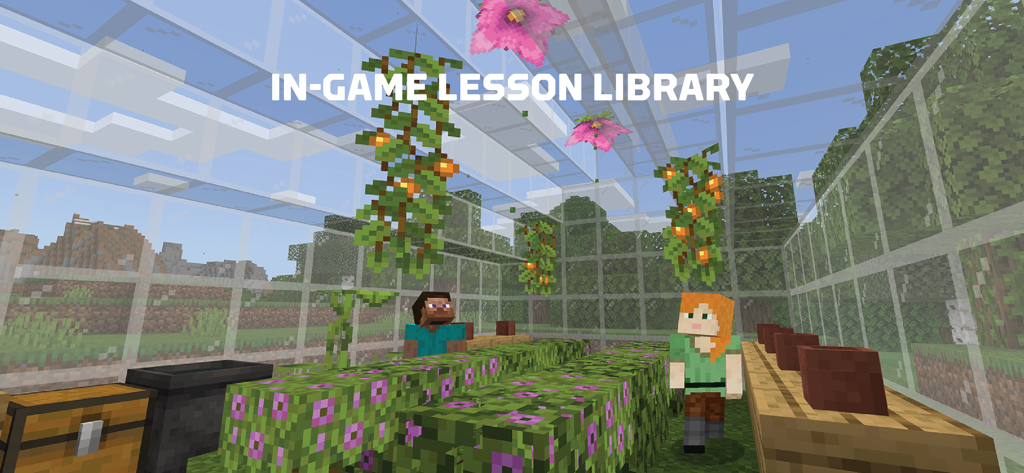
ガラス温室の中にいる2体のマインクラフトキャラクター。植物や花があり、授業用です。
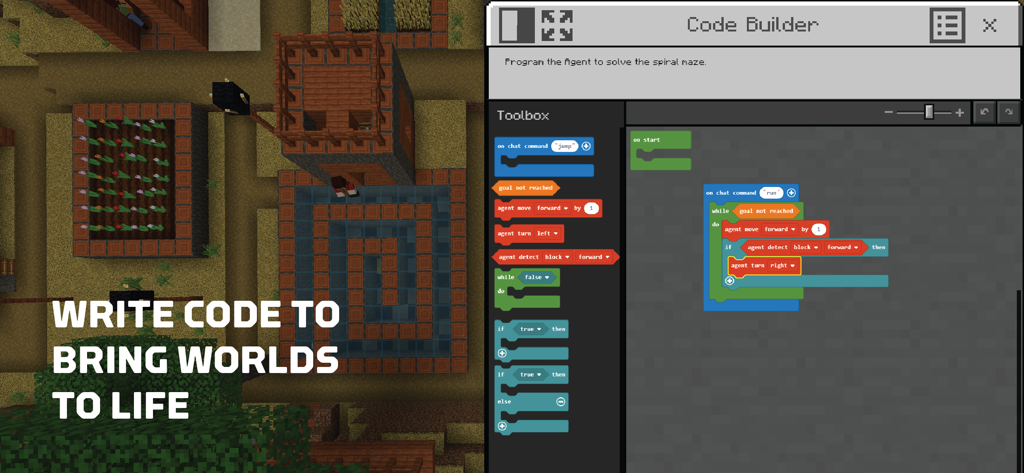
Minecraft Education Code Builderのインターフェース。3Dゲームワールドの隣に、ブロックベースのビジュアルプログラミングが表示されています。
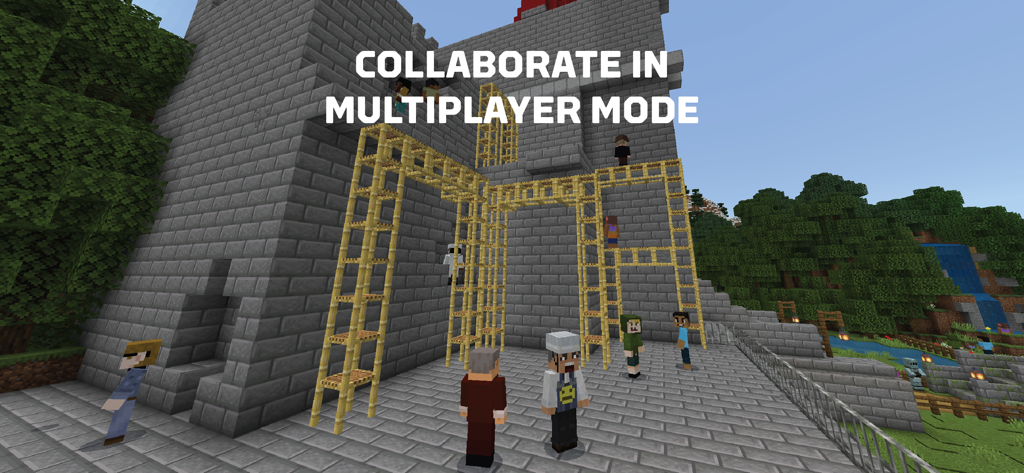
マインクラフトのキャラクターたちがマルチプレイヤーモードで一緒に建築しており、テキストには「マルチプレイヤーモードで協力する」と表示されています。
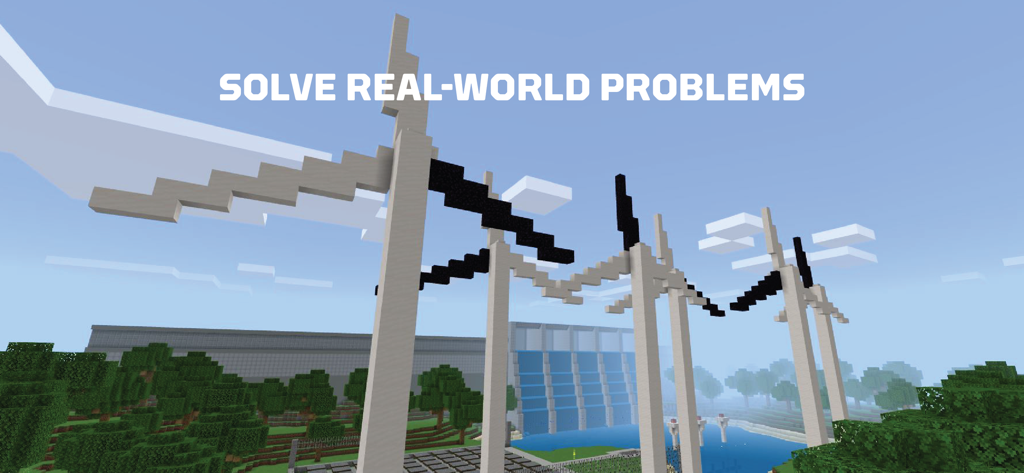
ブロックで構築された風力タービンとダムを特徴とするMinecraft Educationのスクリーンショット。テキストには「実世界の問題を解決する」と表示されています。
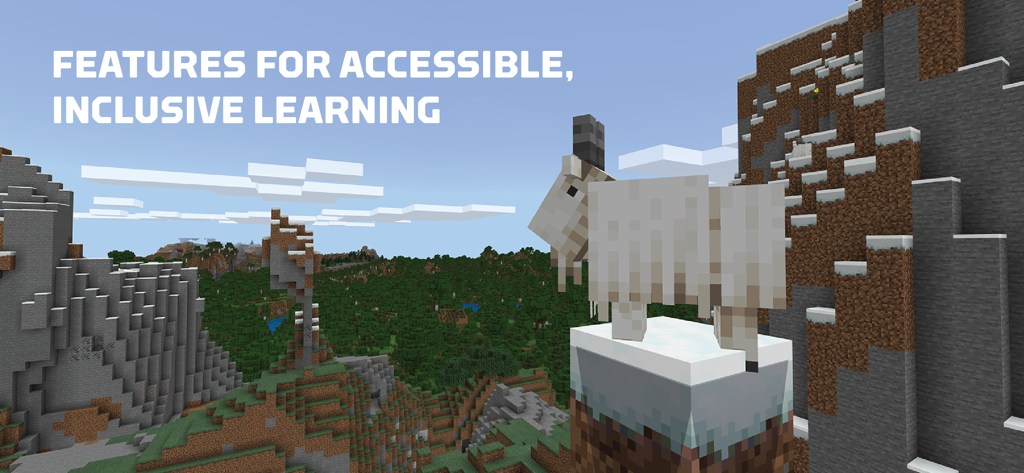
ヤギがいるマインクラフトの風景。テキストには、アクセシブルで包括的な学習のための機能が強調表示されています。
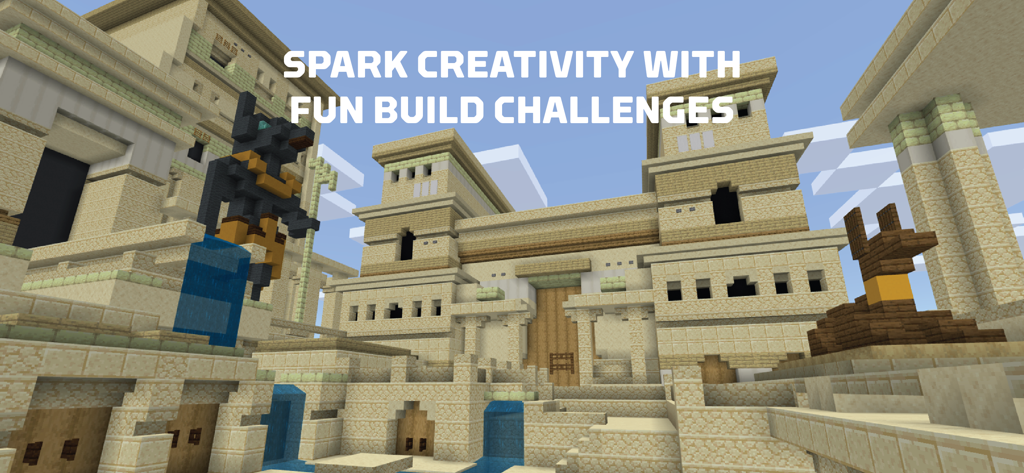
ブロック状の世界に古代エジプトの寺院が描かれたMinecraft Educationのビルドチャレンジ。
説明
Download
類似アプリ
似た機能とユーザー体験を持つアプリ

eduki: Teaching materials
Lehrerkolleg LK GmbH
幼师贝壳(备课)-专业幼教资源平台
XUE HAI SHI BEI EDUCATION TECHNOLOGY CO., LTD.

Wayground
Quizizz Inc

Loquiz
Loquiz OU

Explain Everything Whiteboard
Promethean Ltd.
Kahoot! Play & Create Quizzes
Kahoot ASA

클래스카드
CLASSCARD, Inc.

希沃白板
Guangzhou Shirui Electronics Co., Ltd.
Puppet Pals 2: School Edition
Polished Play LLC
このページはアプリまたはその開発者の公式ページではなく、情報提供および論評を目的として作成された独立した編集出版物です。明示的に別段の記載がない限り、アプリおよびその開発者は、MWM、Apple、Google Play、アプリのパブリッシャー、またはアプリの開発者と提携、承認、後援、認可、またはその他の公式的な関係はなく、このページのいかなる内容も、アプリがMWMのサービスを使用して開発されたことを意味するものではありません。すべての商標、ロゴ、スクリーンショット、その他のコンテンツはそれぞれの所有者の財産です。