Mobel bell ringing simulator
ダウンロード: App Store

このページはアプリまたはその開発者の公式ページではなく、情報提供および論評を目的として作成された独立した編集出版物です。明示的に別段の記載がない限り、アプリおよびその開発者は、MWM、Apple、Google Play、アプリのパブリッシャー、またはアプリの開発者と提携、承認、後援、認可、またはその他の公式的な関係はなく、このページのいかなる内容も、アプリがMWMのサービスを使用して開発されたことを意味するものではありません。すべての商標、ロゴ、スクリーンショット、その他のコンテンツはそれぞれの所有者の財産です。

ロゴ: Mobel bell ringing simulator
ダウンロード: App Store

Mobel bell ringing simulator

世界で最も信頼されているシミュレーターで、メソードをマスターし、ブルーラインを記憶しましょう。Abelの開発者によるMobelは、どこにいても20,000以上のメソードを正確かつ完璧なリズムで練習できます。

主要数値

ダウンロード

17K+

ユーザー評価

4.7/5

評価数

300

開発元

AbelSim Ltd

カテゴリ

Music

対応言語

1

最新バージョン

2.4.4

サイズ

9.8 MB

リリース日

2010年10月26日
機能

あらゆるメソードをマスター

熟練した変化鈴奏者が、いつでもどこでも図を視覚化し、リズムを洗練し、パフォーマンスを完璧にするための決定版練習ツールです。

20,000以上のメソードライブラリ

ベル4~16用のインスタントブルーライン図とカスタマイズ可能なバリエーションを備えた、完全なセントラルカウンシルライブラリにアクセスします。

正確なリズムトレーニング

調整可能な速度と、入力待ちまたは完璧で安定したリズムを要求するシミュレーターモードで、ストライキングを磨きましょう。

以下のスクリーンショットと説明は、アプリの公式ストアリスティングから直接取得されたものであり、アプリ開発者の所有物です。

アプリストア

スクリーンショット
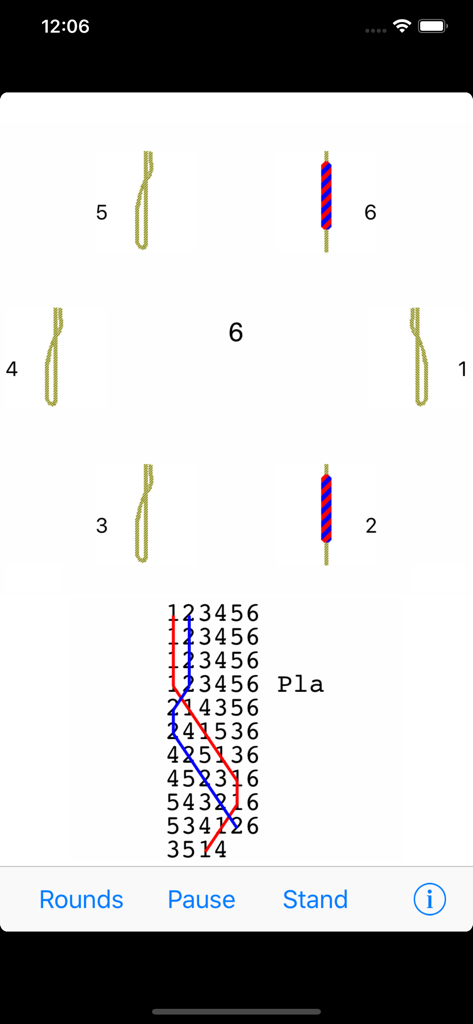
Mobel bell ringing simulator - Mobelベルリンギングシミュレーターのインターフェース。ベルのロープとブルーラインのメソード図が表示されています。
Mobelベルリンギングシミュレーターのインターフェース。ベルのロープとブルーラインのメソード図が表示されています。

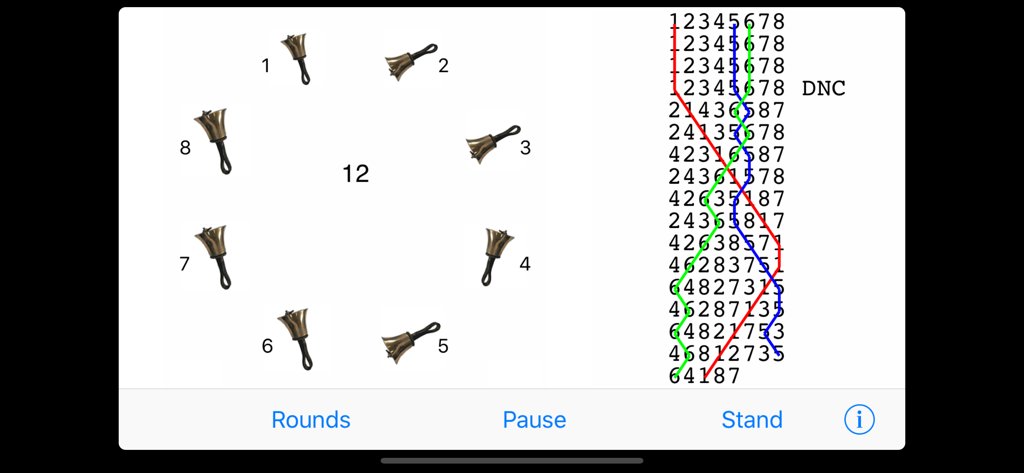
Mobel bell ringing simulator - Mobelベルリンギングシミュレーターのインターフェース。ハンドベルと練習用のブルーラインメソード図が表示されています。
Mobelベルリンギングシミュレーターのインターフェース。ハンドベルと練習用のブルーラインメソード図が表示されています。

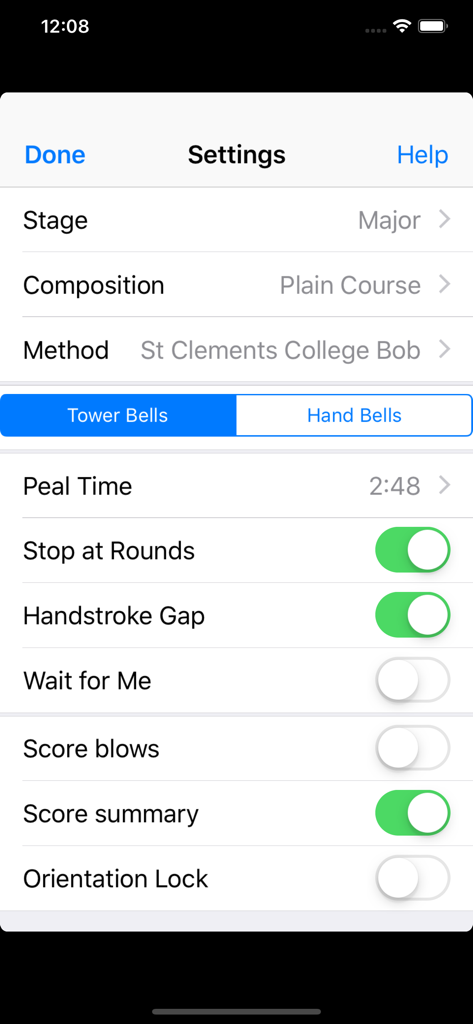
Mobel bell ringing simulator - Mobelベルリンギングシミュレーターの設定画面。ステージ、構成、メソードなどの練習構成が表示されています。
Mobelベルリンギングシミュレーターの設定画面。ステージ、構成、メソードなどの練習構成が表示されています。

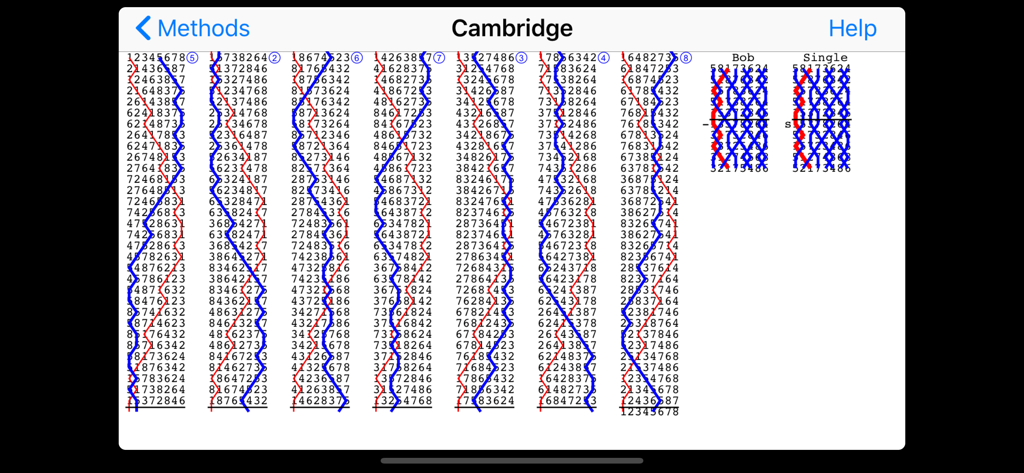
Mobel bell ringing simulator - Mobelアプリでのケンブリッジ変化鈴メソードのブルーライン図

Mobelアプリでのケンブリッジ変化鈴メソードのブルーライン図

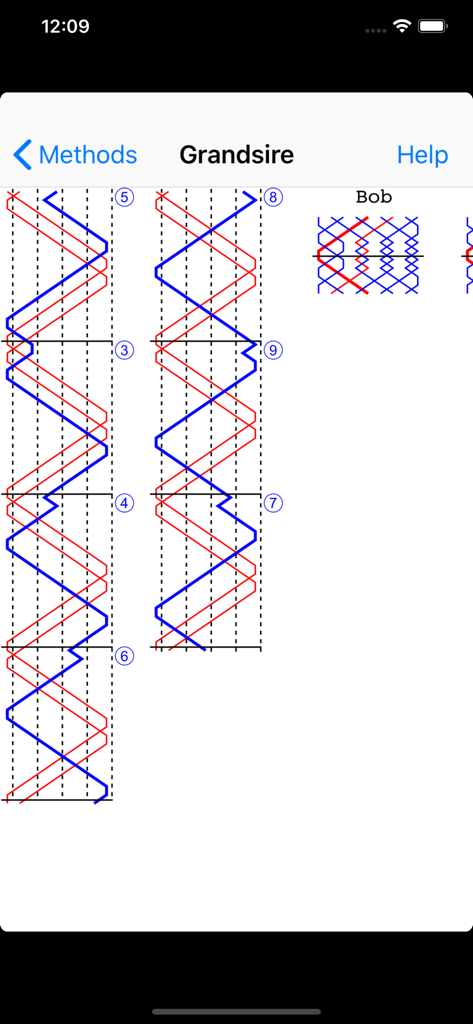
Mobel bell ringing simulator - Mobelアプリでのグランサイア変化鈴メソードのブルーライン図

Mobelアプリでのグランサイア変化鈴メソードのブルーライン図

説明

Mobel is a bell ringing simulator for church bell ringers and handbell change ringers. It runs on iPhone, iPad and Apple Mac. When ringers are at home, travelling or at towers, Mobel lets them practise any method they are going to ring. It also shows the blue line diagram for any method, including bobs and singles. Practise any method on 4 to 16 bells. Ring plain courses, or touches that Mobel creates (including spliced). Add your own touches (compositions). Ring any bell; handbell ringers can ring any pair. Mobel rings the other bells, and speaks any calls. Conduct: put in bobs and/or singles yourself. See the blue line diagram for any method or composition that you have added. Line styles with or without the underlying bell numbers, or as a grid. Lines for bobs and singles. Pinch to zoom the diagram. Select from 20,000 methods in the Central Council library. Change the speed of the ringing. Ring with or without a handstroke gap. Have Mobel wait if you hesitate - or continue in perfect rhythm. Edit methods and calls to create new methods or doubles variations. Basic instructions for using Mobel on iPhone and iPad: - Tap a bell to select it for ringing. - Tap Start to start the bells ringing rounds. - Then tap Go to ring the current composition and method. - Tap the bottom of the screen to ring the bell you selected. - For handbells, tap right and left to ring a pair. - Conducting: tap the top of the screen for a bob or single. - Tap Show to see the blue line for the current method. - Then double tap to change line style, or pinch to zoom. - Tap the info (i) button to view and change settings. - Tap the Help buttons for further information. From iOS 13.4 onward you can also ring using a keyboard on iPad/iPhone. Mobel comes from AbelSim, producer of the world's best-selling change ringing simulators: Abel for Windows PCs and Mabel for Apple Mac (see www.abelsim.co.uk). Mobel is not intended for handbell tune ringers: it rings changes, not tunes. The latest version runs on iOS 12 and later. Earlier versions of Mobel are still available for previous versions of iOS.

Download

ダウンロード: App Store

このページはアプリまたはその開発者の公式ページではなく、情報提供および論評を目的として作成された独立した編集出版物です。明示的に別段の記載がない限り、アプリおよびその開発者は、MWM、Apple、Google Play、アプリのパブリッシャー、またはアプリの開発者と提携、承認、後援、認可、またはその他の公式的な関係はなく、このページのいかなる内容も、アプリがMWMのサービスを使用して開発されたことを意味するものではありません。すべての商標、ロゴ、スクリーンショット、その他のコンテンツはそれぞれの所有者の財産です。