Mobile PDF Document Scanner

Mobile PDF Document Scanner

ダウンロード: App Store
ロゴ: Mobile PDF Document Scanner

モバイルPDFドキュメントスキャナー:オールインワンのプロフェッショナルモバイルオフィス

高品質PDFを即座にスキャン、署名、共有。スマートOCR、電子署名、すべてのビジネス文書のための安全なオフラインストレージで生産性を向上させましょう。

ダウンロード: App Store

開発元

AppLiks Sp. z O.O.

カテゴリ

Business

ダウンロード

12K+

ユーザー評価

4.7/5

評価数

0

対応言語

1

アクション中のモバイルオフィス

このインターフェースを利用する 12K+ 人のユーザー.

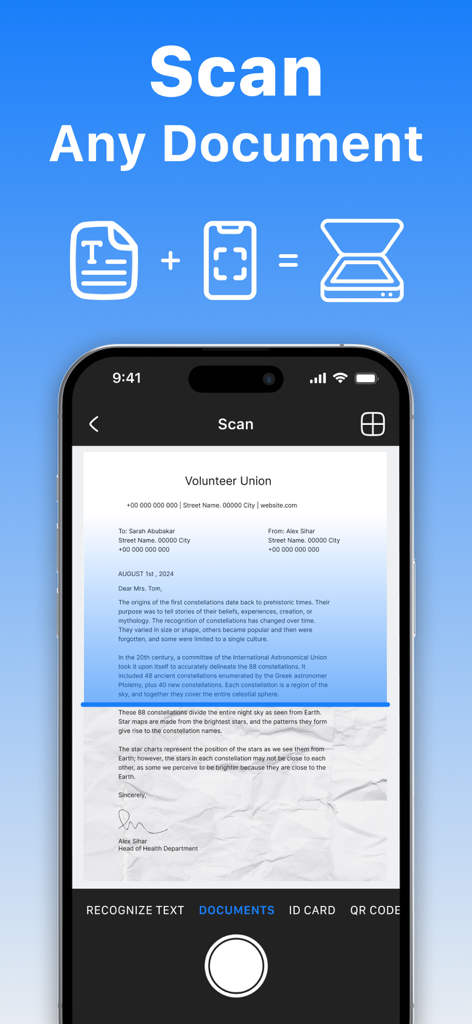
OCR機能を備えた紙の文書をキャプチャするモバイルPDFドキュメントスキャナーアプリのスマートフォンのインターフェース

OCR機能を備えた紙の文書をキャプチャするモバイルPDFドキュメントスキャナーアプリのスマートフォンのインターフェース

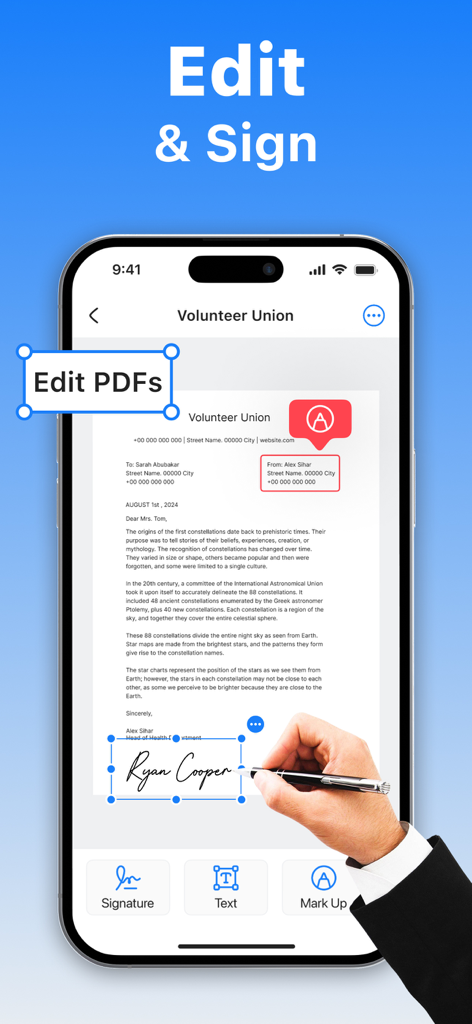
モバイルPDFドキュメントスキャナーアプリの編集およびデジタル署名機能を示すスマートフォンの画面

モバイルPDFドキュメントスキャナーアプリの編集およびデジタル署名機能を示すスマートフォンの画面

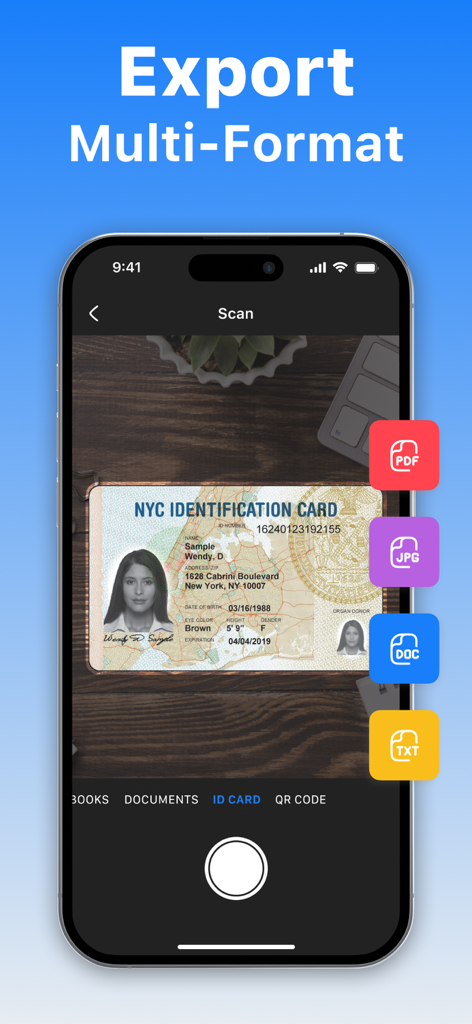
PDF、JPG、DOC、TXTを含む複数のエクスポートオプションでIDカードをスキャンするモバイルPDFドキュメントスキャナーアプリのインターフェース

PDF、JPG、DOC、TXTを含む複数のエクスポートオプションでIDカードをスキャンするモバイルPDFドキュメントスキャナーアプリのインターフェース

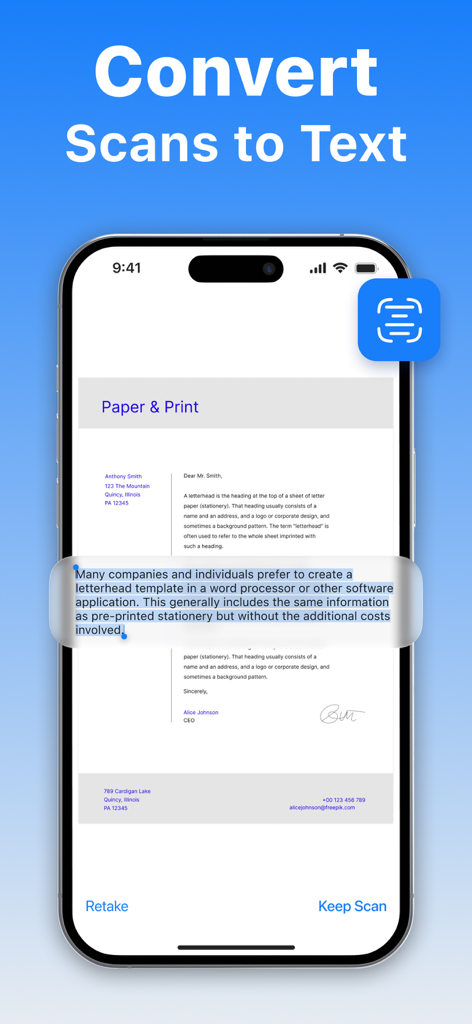
モバイルPDFドキュメントスキャナーアプリでスキャンをテキストに変換するOCR機能を実演するiPhone画面

モバイルPDFドキュメントスキャナーアプリでスキャンをテキストに変換するOCR機能を実演するiPhone画面

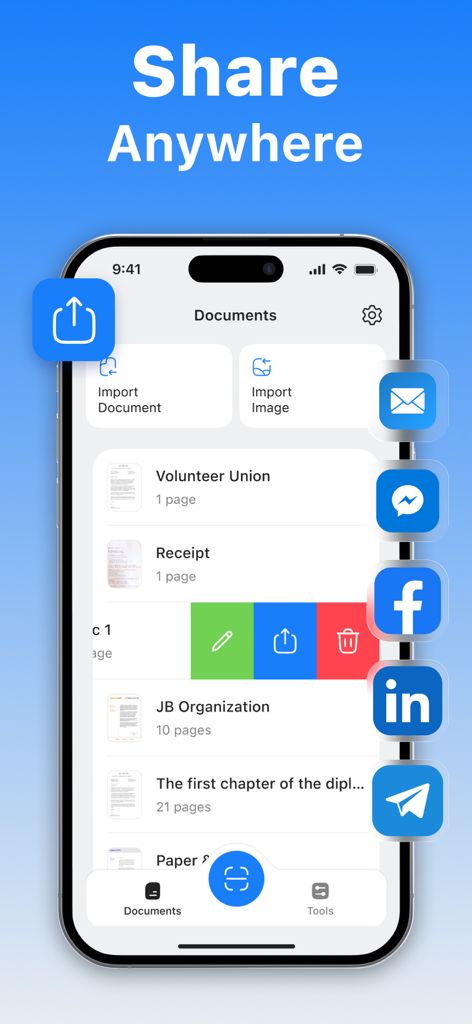
モバイルPDFドキュメントスキャナーアプリのインターフェースにスキャンされたファイルリストとソーシャルメディアやメールへの複数の共有オプションが表示されている。

モバイルPDFドキュメントスキャナーアプリのインターフェースにスキャンされたファイルリストとソーシャルメディアやメールへの複数の共有オプションが表示されている。

オフィス全体をポケットに

このアプリを際立たせるツール、 12K+ 人のユーザーが選択.

✍️

数秒でデジタル署名

印刷や手動スキャンをすることなく、画面上で直接契約書やNDAに署名し、取引を迅速に完了させましょう。

🔍

スマートOCRテキスト抽出

画像を編集可能で検索可能なテキストに即座に変換します。研究ノート、名刺、長文レポートのデジタル化に最適です。

🔒

安全なオフラインストレージ

機密性の高いIDや財務関連の文書を安全に保管します。すべてのスキャンはデバイスにローカルに保存されます。クラウドやインターネットは不要です。

アプリについて

について知っておくべきこと Mobile PDF Document Scanner.

説明

Turn your phone into a powerful, portable scanner. Scan, edit, sign, and share any document as a high-quality PDF or JPEG – all in one easy-to-use app. No internet? No problem. All scans are stored securely on your device, so you can work offline anytime, anywhere. All-in-One Scanning Power: • Sign documents in just a few taps; • OCR (Optical Character Recognition) to extract text from scans; • Annotate and highlight text in PDFs; • One-tap export for quick sharing; • Save scans in color, grayscale, or black & white; • Smart auto-capture and border detection; • Multi-page scanning – scan as many pages as you need; • High-resolution scans in PDF or JPEG format. Perfect for Scanning: • IDs, contracts, invoices, receipts, letters, order forms; • Notes, sketches, handwritten documents; • Book pages, articles, educational material; • Business cards, bills, and more. Effortless Sharing and Storage: • Send scans via email or messaging apps as PDF or JPEG; • Save directly to your photo gallery or cloud storage. You can purchase an auto-renewable subscription to get full access. Your subscription will be charged to your iTunes account at confirmation of purchase. The subscription automatically renews for the same price and the duration period depends on the selected plan (weekly, monthly, yearly) unless canceled at least 24 hours before the end of the current period. You can turn off the auto-renewal feature at any time by changing your account settings. Please choose from our standard subscription options below: 1-week subscription from $4.99; 1-month subscription from $9.99; 12-month subscription from $19.99. Prices may change depending on your country. Privacy Policy: https://appliks.com/privacy-policy ​​Terms of Use: https://appliks.com/terms-of-use

最新バージョン

1.0.4

サイズ

33.0 MB

リリース日

2025年5月19日

ポケットにプロフェッショナルオフィスを

数千人のプロフェッショナルに加わり、数秒で高品質の書類をスキャン、署名、共有しましょう。安全で、オフラインで、いつでも準備完了です。

ダウンロード: App Store

App information, icons, screenshots, and descriptions displayed on this page are sourced from the Apple App Store and are the property of their respective developers. Download estimates and rankings are based on MWM's proprietary models and may not reflect actual figures. This page is provided for informational and analytical purposes only.

Believe this page infringes your intellectual property? File a dispute