Mobile VR Station®
Mobile VR Station®
ダウンロード: App Store

このページはアプリまたはその開発者の公式ページではなく、情報提供および論評を目的として作成された独立した編集出版物です。明示的に別段の記載がない限り、アプリおよびその開発者は、MWM、Apple、Google Play、アプリのパブリッシャー、またはアプリの開発者と提携、承認、後援、認可、またはその他の公式的な関係はなく、このページのいかなる内容も、アプリがMWMのサービスを使用して開発されたことを意味するものではありません。すべての商標、ロゴ、スクリーンショット、その他のコンテンツはそれぞれの所有者の財産です。

ロゴ: Mobile VR Station®
ダウンロード: App Store

Mobile VR Station®

バーチャルリアリティ体験を完全にコントロール。4K再生、UPnPサポート、編集可能なプロジェクションプロファイルを搭載したiOSで最もカスタマイズ可能なプレイヤーで、2D、3D、180°、360°コンテンツを視聴しましょう。

主要数値

ダウンロード

41K+

ユーザー評価

4.2/5

評価数

1K+

開発元

Michael Fuller

カテゴリ

Entertainment

対応言語

2

最新バージョン

2024.09

サイズ

76.5 MB

リリース日

2015年3月4日
機能

あなたの方法で、完全な没入感を

Appleエコシステムのために設計された、最もカスタマイズ可能なメディアプレイヤーで、iPhoneをプロレベルのVRシアターに変えましょう。

ユニバーサルメディアハブ

ストレージの制限から解放されます。デバイス、UPnPサーバー、またはSanDisk iXpandドライブから直接4K 360°、180°、3D SBSコンテンツを再生します。

精密キャリブレーション

調整愛好家の夢。編集可能なプロジェクション、47の没入型スカイボックス、ユニークなヘッドトラッキングプロファイルで、視聴体験を完全にカスタマイズできます。

以下のスクリーンショットと説明は、アプリの公式ストアリスティングから直接取得されたものであり、アプリ開発者の所有物です。

アプリストア

スクリーンショット
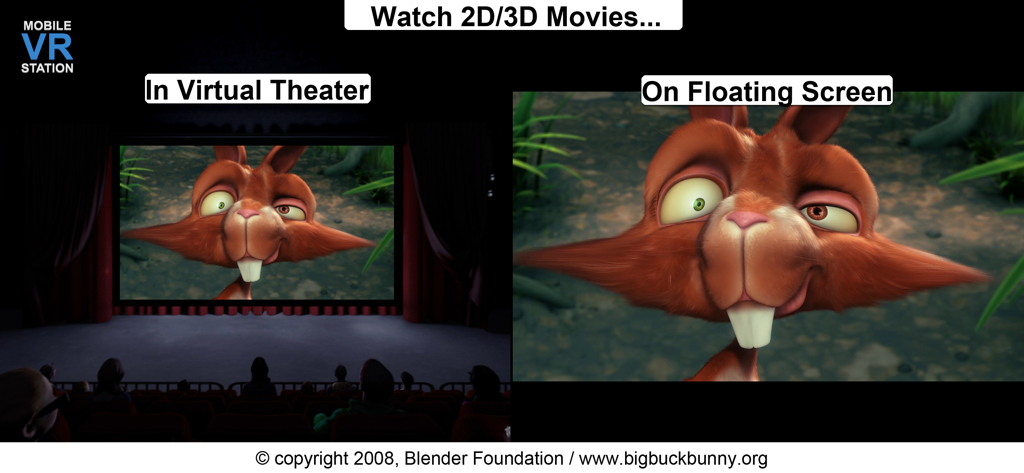
Mobile VR Station® - Mobile VR Stationのスクリーンショット。2Dおよび3D映画を視聴するためのバーチャルシアターとフローティングスクリーンのモードを表示
Mobile VR Stationのスクリーンショット。2Dおよび3D映画を視聴するためのバーチャルシアターとフローティングスクリーンのモードを表示

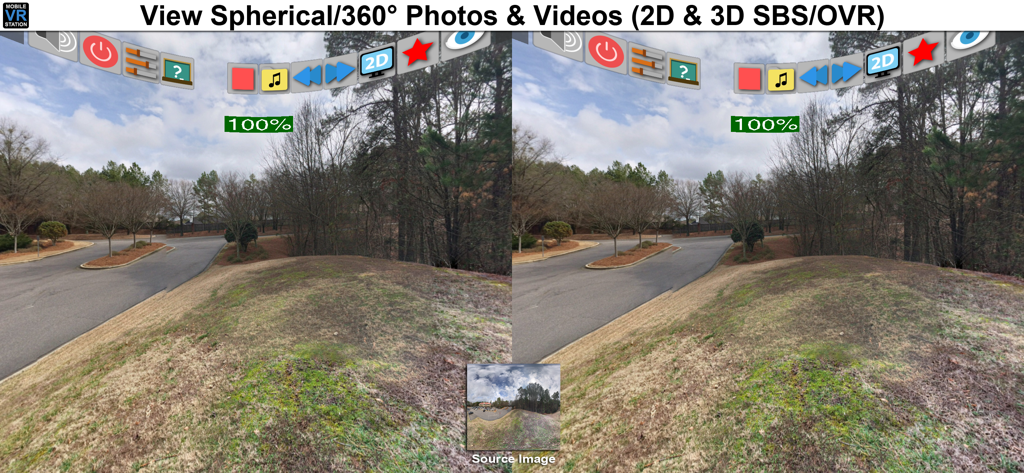
Mobile VR Station® - Mobile VR Stationインターフェース。360度球形写真のスプリットスクリーン立体表示を表示
Mobile VR Stationインターフェース。360度球形写真のスプリットスクリーン立体表示を表示

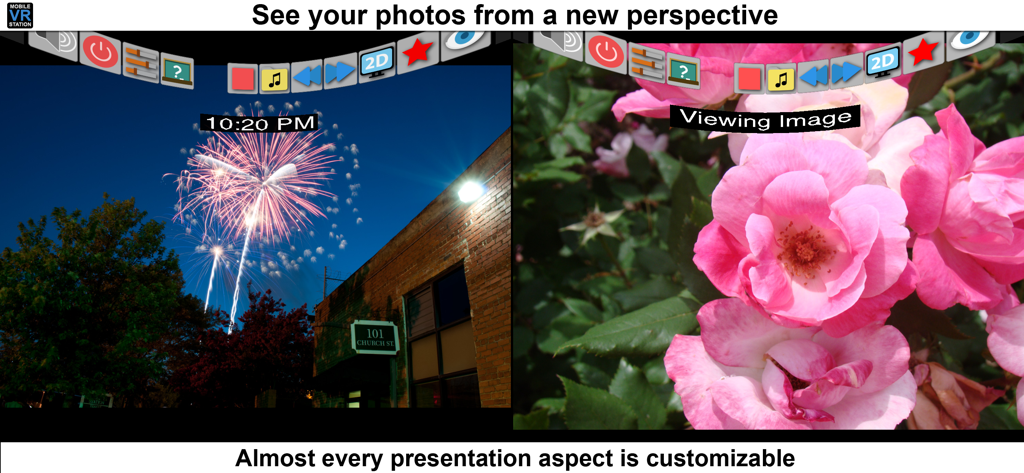
Mobile VR Station® - Mobile VR Stationアプリインターフェース。カスタマイズ可能な設定を備えたスプリットスクリーン写真表示を表示

Mobile VR Stationアプリインターフェース。カスタマイズ可能な設定を備えたスプリットスクリーン写真表示を表示

説明

Mobile VR Station is a media player designed for Virtual Reality with head tracking. With this app you can view your Photos, Panoramas, Videos & Files projected onto a virtual screen floating in space. Our app supports displaying standard 2D and 3D Side By Side/Over Under content. The app can't display DRM protected content, such as content bought from iTunes. "The most feature-packed VR media player available, with editable profiles that let you adjust the viewing experience across multiple devices and VR adapters. Excellent all around!" -Quote from Manuel M, Beta Tester If you need help we provide links inside the app to view our Facebook, Twitter and YouTube channel. Usages: - Works with every headset, very flexible configuration - Watch movies in a virtual theater - Watch 3D 180 Degree content. - Explore 360/Spherical movies (Great for demos). - Experience 3D content (Left/Right, Right/Left and Top/Bottom). - See your device's photos & videos in a new way. - View panoramas with some depth. - Access external video content with UPNP. - Watch HTML5 Video from Mobile Safari with Micro VR Station extension. Details: - Native App, written in Obj-C with SceneKit - Watch App for Remote control capabalities - This app is currently only available in English - Free version limits video playback to the "first" five minutes. - Supported formats: MOV, MP4 & M4V. - Supported HMDs: None (Mono), None (SBS), Cardboard, Altergaze, Firefly, Custom, .... - Cardboard QR scanner available for quick setup - Supported Devices: Any device running iOS 8.1 can install the app, but iPhone 5S/iPad Mini (Retina) and above provide a great experience. - Projections: Dome, Full Dome, Curved (Large curve), Plane (Flat), Cylinder & Spherical - Skyboxes: 47 built in options. - Profiles: Each user/headset can have their own specific configuration. - Audio: Language switching available. - Subtitles: The app can load UTF-8 formatted *.srt files, after a movie has been started - Files: Each file has its own preview icon and meta data. You can either generate a icon or upload your own. Please see the FAQ on how to make your own icons. - Bluetooth Remote: If your headset has Play/Pause & Next/Previous buttons, you can use them to control video playback. - UPNP: Basic support for viewing & downloading video & image content. Music can play if you mess with a few settings. - Other File Formats: We are researching how other formats and higher quality content could be displayed, we understand the need and want to deliver in the future. -1080P @ 60 FPS is available on 5S+ and beyond. Devices under 5S should consume 720P. - 4K @ 30FPS is available for 6S, 6S+, 5SE & iPad Pro - Support for SanDisk™ iXpand Drives - Please see the guide book for more information Tips: - If video playback starts to lockup, or a setting doesn't stick please turn your device off and on again. - It's strongly recommended to go through Training at least once and check out the help videos if you have time. - Every projection is editable, just dig into "Manage Presets" for the details. - If you really need help, ask on our Facebook page, Twitter account, or reddit /r/iOSVR/ Controls: - MFI Controller/Bluetooth keyboard support (While in VR). - When not using a HMD device buttons can be tapped. - Tap anywhere in the right eye or empty space to recenter view. - Tap 3 fingers on screen to quickly exit VR. - Support for Occipital Bridge Controller

Download

ダウンロード: App Store

このページはアプリまたはその開発者の公式ページではなく、情報提供および論評を目的として作成された独立した編集出版物です。明示的に別段の記載がない限り、アプリおよびその開発者は、MWM、Apple、Google Play、アプリのパブリッシャー、またはアプリの開発者と提携、承認、後援、認可、またはその他の公式的な関係はなく、このページのいかなる内容も、アプリがMWMのサービスを使用して開発されたことを意味するものではありません。すべての商標、ロゴ、スクリーンショット、その他のコンテンツはそれぞれの所有者の財産です。