
このページはアプリまたはその開発者の公式ページではなく、情報提供および論評を目的として作成された独立した編集出版物です。明示的に別段の記載がない限り、アプリおよびその開発者は、MWM、Apple、Google Play、アプリのパブリッシャー、またはアプリの開発者と提携、承認、後援、認可、またはその他の公式的な関係はなく、このページのいかなる内容も、アプリがMWMのサービスを使用して開発されたことを意味するものではありません。すべての商標、ロゴ、スクリーンショット、その他のコンテンツはそれぞれの所有者の財産です。


Mojo: AI Video & Reels Editor
Mojoは、SNSの複雑なトレンドと高度な編集技術の壁を打ち破り、誰でも瞬時に注目を独占するプロ級の動画クリエイターへと変貌させる。
ダウンロード
12.5M+ユーザー評価
評価数
755.8K開発元
カテゴリ
Photo & Video対応言語
35最新バージョン
1.260.0サイズ
308.1 MBリリース日
2018年11月6日Mojo: AI Video & Reels Editorの主要機能分析
ソーシャルメディアクリエイター向け多機能動画編集アプリの評価
トレンドサウンドテンプレート
ソーシャルメディアのトレンドに合わせたサウンド付きテンプレートを提供し、動画のエンゲージメント向上を支援します。
自動キャプション
自動キャプション機能により、視聴者のエンゲージメントを高め、多言語対応や無駄な沈黙の除去でコンテンツの質を向上させます。
オールインワン動画エディター
トリミング、トランジション、音楽、テキスト、アニメーション要素の追加など、動画編集の主要機能を一つのプラットフォームで完結できます。
全ソーシャルプラットフォームへの共有
Instagram、TikTok、YouTubeなど、主要なソーシャルプラットフォームへのワンタップ共有と、プラットフォームに合わせた自動リサイズ機能を提供します。
テキストエフェクト
モダン、レトロ、吹き出し、行動喚起など、様々なスタイルから魅力的なテキストエフェクトを動画に追加できます。
ブランドキット
ブランドのフォント、色、ロゴをアップロードし、すべてのコンテンツでブランドの一貫性を保つためのブランディングツールを提供します。
高度なトランジション
ズームイン、フィッシュアイ、破れた紙など、プロフェッショナルなトランジションを動画に簡単に適用し、視覚的な魅力を高めます。
AIテンプレート
AIテンプレートを利用して、写真をアート作品やミームに変換し、ユニークで魅力的なコンテンツを簡単に作成できます。
ロイヤリティフリー音楽
商用利用可能なロイヤリティフリーの音楽ライブラリを提供し、ユーザーは独自の音楽をアップロードして動画に追加することもできます。
背景除去
ワンタップで画像の背景を削除でき、特に中小企業のオーナーが商品を際立たせるのに役立ちます。
よくある質問
について知っておくべきこと Mojo: AI Video & Reels Editor
What is Mojo: AI Video & Reels Editor?
Mojo is an app designed to simplify creating trending video content for platforms like Instagram and TikTok. It offers over 1,200 unique templates and powerful editing features to create engaging social media content.
Does the Mojo app offer templates for video creation?
Yes, the Mojo app offers over 1,200 unique templates for video creation, including trending sound templates. Users select a template and customize it with various editing features.
Can Mojo add auto-captions to videos?
Yes, Mojo can add auto-captions to maximize video views. Users can select from various auto-caption styles, translate captions, and automatically remove unwanted silences or filler words.
How does the Mojo app handle background removal for images?
The Mojo app includes a background removal tool that allows users to remove the background from any image with a single tap. This feature is useful for showcasing products.
Can I use my brand's fonts and logos in Mojo?
Yes, Mojo features a Brand Kit tool. Users can upload their brand fonts, colors, and logos to maintain consistent branding across all content created within the app.
Does Mojo provide royalty-free music for commercial use?
Yes, Mojo provides a selection of royalty-free tracks that are cleared for commercial use. Users can also upload their own music to use with any template.
How do I manage my Mojo subscription?
Users can manage their Mojo subscription and auto-renewal settings by navigating to Account Settings on their iPhone after purchase. Subscriptions renew automatically unless turned off 24 hours prior to the period end.
以下のスクリーンショットと説明は、アプリの公式ストアリスティングから直接取得されたものであり、アプリ開発者の所有物です。
アプリストア
スクリーンショット
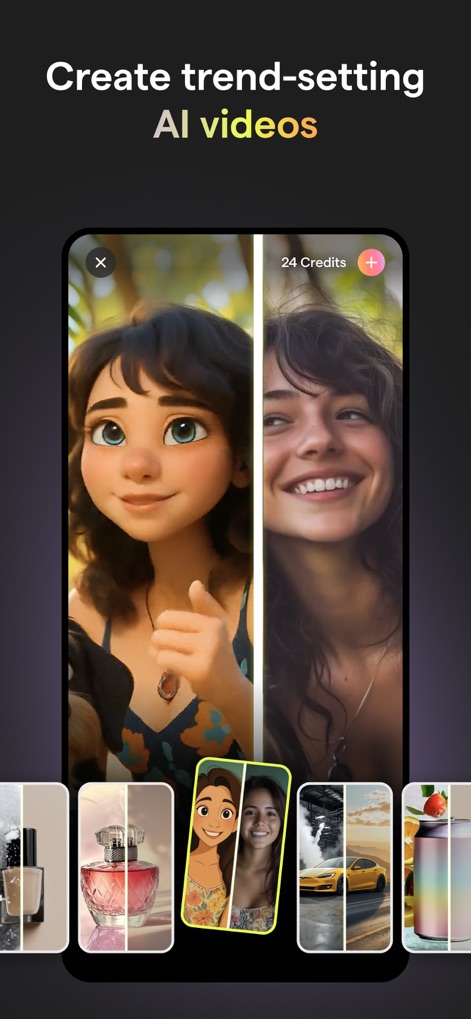
AI動画作成
このスクリーンショットでは、MojoのAIツールが写真をアート作品に変える様子と、リアルな顔とイラスト化された顔を比較した分割表示機能が確認できます。
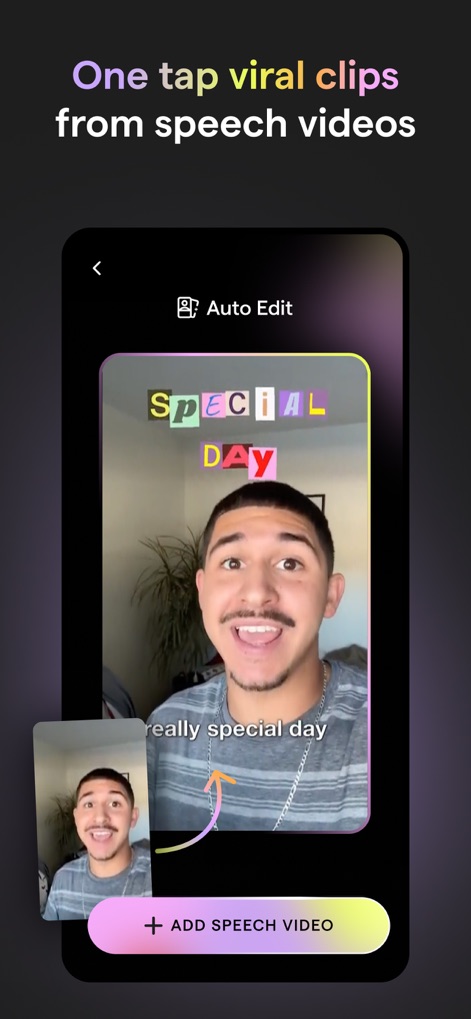
音声から動画生成
このスクリーンショットは、Mojoが音声動画からトレンドクリップを自動生成する機能と、カスタマイズ可能なテキストエフェクトが適用された自動キャプションの表示を示しています。
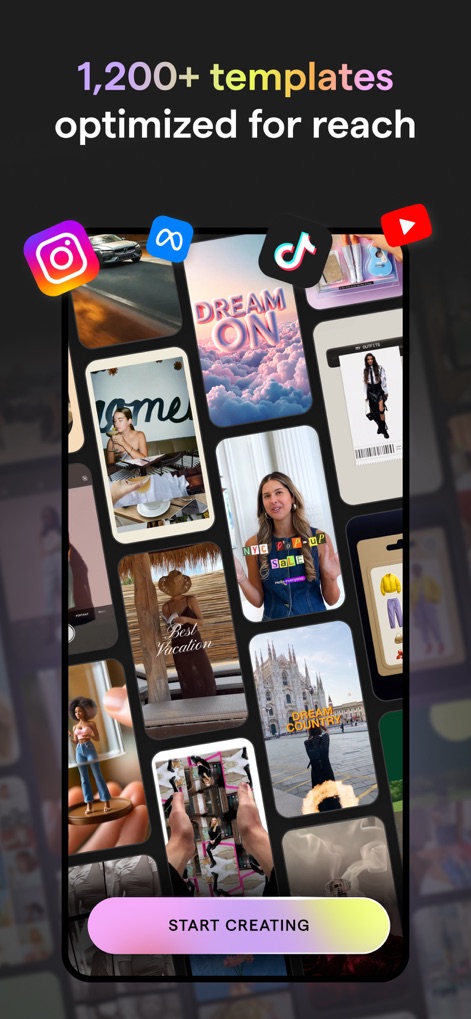
豊富なテンプレート
この画面では、InstagramやTikTokなど、様々なソーシャルメディアプラットフォーム向けに最適化された1,200以上のユニークなテンプレートが豊富に用意されていることがわかります。
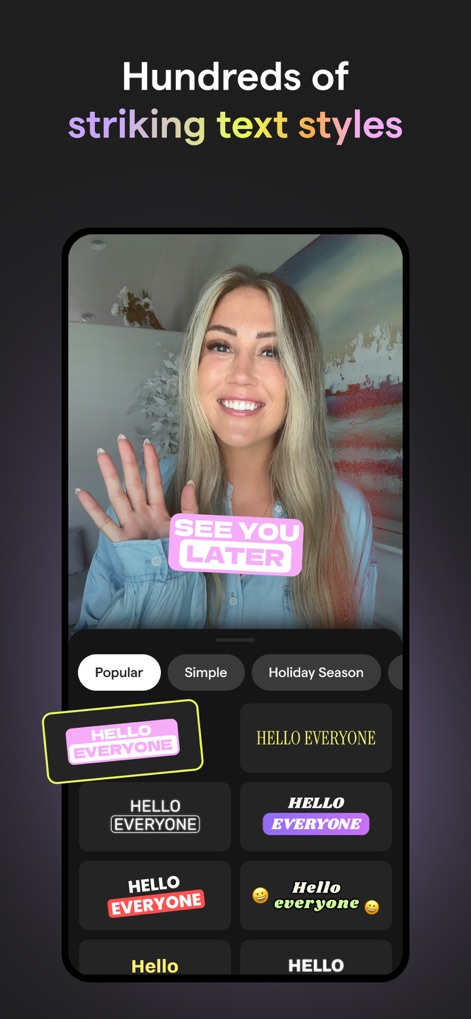
多彩なテキストスタイル
このスクリーンショットは、ユーザーが動画に適用できる何百種類もの魅力的なテキストスタイルと、「Popular」や「Simple」といったカテゴリで整理された選択肢を提供している様子を示しています。

直感的な編集機能
この画面では、動画クリップのトリミングや調整が可能なタイムライン編集機能と、メディア、テキスト、オーディオなどの主要な編集ツールが簡潔に配置されていることが確認できます。
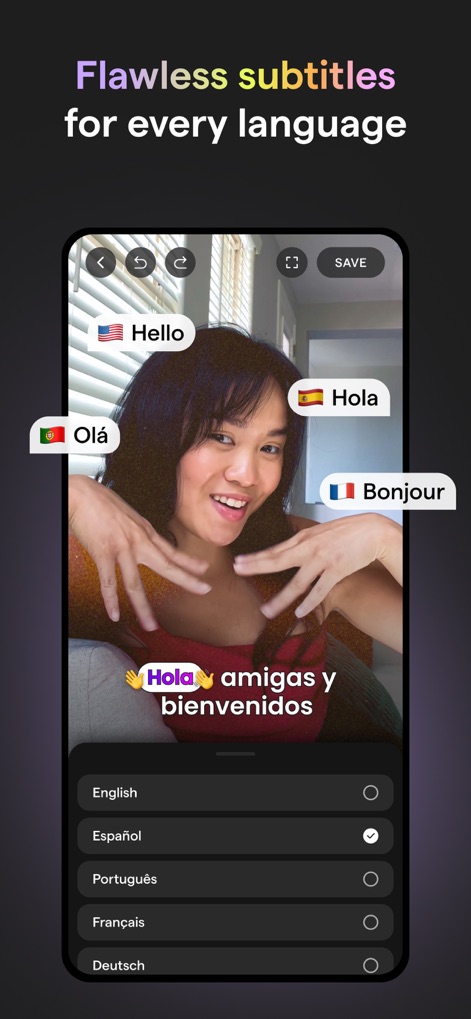
多言語字幕に対応
このスクリーンショットは、Mojoの自動キャプション機能が多言語に対応し、ユーザーが複数の言語から字幕を選択して翻訳できる様子を示しています。
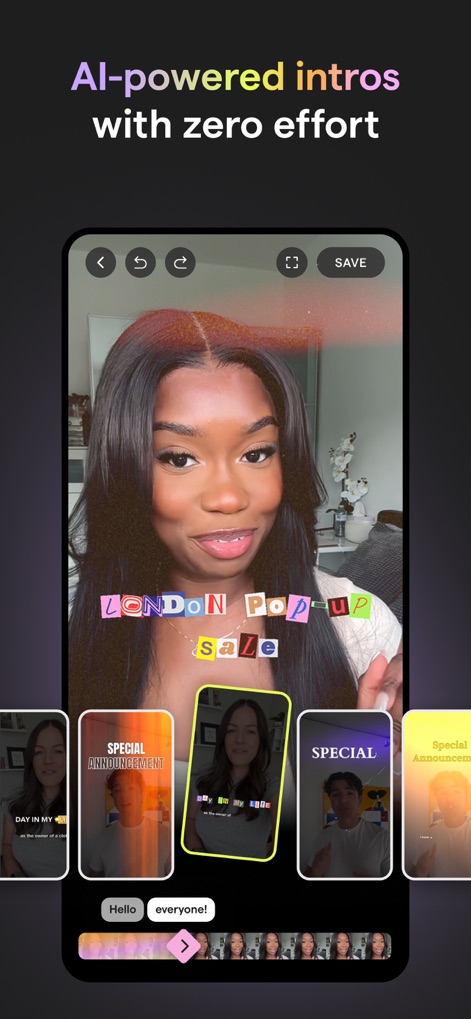
AIイントロを簡単作成
この画面では、AIが自動で生成する手間いらずのイントロテンプレートと、動画の要素をアニメーション化して視聴者の注意を引くテキストエフェクトが紹介されています。
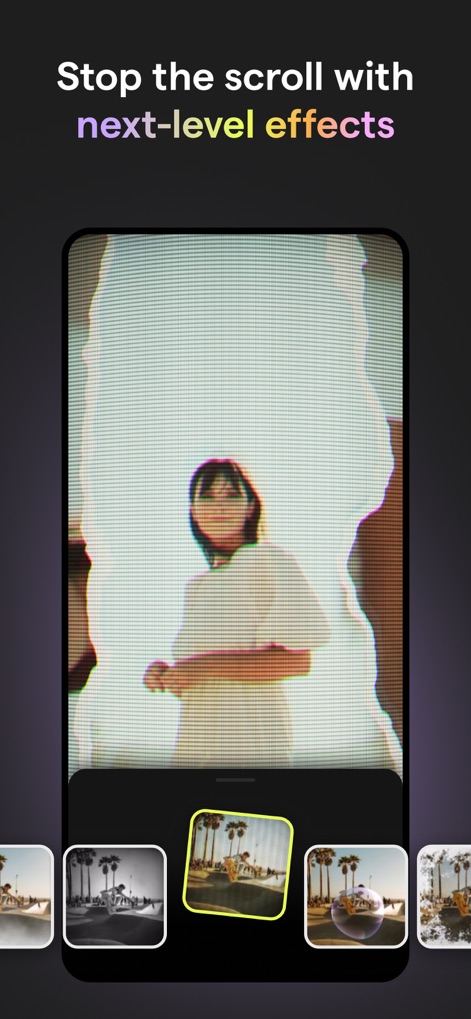
魅力的な視覚効果
このスクリーンショットは、スクロールを止めるような次世代の視覚効果を動画に適用できる機能と、視覚的に多様なフィルター選択肢が提供されていることを示しています。
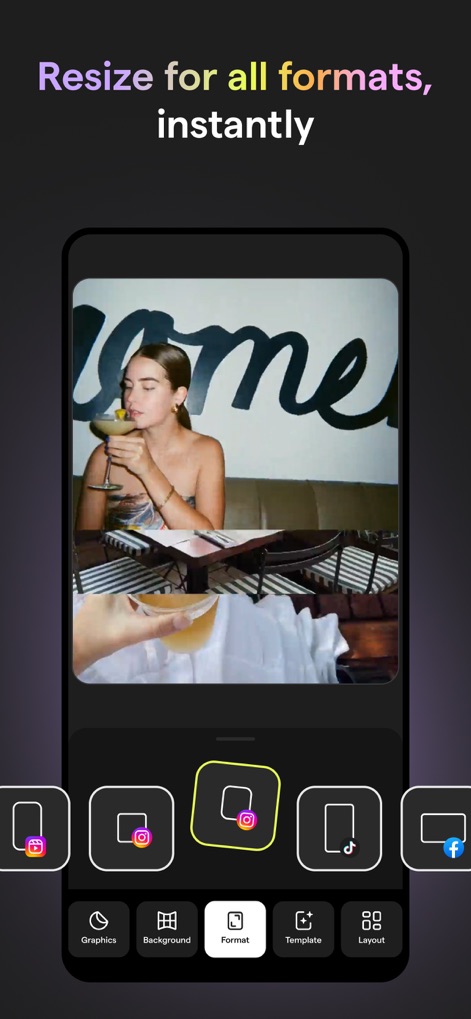
全フォーマット対応
この画面では、ユーザーがコンテンツをInstagramやTikTokなど、様々なソーシャルメディアプラットフォームのフォーマットに合わせて瞬時にリサイズできる機能が視覚的に表示されています。
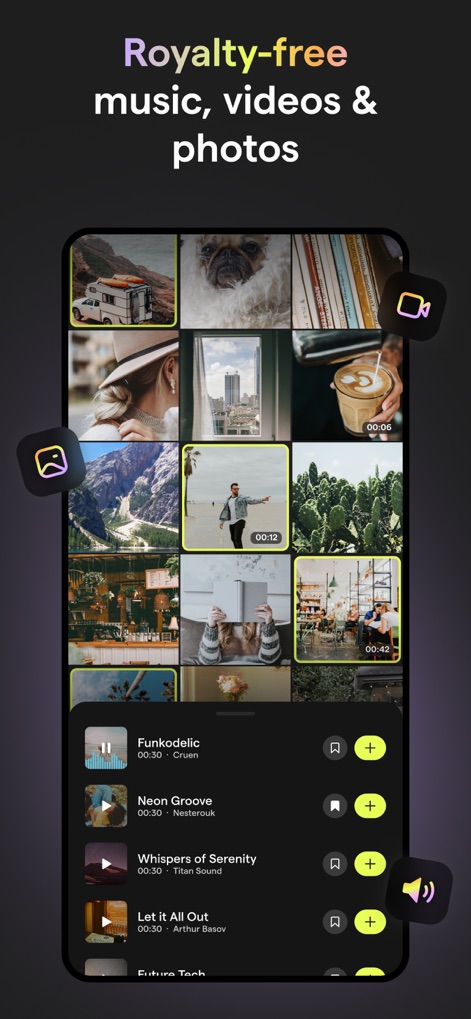
ロイヤリティフリー素材
このスクリーンショットは、商用利用可能なロイヤリティフリーの音楽ライブラリと、動画や写真などの豊富なストックメディアコンテンツをアプリ内で利用できることを示しています。
説明
Download
類似アプリ
似た機能とユーザー体験を持つアプリ

Wink: Video Enhancer & Editor
Xiamen Meitu Technology Co., Ltd.

Instories: AI Photo & Video
Ylee Studio LTD

秒剪 - 视频创作 & Live 实况制作
Tencent Technology (Shenzhen) Company Limited

Vids AI - Reels Video Editor
Viral Vision Ltd

Reels Maker for Instagram BEAT
Onelight Apps CY Ltd

Unfold: Reels & Story Maker
Squarespace, Inc.

Reels Editor, AI Video: inMelo
APPBYTE PTE. LTD.

Reelsapp: reel & video editor
Rustam Achilov

500 Stories: Reels Story Maker
StoryPath Apps Ltd
このページはアプリまたはその開発者の公式ページではなく、情報提供および論評を目的として作成された独立した編集出版物です。明示的に別段の記載がない限り、アプリおよびその開発者は、MWM、Apple、Google Play、アプリのパブリッシャー、またはアプリの開発者と提携、承認、後援、認可、またはその他の公式的な関係はなく、このページのいかなる内容も、アプリがMWMのサービスを使用して開発されたことを意味するものではありません。すべての商標、ロゴ、スクリーンショット、その他のコンテンツはそれぞれの所有者の財産です。