
このページはアプリまたはその開発者の公式ページではなく、情報提供および論評を目的として作成された独立した編集出版物です。明示的に別段の記載がない限り、アプリおよびその開発者は、MWM、Apple、Google Play、アプリのパブリッシャー、またはアプリの開発者と提携、承認、後援、認可、またはその他の公式的な関係はなく、このページのいかなる内容も、アプリがMWMのサービスを使用して開発されたことを意味するものではありません。すべての商標、ロゴ、スクリーンショット、その他のコンテンツはそれぞれの所有者の財産です。


ダウンロード
5M+ユーザー評価
評価数
97.4K開発元
カテゴリ
Finance対応言語
16最新バージョン
1.10.5サイズ
75.2 MBリリース日
2017年4月17日高速で直感的、視覚的にクリアな個人財務管理ツールの主要機能評価
Monefy: Money Tracker アプリケーション分析
直感的で簡潔なユーザーインターフェース
アプリは無駄を省いた直感的なデザインを提供しており、初めての利用者でもすぐに支出追跡を開始し、財務管理の学習曲線を大幅に短縮できます。
支出傾向の視覚化と詳細レポート
アプリは魅力的で分かりやすいグラフと詳細な記録リストを通じて、ユーザーが自身の支出パターンを迅速に把握し、財務状況を深く理解するのに役立ちます。
ワンクリックでの迅速な支出記録
コーヒーの購入やタクシーの利用など、毎日の支出を金額を入力するだけでワンクリックで簡単に記録できるため、忙しいユーザーでも手軽に支出を追跡し、財務状況を把握できます。
クラウドによる安全なデータ同期
Google DriveまたはDropboxアカウントを使用して、スマートフォンとタブレット間でデータを安全に同期できます。これにより、夫婦やパートナーと共同で財務を管理する場合でも、常に最新の情報を共有し、複数のデバイスからアクセス可能です。
強固なパスコード保護
アプリはパスコード保護機能を提供し、ユーザーの機密性の高い財務データへの不正アクセスを防ぎます。これにより、個人の財務情報のセキュリティとプライバシーが確保されます。
複数の財務口座サポート
複数の銀行口座、クレジットカード、現金などの異なる財務口座をアプリ内で一元的に管理できます。これにより、ユーザーは全体の財務状況を包括的に把握し、より効果的な資金管理を行えます。
定期支出の簡単な追跡
定期的な収入や支出(例:家賃、給与)を一度設定するだけで、アプリが自動的に追跡します。これにより、手動での入力の手間が省け、予算管理プロセスが大幅に簡素化されます。
カスタマイズ可能なカテゴリ設定
デフォルトのカテゴリがニーズに合わない場合、ユーザーは独自のカテゴリを作成・管理できます。これにより、個人のライフスタイルや支出習慣に合わせて、よりパーソナライズされた財務追跡と分析が可能になります。
よくある質問
について知っておくべきこと Monefy: Money Tracker
What is Monefy: Money Tracker?
Monefy is an expense tracking application designed for easy financial management. It allows users to quickly add transactions, view spending distribution through charts, and synchronize data across multiple devices.
How does Monefy help track expenses effectively?
Monefy simplifies expense tracking by allowing users to add transactions with just one click, requiring only the expense amount. It then visualizes spending distribution on charts and provides detailed record lists.
Does Monefy: Money Tracker support data synchronization across multiple devices?
Yes, Monefy supports secure data synchronization across multiple devices. Users can synchronize their financial data using their personal Google Drive or Dropbox accounts.
Can I use Monefy with multiple currencies?
Yes, Monefy supports multiple currencies. This feature allows users to track expenses accurately regardless of the currency used for transactions.
Does Monefy: Money Tracker offer a premium version or subscription?
Yes, Monefy offers an auto-renewing Premium Subscription. This subscription unlocks additional features, with payment charged to the user's iTunes Account upon confirmation of purchase.
How can users manage their Monefy Premium Subscription?
Users can manage their Monefy Premium Subscription by accessing their account settings after purchase. Auto-renewal can be turned off at least 24-hours before the current period ends.
Does Monefy: Money Tracker include passcode protection?
Yes, Monefy includes passcode protection. This security feature helps safeguard financial data within the application from unauthorized access.
Can I customize spending categories in Monefy: Money Tracker?
Yes, Monefy allows users to manage and customize their spending categories. Users can create new categories or delete old ones if the default options do not suit their needs.
Does Monefy: Money Tracker provide detailed spending reports?
Yes, Monefy provides detailed spending reports. Users can view their spending distribution on informative charts or get detailed information from the records list.
Is there a dark theme available in Monefy: Money Tracker?
Yes, Monefy offers a dark theme. Users can enable this visual option within the application's settings, providing an alternative aesthetic for the interface.
Does Monefy: Money Tracker support multiple financial accounts?
Yes, Monefy supports multiple accounts. This feature allows users to track expenses and manage finances across various financial sources within the application.
How quickly can I add new expenses in Monefy: Money Tracker?
Monefy allows users to add new expenses extremely fast. It requires entering only the expense amount, making the process quick and efficient with its built-in calculator.
以下のスクリーンショットと説明は、アプリの公式ストアリスティングから直接取得されたものであり、アプリ開発者の所有物です。
アプリストア
スクリーンショット
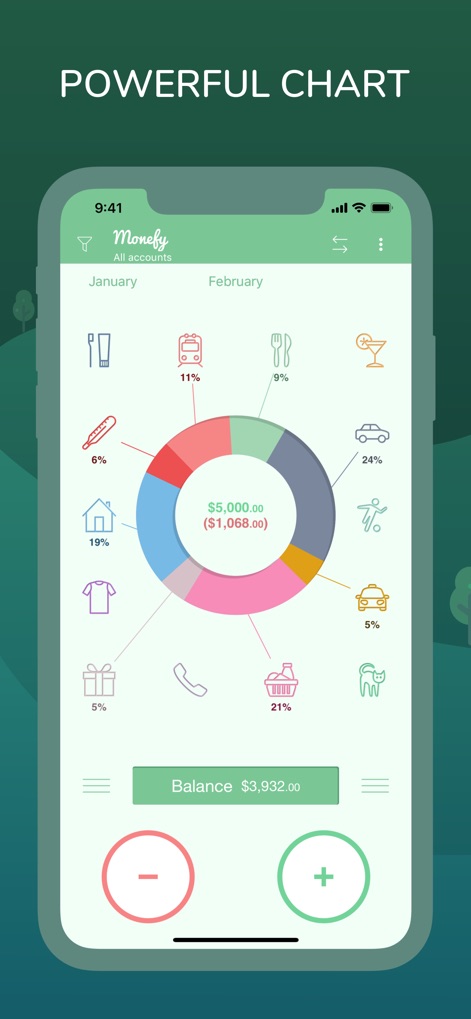
ユーザーは、鮮やかな円グラフで支出の内訳を把握し、アイコンで各カテゴリを直感的に識別できます。
支出分析チャート
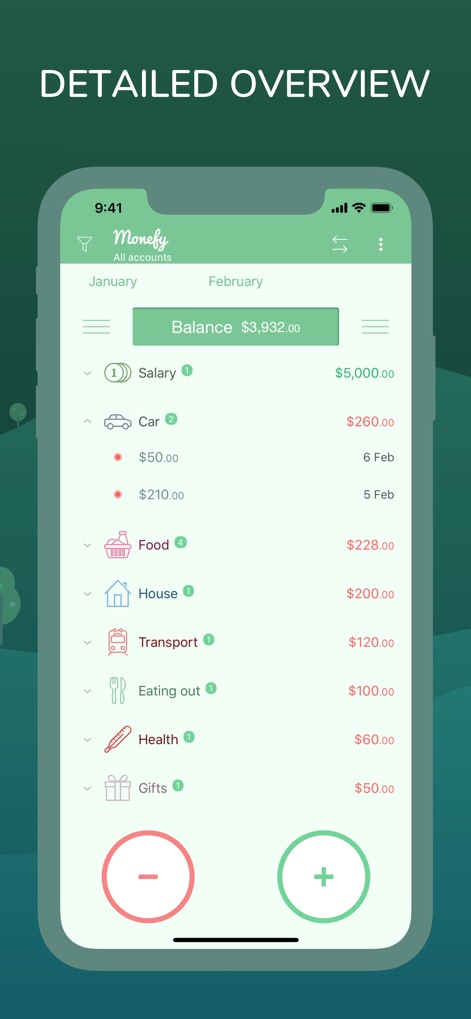
本アプリは、収入と支出の項目別リストを提供し、ユーザーは日付と金額を含む詳細な取引履歴を簡単に確認できます。
取引履歴一覧
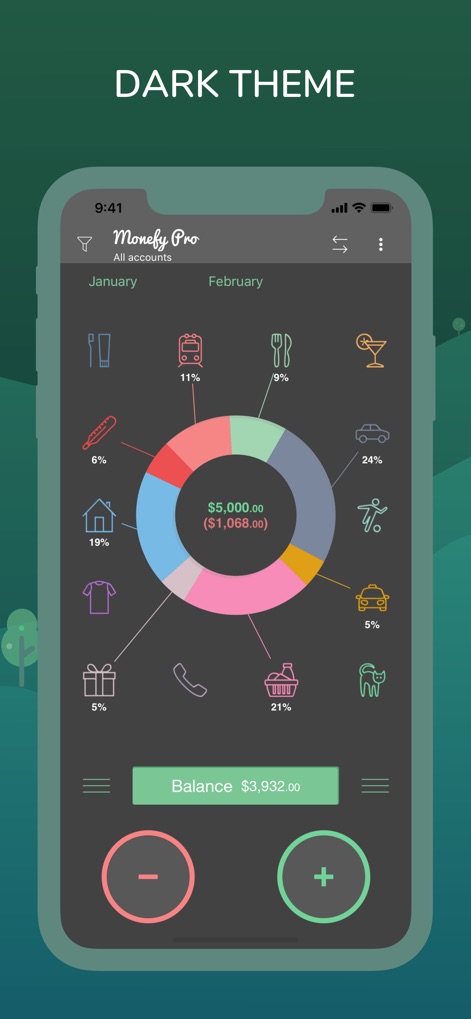
ユーザーはダークテーマに切り替えることで、目に優しいインターフェースで支出の概要を視覚的に把握し、快適に利用できます。
目に優しいテーマ
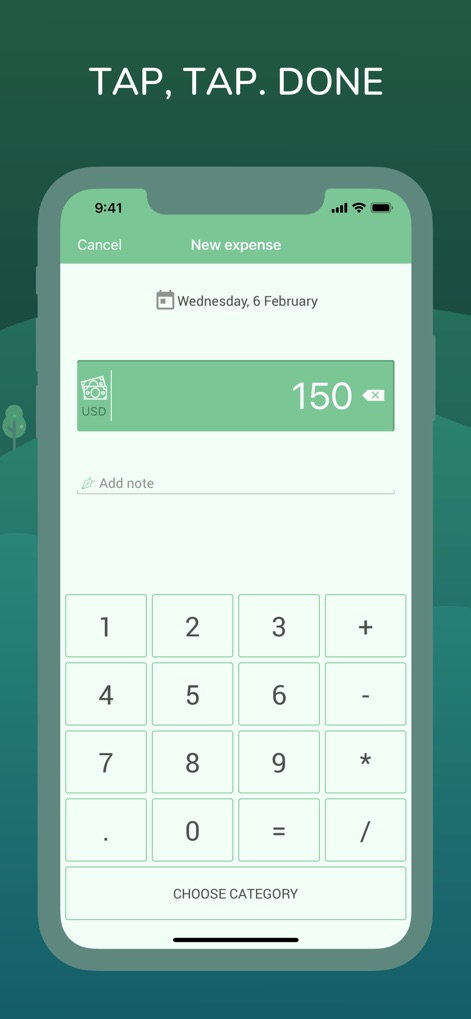
ユーザーは、内蔵された計算機機能を使って素早く金額を入力し、数回のタップで新しい支出を簡単に記録できます。
素早い支出記録
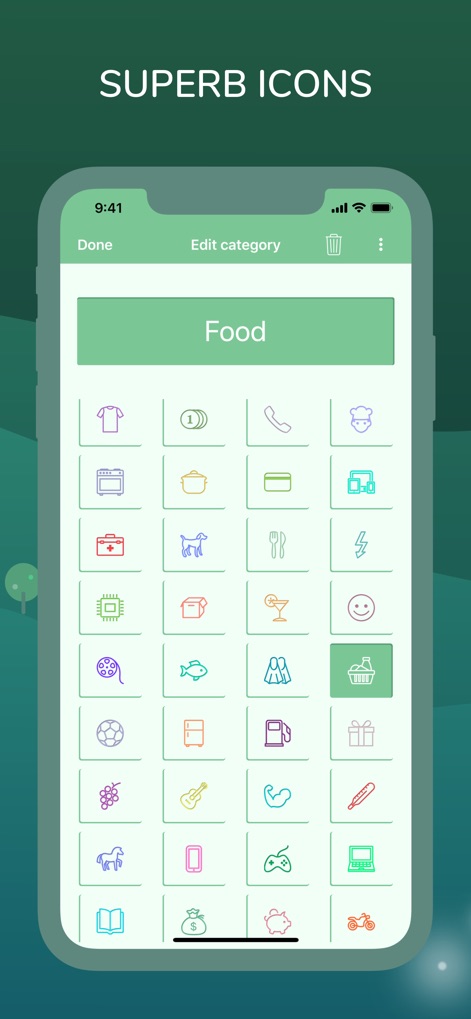
本アプリでは、ユーザーが支出のカテゴリごとに豊富なアイコンから選択でき、自分だけの分類を直感的に作成、管理できます。
カテゴリのカスタマイズ
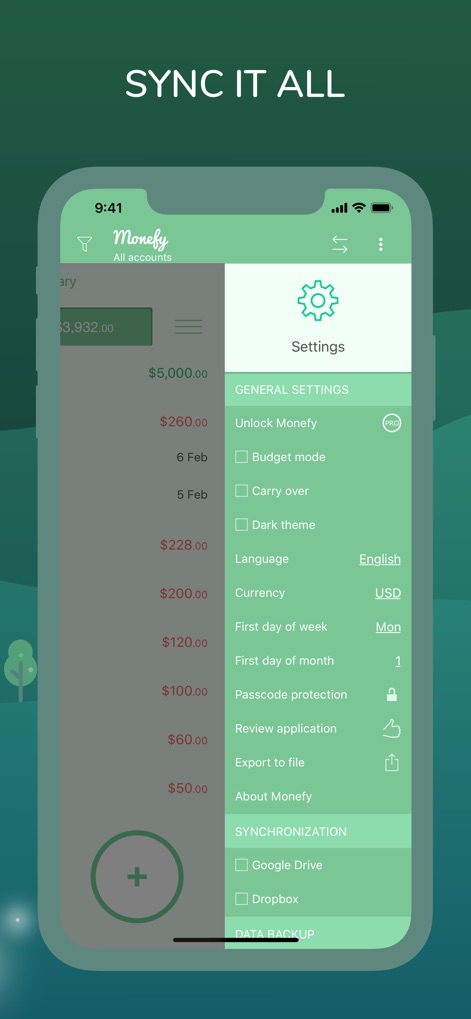
ユーザーはGoogle DriveやDropboxを介してデバイス間でデータを安全に同期でき、パスコード保護などのプライバシー設定も柔軟に管理できます。
安心のデータ同期
説明
Download
類似アプリ
似た機能とユーザー体験を持つアプリ

PetPlanr
Anri Tugushi

Weple Money: Expense Tracker
Park Hankyu

Caho可愛いかけいぼ!学生/夫婦おかね管理
LAN CHEN

Sepran: Expense Manager
Sepran Ashari

SmileBudget
Koniio Co., Ltd.

Money OK - personal finance
Mobion OOO

Расходы - личный бюджет
Oleg Ponomarev

EMMO Cost
EMMO Corp.

Minhas Economias
MINHAS ECONOMIAS SOLUCOES LTDA
このページはアプリまたはその開発者の公式ページではなく、情報提供および論評を目的として作成された独立した編集出版物です。明示的に別段の記載がない限り、アプリおよびその開発者は、MWM、Apple、Google Play、アプリのパブリッシャー、またはアプリの開発者と提携、承認、後援、認可、またはその他の公式的な関係はなく、このページのいかなる内容も、アプリがMWMのサービスを使用して開発されたことを意味するものではありません。すべての商標、ロゴ、スクリーンショット、その他のコンテンツはそれぞれの所有者の財産です。