Money Flow - Expense Tracker
ダウンロード: App Store

このページはアプリまたはその開発者の公式ページではなく、情報提供および論評を目的として作成された独立した編集出版物です。明示的に別段の記載がない限り、アプリおよびその開発者は、MWM、Apple、Google Play、アプリのパブリッシャー、またはアプリの開発者と提携、承認、後援、認可、またはその他の公式的な関係はなく、このページのいかなる内容も、アプリがMWMのサービスを使用して開発されたことを意味するものではありません。すべての商標、ロゴ、スクリーンショット、その他のコンテンツはそれぞれの所有者の財産です。


ロゴ: Money Flow - Expense Tracker
ダウンロード: App Store

Money Flow - Expense Tracker

銀行口座を連携することなく、貯蓄目標を達成するためのシンプルで安全な方法。究極の財務意識のために手動で支出を追跡し、データをデバイス上に厳密に保管します。

主要数値

ダウンロード

31K+

ユーザー評価

5.0/5

評価数

0

開発元

Daniel Romero

カテゴリ

Finance

対応言語

1

最新バージョン

1.0.14

サイズ

24.0 MB

リリース日

2020年9月18日
機能

財務の流れをコントロールする

プライバシー、意図性、そして完全なデータ所有権を重視する人々のために設計された、ミニマリストな予算作成アプローチ。

設計による完全なプライバシー

銀行口座の連携やクラウド同期は不要です。機密性の高い財務データはデバイス上にプライベートかつ安全に保管され、本来あるべき場所にあります。

一目でわかる明確さ

支出習慣と貯蓄の可能性を可視化するクリーンなダッシュボードとカテゴリの内訳で、月間予算をマスターしましょう。

以下のスクリーンショットと説明は、アプリの公式ストアリスティングから直接取得されたものであり、アプリ開発者の所有物です。

アプリストア

スクリーンショット
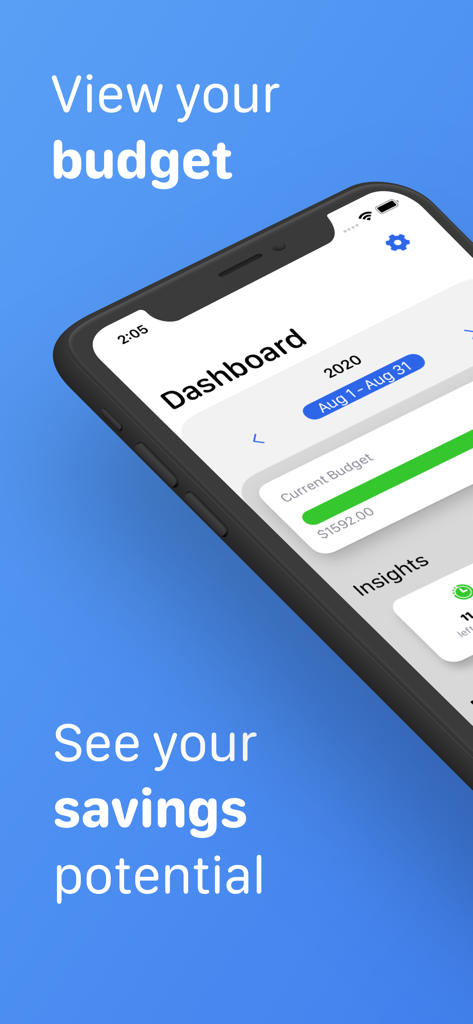
Money Flow - Expense Tracker - Money Flowアプリのダッシュボード、月間予算の進捗と貯蓄の可能性を示すiPhone画面
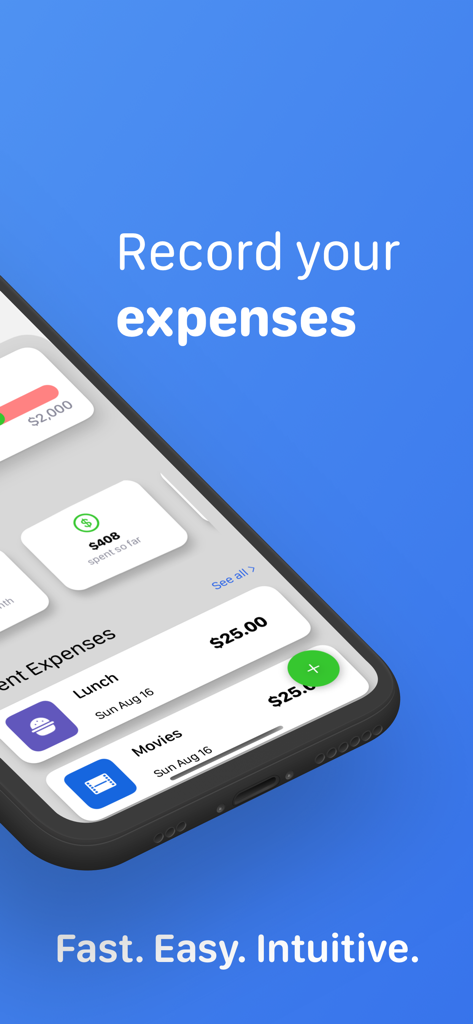
Money Flowアプリのダッシュボード、月間予算の進捗と貯蓄の可能性を示すiPhone画面

Money Flow - Expense Tracker - iPhone画面、Money Flowアプリのダッシュボードにランチと映画の最近の支出が表示されている
iPhone画面、Money Flowアプリのダッシュボードにランチと映画の最近の支出が表示されている

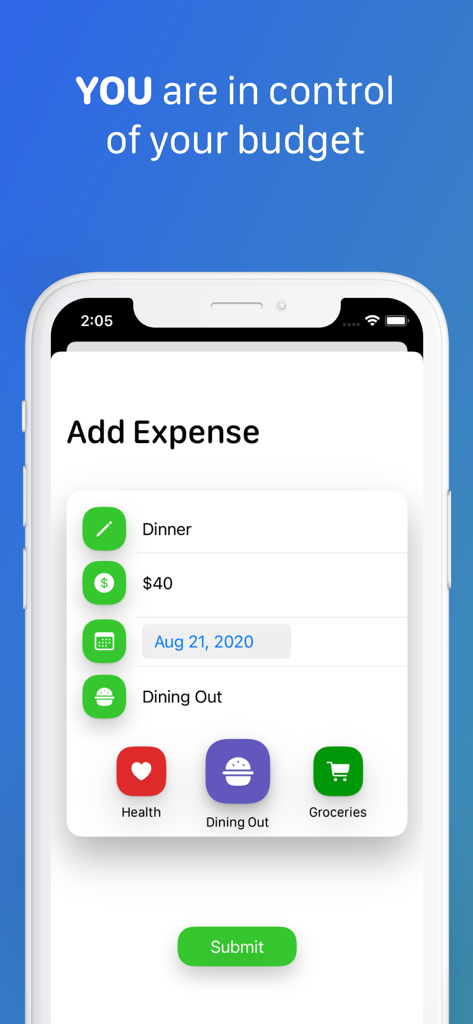
Money Flow - Expense Tracker - Money Flowアプリ画面、夕食の支出を手動で入力し、カテゴリを選択するインターフェース
Money Flowアプリ画面、夕食の支出を手動で入力し、カテゴリを選択するインターフェース

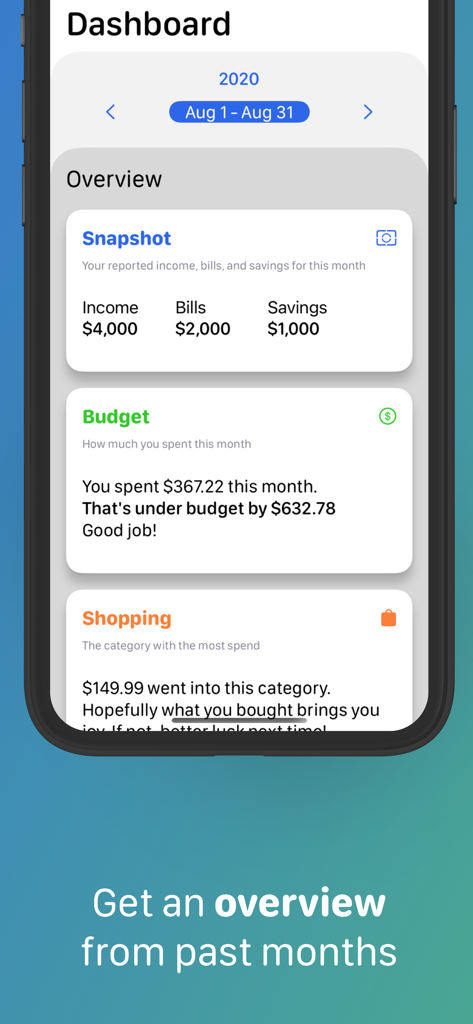
Money Flow - Expense Tracker - Money Flow支出トラッカーのダッシュボードビュー、月間予算と支出の概要を示す。
Money Flow支出トラッカーのダッシュボードビュー、月間予算と支出の概要を示す。

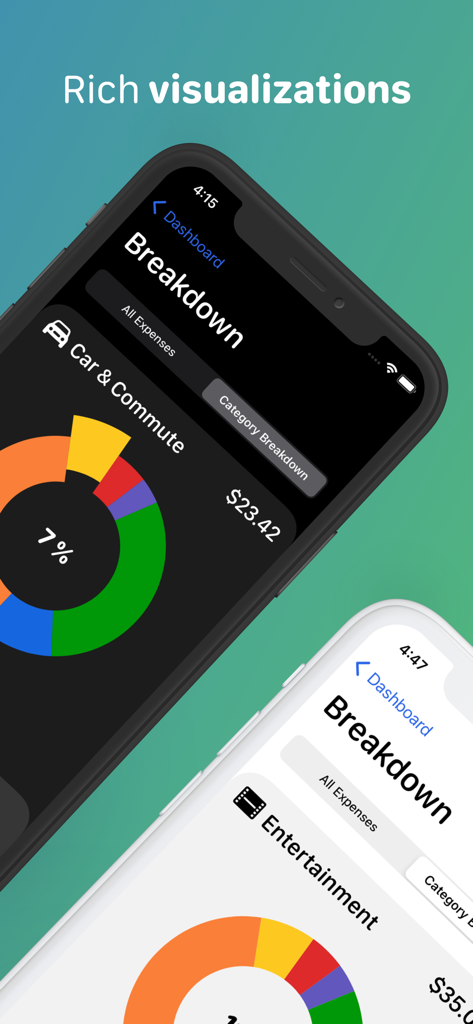
Money Flow - Expense Tracker - Money Flow支出トラッカー、iPhone画面にドーナツチャートで支出カテゴリの内訳を表示
Money Flow支出トラッカー、iPhone画面にドーナツチャートで支出カテゴリの内訳を表示

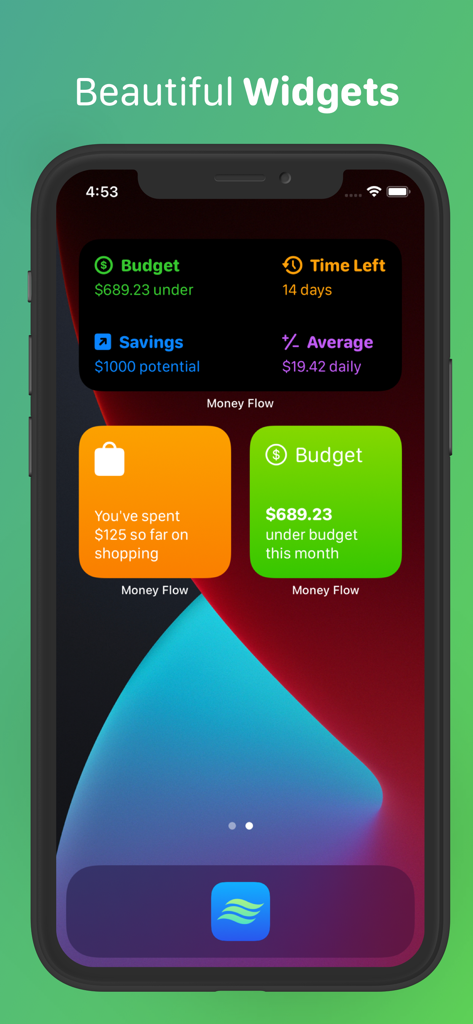
Money Flow - Expense Tracker - Money Flowアプリのウィジェット、iPhoneのホーム画面に予算と貯蓄のインサイトを表示

Money Flowアプリのウィジェット、iPhoneのホーム画面に予算と貯蓄のインサイトを表示

説明

Money Flow is finally here, and it’s ready to help you keep track of your expenses and achieve your personal savings goals. The app is super simple to use, and leaves out special algorithms and computational guess work in order to put you in control of expense tracking. Because of this, there is no external account linking required and you can rest assured your data is never being analyzed, sold, or stored anywhere other than on your device. Simply set your monthly income, fixed expenses, desired savings goal and start budgeting. SEE THE BIG PICTURE When you launch the app, you are presented with your Dashboard. Here you can see how you’re doing with your current budget. Helpful insights about how much money you’ve spent, or how many days are left in the month are readily available to you. Additionally, you can keep tabs on your three most recent expenses at all times. ADD EXPENSES Simply tap the add expense button located on the bottom right corner of your Dashboard and enter a short note, a dollar amount, the date and category of your expense. That’s it. Made a typo? Navigate to the All Expenses screen and tap on the expense you need to change. GET A BREAKDOWN OF YOUR SPENDING When you navigate to the All Expenses screen, you can also select the Category Breakdown segment to get a more detailed look into how you’ve spent on any given category. Tap one of the pie chart slices to switch categories, or use the convenient back/forward buttons to cycle through them all. Want to see on which days you had certain expenses? Pull up the expenses drawer from the bottom and scroll through all expenses for that category. CUSTOMIZABLE BUDGET Did you get a pay increase? Have a new fixed monthly expense? Do you want to save more? Save less? You can edit any one of your budgeting preferences by simply going to the Settings screen from your Dashboard at any time. TRAVEL THROUGH TIME Our relationship with our finances changes over time. Understanding the entirety of your financial picture can be very helpful for you to realize your personal goals. You can navigate to past months straight from the dashboard, by tapping the back/forward buttons. If you want to see a completely different year, just select a new one by tapping the year button right above your month display. COMPACT OVERVIEWS When viewing a previous budget month, you will be able to see your overview for that month. You’ll see your budget preferences for that month, whether you were over or under your budget, as well as your highest and lowest category spend. And just like in your current budget month, you can get access to all your individual expenses and your breakdown as well. WIDGETS Money Flow has three widgets for you to display on your home or lock screen. There’s the Insight Widget that shows you one of your key insights, such as your savings potential. There’s also the Category Widget for helping you keep track of your spending on an individual category. Finally, there’s the Insight Overview widget, which shows you all your insights without even having to open the app. PRIVACY We believe your data should be yours. That’s why Money Flow will never require you to link your financial accounts or mine any of the data you submit. What are you waiting for? Improve your savings game and track your expenses with Money Flow today.

Download

ダウンロード: App Store

このページはアプリまたはその開発者の公式ページではなく、情報提供および論評を目的として作成された独立した編集出版物です。明示的に別段の記載がない限り、アプリおよびその開発者は、MWM、Apple、Google Play、アプリのパブリッシャー、またはアプリの開発者と提携、承認、後援、認可、またはその他の公式的な関係はなく、このページのいかなる内容も、アプリがMWMのサービスを使用して開発されたことを意味するものではありません。すべての商標、ロゴ、スクリーンショット、その他のコンテンツはそれぞれの所有者の財産です。








