How to Develop the Habit of Bookkeeping
Bookkeeping should be simple and straightforward, which is easy to say, but:
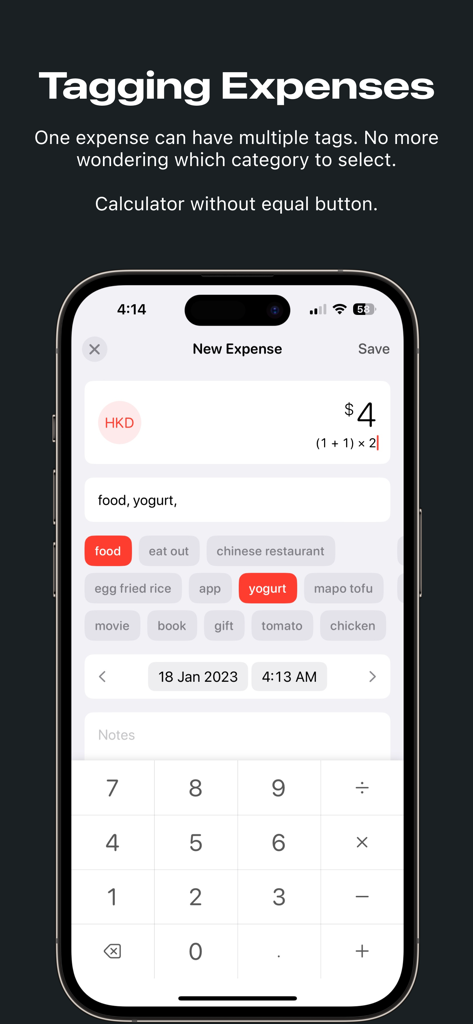
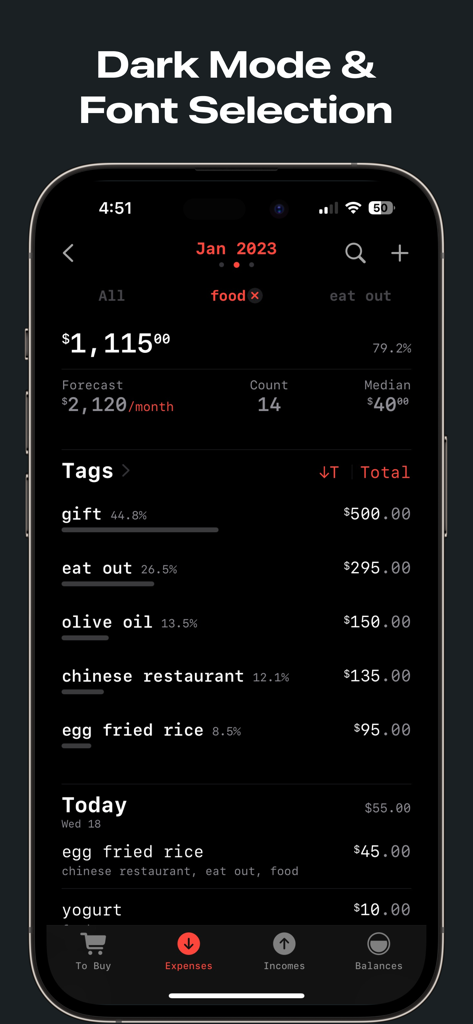
- So many categories, and subcategories? What category should I choose? — Money Zen use a tagging system, you can write "food, eat out, restaurant_name, meal_name", as detailed or rough as you want.
- I bought two boxes of eggs with different prices, add this to this, where is the calculator? Where is the equation I just entered? Is there a typo? — Money Zen has a calculator that does not need to input the equal sign, and can see the equation
- When adding yesterday's expenses, I have to tap three times (tap date, yesterday, complete) to change the date to yesterday? — On Money Zen, just tap the left arrow or swipe right on the date, and the date will be changed to yesterday.
What's the use of these so easily tracked expenses?
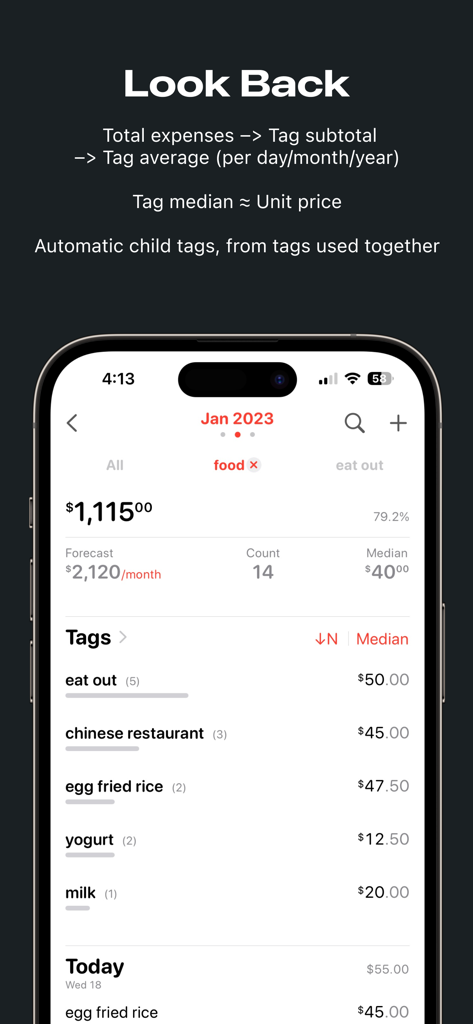
- If you want to budget for the future, then look at where the money has been spent in the past year, how much did you spend on each item per month? — In Money Zen you can select any time range, and see the daily/monthly/annual average spending for each tag
- A restaurant you often eat at, because you have wrote down the name of the restaurant and the name of the meal (as tags) every time—in Money Zen, tap the tag of this restaurant, and then tap to show "Median & No. of Transactions", what you see at this time is like the menu of this restaurant — the median is roughly equal to the unit price of each set meal: $XX for egg fried rice, $xx for mapo tofu. Before you know it, Money Zen becomes a menu collector and records your tastes.
- Search: past air tickets, past trips, when items were purchased, and whether the warranty has expired
- Look at the changes in your spending on food each year, whether you've gone from eating fast food to cooking your own meals, whether you're eating better and better, but spending less and less
- Looking back and seeing the changes in your life, are you spending less on things useless and putting your votes in the form of money on things you support?
- Did you spend more meaningfully, increasing your contribution to the outside world, supporting your family and friends, and contributing to society?
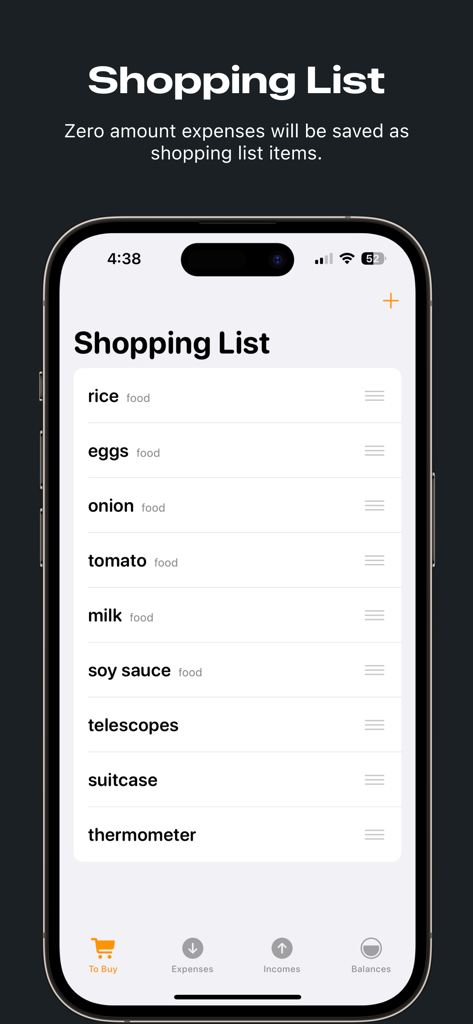
Money Zen can also be used as a shopping list, so you can write it down before you buy, only the amount is zero, and then add the amount after you buy.
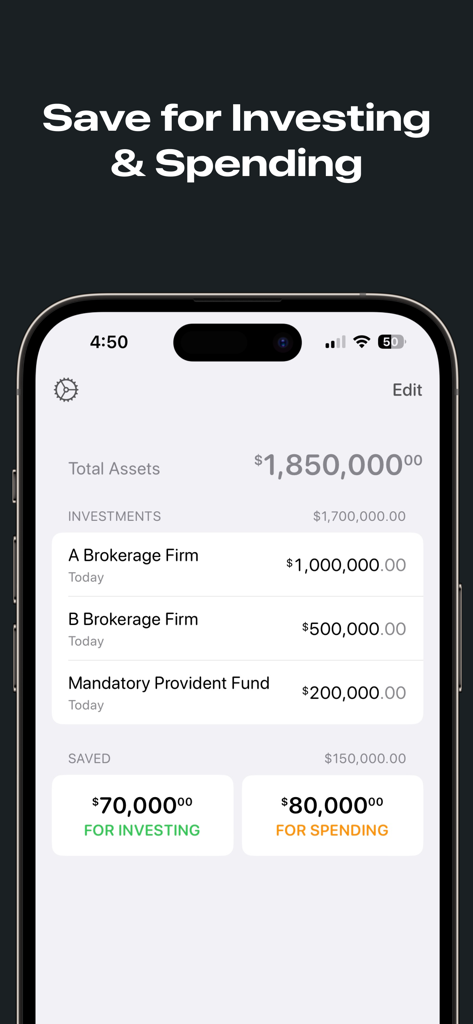
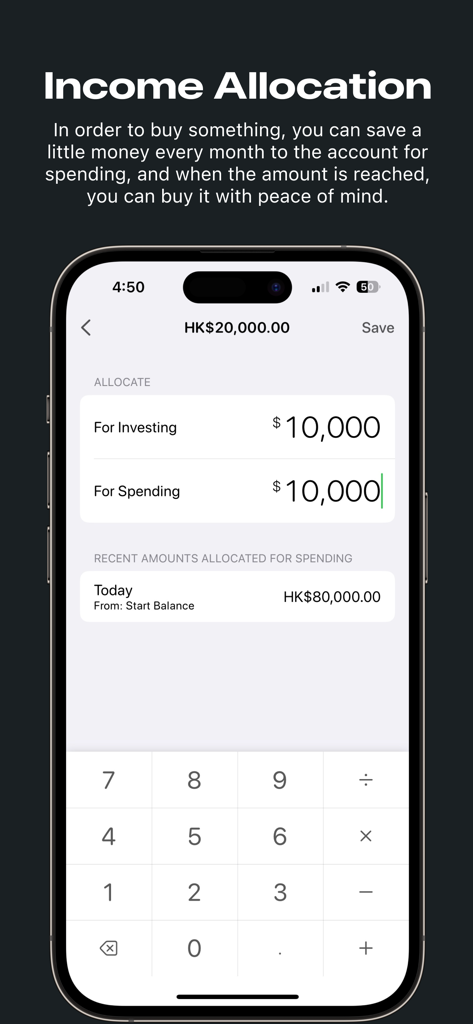
Money Zen comes with a financial management method: use part of the monthly income for spending, and the rest for investing. The money saved for spending can be accumulated. If you spend less this month, you will have more money to spend in the future. Know two balances at any time: how much money is left to spend, and how much money is left to invest.
In order to buy something, you can save a little money every month to the account for spending, and when the amount is reached, you can buy it with peace of mind.
Just like transferring money to a investment account to buy stocks in real life, you can add these investment accounts in Money Zen, and record each transfer to these accounts, and the amount left for investing will be automatically updated.
Now that the investment accounts has been added, Money Zen also provides the function to manually update the values of these accounts and display the total assets.
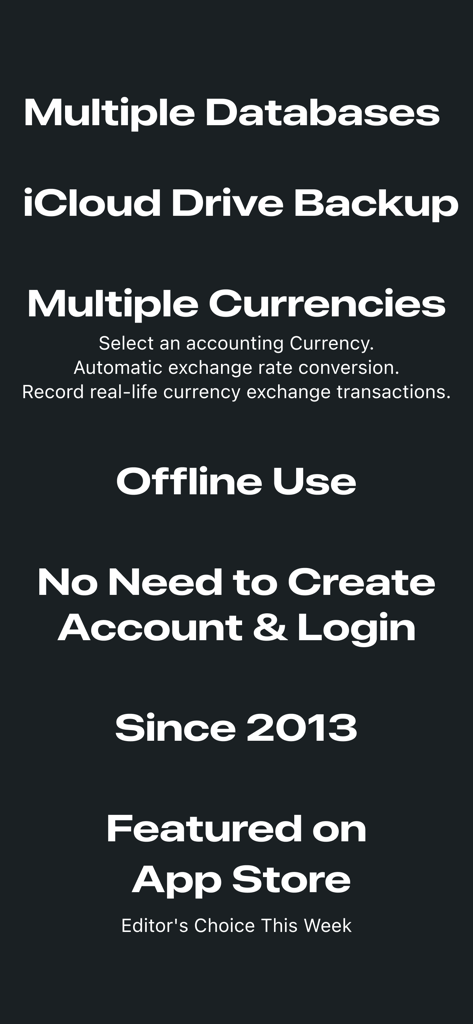
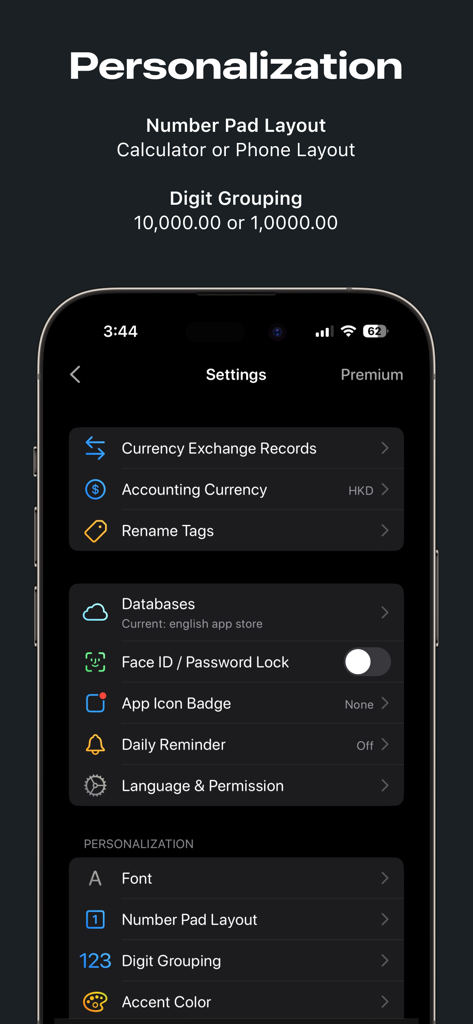
Multiple currencies are also necessary. Expenses are not necessarily in the same currency, but the statistics can be in a fixed currency - Money Zen provides the ability to select the accounting currency, and other currencies are automatically converted to it according to the exchange rate for statistics and display.
In real life, when converting from one currency to another, you may lose money due to bad exchange rates - Money Zen provides a function to record real-life currency conversions, and the balance is updated accordingly, you can also see the actual balance of each currency you own.
This is my dream bookkeeping app - Money Zen.
Privacy policy and terms of use: https://moneyzen.app/terms/