MP3 Recorder - Voice Recording
ダウンロード: App Store

このページはアプリまたはその開発者の公式ページではなく、情報提供および論評を目的として作成された独立した編集出版物です。明示的に別段の記載がない限り、アプリおよびその開発者は、MWM、Apple、Google Play、アプリのパブリッシャー、またはアプリの開発者と提携、承認、後援、認可、またはその他の公式的な関係はなく、このページのいかなる内容も、アプリがMWMのサービスを使用して開発されたことを意味するものではありません。すべての商標、ロゴ、スクリーンショット、その他のコンテンツはそれぞれの所有者の財産です。

ロゴ: MP3 Recorder - Voice Recording
ダウンロード: App Store

MP3 Recorder - Voice Recording

iPhoneで高品質MP3を即座にキャプチャ。ファイル変換の手間なく、信頼性の高いバックグラウンド録音と詳細なコントロールを必要とする学生、専門家、ミュージシャン向けに設計されています。

主要数値

ダウンロード

7K+

ユーザー評価

4.4/5

評価数

100

開発元

Andy Sutanto

カテゴリ

Music

対応言語

1

最新バージョン

1.0.3

サイズ

31.0 MB

リリース日

2024年3月13日
機能

プロフェッショナルな明瞭さで細部までキャプチャ

外出先でユニバーサルな互換性と高忠実度のサウンドを必要とする学生、専門家、クリエイターにとって不可欠なMP3録音ツール。

ユニバーサルMP3形式

変換は不要。Windows、Android、プロの文字起こしソフトウェアとのシームレスな共有のために、直接MP3で録音します。

カスタム品質コントロール

サウンドを調整します。ビットレートとサンプルレートを調整して、高忠実度オーディオとストレージスペースの最適なバランスを取得します。

以下のスクリーンショットと説明は、アプリの公式ストアリスティングから直接取得されたものであり、アプリ開発者の所有物です。

アプリストア

スクリーンショット
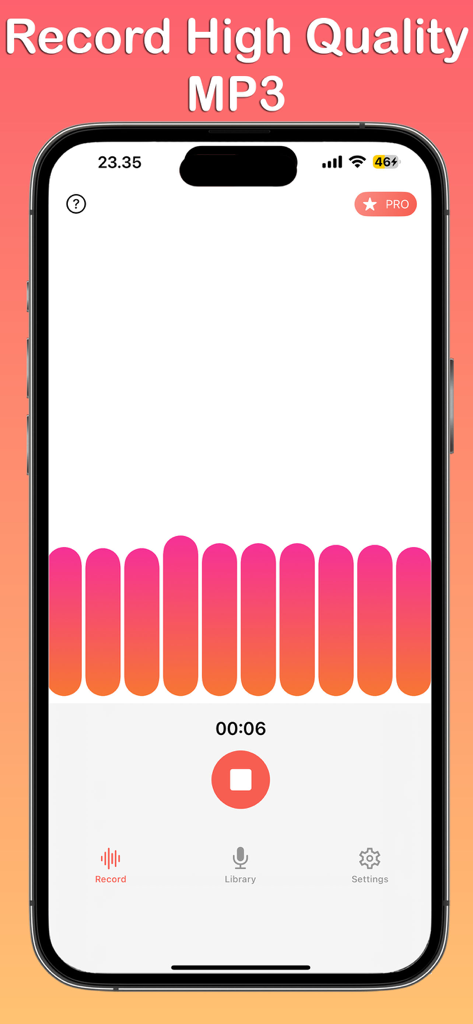
MP3 Recorder - Voice Recording - MP3レコーダーアプリのインターフェース。アクティブな音声録音セッションが表示され、カラフルな波形とタイマーがiPhoneに表示されています。
MP3レコーダーアプリのインターフェース。アクティブな音声録音セッションが表示され、カラフルな波形とタイマーがiPhoneに表示されています。

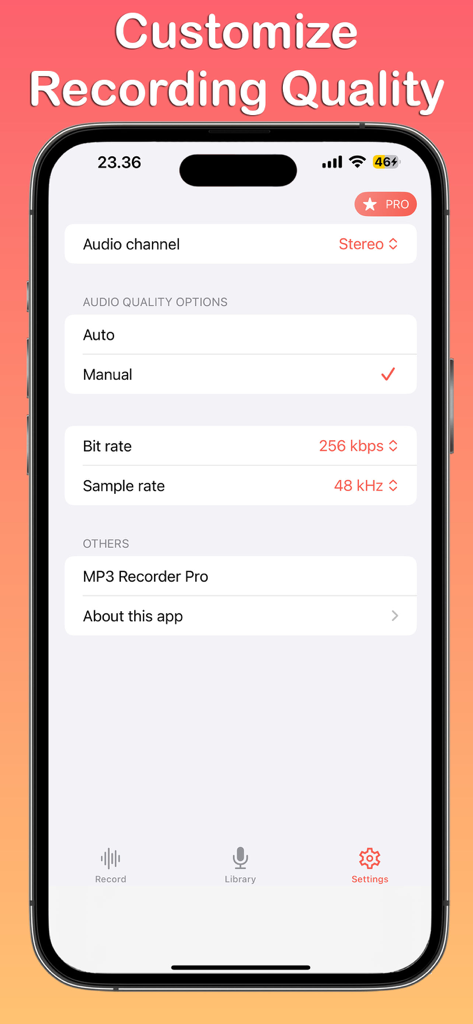
MP3 Recorder - Voice Recording - ビットレートやサンプルレートを含むMP3音声録音のカスタマイズ可能なオーディオ品質設定が表示されたスマートフォンの画面。
ビットレートやサンプルレートを含むMP3音声録音のカスタマイズ可能なオーディオ品質設定が表示されたスマートフォンの画面。

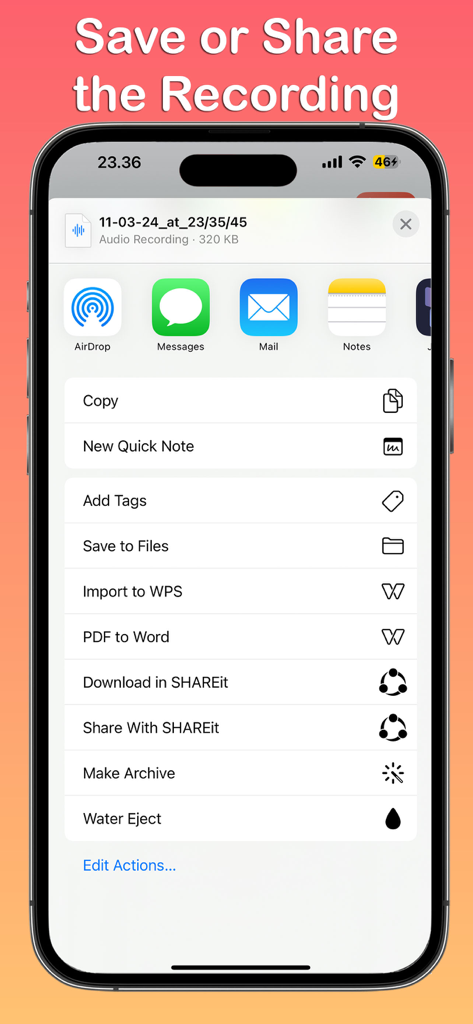
MP3 Recorder - Voice Recording - iPhoneの画面に、ボイスレコーディングの共有シートが表示され、ファイルへの保存やメッセージやメールでの共有オプションがあります。

iPhoneの画面に、ボイスレコーディングの共有シートが表示され、ファイルへの保存やメッセージやメールでの共有オプションがあります。

説明

Introducing MP3 Recorder - Voice Recording, the straightforward and efficient app designed for all your audio recording needs on iOS. Whether you're capturing voice memos, recording meetings, or creating musical pieces, our app ensures high-quality MP3 format recordings with ease. Features: Simple Interface: Navigate through the app with three main tabs: Record, Library, and Settings, each designed for intuitive use and accessibility. Record with Ease: Tap into the Record tab to start capturing audio instantly. Our app supports background recording, allowing you to continue using your device while it captures audio seamlessly. Manage Your Recordings: The Library tab is your central hub for all recordings. Here, you can play back your audio files, share them with friends or colleagues, or delete them if needed. Organizing your recordings has never been easier. Customizable Settings: Tailor your recording experience in the Settings tab, where you can switch between mono and stereo audio channels, adjust the bit rate for quality control, and set the sample rate to suit your recording needs. Adaptive Themes: MP3 Recorder - Voice Recording adapts to your iPhone's theme, offering both light and dark modes for a comfortable visual experience in any environment. MP3 Recorder - Voice Recording is the ideal tool for professionals, students, musicians, and anyone in need of a reliable audio recording app. With its user-friendly interface and customizable settings, capturing and managing high-quality audio recordings is effortlessly within reach. Download now and elevate your recording capabilities on iOS. Disclaimer: Please do not use this application to record any copyrighted material. We are not responsible for misuse by users for any reason. MP3 Recorder - Voice Recording app is free. You can use it forever, at no cost. However, MP3 Recorder - Voice Recording does offer premium features for its subscribers. If you decide to purchase an upgrade, you can unlock additional features, i.e. remove ads and change bit rate and sample rate. If you have a suggestion to improve MP3 Recorder - Voice Recording, please send us an email. Terms of Use: https://kociapp.github.io/MP3-Recorder/term-of-use Privacy Policy: https://kociapp.github.io/MP3-Recorder/privacy-policy

Download

ダウンロード: App Store

このページはアプリまたはその開発者の公式ページではなく、情報提供および論評を目的として作成された独立した編集出版物です。明示的に別段の記載がない限り、アプリおよびその開発者は、MWM、Apple、Google Play、アプリのパブリッシャー、またはアプリの開発者と提携、承認、後援、認可、またはその他の公式的な関係はなく、このページのいかなる内容も、アプリがMWMのサービスを使用して開発されたことを意味するものではありません。すべての商標、ロゴ、スクリーンショット、その他のコンテンツはそれぞれの所有者の財産です。







