MT - Expense Tracker
ダウンロード: App Store

このページはアプリまたはその開発者の公式ページではなく、情報提供および論評を目的として作成された独立した編集出版物です。明示的に別段の記載がない限り、アプリおよびその開発者は、MWM、Apple、Google Play、アプリのパブリッシャー、またはアプリの開発者と提携、承認、後援、認可、またはその他の公式的な関係はなく、このページのいかなる内容も、アプリがMWMのサービスを使用して開発されたことを意味するものではありません。すべての商標、ロゴ、スクリーンショット、その他のコンテンツはそれぞれの所有者の財産です。


ロゴ: MT - Expense Tracker
ダウンロード: App Store

MT - Expense Tracker

経済的な状況を完全に把握するための最も速い方法。数秒で全てのドルを追跡し、スマートな予算を設定し、iPhoneのための最も信頼され、プライバシーを重視したファイナンスマネージャーでプロフェッショナルなキャッシュフロー分析をお楽しみください。

主要数値

ダウンロード

172K+

ユーザー評価

4.8/5

評価数

23K+

開発元

金 郭

カテゴリ

Finance

対応言語

6

最新バージョン

7.17.3

サイズ

61.6 MB

リリース日

2011年11月29日
機能

明確な全体像であなたのお金を管理

給料がどこに消えていくのか、もう悩む必要はありません。MT - 経費トラッカーは、忙しいプロフェッショナルが経済的な未来をコントロールできるよう設計された、迅速、プライベート、そして強力なツールです。

超高速トラッキング

請求書の写真、内蔵計算機、AlipayおよびWeChatからのスマート自動インポートにより、数秒で取引を記録できます。

視覚的な財務インサイト

プロフェッショナルなチャートとリアルタイムの予算比較で、支出を最適化する方法を正確に把握し、即座に明確な理解を得られます。

以下のスクリーンショットと説明は、アプリの公式ストアリスティングから直接取得されたものであり、アプリ開発者の所有物です。

アプリストア

スクリーンショット
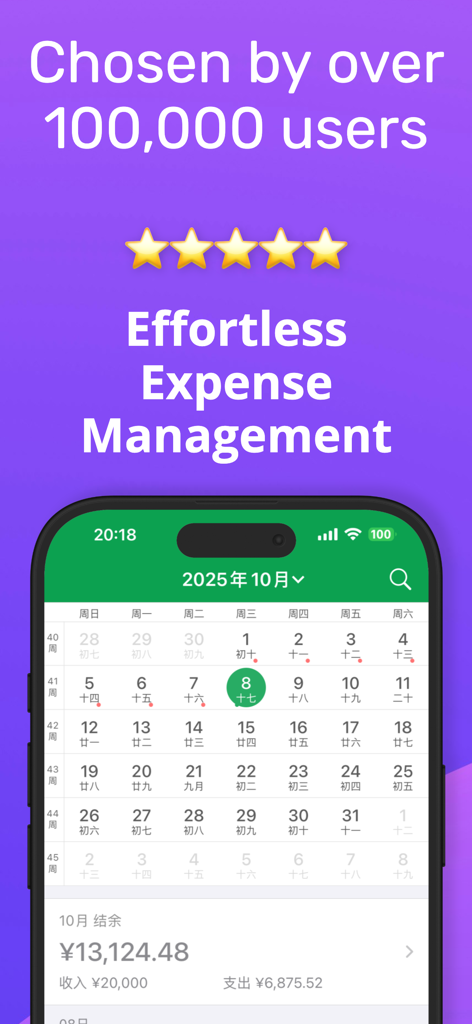
MT - Expense Tracker - MT経費トラッカーのモバイルアプリ。支出の概要が表示された月間財務カレンダーを表示しています。
MT経費トラッカーのモバイルアプリ。支出の概要が表示された月間財務カレンダーを表示しています。

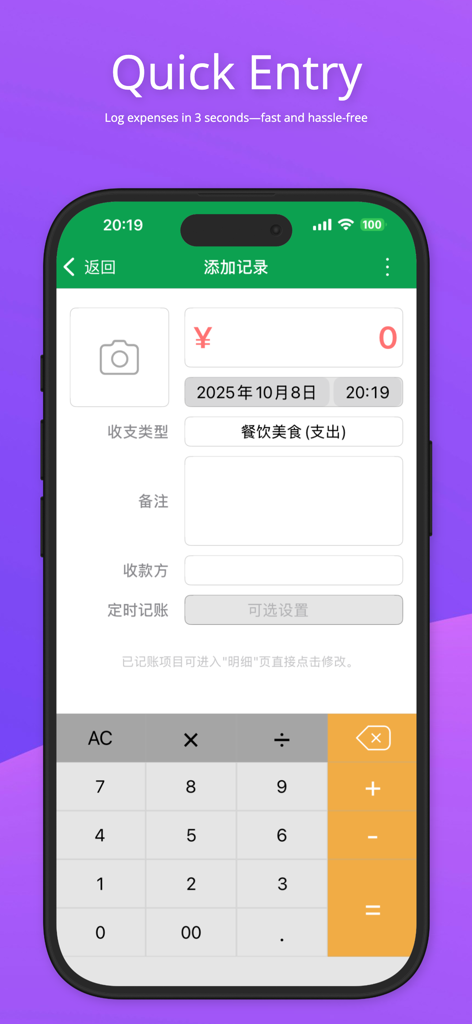
MT - Expense Tracker - MT経費トラッカーアプリのクイック入力画面。手動での支出記録インターフェースと内蔵計算機を備えています。
MT経費トラッカーアプリのクイック入力画面。手動での支出記録インターフェースと内蔵計算機を備えています。

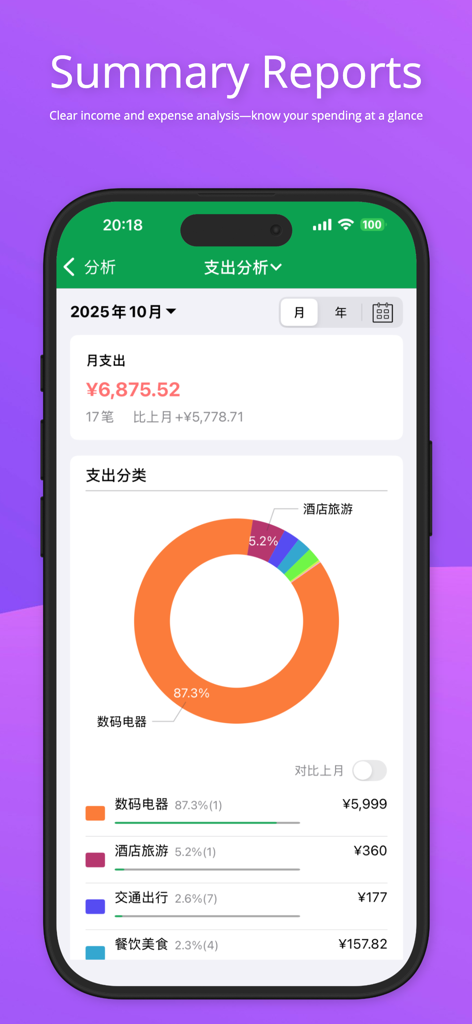
MT - Expense Tracker - MT経費トラッカーアプリのインターフェース。色分けされたドーナツチャートとカテゴリの内訳を含む、詳細な月次支出分析を表示しています。
MT経費トラッカーアプリのインターフェース。色分けされたドーナツチャートとカテゴリの内訳を含む、詳細な月次支出分析を表示しています。

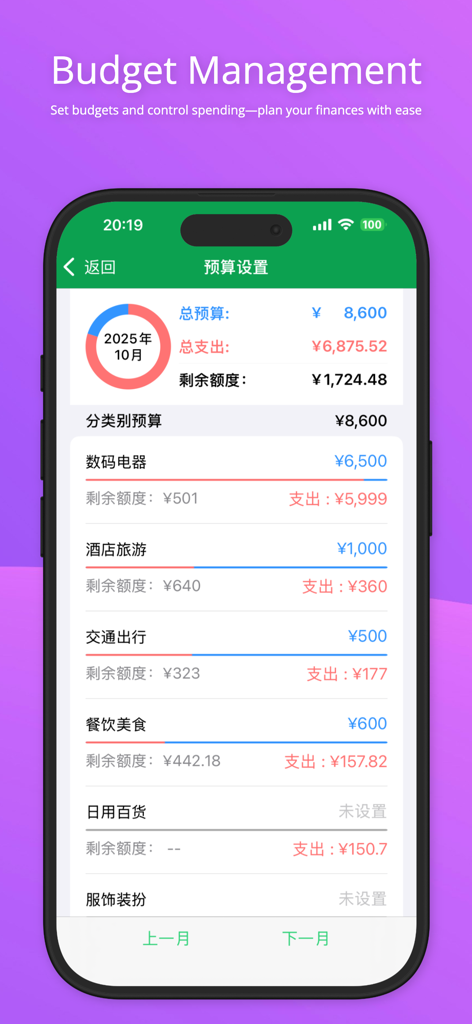
MT - Expense Tracker - MT - 経費トラッカーアプリのインターフェース。カテゴリごとの支出限度額と残高が表示された予算管理設定を表示しています。
MT - 経費トラッカーアプリのインターフェース。カテゴリごとの支出限度額と残高が表示された予算管理設定を表示しています。

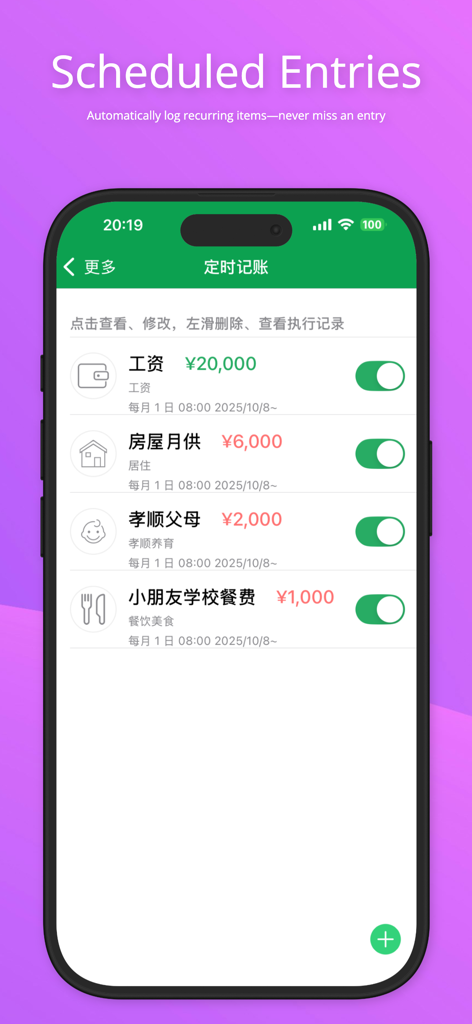
MT - Expense Tracker - MT経費トラッカーモバイルアプリのスケジュールされた定期的な取引。

MT経費トラッカーモバイルアプリのスケジュールされた定期的な取引。

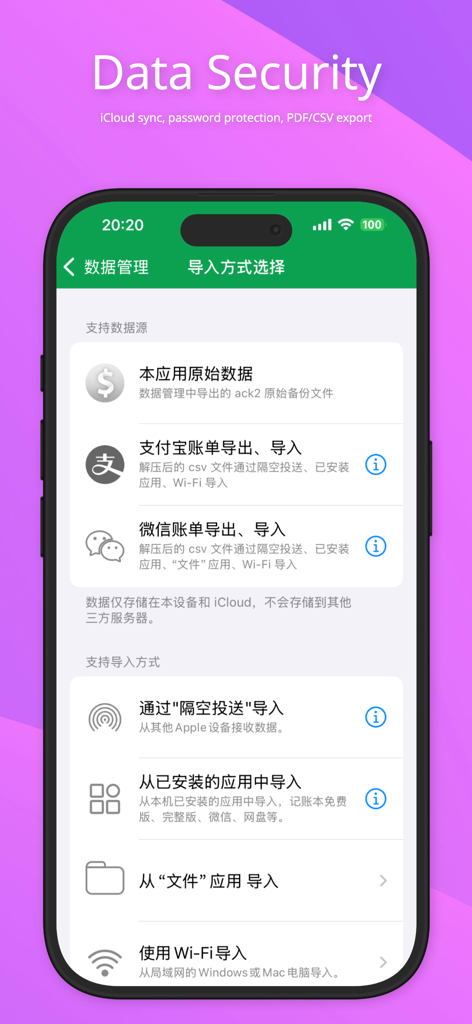
MT - Expense Tracker - MT経費トラッカーのデータセキュリティ画面。iCloud同期とデータインポートオプションが表示されています。
MT経費トラッカーのデータセキュリティ画面。iCloud同期とデータインポートオプションが表示されています。

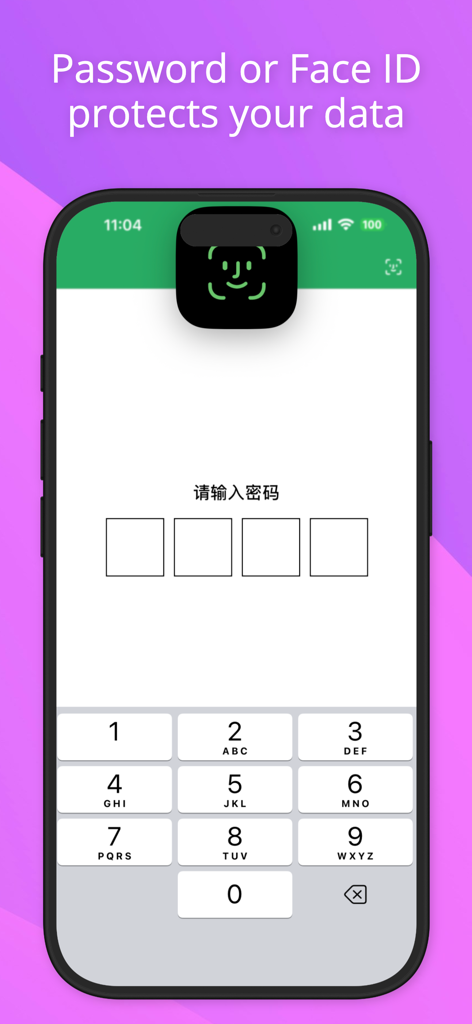
MT - Expense Tracker - MT - 経費トラッカーのセキュリティ画面。Face IDとパスワード保護が表示されています。

MT - 経費トラッカーのセキュリティ画面。Face IDとパスワード保護が表示されています。

説明

Core Value: Make Your Finances Clear, Say Goodbye to Living Paycheck to Paycheck Easily track every dollar and gain full visibility of your finances. Say goodbye to “living paycheck to paycheck” and keep your finances transparent and organized! Do you feel that your income is not small, but you never know where your money goes each month? Accounting Book is a simple and efficient professional bookkeeping app. It is not just a tool for recording income and expenses, but also a powerful assistant to optimize spending and achieve financial goals. Build a habit of timely bookkeeping and make personal finance easy and stress-free. CORE FEATURES: - Fast Entry: Supports bill snapshots (cropping available), built-in calculator, decimal input; record each transaction in seconds. - Auto Import: Supports intelligent import from Alipay and WeChat bills, freeing your hands from manual entry. - Professional Analysis: Powerful chart analysis shows monthly income and expense structure; compare weekly, monthly, or quarterly to understand cash flow at a glance. - Budget Manager: Set total or category budgets, compare actual spending in real time, and avoid overspending. - Financial Security: Protect your data with Face ID / password lock. - Cloud Sync: iCloud cloud sync updates data automatically across devices. ADDITIONAL FEATURES: Detailed Records: View, edit, and delete transactions anytime; export PDF reports for printing or sharing. Custom Categories: Add income and expense categories to suit your personal needs. Scheduled Entry: Automatically record recurring income and expenses. Theme Selection: 12 themes to personalize your app experience. Data Sharing: Supports AirDrop, email attachments, cloud drives, and WiFi for importing and exporting data. Localized Support: Daily reminders, local and custom currency symbols, support for lunar calendar. FREQUENTLY ASKED QUESTIONS:: Q: How to quickly import old data when switching phones? A: Two convenient methods: Email/Cloud Backup: On the old phone, go to "More" > "Data Backup & Import" > "Data Backup", choose email or cloud backup; on the new phone, open the attachment and select "Import from Accounting Book". Advanced Users: Use AirDrop to send data to the new phone, then select Accounting Book to receive and import. CONTACT US: We value every piece of feedback. To report bugs or request features, go to "More" > "Feedback" and send us an email. We will respond as soon as possible. Privacy Policy:https://f.n-years.com/en/docs/mtracker/privacy_statement Third-Party Information Sharing List:https://f.n-years.com/en/docs/mtracker/third_party_description Membership Service Agreement:https://f.n-years.com/en/docs/mtracker/membership_service_agreement Auto-Renewal Subscription Terms:https://f.n-years.com/en/docs/mtracker/auto-renewal_service_terms

Download

ダウンロード: App Store

このページはアプリまたはその開発者の公式ページではなく、情報提供および論評を目的として作成された独立した編集出版物です。明示的に別段の記載がない限り、アプリおよびその開発者は、MWM、Apple、Google Play、アプリのパブリッシャー、またはアプリの開発者と提携、承認、後援、認可、またはその他の公式的な関係はなく、このページのいかなる内容も、アプリがMWMのサービスを使用して開発されたことを意味するものではありません。すべての商標、ロゴ、スクリーンショット、その他のコンテンツはそれぞれの所有者の財産です。