MuseBud - AUv3 MIDI Generator
ダウンロード: App Store

このページはアプリまたはその開発者の公式ページではなく、情報提供および論評を目的として作成された独立した編集出版物です。明示的に別段の記載がない限り、アプリおよびその開発者は、MWM、Apple、Google Play、アプリのパブリッシャー、またはアプリの開発者と提携、承認、後援、認可、またはその他の公式的な関係はなく、このページのいかなる内容も、アプリがMWMのサービスを使用して開発されたことを意味するものではありません。すべての商標、ロゴ、スクリーンショット、その他のコンテンツはそれぞれの所有者の財産です。


ロゴ: MuseBud - AUv3 MIDI Generator
ダウンロード: App Store

MuseBud - AUv3 MIDI Generator

確率ベースのMIDIシーケンシングでクリエイティブなブロックを打破。Logic Pro、AUM、Loopy Pro向けのプロフェッショナルグレードAUv3コントロールで、進化するパターンと無限のメロディーをクラフトします。

主要数値

ダウンロード

1K+

ユーザー評価

5.0/5

評価数

0

開発元

Cem Olcay

カテゴリ

Music

対応言語

1

最新バージョン

1.8

サイズ

16.4 MB

リリース日

2023年12月13日
機能

無限のメロディックなインスピレーションを解き放つ

プロフェッショナルなiOSワークフローのために設計されたジェネラティブMIDIシーケンサーで、クリエイティブなブロックを打破します。可能性を定義し、MuseBudにあなたが必要だと知らなかったシーケンスをクラフトさせましょう。

確率駆動シーケンシング

すべてのノート、オクターブ、ベロシティの正確な確率を設定します。シンプルなフェーダーコントロールで、微妙なバリエーションからカオスな実験的テクスチャまで、進化するパターンを作成します。

スマートキャプチャ&ステップ編集

64ノートのルーパーで「ハッピーアクシデント」を瞬時にフリーズします。ジェネラティブシーケンスをバッファに録音し、個々のステップを編集または削除して、究極のクリエイティブコントロールを実現します。

以下のスクリーンショットと説明は、アプリの公式ストアリスティングから直接取得されたものであり、アプリ開発者の所有物です。

アプリストア

スクリーンショット
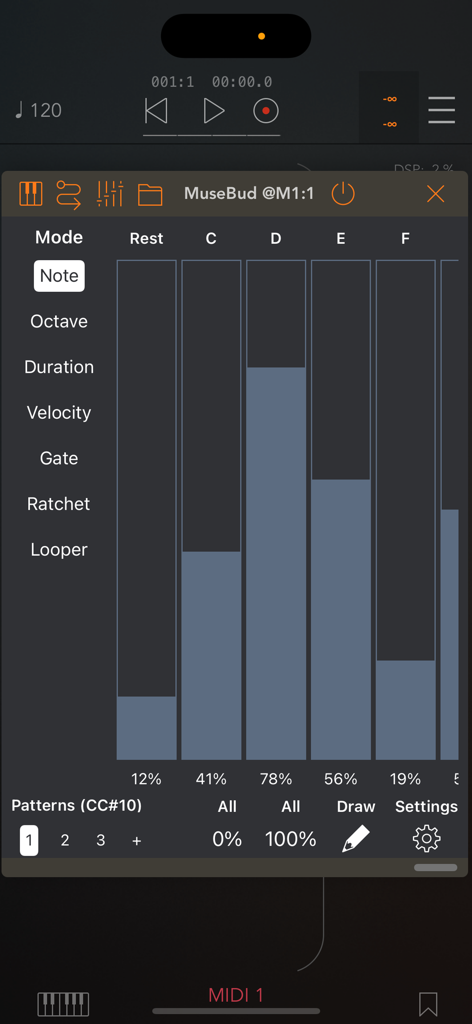
MuseBud - AUv3 MIDI Generator - MIDIノート生成のための確率フェーダーを示すMuseBudアプリインターフェース
MIDIノート生成のための確率フェーダーを示すMuseBudアプリインターフェース

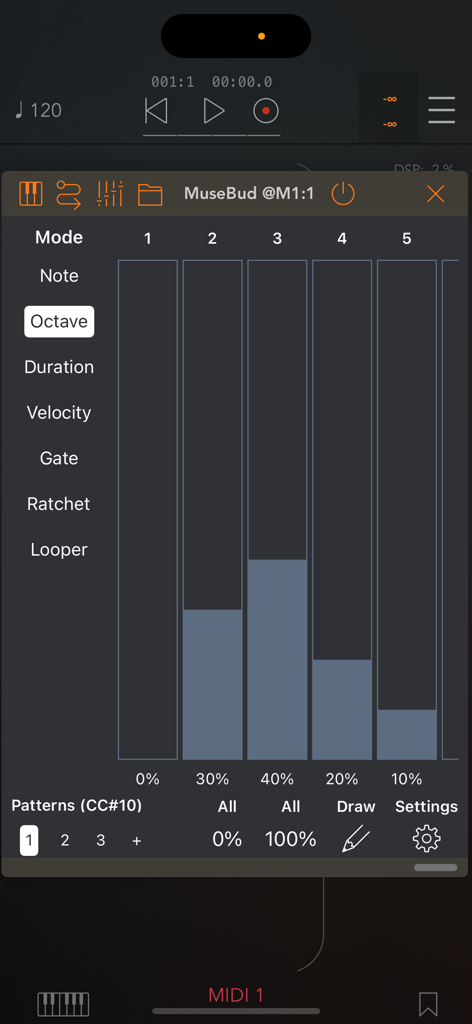
MuseBud - AUv3 MIDI Generator - オクターブ確率フェーダーを備えたMuseBud AUv3 MIDIジェネレーターインターフェース
オクターブ確率フェーダーを備えたMuseBud AUv3 MIDIジェネレーターインターフェース

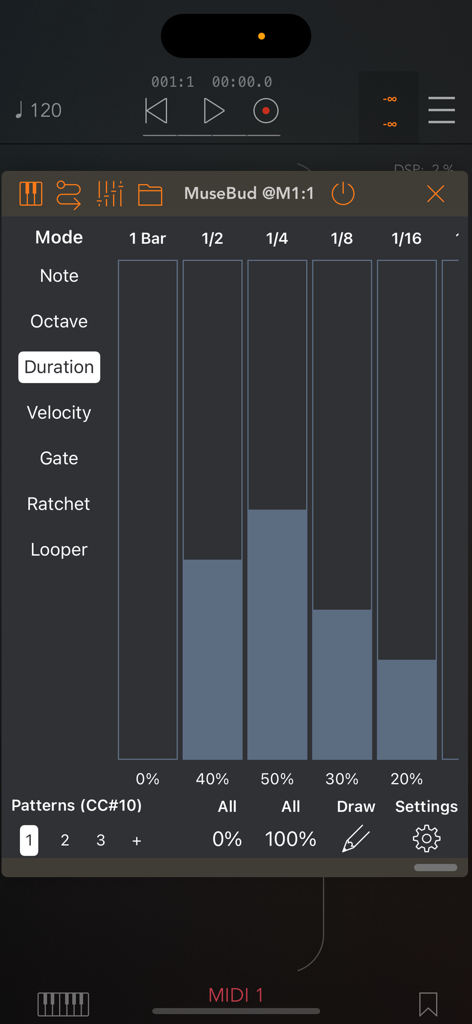
MuseBud - AUv3 MIDI Generator - ノート長のための確率フェーダーを示すMuseBud AUv3 MIDIジェネレーターのデュレーションモード
ノート長のための確率フェーダーを示すMuseBud AUv3 MIDIジェネレーターのデュレーションモード

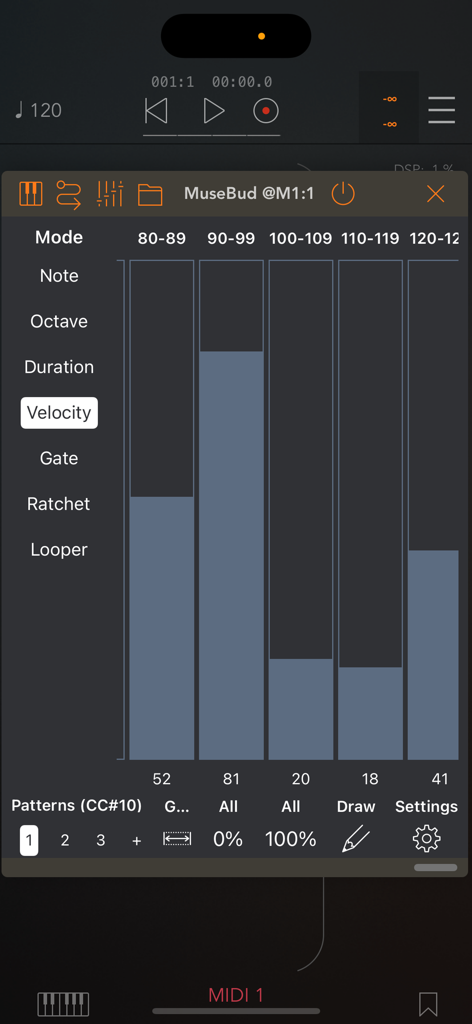
MuseBud - AUv3 MIDI Generator - MIDIノートベロシティ確率フェーダーとジェネラティブシーケンシングコントロールを示すMuseBudアプリインターフェース。
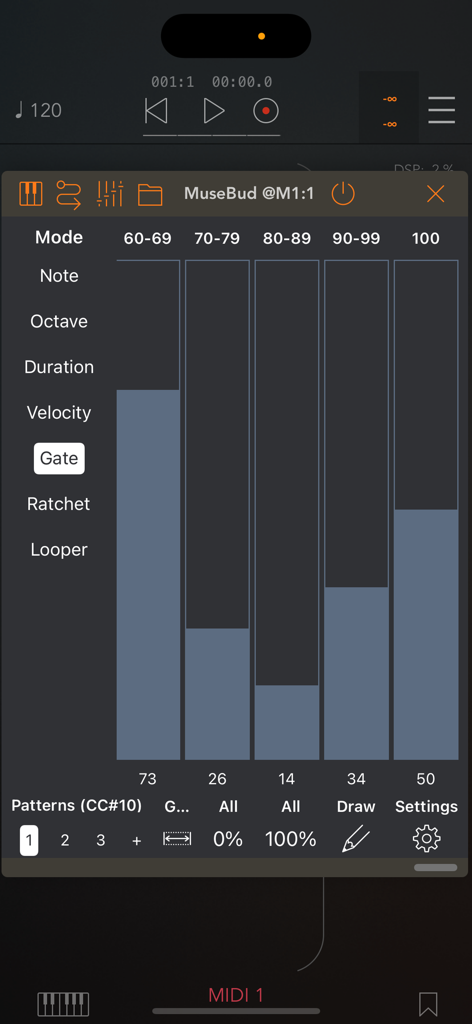
MIDIノートベロシティ確率フェーダーとジェネラティブシーケンシングコントロールを示すMuseBudアプリインターフェース。

MuseBud - AUv3 MIDI Generator - MIDI生成におけるゲート長のための確率フェーダーを示すMuseBud AUv3 MIDIジェネレーターアプリのインターフェース。
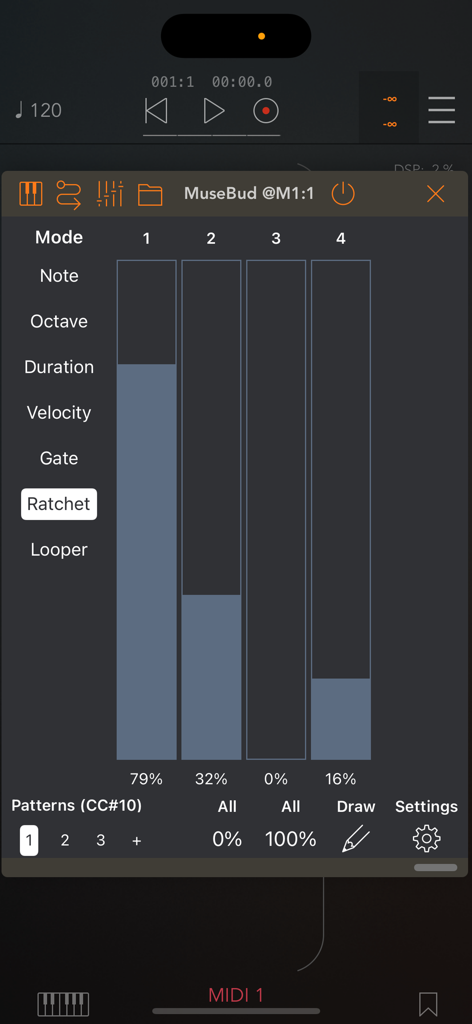
MIDI生成におけるゲート長のための確率フェーダーを示すMuseBud AUv3 MIDIジェネレーターアプリのインターフェース。

MuseBud - AUv3 MIDI Generator - モバイル音楽制作環境におけるMIDIラチェットリピートのための確率フェーダーを示すMuseBudアプリインターフェース。
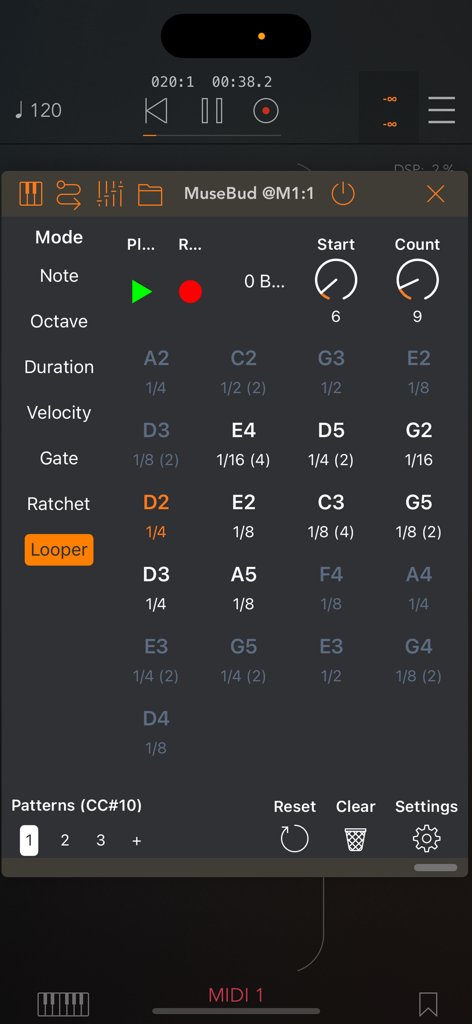
モバイル音楽制作環境におけるMIDIラチェットリピートのための確率フェーダーを示すMuseBudアプリインターフェース。

MuseBud - AUv3 MIDI Generator - 生成されたMIDIノートとシーケンスコントロールを示すルーパーセクションを表示するMuseBudアプリインターフェース。
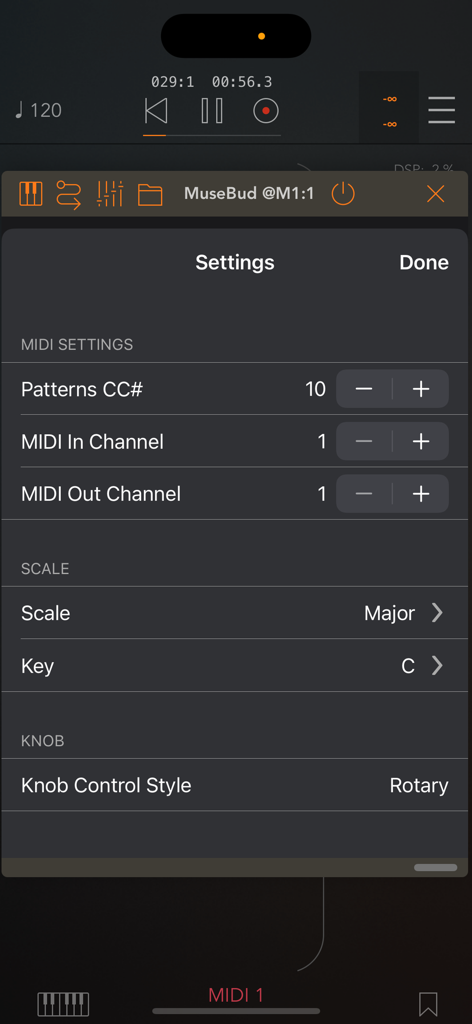
生成されたMIDIノートとシーケンスコントロールを示すルーパーセクションを表示するMuseBudアプリインターフェース。

MuseBud - AUv3 MIDI Generator - MIDI設定、スケール、キー選択を示すMuseBud AUv3 MIDIジェネレーターアプリの設定画面。

MIDI設定、スケール、キー選択を示すMuseBud AUv3 MIDIジェネレーターアプリの設定画面。

説明

MuseBud, a generative MIDI sequencer, creates notes based on the possibilities you define. Customize the chances for every aspect, including notes, octaves, note lengths, velocities, gate lengths, and ratchets. Each mode (note, octave, duration, velocity, gate, ratchet) features its own parameters. Utilize the faders on the main UI to set the likelihood of each parameter being selected by the engine. Easily exclude parameters by assigning them a 0% chance, ensuring they never occur. For quick adjustments, employ the draw mode, 'All 0%' and 'All 100%' buttons on the bottom toolbar. When you press the play button in the standalone app or the AUv3 host app, MuseBud continuously generates notes. The looper records up to 64 notes in its buffer, enabling you to loop back a preferred section in the sequence. Set the start point and step count of the looper in the buffer. Pressing play on the looper stops generating new notes and begins looping the selected section. When you stop the looper, MuseBud resumes generating new notes. Toggle the record button on the looper off to prevent recording new notes into the buffer. Edit steps in the looper by simply tapping the desired step to delete or edit, and choose an action from the popup menu. In the step editor, modify properties assigned by the engine, such as note, duration, octave, velocity, gate length, and ratchet count. Generate various patterns for multiple generative sequences. Each pattern comes with its own looper buffer. When creating a new pattern, it automatically duplicates the current one, ensuring you can craft multiple loops without losing your randomization settings. - In the note mode, you'll have "Rest" (no note) and all the notes in the scale you are working. You can change the key/scale in the settings menu as well as with the BrainBud app. - Octaves could be between -1 and +9. - A note duration could be as long as 4-bars long or 1/64th note long. - Adjust velocity between 0-127. Use the fader grouping button at the bottom to filter faders for faster assignments. - Gate length can range from 0% to 100%. The fader grouping button is also available in gate mode for streamlined adjustments. - Ratchets can be between 1 (no ratchets), 2, 3 or 4 repeats. For optimal results, fine-tune the possibilities and consider excluding a few parameters for added precision. MuseBud is a MIDI app and does not generate sound on its own. To hear its output, route MuseBud's MIDI output to your audio app's MIDI input. The AUv3 plugin app requires an AUv3 host app, such as AUM, Loopy Pro, Logic Pro, Cubasis, Nanostudio, apeMatrix, and more.

Download

ダウンロード: App Store

このページはアプリまたはその開発者の公式ページではなく、情報提供および論評を目的として作成された独立した編集出版物です。明示的に別段の記載がない限り、アプリおよびその開発者は、MWM、Apple、Google Play、アプリのパブリッシャー、またはアプリの開発者と提携、承認、後援、認可、またはその他の公式的な関係はなく、このページのいかなる内容も、アプリがMWMのサービスを使用して開発されたことを意味するものではありません。すべての商標、ロゴ、スクリーンショット、その他のコンテンツはそれぞれの所有者の財産です。







