Music Transpose - Key Changer
ダウンロード: App Store

このページはアプリまたはその開発者の公式ページではなく、情報提供および論評を目的として作成された独立した編集出版物です。明示的に別段の記載がない限り、アプリおよびその開発者は、MWM、Apple、Google Play、アプリのパブリッシャー、またはアプリの開発者と提携、承認、後援、認可、またはその他の公式的な関係はなく、このページのいかなる内容も、アプリがMWMのサービスを使用して開発されたことを意味するものではありません。すべての商標、ロゴ、スクリーンショット、その他のコンテンツはそれぞれの所有者の財産です。


ロゴ: Music Transpose - Key Changer
ダウンロード: App Store

Music Transpose - Key Changer

ボーカリストやミュージシャンがオーディオまたはビデオを簡単に移調するための必須ツール。ピッチとスピードを独立して調整し、オフラインで練習でき、一度の購入で生涯利用できます。

主要数値

ダウンロード

63K+

ユーザー評価

4.8/5

評価数

800

開発元

同宝 金

カテゴリ

Music

対応言語

32

最新バージョン

4.4.14

サイズ

45.9 MB

リリース日

2022年4月26日
機能

正確な演奏で、あらゆる楽曲をマスター

キーの移調やテンポの調整を瞬時に行える、ミュージシャンのための究極のユーティリティ—サブスクリプション不要、複雑さ不要、純粋な練習だけ。

自分のレンジに合わせた移調

視覚的な品質インジケーターでガイドされ、半音単位で微調整されたピッチシフトにより、ボーカルレンジや楽器のチューニングに合わせます。

難しいパートをスローダウン

ピッチを変更せずに再生速度を独立して調整し、速いソロや複雑なリズムを自分のペースでマスターできます。

以下のスクリーンショットと説明は、アプリの公式ストアリスティングから直接取得されたものであり、アプリ開発者の所有物です。

アプリストア

スクリーンショット
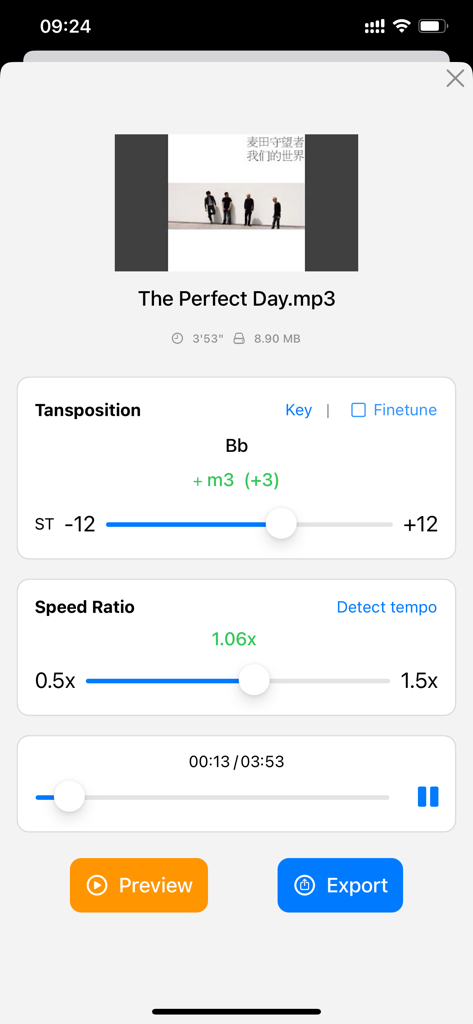
Music Transpose - Key Changer - 音楽のキーを移調し、再生速度比を調整するためのアプリインターフェイス。

音楽のキーを移調し、再生速度比を調整するためのアプリインターフェイス。

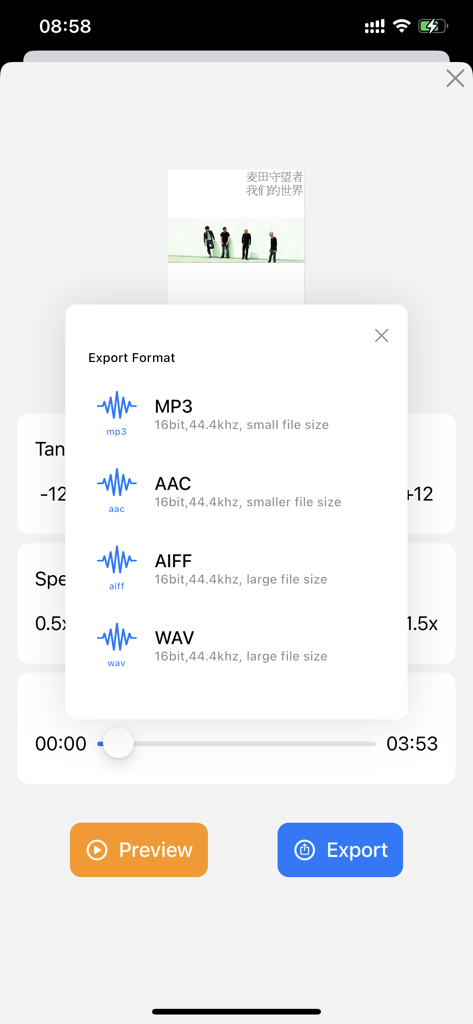
Music Transpose - Key Changer - MP3、AAC、AIFF、またはWAV形式で音楽ファイルをエクスポートするための選択画面。
MP3、AAC、AIFF、またはWAV形式で音楽ファイルをエクスポートするための選択画面。

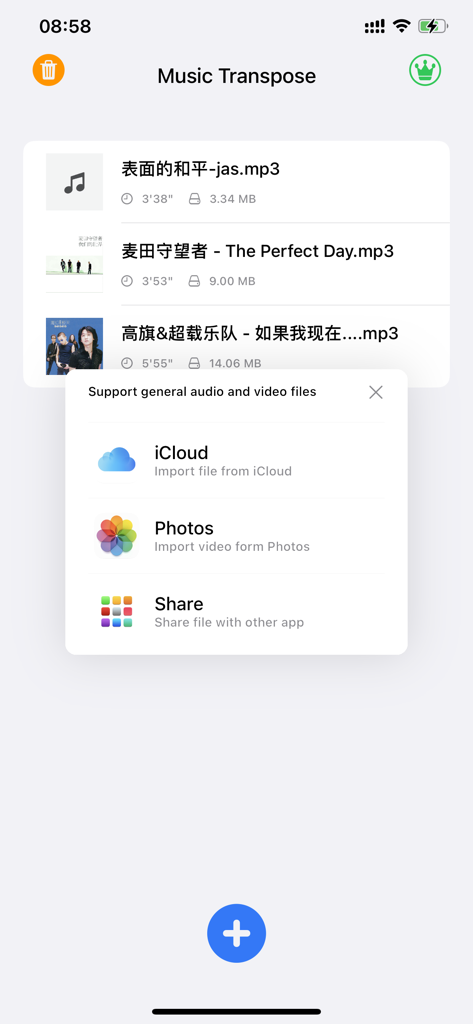
Music Transpose - Key Changer - iCloudと写真からオーディオおよびビデオファイルをインポートするオプションが表示されるポップアップメニューを示すMusic Transposeアプリ画面
iCloudと写真からオーディオおよびビデオファイルをインポートするオプションが表示されるポップアップメニューを示すMusic Transposeアプリ画面

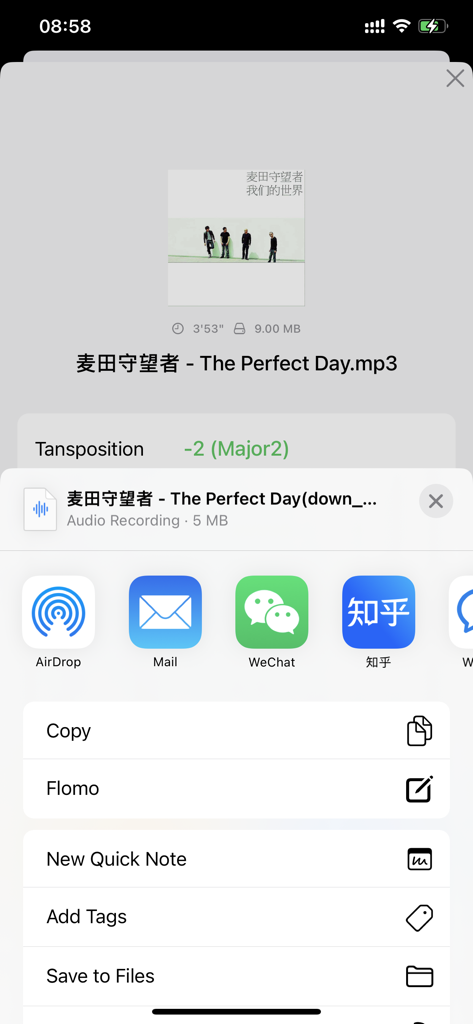
Music Transpose - Key Changer - ピッチ調整後のファイルエクスポートオプションを示すMusic Transposeアプリインターフェイス

ピッチ調整後のファイルエクスポートオプションを示すMusic Transposeアプリインターフェイス

説明

The Music Transpose app allows for easy transposition and adjustment of the speed of songs. Features: 1. Supports common audio formats (mp3, m4a, wav, tiff, flac etc.) and video formats (mp4, mov, avi, mpg etc.). 2. Pitch adjustment displays the pitch range and supports color-coded prompts (green, orange and red indicate the impact on sound quality). 3. Supports fine-tuning of pitch in half-tone increments. 4. Speed adjustment is displayed as a multiple and also shows the tempo (BPM). 5. Pitch and speed adjustments are independent of each other. 6. Supports export in multiple formats. Why use the Music Transpose app? Adjusting the pitch and speed of music and songs is a common problem in music learning. While professional software can achieve this, it can be complicated to use. The Music Transpose app provides an easy-to-use solution. Regarding purchasing: The Music Transpose app is a one-time purchase and will remain valid for life without any additional charges. The app runs locally and does not depend on cloud functionality, so you do not need to worry about the software becoming unavailable due to network issues. Regarding the trial and full versions: The trial version limits the length of the files that can be previewed and exported, but all other features are the same as in the full version. Regarding importing files: The app provides information on how to import files from other common apps to the Music Transpose app. Other apps can usually share files directly to the Music Transpose app through the share function. You can also use AirDrop to send audio or video files from an Apple computer or an iPhone/iPad to the Music Transpose app. Common issues and feedback: "Why does the app say the file is invalid when I try to import it?" The app checks the validity of imported files. If the app indicates that the file is invalid, you may need to check if the file is damaged and try again. Alternatively, you can convert the file to a common format and then import it. "Why does the app stop working after the processing circle appears during preview?" This issue is usually caused by file compatibility. We suggest converting the file to a different format and trying again. If it still does not work, you can send the file to yueyin.music@foxmail.com, and we will try to identify the problem and release a fix as soon as possible. For any other questions or feedback, please email yueyin.music@foxmail.com or contact us through WeChat (ID: allhealthyand).

Download

ダウンロード: App Store

このページはアプリまたはその開発者の公式ページではなく、情報提供および論評を目的として作成された独立した編集出版物です。明示的に別段の記載がない限り、アプリおよびその開発者は、MWM、Apple、Google Play、アプリのパブリッシャー、またはアプリの開発者と提携、承認、後援、認可、またはその他の公式的な関係はなく、このページのいかなる内容も、アプリがMWMのサービスを使用して開発されたことを意味するものではありません。すべての商標、ロゴ、スクリーンショット、その他のコンテンツはそれぞれの所有者の財産です。