MusicPad
MusicPad
ダウンロード: App Store

このページはアプリまたはその開発者の公式ページではなく、情報提供および論評を目的として作成された独立した編集出版物です。明示的に別段の記載がない限り、アプリおよびその開発者は、MWM、Apple、Google Play、アプリのパブリッシャー、またはアプリの開発者と提携、承認、後援、認可、またはその他の公式的な関係はなく、このページのいかなる内容も、アプリがMWMのサービスを使用して開発されたことを意味するものではありません。すべての商標、ロゴ、スクリーンショット、その他のコンテンツはそれぞれの所有者の財産です。


ロゴ: MusicPad
ダウンロード: App Store

MusicPad

Apple Pencilの精度で、すべてのメロディーを捉えましょう。簡単なスケッチから複雑な手書きスコアまで、ミュージシャンのための究極のデジタルスケッチブックで、手書きの自然な感触を体験してください。

主要数値

ダウンロード

6K+

ユーザー評価

4.3/5

評価数

100

開発元

Juan Andres Verdaguer

カテゴリ

Music

対応言語

1

最新バージョン

1.4.3

サイズ

14.1 MB

リリース日

2022年12月31日
機能

制約なく作曲

手書きの触覚的な流れとプロフェッショナルなクラウド統合の力を組み合わせることを重視するミュージシャンのために設計されたデジタルスケッチブック。

自然な筆記体験

遅延ゼロの精度で複雑なメロディーを捉えます。AppleのPencilKitによって、物理的な原稿用紙にインクで書くのと同じ感覚です。

完全に柔軟なテンプレート

すべてのページをニーズに合わせて調整します。五線譜の設定、余白、ページサイズをカスタマイズして、シンプルなリードシートから複雑なオーケストラスケッチまで、あらゆるものを作成できます。

以下のスクリーンショットと説明は、アプリの公式ストアリスティングから直接取得されたものであり、アプリ開発者の所有物です。

アプリストア

スクリーンショット
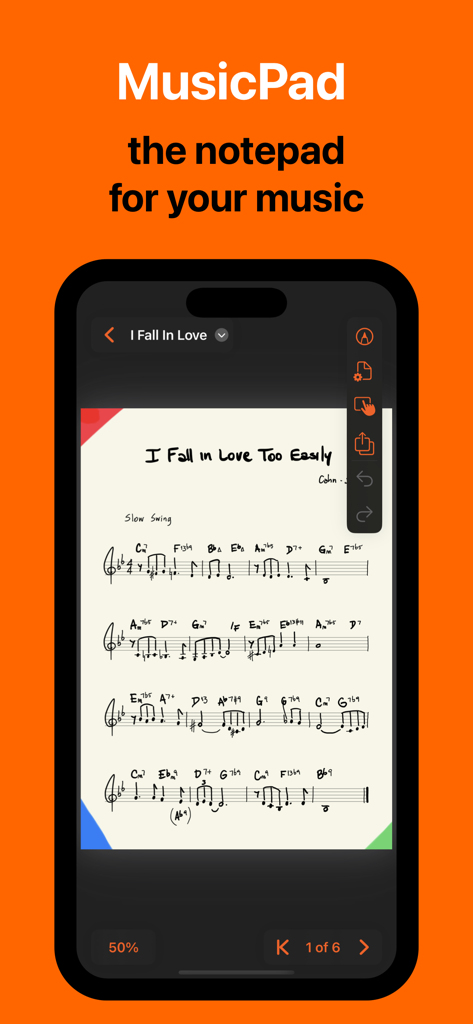
MusicPad - MusicPadアプリがiPhoneで表示され、手書きの楽譜と作曲ツールを示している
MusicPadアプリがiPhoneで表示され、手書きの楽譜と作曲ツールを示している

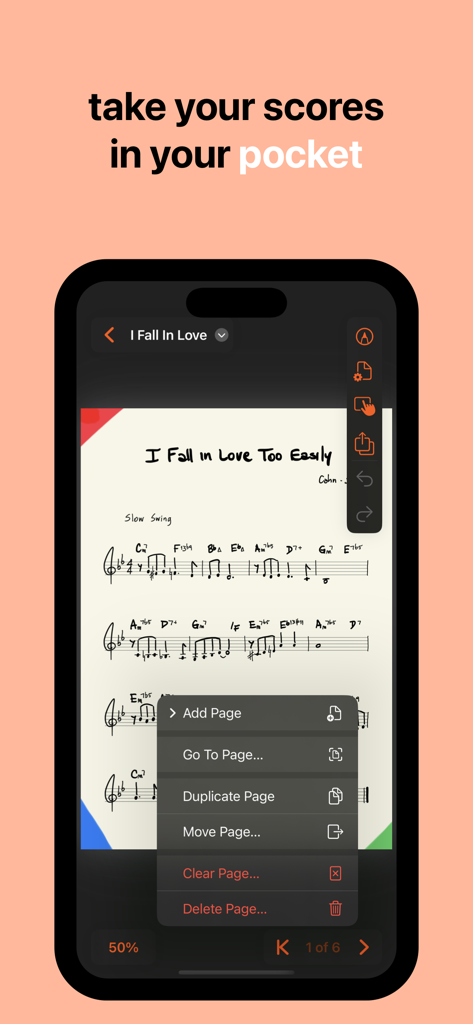
MusicPad - MusicPadアプリがiPhone画面で手書きの楽譜を表示し、ページ管理メニューを開いている
MusicPadアプリがiPhone画面で手書きの楽譜を表示し、ページ管理メニューを開いている

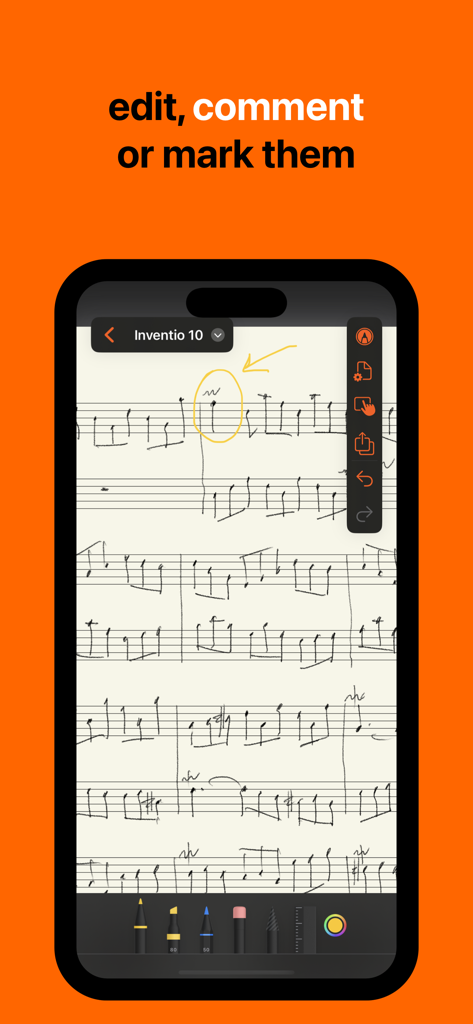
MusicPad - MusicPadアプリの手書き楽譜に黄色の円と矢印の注釈が付いている

MusicPadアプリの手書き楽譜に黄色の円と矢印の注釈が付いている
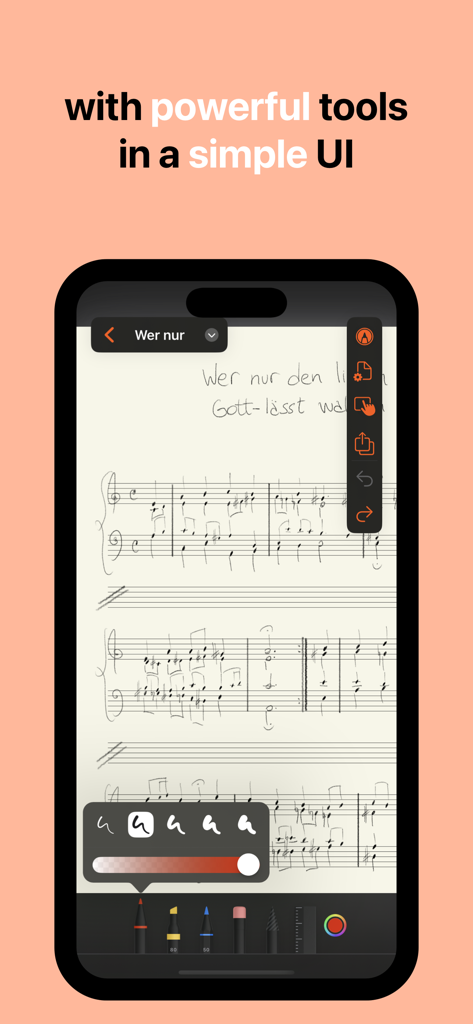
MusicPad - MusicPadアプリのデジタル楽譜には、iPhone上の手書きの音符と描画ツールが特徴
MusicPadアプリのデジタル楽譜には、iPhone上の手書きの音符と描画ツールが特徴

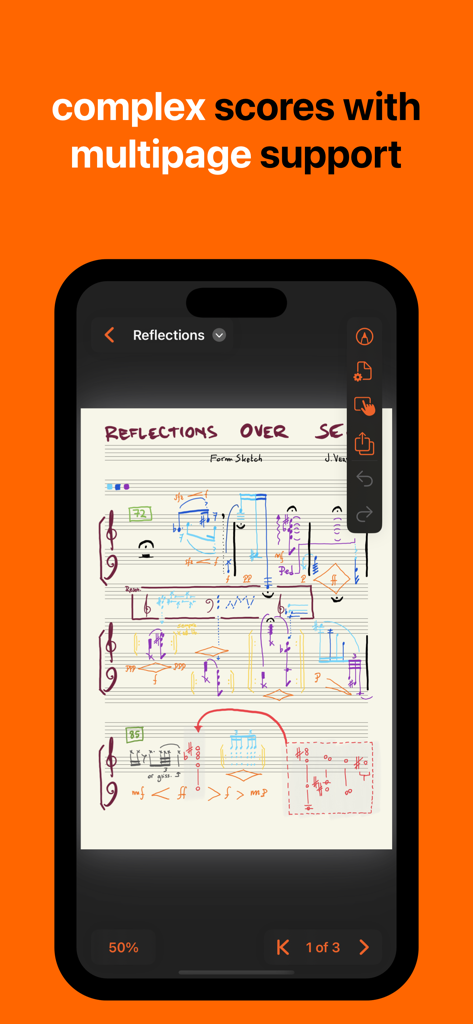
MusicPad - MusicPadアプリの複雑な手書き楽譜が、複数ページ対応を強調している

MusicPadアプリの複雑な手書き楽譜が、複数ページ対応を強調している

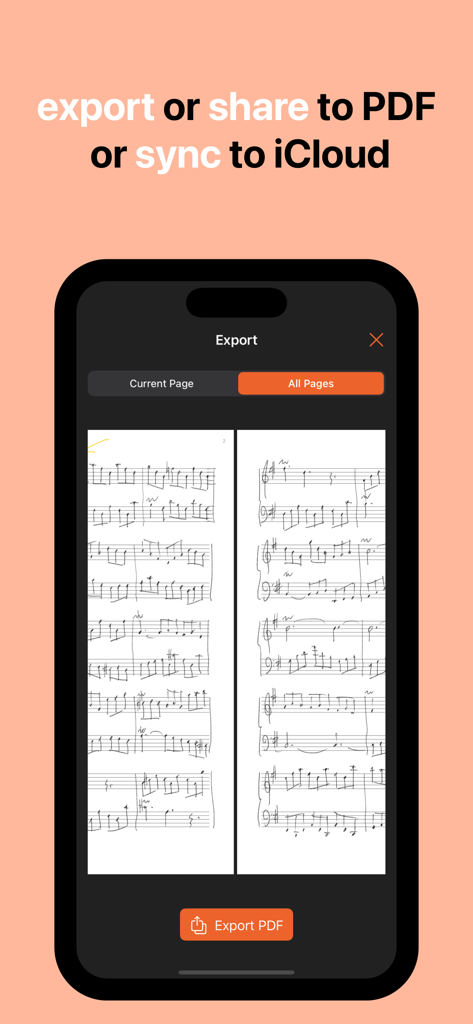
MusicPad - iPhone上のMusicPadアプリのインターフェースが、手書きの音楽をPDFとしてエクスポートまたはiCloudに同期するオプションを表示している

iPhone上のMusicPadアプリのインターフェースが、手書きの音楽をPDFとしてエクスポートまたはiCloudに同期するオプションを表示している

説明

From complex hand-drawn scores to quick notes for a melody that's been ringing in your head all day, get them done on MusicPad • MusicPad let's you create unlimited notepad files with unlimited sheet music pages in which to write your music. • Each page can be customised to your needs: page sizes, margins, staves configuration and more! • Near-zero latency response with Apple's industry standard PencilKit frameworks. • It offers Apple's tools: like pens, markers, highlighters and pencils plus eraser, selector and ruler.  • Each page can be made to hide or show its staves making it a great place for writing or drawing along with your scores, or for creating a title page for your music. • When you are finished writing it's easy to export your full document as a PDF or share the entire notepad file with friends and colleagues. • MusicPad is tightly integrated with your file system, so it is a snap to organize, share and sync your files across devices. • MusicPad allows the following gestures for positioning your page on the screen: - 2-fingers for zooming in and out - 1-finger for scrolling when the zoomed page goes beyond the device's edges - 1-finger for edge-swiping forwards or backwards through multiple pages • You have control over the gesture interaction with your page positioning and you can easily turn off all gestures if you want to make quick markings with your fingers or if you just want your page to be fixed in place. MusicPad 1.4 is compatible with all devices that run iOS or iPadOS 18 or later.  IMPORTANT  – Using your fingers for drawing is now supported (as of version 1.1) but we strongly recommend an Apple Pencil as your main precision input device.  – The iPhone version is meant as a viewer more than an editor. FREE APP The free app allows you to create unlimited MusicPad files with up to two pages each. MusicPad files can be shared across multiple devices using iCloud (collaboration not yet supported). All tools are available for you to scribble with. UNLOCK ALL FEATURES If you are happy with MusicPad and you want to support further developments you can unlock all features with a one-time purchase that will enable you to: • Create unlimited pages per document, • Customise each page to fit your needs, • Export your document as a PDF, • Remove unlock buttons.

Download

ダウンロード: App Store

このページはアプリまたはその開発者の公式ページではなく、情報提供および論評を目的として作成された独立した編集出版物です。明示的に別段の記載がない限り、アプリおよびその開発者は、MWM、Apple、Google Play、アプリのパブリッシャー、またはアプリの開発者と提携、承認、後援、認可、またはその他の公式的な関係はなく、このページのいかなる内容も、アプリがMWMのサービスを使用して開発されたことを意味するものではありません。すべての商標、ロゴ、スクリーンショット、その他のコンテンツはそれぞれの所有者の財産です。