MX Deposit

MX Deposit

ダウンロード: App Store
ロゴ: MX Deposit

MX Deposit:地質学者および鉱業従事者のための精密フィールドデータ入力

手作業によるデータ入力と紙のログをなくします。フィールド探査の厳しい要求のために構築されたモバイルネイティブプラットフォームで、どこでも、オフラインでも、正確な削孔とサンプルデータをキャプチャします。

ダウンロード: App Store

開発元

Minalytix Inc.

カテゴリ

Business

ダウンロード

600

ユーザー評価

1.0/5

評価数

0

対応言語

1

フィールドのために構築

このインターフェースを利用する 600 人のユーザー.

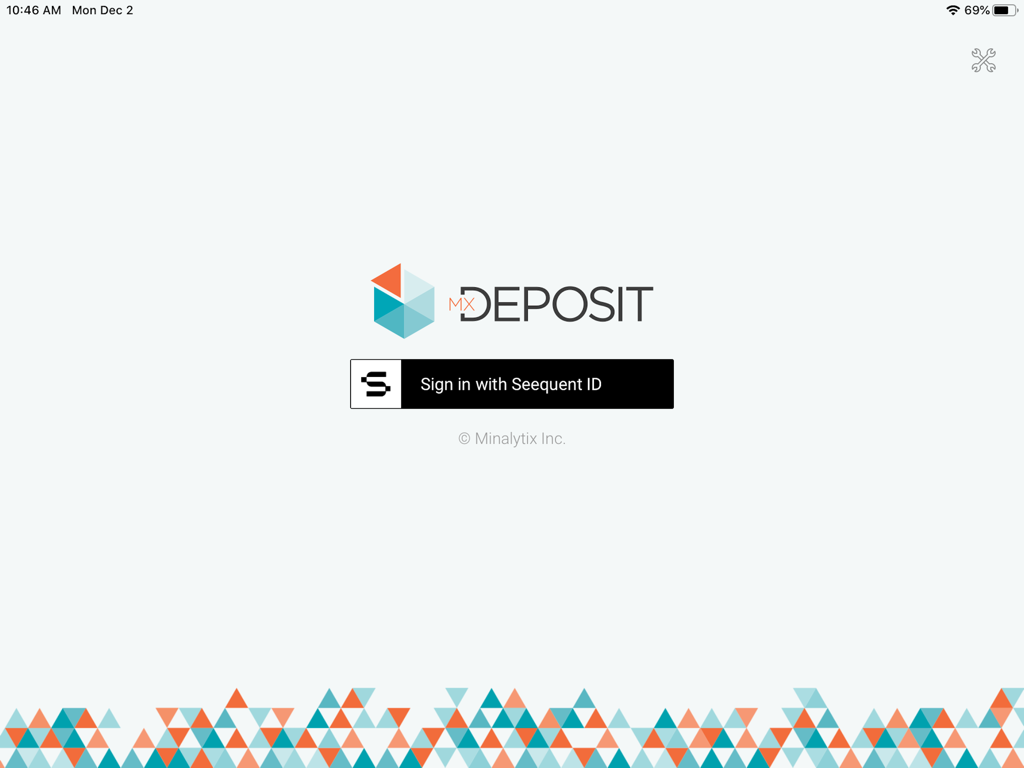
MX Depositアプリのログイン画面、Seequent IDサインインボタンと幾何学的なロゴが表示されています

MX Depositアプリのログイン画面、Seequent IDサインインボタンと幾何学的なロゴが表示されています

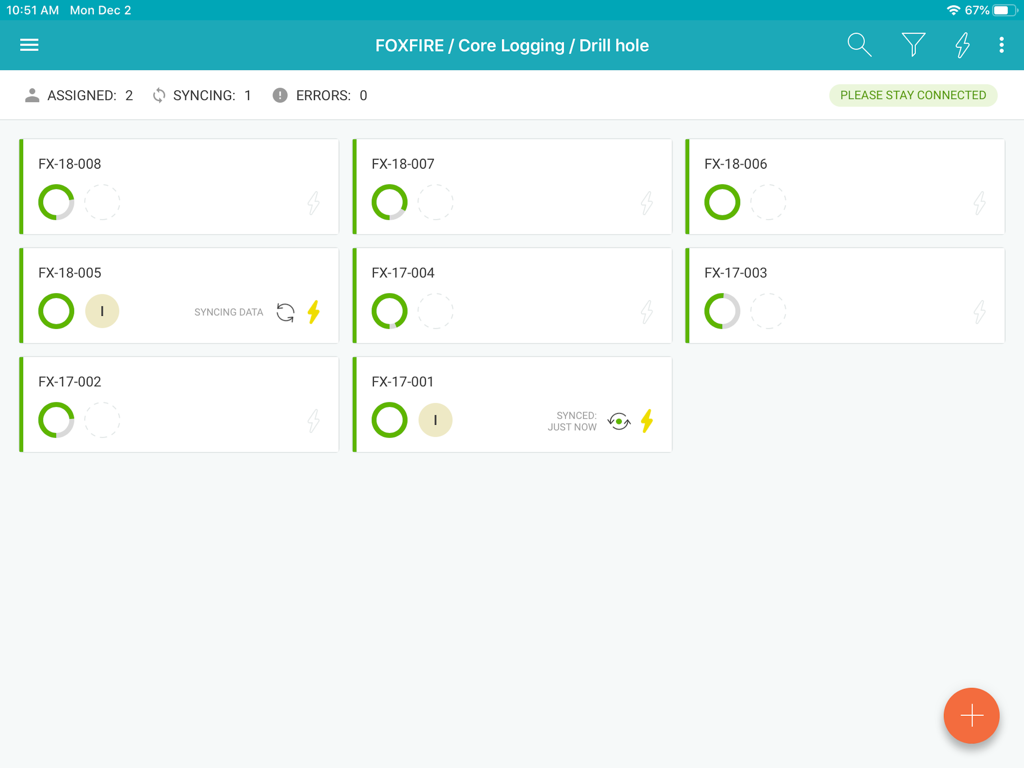
MX Depositアプリのダッシュボードには、削孔コアログ記録と同期ステータスが表示されています

MX Depositアプリのダッシュボードには、削孔コアログ記録と同期ステータスが表示されています

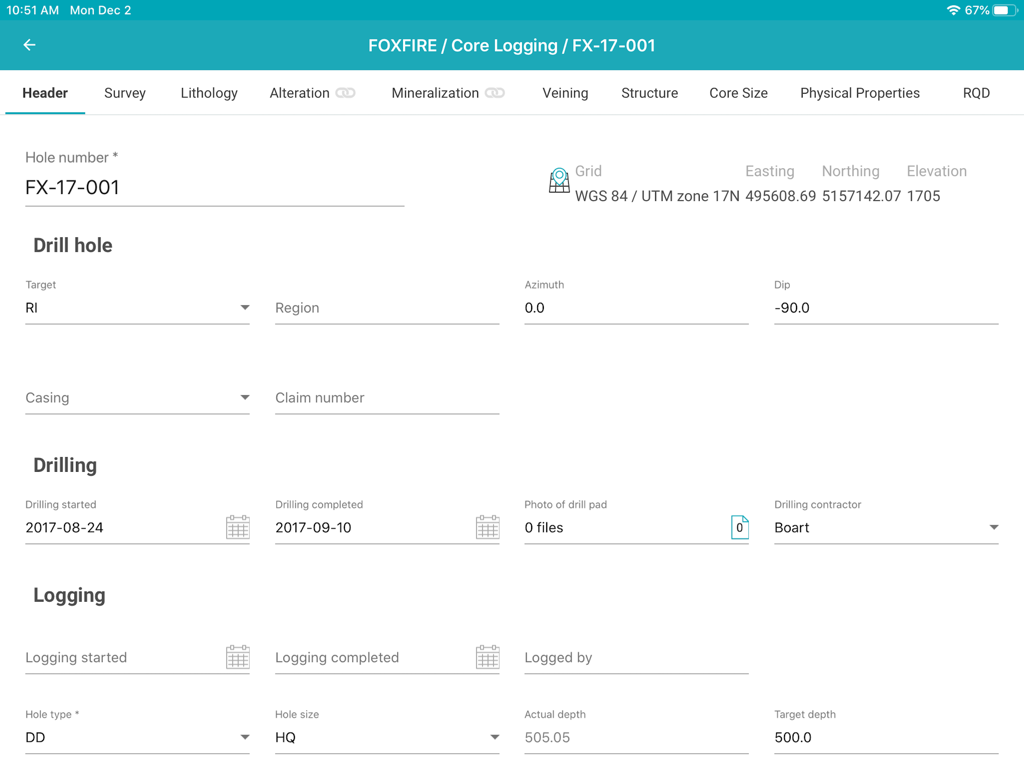
MX Depositアプリのインターフェースには、地質削孔コアログデータ入力用のヘッダーフォームが表示されています

MX Depositアプリのインターフェースには、地質削孔コアログデータ入力用のヘッダーフォームが表示されています

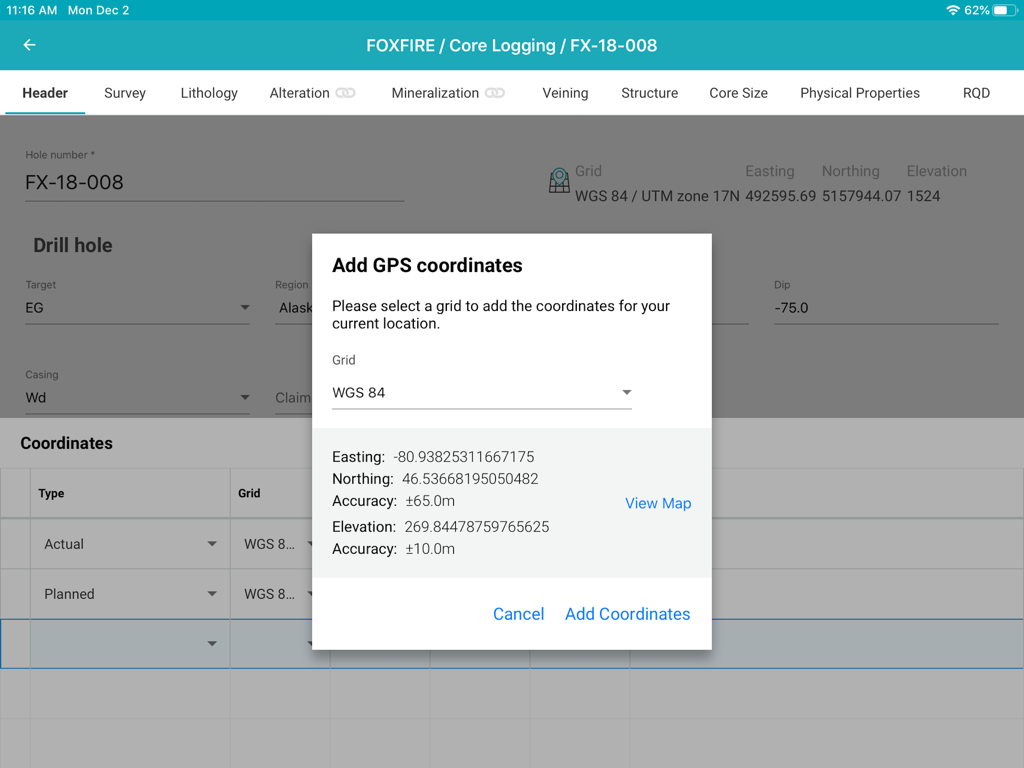
iPadでのコアログ記録中に、削孔にGPS座標を追加するためのポップアップウィンドウが表示されているMX Depositアプリのインターフェース

iPadでのコアログ記録中に、削孔にGPS座標を追加するためのポップアップウィンドウが表示されているMX Depositアプリのインターフェース

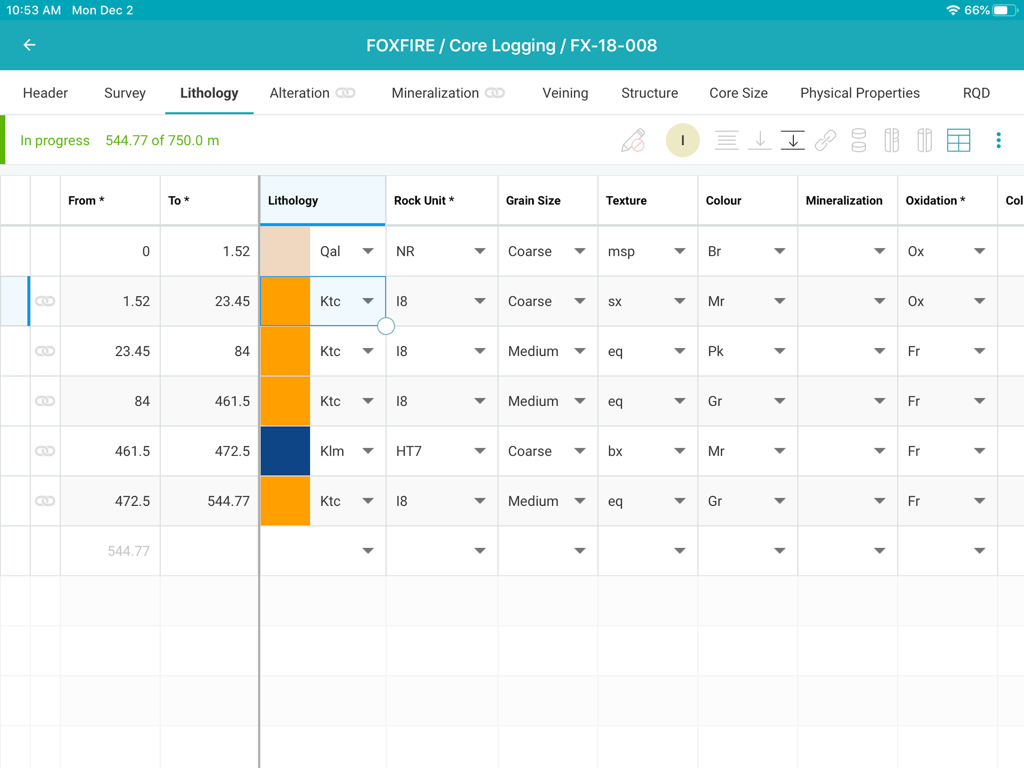
MX Depositコアログアプリのインターフェースには、採掘プロジェクトの詳細な岩相データ入力テーブルが表示されています

MX Depositコアログアプリのインターフェースには、採掘プロジェクトの詳細な岩相データ入力テーブルが表示されています

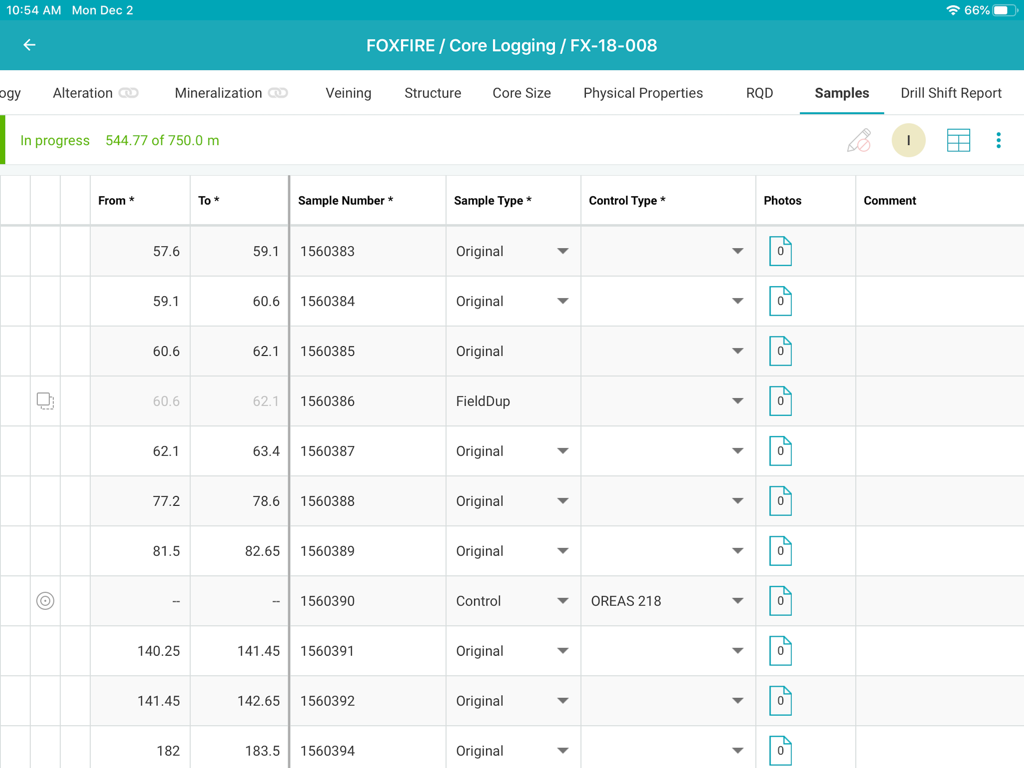
MX Depositコアログインターフェースには、サンプルデータテーブルが表示されています

MX Depositコアログインターフェースには、サンプルデータテーブルが表示されています

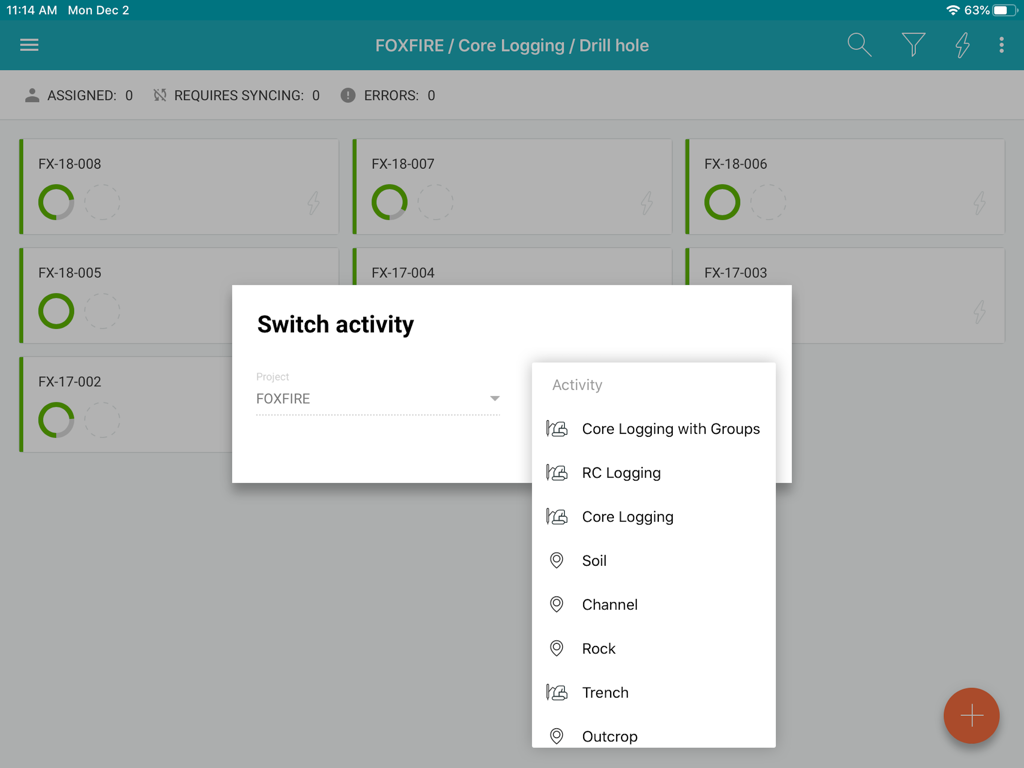
MX Depositアプリのインターフェースには、採掘プロジェクトのログ記録アクティビティオプションが表示されています

MX Depositアプリのインターフェースには、採掘プロジェクトのログ記録アクティビティオプションが表示されています

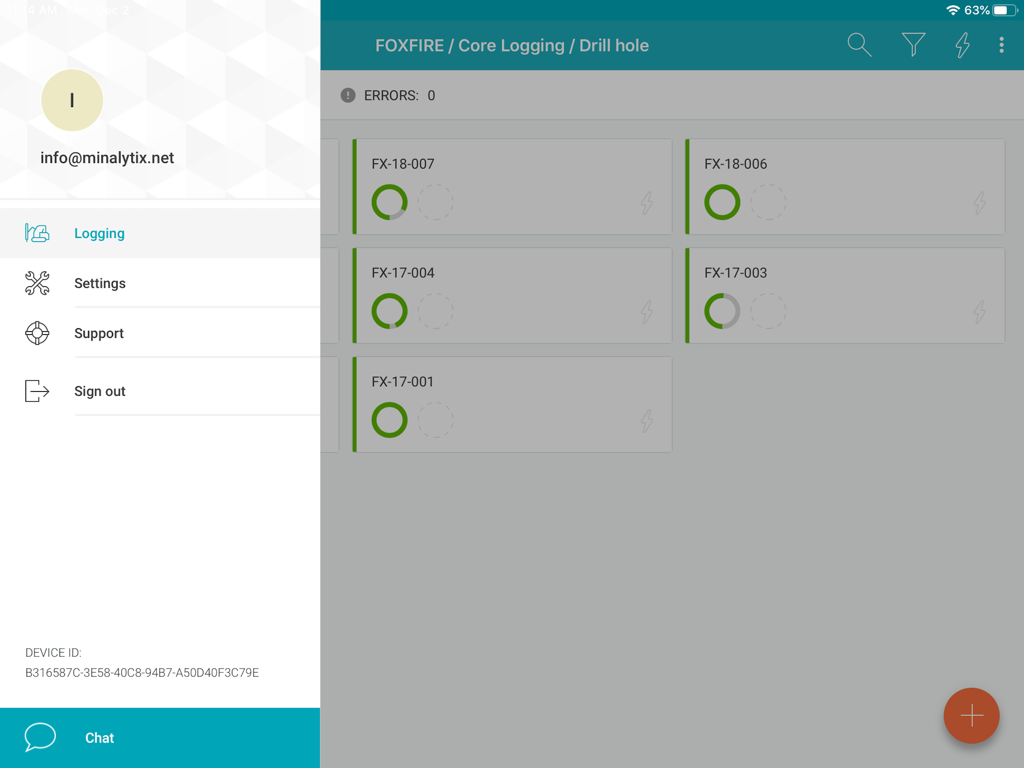
MX Depositアプリのインターフェースには、進捗ステータスを示す削孔リストとサイドバーメニューが表示されています

MX Depositアプリのインターフェースには、進捗ステータスを示す削孔リストとサイドバーメニューが表示されています

フィールドデータ収集を合理化

このアプリを際立たせるツール、 600 人のユーザーが選択.

🛰️

真のオフラインファーストパフォーマンス

接続性を心配することなく、最も遠隔な場所で作業できます。削孔にローカルデータのダウンロードを割り当て、キャンプに戻ると自動的に同期します。

✍️

フィールドプロフェッショナルのための設計

かさばるデスクトップポートはもう不要です。iPadで直感的なジェスチャーとスタイラスサポートを使用して、コアシェッドや掘削現場に立っている間でも、迅速にデータを記録できます。

🛡️

コストのかかる入力エラーを排除

リアルタイムの検証ルールにより、データの整合性を確保します。ソースで間違いを検出し、チームが常に単一で正確な真実のバージョンを確実に把握できるようにします。

アプリについて

について知っておくべきこと MX Deposit.

説明

The MX Deposit app was built with you in mind so that field data entry is efficient and accurate. It’s not a desktop app disguised as a mobile app, it was designed to be used with mobile gestures using your finger or a stylus. With so many useful features, you’ll never want to use anything else. Your drill hole and sample data can go where you go, with or without an Internet connection. Working offline with the MX Deposit app is as easy as simply tapping a drill hole (or point) to download the data and start working on a local copy. Assigning the hole ensures that you are the only one making changes at any time. Changes are synchronized as you go, or you can switch to Offline Mode if you’re working in the field or otherwise without Internet. When you get back to the office, all the data you captured will be synchronized to the cloud and immediately available to the rest of the team. Some of the key features you’ll find in the app: **Works with your MX Deposit account Leverage all of the projects and drill hole or point activities that have been configured in the MX Deposit web app (headers, tables, pick-lists, validation rules, etc.). Any changes made to the activities or tables (through the web app) are propagated down to every device automatically. Users only see the projects & activities that they have access to when they log in to the app, and users can flip between projects & activities easily. **Continue logging a hole, or create new holes Users can “assign” out drill holes and points to download the data, work offline, and prevent other users from working on the same hole at the same time. Users can also “assign” out parts of a drill hole so that other users can work on the same hole at the same time (e.g. geology tables vs. geotech tables). Users can also create new drill holes and/or points, even when offline. All changes are synchronized to the web when the device is connected to the Internet. **Capture your data in the field Set the app to “offline mode” to continue working when in the field or the core shed. All logging templates are preloaded on the device, and all validation rules are applied as the data is being entered. Once the device gets back online, the app will automatically synchronize any changes up to the MX Deposit web app, where it is immediately available to the rest of the team. **Made for mobile Designed for mobile devices, users can easily navigate through tables and forms using intuitive gestures that are expected when working with mobile devices. Capture coordinates using the device GPS, or increase the accuracy with a bluetooth GPS. GPS coordinates can be converted into any grid system, even when offline (e.g. WGS84 lat/long to UTM northing/easting). Snap pictures of core, outcrops, drill site, etc. directly through the app, which will be immediately available to all users after sync. This app requires an active MX Deposit subscription.

最新バージョン

1.66

サイズ

30.3 MB

リリース日

2020年2月4日

フィールドログをコアからクラウドへ

iPad用MX Depositアプリをダウンロードして、どこでも正確で検証済みのデータのキャプチャを開始しましょう。インターネット接続は不要です。

ダウンロード: App Store

App information, icons, screenshots, and descriptions displayed on this page are sourced from the Apple App Store and are the property of their respective developers. Download estimates and rankings are based on MWM's proprietary models and may not reflect actual figures. This page is provided for informational and analytical purposes only.

Believe this page infringes your intellectual property? File a dispute