My Calendar: Planner Organizer

My Calendar: Planner Organizer

ダウンロード: App Store
ロゴ: My Calendar: Planner Organizer

My Calendar: あなたの忙しい毎日に寄り添う、美しくシンプルなプランナー

カスタム背景、50種類以上のテーマ、そしてあなたの気分に合わせたウィジェットで、シフトや毎日のタスクを数秒で整理。アカウント不要で、誰でもシンプル、プライベート、そして美しいスケジューリングが可能です。

開発元

Komorebi Inc.

カテゴリ

Productivity

ダウンロード

259K+

ユーザー評価

4.7/5

評価数

4K+

対応言語

33

シンプルさの一端を垣間見る

このインターフェースを利用する 259K+ 人のユーザー.

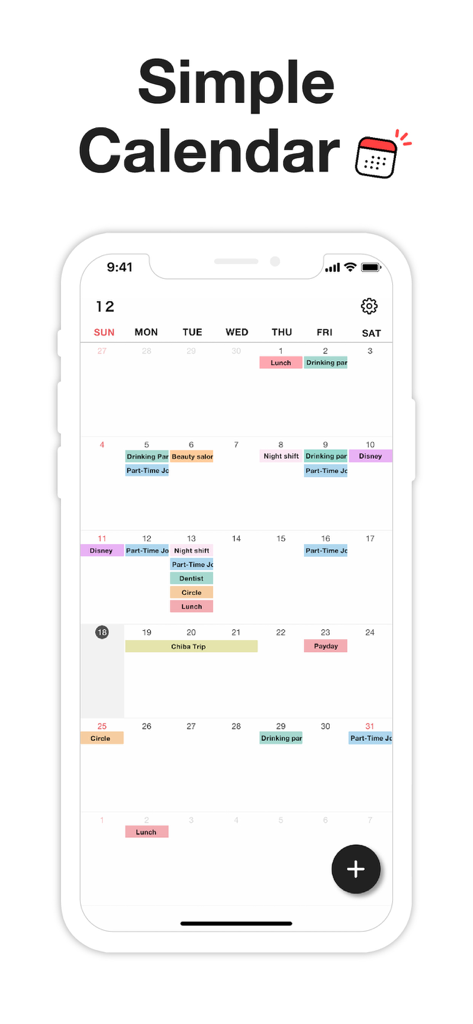
月間カレンダーのインターフェース。ミニマリストデザインで、色分けされたイベントとシフトが表示されています。

月間カレンダーのインターフェース。ミニマリストデザインで、色分けされたイベントとシフトが表示されています。

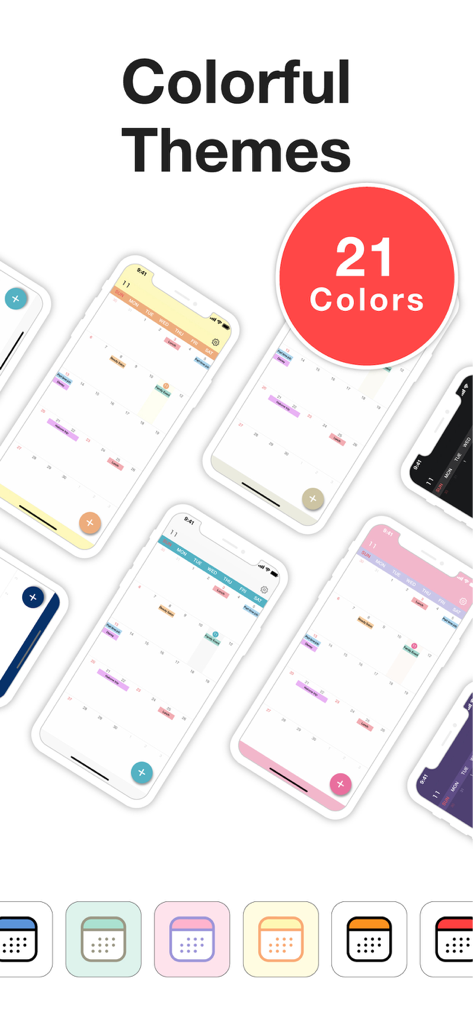
My Calendar プランナーアプリの、カラフルで美しい複数のカレンダーテーマとアプリアイコンのショーケース。

My Calendar プランナーアプリの、カラフルで美しい複数のカレンダーテーマとアプリアイコンのショーケース。

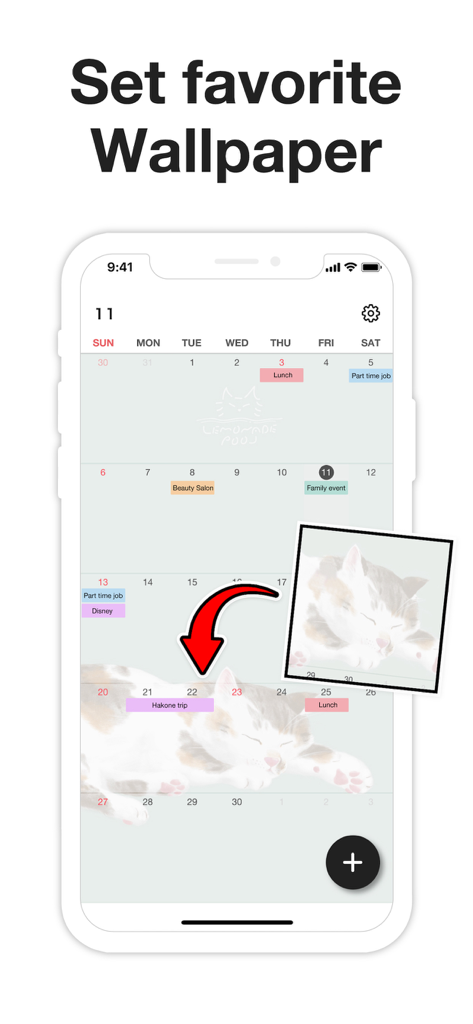
My Calendarアプリを、個人の写真の背景でカスタマイズしている様子。

My Calendarアプリを、個人の写真の背景でカスタマイズしている様子。

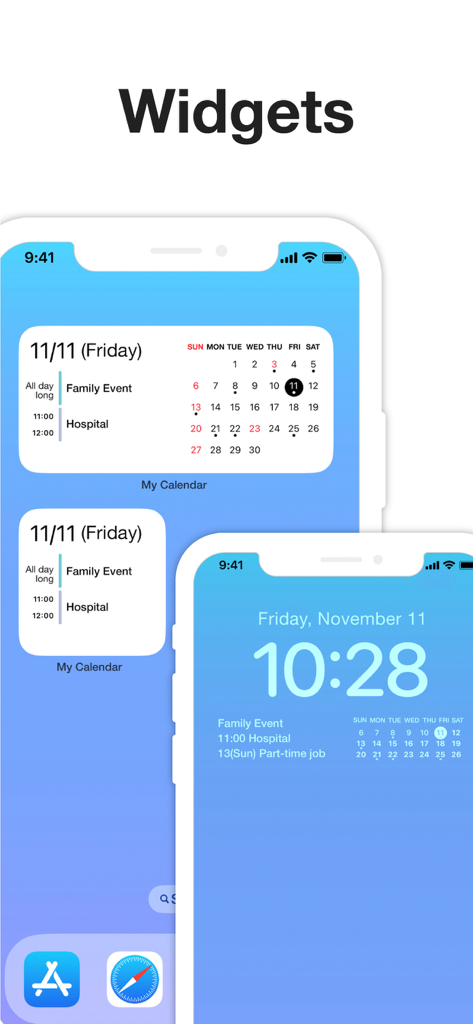
My Calendarアプリのウィジェットが、iPhoneのホーム画面とロック画面に表示され、スケジュールされたイベントを示しています。

My Calendarアプリのウィジェットが、iPhoneのホーム画面とロック画面に表示され、スケジュールされたイベントを示しています。

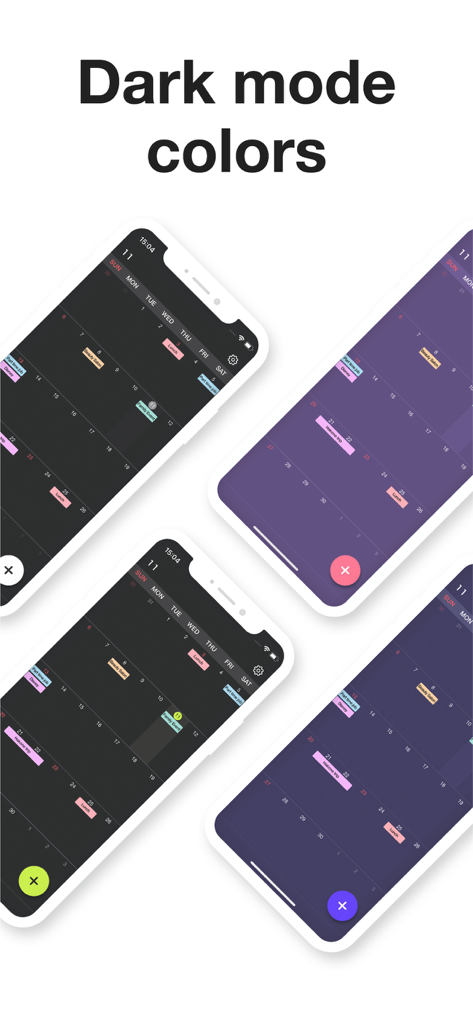
My Calendarアプリのダークモードのカラーテーマと色分けされたイベントレイアウトが異なる4つのスマートフォン画面。

My Calendarアプリのダークモードのカラーテーマと色分けされたイベントレイアウトが異なる4つのスマートフォン画面。

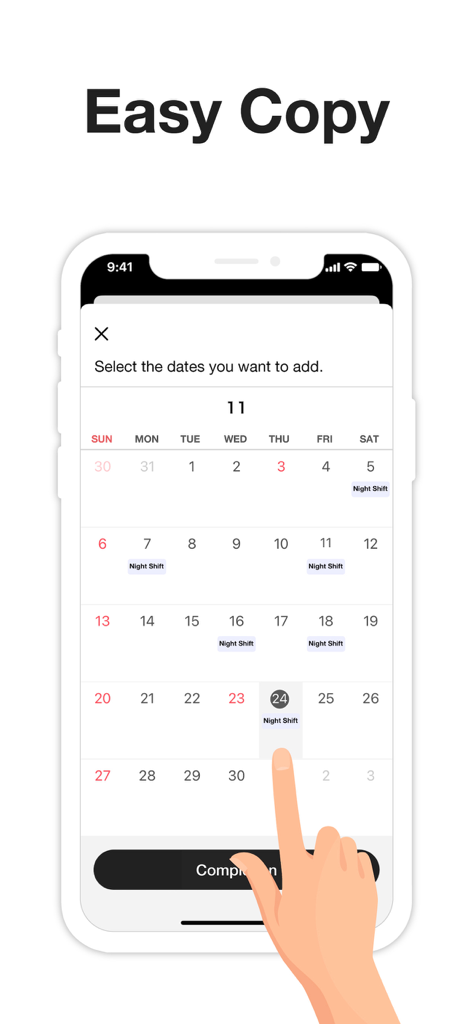
複数の日付を選択して夜勤イベントを素早く追加する方法を示すインターフェース。

複数の日付を選択して夜勤イベントを素早く追加する方法を示すインターフェース。

あなたのためにデザインされ、スピードのために構築されました

このアプリを際立たせるツール、 259K+ 人のユーザーが選択.

🎨

あなたのスタイルを表現

50種類以上のテーマカラーや、お気に入りの写真でプランナーをカスタマイズ。カスタムアイコンやダークモードで、あなたの気分に合わせてカレンダーをコーディネートしましょう。

楽々一括スケジューリング

繰り返し入力する手間を省きましょう。複数の日付を一度に選択して、不規則な仕事のシフト、授業、習慣などをわずか数秒で記録できます。

🔒

プライベート&アカウントフリー

アカウントを作成せずにすぐに始められます。あなたのデータはデバイス上に留まり、パスコードロックとFace IDで保護され、安心してお使いいただけます。

📱

カスタマイズ可能なウィジェット

ホーム画面にイベントやタスクを表示し、一目で確認できるようにしましょう。あなたのスタイルに合わせてカスタマイズ可能です。

アプリについて

について知っておくべきこと My Calendar: Planner Organizer.

説明

My Calendar is a simple calendar app that lets anyone easily manage their schedule. • Extremely easy to use • Use your favorite photo as a background image • Easily check your schedule on a large, clutter-free screen Despite its simplicity, this app is loaded with useful features, such as widgets and a variety of dark mode themes. [ Features ] • 50 theme colors • Font size adjustment (10 levels) • Customizable background image • 5 lock screen widgets • 6 home screen widgets • Font color selection (black / white) • Vertical and horizontal scrolling • Passcode lock • Change app icon • iCloud backup • Transfer data when changing phones, even on a different OS --- [ Convenient features ] ■ No account required No member registration or iCloud account is required. Anyone can get started right away without going through the trouble of logging in. ■ Font size adjustment Choose from five font sizes. Options for fine, bold, white and black text allow you to read without straining your eyes. ■ Color coding You can color code your schedule simply by selecting a color when adding an event. There are 25 stylish colors to choose from. You can even give names to frequently used colors, such as "part-time job" or "night shift." ■ Passcode lock Keep your schedule safe from prying eyes by locking the app with a passcode. Face ID and Touch ID are also supported, of course. ■ Notifications Set alerts for events on your schedule. For important events, you can set up push notifications that will alert you ahead of time (such as 5 minutes or 15 minutes in advance), in addition to the scheduled time. ■ Add multiple events at once by selecting several dates When adding events to your schedule, you can select multiple dates to add several at once. This makes it easy to quickly add job shifts at irregular intervals, for example. You can also set up recurring events with no need to manually add each date. This can be as simple as "every Tuesday" or something more unusual: the 25th of every month, every 3 weeks, the last day of every month and so on. ■ Add URLs, maps and memos You can add URLs, maps and memos to each event. Tapping a URL will take you straight to your browser, while tapping a location will open the Google Maps app or the iOS Maps app for your convenience. ■ Theme colors 50 stylish theme colors are available! ■ Dark mode Be gentle on your eyes with dark mode. Choose from four different dark color schemes. ■ Widgets Five lock screen widgets and six home screen widgets allow you to display a mini calendar, show your next scheduled event and more. --- ■ Note This app stores calendar information entirely within the app. If you remove the app, that data will be lost. Please back up your data from the "Backup" menu in the settings screen if you intend to change your phone or if you are worried about losing the app. If you want to use iCloud Calendar or Google Calendar, please try our Simple Calendar (S Calendar) app. It supports various calendar accounts and can manage schedule data in the cloud. Feel free to use My Calendar and Simple Calendar alongside each other to suit your purposes. ■ Help and inquiries Please see "Help" in the Settings screen of the app. If you still have questions after reviewing that information, you can reach us using the "Contact Us" button in the upper right corner of the Help screen. Terms of Use: https://komorebi-studio.com/tos_en.html Privacy Policy: https://komorebi-studio.com/policyredirect.html

最新バージョン

2.0.0

サイズ

204.4 MB

リリース日

2022年12月2日

あなたらしく、今日を計画する準備はできましたか?

259,000人以上のユーザーが、煩雑なものを捨て、美しく、プライベートで、シンプルなカレンダーを選んでいます。アカウントも手間も不要—ダウンロードして、数秒で整理を始めましょう。

ダウンロード: App Store

App information, icons, screenshots, and descriptions displayed on this page are sourced from the Apple App Store and are the property of their respective developers. Download estimates and rankings are based on MWM's proprietary models and may not reflect actual figures. This page is provided for informational and analytical purposes only.

Believe this page infringes your intellectual property? File a dispute