Simple Calendar: ToDo Planner

Simple Calendar: ToDo Planner

ダウンロード: App Storeダウンロード: Google Play
ロゴ: Simple Calendar: ToDo Planner

シンプルカレンダー:ToDoプランナー:あなたの人生を完全に明確に整理します

スケジュールを管理する最もユーザーフレンドリーな方法。iCloudやGoogleとシームレスに同期し、家族と計画を共有し、大きくて読みやすいフォントで表示をカスタマイズできます。

開発元

Komorebi Inc.

カテゴリ

Productivity

ダウンロード

12M+

ユーザー評価

4.6/5

評価数

469K+

対応言語

35

あなたの1日を視覚化

このインターフェースを利用する 12M+ 人のユーザー.

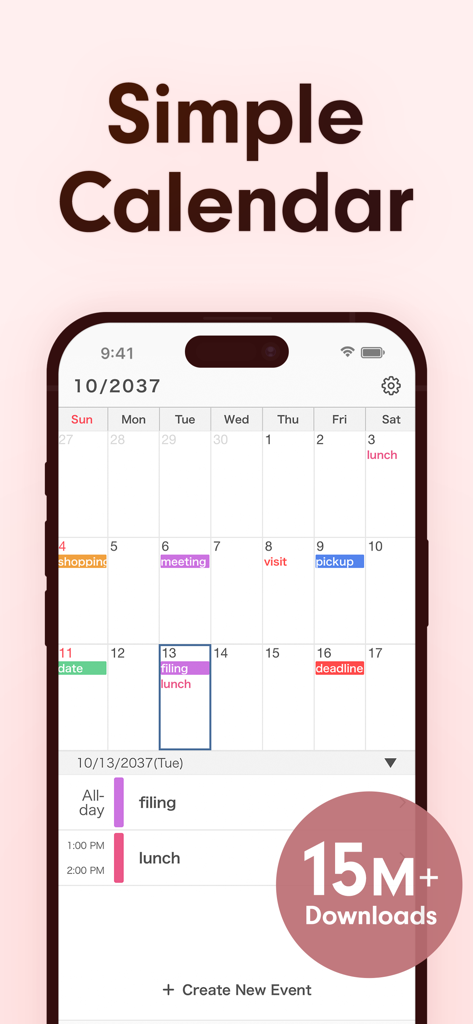
シンプルカレンダーアプリの月間スケジュール、色分けされたイベントと1500万ダウンロードのバッジ
シンプルカレンダーアプリの月間スケジュール、色分けされたイベントと1500万ダウンロードのバッジ

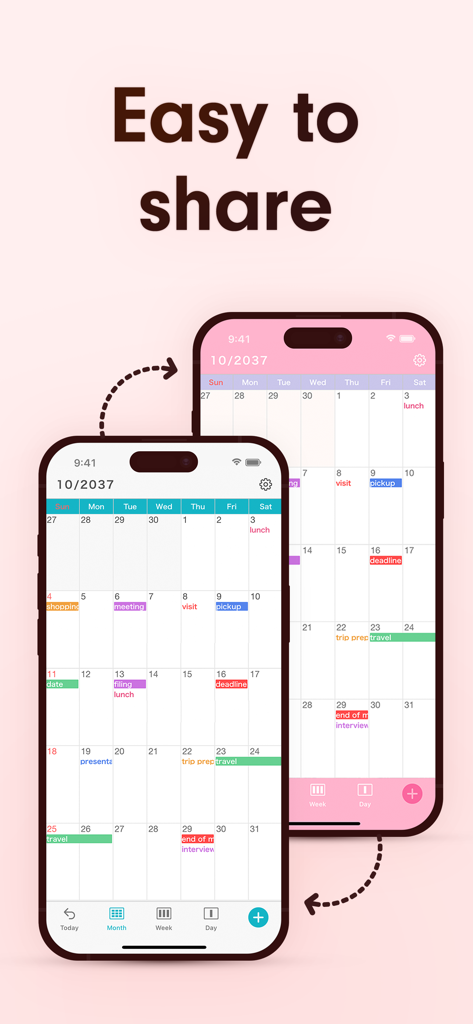
2台のiPhoneに表示されたシンプルカレンダーアプリ、色分けされたイベントと「共有が簡単」という見出し
2台のiPhoneに表示されたシンプルカレンダーアプリ、色分けされたイベントと「共有が簡単」という見出し

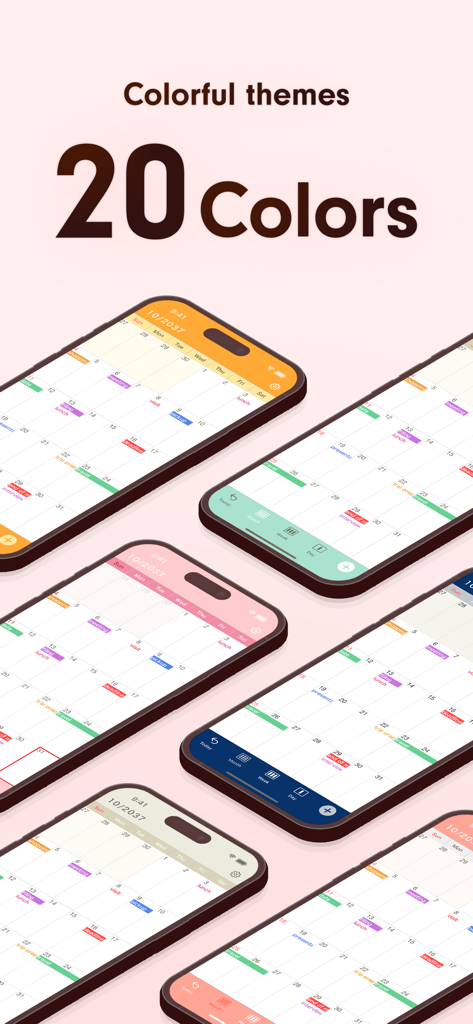
複数のiPhoneに表示されたシンプルカレンダーアプリ、オレンジ、ピンク、ネイビーブルーなどの様々なカラフルなテーマオプション
複数のiPhoneに表示されたシンプルカレンダーアプリ、オレンジ、ピンク、ネイビーブルーなどの様々なカラフルなテーマオプション

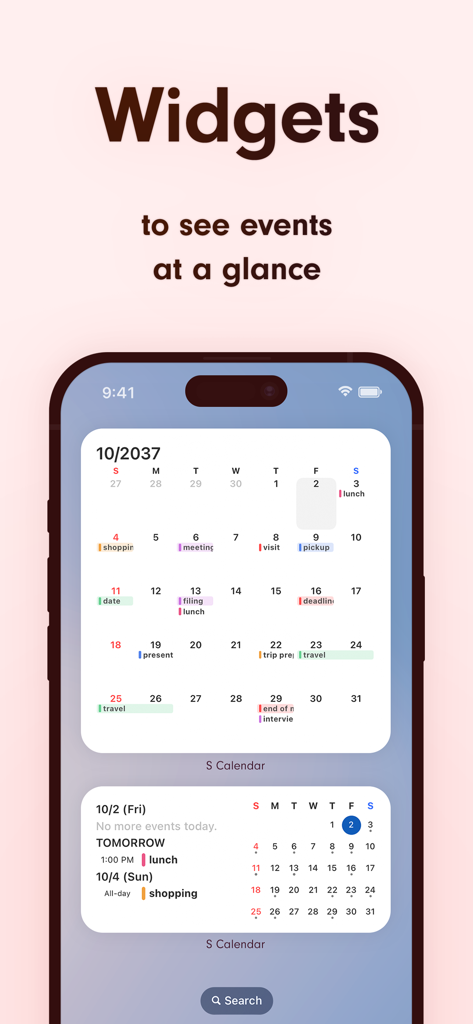
iPhoneのホーム画面に表示された2つのカレンダーウィジェット(月間および日間イベント計画用)
iPhoneのホーム画面に表示された2つのカレンダーウィジェット(月間および日間イベント計画用)

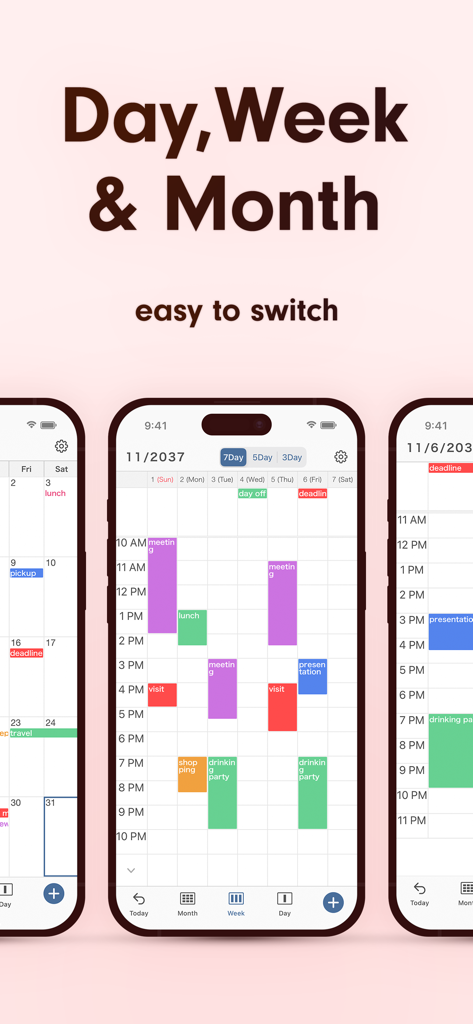
日、週、月のカレンダービューを表示するインターフェース、色分けされたスケジュール
日、週、月のカレンダービューを表示するインターフェース、色分けされたスケジュール

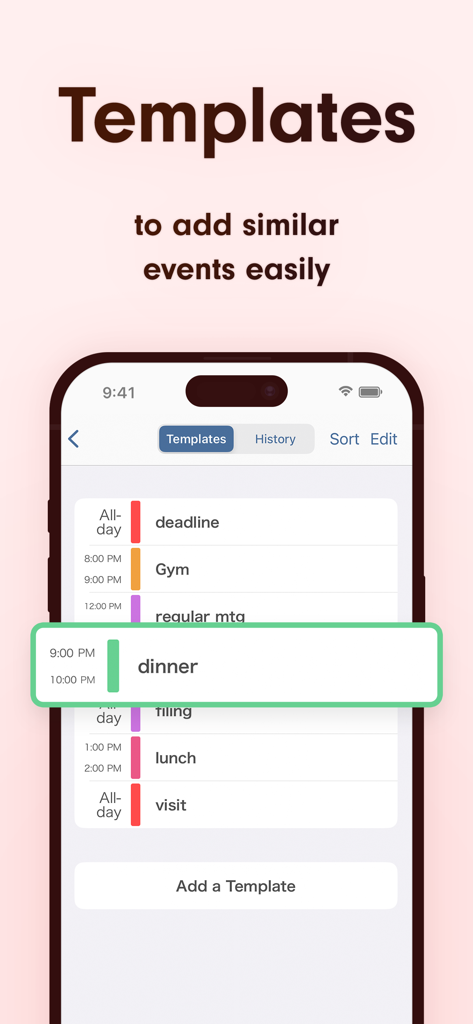
シンプルカレンダーアプリのインターフェース、簡単なスケジューリングのためのカスタマイズ可能なイベントテンプレートのリストを表示
シンプルカレンダーアプリのインターフェース、簡単なスケジューリングのためのカスタマイズ可能なイベントテンプレートのリストを表示

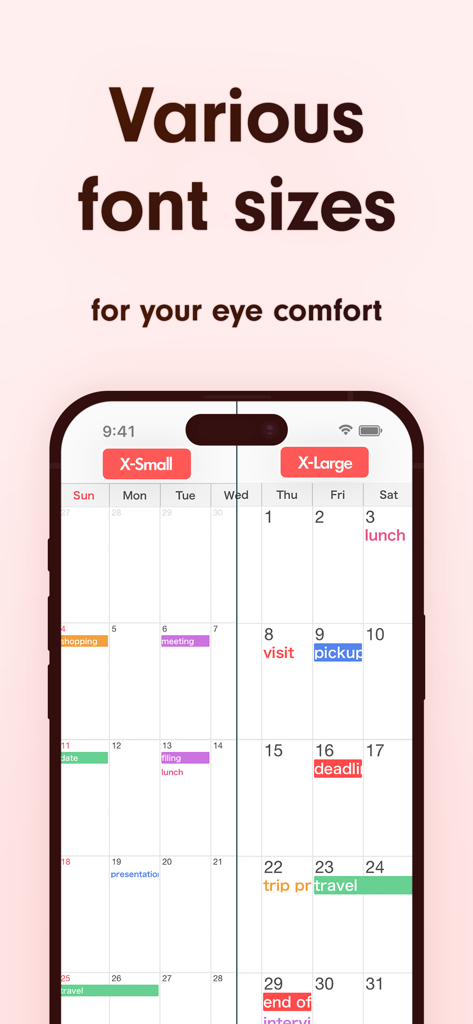
シンプルカレンダーアプリでの、見やすさ向上のための極小および極大フォントサイズの比較

シンプルカレンダーアプリでの、見やすさ向上のための極小および極大フォントサイズの比較

あなたの人生、シンプルに整理

このアプリを際立たせるツール、 12M+ 人のユーザーが選択.

👓

絶対的な明瞭さで読む

10種類のフォントサイズと太字オプションから選択できます。外出先でも、一目で予定をはっきりと確認するのに最適です。

🔄

シームレスな同期と共有

iCloudとGoogleカレンダーとシームレスに接続し、家族や同僚をストレスなく同じページに保ちます。

🎨

パーソナライズされた生産性

カテゴリを色分けし、毎日のアジェンダにすぐにアクセスできるように設計された15個のカスタムウィジェットで先を行きましょう。

アプリについて

について知っておくべきこと Simple Calendar: ToDo Planner.

説明

The simplest, most useful calendar app ever! When it comes to calendar apps, Simple Calendar is the best choice! Our app's design philosophy is all about simplicity and ease of use. In this calendar app, you can use the sharing features of iCloud Calendar and Google Calendar, making it easy to share schedules with family, partners, and colleagues. With an emphasis on simplicity, Simple Calendar is super easy to navigate, and comes with various customization options, including font size. Use the style that suits you best. It's perfect for those looking for a minimalist calendar app focused on functionality instead of extra (and sometimes unnecessary) features. Simple Calendar has been receiving top ratings among users, plus it's FREE! Give it a try right now. [List of Functions] · Share schedules · 15 Widgets · Font size adjustment (10 options) · Weekly(7 days · 5 days · 3 days) display · Daily display · Color coding for different calendars · Add notes, URLs, and maps · Sync with other scheduling apps · Set your favorite day of the week as a holiday · Change the start day of the week · Lock with passcode [Function Details] ■ iOS Calendar This app uses the iOS calendar app. Schedules made with this app will be synchronized with other scheduling apps and the iOS standard calendar. ■ Adjust Font Size You can choose from five font sizes of extra-small, small, medium, large, and extra-large. You can also pick between light and bold font, to make prioritized events pop up better. ■ Monthly, Weekly, and Daily Calendar With one tap at the bottom of the screen, you can switch between monthly, weekly, and daily display. Switching the weekly calendar between 7, 5 or 3 day display allows you to find the display that is right for you. The app memorizes the calendar style used the last time you opened it, making it super convenient for people who only want to use the weekly display. ■ Color Coding You can create separate calendars according to different schedules, such as work and home. Then, you can manage them clearly by color coding them. You can switch the background color between white and black as well. ■ Secure Passcode Lock You can securely lock the app with a password if you don't want anyone to view your calendars. Of course, you can also lock with Face ID and Touch ID as well. ■ Notification Settings You can set up notifications for scheduled events at the event time, as well as 5 min, 15 min, or more prior to the event, so you don't miss important plans! [Note to Users] Since this calendar app uses the standard function of the iOS calendar, all schedules older than one month may disappear with the default settings. This also applies to other apps. If you want to keep past events, please follow the procedure below after installing the app. 1. Open the iOS Settings app. 2. Tap "Calendar". 3. Tap "Sync". 4. Select "All Events". This should solve the problem. If you still have questions, visit the "Help/FAQ" page in the app for further details. 【Help/Inquiries】 Please visit "Help/FAQ" from the settings screen of the app. If this doesn't help, please contact us through "Inquiry / Feedback" from the settings screen. We can respond to you much quicker this way, so please do so instead of asking us questions in the app review, since it takes a while for those to be reflected onto the page.

最新バージョン

5.7.3

サイズ

110.5 MB

リリース日

2018年11月16日

ストレスフリーなスケジュールを始めませんか?

世界で最も直感的で読みやすいプランナーで、毎日をシンプルにしている1200万人以上のユーザーに加わりましょう。シンプルカレンダーを無料でダウンロードし、数秒であなたの人生を同期しましょう。

ダウンロード: App Storeダウンロード: Google Play
FAQ

よくある質問

について知っておくべきこと Simple Calendar: ToDo Planner

Simple Calendarは無料のアプリケーションですか?

はい、Simple Calendarアプリは完全に無料でダウンロードして使用できます。ユーザーにはシンプルさとコア機能を提供することに重点を置いています。

Simple Calendarを使用して、他の人とスケジュールを共有できますか?

はい、Simple CalendarはiCloudカレンダーやGoogleカレンダーとの共有機能をサポートしています。これにより、家族、パートナー、同僚と簡単にスケジュールを共有できます。

Simple Calendarはいくつウィジェットを提供していますか?

Simple Calendarは15個のウィジェットを提供しており、ユーザーはデバイスのホーム画面から直接、一目でイベントを確認できます。

Simple Calendarではフォントサイズの調整は可能ですか?

はい、Simple Calendarは10段階のフォントサイズ調整を提供しており、5つの特定のサイズ(特小、小、中、大、特大)と太字/細字スタイルが含まれています。

Simple Calendarアプリで利用可能な表示オプションは何ですか?

Simple Calendarは、月表示、週表示(7日、5日、3日)、日表示のオプションを提供しています。ユーザーはワンタップでこれらのビューを切り替えることができます。

ユーザーはSimple Calendar内でカラーテーマをカスタマイズできますか?

はい、Simple Calendarは、さまざまなカレンダー(例:仕事、自宅)のカラーコーディングをサポートし、背景色を白と黒の間で切り替えることができます。20種類のカラーテーマを提供しています。

Simple Calendarはイベントの同期をどのように確保しますか?

Simple Calendarは標準のiOSカレンダー機能を利用しています。これにより、アプリ内で作成されたスケジュールが他のスケジューリングアプリケーションやiOS標準カレンダーと同期されます。

Simple Calendarはパスコードで保護できますか?

はい、Simple Calendarは安全なパスコードロック機能を提供しています。ユーザーはFace IDやTouch IDを使用してアプリを保護し、カレンダーのプライバシーを守ることもできます。

Simple Calendarはイベント通知設定をサポートしていますか?

はい、Simple Calendarでは、ユーザーはスケジュールされたイベントの通知を設定できます。通知はイベント時間、または5分、15分前などの間隔で設定できます。

Simple Calendarで古いイベントが消えるのはなぜですか?どうすれば修正できますか?

古いイベントが消えるのは、アプリがiOSカレンダーのデフォルト同期設定を使用しているためです。これを修正するには、iOS設定 > カレンダー > 同期 に移動し、「すべてのイベント」を選択してください。

Simple Calendarでイベントテンプレートを作成できますか?

はい、Simple Calendarでは、ユーザーはテンプレートを作成して同様のイベントを簡単に追加できます。これにより、繰り返しや一般的なアクティビティのスケジューリングプロセスが効率化されます。

App information, icons, screenshots, and descriptions displayed on this page are sourced from the Apple App Store and are the property of their respective developers. Download estimates and rankings are based on MWM's proprietary models and may not reflect actual figures. This page is provided for informational and analytical purposes only.

Believe this page infringes your intellectual property? File a dispute