My Calendar - Shift schedule
ダウンロード: App Store

このページはアプリまたはその開発者の公式ページではなく、情報提供および論評を目的として作成された独立した編集出版物です。明示的に別段の記載がない限り、アプリおよびその開発者は、MWM、Apple、Google Play、アプリのパブリッシャー、またはアプリの開発者と提携、承認、後援、認可、またはその他の公式的な関係はなく、このページのいかなる内容も、アプリがMWMのサービスを使用して開発されたことを意味するものではありません。すべての商標、ロゴ、スクリーンショット、その他のコンテンツはそれぞれの所有者の財産です。


ロゴ: My Calendar - Shift schedule
ダウンロード: App Store

My Calendar - Shift schedule

医療、小売、公共安全分野の現代の労働者のために設計。2/2または1/3のシフトを簡単に自動化し、副業を追跡し、仕事とプライベートのバランスを推測なしで管理。

主要数値

ダウンロード

115K+

ユーザー評価

4.8/5

評価数

2K+

開発元

Mikhail Eremkin

カテゴリ

Productivity

対応言語

2

最新バージョン

14.3

サイズ

90.9 MB

リリース日

2022年5月12日
機能

シフトスケジュールを楽々管理

現代のアメリカの労働者のために、スケジュールの不安を解消し、空き時間を管理できるように設計されています。

自動ローテーション設定

2/2、1/3、またはカスタムローテーションを一度設定すれば、手動入力なしで年間スケジュールを瞬時に生成できます。

副業統合

複数の収入源を管理するために、本業の時間と並行して副業や残業をマークし、生活全体を把握できます。

以下のスクリーンショットと説明は、アプリの公式ストアリスティングから直接取得されたものであり、アプリ開発者の所有物です。

アプリストア

スクリーンショット
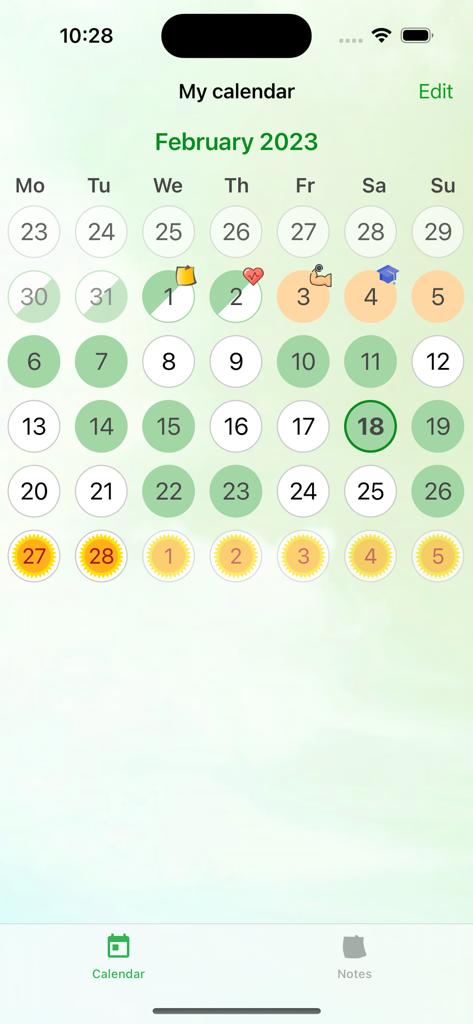
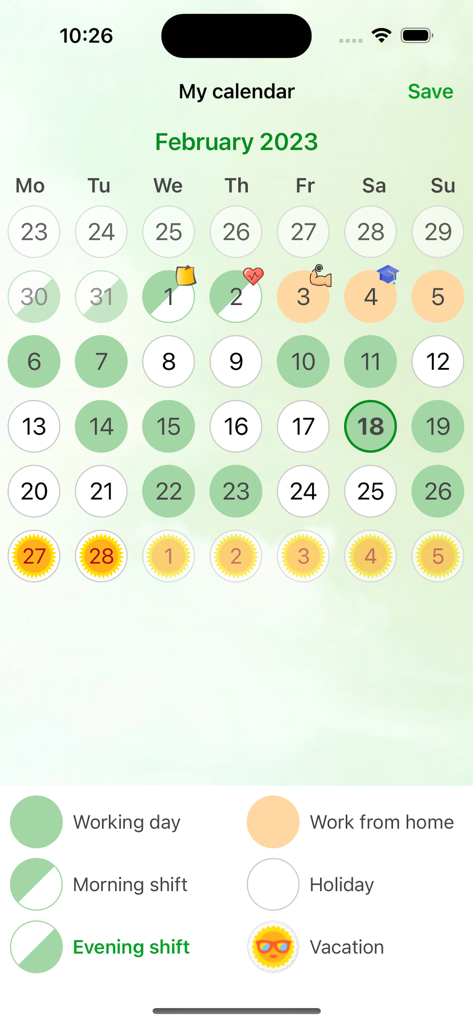
My Calendar - Shift schedule - 色分けされたシフトとイベントアイコンが表示された月間カレンダービュー。

色分けされたシフトとイベントアイコンが表示された月間カレンダービュー。

My Calendar - Shift schedule - My Calendarアプリの月間カレンダーインターフェースに、色分けされた勤務シフトと休暇日が表示されています。
My Calendarアプリの月間カレンダーインターフェースに、色分けされた勤務シフトと休暇日が表示されています。

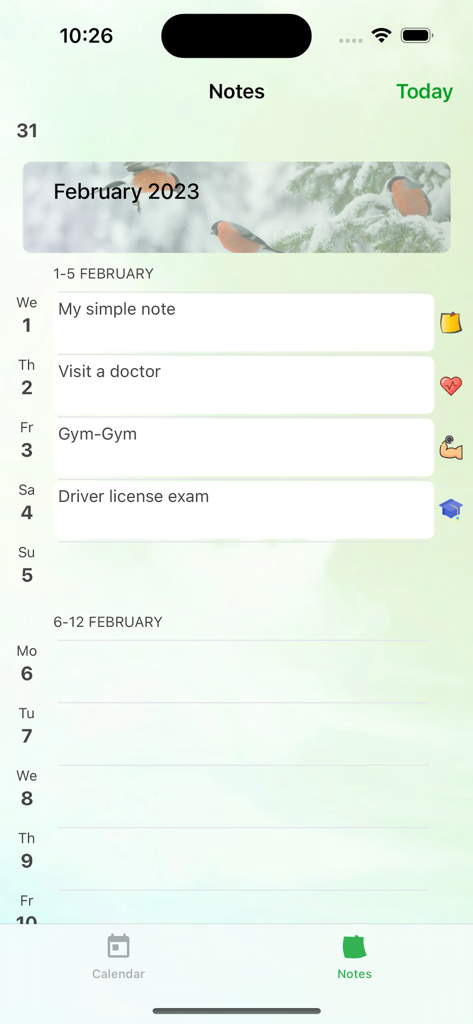
My Calendar - Shift schedule - My Calendarアプリのメモセクションに、毎日のリマインダーとタスクのリストが表示されています
My Calendarアプリのメモセクションに、毎日のリマインダーとタスクのリストが表示されています

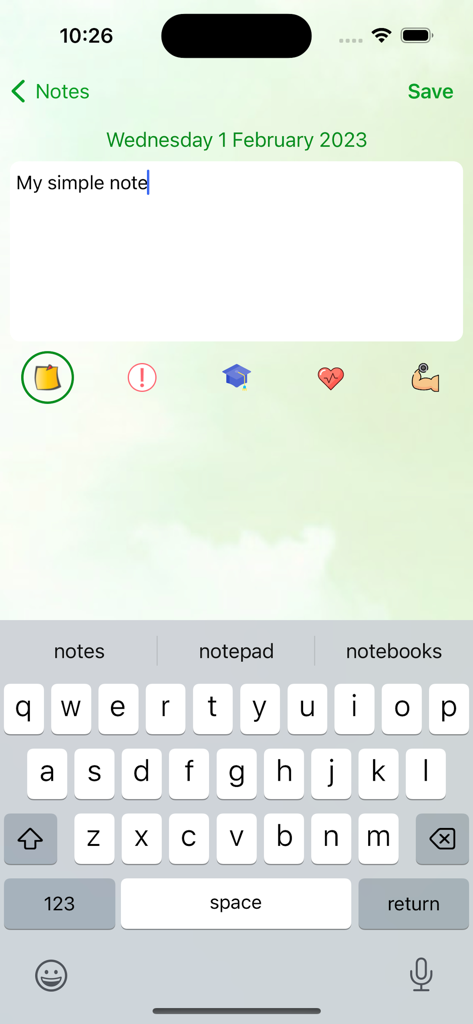
My Calendar - Shift schedule - シフトスケジュールアプリのメモ入力インターフェースに、テキストフィールドとカテゴリアイコンが表示されています。

シフトスケジュールアプリのメモ入力インターフェースに、テキストフィールドとカテゴリアイコンが表示されています。

説明

Manage Your Work Time with “My Calendar - Shift Schedule!” “My Calendar” is a convenient and intuitive application designed for those who work on a shift basis. Our program allows you to easily and quickly create any work shift schedules, including popular options such as 2/2, 1/3, and many others. Key Features: - Simple and User-Friendly Interface: We have made sure that using the application is easy and enjoyable for you. You will be able to quickly understand the functionality and customize the schedule to meet your needs. - Flexibility in Settings: Create individual schedules that perfectly suit you. You can add different types of shifts and customize them as you see fit. - Marking Shifts and Vacations: With “My Calendar,” you can easily mark your work shifts, days off, vacations, sick days, as well as side jobs or working from home. - Convenient Calendar: Keep track of your work schedule with the built-in calendar, which will help you plan and manage your time more effectively. Who is “My Calendar” For? This application is perfect for individuals working in various sectors requiring shift schedules. Whether you are in healthcare, retail, or other industries, “My Calendar” will help you organize your time and avoid confusion in your schedule. Don’t miss the opportunity to make managing your work time simpler and more convenient! Download “My Calendar” today and start planning your shifts with ease! --- We look forward to your feedback and suggestions for improving the application. We strive to create the best tool for managing work time! email: developer@mobicode.pro

Download

ダウンロード: App Store

このページはアプリまたはその開発者の公式ページではなく、情報提供および論評を目的として作成された独立した編集出版物です。明示的に別段の記載がない限り、アプリおよびその開発者は、MWM、Apple、Google Play、アプリのパブリッシャー、またはアプリの開発者と提携、承認、後援、認可、またはその他の公式的な関係はなく、このページのいかなる内容も、アプリがMWMのサービスを使用して開発されたことを意味するものではありません。すべての商標、ロゴ、スクリーンショット、その他のコンテンツはそれぞれの所有者の財産です。