My GPS Area Calculator
ダウンロード: App Store

このページはアプリまたはその開発者の公式ページではなく、情報提供および論評を目的として作成された独立した編集出版物です。明示的に別段の記載がない限り、アプリおよびその開発者は、MWM、Apple、Google Play、アプリのパブリッシャー、またはアプリの開発者と提携、承認、後援、認可、またはその他の公式的な関係はなく、このページのいかなる内容も、アプリがMWMのサービスを使用して開発されたことを意味するものではありません。すべての商標、ロゴ、スクリーンショット、その他のコンテンツはそれぞれの所有者の財産です。

ロゴ: My GPS Area Calculator
ダウンロード: App Store

My GPS Area Calculator

GPSまたは手動マッピングで、ピンポイントの精度で面積と周囲長を計算します。農家、測量士、請負業者向けに設計されており、iPhoneとApple Watchでのフィールドデータのプロフェッショナルな選択肢です。

主要数値

ダウンロード

55K+

ユーザー評価

4.5/5

評価数

0

開発元

MYSTIC MOBILE APPS LLC

カテゴリ

Navigation

対応言語

14

最新バージョン

2.63

サイズ

65.9 MB

リリース日

2023年1月8日
機能

プロフェッショナルな精度を追求した設計

高精度のGPSマッピング、シームレスなハードウェア統合、アメリカの請負業者、農家、測量士に合わせたプロフェッショナルなデータ形式で、フィールドワークを効率化します。

測量グレードの精度

デバイスを外部Garmin GPSレシーバーとペアリングすることで、ドリフトを最小限に抑え、センチメートル単位の正確なデータをキャプチャし、比類なき精度を実現します。

ハンズフリー境界マッピング

電話はトラックに置いたまま。Apple Watchを使用して、周囲長を追跡し、面積を測定しながら、ツールや機器のために手を自由に保ちます。

以下のスクリーンショットと説明は、アプリの公式ストアリスティングから直接取得されたものであり、アプリ開発者の所有物です。

アプリストア

スクリーンショット
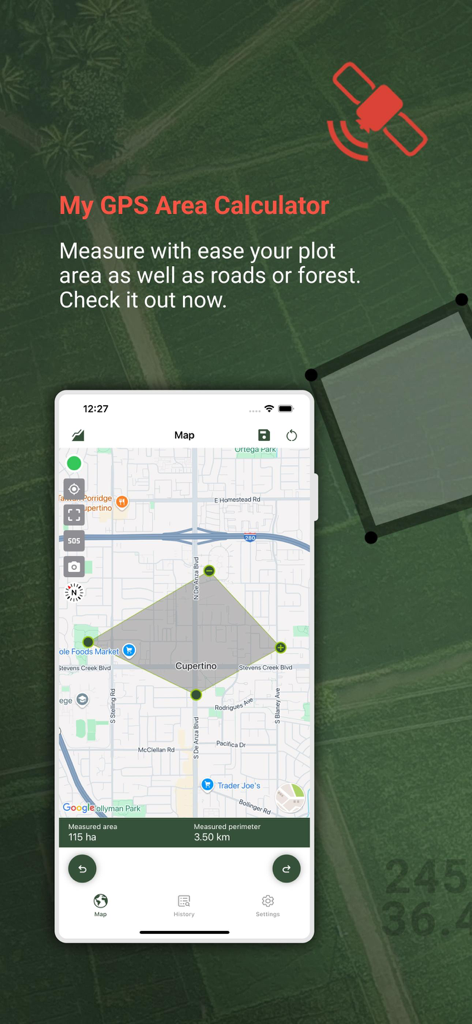
My GPS Area Calculator - My GPS Area Calculatorアプリがマップ上に土地測定と周囲長を表示
My GPS Area Calculatorアプリがマップ上に土地測定と周囲長を表示

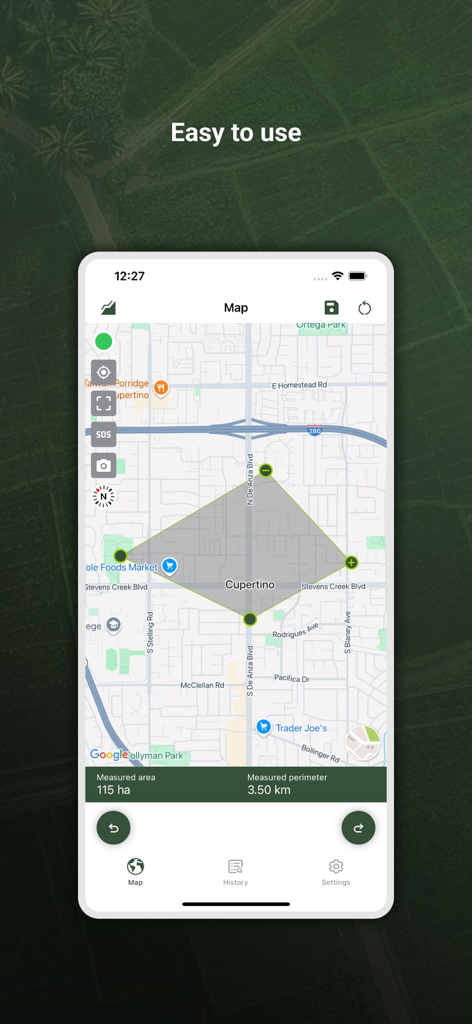
My GPS Area Calculator - My GPS Area Calculatorアプリのスクリーンショット、クパチーノの地図上に115ヘクタールの面積測定を表示
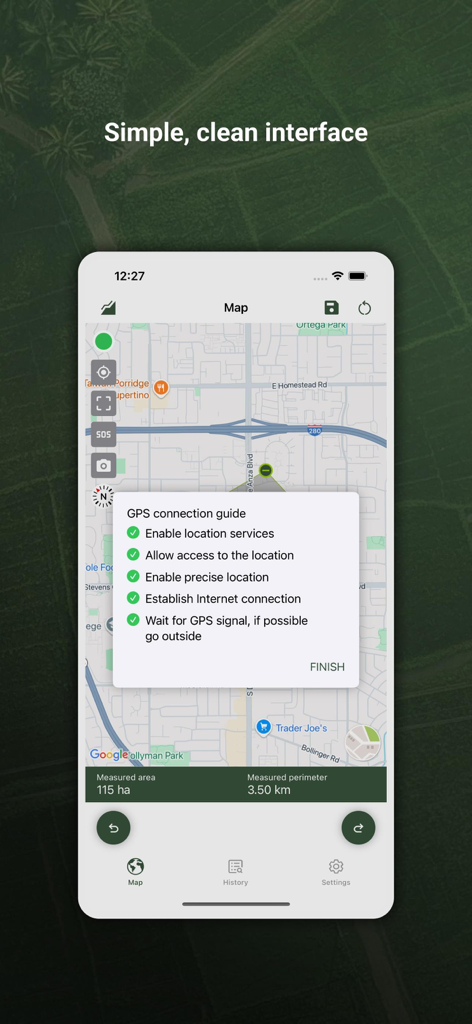
My GPS Area Calculatorアプリのスクリーンショット、クパチーノの地図上に115ヘクタールの面積測定を表示

My GPS Area Calculator - My GPS Area Calculatorアプリのインターフェース、マップ測定とGPS接続ガイドを表示
My GPS Area Calculatorアプリのインターフェース、マップ測定とGPS接続ガイドを表示

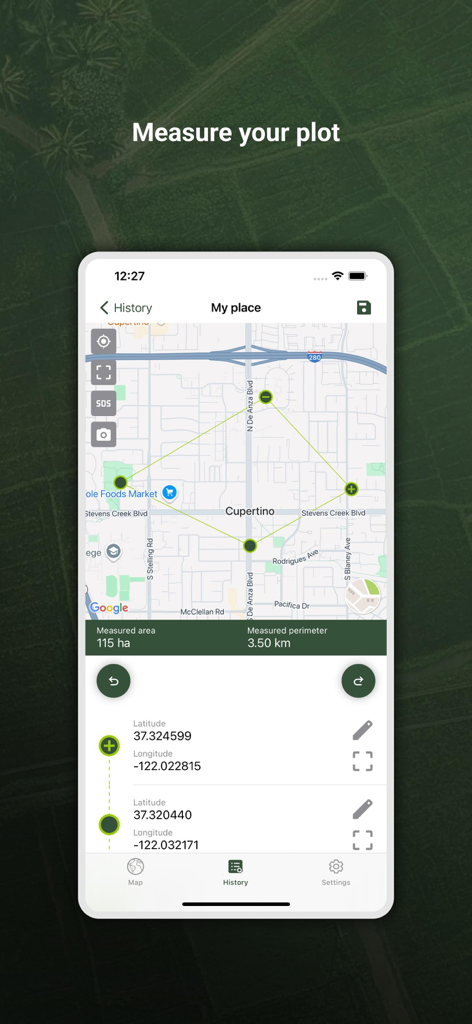
My GPS Area Calculator - GPS Area Calculatorアプリのインターフェース、マップ上に測定された土地区画を面積と周囲長の 詳細とともに表示
GPS Area Calculatorアプリのインターフェース、マップ上に測定された土地区画を面積と周囲長の 詳細とともに表示

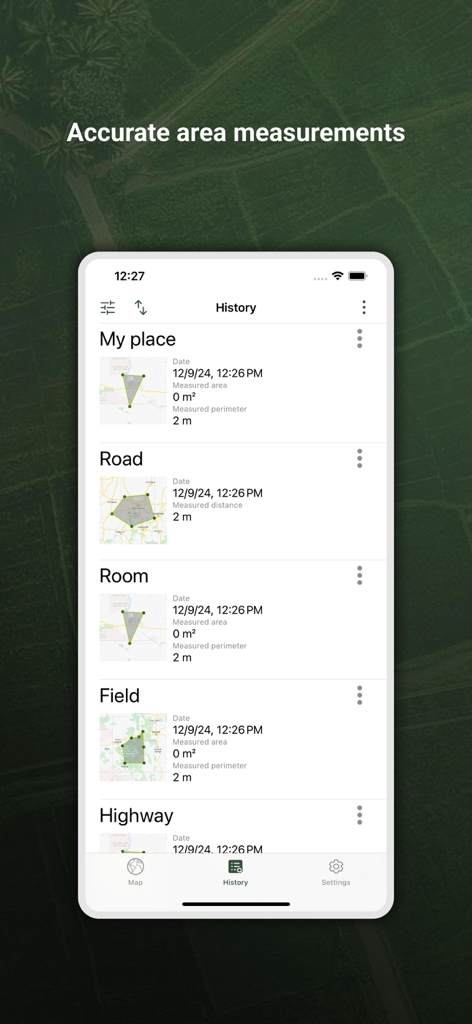
My GPS Area Calculator - アプリの履歴セクションに保存されたGPS面積と距離測定のリスト

アプリの履歴セクションに保存されたGPS面積と距離測定のリスト

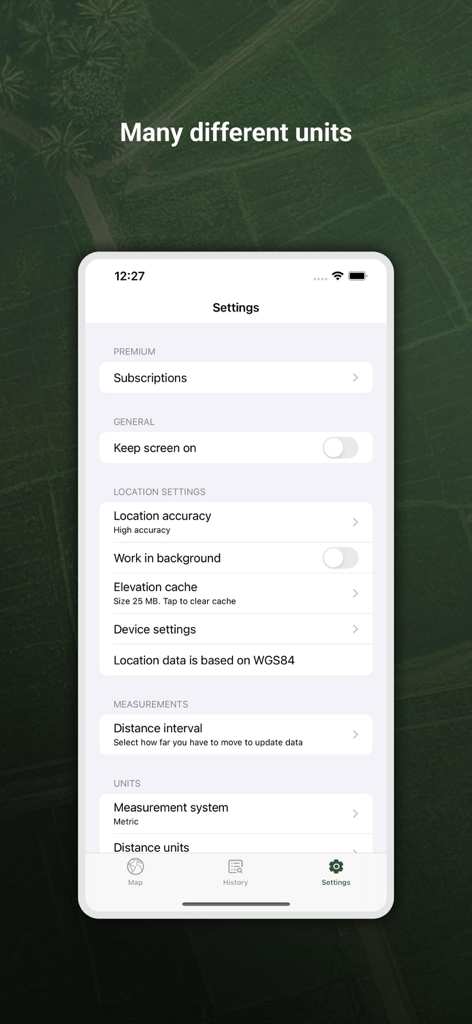
My GPS Area Calculator - My GPS Area Calculatorアプリの設定画面、測定単位と位置精度オプションを表示
My GPS Area Calculatorアプリの設定画面、測定単位と位置精度オプションを表示

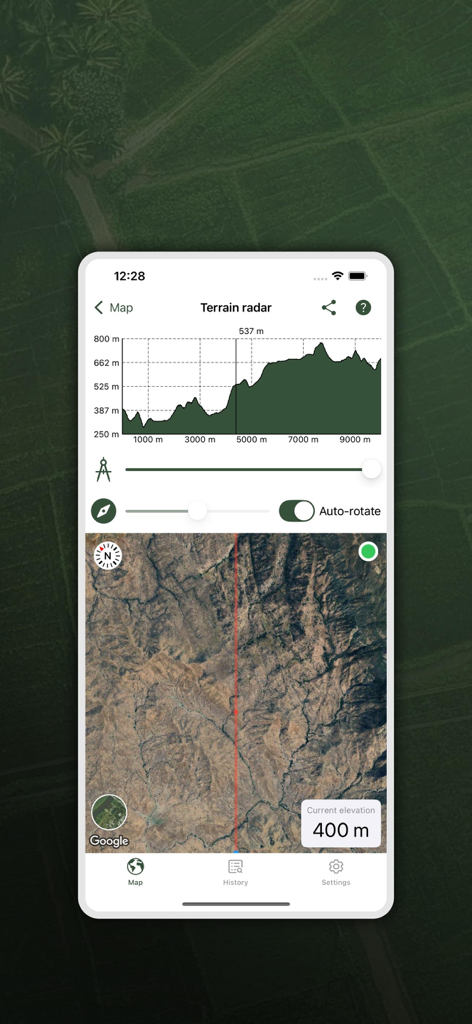
My GPS Area Calculator - My GPS Area Calculatorアプリが、地形レーダー、標高プロファイルグラフ、およびプロフェッショナルな土地測定用の衛星マップビューを表示
My GPS Area Calculatorアプリが、地形レーダー、標高プロファイルグラフ、およびプロフェッショナルな土地測定用の衛星マップビューを表示

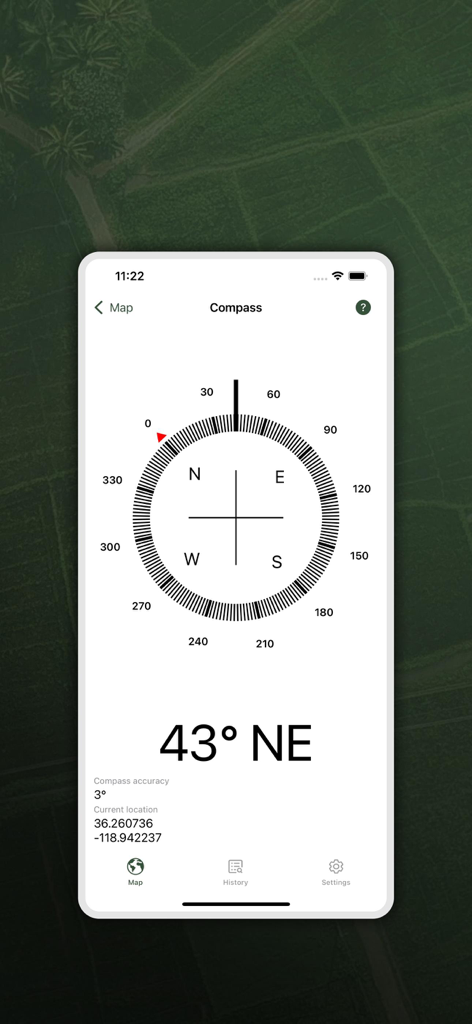
My GPS Area Calculator - デジタルコンパスインターフェース、北東方向43度と現在のGPS座標を表示

デジタルコンパスインターフェース、北東方向43度と現在のGPS座標を表示

説明

With our app, measuring the area of spaces is even easier. • Dual Mode Precision: Enjoy easy GPS-based or manual map-pointing measurements for accurate area calculations. • Unmatched Accuracy: Rely on our high-precision GPS for consistently accurate measurements. • Versatile Measurements: Switch effortlessly between area and distance measurements to suit diverse needs. • Measurement Storage: Save and revisit your measurements anytime for convenience. • Compass Navigation: Easily navigate to saved areas with our integrated compass feature. • Data Sync: Log in to synchronize your data across multiple devices seamlessly. • Data Export/Import: Share and receive measurements easily with GPX and KML format support. • Customizable Units: Choose between metric and imperial units for your comfort. • In-App Help Function: Easily learn about all app functions with our comprehensive in-app help feature. • SOS Feature: Send SOS messages with your location in emergencies. • Snapshot Feature: Quickly capture and save screenshots of your measurements. • Sorted Measurements: Organize saved measurements by name, date, distance, or size. • Location Accuracy: Select your preferred location accuracy for detailed or battery-saving measurements. • Background Measuring: Continue measuring in the background for uninterrupted multitasking. • Apple Watch Integration: Conveniently measure using your Apple Watch watch and sync with your phone. • Multiple Map Views: Choose from normal, terrain, hybrid, or satellite maps for a tailored view. One measuring option is just to start the app and walk around a space to measure the area on foot. This is the easiest method to use if you simply need square footage. The other measuring option involves a little more planning. Sit on your comfy sofa, start our app, and in the custom map view, manually select the points/area to measure. This can come in handy if you want to measure your plot of land, or a physical area for future investment. On the other hand, if you are a farmer and you want to know the area of your planting fields, it's a great option for you as well. After taking the measurements, you can share them with your coworkers or friends. The app is extremely useful for a large number of specialists in various fields: - Land surveyors - City planners - Farmers - Landscape designers - Construction surveys - Facilities mapping - Construction sites and building sites area - Farm fencing Some of the measurements include: - Field area measurement in meters², kilometers², feet², nmi², yards² and acres. - Distance measurement in meters, kilometers, nautical miles, feet & miles, yards Our app comes with a brand new application for Apple Watch. You can easily make all measurements without using your phone and synchronize data afterwards to enjoy viewing your saved measurements on a bigger screen! Recommendations External Bluetooth GPS receiver is recommended if your built-in receiver is not accurate enough. We specifically recommend GARMIN GLO and GARMIN GLO 2 which gives the accuracy up to 0.3 m. Our app can also come in handy when measuring distances, so if you are a runner, or you are planning a hiking trip, there’s nothing simpler than measuring the distances of your adventure with our app! Our measurement algorithms are very accurate. They use both GPS positioning and a network connection to make your measurements even more accurate. Important!: The accuracy of the application depends on the GPS sensor accuracy in a device - on most devices the accuracy is within +/- 5m. To improve accuracy, we encourage you to use more a precise GPS receiver, such as Garmin which provides accuracy to a few cm. Privacy policy: https://mysticmobileapps.com/legal/privacy/mygpsareacalculator Terms and conditions: https://mysticmobileapps.com/legal/terms/mygpsareacalculator

Download

ダウンロード: App Store

このページはアプリまたはその開発者の公式ページではなく、情報提供および論評を目的として作成された独立した編集出版物です。明示的に別段の記載がない限り、アプリおよびその開発者は、MWM、Apple、Google Play、アプリのパブリッシャー、またはアプリの開発者と提携、承認、後援、認可、またはその他の公式的な関係はなく、このページのいかなる内容も、アプリがMWMのサービスを使用して開発されたことを意味するものではありません。すべての商標、ロゴ、スクリーンショット、その他のコンテンツはそれぞれの所有者の財産です。