My Measures PRO + AR Measure
ダウンロード: App Store

このページはアプリまたはその開発者の公式ページではなく、情報提供および論評を目的として作成された独立した編集出版物です。明示的に別段の記載がない限り、アプリおよびその開発者は、MWM、Apple、Google Play、アプリのパブリッシャー、またはアプリの開発者と提携、承認、後援、認可、またはその他の公式的な関係はなく、このページのいかなる内容も、アプリがMWMのサービスを使用して開発されたことを意味するものではありません。すべての商標、ロゴ、スクリーンショット、その他のコンテンツはそれぞれの所有者の財産です。


ロゴ: My Measures PRO + AR Measure
ダウンロード: App Store

My Measures PRO + AR Measure

散らかった紙のスケッチに時間を無駄にするのはやめましょう。写真から正確な注釈付き図面を作成し、矢印、角度、レーザー測定器のような精度で、プロ仕様のPDFレポートを即座に共有できます。

主要数値

ダウンロード

428K+

ユーザー評価

4.6/5

評価数

43K+

開発元

TOP APP d.o.o.

カテゴリ

Productivity

対応言語

20

最新バージョン

7.09

サイズ

83.3 MB

リリース日

2009年8月13日
機能

一度で正確に。もう二度手間はありません。

請負業者やDIY愛好家にとって究極のデジタルツールボックス。どんな写真も、正確な寸法、角度、メモ付きの詳細な図面に数秒で変換できます。

スマートなビジュアル注釈

散らかった紙のスケッチはもう必要ありません。写真上に矢印や角度を直接重ね、ヤード・ポンド法や分数にも完全対応。

プロ仕様のPDFレポート

現場で洗練されたPDFエクスポートを作成し、クライアントやベンダーを感心させましょう。寸法を即座に共有し、コミュニケーションエラーを防ぎます。

以下のスクリーンショットと説明は、アプリの公式ストアリスティングから直接取得されたものであり、アプリ開発者の所有物です。

アプリストア

スクリーンショット
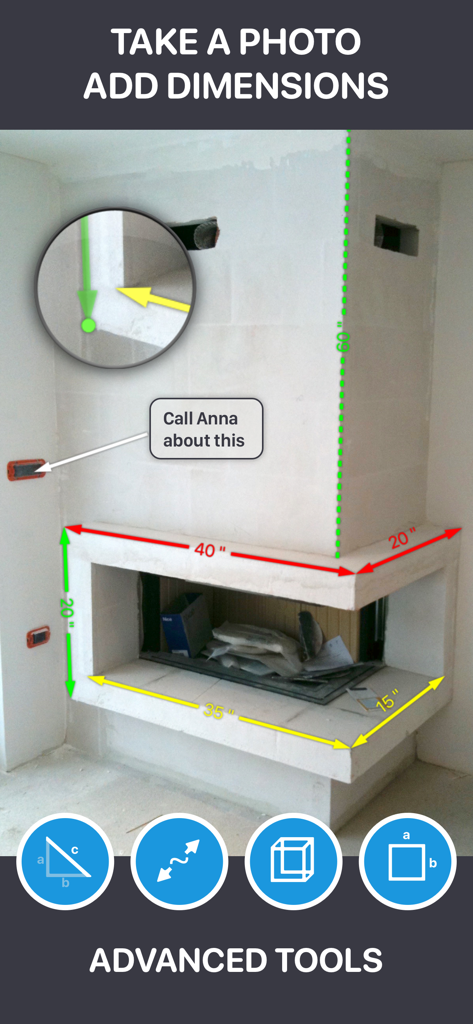
My Measures PRO + AR Measure - My Measures PROアプリで、暖炉の写真にデジタル寸法オーバーレイとテキスト注釈が追加されているスクリーンショット
My Measures PROアプリで、暖炉の写真にデジタル寸法オーバーレイとテキスト注釈が追加されているスクリーンショット

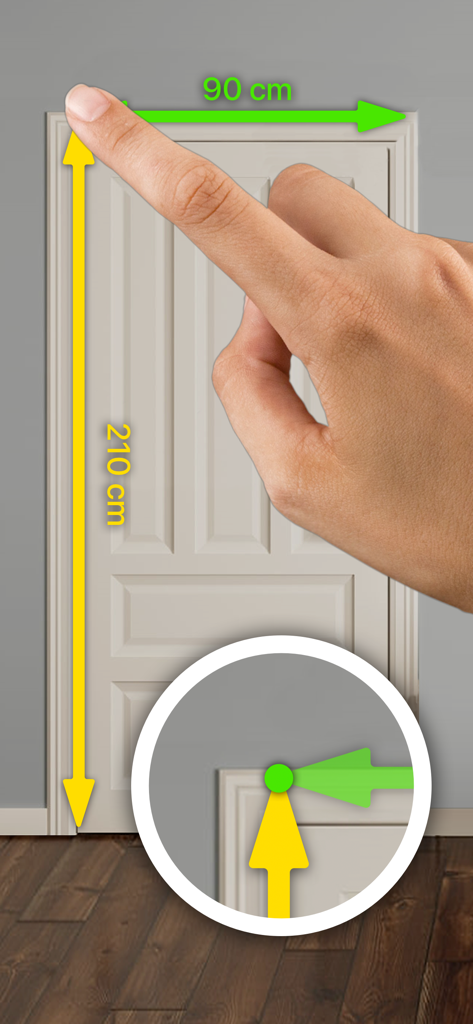
My Measures PRO + AR Measure - ドアの写真に、精密ズームツールを使用してデジタルで高さと幅の寸法を追加しているアプリを使用している手
ドアの写真に、精密ズームツールを使用してデジタルで高さと幅の寸法を追加しているアプリを使用している手

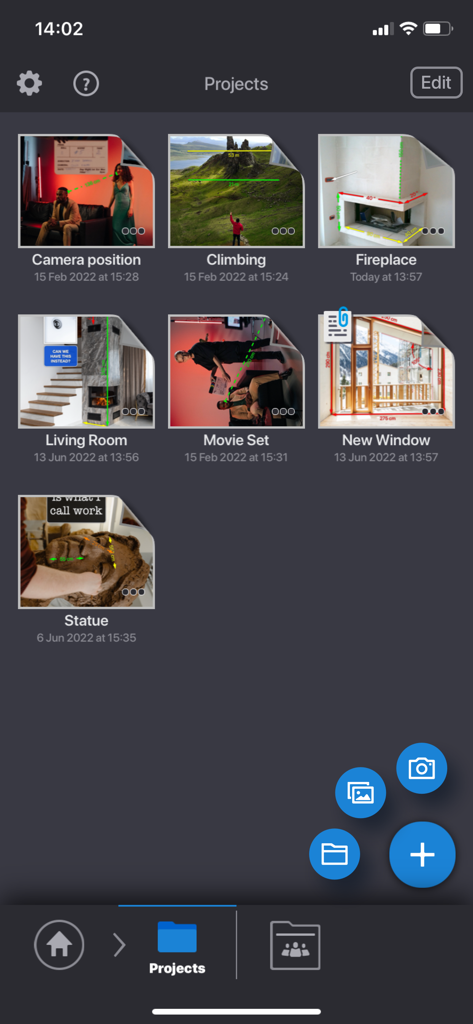
My Measures PRO + AR Measure - My Measures PROアプリのインターフェース。室内や屋外の測定プロジェクトのグリッドを表示
My Measures PROアプリのインターフェース。室内や屋外の測定プロジェクトのグリッドを表示

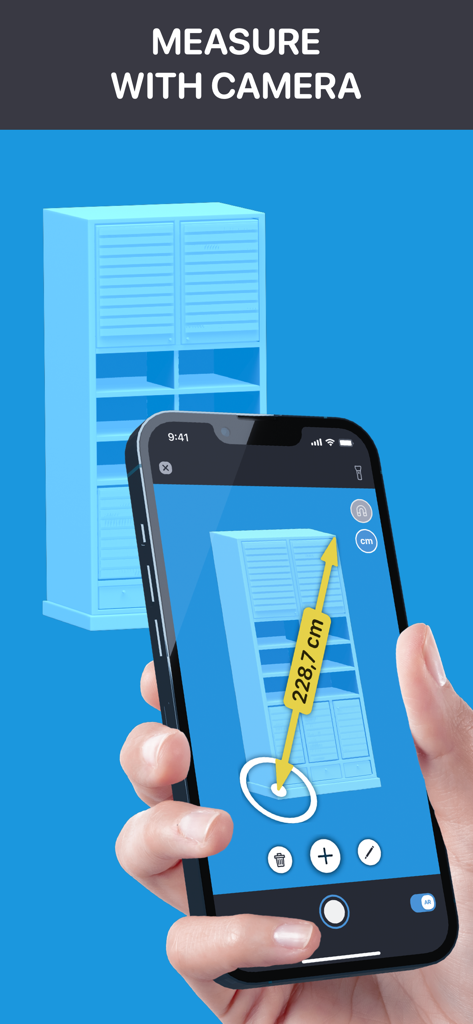
My Measures PRO + AR Measure - AR技術を使用して青いキャビネットを測定するためにスマートフォンでMy Measures PROアプリを使用している人物
AR技術を使用して青いキャビネットを測定するためにスマートフォンでMy Measures PROアプリを使用している人物

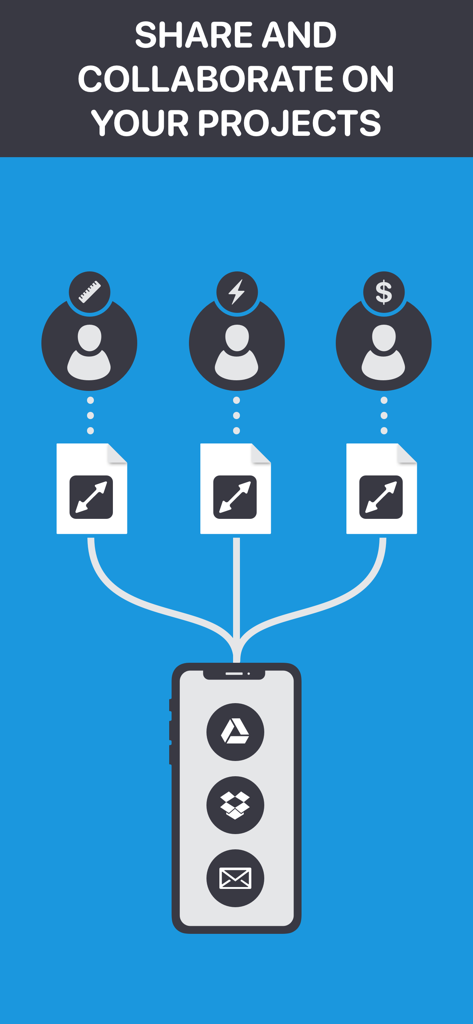
My Measures PRO + AR Measure - My Measures PROアプリ内で、クラウドサービスやメールを使用して測定プロジェクトを共有および共同作業する方法を示すインフォグラフィック

My Measures PROアプリ内で、クラウドサービスやメールを使用して測定プロジェクトを共有および共同作業する方法を示すインフォグラフィック

説明

Making paper sketches of objects can be a tedious job. You have to draw the object, add dimensions and make sure others will understand what you meant. Often they don´t. My Measures is a powerful application for storing and sharing object dimensions. All you have to do is take a photo of an object and add dimensions: arrows, angles, photos of details and equip them with text comments for easier understanding. My Measures is a must have tool for real estate agents, engineers, carpenters, architects, auction sellers, construction workers and DIY. With My Measures Cloud you can synchronise projects between your devices, access files on computer via Web browser, collaborate with others using shared folders and share or receive files through Download and Receive links. Key features: - Annotate photo with arrows, angles and text comments - Include multiple detail photos - Organize projects in folders - Imperial, Metric, Chinese and Japanese units - Supports Fractions PRO features: - Share project as PDF or images - Export projects to Dropbox, Google Drive, … - Unlimited files and annotations - Advance tools: snap, zoom, calculations - Transfer projects to Mac and Windows PC - Secure projects with password or Touch ID - Leica DISTO laser meter support Top App Cloud features: - Cloud collaboration (group projects) - Cloud sharing (share only link to files and folders) - Cloud backup - Cloud access projects via browser (no app needed) - Synced projects on multiple devices Top App Cloud Subscription: - price is $2.99/month or $19.99/year - payment will be charged to iTunes Account at confirmation of purchase - subscription automatically renews unless auto-renew is turned off at least 24-hours before the end of the current period - account will be charged for renewal within 24-hours prior to the end of the current period, and identify the cost of the renewal - subscriptions may be managed by the user and auto-renewal may be turned off by going to the user's Account Settings after purchase - terms of service: http://cloud.topapp.si/legal/tos - privacy policy: http://www.topapp.si/privacy-policy

Download

ダウンロード: App Store

このページはアプリまたはその開発者の公式ページではなく、情報提供および論評を目的として作成された独立した編集出版物です。明示的に別段の記載がない限り、アプリおよびその開発者は、MWM、Apple、Google Play、アプリのパブリッシャー、またはアプリの開発者と提携、承認、後援、認可、またはその他の公式的な関係はなく、このページのいかなる内容も、アプリがMWMのサービスを使用して開発されたことを意味するものではありません。すべての商標、ロゴ、スクリーンショット、その他のコンテンツはそれぞれの所有者の財産です。