
このページはアプリまたはその開発者の公式ページではなく、情報提供および論評を目的として作成された独立した編集出版物です。明示的に別段の記載がない限り、アプリおよびその開発者は、MWM、Apple、Google Play、アプリのパブリッシャー、またはアプリの開発者と提携、承認、後援、認可、またはその他の公式的な関係はなく、このページのいかなる内容も、アプリがMWMのサービスを使用して開発されたことを意味するものではありません。すべての商標、ロゴ、スクリーンショット、その他のコンテンツはそれぞれの所有者の財産です。


ダウンロード
44M+ユーザー評価
評価数
628K+開発元
カテゴリ
Medical対応言語
13最新バージョン
11.6.4サイズ
131.7 MBリリース日
2010年9月14日あなたの健康ジャーニー全体を、すべて1か所で
最も信頼されている患者ポータルで、家族の医療ケアを完全にコントロールしましょう。予約から検査結果まで、すべてをスマートフォンから安全に管理できます。
電話でのやり取りをスキップ
緊急でない質問については、ケアチームに直接メッセージを送り、待たされたり保留にされたりすることなく医療アドバイスを受けましょう。
即時の検査結果
検査結果、予防接種記録、医師のメモが準備できた瞬間にアクセスできます。電話での折り返しを待つ必要はありません。
よくある質問
について知っておくべきこと MyChart
MyChartアプリの主な機能は何ですか?
MyChartは、個人および家族の健康情報を管理し、ケアチームとコミュニケーションを取り、検査結果を確認し、予約をスケジュールし、医療費を支払うために使用されます。健康データを一元管理することで、便利なアクセスを提供します。
MyChartを使用して医療提供者とコミュニケーションできますか?
はい、MyChartを使用すると、ケアチームと直接コミュニケーションできます。このアプリは、健康上の懸念や問い合わせに関する患者と医療提供者のやり取りのための安全なメッセージング機能を提供します。
MyChartに私の医療検査結果が表示されますか?
はい、MyChartを使用すると、検査結果、投薬、予防接種の履歴を確認できます。新しい脂質パネルの結果は、アプリのメインダッシュボードに表示され、迅速な更新を提供します。
MyChartはApple Healthとどのように統合されますか?
MyChartはApple Healthに接続されており、個人のデバイスから健康関連データを直接MyChartアプリにプルできます。これにより、個人の健康指標が一元管理され、簡単に表示できます。
MyChartで医療予約をスケジュールできますか?
はい、MyChartでは、対面およびビデオ訪問を含む予約のスケジュール設定と管理が可能です。このアプリには、利用可能な予約スロットや予想される自己負担額などの詳細が表示されます。
MyChartは医療費の見積もりを提供しますか?
はい、MyChartは、アプリケーション内で直接医療費の見積もりを提供します。この機能は、サービスを受ける前に潜在的な医療費をユーザーが理解するのに役立ちます。
MyChartを使用して医療費を支払うにはどうすればよいですか?
はい、MyChartを使用すると、アプリを介して直接医療費を表示および支払うことができます。「請求」セクションがこれらの取引を促進し、便利な管理を保証します。
MyChart経由で医療記録を安全に共有することは可能ですか?
はい、MyChartを使用すると、インターネットにアクセスできる人なら誰でも、どこからでも医療記録を安全に共有できます。「Share Everywhere」機能は、一時的な共有コードを生成します。
MyChartは異なる医療機関からの健康情報を統合できますか?
はい、MyChartでは、他の医療機関の口座を接続できます。この機能により、複数の医療機関で受診した場合でも、すべての健康情報が一元管理されます。
MyChartは更新のプッシュ通知をサポートしていますか?
はい、MyChartは新しい情報が利用可能になったときにプッシュ通知を送信します。ユーザーは、アプリ内のアカウント設定でプッシュ通知が有効になっているかどうかを確認して、更新を受信できます。
MyChartはApple Watchで利用できますか?
はい、MyChartはApple Watchでも利用可能な一部の機能を提供しています。これにより、ウェアラブルデバイスに一部の健康情報や機能への便利なアクセスが拡張されます。
MyChartアカウントを作成するにはどうすればよいですか?
MyChartにアクセスするには、医療機関でアカウントを作成する必要があります。アプリをダウンロードし、医療機関を検索するか、医療機関のMyChartウェブサイトにアクセスしてサインアップしてください。
Face IDまたはTouch IDを使用してMyChartにログインできますか?
はい、MyChartはFace ID、Touch ID、または4桁のパスコードなどのクイックログイン方法をサポートしています。これにより、アプリにアクセスするたびにユーザー名とパスワードが不要になります。
MyChartはビデオ訪問または遠隔医療オプションを提供していますか?
はい、MyChartはビデオ訪問を予約および管理する方法としてサポートしています。この機能により、ユーザーは遠隔で医療提供者と相談でき、アクセシビリティが向上します。
以下のスクリーンショットと説明は、アプリの公式ストアリスティングから直接取得されたものであり、アプリ開発者の所有物です。
アプリストア
スクリーンショット
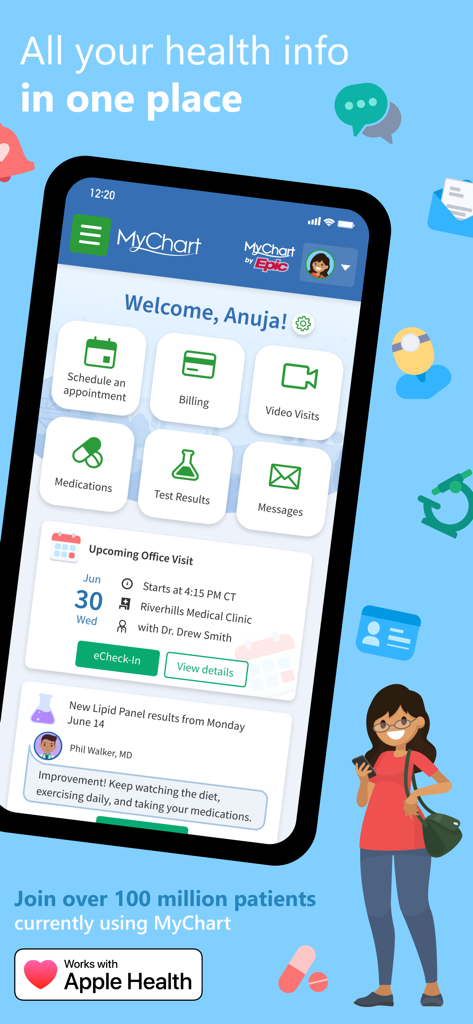
MyChartモバイルアプリのダッシュボード。予約、請求、検査結果などの健康情報管理機能が表示されています。
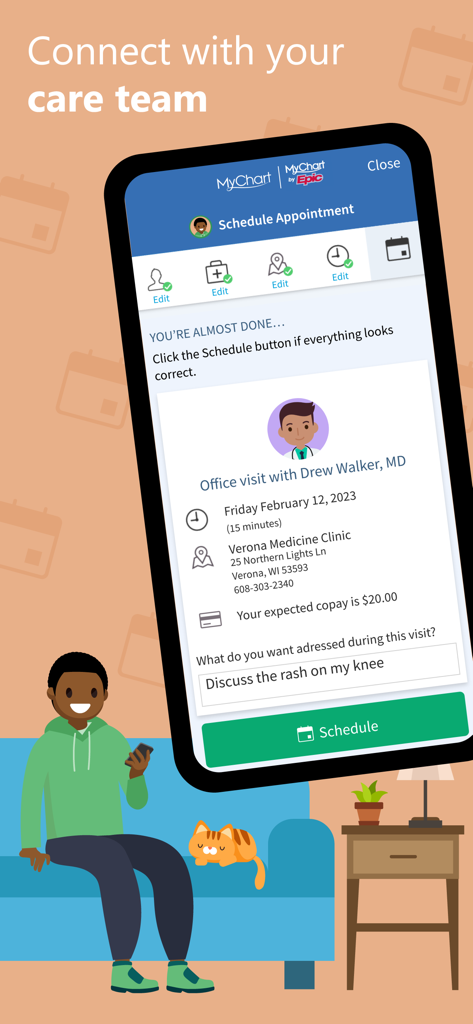
男性がソファに座って携帯電話を使用している、MyChartアプリの予約スケジューリング画面。
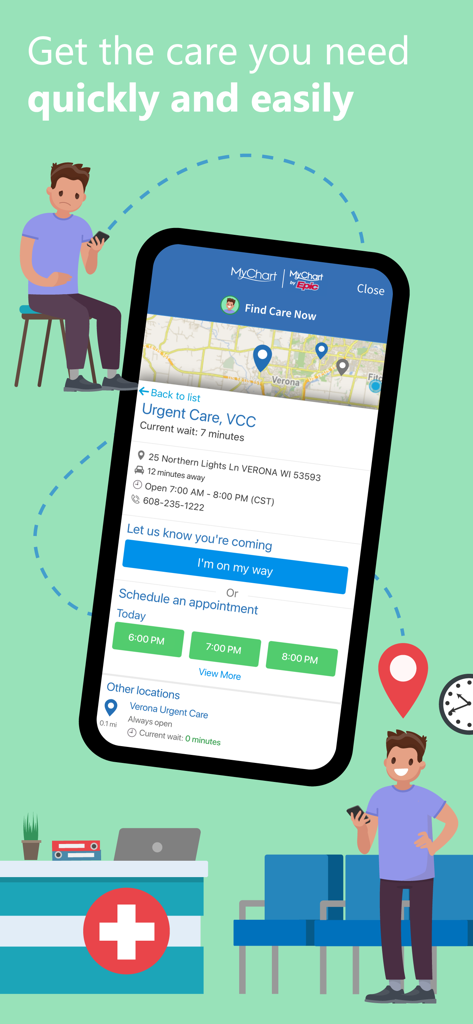
MyChartアプリのスクリーンショット。緊急治療の待ち時間と予約スケジュールのオプションが表示されています。
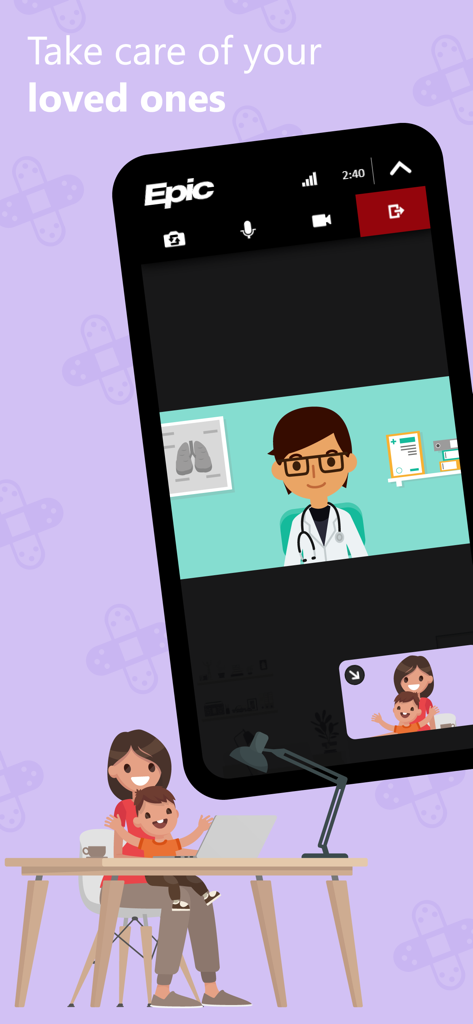
MyChartアプリのインターフェース。母親と子供のための仮想医師の診察が表示されています。
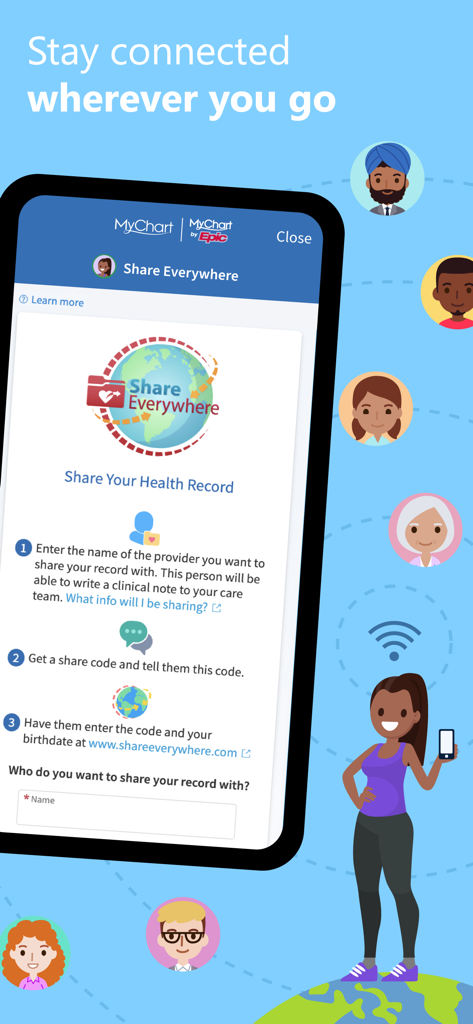
MyChartアプリの画面。医療提供者と医療記録を安全に共有するためのShare Everywhere機能について説明しています。
説明
Download
類似アプリ
似た機能とユーザー体験を持つアプリ

SimplePractice Client Portal
SimplePractice LLC

athenaPatient
athenahealth, Inc.

Kaiser Permanente
Kaiser Permanente

One Medical
One Medical Group, Inc.

Saudi German Health
Saudi German Hospital

NowServing by SeriousMD
LeapFroggr Inc.

Providence
PROVIDENCE HEALTH & SERVICES - WASHINGTON

Mediclinic - ميديكلينيك
MEDICLINIC MIDDLE EAST MANAGEMENT SERVICES FZ LLC

NMC - MyHealth
NMC HEALTHCARE LTD
このページはアプリまたはその開発者の公式ページではなく、情報提供および論評を目的として作成された独立した編集出版物です。明示的に別段の記載がない限り、アプリおよびその開発者は、MWM、Apple、Google Play、アプリのパブリッシャー、またはアプリの開発者と提携、承認、後援、認可、またはその他の公式的な関係はなく、このページのいかなる内容も、アプリがMWMのサービスを使用して開発されたことを意味するものではありません。すべての商標、ロゴ、スクリーンショット、その他のコンテンツはそれぞれの所有者の財産です。