MyQRcards

MyQRcards

ダウンロード: App Store
ロゴ: MyQRcards

MyQRcards:現代のプロフェッショナル向けスマートデジタル名刺

QR、NFC、またはリンク経由で連絡先情報を即座に共有。相手はアプリ不要で、あなたの情報を直接スマホに保存でき、あらゆる繋がりを感動させます。

開発元

SMART-SERVIS, OOO Apps

カテゴリ

Business

ダウンロード

141K+

ユーザー評価

4.6/5

評価数

900

対応言語

2

繋がりの未来

このインターフェースを利用する 141K+ 人のユーザー.

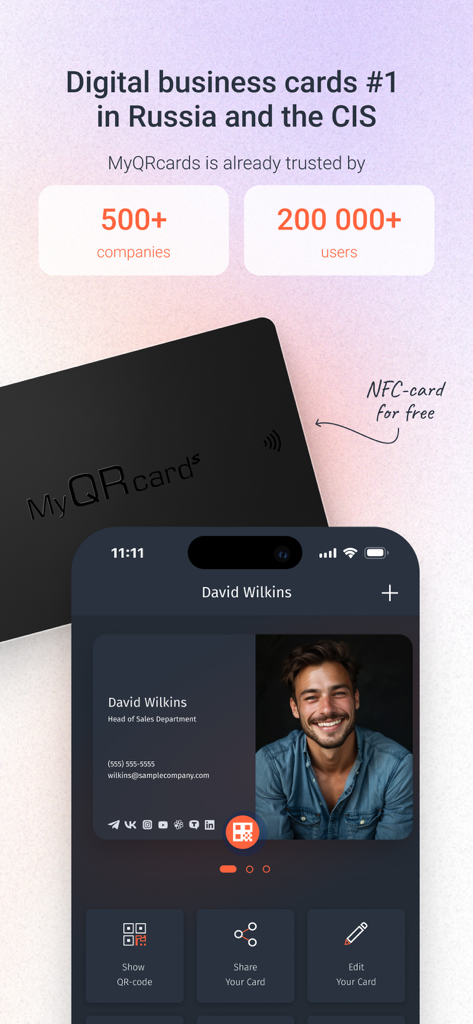
MyQRcardsデジタル名刺プロファイルが表示されたスマートフォンの画面の横に、黒い物理NFCカードが置かれている様子。
MyQRcardsデジタル名刺プロファイルが表示されたスマートフォンの画面の横に、黒い物理NFCカードが置かれている様子。

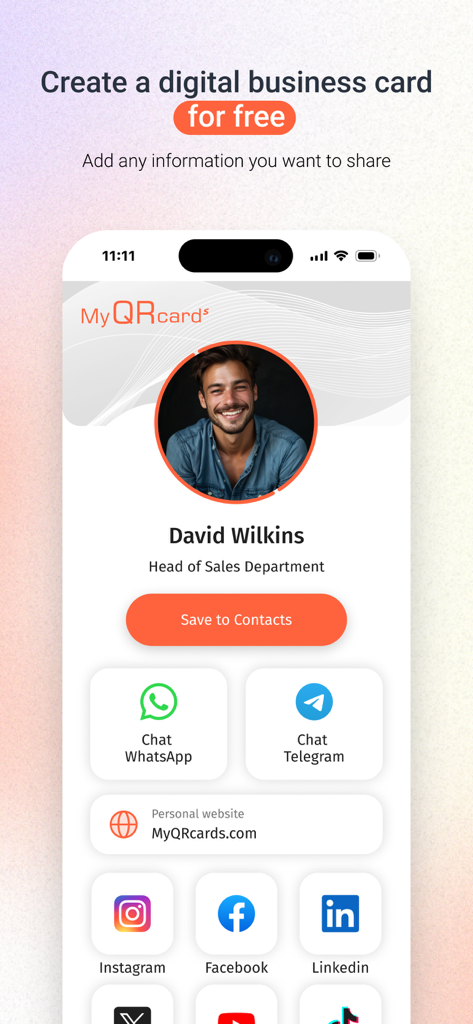
ソーシャルメディアや連絡先リンク付きの営業担当者向けデジタル名刺を表示するMyQRcardsアプリのインターフェース
ソーシャルメディアや連絡先リンク付きの営業担当者向けデジタル名刺を表示するMyQRcardsアプリのインターフェース

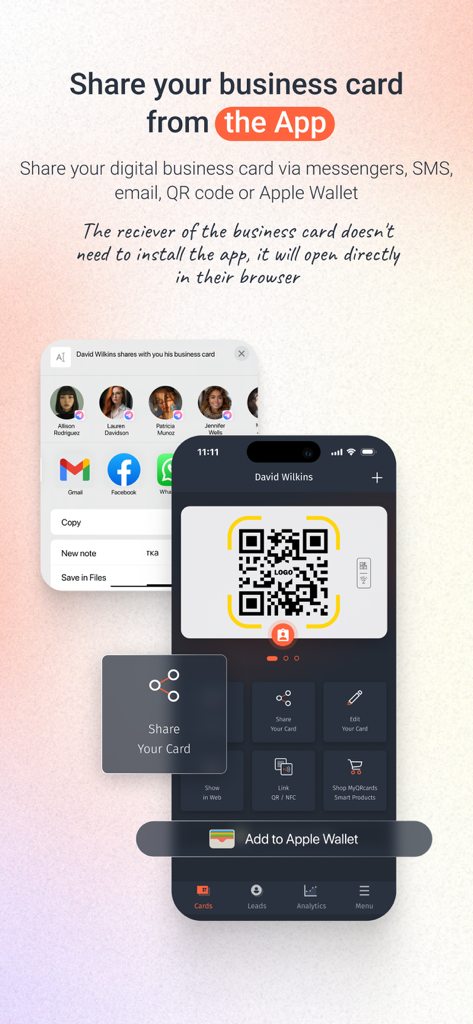
QRコードとApple Wallet経由でデジタル名刺を共有する方法を示すMyQRcardsアプリのインターフェース。
QRコードとApple Wallet経由でデジタル名刺を共有する方法を示すMyQRcardsアプリのインターフェース。

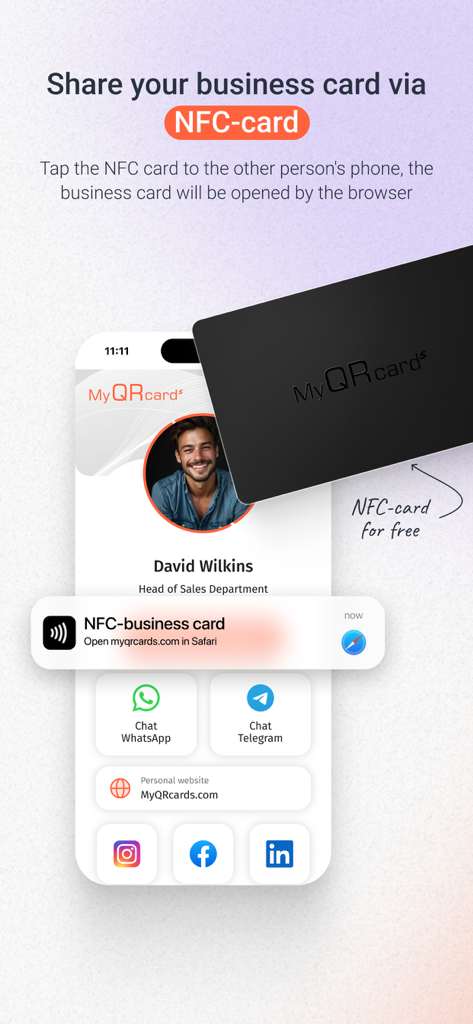
NFCカードをスマートフォンにタップしてデジタル名刺を共有している様子。
NFCカードをスマートフォンにタップしてデジタル名刺を共有している様子。

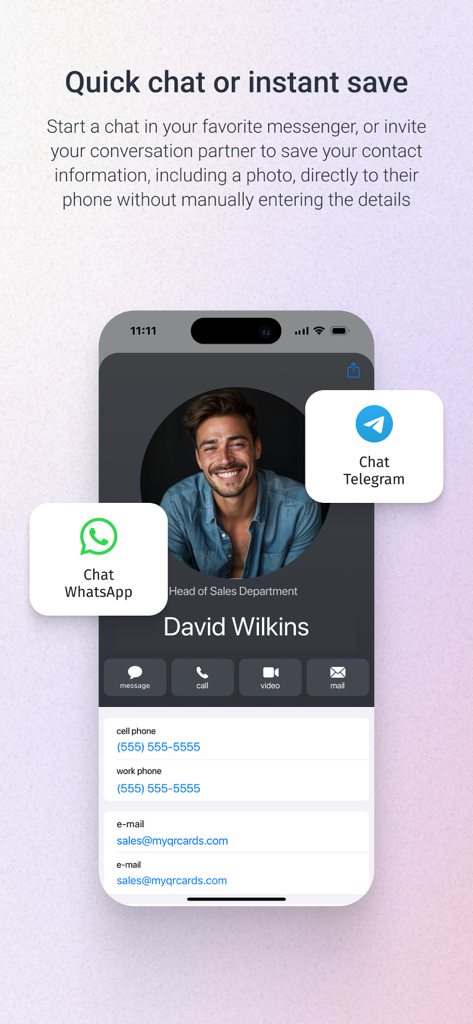
MyQRcardsのWhatsAppとTelegramチャットオプション付きデジタル名刺
MyQRcardsのWhatsAppとTelegramチャットオプション付きデジタル名刺

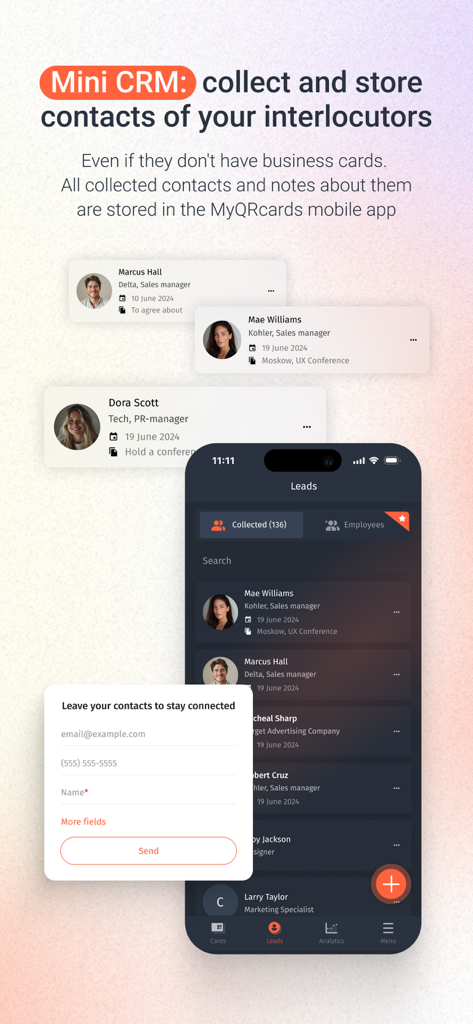
連絡先の収集と保存のためのミニCRM機能を示すMyQRcardsアプリのインターフェース
連絡先の収集と保存のためのミニCRM機能を示すMyQRcardsアプリのインターフェース

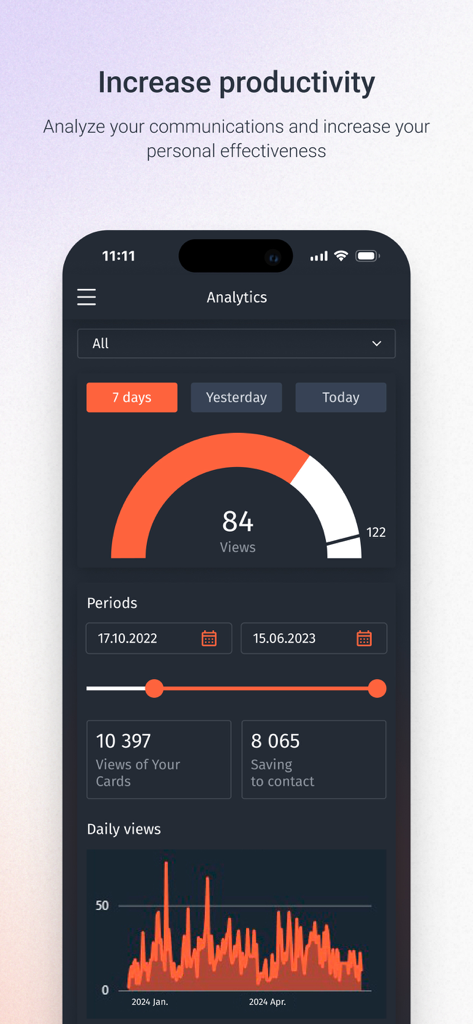
名刺の表示と連絡先の保存統計を示すMyQRcardsの分析ダッシュボード
名刺の表示と連絡先の保存統計を示すMyQRcardsの分析ダッシュボード

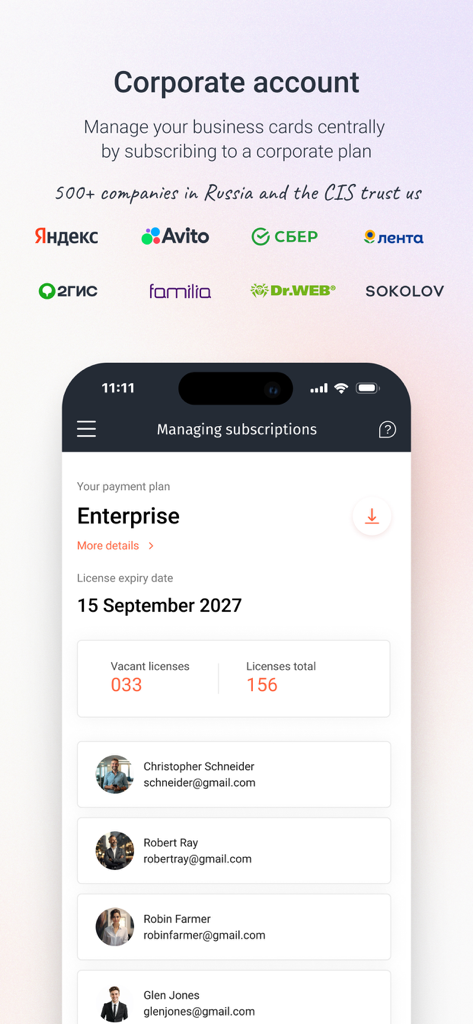
企業アカウントと従業員ライセンスを管理するMyQRcardsアプリのダッシュボードビュー。

企業アカウントと従業員ライセンスを管理するMyQRcardsアプリのダッシュボードビュー。

プロフェッショナルネットワークを未来に対応させる

このアプリを際立たせるツール、 141K+ 人のユーザーが選択.

瞬時にアクセス、摩擦ゼロ

QRまたはNFCで数秒でプロフィールを共有。受信者はアプリをダウンロードせずに、ブラウザで即座にあなたのカードを表示・操作できます。

📥

ワンクリック連絡先同期

紙の名刺が失われる時代は終わりました。「連絡先に保存」ボタンで、あなたの写真と詳細情報が直接相手の電話帳に同期され、忘れられることはありません。

🌐

ハイブリッド対応ネットワーキング

デジタルワークスペースで目立ちましょう。Zoom、Teams、Skypeの背景に独自のQRコードを簡単に追加し、バーチャル会議でのギャップを埋めます。

アプリについて

について知っておくべきこと MyQRcards.

説明

This is a popular application for creating electronic business cards with QR code. Impress everyone! Create electronic business cards directly in the app! Share your business card with one tap: directly in the app, or using a QR-code, or an additional smart medium (NFC-card, NFC-tag, QR/NFC-sticker, QR-badge or desktop sign with an electronic business card). Show the QR-code using the application or just click the button to send the link via SMS, WhatsApp or any other messenger. There is no need for your partner to install the app to read your electronic business card. With our application, you can create one infinite business card without any functional restrictions for personal use for free. The paid version allows you to create up to 10 electronic business cards: various business cards for projects, for business trips, etc. For businesses, we offer flexible tariff plans providing you with the opportunity not only to replace paper-based business cards with electronic ones, but also to manage your employees' business cards through a personal account. You can find more details on the website of our project: MyQRcards.com. Create business cards directly in the app within 30 seconds and share them when meeting someone or online. Add the QR-code from your business card to the conference background by taking a screenshot of the QR-code and placing it in the back in Zoom, Skype or Teams (to do this you need to use any other application where it is possible to insert a QR-code image). FAQ: >How can I share a ‘MyQRcards’ electronic business card? To share an electronic business card, just send the link from the application using any messenger or SMS-services. You can also ask your partner to point the smartphone camera at the QR-code of the business card in the app. The business card will be immediately opened in the browser, from where it’s possible to save it to the contact list by a couple of clicks. Furthermore, you can share your ‘MyQRcards’ electronic business card through an NFC-card, NFC-tag or sticker. >How can I save an electronic business card to a contact list? You can save an electronic business card to your contact list by just a couple of clicks. Each electronic business card has a ‘Save to Contacts’ button. When you click it, the business card will be immediately saved to the phone book. If you open an electronic business card using a PC, then your contact will be saved in the address book of the installed mail program. >Why do I need NFC-cards and QR/NFC-stickers for business cards? In addition to the business card created in the app, you can order a QR or NFC-card, as well as a QR or NFC-sticker made of various materials: soft-touch 3D-plastic, precious woods, metal or carbon (for more details please visit our website: MyQRcards.com). The use of an NFC-card will help you share your business card even without opening an application. Branded ‘MyQRcards’ cards can be linked to any business card an unlimited number of times directly in the app. Benefits of ‘MyQRcards’ electronic business cards - THERE IS NO NEED TO PRINT business cards - NO NEED TO INSTALL THE APPLICATION TO GET YOUR BUSINESS CARD - REDUCED COSTS - THERE IS A GUARANTEE THAT YOUR CONTACT WILL BE SAVED - WHEN YOU SHARE THE BUSINESS CARD AND CALL, A PHOTO WILL BE DISPLAYED - YOU WILL NEVER FORGET TO TAKE A BUSINESS CARD ANYMORE - YOU CAN BUSINESS CARDS JUST BY ONE TOUCH - MULTI-LANGUAGE (ENGLISH OR RUSSIAN) - AN INDIVIDUAL BUSINESS CARD FOR ANY OCCASION: FOR A PROJECT, CONFERENCE, FRIENDS, ETC. - SMART ACCESSORIES AND NFC-CARDS WHICH CAN BE USED IN THE APP - DATA STORAGE IN ACCORDANCE WITH FEDERAL LAW NO. 152: SAFE AND RELIABLE! - THE DATA IN ELECTRONIC BUSINESS CARDS ARE ALWAYS UP-TO-DATE - THE EASIEST WAY TO MAKE CONTACTS - PROTECT NATURE User Agreement and Privacy Policy:  http://www.myqrcards.com/agreement/en https://www.apple.com/legal/internet-services/itunes/dev/stdeula/

最新バージョン

1.13.10

サイズ

105.3 MB

リリース日

2022年1月11日

もう名刺は必要ありません

141,000人以上のプロフェッショナルがスマートにネットワーキング。30秒で無料デジタルカードを作成し、誰とでも共有できます。相手はアプリ不要であなたの情報を保存できます。

ダウンロード: App Store

App information, icons, screenshots, and descriptions displayed on this page are sourced from the Apple App Store and are the property of their respective developers. Download estimates and rankings are based on MWM's proprietary models and may not reflect actual figures. This page is provided for informational and analytical purposes only.

Believe this page infringes your intellectual property? File a dispute