n-Track Tuner Pro
n-Track Tuner Pro
ダウンロード: App Store

このページはアプリまたはその開発者の公式ページではなく、情報提供および論評を目的として作成された独立した編集出版物です。明示的に別段の記載がない限り、アプリおよびその開発者は、MWM、Apple、Google Play、アプリのパブリッシャー、またはアプリの開発者と提携、承認、後援、認可、またはその他の公式的な関係はなく、このページのいかなる内容も、アプリがMWMのサービスを使用して開発されたことを意味するものではありません。すべての商標、ロゴ、スクリーンショット、その他のコンテンツはそれぞれの所有者の財産です。

ロゴ: n-Track Tuner Pro
ダウンロード: App Store

n-Track Tuner Pro

DAWレベルのアルゴリズムのパワーを0.1セントの精度で活用。ステージでもスタジオでも、あらゆる楽器の高度なスペクトラム、ソノグラム、3Dビューでサウンドを視覚化します。

主要数値

ダウンロード

147K+

ユーザー評価

4.7/5

評価数

400

開発元

n-Track S.r.l.

カテゴリ

Music

対応言語

2

最新バージョン

10.3.2

サイズ

66.2 MB

リリース日

2013年6月26日
機能

現代のミュージシャンのためのプログレード精度

高度なn-Track Studioオーディオエンジンを搭載した当社のチューナーは、プロのパフォーマンスやスタジオレコーディングに必要な精度、深度、視覚的フィードバックを提供します。

スタジオレベルの精度

完璧なイントネーションを求める人のために設計されたプログレードアルゴリズムで、驚異的な0.1セントの精度を体験してください。

高度な視覚分析

ニードルを超えて、リアルタイムのスペクトラム、ソノグラム、3Dビューで楽器の倍音と周波数進化を視覚化します。

以下のスクリーンショットと説明は、アプリの公式ストアリスティングから直接取得されたものであり、アプリ開発者の所有物です。

アプリストア

スクリーンショット
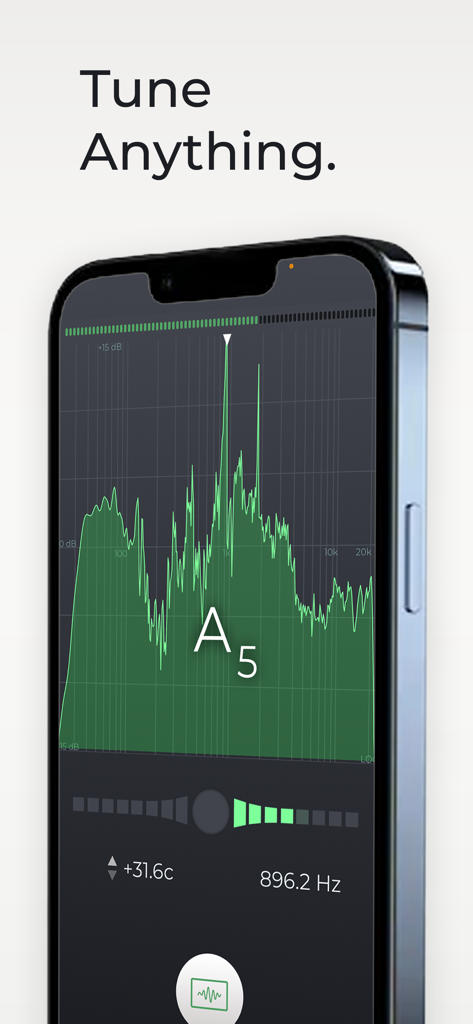
n-Track Tuner Pro - n-Track Tuner Proアプリが楽器のチューニング用にプロフェッショナルなスペクトラムアナライザーインターフェースを表示
n-Track Tuner Proアプリが楽器のチューニング用にプロフェッショナルなスペクトラムアナライザーインターフェースを表示

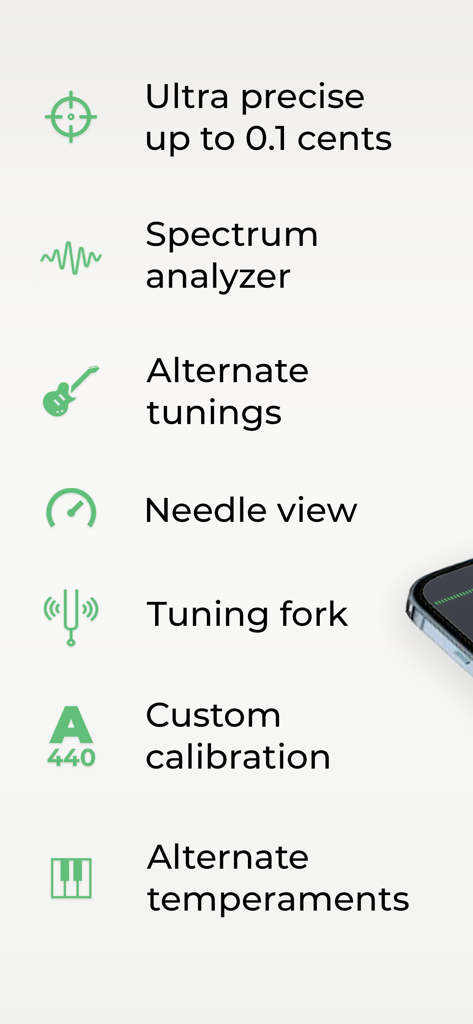
n-Track Tuner Pro - n-Track Tuner Proアプリのプロフェッショナルチューニング機能リスト
n-Track Tuner Proアプリのプロフェッショナルチューニング機能リスト

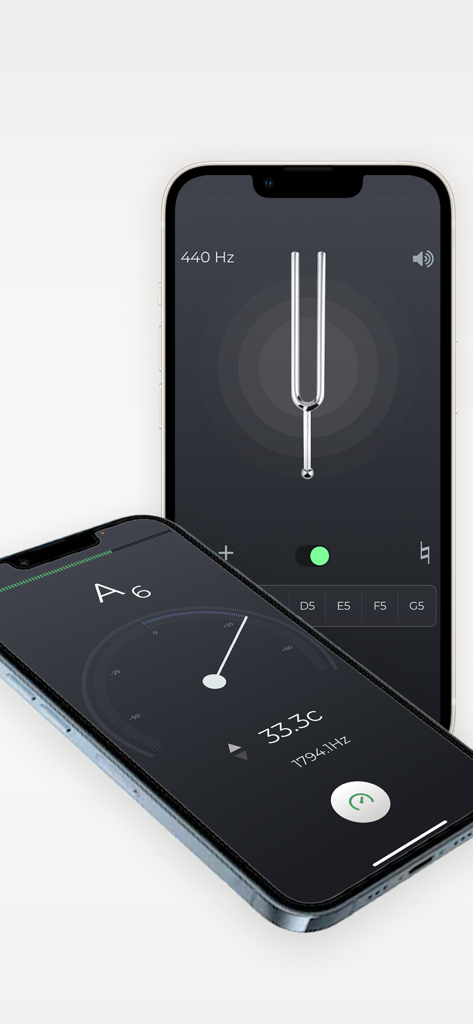
n-Track Tuner Pro - 2台のiPhoneにニードルと音叉モードを表示するプロフェッショナル楽器チューナーアプリインターフェース
2台のiPhoneにニードルと音叉モードを表示するプロフェッショナル楽器チューナーアプリインターフェース

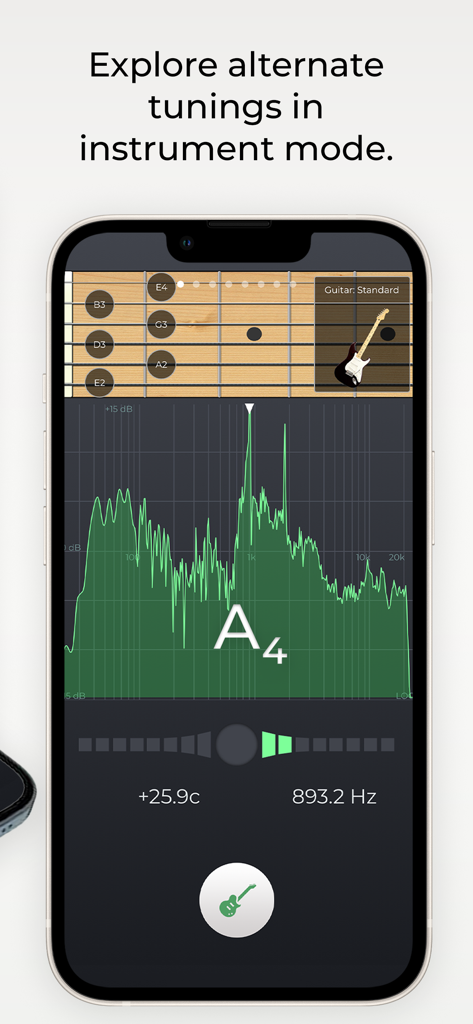
n-Track Tuner Pro - n-Track Tuner Proアプリがギターチューニングを楽器モードで表示し、緑色の周波数スペクトラムアナライザーを表示
n-Track Tuner Proアプリがギターチューニングを楽器モードで表示し、緑色の周波数スペクトラムアナライザーを表示

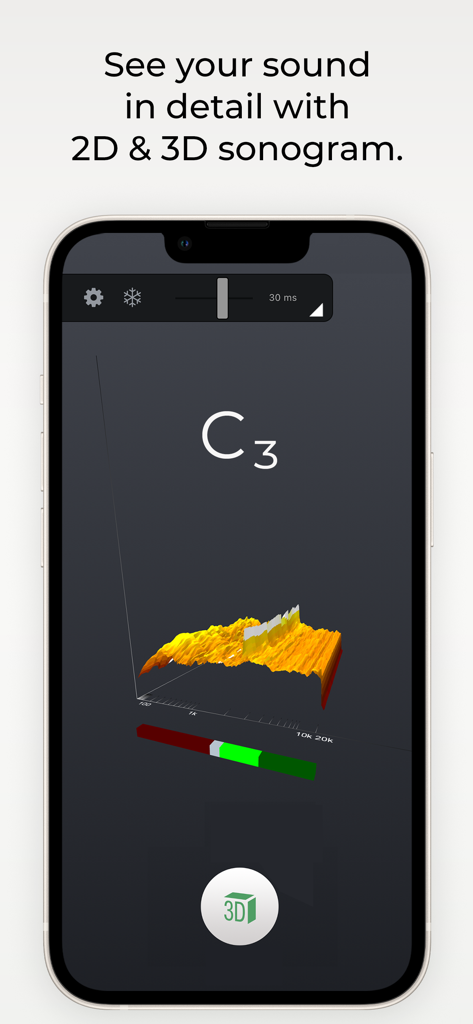
n-Track Tuner Pro - n-Track Tuner Proアプリのオーディオ周波数スペクトラムの3Dソノグラムビジュアライゼーション

n-Track Tuner Proアプリのオーディオ周波数スペクトラムの3Dソノグラムビジュアライゼーション

説明

Tune your guitar, bass or other instruments with n-Track Tuner. Use this tuner in an easy, intuitive and free way with the integrated microphone of your smartphone. Downloaded over 5 million times! Just put your iPhone, iPod Touch or iPad next to your instrument and play each string. High precision and sensitivity thanks to the advanced audio recognition algorithm also used for n-Track Studio 8. n-Track Tuner works great as a guitar tuner, violin, viola, violoncello, bass, piano and wind instruments tuner. NEW: 6 different views: •||| Spectrum Analyzer |||• The spectrum analyzer provides a visual feedback of the notes played by the instrument and shows a small arrow to highlight the harmonic whose pitch the tuner is tracking. •||| Instruments |||• Use the manual mode to select and tune each string according to the selected instrument tuning (guitar, bass, violin, viola, cello, double bass, banjo, ukulele, mandolin, harp, and piano) Get the pro version to unlock all instruments views. •||| Tune Fork |||• For those who prefer to manually tune their instrument the 'Diapason' view lets you play a reference tone, 'A' (440 hz) or any other note that you can select dragging the frequency slider. •||| Needle |||• A handy old style tuner to accurately detect the frequencies of your instrument. •||| Sonogram |||• (PRO feature) The "Sonogram" tab shows how the frequency spectrum evolves with time, and shows how the note that the tuner is following evolves by tracing a green line. •||| 3D view |||• (PRO feature) 3D view lets you follow how the audio spectrum changes over time. ADVANCED FEATURES • adjust tuning sensitivity and precision up to 0.1 cents • western and latin note namings, alternate temperaments • calibrate the tuner for non-standard tunings: tune the reference note, tap on the display and select 'Calibrate' to set the note as the new reference • adjust the spectrum analyzer visualization options, select thicker spectrum lines, smooth out or highlights peaks, increase or decrease spectrum accuracy, zoom into a specific area of the spectrum Contact us: http://ntrack.com/support

Download

ダウンロード: App Store

このページはアプリまたはその開発者の公式ページではなく、情報提供および論評を目的として作成された独立した編集出版物です。明示的に別段の記載がない限り、アプリおよびその開発者は、MWM、Apple、Google Play、アプリのパブリッシャー、またはアプリの開発者と提携、承認、後援、認可、またはその他の公式的な関係はなく、このページのいかなる内容も、アプリがMWMのサービスを使用して開発されたことを意味するものではありません。すべての商標、ロゴ、スクリーンショット、その他のコンテンツはそれぞれの所有者の財産です。







