
このページはアプリまたはその開発者の公式ページではなく、情報提供および論評を目的として作成された独立した編集出版物です。明示的に別段の記載がない限り、アプリおよびその開発者は、MWM、Apple、Google Play、アプリのパブリッシャー、またはアプリの開発者と提携、承認、後援、認可、またはその他の公式的な関係はなく、このページのいかなる内容も、アプリがMWMのサービスを使用して開発されたことを意味するものではありません。すべての商標、ロゴ、スクリーンショット、その他のコンテンツはそれぞれの所有者の財産です。


네이버 - NAVER
本アプリは、ユーザーにデジタル世界の主導権を与え、断片化された体験を一瞬で統一する能力をもたらす。
ダウンロード
12.5M+ユーザー評価
評価数
55.3K開発元
カテゴリ
Reference対応言語
2最新バージョン
12.19.22サイズ
548.2 MBリリース日
2010年10月7日네이버 - NAVER アプリの機能分析
テックアナリストによる主要機能と影響度評価
パーソナライズされたショッピング体験「NAVER Plus Store」
この機能は、ユーザーの買い物履歴と好みに基づいて、特別割引、プロモーション、トレンド商品を提案し、節約と獲得の機会を提供します。パーソナライズされたショッピング体験により、ユーザーは効率的に価値ある取引を見つけることが可能です。
認証・決済・活動履歴の一元管理「MY」
本機能は、認証、決済ツール、予約履歴、お気に入り商品、保存場所など、ユーザーの散らばった活動履歴を一元的に管理することを可能にします。これにより、ユーザーは日常生活における利便性とセキュリティを向上させることができます。
AIを活用した多機能検索「Green Dot」
AI検索ツール「Green Dot」により、ユーザーは画像認識、音楽検索、音声検索、周辺情報検索など、多様な検索機能を活用できます。これにより、日常のあらゆる疑問を効率的かつ手軽に解決することが可能になります。
パーソナライズされた情報を提供する「ホームフィード」
ユーザーは、スポーツ、エンターテイメント、ファッション、テクノロジーなど、自身の興味に合わせた多様なテーマのコンテンツをホーム画面で受け取ることができます。これにより、時間のない中でも効率的に関心のある情報を発見することが可能です。
ショートフォームコンテンツプラットフォーム「クリップ」
本機能を通じて、ユーザーは短い動画や画像を視聴し、また自身で作成して共有することができます。お気に入りのクリエイターをフォローしたり、自身の作品をアーカイブしたりすることで、エンターテイメントと自己表現の両方を楽しむことができます。
最新ニュースと多彩な読物「コンテンツ」
このアプリは、幅広いニュース記事と多様な読み物コンテンツを提供します。ユーザーは最新の情報を手軽に入手し、知的好奇心を満たすための様々な記事を閲覧することが可能です。
よくある質問
について知っておくべきこと 네이버 - NAVER
What is the NAVER app and its main features?
The NAVER app is a mobile-optimized platform offering five distinct content spaces: Home Feed, Clip, Content for news, NAVER Plus Store for shopping, and MY for authentication and activity logs.
How does the NAVER app personalize content for users?
The NAVER app personalizes content through its Home Feed. Users select favorite topics like sports, entertainment, and tech to receive continuous recommendations tailored to their interests.
Can users create their own content within the NAVER app?
Yes, users can create and share content using the NAVER app's Clip feature. This allows them to make short-form videos with photos and videos, and also follow their favorite creators.
What benefits does the NAVER app's Plus Store offer?
The NAVER Plus Store in the NAVER app provides a personalized shopping experience. It offers tailored products, deals, rewards, discounts, and promotions based on individual user preferences and trending items.
What features are available in the NAVER app's MY section?
The MY section in the NAVER app centralizes authentication, payment solutions, and activity logs. Users can view their payment history, order lists, favorite items, and saved locations in one place.
Does the NAVER app have an AI search functionality?
Yes, the NAVER app includes the Green Dot AI Search. This tool offers various functions like image-based searches (Lens), music identification, voice search, and location-based information for nearby places.
What is the recommended iOS version for the NAVER app?
The NAVER app recommends installing it on iOS 16.0 or higher to ensure the best user experience and optimal performance of its features.
How can I get customer support for the NAVER app?
To contact customer support for the NAVER app, users should navigate to the "NAVER app's Settings - Customer Center" menu if they encounter any issues during use.
Does the NAVER app share voice data during speech recognition?
Yes, when speech recognition is used with permission enabled, the NAVER app sends voice data to Apple. This is in accordance with Apple's policies, and no other information is transmitted.
以下のスクリーンショットと説明は、アプリの公式ストアリスティングから直接取得されたものであり、アプリ開発者の所有物です。
アプリストア
スクリーンショット
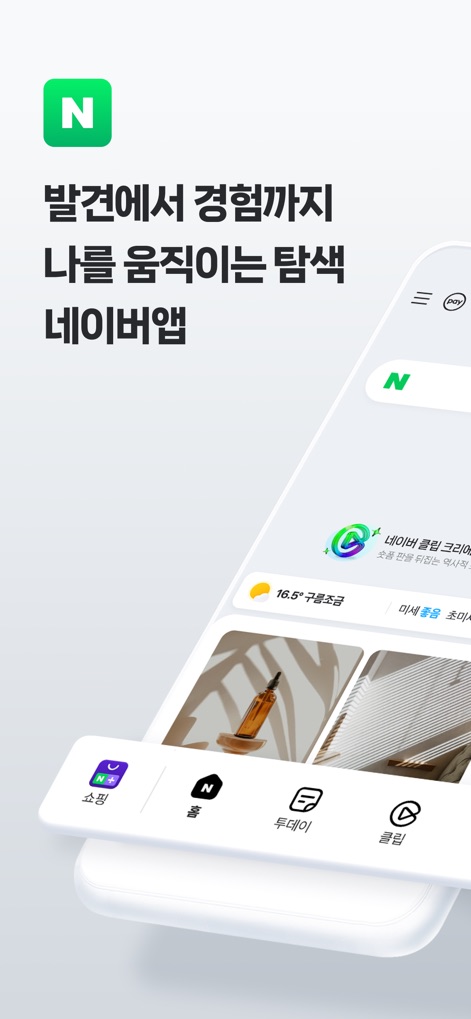
パーソナル検索体験
このアプリのホーム画面では、上部に統合された検索バーが配置され、ユーザーは関心のあるコンテンツフィードをすぐに発見できます。
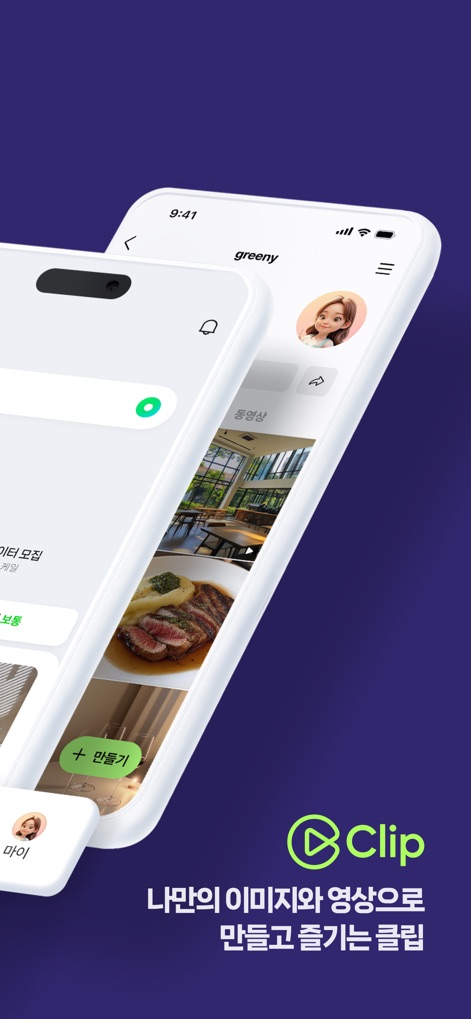
クリップ作成・共有
「クリップ」機能では、ユーザーが画像や動画を簡単に投稿でき、「+ 作成」ボタンを通じて特別な瞬間を表現する場を提供します。
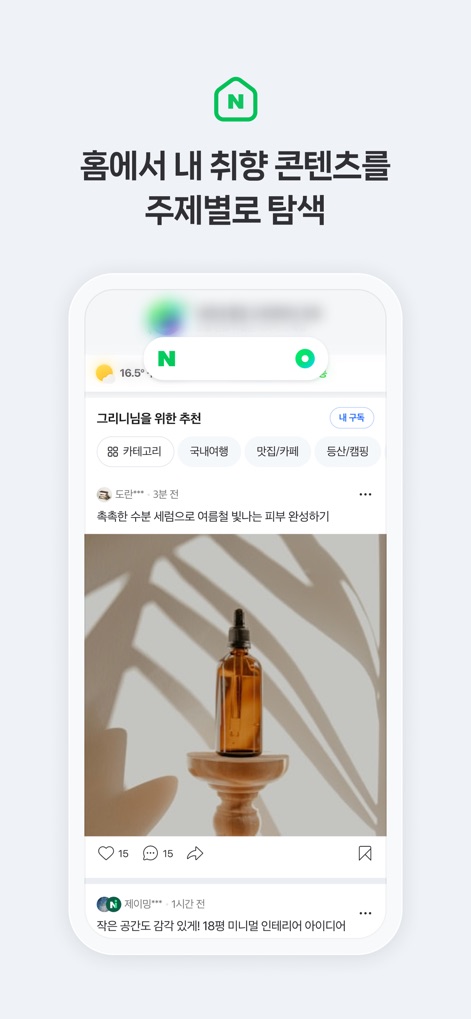
興味別コンテンツ
ホームフィードでは、ユーザーは「国内旅行」や「カフェ/レストラン」といったカテゴリから興味のあるトピックを選択でき、パーソナライズされたコンテンツカードが表示されます。
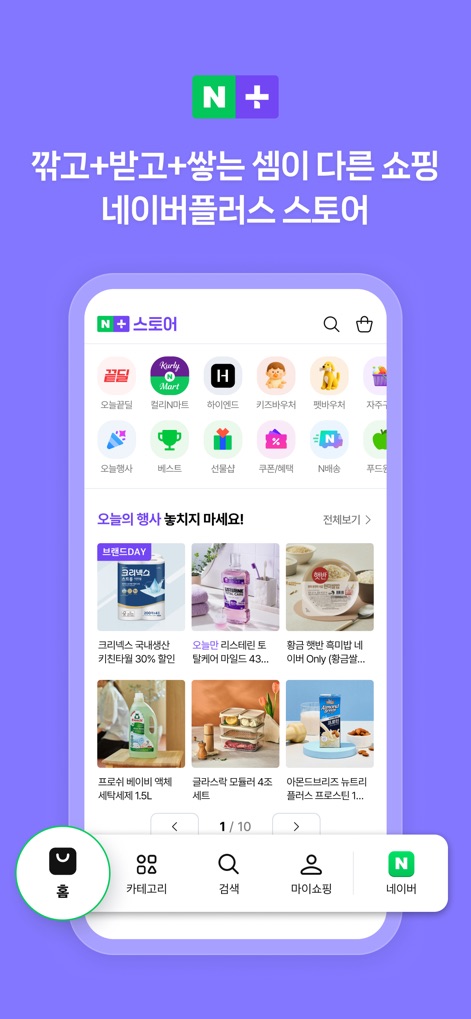
お得なショッピング
NAVERプラスストアでは、ユーザーは多様な商品カテゴリのアイコンで商品を検索でき、「今日のイベント」セクションから魅力的な割引オファーを把握できます。
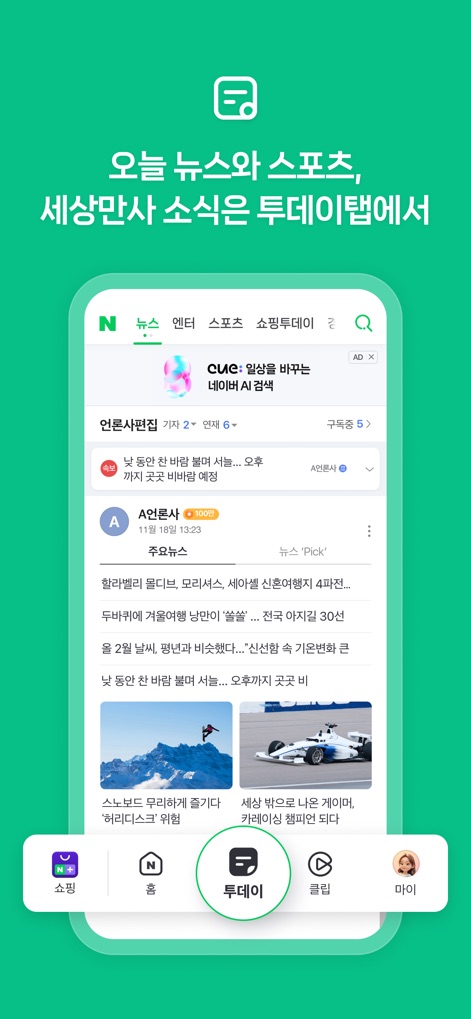
最新ニュース閲覧
「トゥデイ」機能では、ユーザーは「ニュース」「エンターテイメント」などのタブでニュースを閲覧でき、最新のヘッドラインと関連画像がフィードに表示されます。
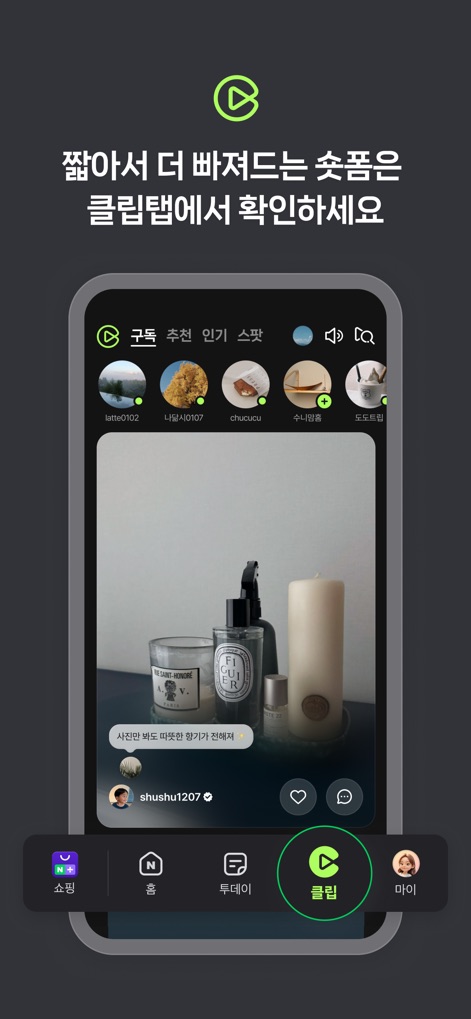
没入型ショート動画
クリップタブでは、ユーザーは没入感のある全画面ショート動画を視聴でき、いいねやコメント、共有などのインタラクティブなボタンでコンテンツに関与できます。
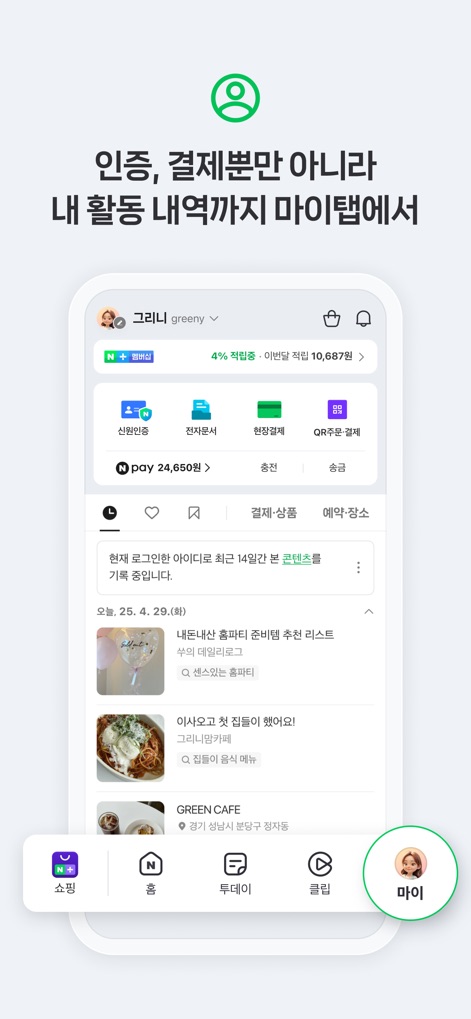
活動履歴管理
「マイ」タブでは、ユーザーは「N Pay」などの統合された認証・決済ツールにアクセスでき、購入履歴や「お気に入り商品」といった個人活動履歴を一元的に管理できます。
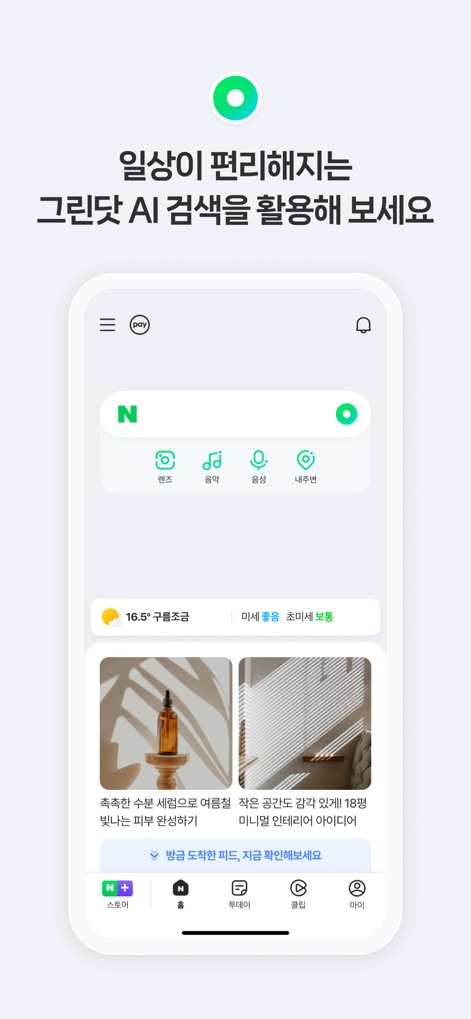
スマートAI検索
グリーン닷AI検索は、「レンズ」や「音声」などの多様な検索モードを提供し、ユーザーはN Payアイコンから支払い機能へ素早くアクセスできます。
説明
Download
類似アプリ
似た機能とユーザー体験を持つアプリ

遠傳心生活
Far Eastone Telecommunications Co., Ltd.

DBS PayLah!
DBS Bank Ltd

The Club
Hong Kong Telecommunications Limited

MySafaricom App
Safaricom Limited

MyJio: For Everything Jio
JIO PLATFORMS LIMITED

Vivo
VIVO

WEB.DE - Mail, Cloud & News
1&1 Mail & Media GmbH

Мой О! + Банк
NUR Telekom, OsOO

Claro Pay
Speedy Movil S.A. de C.V.
このページはアプリまたはその開発者の公式ページではなく、情報提供および論評を目的として作成された独立した編集出版物です。明示的に別段の記載がない限り、アプリおよびその開発者は、MWM、Apple、Google Play、アプリのパブリッシャー、またはアプリの開発者と提携、承認、後援、認可、またはその他の公式的な関係はなく、このページのいかなる内容も、アプリがMWMのサービスを使用して開発されたことを意味するものではありません。すべての商標、ロゴ、スクリーンショット、その他のコンテンツはそれぞれの所有者の財産です。