Noonlight: Feel Protected 24/7
ダウンロード: App Store

このページはアプリまたはその開発者の公式ページではなく、情報提供および論評を目的として作成された独立した編集出版物です。明示的に別段の記載がない限り、アプリおよびその開発者は、MWM、Apple、Google Play、アプリのパブリッシャー、またはアプリの開発者と提携、承認、後援、認可、またはその他の公式的な関係はなく、このページのいかなる内容も、アプリがMWMのサービスを使用して開発されたことを意味するものではありません。すべての商標、ロゴ、スクリーンショット、その他のコンテンツはそれぞれの所有者の財産です。


ロゴ: Noonlight: Feel Protected 24/7
ダウンロード: App Store

Noonlight: Feel Protected 24/7

Noonlightは、ボタン一つで究極の自衛手段を提供し、不安な状況を即座に制御する力をユーザーに与えます。

主要数値

ダウンロード

2.5M+

ユーザー評価

4.7/5

評価数

18.9K

開発元

Noonlight, Inc.

カテゴリ

Lifestyle

対応言語

1

最新バージョン

2.19.3

サイズ

110.8 MB

リリース日

2013年10月5日
機能

テックアナリストによる主要機能評価

アプリ 'Noonlight: Feel Protected 24/7' の分析

長押しによる緊急通報機能

緊急時にボタンを離すだけで、速やかに警察に通知されます。これにより、ユーザーは目立たずに支援を要請でき、特に危険な状況下で非常に有効です。

自動衝突検知と通報

ユーザーが自動車事故に遭った場合、携帯電話のセンサーが自動的に検知し、緊急対応機関に連絡します。これにより、意識を失った場合でも迅速な救助が可能になります。

緊急時のリアルタイム位置追跡

緊急事態発生時、ユーザーが移動中であっても、常に現在位置を追跡し、緊急対応機関に共有します。これにより、救助隊は常に正確な場所を把握し、迅速に到着できます。

以下のスクリーンショットと説明は、アプリの公式ストアリスティングから直接取得されたものであり、アプリ開発者の所有物です。

アプリストア

スクリーンショット
Noonlight: Feel Protected 24/7 - null

Noonlight: Feel Protected 24/7 - null

Noonlight: Feel Protected 24/7 - null

Noonlight: Feel Protected 24/7 - null

Noonlight: Feel Protected 24/7 - null

Noonlight: Feel Protected 24/7 - null

Noonlight: Feel Protected 24/7 - null

Noonlight: Feel Protected 24/7 - null

Noonlight: Feel Protected 24/7 - null

Noonlight: Feel Protected 24/7 - null

説明

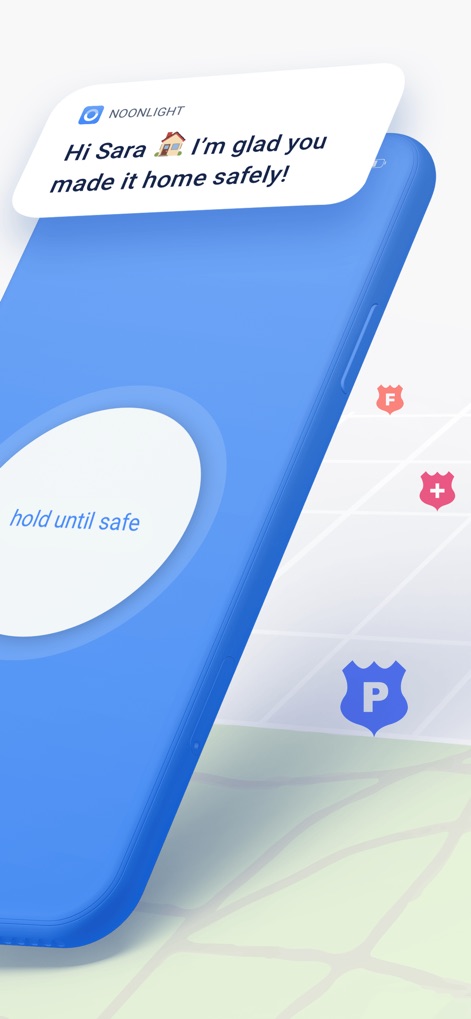
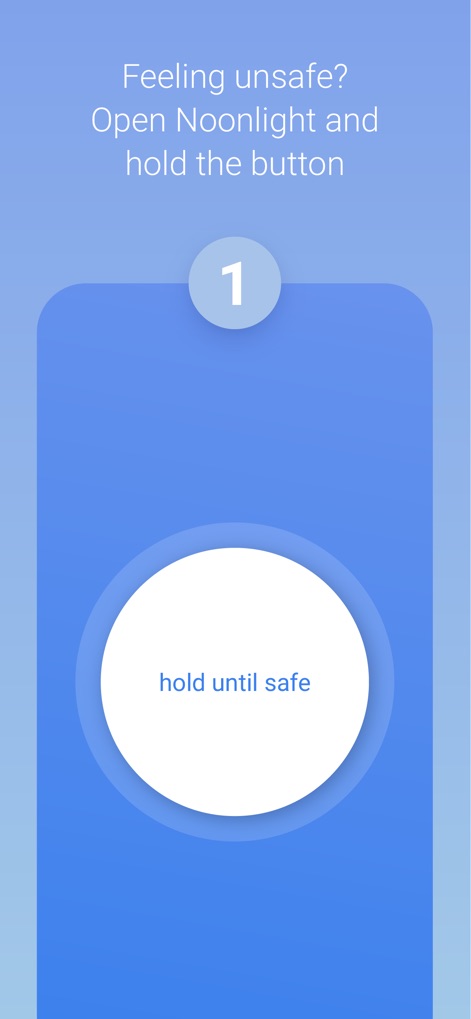
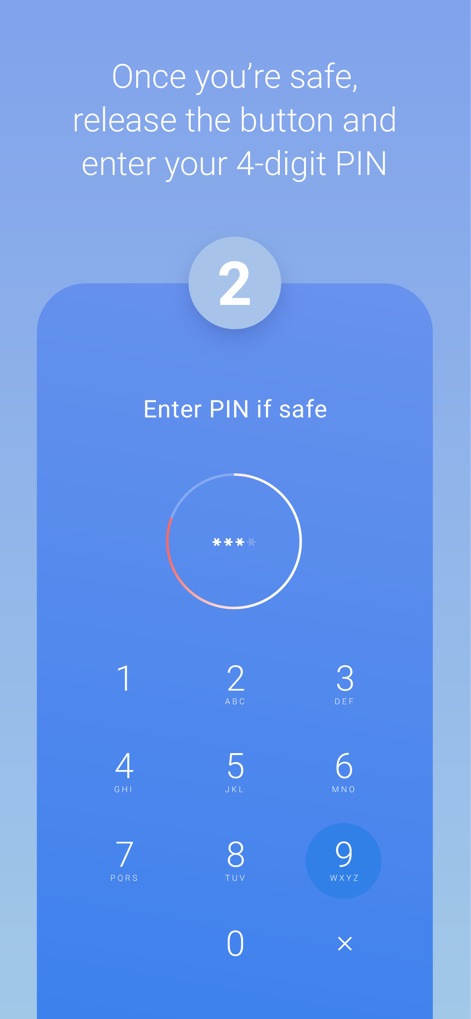
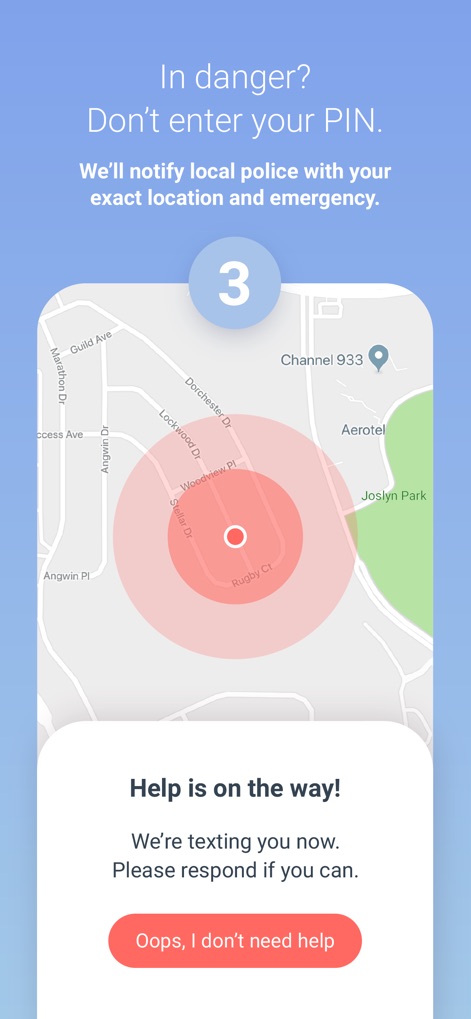
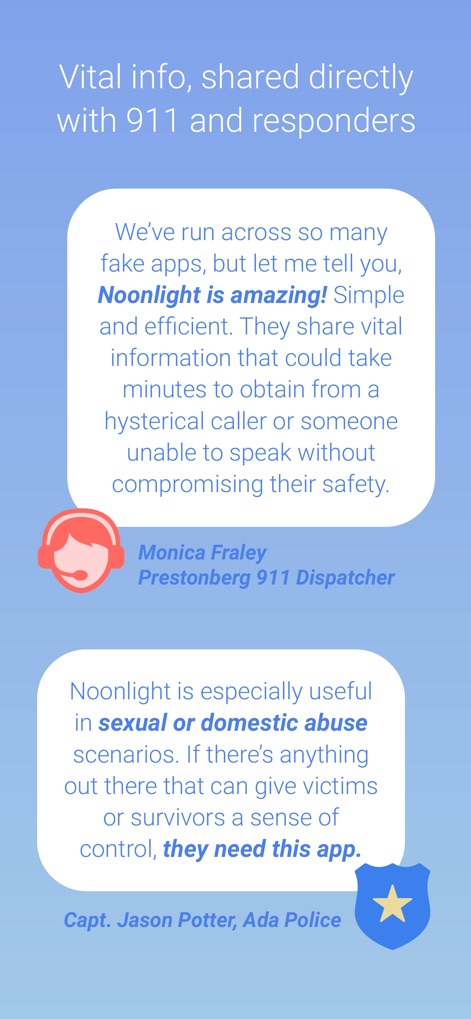
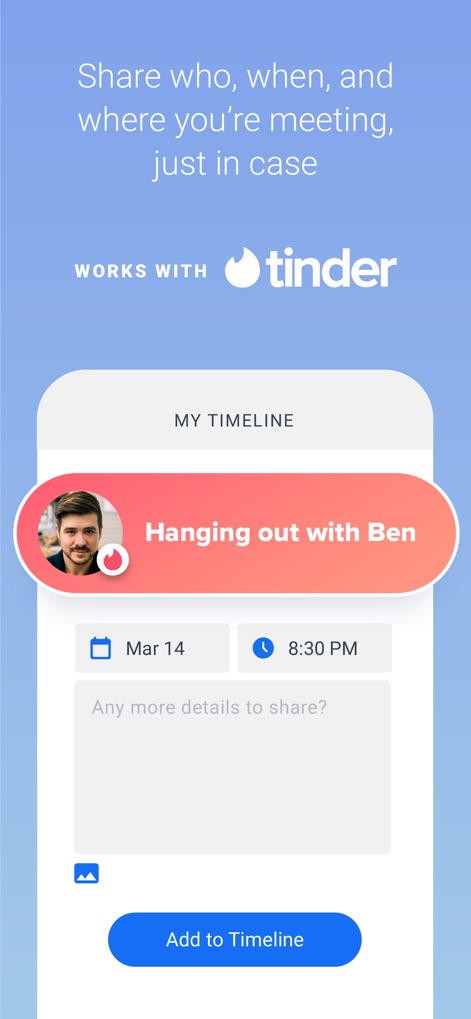
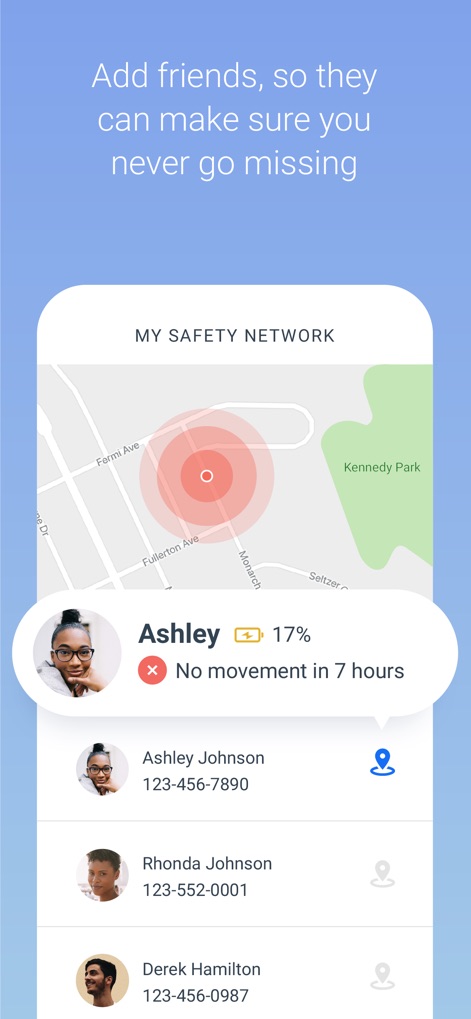
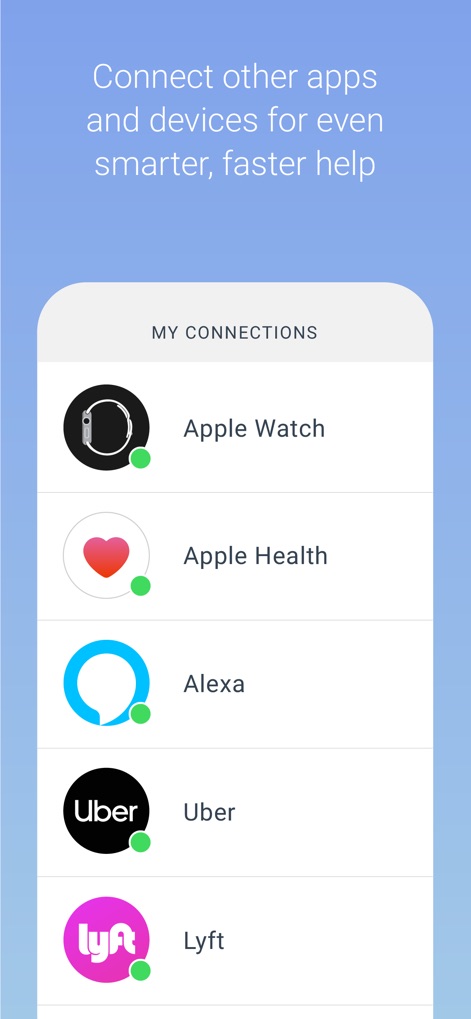
Have you ever been in a situation where you question whether it’s dangerous enough to call 911? Instead of worrying yourself with indecision, use Noonlight. Noonlight uses advanced technology to get emergency help to your exact location with just the release of a button. It can be used in moments where you simply feel unsafe, as well as moments where you need immediate emergency help. Here’s how simple it is: 1. Press and hold the button whenever you feel uneasy. 2. Release the button when you have reached your home, car, or a safe destination and enter your 4-digit pin. 3. In danger? Simply release the button and do not enter your pin. Your local police will be notified of your location and emergency. Free Features: • Meeting a stranger? See something suspicious? Simply add information to your Timeline and we’ll share important details with first responders in an emergency. • We’ve partnered with Tinder to provide backup on your next date! Share details about who you’ll be meeting to your timeline, directly from the Tinder app. Or add a ‘Protected by Noonlight’ badge to your Tinder chat threads so everyone will know we have your back. • Prefer texting? If you can’t talk in an emergency, you can still communicate with us via text. • Can’t text or talk? No worries, we’re still sending help to your exact location. • On the move? We update your location even if you’re in a taxi, bus, running, or walking. • On-call team of friendly, certified dispatchers ready 24/7/365 to get you help. Instant Access Features: • Automatic Crash Response: Using the accelerometer, GPS, and gyroscope on your phone, Noonlight can detect if you’ve been in a car accident and automatically send first responders. • In a panic? Add the Noonlight widget to “Send help!” directly from your lock screen. • Apple Watch: Get emergency help from your wrist. In an emergency, tap “Send help!” to trigger an alarm. We’ll text and call to verify you need help. If you’re unable to answer, we’ll still send help to your location. • Wear OS: Get emergency help from your wrist using timer or panic mode. In an emergency, tap Trigger Alarm. Or Set Timer, and we’ll send help if you don’t enter your PIN when time’s up. • Connect the Apple Health app so first responders have more info to better help you in an emergency. • Connect your Lyft or Uber account to send your trip and driver information to first responders when you trigger a Noonlight alarm. • IFTTT Integrations: From home security to voice commands, Noonlight can send smarter, faster help in an emergency. If you choose to upgrade to Noonlight Instant Access, you’ll get unlimited access to all safety features and integrations. Payment will be charged to your iTunes account at confirmation of purchase, and will automatically renew at the end of each monthly period. You can turn off auto-renewal at any time from your account settings, but refunds will not be provided for any unused portion of the current period. Please note, if you wish to avoid auto-renewal, you must turn it off at least 24 hours prior to the end of the current period. We take the satisfaction and safety of our customers very seriously. Please check out our reviews to see how Noonlight is helping people just like you! Noonlight's Terms of Use: https://noonlight.com/terms Noonlight's Privacy Policy: https://noonlight.com/privacy Note: Continued use of GPS running in the background can dramatically decrease battery life. Noonlight will only use your GPS location in the background if you have an active alert, or if you've enabled Safety Network or crash detection.

Download

ダウンロード: App Store

このページはアプリまたはその開発者の公式ページではなく、情報提供および論評を目的として作成された独立した編集出版物です。明示的に別段の記載がない限り、アプリおよびその開発者は、MWM、Apple、Google Play、アプリのパブリッシャー、またはアプリの開発者と提携、承認、後援、認可、またはその他の公式的な関係はなく、このページのいかなる内容も、アプリがMWMのサービスを使用して開発されたことを意味するものではありません。すべての商標、ロゴ、スクリーンショット、その他のコンテンツはそれぞれの所有者の財産です。