NovelVoice - Novels read aloud
ダウンロード: App Store

このページはアプリまたはその開発者の公式ページではなく、情報提供および論評を目的として作成された独立した編集出版物です。明示的に別段の記載がない限り、アプリおよびその開発者は、MWM、Apple、Google Play、アプリのパブリッシャー、またはアプリの開発者と提携、承認、後援、認可、またはその他の公式的な関係はなく、このページのいかなる内容も、アプリがMWMのサービスを使用して開発されたことを意味するものではありません。すべての商標、ロゴ、スクリーンショット、その他のコンテンツはそれぞれの所有者の財産です。


ロゴ: NovelVoice - Novels read aloud
ダウンロード: App Store

NovelVoice - Novels read aloud

AO3、Wattpad、Royal Roadのお気に入りの物語をハンズフリーで一気読み。運転中、ワークアウト中、目を休めている間にニッチな文学を楽しむための、通勤者や学生向けの究極の「ライフハック」です。

主要数値

ダウンロード

60K+

ユーザー評価

4.1/5

評価数

500

開発元

Kazuhiro Yamada

カテゴリ

Books

対応言語

8

最新バージョン

21.3.0

サイズ

94.0 MB

リリース日

2015年12月2日
機能

お気に入りの物語をハンズフリーで一気読み

Wattpad、Royal Road、AO3の何千もの章を高品質なオーディオブックに変換。通勤、ジム、または一日の終わりに目を休めるのに最適です。

シームレスな自動ページ送り

没入感を損なうことはありません。アプリが自動的に次の章を検出し読み込むため、運転中や作業中も携帯電話に触れることなく聴き続けることができます。

高速な読書効率

最大2.0倍の再生速度調整と、お好みのジャンルに合わせたカスタマイズされた音声トーンで、2,000話の読書リストを効率よく消化しましょう。

以下のスクリーンショットと説明は、アプリの公式ストアリスティングから直接取得されたものであり、アプリ開発者の所有物です。

アプリストア

スクリーンショット
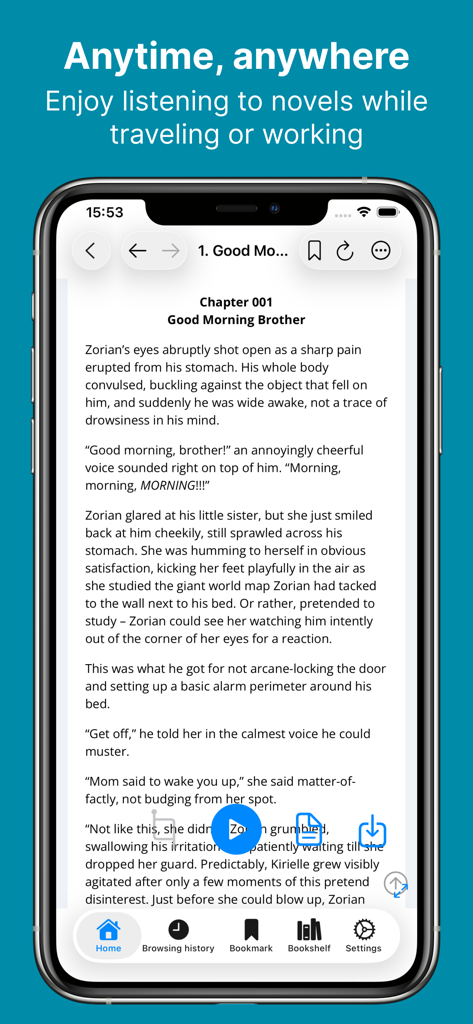
NovelVoice - Novels read aloud - Web小説の章と音声ナレーション用の再生ボタンが表示された、NovelVoiceアプリのインターフェースを示すスマートフォンの画面
Web小説の章と音声ナレーション用の再生ボタンが表示された、NovelVoiceアプリのインターフェースを示すスマートフォンの画面

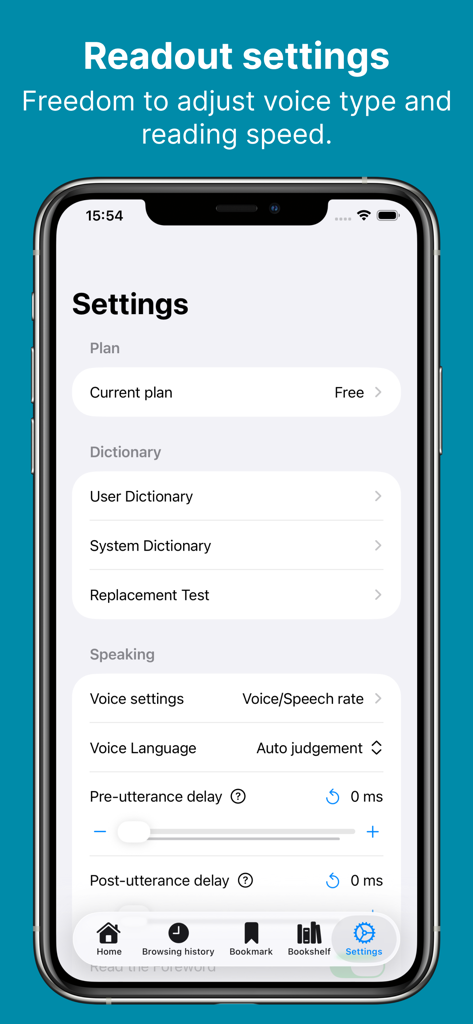
NovelVoice - Novels read aloud - 音声のカスタマイズと話速の調整を表示する、NovelVoiceアプリの設定メニュー
音声のカスタマイズと話速の調整を表示する、NovelVoiceアプリの設定メニュー

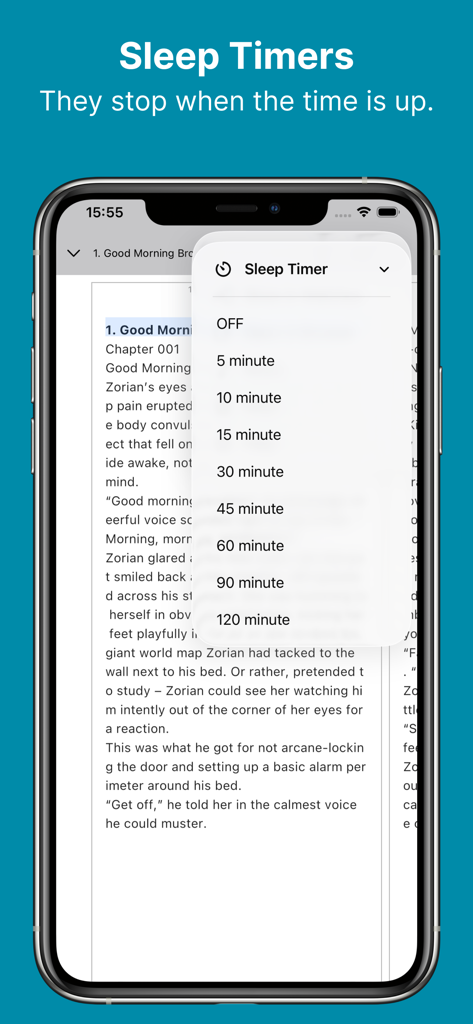
NovelVoice - Novels read aloud - Web小説の章の上に、時間の選択肢があるスリープタイマーメニューが表示されたNovelVoiceアプリのインターフェース
Web小説の章の上に、時間の選択肢があるスリープタイマーメニューが表示されたNovelVoiceアプリのインターフェース

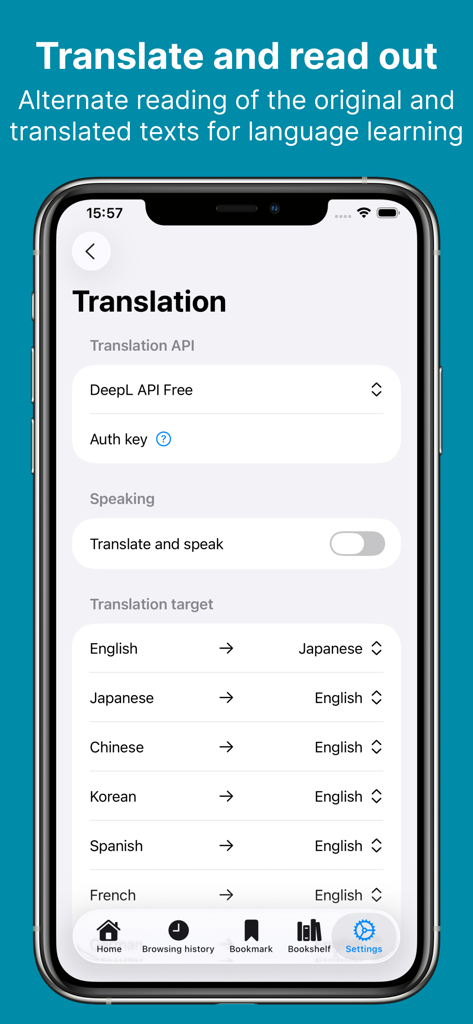
NovelVoice - Novels read aloud - 言語学習オプションとDeepL連携を表示する、NovelVoiceアプリの翻訳設定画面
言語学習オプションとDeepL連携を表示する、NovelVoiceアプリの翻訳設定画面

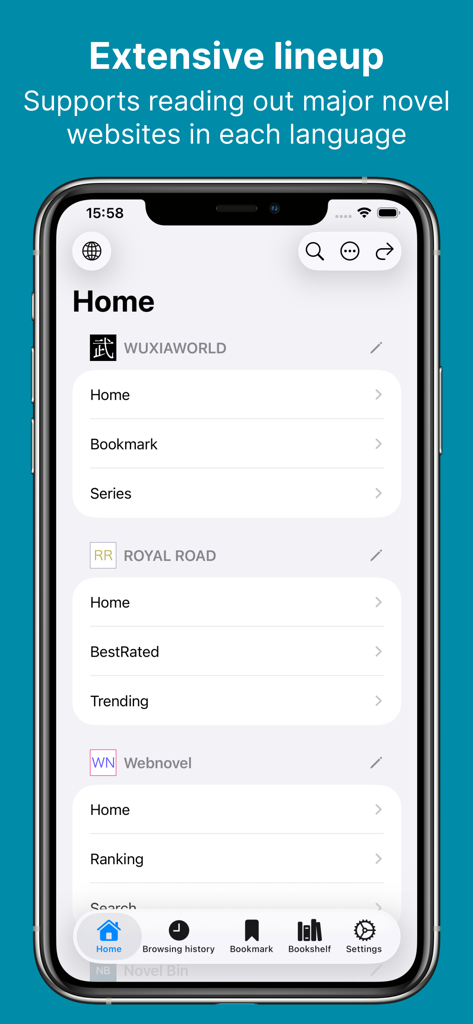
NovelVoice - Novels read aloud - WuxiaworldやRoyal Roadを含む、サポートされているWeb小説サイトのリストが表示されたNovelVoiceアプリのホーム画面
WuxiaworldやRoyal Roadを含む、サポートされているWeb小説サイトのリストが表示されたNovelVoiceアプリのホーム画面

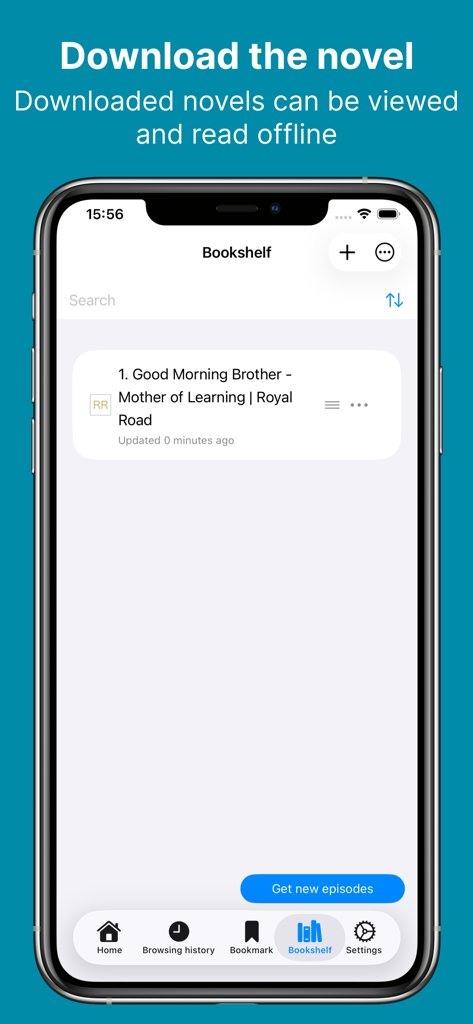
NovelVoice - Novels read aloud - オフライン読書用にダウンロードされた小説が表示されているNovelVoiceアプリの本棚
オフライン読書用にダウンロードされた小説が表示されているNovelVoiceアプリの本棚

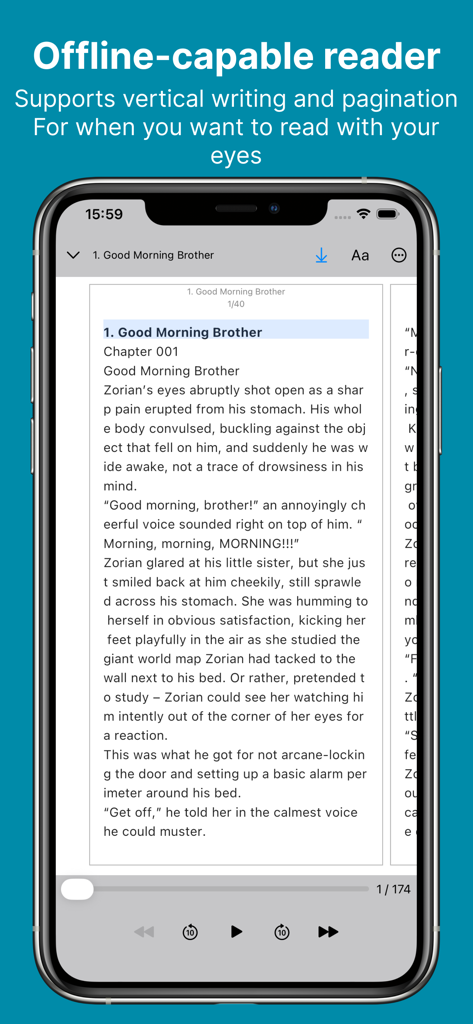
NovelVoice - Novels read aloud - Web小説用のオフライン対応リーダーを表示するNovelVoiceアプリのインターフェース

Web小説用のオフライン対応リーダーを表示するNovelVoiceアプリのインターフェース

説明

You can listen to novels posted on web novel sites. You can enjoy novels on the move or while working, and your eyes will not get tired. # How to Listen to the Novel - Tap the link to the novel site from the home page. - In WebView, navigate to the novel's episode page and tap ▷. # Recommended for situations like this - On a commuter train where it's hard to take out your phone. - When you're driving. - During housework or work when both hands are busy. - While working out or running at the gym. - Relaxing before bedtime. - Use the translation function for language learning. # Useful Features - Adjustment of voice type and height - Adjustment of reading speed - Automatic page forwarding (if there is a link to the next story on the page, after the reading of the page is completed, it automatically moves to the next story and reads it out loud) - User dictionary - Sleep timer - Browsing history - Bookmarks - Translation(DeepL) - Download the novel (you can browse and read offline) - File import (txt/pdf/epub/zip) - You can import from the menu on the Bookshelf tab. - Backup/Restore - Music player - HTML parser can be configured for unsupported novel sites # Supported Novel Sites - Wuxiaworld - Royal Road - Webnovel - NovelBin - Creative Novels - MoonQuill - Inkitt - wattpad - Scribble Hub - Inkspired - Archive of Our Own - Grimms' fairy tales - Wikisource - Project Gutenberg - Volare Novels - Asian Hobbyist - Genesis Translations - Galaxy Translations - TRAVIS Translations - Fantasy World Online - Foxaholic - Moonlight Novels - NovelBin - Ranobes - NovelFull - FictionPress # Terms and Policies - https://shinagawa.app/listen-to-novels/terms-and-conditions/ - https://shinagawa.app/listen-to-novels/privacy-policy/

Download

ダウンロード: App Store

このページはアプリまたはその開発者の公式ページではなく、情報提供および論評を目的として作成された独立した編集出版物です。明示的に別段の記載がない限り、アプリおよびその開発者は、MWM、Apple、Google Play、アプリのパブリッシャー、またはアプリの開発者と提携、承認、後援、認可、またはその他の公式的な関係はなく、このページのいかなる内容も、アプリがMWMのサービスを使用して開発されたことを意味するものではありません。すべての商標、ロゴ、スクリーンショット、その他のコンテンツはそれぞれの所有者の財産です。








