
このページはアプリまたはその開発者の公式ページではなく、情報提供および論評を目的として作成された独立した編集出版物です。明示的に別段の記載がない限り、アプリおよびその開発者は、MWM、Apple、Google Play、アプリのパブリッシャー、またはアプリの開発者と提携、承認、後援、認可、またはその他の公式的な関係はなく、このページのいかなる内容も、アプリがMWMのサービスを使用して開発されたことを意味するものではありません。すべての商標、ロゴ、スクリーンショット、その他のコンテンツはそれぞれの所有者の財産です。

NuRack Auv3 FX Processor
80以上のビルディングブロックでカスタム信号チェーンをデザインし、独自のプロインターフェースを作成して、iPadで究極のクリエイティブな自由を体験しましょう。
ダウンロード
14K+ユーザー評価
評価数
100開発元
カテゴリ
Music対応言語
1最新バージョン
1.51サイズ
27.7 MBリリース日
2020年6月26日究極のモジュラーサウンドラボ
80以上のモジュラービルディングブロックでカスタム信号チェーンをデザインし、あなたのクリエイティブワークフローに合わせたプロレベルのインターフェースを作成しましょう。
80以上のモジュラービルディングブロック
モジュレーション、スペクトル、MIDIエフェクトをチェーン化して、標準プラグインでは不可能なユニークなサウンドを作り出しましょう。
カスタムインターフェースビルダー
配線を非表示にし、カスタムラベルとロゴを備えた美しく整理されたダッシュボードをデザインして、集中したパフォーマンスを実現します。
よくある質問
について知っておくべきこと NuRack Auv3 FX Processor
NuRack Auv3 FX Processorとは何ですか?
NuRack Auv3 FX Processorは、AUv3ベースのマルチチャンネルオーディオおよびMIDIエフェクトプロセッサです。80種類以上のビルディングブロックを使用してカスタムエフェクトを設計し、複雑なオーディオパスのルーティングを制御できます。
NuRackはカスタムエフェクトのためにいくつのビルディングブロックを提供していますか?
NuRackは、12の異なるエフェクトカテゴリにわたる80種類以上のアドオーディオおよびMIDIビルディングブロックを提供しています。ユーザーはこれらのモジュールを使用してカスタムエフェクトを設計できます。
NuRackは異なるモードで動作できますか?
はい、NuRackは2つのモードで動作します。1つは3つのカスタマイズ可能なエフェクトラックをシームレスに切り替え可能にし、もう1つは3つの独立したオーディオラックを通してオーディオをルーティングします。
NuRack Auv3 FX Processorはカスタムユーザーインターフェースをサポートしていますか?
はい、NuRackでは組み込みのインターフェイスビルダーを使用してカスタムインターフェイスを作成できます。この機能により、オーディオコンポーネントをカスタムラベルと背景を持つ単一のカスタマイズされたエフェクトに組み合わせることができます。
NuRackにはどのような種類のエフェクトが含まれていますか?
NuRackには、モジュレーション、タイムベース、スペクトル、ダイナミクス、フィルター、MIDI、ジェネレーターエフェクトが含まれています。例としては、コーラス、テープディレイ、パラメトリックEQ、コンプレッサー、マルチフィルター、MIDIハーモニー、バーチャルブラスなどがあります。
NuRackはオーディオルーティングをどのようにサポートしていますか?
NuRackはルーティングを完全に制御でき、ユーザーは直列または並列で複雑なオーディオパスを作成できます。モジュールは通常自動的に配線されますが、接続は手動でルーティングすることもできます。
NuRack Auv3 FX Processor内でパラメータを自動化できますか?
はい、NuRackは豊富な自動化オプションを提供しています。TouchPad、AutoMate、Pattern Automation、Visual LFOなどのモジュールにより、直接タッチ、MIDI入力、またはレベル検出を介してノブとスライダーをリモート制御できます。
NuRackにはダークモードとライトモードがありますか?
はい、NuRack Auv3 FX Processorはダークモードとライトモードの両方をサポートしており、ユーザーはアプリケーションインターフェイスの好みのビジュアルテーマを選択できます。
NuRackのインターフェイスビルダーの目的は何ですか?
NuRackのインターフェイスビルダーにより、ユーザーはすべてのモジュールを単一のカスタムインターフェイスに組み合わせることができます。要素はドラッグ、リサイズ、色付け、ラベル、ロゴ、背景でカスタマイズできます。
NuRackはいくつの入出力バスをサポートしていますか?
NuRack Auv3 FX Processorは3つの入出力バスをサポートしています。これにより、アプリケーション内でマルチチャンネルオーディオ処理と柔軟なルーティングが可能になります。
以下のスクリーンショットと説明は、アプリの公式ストアリスティングから直接取得されたものであり、アプリ開発者の所有物です。
アプリストア
スクリーンショット
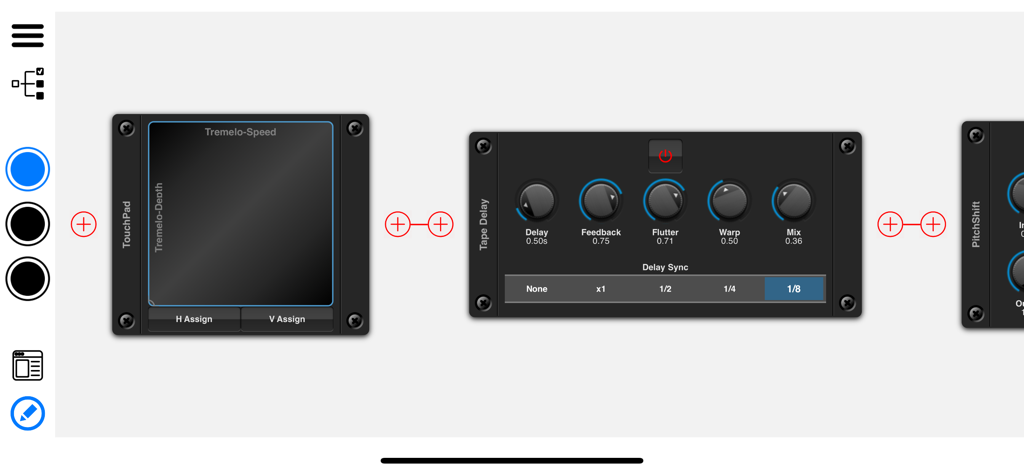
NuRackアプリインターフェース。Tape DelayやTouchPadなどのモジュラーオーディオエフェクトを表示
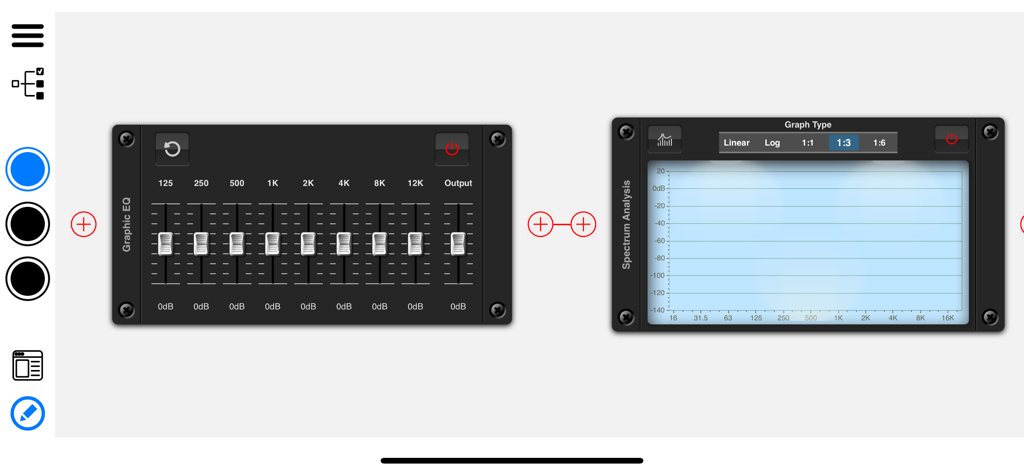
NuRack AUv3インターフェース。モジュラーグラフィックEQとスペクトラムアナライザーの信号チェーンを表示
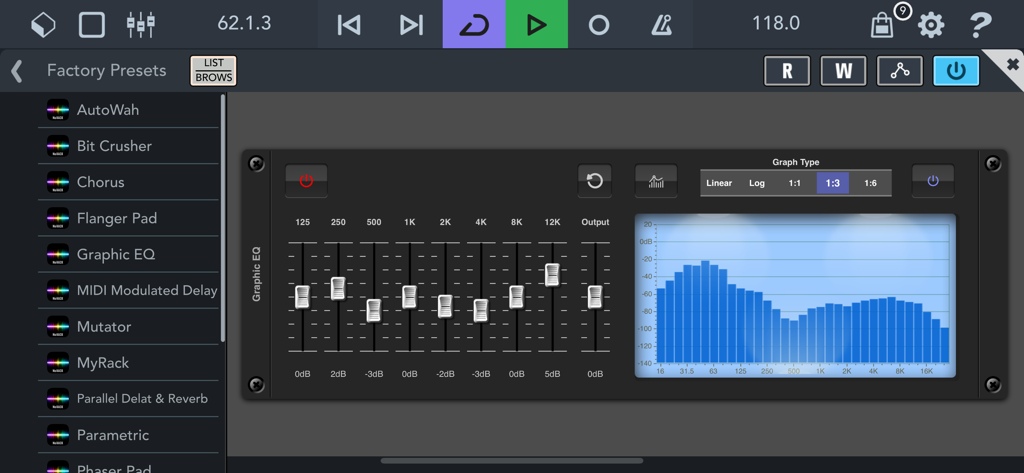
NuRack AUv3 FX Processorインターフェース。周波数フェーダーとスペクトルビジュアライザーグラフを備えたグラフィックイコライザーモジュールを表示
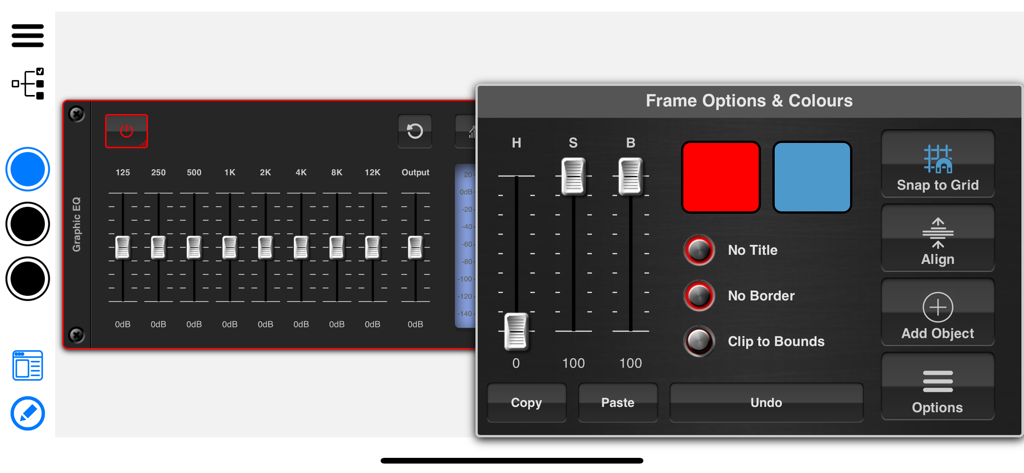
NuRackインターフェースビルダー。グラフィックEQモジュールの色とフレームオプションを表示
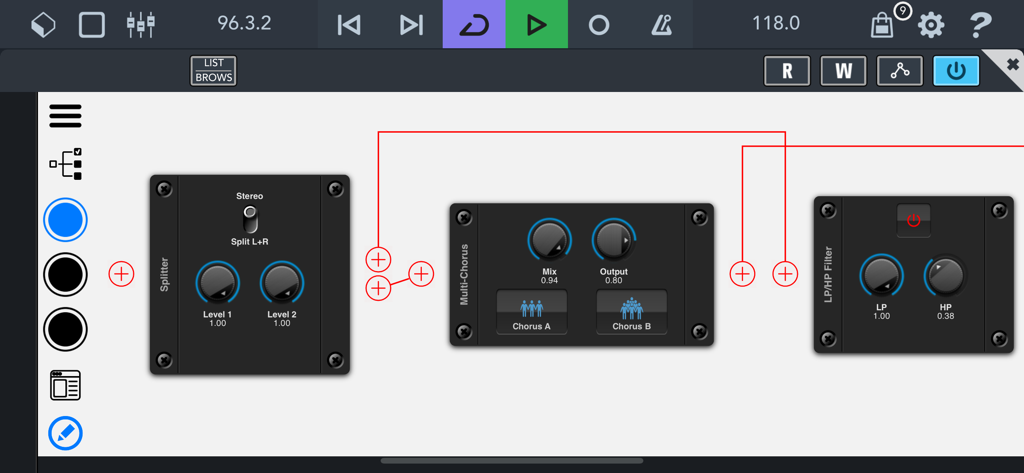
NuRackモジュラーインターフェース。オーディオエフェクトブロックとカスタム信号ルーティングを表示
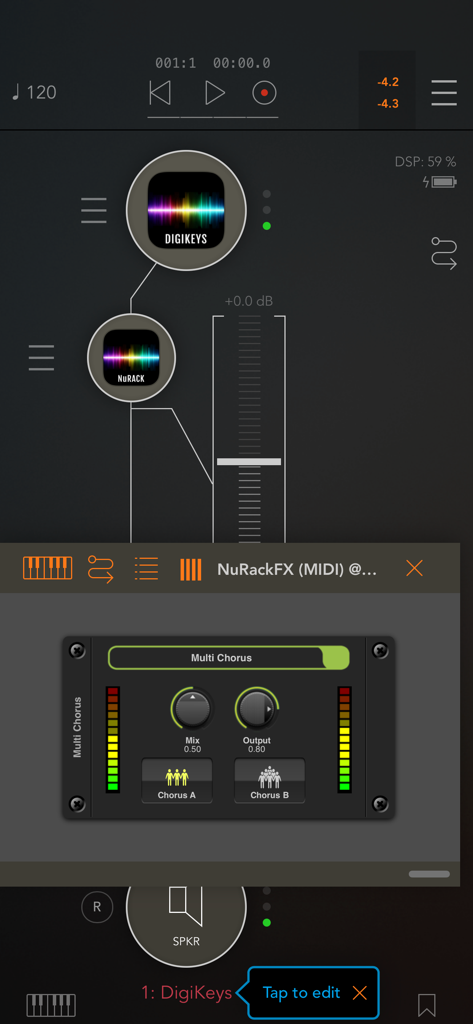
NuRack AUv3 FX Processorインターフェース。オーディオ信号ルーティングとMulti Chorusエフェクトモジュールを表示
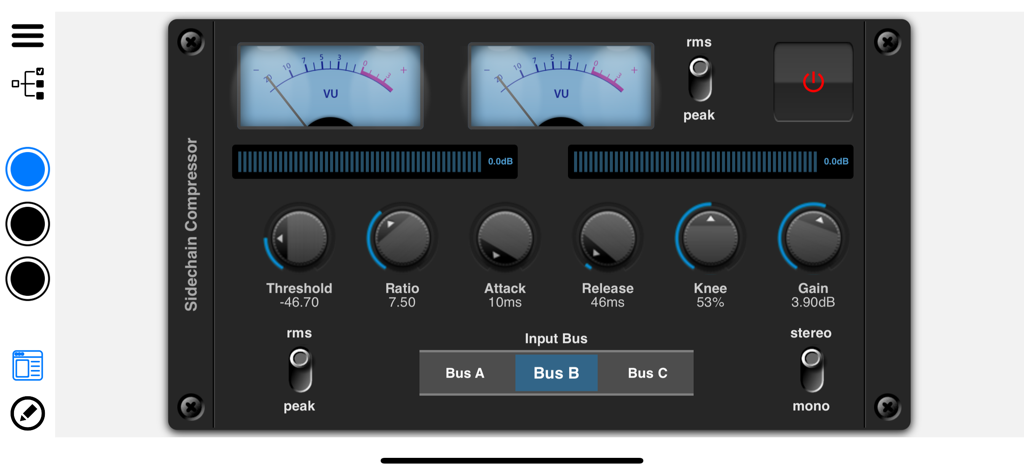
NuRack AUv3 FX Processorのサイドチェーンコンプレッサーインターフェース。VUメーターとオーディオコントロールノブを表示
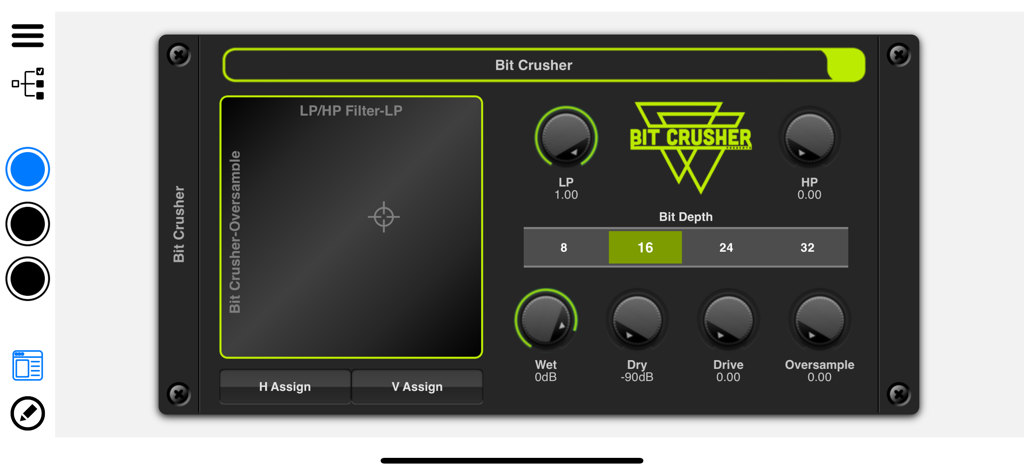
NuRack Bit Crusherオーディオエフェクトモジュールインターフェース
説明
Download
類似アプリ
同じカテゴリのトップランクアプリ

Spotify: Music and Podcasts
Spotify

YouTube Music
Google LLC

Shazam: Find Music & Concerts
Apple Inc.

SoundCloud: The Music You Love
SoundCloud Global Limited & Co KG

Suno - AI Songs & Music
Suno Inc.

QQ音乐 - 听我想听
Tencent Technology (Shenzhen) Company Limited

Audiomack - Play Music Offline
Audiomack, Inc.

GuitarTuna: Tune & Play Guitar
Yousician Ltd

BandLab – Music Maker & Beats
BandLab Singapore Pte Ltd
このページはアプリまたはその開発者の公式ページではなく、情報提供および論評を目的として作成された独立した編集出版物です。明示的に別段の記載がない限り、アプリおよびその開発者は、MWM、Apple、Google Play、アプリのパブリッシャー、またはアプリの開発者と提携、承認、後援、認可、またはその他の公式的な関係はなく、このページのいかなる内容も、アプリがMWMのサービスを使用して開発されたことを意味するものではありません。すべての商標、ロゴ、スクリーンショット、その他のコンテンツはそれぞれの所有者の財産です。