
このページはアプリまたはその開発者の公式ページではなく、情報提供および論評を目的として作成された独立した編集出版物です。明示的に別段の記載がない限り、アプリおよびその開発者は、MWM、Apple、Google Play、アプリのパブリッシャー、またはアプリの開発者と提携、承認、後援、認可、またはその他の公式的な関係はなく、このページのいかなる内容も、アプリがMWMのサービスを使用して開発されたことを意味するものではありません。すべての商標、ロゴ、スクリーンショット、その他のコンテンツはそれぞれの所有者の財産です。


Object Removal AI - AI Retouch
写真から邪魔な人物を簡単に削除し、背景を拡張し、タップ一つで衣装を交換しましょう。プログレードのAIを使用してソーシャルメディアの美学を向上させている100万人以上のクリエイターに参加しましょう。
ダウンロード
1M+ユーザー評価
評価数
6K+開発元
カテゴリ
Graphics & Design対応言語
17最新バージョン
6.2.1サイズ
109.8 MBリリース日
2023年2月1日あなたのオールインワンAIフォトスタジオ
写真から邪魔な人物を削除したり、ソーシャルメディア用にキャンバスを拡張したり、学習曲線なしで数秒でスタジオ品質の結果を得ることができます。
ワンタップオブジェクト除去
AI搭載の精度とシームレスなブレンドで、写真から邪魔な人物、気になるオブジェクト、ウォーターマークを瞬時に削除します。
スマートAI拡張
AIがインテリジェントに背景を埋めてあらゆるアスペクト比にフィットさせることで、InstagramやTikTokに最適なサイズに写真をリサイズします。
よくある質問
について知っておくべきこと Object Removal AI - AI Retouch
Object Removal AI - AI Retouchとは何ですか?
Object Removal AI - AI Retouchは、写真から不要なオブジェクト、人物、シミなどを除去するアプリです。AI Fill、AI Expand、AI Replaceなどの強力なAI機能を使用して、完璧な結果を作成します。
Object Removal AI - AI Retouchでオブジェクトを削除するにはどうすればよいですか?
Object Removal AIには、AI自動選択、ブラシ、なげなわの3つのモードがあります。AI自動選択は不要なオブジェクトを自動的に検出し、ブラシと選択モードでは手動で選択して削除できます。
Object Removal AIで画像からテキストを削除できますか?
はい、Object Removal AI - AI Retouchは写真から不要なテキストを削除できます。このアプリのオブジェクト除去機能は、テキスト、ロゴ、ウォーターマークを対象として、クリーンな画像編集を実現します。
Object Removal AIで写真から人物を削除できますか?
はい、Object Removal AI - AI Retouchは写真から不要な人物を削除します。このアプリには、アプリで実証されているように、正確な人物削除のためのAI自動選択、ブラシ、なげなわモードがあります。
Object Removal AIのAIジェネレーティブフィルとは何ですか?
Object Removal AIのAIジェネレーティブフィルは、シーンをインテリジェントに認識し、要素の削除後にギャップをシームレスに埋めます。色、光、雰囲気を一致させて、自然でプロフェッショナルな結果をもたらします。
Object Removal AIのAI Replaceはどのように機能しますか?
Object Removal AIのAI Replaceは、簡単なプロンプトで写真の特定の部分を変更します。数秒で服、髪型、または周囲の要素を変更でき、創造的でパーソナライズされた画像の変更を可能にします。
Object Removal AIでSNS用に写真を拡大できますか?
はい、Object Removal AIのAI Expand機能は、写真の境界を拡大し、新しいスペースを関連する詳細で自動的に埋めます。InstagramやTikTokなどのソーシャルメディアプラットフォーム向けのサイズ変更をサポートしています。
Object Removal AIに背景除去機能はありますか?
はい、Object Removal AIには背景除去機能があります。背景をすばやく識別して削除し、ユーザーは背景を置き換えたり、被写体を写真から簡単に切り抜いたりできます。
Object Removal AIは画質をどのように向上させますか?
Object Removal AIは「AI Enhance」機能を使用して、低品質の画像をクリアにします。この機能は、画像の鮮明さと詳細を向上させることで、大切な思い出を鮮やかにフォーカスさせます。
Object Removal AIで写真の設定を調整できますか?
はい、Object Removal AIでは、写真の設定を調整できます。これには、被写体、背景、またはその両方の明るさ、彩度、色温度をカスタマイズして、完全にバランスの取れた画像を実現することが含まれます。
Object Removal AIでシミを削除できますか?
はい、Object Removal AI - AI Retouchは写真からシミを削除します。この機能は、画像を洗練させ、完璧にするために設計された包括的なオブジェクト除去機能の一部です。
Object Removal AIのプライバシーポリシーはどこで見つけられますか?
Object Removal AI - AI Retouchのプライバシーポリシーは、アプリの公式ウェブサイトで入手できます。https://collart.app/photo_enhancer_privacy_policy.html で確認できます。
Object Removal AIの利用規約は何ですか?
Object Removal AI - AI Retouchの利用規約は、提供されている公式リンク(https://collart.app/photo_enhancer_terms_of_service.html)からアクセスできます。ユーザーはアプリの使用ガイドラインについてこれらの規約を確認する必要があります。
Object Removal AIのサポートに連絡するにはどうすればよいですか?
Object Removal AI - AI Retouchのサポートに連絡するには、support@collart.app にメールを送信してください。これは、アプリに関する質問やコメントの指定されたチャネルです。
以下のスクリーンショットと説明は、アプリの公式ストアリスティングから直接取得されたものであり、アプリ開発者の所有物です。
アプリストア
スクリーンショット
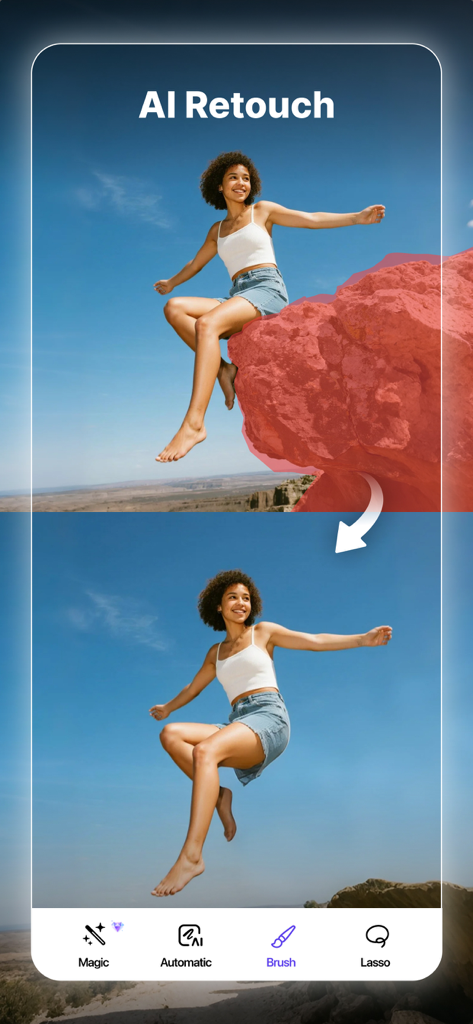
AI Retouchアプリを使用して、写真から大きな岩を削除する前後の比較
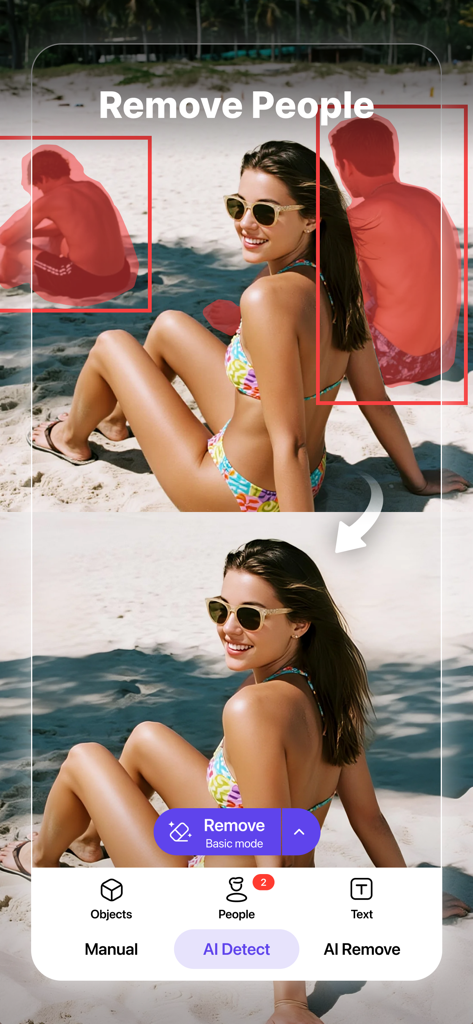
AIレタッチを使用して、ビーチの写真から人物を削除する前後の比較
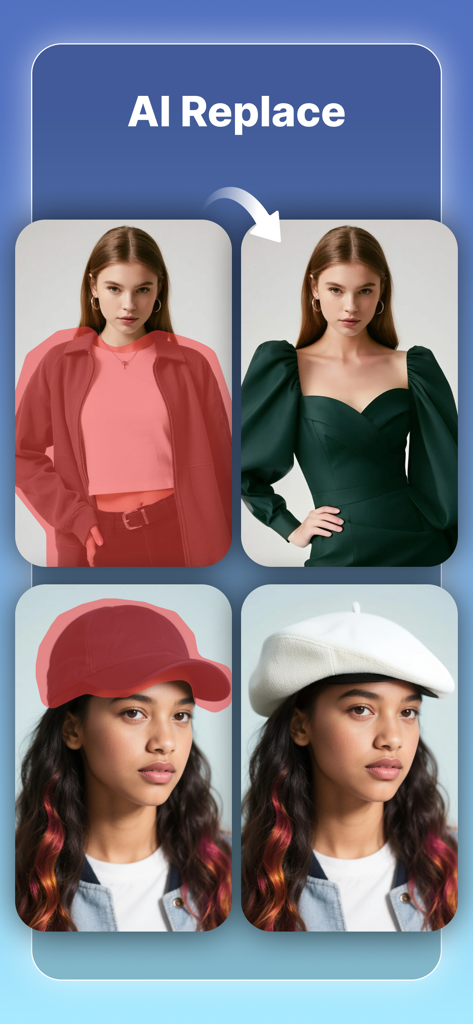
AI置換機能のデモンストレーション。女性のジャケットがドレスに、野球帽が白いベレー帽に置き換えられています。
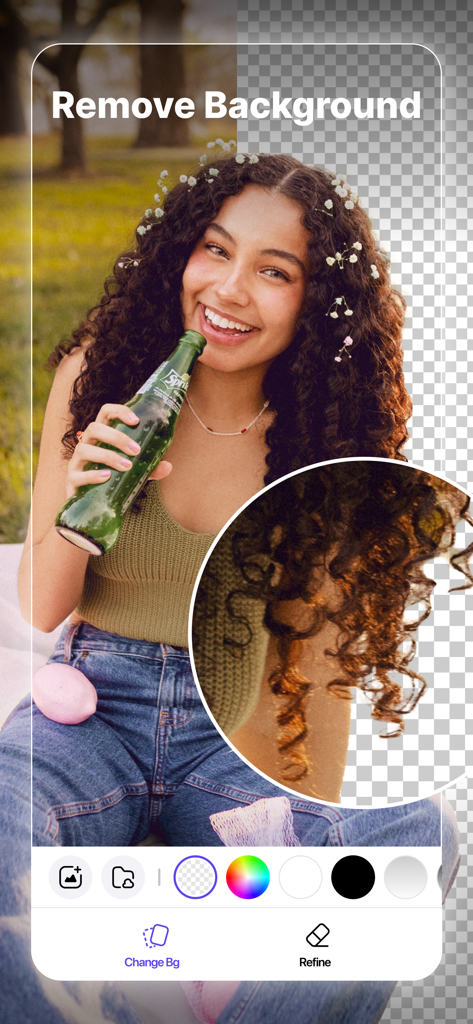
女性のポートレートでAI背景削除機能を示すモバイルアプリのインターフェース。
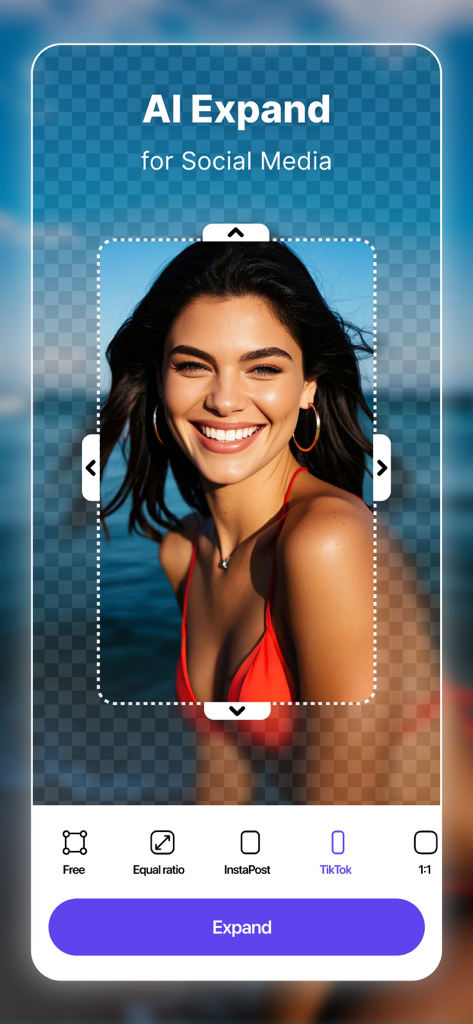
AI拡張機能が、ポートレート写真をTikTokやソーシャルメディアプラットフォーム用にリサイズしています。
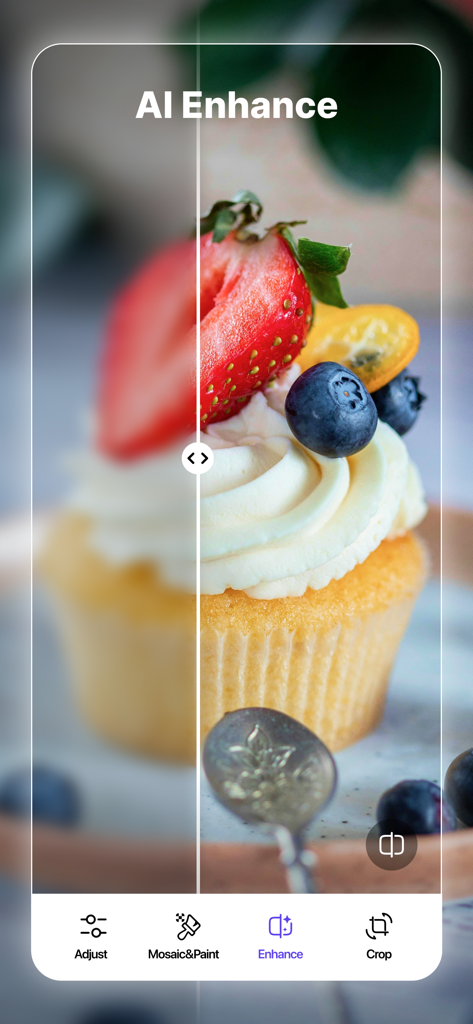
AIエンハンス機能を使用して、ぼやけた画像をシャープにするためのカップケーキ写真の前後の比較
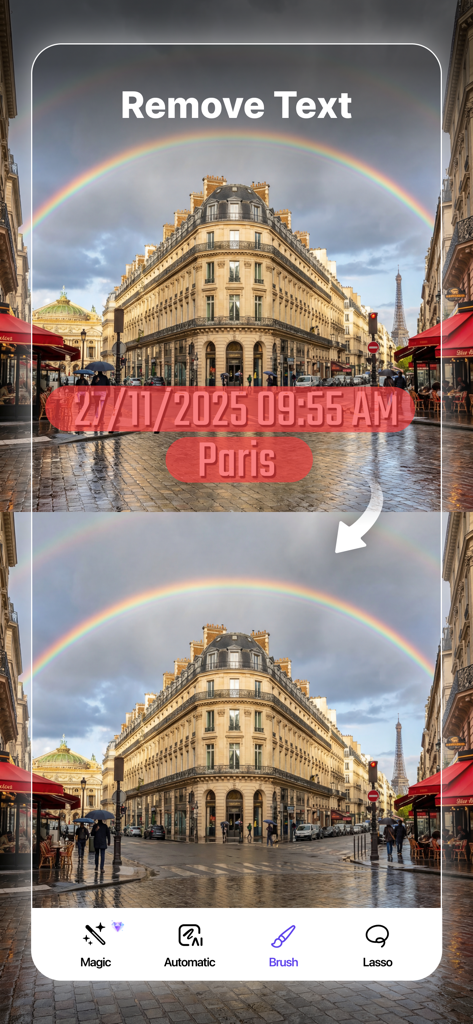
パリの通りの写真からタイムスタンプとテキストを削除するAIを使用した、前後のデモンストレーション
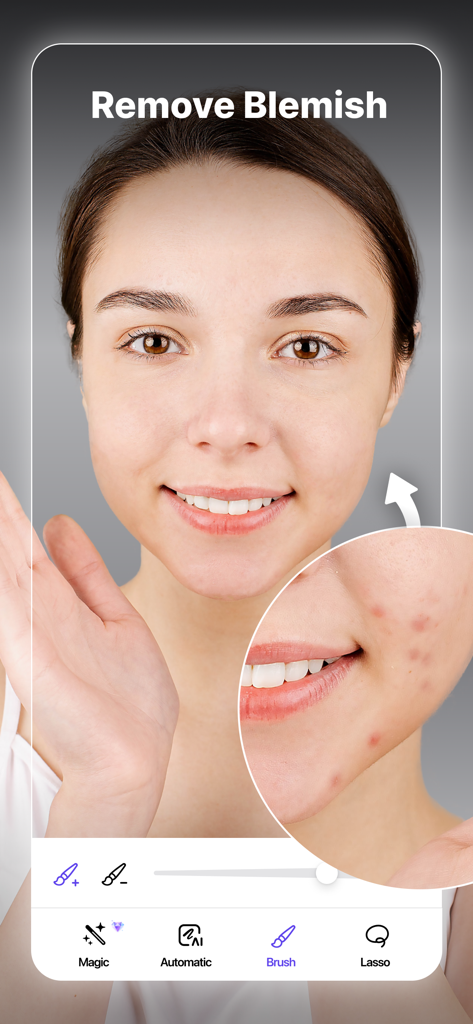
ポートレートの肌のシミを削除するAI写真レタッチインターフェース
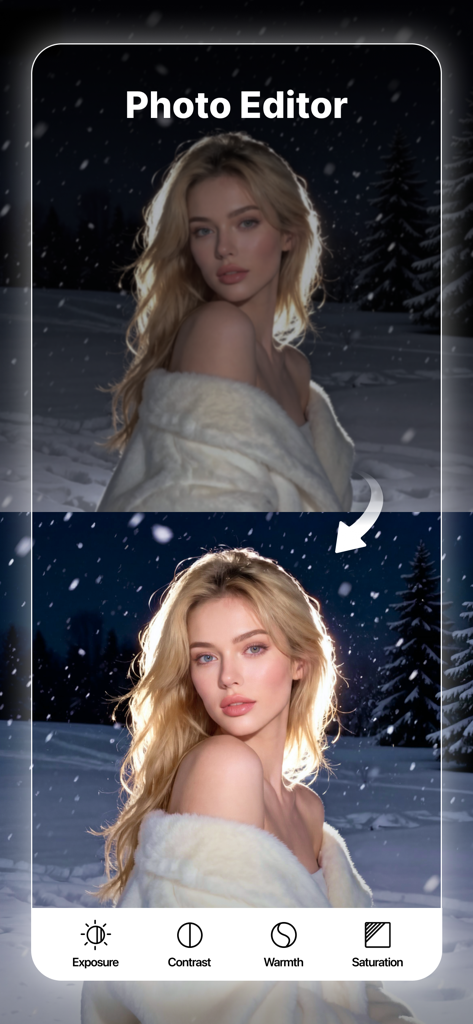
オブジェクト除去AIアプリの露出とコントラストツールを使用した写真強化の前後の比較
説明
Download
類似アプリ
似た機能とユーザー体験を持つアプリ

EPIK - AI Photo & Video Editor
SNOW Corporation

Citrus: AI 1 Tap Perfect Photo
Wemagine.ai LLP

SnapEdit: Photo Editor AI
SilverAI Joint Stock Company

Background Eraser 〜 Stickers
handyCloset Inc.

PhotoScan by Google Photos
Google LLC

Magic Eraser - Remove Object
Creatix Technology Global Limited

Magic Eraser Background Editor
Honk Honk Punch Pty Ltd

ProKnockOut-Cut Paste Photos
Shenzhen Qianhai Happy Tour Network Technology Co., Ltd.

Background Eraser - Remove BG*
SHANTANU PTE. LTD.
このページはアプリまたはその開発者の公式ページではなく、情報提供および論評を目的として作成された独立した編集出版物です。明示的に別段の記載がない限り、アプリおよびその開発者は、MWM、Apple、Google Play、アプリのパブリッシャー、またはアプリの開発者と提携、承認、後援、認可、またはその他の公式的な関係はなく、このページのいかなる内容も、アプリがMWMのサービスを使用して開発されたことを意味するものではありません。すべての商標、ロゴ、スクリーンショット、その他のコンテンツはそれぞれの所有者の財産です。