Office Word: Edit Word Docs

Office Word: Edit Word Docs

ダウンロード: App Store
ロゴ: Office Word: Edit Word Docs

Office Word: Word文書の編集 – 外出先で作成、編集、変換

iPhoneをパワフルなモバイルワークステーションに変えましょう。フリーランサー、学生、プロフェッショナルのいずれであっても、エキスパートテンプレートとシームレスなPDF変換でワークフローを効率化しましょう。

開発元

Current Transmission Limited

カテゴリ

Business

ダウンロード

400K+

ユーザー評価

4.6/5

評価数

5K+

対応言語

16

外出先でのプロフェッショナリズム

このインターフェースを利用する 400K+ 人のユーザー.

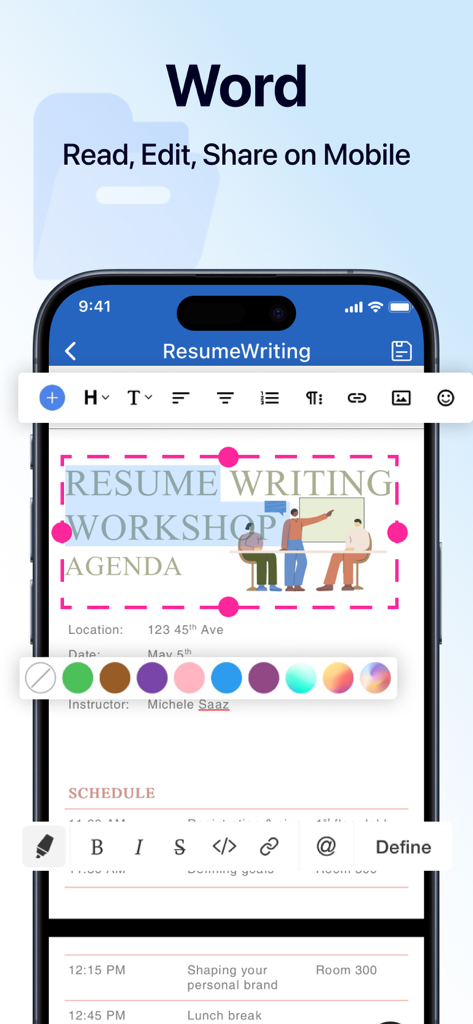
iPhone画面に、Office Wordアプリのモバイルインターフェースが表示され、プロフェッショナルな文書編集およびフォーマットツールが示されています

iPhone画面に、Office Wordアプリのモバイルインターフェースが表示され、プロフェッショナルな文書編集およびフォーマットツールが示されています

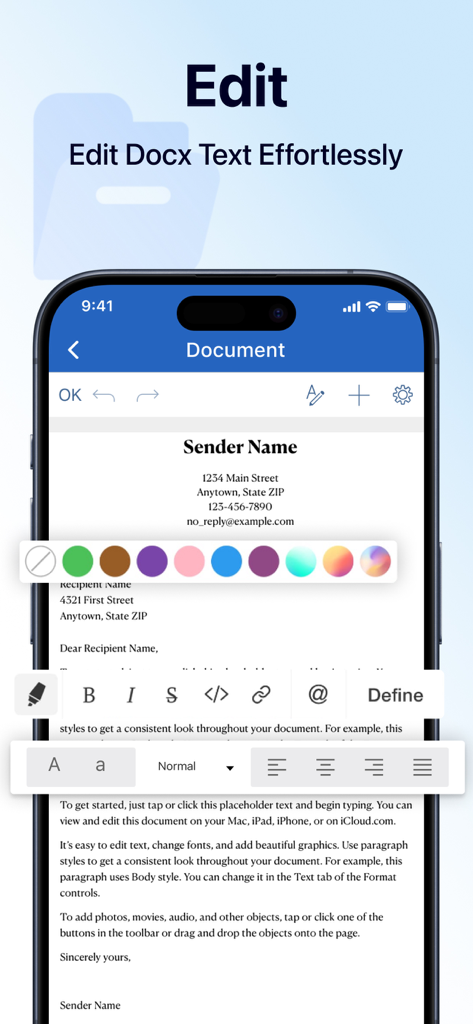
iPhoneのスクリーンショット。Office Wordアプリで、ユーザーがフォーマットツールを使用して文書を編集している様子を示しています

iPhoneのスクリーンショット。Office Wordアプリで、ユーザーがフォーマットツールを使用して文書を編集している様子を示しています

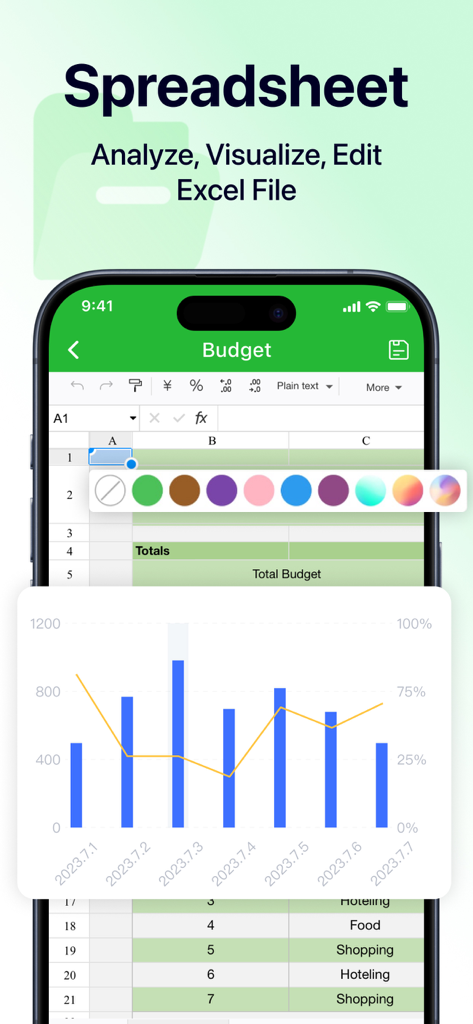
iPhone画面に、予算表と棒グラフを備えたモバイル表計算ソフトエディターが表示されています

iPhone画面に、予算表と棒グラフを備えたモバイル表計算ソフトエディターが表示されています

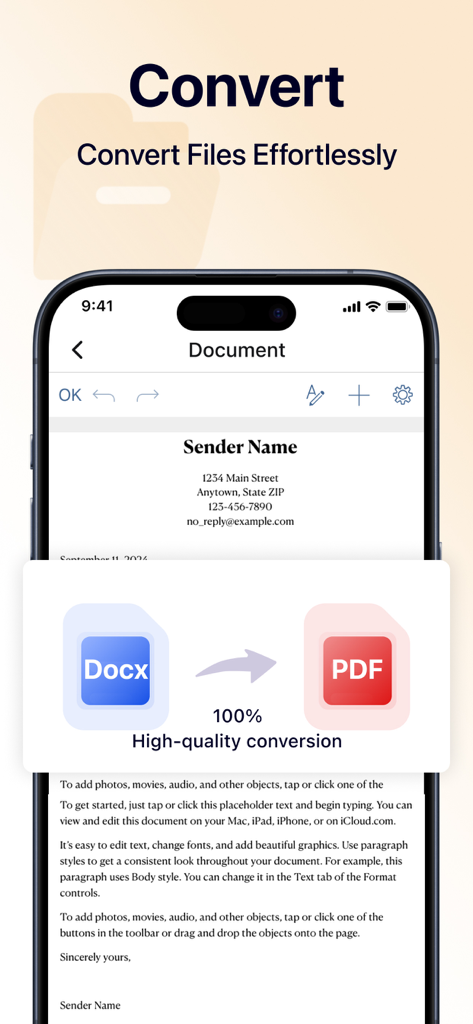
スマートフォン画面に、Word文書が簡単にPDFファイルに変換されている様子が表示されています

スマートフォン画面に、Word文書が簡単にPDFファイルに変換されている様子が表示されています

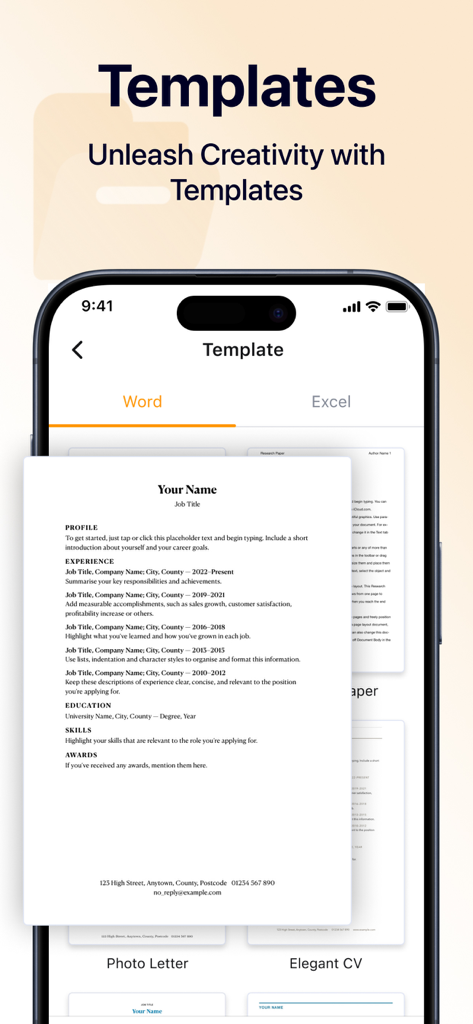
iPhone画面に、Office Wordアプリのプロフェッショナルな履歴書および文書テンプレートが表示されています

iPhone画面に、Office Wordアプリのプロフェッショナルな履歴書および文書テンプレートが表示されています

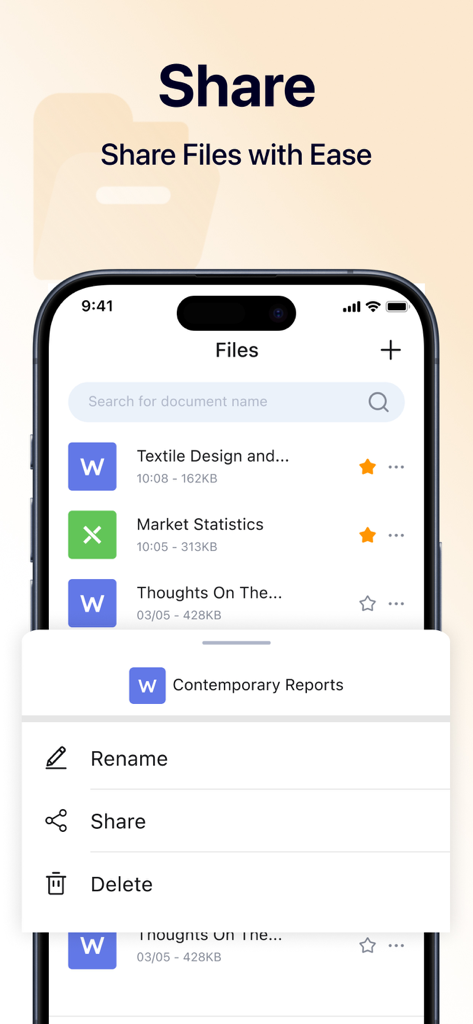
iPhoneで文書を管理および共有するためのOffice Wordアプリインターフェース

iPhoneで文書を管理および共有するためのOffice Wordアプリインターフェース

あなたのモバイルオフィスが再定義される

このアプリを際立たせるツール、 400K+ 人のユーザーが選択.

📝

シームレスなモバイル編集

スピードと精度に合わせて作られたネイティブインターフェースで、外出先で契約書を調整したり、レポートを更新したり、アイデアをドラフトしたりできます。

🔄

インスタントPDF変換

Word文書や画像を数秒で高品質なPDFに変換 – 請求書や署名済み契約書を即座に共有するのに最適です。

プロ仕様のテンプレート

空白のページはスキップしましょう。プロがデザインしたテンプレートのライブラリを使用して、数分で洗練された文書や履歴書を作成します。

アプリについて

について知っておくべきこと Office Word: Edit Word Docs.

説明

Document editor is a powerful application that allows you to create, edit, and manage your documents on the go,which is designed to enhance your productivity and streamline your workflow. Whether you need to convert Word documents or images to PDF, or customize your work using a variety of templates, our app is your all-in-one solution for document management. Create Documents With our document editor app, creating new documents has never been easier.You can quickly input text, insert images, and organize your content just as you want. Start crafting your ideas into professional-looking documents right on your mobile device! Edit Documents Editing documents on the go is simple and efficient using document editor. You can open existing files, make modifications, and save changes seamlessly. Our app supports a variety of editing options, such as formatting text, adjusting font styles, and adding bullet points or numbered lists. File Format Conversion Our app supports a wide range of conversions, allowing you to effortlessly convert Word files and images into high-quality PDF documents, which ensures your files can be shared and viewed without formatting issues. Extensive Template Library We offers a diverse range of professionally designed templates to suit your needs. You can save time by customizing these templates, ensuring you create visually appealing documents without starting from scratch. By opting for a paid subscription, you can unlock all the premium features of our app.Enjoy a seamless and powerful user experience, free from limitations, as you enhance your productivity and take full advantage of everything our app has to offer! About Subscription Auto-renewable subscription $6.99 per week for a weekly subscription $12.99 per month for a monthly subscrition $39.99 per year for a yearly subscription $39.99 per year for a yearly subscription with 3-day trial Get in Touch with us: support@currenttrans.com Terms of Use:https://www.currenttrans.com/documentsterms.html Privacy Policy:https://www.currenttrans.com/documentsprivacy.html

最新バージョン

1.6

サイズ

43.6 MB

リリース日

2024年10月16日

iPhoneをパワフルなオフィスに変える準備はできていますか?

プロフェッショナルなテンプレートとシームレスなPDF変換で、いつでもどこでもワークフローを効率化している40万人以上のプロフェッショナルやフリーランサーに加わりましょう。

ダウンロード: App Store
FAQ

よくある質問

について知っておくべきこと Office Word: Edit Word Docs

Office Word: Edit Word Docsとは何ですか?

Office Word: Edit Word Docsは、ドキュメントの作成、編集、管理のための強力なモバイルアプリケーションです。外出先でのドキュメント管理の生産性を向上させ、ワークフローを合理化します。

Office Word: Edit Word DocsはファイルをPDFに変換できますか?

はい、Office Word: Edit Word Docsは、Wordドキュメントや画像を高品質のPDFドキュメントに変換することをサポートしています。これにより、書式設定の問題なしにファイルを共有したり表示したりできます。

Office Word: Edit Word Docsで新しいドキュメントを作成するにはどうすればよいですか?

Office Word: Edit Word Docsで新しいドキュメントを作成するには、ユーザーはテキストをすばやく入力したり、画像を挿入したり、コンテンツを整理したりできます。これにより、モバイルデバイスでプロフェッショナルな見た目のドキュメントを作成できます。

Office Word: Edit Word Docsにはどのような編集機能がありますか?

Office Word: Edit Word Docsは、既存のファイルを開き、変更を加えて、変更を保存するための機能を提供します。テキストの書式設定、フォントスタイルの調整、箇条書きや番号付きリストの追加をサポートしています。

Office Word: Edit Word Docsはドキュメントテンプレートを提供していますか?

はい、Office Word: Edit Word Docsは、専門的にデザインされたテンプレートの広範なライブラリを提供しています。ユーザーはこれらのテンプレートをカスタマイズして、視覚的に魅力的なドキュメントを効率的に作成できます。

Office Word: Edit Word Docsでプレミアム機能にアクセスするにはどうすればよいですか?

ユーザーは有料サブスクリプションを選択することで、Office Word: Edit Word Docsのプレミアム機能にアクセスできます。サブスクリプションにより、制限なく、シームレスで強力なユーザーエクスペリエンスが得られます。

Office Word: Edit Word Docsのサブスクリプションオプションは何ですか?

Office Word: Edit Word Docsは、$6.99/週、$12.99/月、$39.99/年の自動更新サブスクリプションを提供しています。3日間のトライアル付きの年間サブスクリプションも$39.99で利用可能です。

Office Word: Edit Word Docsの無料トライアルはありますか?

はい、Office Word: Edit Word Docsは、$39.99/年のサブスクリプションオプションで3日間のトライアルを提供しています。このトライアルにより、ユーザーはコミットする前にプレミアム機能を体験できます。

Office Word: Edit Word Docsの利用規約はどこで見つけられますか?

Office Word: Edit Word Docsの利用規約は、https://www.currenttrans.com/documentsterms.htmlで入手できます。このリンクは、ユーザーにとって重要な法的情報を提供します。

Office Word: Edit Word Docsのプライバシーポリシーはどこで見つけられますか?

Office Word: Edit Word Docsのプライバシーポリシーは、https://www.currenttrans.com/documentsprivacy.htmlにあります。アプリケーションがユーザーデータをどのように収集、使用、保護するかを概説しています。

Office Word: Edit Word Docsにはスプレッドシート編集機能が含まれていますか?

はい、Office Word: Edit Word DocsにはExcelスプレッドシートを編集するための機能が含まれています。スクリーンショット#3には、「スプレッドシート」インターフェースが表示されており、Excelファイルを分析、視覚化、編集するためのオプションがあります。

Office Word: Edit Word Docsで作成したドキュメントを共有するにはどうすればよいですか?

Office Word: Edit Word Docsを使用すると、ユーザーは簡単にファイルを共有できます。インターフェースには、ファイルリストから直接ドキュメントを管理および共有するためのオプションが含まれています。

App information, icons, screenshots, and descriptions displayed on this page are sourced from the Apple App Store and are the property of their respective developers. Download estimates and rankings are based on MWM's proprietary models and may not reflect actual figures. This page is provided for informational and analytical purposes only.

Believe this page infringes your intellectual property? File a dispute