OmniFocus 4

OmniFocus 4

ダウンロード: App Store
ロゴ: OmniFocus 4

OmniFocus 4: フォーカス重視のプロフェッショナルタスク管理

混沌を整理し、一日のコントロールを取り戻しましょう。Appleエコシステム全体で複雑なプロジェクトに合わせて拡張できるように設計された、強力で安全、かつ統合されたシステムです。

ダウンロード: App Store

開発元

The Omni Group

カテゴリ

Productivity

ダウンロード

25K+

ユーザー評価

4.1/5

評価数

900

対応言語

13

ワークフローをマスターする

このインターフェースを利用する 25K+ 人のユーザー.

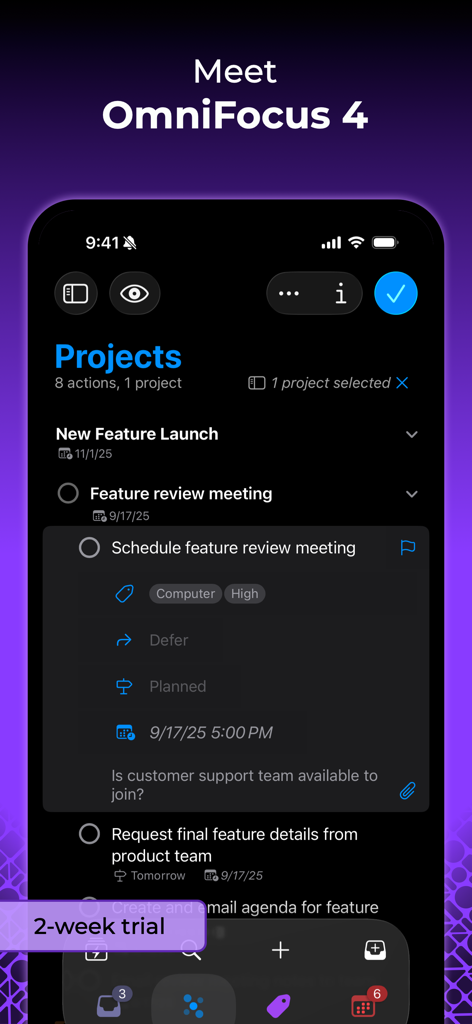
iPhoneのOmniFocus 4のプロジェクトビューと、タグやスケジューリングを含む詳細なタスクエントリをダークモードで表示するスクリーンショット。

iPhoneのOmniFocus 4のプロジェクトビューと、タグやスケジューリングを含む詳細なタスクエントリをダークモードで表示するスクリーンショット。

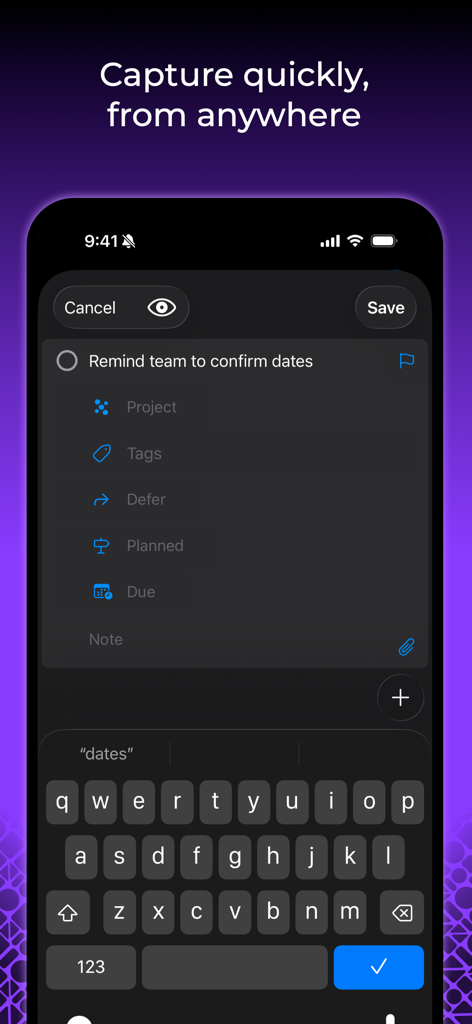
プロジェクトとタグフィールドを備えたクイックタスクエントリを表示するOmniFocus 4モバイルインターフェイス

プロジェクトとタグフィールドを備えたクイックタスクエントリを表示するOmniFocus 4モバイルインターフェイス

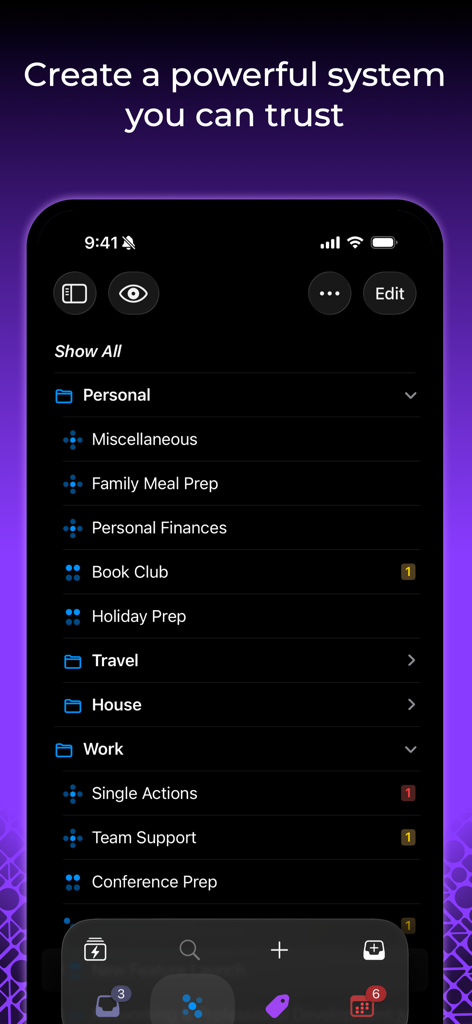
個人および仕事のタスク管理のための整理されたフォルダーを表示するiPhoneのOmniFocus 4インターフェイス。

個人および仕事のタスク管理のための整理されたフォルダーを表示するiPhoneのOmniFocus 4インターフェイス。

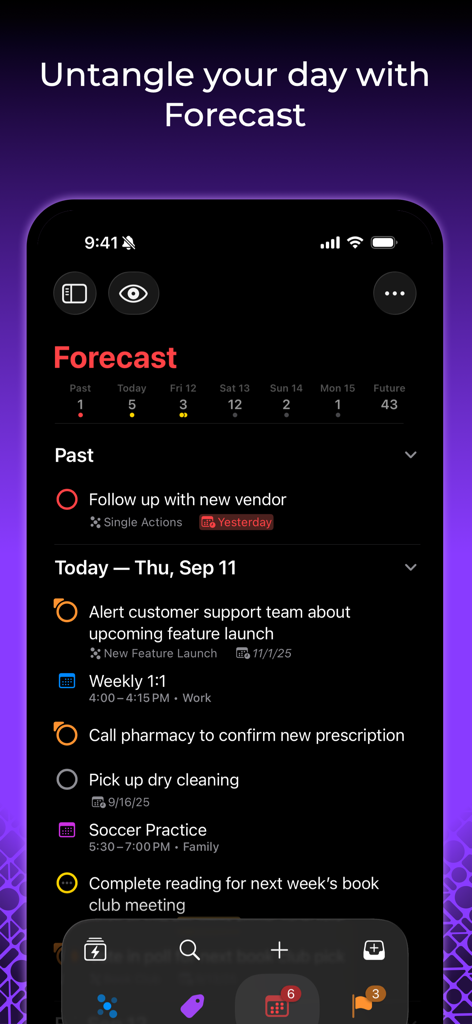
ダークモードでタスクとカレンダーイベントのリストを表示するiPhoneのOmniFocus 4予測ビュー

ダークモードでタスクとカレンダーイベントのリストを表示するiPhoneのOmniFocus 4予測ビュー

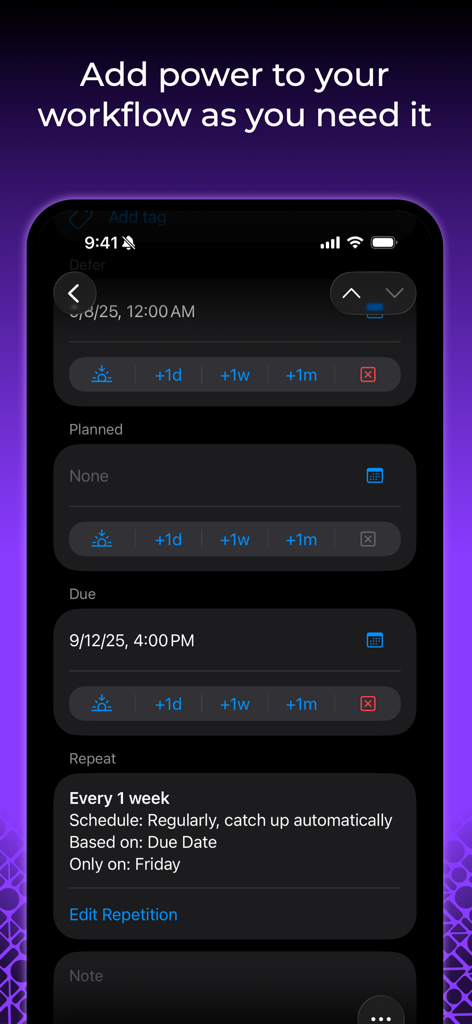
詳細なタスクスケジューリングと繰り返し設定を表示するOmniFocus 4モバイルインターフェイス

詳細なタスクスケジューリングと繰り返し設定を表示するOmniFocus 4モバイルインターフェイス

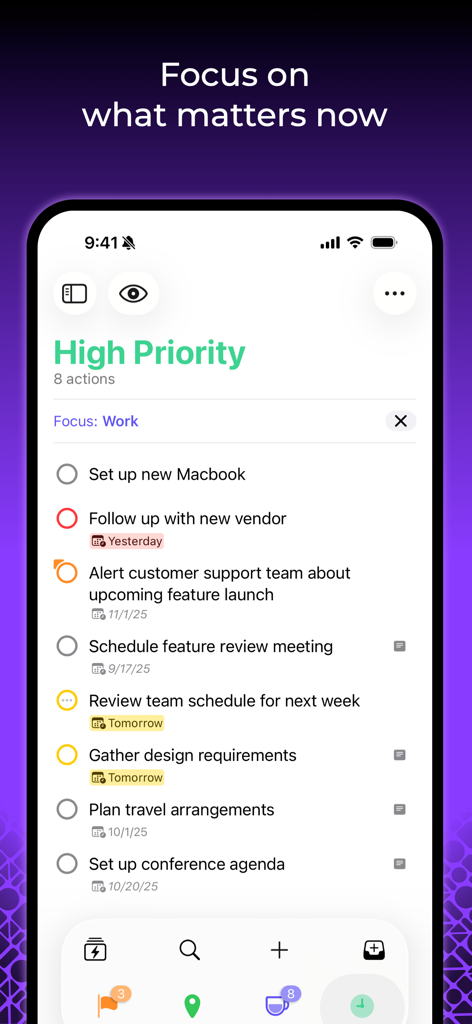
優先度の高い仕事のチェックリストを表示するOmniFocus 4タスク管理アプリ(iPhone)

優先度の高い仕事のチェックリストを表示するOmniFocus 4タスク管理アプリ(iPhone)

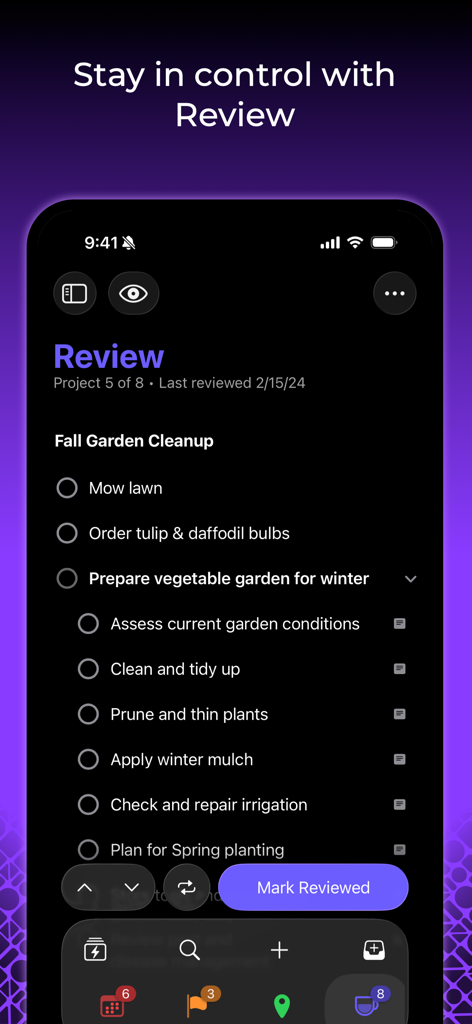
庭のプロジェクトのタスクリストを含むレビューパーソスペクティブを表示するiPhoneのOmniFocus 4アプリ。

庭のプロジェクトのタスクリストを含むレビューパーソスペクティブを表示するiPhoneのOmniFocus 4アプリ。

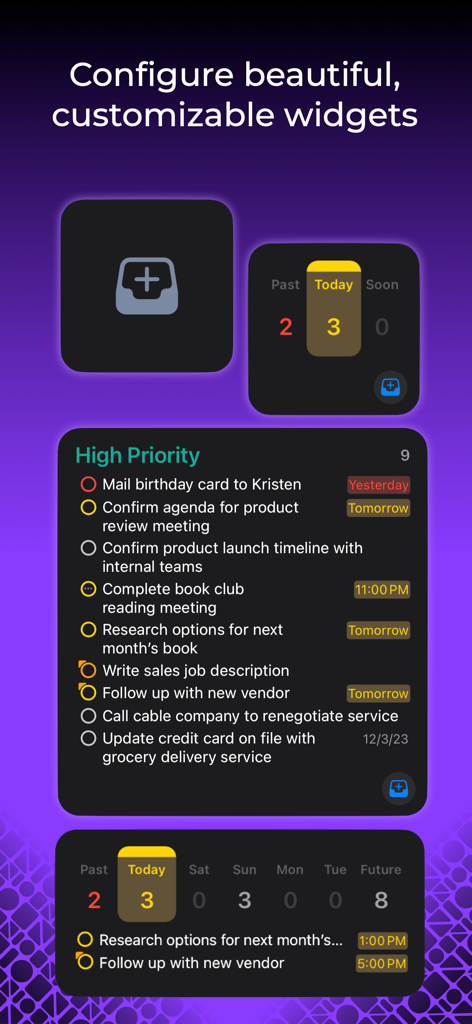
優先度の高いタスクリストと毎日のタスク数を表示する、カスタマイズ可能なさまざまなOmniFocus 4ウィジェットの表示

優先度の高いタスクリストと毎日のタスク数を表示する、カスタマイズ可能なさまざまなOmniFocus 4ウィジェットの表示

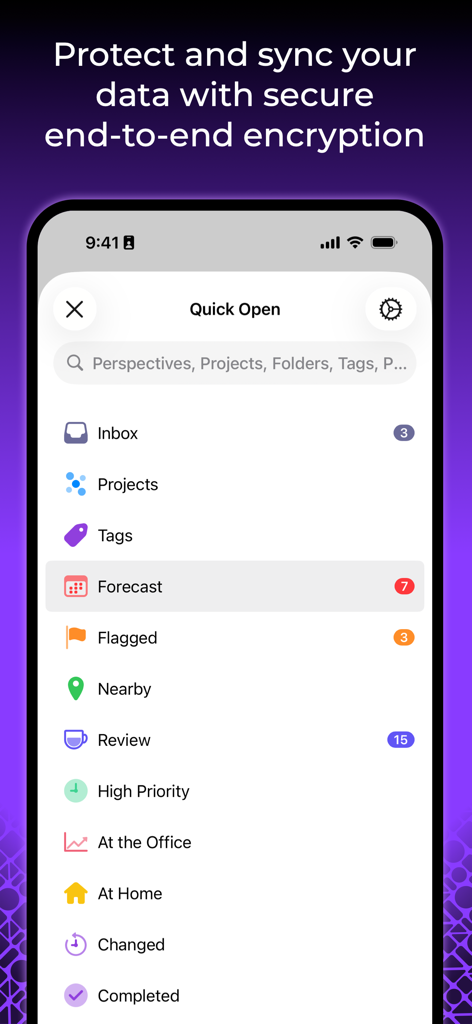
クイックオープンメニューと安全なエンドツーエンド暗号化に関するメッセージを表示するOmniFocus 4 iPhoneインターフェイス。

クイックオープンメニューと安全なエンドツーエンド暗号化に関するメッセージを表示するOmniFocus 4 iPhoneインターフェイス。

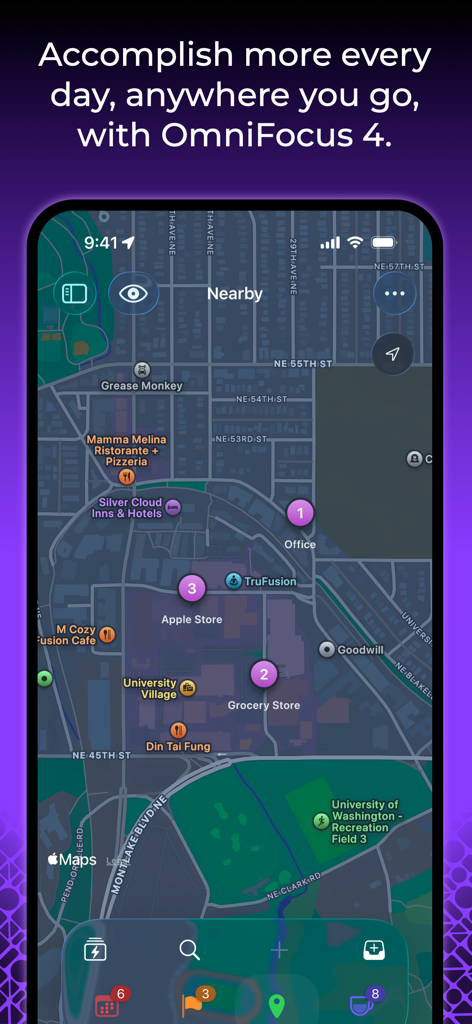
都市の地図ビューで位置情報に基づくタスクを表示するOmniFocus 4インターフェイス

都市の地図ビューで位置情報に基づくタスクを表示するOmniFocus 4インターフェイス

プロフェッショナルな複雑さをマスターする

このアプリを際立たせるツール、 25K+ 人のユーザーが選択.

🍎

シームレスなApple統合

単一のユニバーサル購入で、Mac、iPhone、iPad、Apple Watch、Vision Pro全体で強力なネイティブエクスペリエンスが得られます。

🚀

コンテキストを意識した生産性

カスタムパーソスペクティブとフォーカスモードを使用して、現在の環境と優先順位に合わせて、次に何をすべきかを正確に把握します。

🛡️

エンタープライズグレードのプライバシー

エンドツーエンド暗号化と、データがプライベートに保たれることを保証する安全な同期サービスで、機密性の高いプロジェクトを保護します。

アプリについて

について知っておくべきこと OmniFocus 4.

説明

OmniFocus is powerful task management software for busy professionals. With tools to help tame the chaos, you can focus on the right tasks at the right time. Two-week free trial! OmniFocus 4 introduces a modernized, unified interface across Mac, iPhone, iPad, Apple Watch, and Apple Vision Pro. Centered around your task outline, OmniFocus 4 brings a consistent experience, optimized for each device type, to all of your Apple devices. Easily create tasks anytime–from anywhere–and organize them with projects, tags, and dates. Quickly navigate OmniFocus on any device using the Perspectives Bar, Quick Open, and Back and Forward history. With Pro, use Focus to help focus your attention on specific projects or folders, and customize OmniFocus to only display the information most relevant to you. New to OmniFocus? The simple, efficient OmniFocus 4 interface will help you discover and implement a trusted system that works and grows with you. Upgrading from a previous version of OmniFocus? In OmniFocus 4, discover enhanced versions of all the powerful task management features you already rely on, along with new features that will level-up your workflow. Omni offers a free and secure sync service, protected with end-to-end encryption, ensuring only devices you authorize can access your data. And now, for the first time ever, OmniFocus is available as a universal cross-platform purchase: get full access to OmniFocus 4 on your Mac, iPhone, iPad, Apple Watch, and Apple Vision Pro with a single license purchase. Accomplish more every day–anywhere you go–with OmniFocus 4.

最新バージョン

4.8.5

サイズ

117.5 MB

リリース日

2023年12月12日

混沌を整理し、一日のマスターになる準備はできましたか?

すべてのAppleデバイスで究極のタスク管理システムを体験してください。2週間の無料トライアルを今日から開始し、プロフェッショナルが最も重要な仕事にOmniFocusを信頼する理由を発見してください。

ダウンロード: App Store

App information, icons, screenshots, and descriptions displayed on this page are sourced from the Apple App Store and are the property of their respective developers. Download estimates and rankings are based on MWM's proprietary models and may not reflect actual figures. This page is provided for informational and analytical purposes only.

Believe this page infringes your intellectual property? File a dispute