ONE Control Plus
ONE Control Plus
ダウンロード: App Store

このページはアプリまたはその開発者の公式ページではなく、情報提供および論評を目的として作成された独立した編集出版物です。明示的に別段の記載がない限り、アプリおよびその開発者は、MWM、Apple、Google Play、アプリのパブリッシャー、またはアプリの開発者と提携、承認、後援、認可、またはその他の公式的な関係はなく、このページのいかなる内容も、アプリがMWMのサービスを使用して開発されたことを意味するものではありません。すべての商標、ロゴ、スクリーンショット、その他のコンテンツはそれぞれの所有者の財産です。


ロゴ: ONE Control Plus
ダウンロード: App Store

ONE Control Plus

プログレードのコマンドセンターでクリエイティブワークフローを効率化。Mackie Controlエミュレーションからカスタムモジュラーレイアウトまで、DAWおよびビデオ編集ソフトウェアを、あなたが求める触覚的な精度で完全に制御します。

主要数値

ダウンロード

11K+

ユーザー評価

2.8/5

評価数

0

開発元

Visuality srl

カテゴリ

Music

対応言語

1

最新バージョン

1.4.21

サイズ

117.4 MB

リリース日

2022年4月25日
機能

スタジオワークフローをマスター

iPadをプロフェッショナルなコマンドセンターに変えましょう。ONE Control Plusは、高価なハードウェアの嵩張ることなく、DAW、プラグイン、クリエイティブソフトウェアを触覚的かつ低遅延で制御できます。

カスタムモジュラーコントローラー

フェーダー、XYパッド、ノブで完璧なインターフェースをデザインしましょう。独自のプロダクションスタイルや複雑なオーケストラライブラリに合わせて、カスタムMIDIおよびOSCコマンドをマッピングします。

シームレスなDAW統合

Logic Pro、Ableton Live、Cubaseなどでハンズオン操作を実現。デスクトップセッションと完璧に同期するダイナミックラベルを備えた、忠実なMackie Controlエミュレーションをお楽しみください。

以下のスクリーンショットと説明は、アプリの公式ストアリスティングから直接取得されたものであり、アプリ開発者の所有物です。

アプリストア

スクリーンショット
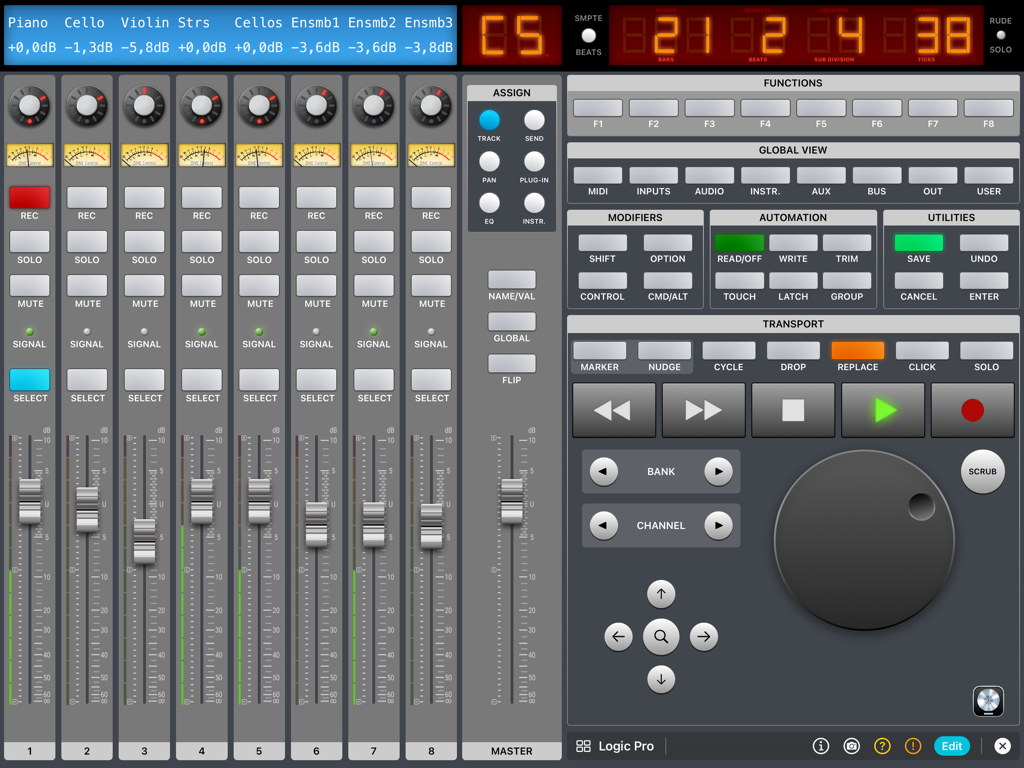
ONE Control Plus - ONE Control Plus iPadアプリインターフェース、Logic Pro DAWコントローラー、デジタルフェーダー、トランスポートコントロールを表示
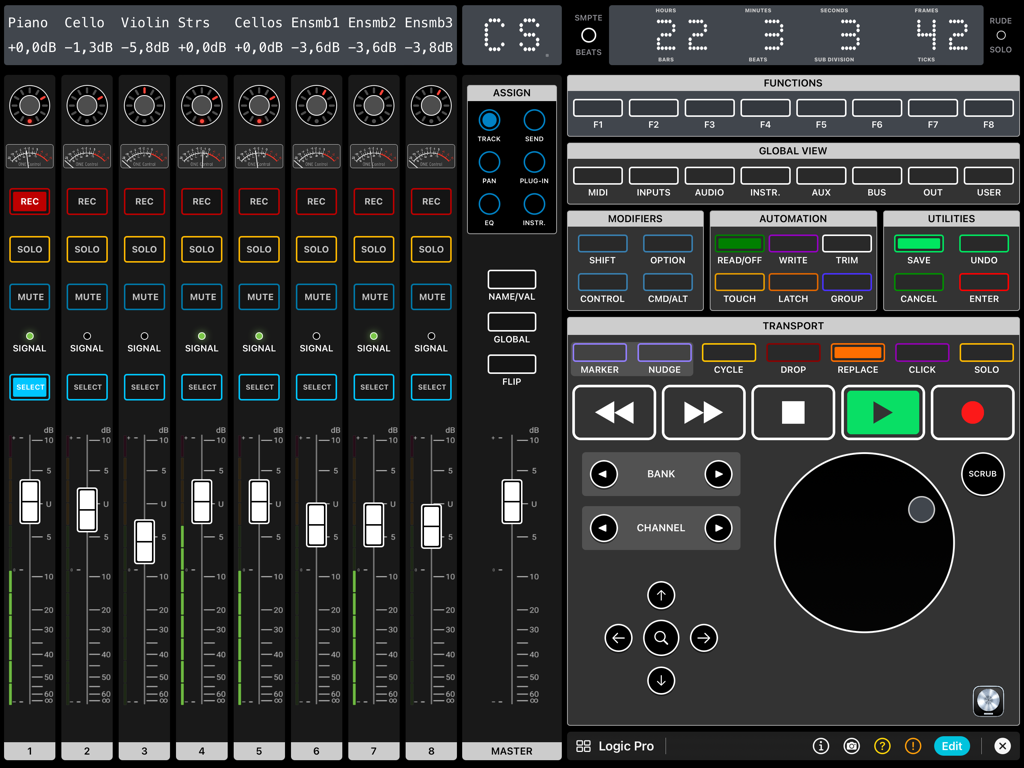
ONE Control Plus iPadアプリインターフェース、Logic Pro DAWコントローラー、デジタルフェーダー、トランスポートコントロールを表示

ONE Control Plus - Logic Pro用のフェーダー、トランスポートボタン、ジョグホイールを備えたプロフェッショナルデジタルDAWコントローラーを示すiPadインターフェース。
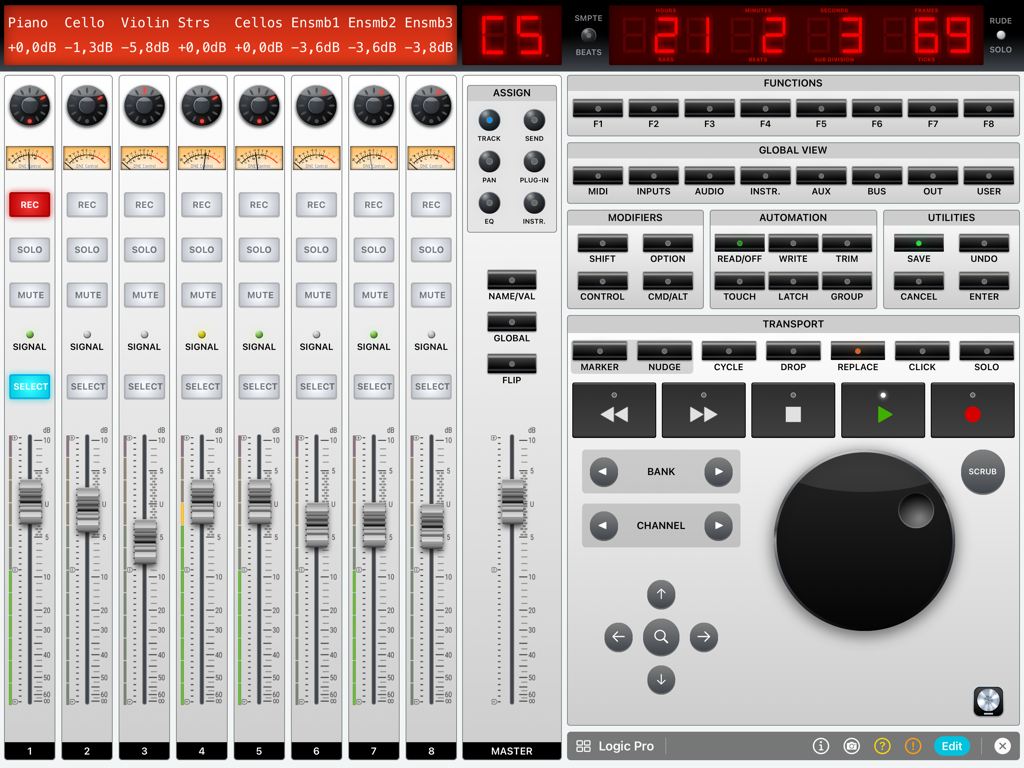
Logic Pro用のフェーダー、トランスポートボタン、ジョグホイールを備えたプロフェッショナルデジタルDAWコントローラーを示すiPadインターフェース。

ONE Control Plus - Logic Pro用のフェーダーとトランスポートコントロールを備えたデジタルオーディオワークステーションミキサーを表示するiPad画面
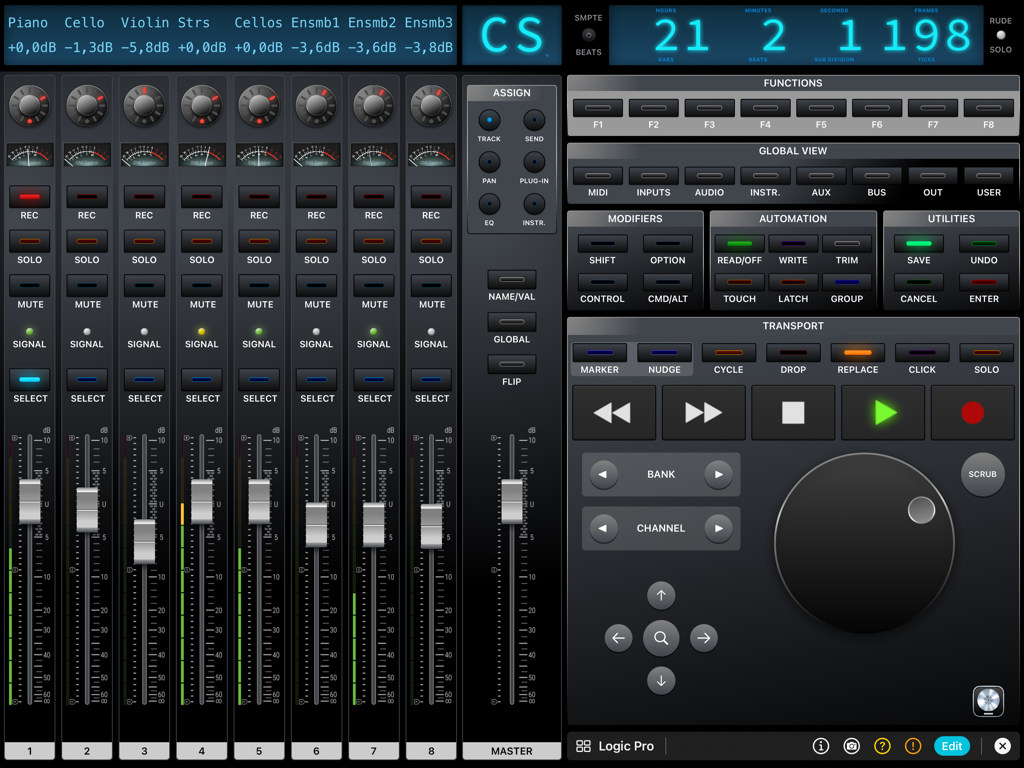
Logic Pro用のフェーダーとトランスポートコントロールを備えたデジタルオーディオワークステーションミキサーを表示するiPad画面

ONE Control Plus - ONE Control Plus Logic ProデジタルミキサーインターフェースをiPadに表示、チャンネルフェーダー、トランスポートコントロール、ジョグホイールを搭載
ONE Control Plus Logic ProデジタルミキサーインターフェースをiPadに表示、チャンネルフェーダー、トランスポートコントロール、ジョグホイールを搭載

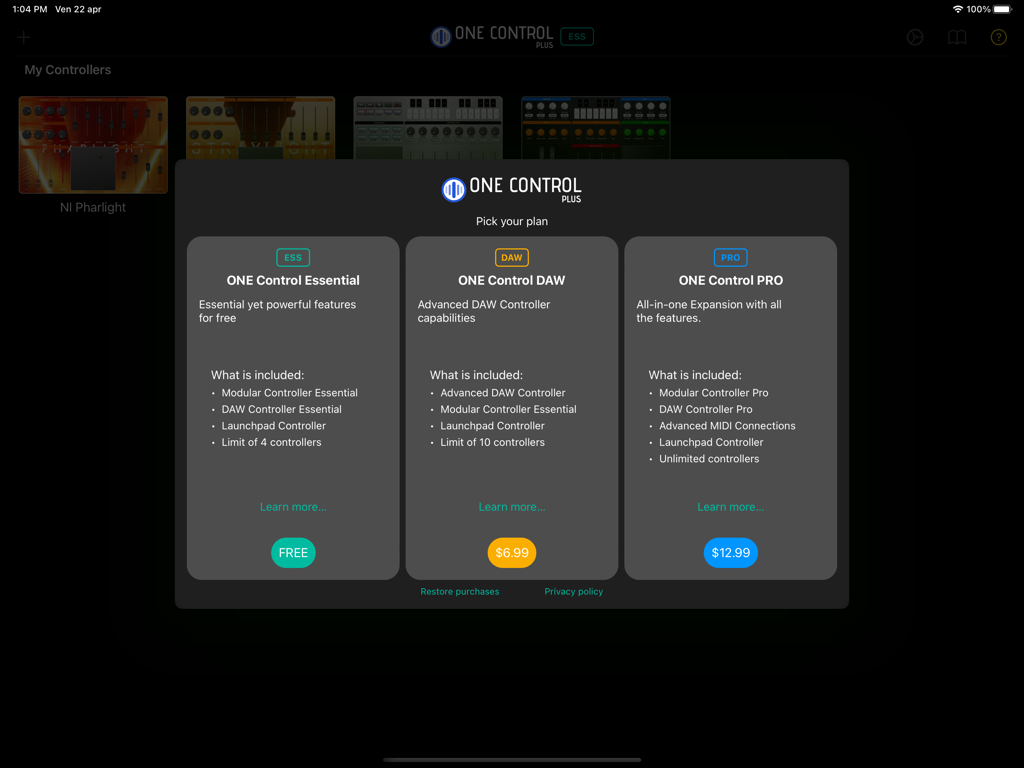
ONE Control Plus - ONE Control Plusアプリの価格プラン、Essential、DAW、PROオプションを表示
ONE Control Plusアプリの価格プラン、Essential、DAW、PROオプションを表示

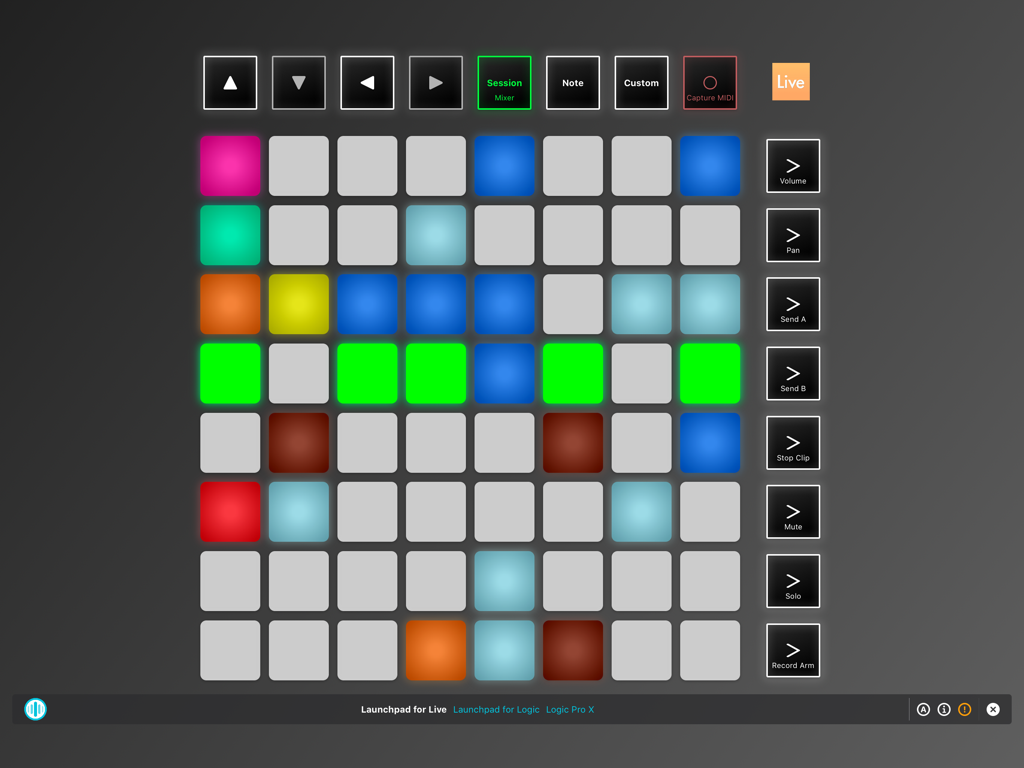
ONE Control Plus - iPad用ONE Control Plusアプリの仮想Launchpadコントローラーインターフェース
iPad用ONE Control Plusアプリの仮想Launchpadコントローラーインターフェース

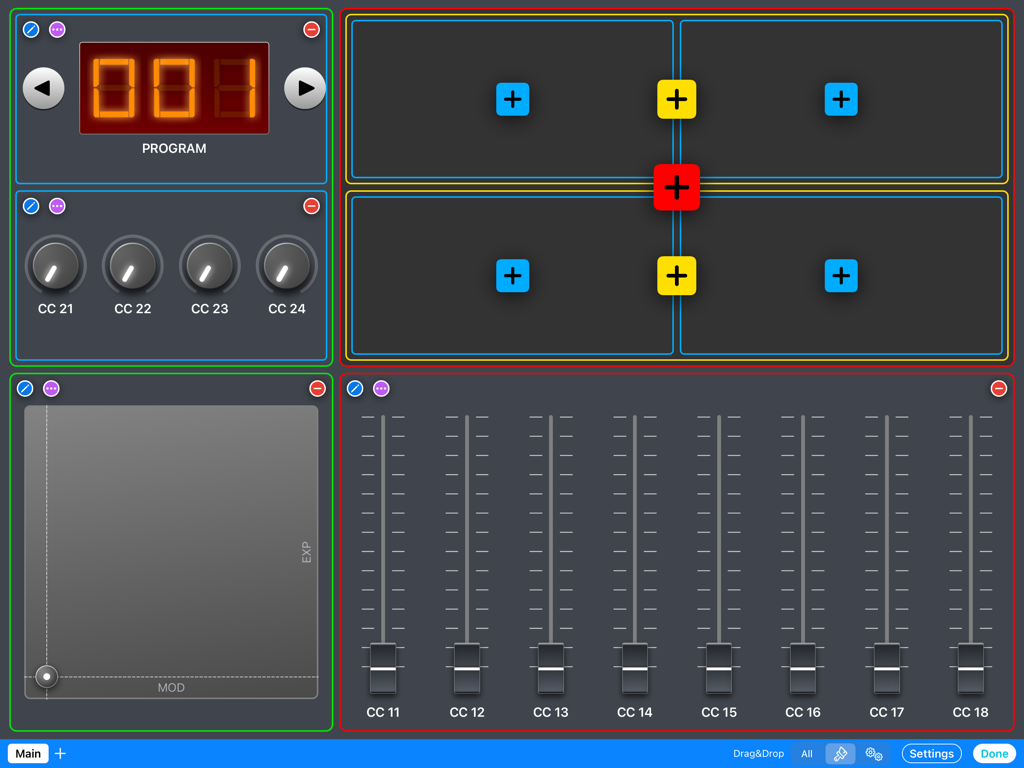
ONE Control Plus - フェーダー、ノブ、XYパッド、プログラムコントロールを備えたカスタムモジュラーMIDIコントローラーレイアウトを示すiPad画面
フェーダー、ノブ、XYパッド、プログラムコントロールを備えたカスタムモジュラーMIDIコントローラーレイアウトを示すiPad画面

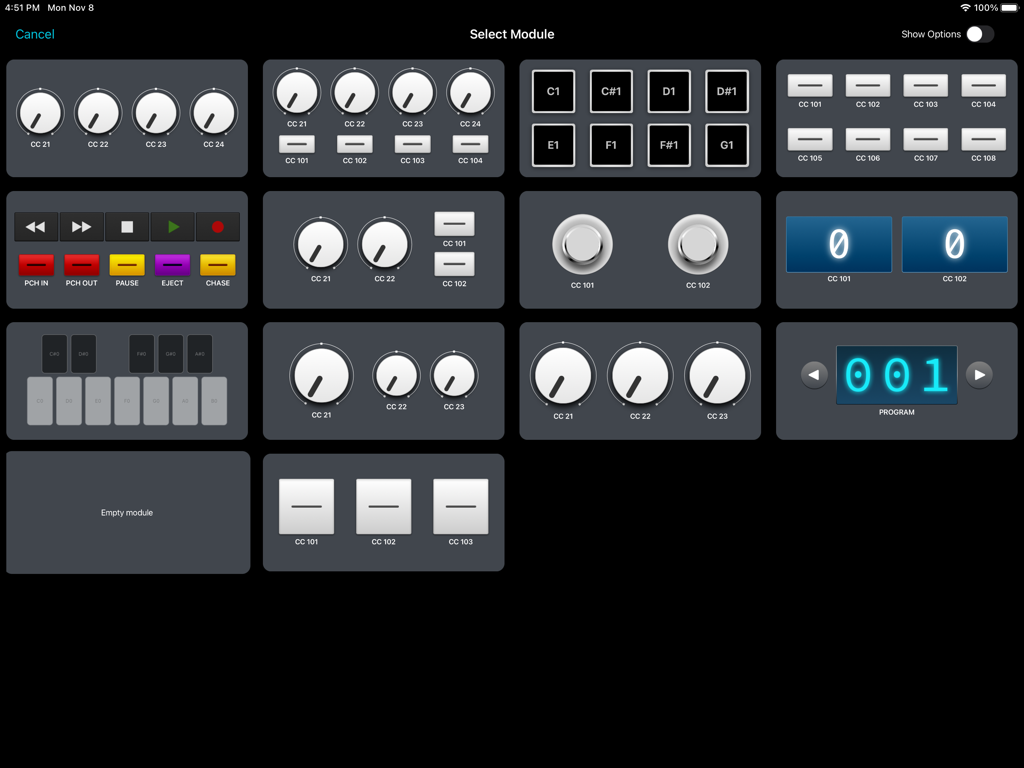
ONE Control Plus - ノブ、パッド、トランスポートコントロールなどのカスタマイズ可能なMIDIおよびOSCモジュールの選択グリッドを表示するONE Control Plusアプリインターフェース
ノブ、パッド、トランスポートコントロールなどのカスタマイズ可能なMIDIおよびOSCモジュールの選択グリッドを表示するONE Control Plusアプリインターフェース

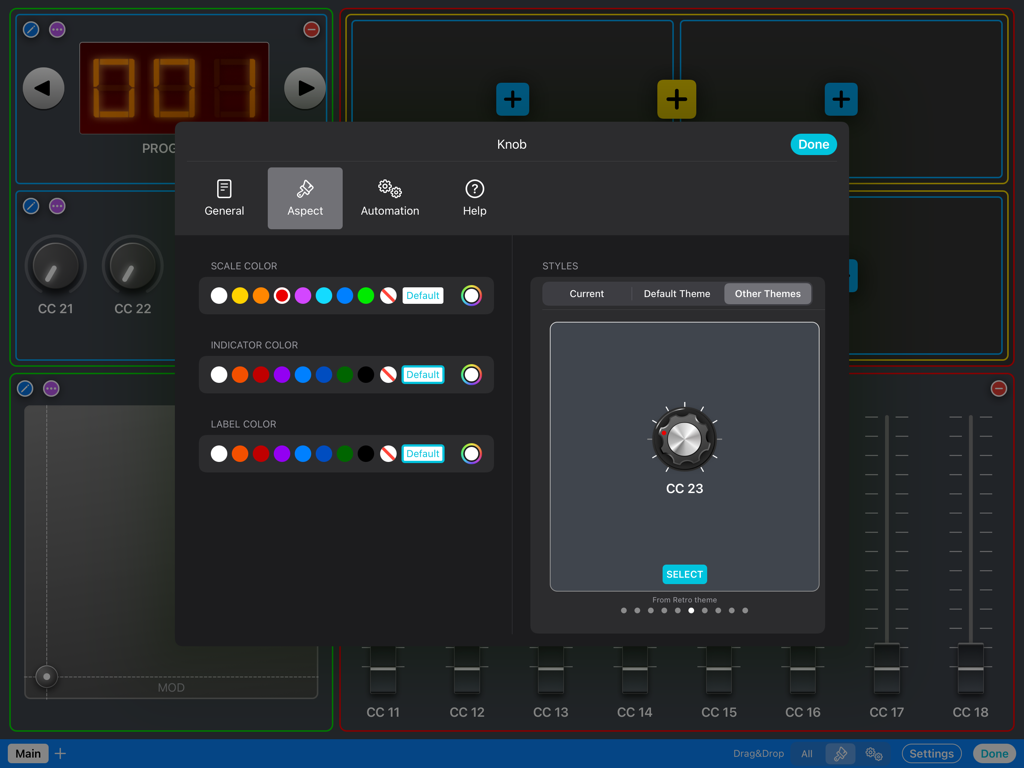
ONE Control Plus - ONE Control Plusのカラーやスタイルオプションを含むMIDIノブの外観カスタマイズメニュー
ONE Control Plusのカラーやスタイルオプションを含むMIDIノブの外観カスタマイズメニュー

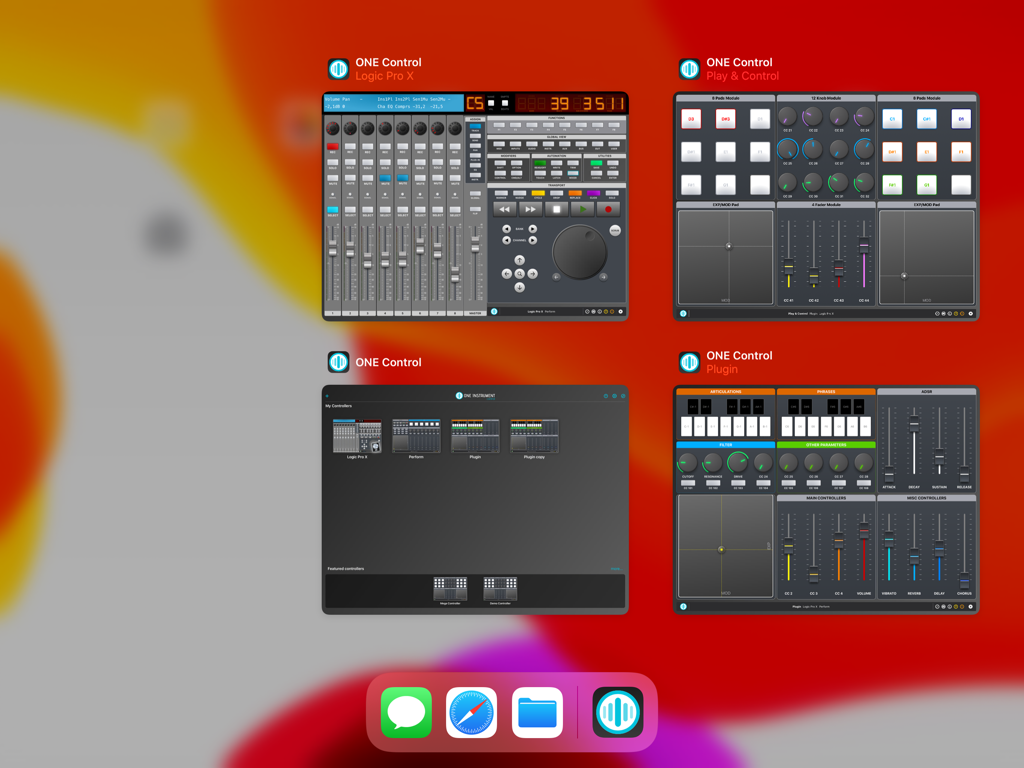
ONE Control Plus - iPad上の4つの同時ONE Control Plusウィンドウ、さまざまなDAWおよびMIDIコントロールサーフェスを表示。

iPad上の4つの同時ONE Control Plusウィンドウ、さまざまなDAWおよびMIDIコントロールサーフェスを表示。

説明

ONE Control Plus introduces a unified app with all the features of ONE Control DAW and ONE Control PRO, adding a free plan with essential yet powerful features.  If you’re happy with the Essential plan, enjoy it for free, forever. Yet, If you want to make the most of ONE Control, choose a one-time In-App Purchase Expansion Pack. Existing ONE Control DAW and PRO users will find an automatic, free of charge, migration process to ONE Control Plus. Essential (Free) * Essential Modular Controller * Essential DAW Controller * Launchpad controller * Limit of 4 controllers DAW Expansion Pack (In-App purchase) * Advanced DAW Controllers * Essential Modular Controller * Launchpad controller * Limit of 10 controllers PRO Expansion Pack (In-App purchase) * Pro Modular Controller * Pro DAW Controllers * Advanced MIDI communication * OSC Support * Unlimited Controllers MAIN FEATURES Modular Controller - Compose your MIDI/OSC controllers with a few touches - Choose between dozens of customizable modules: Faders, Knobs, Buttons, Pads, Keyswitches, XY Pads, Envelopes, Stepper, Interactive Displays, Keyboards and Background panels - Four amazing themes: Default, Minimal, Modern and Retro (PRO) - Many customisable control styles (PRO) - Configure your control’s aspect and actions exclusively, with custom events: MIDI Messages (CC, Note On/Off, etc.), MMC commands (Transport, Punch In/Out, etc.), OSC commands, Pitch Bend, Realtime Messages, and RPN/NRPN - Customisable Multi-Step components (PRO) - Add background textures and images. Apply effects to backgrounds. (PRO) - Save up to 128 presets (patches) for each controller (PRO) - Organise your controller in multiple pages (PRO) - Add help, comments and best practices for your collaborators (PRO) DAW Controller - Faithful replica of the glorious Mackie Control Surface (MCU) - Customisable templates for the main DAWs: Apple Logic Pro (Logic Control emulation) Steinberg Cubase/Nuendo Ableton Live Cakewalk by BandLab Universal Audio LUNA PerSonus Studio One MOTU Digital Performer Cockos Reaper Reason Studios Sony Vegas Waveform Tracktion Bitwig Studio Image Line FL Studio Adobe Audition Adobe Premiere Blackmagic Design DaVinci Resolve - Generic Mackie Control Universal template for other DAWs and Hardware - Dynamic buttons (labels and colors change depending on the current context) - Cheat Sheets for the major DAWs included - VU-Meters (PRO) - Customisable buttons (PRO) Launchpad Controller - Faithful replica of the Novation Launchpad X - Compatible with Ableton Live and Logic Pro 10.6+ - Play/record clips (Live) and live loops (Logic) - Control mixer parameters: Volume, Pan, Sends, Solo, Mute, Record Arm - Play MIDI notes - Billboard mode: Display scrolling messages at different speeds and aspects OTHER FEATURES - Supports wired, LAN and Bluetooth connections - Automatically connect to MIDI Network session (PRO) - Compatible with MacOS and Windows* hosts - Independent MIDI configuration for each controller - iPadOS multi-window support - Widget support: open your controller from the iPad Home Screen - Switch between your controllers with a single tap - Share your controllers with friends and collaborators - Save your controllers on iCloud Drive (PRO) - Optimized layouts for all iPad models, from the Mini to the iPad Pro 12.9" - Step by step guides to MIDI connection and DAW configuration - Online tutorials and videos *For Network MIDI connections with Windows PC, an RTP MIDI compatible driver is required. rtpMIDI is a free software fully compatible with ONE Control. Some MIDI interfaces also come with RTP MIDI drivers.

Download

ダウンロード: App Store

このページはアプリまたはその開発者の公式ページではなく、情報提供および論評を目的として作成された独立した編集出版物です。明示的に別段の記載がない限り、アプリおよびその開発者は、MWM、Apple、Google Play、アプリのパブリッシャー、またはアプリの開発者と提携、承認、後援、認可、またはその他の公式的な関係はなく、このページのいかなる内容も、アプリがMWMのサービスを使用して開発されたことを意味するものではありません。すべての商標、ロゴ、スクリーンショット、その他のコンテンツはそれぞれの所有者の財産です。







