One Man Band Live
One Man Band Live
ダウンロード: App Store

このページはアプリまたはその開発者の公式ページではなく、情報提供および論評を目的として作成された独立した編集出版物です。明示的に別段の記載がない限り、アプリおよびその開発者は、MWM、Apple、Google Play、アプリのパブリッシャー、またはアプリの開発者と提携、承認、後援、認可、またはその他の公式的な関係はなく、このページのいかなる内容も、アプリがMWMのサービスを使用して開発されたことを意味するものではありません。すべての商標、ロゴ、スクリーンショット、その他のコンテンツはそれぞれの所有者の財産です。

ロゴ: One Man Band Live
ダウンロード: App Store

One Man Band Live

ソロミュージシャンのための究極のリアルタイム自動伴奏ツール。デジタルピアノを接続するか、外出先で数千の互換スタイルファイルとカスタマイズ可能なコントロールで演奏しましょう。

主要数値

ダウンロード

5K+

ユーザー評価

3.6/5

評価数

0

開発元

Jos Maas

カテゴリ

Music

対応言語

1

最新バージョン

1.2

サイズ

2.6 MB

リリース日

2018年4月22日
機能

指先でプロのバンドを

デジタルピアノをハイエンドのアレンジャーキーボードに変え、自宅でもステージでも、リアルタイムでフルオーケストラを指揮しましょう。

インタラクティブな自動伴奏

あなたのリードに従うフルバンドを体験してください。左手でコードを演奏すると、リズムセクションが瞬時にあなたの演奏に適応します。

無制限のスタイルライブラリ

ヤマハPSRおよびTyrosのスタイルファイル(.sty)と完全に互換性があります。数千の無料リズムパックを簡単にインポートして、あなたのサウンドをプロフェッショナルで多様なものに保ちましょう。

以下のスクリーンショットと説明は、アプリの公式ストアリスティングから直接取得されたものであり、アプリ開発者の所有物です。

アプリストア

スクリーンショット
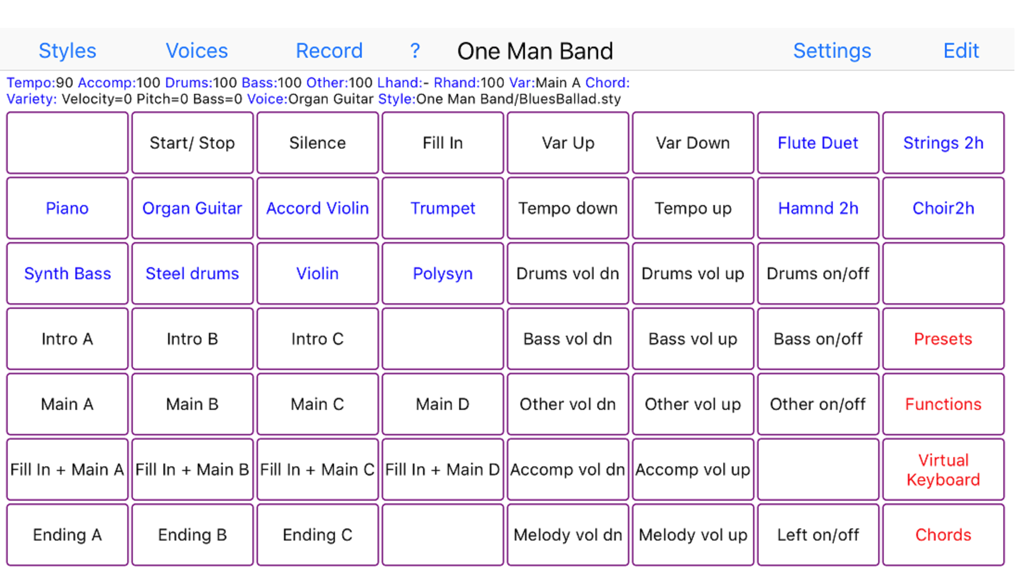
One Man Band Live - 音楽伴奏と楽器制御のためのボタンのグリッドを特徴とするOne Man Band Liveアプリのインターフェース。
音楽伴奏と楽器制御のためのボタンのグリッドを特徴とするOne Man Band Liveアプリのインターフェース。

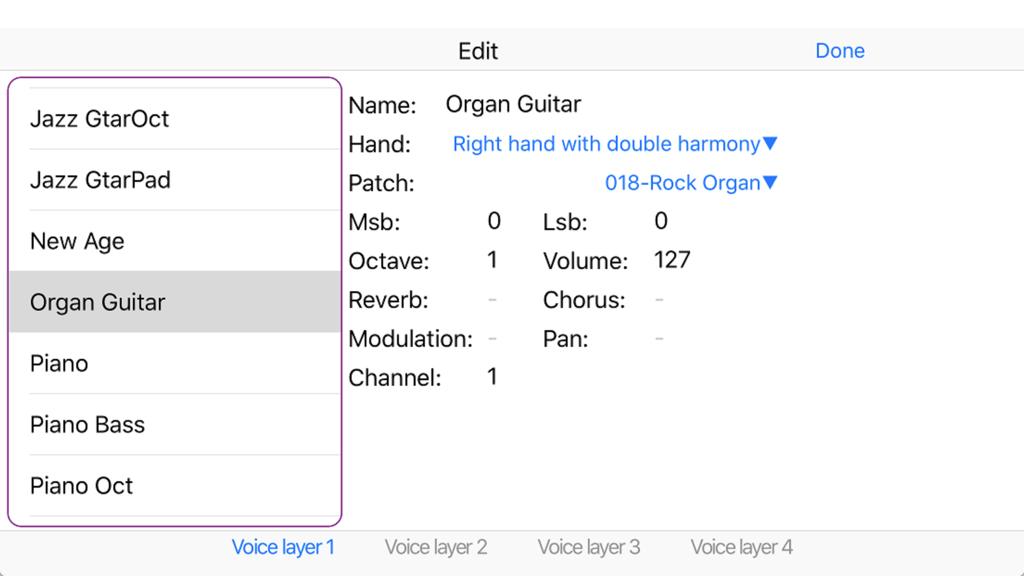
One Man Band Live - One Man Band Liveのボイスプリセット編集インターフェース。オルガンギター楽器の設定が表示されています。
One Man Band Liveのボイスプリセット編集インターフェース。オルガンギター楽器の設定が表示されています。

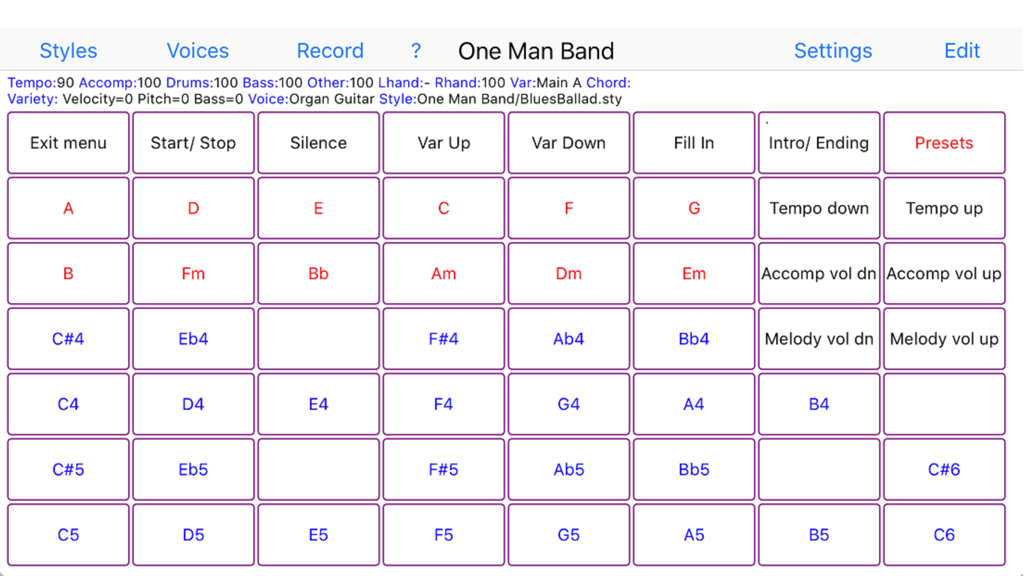
One Man Band Live - One Man Band Liveアプリのユーザーインターフェース。音楽コードと伴奏コントロールのためのボタンのグリッドを特徴としています。

One Man Band Liveアプリのユーザーインターフェース。音楽コードと伴奏コントロールのためのボタンのグリッドを特徴としています。

説明

Change your digital piano or synthesizer into an arranger keyboard with realtime auto-accompaniment. Or use your iOS device on its own as a realtime arranger and be creative while traveling Connect your iPad, iPhone or iPod to your keyboard instrument with the camera connection kit and an USB AB cable or a MIDI interface cable (depending on what your keyboard uses for MIDI). Then start One Man Band and select the Settings button. Choose the MIDI In and MIDI Out port to your keyboard and press Done. Now select the red Presets button and choose one of the style/voice combinations. When you play a chord on the leftside of your keyboard instrument, the accompaniment will start to play. You can play the melody on the right side of the keyboard, it will have harmonies and instrument layers depending on the chosen voice. Select different style variations (Main, Fill, Intro, Ending) while you play. Switch to different accompaniment styles and melody voices with the buttons on top. Press Record and set the switch on to record MIDI files. When you don't have a keyboard instrument (yet) or can't make the connection at the moment, then there are options to use the iPad/iPhone/iPod as an accompaniment instrument on its own. Select the soundfont player at Settings/Ports/MidiOut and use the virtual keyboard to play chords and melody. One Man Band utilises standard style files compatible with the styles used in Yamaha PSR, DGX and Tyros arranger keyboards. There are thousands of these styles available on the internet. When you copy a zip-file with styles to OMB (download, email, icloud), the styles will be placed in a new style folder with the same name as the zip-file. The panel with 56 buttons is customisable. You can assign a function, voice, preset, chord or note to each of the buttons (except for the button top left) and create submenus with again 56 buttons each. Create your own voices with harmonies and instrument layering. There is also a free version (One Man Band Lite) in the App Store.

Download

ダウンロード: App Store

このページはアプリまたはその開発者の公式ページではなく、情報提供および論評を目的として作成された独立した編集出版物です。明示的に別段の記載がない限り、アプリおよびその開発者は、MWM、Apple、Google Play、アプリのパブリッシャー、またはアプリの開発者と提携、承認、後援、認可、またはその他の公式的な関係はなく、このページのいかなる内容も、アプリがMWMのサービスを使用して開発されたことを意味するものではありません。すべての商標、ロゴ、スクリーンショット、その他のコンテンツはそれぞれの所有者の財産です。







