
このページはアプリまたはその開発者の公式ページではなく、情報提供および論評を目的として作成された独立した編集出版物です。明示的に別段の記載がない限り、アプリおよびその開発者は、MWM、Apple、Google Play、アプリのパブリッシャー、またはアプリの開発者と提携、承認、後援、認可、またはその他の公式的な関係はなく、このページのいかなる内容も、アプリがMWMのサービスを使用して開発されたことを意味するものではありません。すべての商標、ロゴ、スクリーンショット、その他のコンテンツはそれぞれの所有者の財産です。


One Player - offline music
オーディオファイル愛好家やアスリートのための究極のローカルプレーヤー。ロスレスオーディオ、Apple Watchでの独立した再生、シームレスなCarPlay連携で、あなたの音楽コレクションを完全にコントロールできます。
ダウンロード
213K+ユーザー評価
評価数
2K+開発元
カテゴリ
Music対応言語
33最新バージョン
4.5.0サイズ
132.1 MBリリース日
2022年3月14日あなたの音楽、あなたのルール
ストリーミングの制限から解放されましょう。OnePlayerは、強力なオフライン再生と、すべてのデバイスでの完全なライブラリコントロールで、あなたのハイレゾローカルコレクションに命を吹き込みます。
スマホなしでのパフォーマンス
iPhoneを置いていきましょう。Apple Watchに直接トラックをインポートし、ワークアウト中にヘッドフォンまたは内蔵スピーカーで独立して再生できます。
ハイレゾオーディオをマスターする
ストリームフリーでロスレス。FLAC、DSD、WAVなどをサポートし、あなたの音楽の細部まで、本来意図された通りに聴くことができます。
よくある質問
について知っておくべきこと One Player - offline music
OnePlayerとは何ですか?
OnePlayerは、ユーザーがローカル音楽コレクションを真に所有・管理するためのプロフェッショナルなオフライン音楽プレーヤーです。複数のAppleデバイスと幅広いオーディオフォーマットをサポートしています。
OnePlayerはオフライン音楽再生をサポートしていますか?
はい、OnePlayerは明確にオフライン音楽プレーヤーとして設計されています。インターネット接続を必要とせずに、ローカルオーディオファイルをインポートして再生することができます。
OnePlayerはどのようなオーディオフォーマットをサポートしていますか?
OnePlayerは、MP3、FLAC、AAC、WAV、AIFF、APE、OGG、OPUS、WMA、DSD、DSF、M4A、M4Rなど20以上のオーディオフォーマットをサポートしており、フルフォーマットのハイレゾ再生を提供します。
OnePlayerはiPhoneなしでApple Watchで独立して音楽を再生できますか?
はい、OnePlayerはApple Watchでのスタンドアロン再生をサポートしています。ユーザーは直接ウォッチに音楽をインポートして独立して再生でき、スピーカー再生やライブラリ全体へのアクセスといった機能も利用できます。
OnePlayerアプリに音楽ファイルを転送するにはどうすればよいですか?
OnePlayerは、WiFi転送、USBインポート、ファイルアプリ、iTunes同期、WebDAVサーバー、SMB LAN共有など、柔軟なインポートオプションを提供しており、コンピューターなしで簡単に管理できます。
OnePlayerにはサウンドカスタマイズのためのイコライザーが含まれていますか?
はい、OnePlayerにはプロフェッショナルなイコライザーが搭載されています。複数のプリセットと10バンドのカスタムEQを提供し、ユーザーはオーディオ体験を微調整できます。
OnePlayerはCarPlay統合をサポートしていますか?
はい、OnePlayerは完全なCarPlay体験を提供します。車のディスプレイから直接曲、プレイリスト、アルバム、アーティスト、フォルダをブラウズして再生でき、歌詞の同期も可能です。
OnePlayerでメタデータを含む音楽ライブラリを管理できますか?
はい、OnePlayerは完全な音楽ライブラリ管理を提供します。ユーザーは無制限のプレイリストを作成し、音楽を並べ替え、アートワーク、タイトル、アルバム、アーティスト、歌詞、評価などのメタデータを編集できます。
OnePlayerは音楽ストリーミングまたはダウンロードサービスを提供していますか?
いいえ、OnePlayerはストリーミングまたはダウンロードサービスを提供していません。ユーザーがインポートしたオーディオファイルのためのローカル再生ツールとしてのみ機能します。
OnePlayerアプリの購入オプションは何ですか?
OnePlayerは、買い切り型とサブスクリプションの両方のオプションを提供しています。サブスクリプションは、現在の期間が終了する少なくとも24時間前にキャンセルされない限り自動的に更新されます。
OnePlayerアプリでSiriコマンドを使用できますか?
はい、OnePlayerはSiriとショートカットと統合されています。ユーザーはSiri音声コマンドを使用して曲、アーティスト、またはプレイリストを再生したり、ショートカットでアクションを自動化したりできます。
OnePlayerはNASのようなネットワークストレージに接続できますか?
はい、OnePlayerはNASデバイス(Synology、QNAP)向けのSMB LAN共有やWebDAVサーバー(Nextcloud、ownCloud)経由でのネットワークストレージへの接続をサポートしており、音楽のブラウズ、ストリーミング、ダウンロードが可能です。
OnePlayerは再生中に曲の歌詞を表示できますか?
はい、OnePlayerは歌詞表示をサポートしています。埋め込みLRC歌詞とインポートされた歌詞ファイルに対応しており、アプリ内で直接歌詞を編集できます。
OnePlayerはオーディオの再生速度を変更できますか?
はい、OnePlayerは可変速再生機能を備えています。この機能は、オーディオブック、ポッドキャスト、教材などに役立ち、再生レートをカスタム調整できます。
以下のスクリーンショットと説明は、アプリの公式ストアリスティングから直接取得されたものであり、アプリ開発者の所有物です。
アプリストア
スクリーンショット
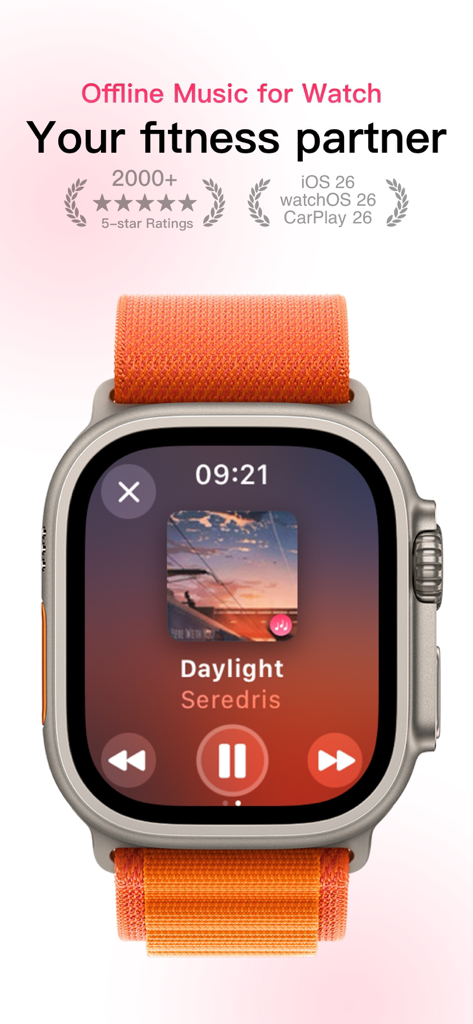
One Playerオフライン音楽プレーヤーのインターフェースがApple Watch Ultraに表示され、フィットネスやワークアウトに使用
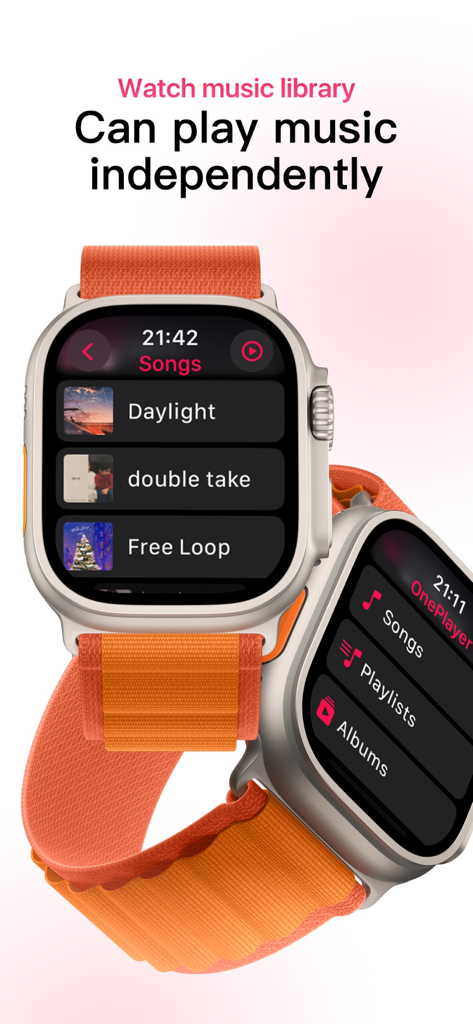
Apple Watch上のOne Playerアプリのインターフェース。オフライン音楽ライブラリと独立再生機能が表示されている
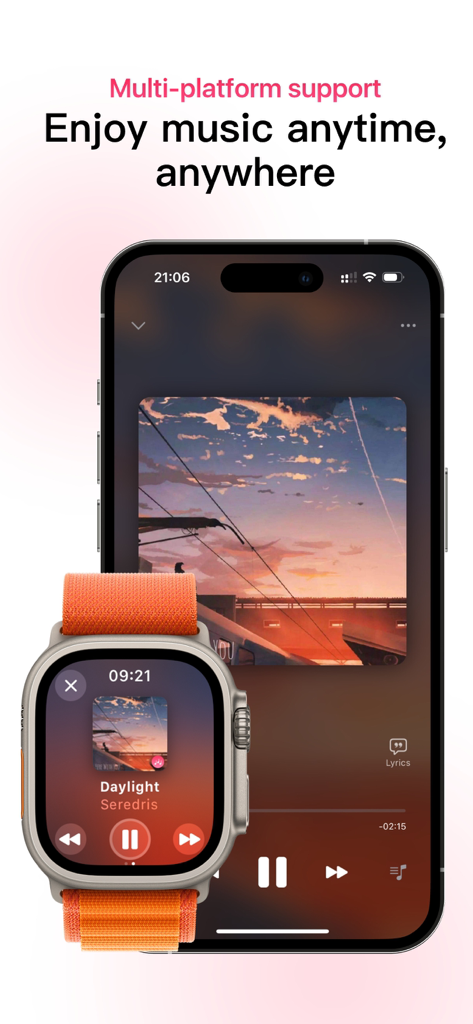
One PlayerアプリがiPhoneとApple Watchでオフライン音楽再生を表示
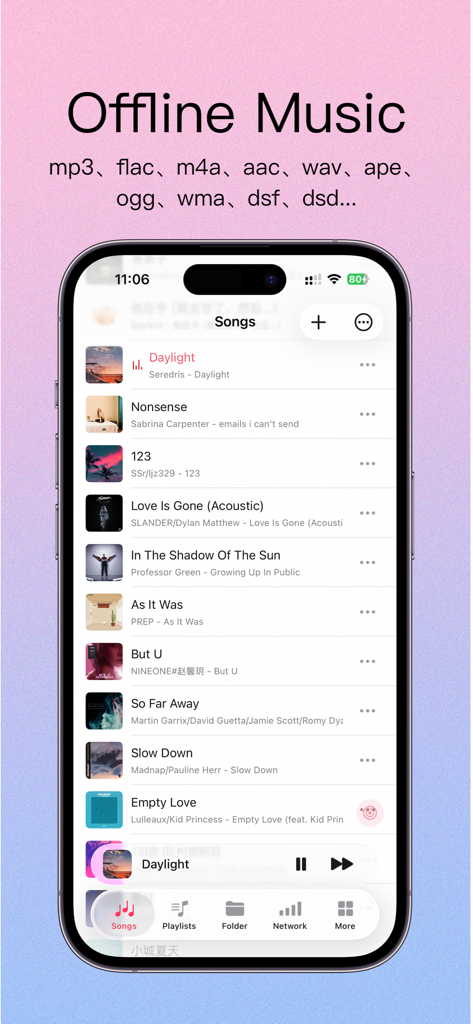
One Playerアプリのスクリーンショット。オフライン楽曲リストとサポートされているファイル形式が表示されている
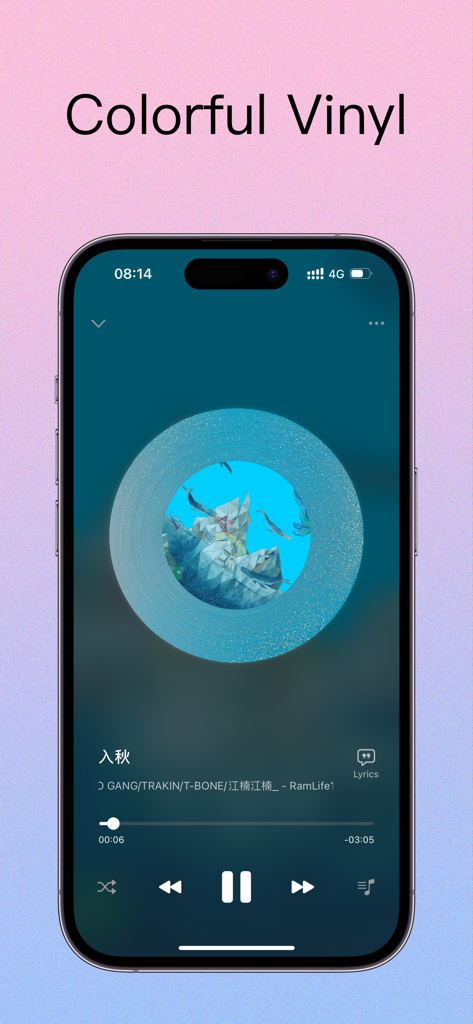
カラフルなビニールレコードスキンを備えたOne Playerアプリの音楽インターフェース
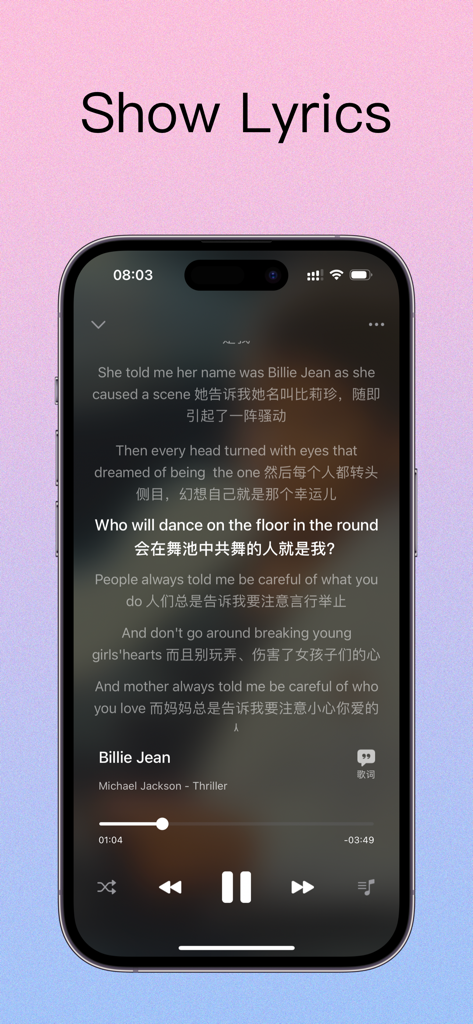
One Playerオフライン音楽アプリが表示されたiPhone画面。歌詞が英語と中国語で表示されている
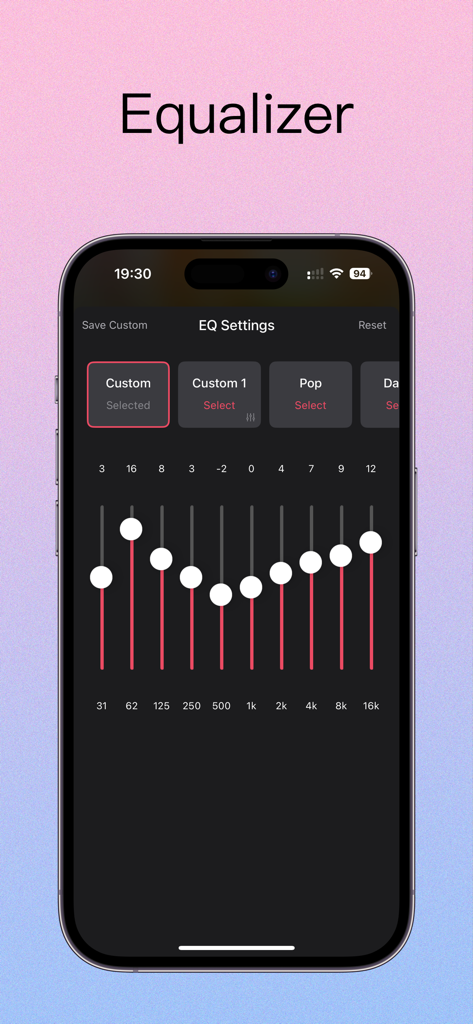
iPhone上のOne Playerオフライン音楽アプリのイコライザー設定インターフェース
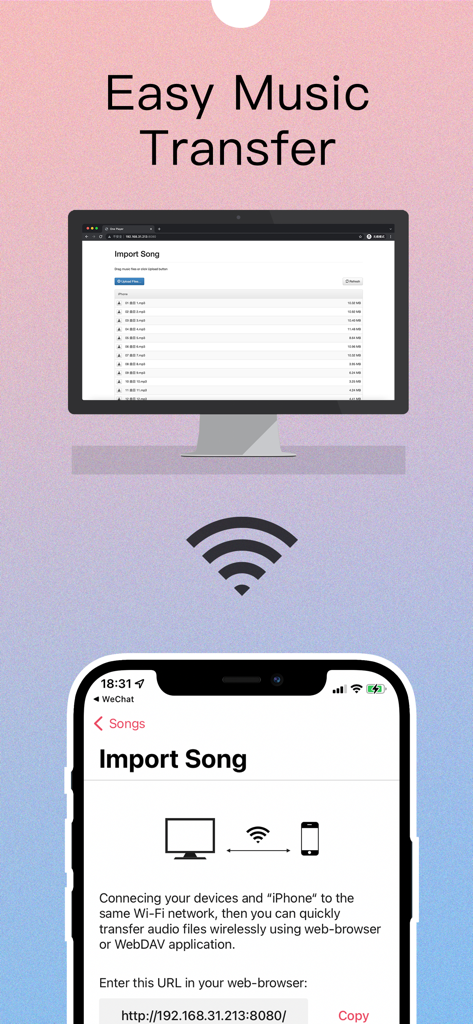
オフラインリスニングのために、コンピュータからiPhoneへWi-Fi経由で簡単に音楽を転送
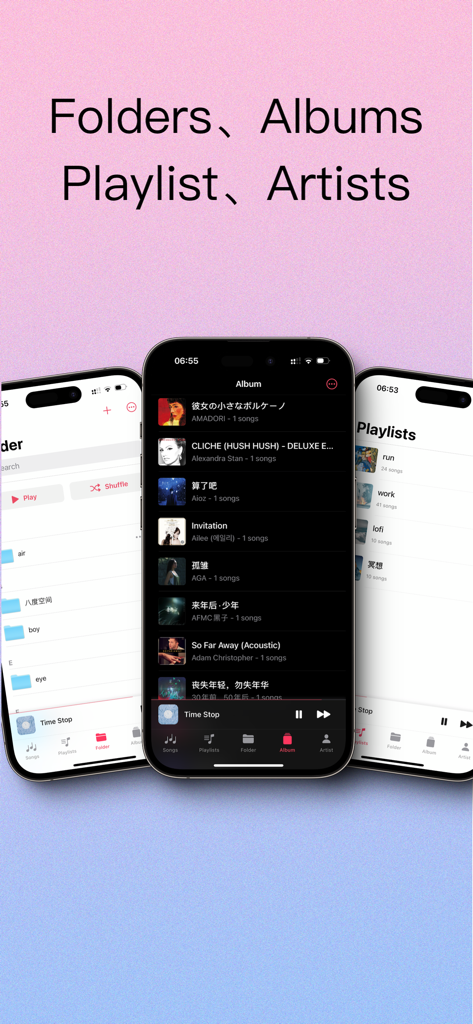
フォルダ、アルバム、プレイリストの整理のためのOne Playerアプリビューを表示する3つのiPhone画面
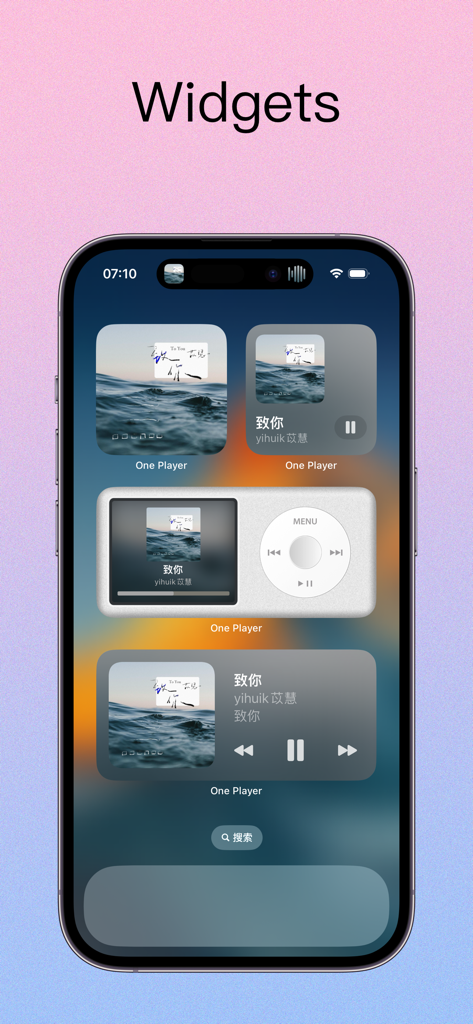
iPhoneホーム画面に、レトロなiPodスタイルのインターフェースを含むOne Playerアプリのいくつかの音楽プレーヤーウィジェットが表示されている
説明
Download
類似アプリ
似た機能とユーザー体験を持つアプリ

iPlayer - Offline Music Player
Chengdu Shark Fin Network Technology Co., Ltd.
Offline Music Player
Md Zakir Hossain

Melodista Music Offline Player
Oleksandr Pylaiev

Offline Music Player - Muzika
MobSoft Technology Srl

Pure Tuber : Videos, Music
Patrick Fronvier

RaMusi: Offline Music Player
EASECLICKMOBI HK LIMITED

Cloud Music Offline Player mp3
Astakhov Constantine

Offline Music & MP3 Player
Changsha Shenguangyuan Technology Co., Ltd.

Music X - Music Offline Player
Luzhou Haochuang Network Technology Co., Ltd.
このページはアプリまたはその開発者の公式ページではなく、情報提供および論評を目的として作成された独立した編集出版物です。明示的に別段の記載がない限り、アプリおよびその開発者は、MWM、Apple、Google Play、アプリのパブリッシャー、またはアプリの開発者と提携、承認、後援、認可、またはその他の公式的な関係はなく、このページのいかなる内容も、アプリがMWMのサービスを使用して開発されたことを意味するものではありません。すべての商標、ロゴ、スクリーンショット、その他のコンテンツはそれぞれの所有者の財産です。