
このページはアプリまたはその開発者の公式ページではなく、情報提供および論評を目的として作成された独立した編集出版物です。明示的に別段の記載がない限り、アプリおよびその開発者は、MWM、Apple、Google Play、アプリのパブリッシャー、またはアプリの開発者と提携、承認、後援、認可、またはその他の公式的な関係はなく、このページのいかなる内容も、アプリがMWMのサービスを使用して開発されたことを意味するものではありません。すべての商標、ロゴ、スクリーンショット、その他のコンテンツはそれぞれの所有者の財産です。


ONLYOFFICE Documents
ドキュメント、スプレッドシート、プレゼンテーション用のプライバシーファーストのオールインワンエディタで、ワークフローを完全に制御します。MS OfficeおよびAppleフォーマットを、広告なし、アプリ内購入なし、完全なクラウド柔軟性でシームレスに処理します。
ダウンロード
239K+ユーザー評価
評価数
200開発元
カテゴリ
Productivity対応言語
15最新バージョン
9.2.1サイズ
361.4 MBリリース日
2015年4月2日モバイルでのよりスマートな作業方法
サブスクリプションの疲れなしにデスクトップグレードの生産性を実現します。ONLYOFFICE Documentsは、ファイルに対する完全な制御を要求するプロフェッショナル向けに、安全で広告なしのスイートを提供します。
ユニバーサルフォーマット互換性
アプリ間の切り替えをやめましょう。iPhoneまたはiPadで、レイアウトを完全に維持しながら、MS Office、Apple iWork、ODTファイルをシームレスに編集できます。
プライバシーとクラウド主権
データを回収しましょう。NextcloudやownCloudなどのプライベートクラウドに接続し、柔軟な権限を持つ安全な仮想データルームで共同作業を行います。
よくある質問
について知っておくべきこと ONLYOFFICE Documents
ONLYOFFICE Documentsとは何ですか?
ONLYOFFICE Documentsは無料のiOS向けオフィスアプリです。ユーザーはiPhoneやiPadで直接ドキュメント、スプレッドシート、プレゼンテーション、フォーム、PDFを作成および編集できます。
ONLYOFFICE Documentsアプリは無料ですか?
はい、ONLYOFFICE Documentsは完全に無料でダウンロードして使用できます。広告やアプリ内購入は一切含まれておらず、費用なしでフル機能の体験を提供します。
ONLYOFFICE Documentsはどのようなドキュメント形式をサポートしていますか?
ONLYOFFICE Documentsは、編集および作成のためにMS Office (DOCX, XLSX, PPTX)、Apple (Pages, Numbers, Keynote)、Hangul (HWP, HWPX)、ODG描画、Markdown、さまざまなメディアファイルをサポートしています。
ONLYOFFICE Documentsはクラウドストレージサービスに接続できますか?
はい、ONLYOFFICE Documentsは複数のクラウドサービスに接続できます。これには、ONLYOFFICE DocSpace、Workspace、Dropbox、Box、iCloud、Nextcloud、ownCloud、kDrive、その他のWebDAVクラウドが含まれます。
ONLYOFFICE Documentsはリアルタイム共同編集を提供しますか?
はい、ONLYOFFICE Documentsは堅牢なリアルタイム共同編集を提供します。ユーザーはDocSpaceハブに接続して、コメント、変更履歴の追跡、バージョンの管理、権限の割り当て、リンクを介した外部共同作業者との共有ができます。
ONLYOFFICE Documentsでドキュメントをスキャンできますか?
はい、ONLYOFFICE Documentsではカメラを使用して紙のドキュメントをスキャンできます。スキャンからテキストを抽出し、編集可能なファイルに変換して、デジタルドキュメント管理を容易にします。
ONLYOFFICE Documentsにはどのようなドキュメント編集ツールがありますか?
ONLYOFFICE Documentsのドキュメントエディタには、テーブル、オートシェイプ、画像、グラフ、グラフィック注釈、脚注、ページ番号の挿入ツールが含まれています。ユーザーはフォントプロパティの設定やドキュメントの保護もできます。
ONLYOFFICE Documentsにはスプレッドシートエディタが含まれていますか?
はい、ONLYOFFICE Documentsにはスプレッドシートエディタが搭載されています。データ選択、セルのスタイル設定、罫線、配置、テキストの折り返し、数式、グラフ、画像、共同作業をサポートしています。
ONLYOFFICE Documentsでプレゼンテーションを作成できますか?
はい、ONLYOFFICE Documentsはプレゼンテーションエディタを提供します。ユーザーはレイアウト、背景の変更、トランジションの適用、テーブル、画像、グラフの挿入、注釈の追加ができます。パスワード保護もサポートしています。
ONLYOFFICE DocumentsはPDFフォームをどのように処理しますか?
ONLYOFFICE Documentsでは、PDFフォームを直接開いて入力できます。既製のテンプレートの使用、パスワードによるフォームの保護、完了したフォームのDOCXまたはPDFファイルとしてのエクスポートをサポートしています。
ONLYOFFICE Documentsでファイルをパスワードで保護できますか?
はい、ONLYOFFICE Documentsはドキュメント、スプレッドシート、プレゼンテーション、PDFフォームのパスワード保護を提供します。この機能により、アプリ内での機密情報のセキュリティが強化されます。
以下のスクリーンショットと説明は、アプリの公式ストアリスティングから直接取得されたものであり、アプリ開発者の所有物です。
アプリストア
スクリーンショット
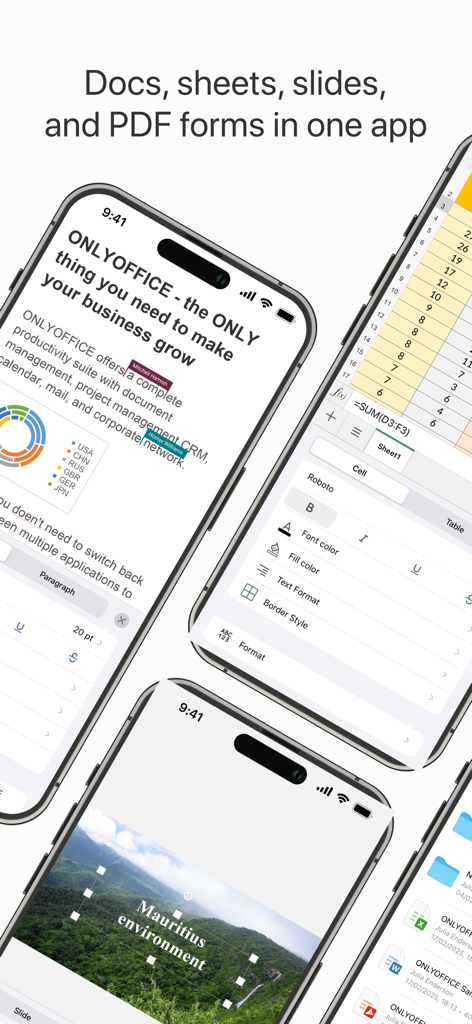
ONLYOFFICE Documentsアプリが、モバイルでのドキュメント、スプレッドシート、スライド編集機能を示しています
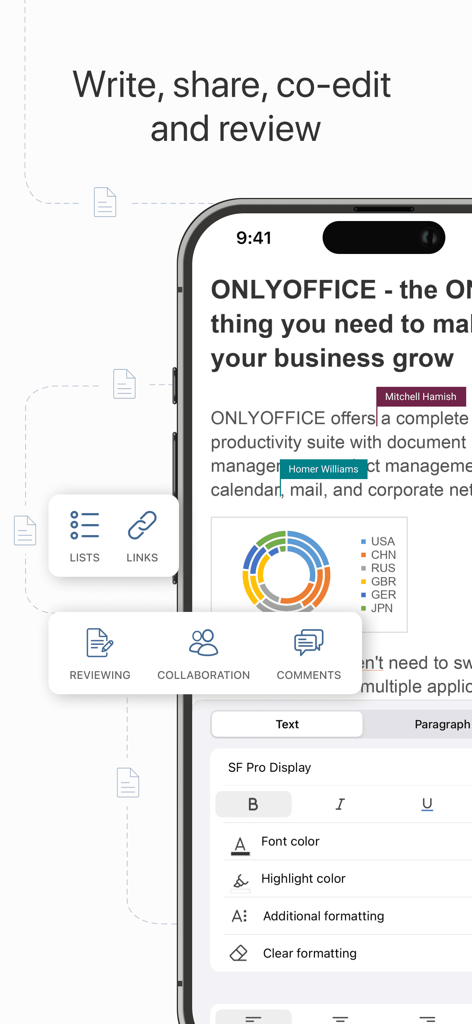
ONLYOFFICE Documentsモバイルアプリのインターフェースが、ドキュメント編集とリアルタイム共同作業を示しています。
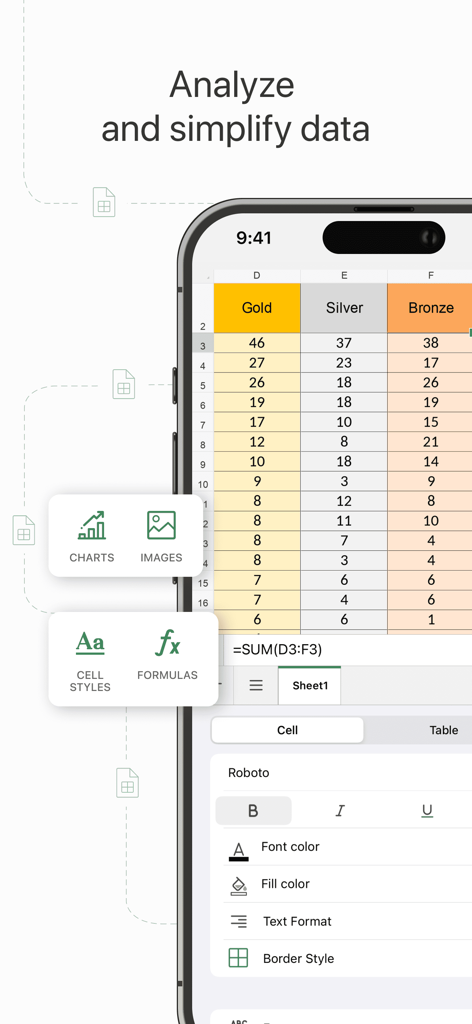
ONLYOFFICE Documentsのモバイルインターフェースが、データ分析ツールとフォーマットオプションを備えたスプレッドシートを示しています
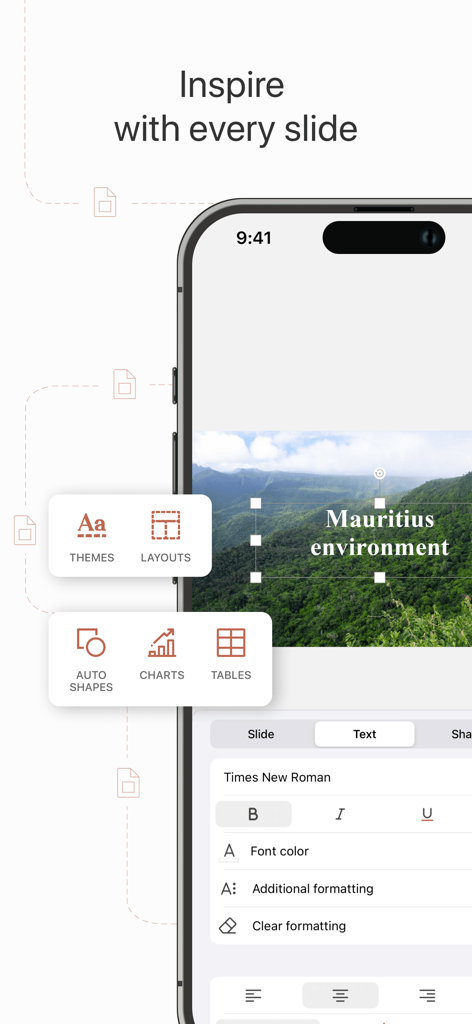
iPhoneのONLYOFFICE Documentsプレゼンテーションエディタのインターフェースが、スライドレイアウトとテキストフォーマットツールを示しています
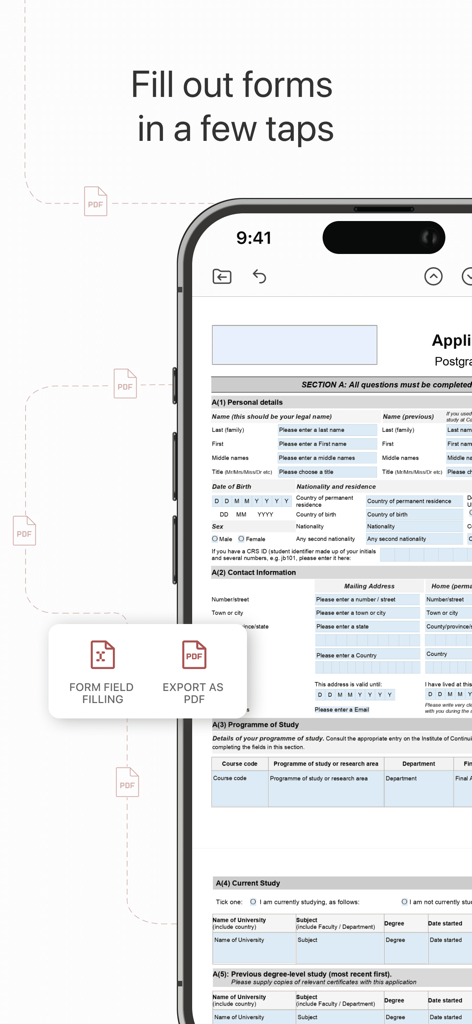
ONLYOFFICE Documentsモバイルアプリが、スマートフォンでPDFフォームに入力している様子を示しています
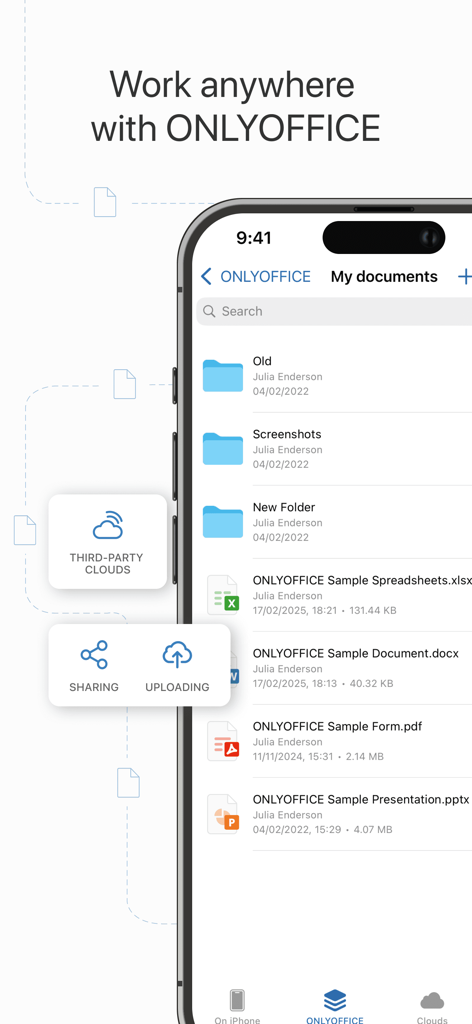
ONLYOFFICE Documentsモバイルアプリのインターフェースが、ファイルリストとクラウドストレージ機能を示しています
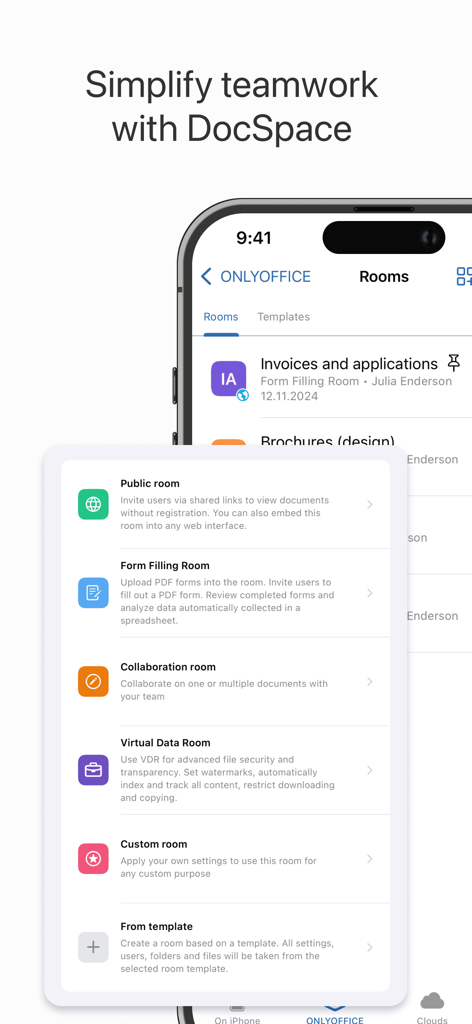
ONLYOFFICE DocSpaceモバイルインターフェースが、公開、フォーム入力、仮想データルームなどの共同作業ルームオプションを示しています。
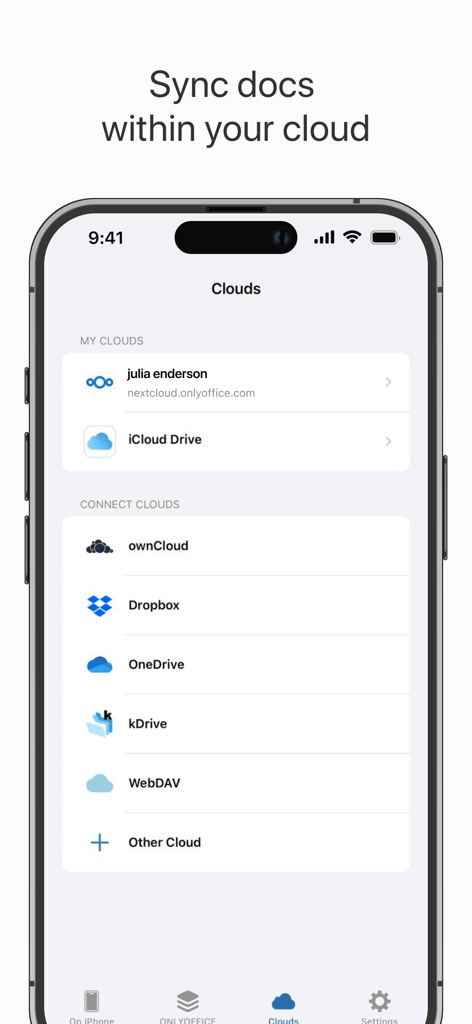
ONLYOFFICE Documentsアプリのインターフェースが、Nextcloud、iCloud Drive、Dropboxなどのクラウドストレージ接続オプションを示しています
説明
Download
類似アプリ
似た機能とユーザー体験を持つアプリ

石墨文档 - 在线文档协作编辑和表格制作
ChuXin Tec Co., Ltd.

Documents - Create & Edit
Normal Vector Limited

全能办公文档-在线word文档手机版、在线文档编辑
亚敏 陈

表格手机版 -手机编辑表格文档
晶晶 姜

word文档手机版-在线文档编辑办公软件
根根 黄

OpenDocument Reader - view ODT
Stefl und Taschauer OG

xlsx表格手机版 -移动端表格编辑
华 杨

文档手机版-手机办公软件
卓臻 李

AO Office
Akikazu Yoshikawa
このページはアプリまたはその開発者の公式ページではなく、情報提供および論評を目的として作成された独立した編集出版物です。明示的に別段の記載がない限り、アプリおよびその開発者は、MWM、Apple、Google Play、アプリのパブリッシャー、またはアプリの開発者と提携、承認、後援、認可、またはその他の公式的な関係はなく、このページのいかなる内容も、アプリがMWMのサービスを使用して開発されたことを意味するものではありません。すべての商標、ロゴ、スクリーンショット、その他のコンテンツはそれぞれの所有者の財産です。