Oracle Primavera P6 EPPM

Oracle Primavera P6 EPPM


ダウンロード: App Store
ロゴ: Oracle Primavera P6 EPPM

Oracle Primavera P6 EPPM: フィールドからのリアルタイムプロジェクト管理

外出中のプロジェクトチームのための必須コンパニオン。スケジュールを更新し、タイムシートを提出し、サイトの進捗状況を即座にキャプチャして、オフラインでも最も複雑なプロジェクトを順調に進めましょう。

開発元

Oracle America, Inc.

カテゴリ

Business

ダウンロード

9K+

ユーザー評価

3.4/5

評価数

0

対応言語

13

指先での精度

このインターフェースを利用する 9K+ 人のユーザー.

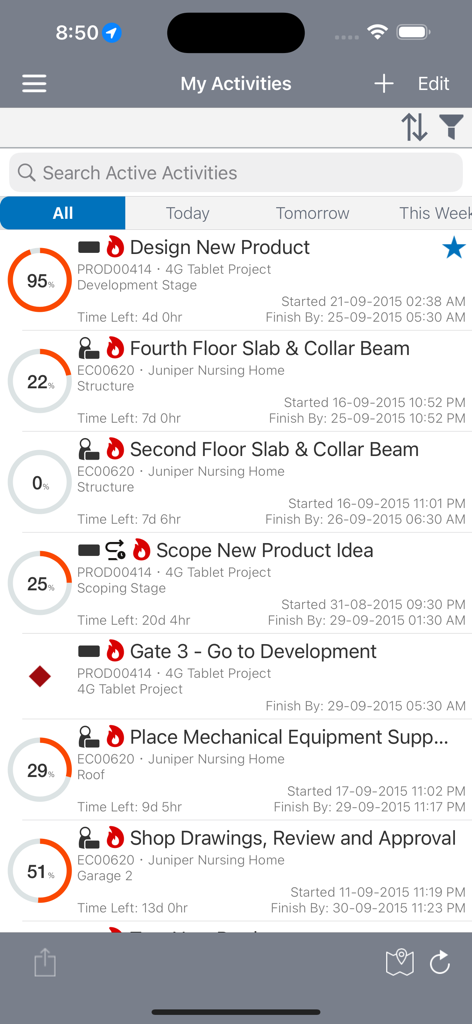
Oracle Primavera P6 EPPMモバイルアプリインターフェイス。進捗率と期日が表示されたプロジェクトアクティビティのリストを表示しています。

Oracle Primavera P6 EPPMモバイルアプリインターフェイス。進捗率と期日が表示されたプロジェクトアクティビティのリストを表示しています。

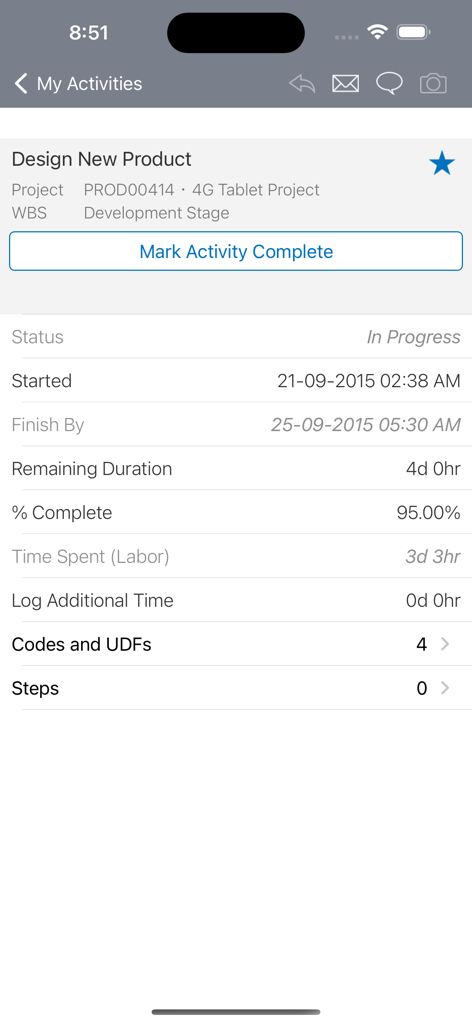
Oracle Primavera P6モバイルアプリ。プロジェクトアクティビティの詳細とステータストラッキングを表示しています。

Oracle Primavera P6モバイルアプリ。プロジェクトアクティビティの詳細とステータストラッキングを表示しています。

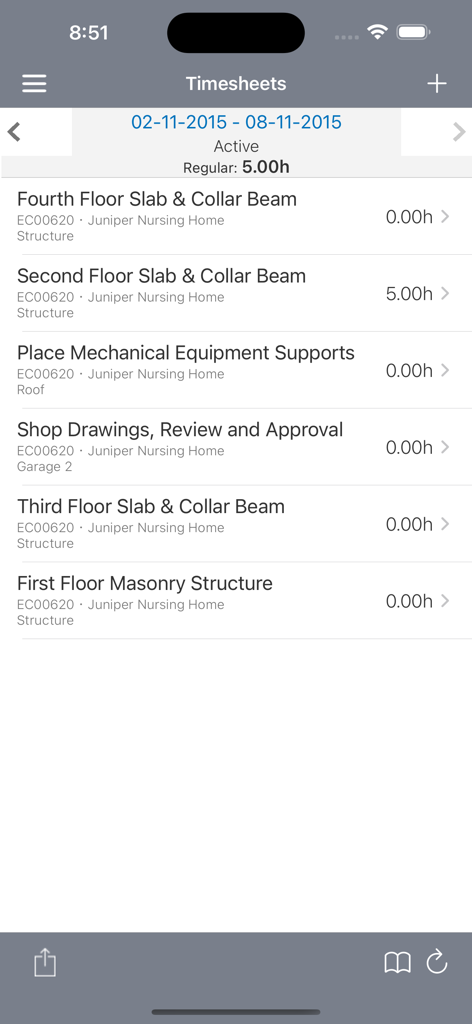
Oracle Primavera P6 EPPMモバイルアプリインターフェイス。建設プロジェクトタスクのタイムシートエントリと時間を表示しています。

Oracle Primavera P6 EPPMモバイルアプリインターフェイス。建設プロジェクトタスクのタイムシートエントリと時間を表示しています。

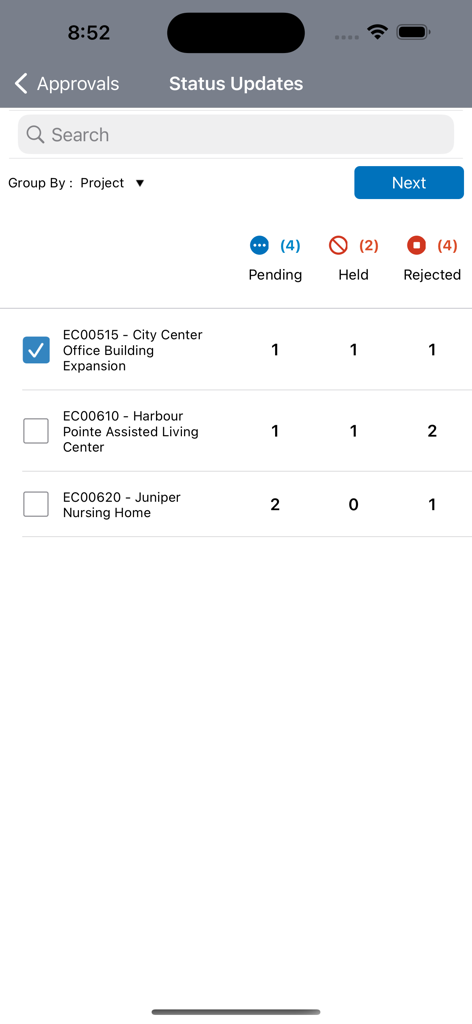
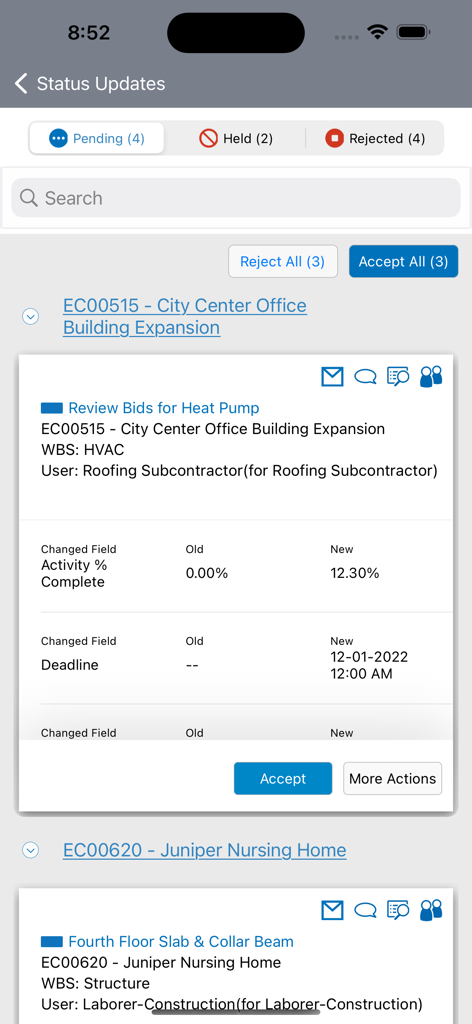
Oracle Primavera P6 EPPMステータス更新承認画面。保留中、保留中、拒否されたプロジェクトタスクが表示されています。

Oracle Primavera P6 EPPMステータス更新承認画面。保留中、保留中、拒否されたプロジェクトタスクが表示されています。

Oracle Primavera P6 EPPMアプリのステータス更新画面。プロジェクトアクティビティの進捗状況と期日の変更が表示されています。

Oracle Primavera P6 EPPMアプリのステータス更新画面。プロジェクトアクティビティの進捗状況と期日の変更が表示されています。

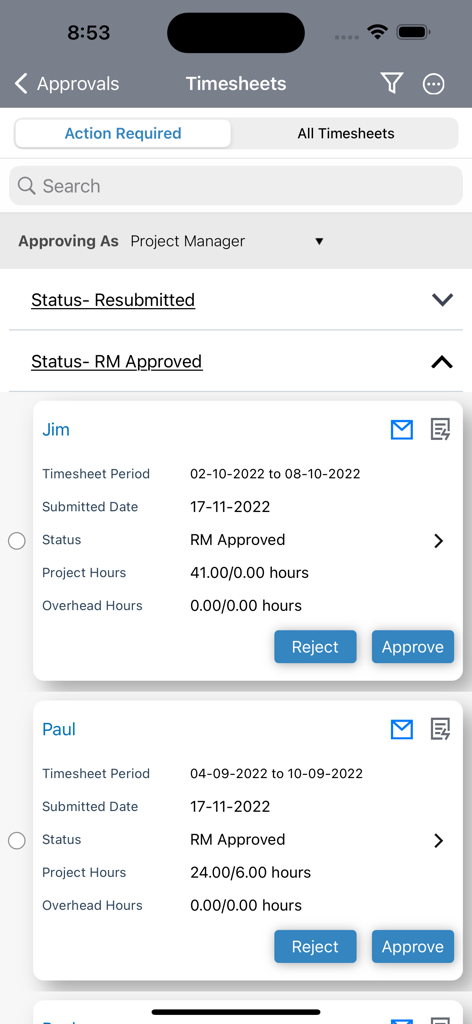
Oracle Primavera P6 EPPMモバイルアプリのタイムシート承認インターフェイス。

Oracle Primavera P6 EPPMモバイルアプリのタイムシート承認インターフェイス。

フィールドからプロジェクトスケジュールをマスター

このアプリを際立たせるツール、 9K+ 人のユーザーが選択.

🏗️

リアルタイムステータス更新

ジョブサイトから直接アクティビティの進捗状況を更新し、タイムシートを提出して、プロジェクトをクリティカルパス上に維持します。

📸

視覚的ドキュメント

写真とマークアップを添付して、作業の即時証拠を提供し、視覚的な証拠で紛争を排除します。

🔄

信頼性の高いオフラインモード

接続性のないリモートエリアでデータを記録し、インターネット接続が回復すると自動的に同期します。

アプリについて

について知っておくべきこと Oracle Primavera P6 EPPM.

説明

By installing this app you agree to the End User License Agreement terms at https://docs.oracle.com/cd/E68201_01/EULA/en/P6iOS_EULA.html. If you already have a current license and connection to Primavera P6, P6 mobile is the perfect companion to P6 web for team members on the go. The simple interface allows for quick status updates and timesheet submittal so a project schedule remains accurate and timely. Features: Update activity progress and submit timesheets right from the place where the work is happening. Provide status updates for other resources assigned to activities. Customize your activity list with built-in filters, including projects, WBS, status, location, due date, primary resource, and starred status. View the activity location in map view and navigate to the job site using the map application on your device. View and update additional activity details such as codes, user defined fields, steps, notebook topics, documents, and related activities. Attach pictures, markup and visually update the activity progress. Create multiple reminders based on activity start dates and timesheet due dates. Update activities in offline mode and automatically synchronize changes when internet connectivity is restored. Choose whether and when to download the most recent data from the server to facilitate working offline. Note: P6 for iOS includes a demo mode that enables you to evaluate the app without a license or connection to Oracle P6. For full functionality, a current license and connection to Oracle P6 Enterprise Project Portfolio Management 15.1 or later is required. The P6 mobile app for iOS is tested on iOS 11 and above.

最新バージョン

26.1

サイズ

22.7 MB

リリース日

2011年8月25日

どこからでもプロジェクトタイムラインを管理

フィールドとオフィス間のギャップを埋めます。P6モバイルコンパニオンをダウンロードして、アクティビティの進捗状況を更新し、タイムシートを提出し、リアルタイムでスケジュールを順調に進めましょう。

ダウンロード: App Store

App information, icons, screenshots, and descriptions displayed on this page are sourced from the Apple App Store and are the property of their respective developers. Download estimates and rankings are based on MWM's proprietary models and may not reflect actual figures. This page is provided for informational and analytical purposes only.

Believe this page infringes your intellectual property? File a dispute