Panopto

Panopto

ダウンロード: App Store
ロゴ: Panopto

Panopto:あなたのモバイルゲートウェイ、教育知識とビデオ学習へ

ただ見るだけでなく、検索しましょう。講義やトレーニングビデオ内の任意のキーワードを検索し、必要な正確な瞬間にジャンプします。キャンパスでもオフィスでも、組織のビデオライブラリ全体をどこへでも持ち歩きましょう。

開発元

Panopto, Inc.

カテゴリ

Business

ダウンロード

494K+

ユーザー評価

1.7/5

評価数

500

対応言語

1

知識が実際に機能するのを見る

このインターフェースを利用する 494K+ 人のユーザー.

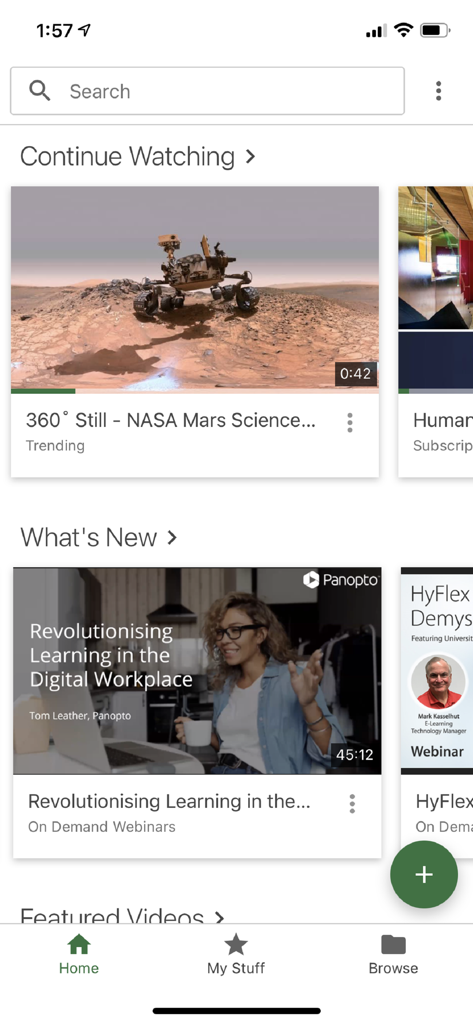
Panoptoモバイルアプリのホーム画面。ビデオチュートリアルと検索バーが表示されています。
Panoptoモバイルアプリのホーム画面。ビデオチュートリアルと検索バーが表示されています。

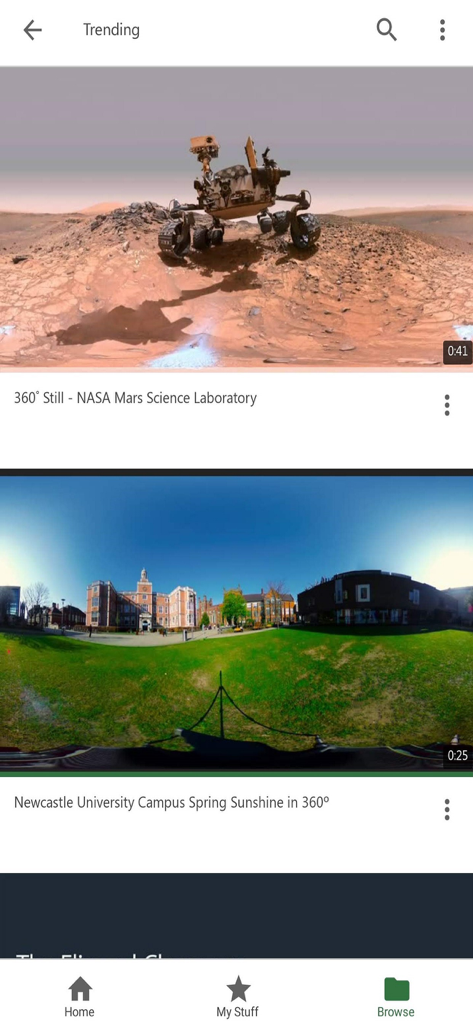
Panoptoモバイルアプリのトレンド画面。NASAとニューカッスル大学からの教育用360度ビデオが表示されています。
Panoptoモバイルアプリのトレンド画面。NASAとニューカッスル大学からの教育用360度ビデオが表示されています。

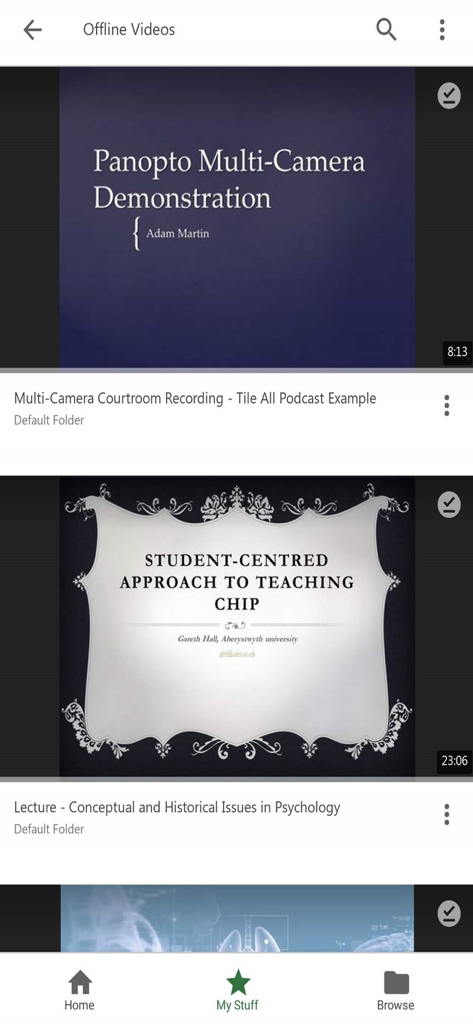
Panoptoモバイルアプリの画面。大学の講義やデモンストレーションを含む、オフラインでダウンロードされたビデオのリストが表示されています。
Panoptoモバイルアプリの画面。大学の講義やデモンストレーションを含む、オフラインでダウンロードされたビデオのリストが表示されています。

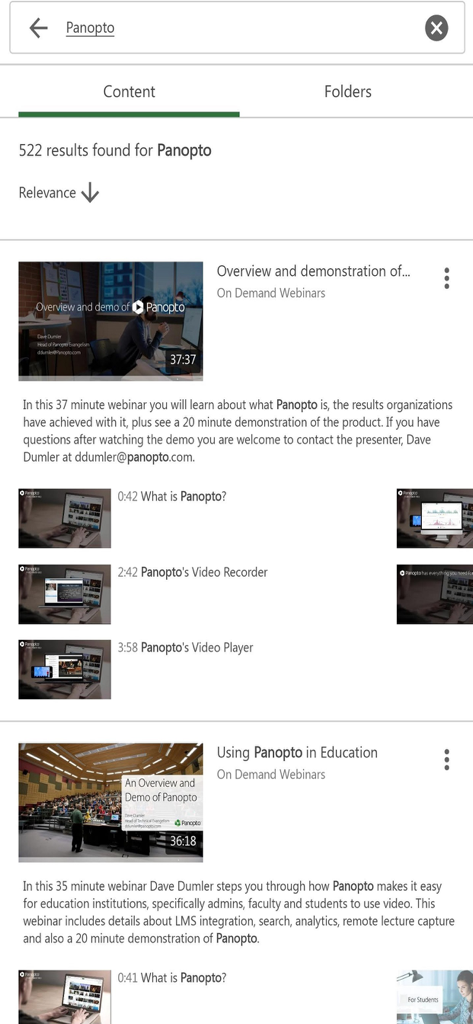
Panoptoアプリでの検索結果。教育用ウェビナーとビデオデモンストレーションが表示されています。
Panoptoアプリでの検索結果。教育用ウェビナーとビデオデモンストレーションが表示されています。

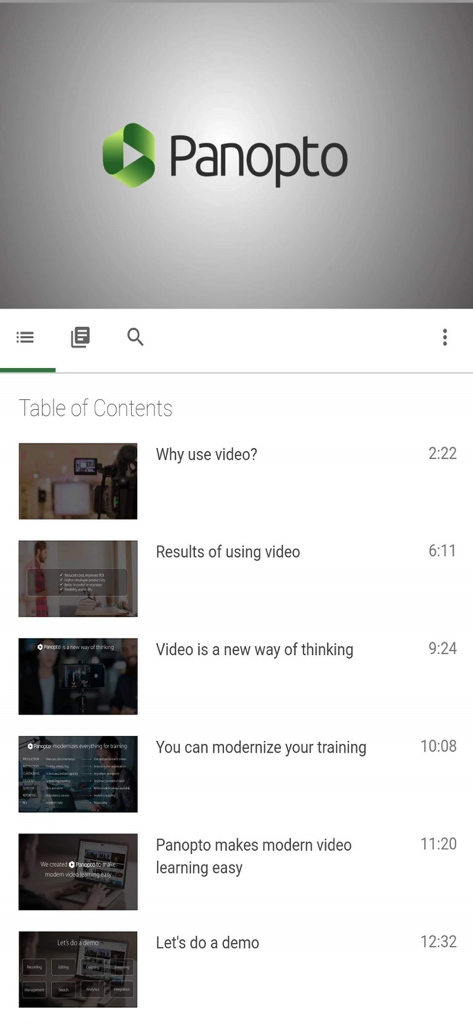
Panoptoモバイルアプリのインターフェース。ビデオの章とタイムスタンプを含む目次が表示されています。
Panoptoモバイルアプリのインターフェース。ビデオの章とタイムスタンプを含む目次が表示されています。

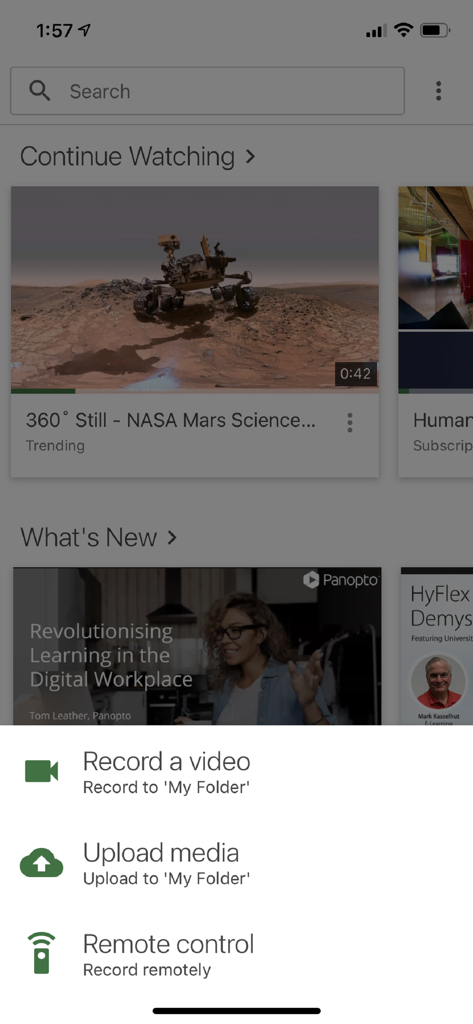
Panoptoアプリのホーム画面。ビデオ録画とアップロードオプションのメニューが表示されています。
Panoptoアプリのホーム画面。ビデオ録画とアップロードオプションのメニューが表示されています。

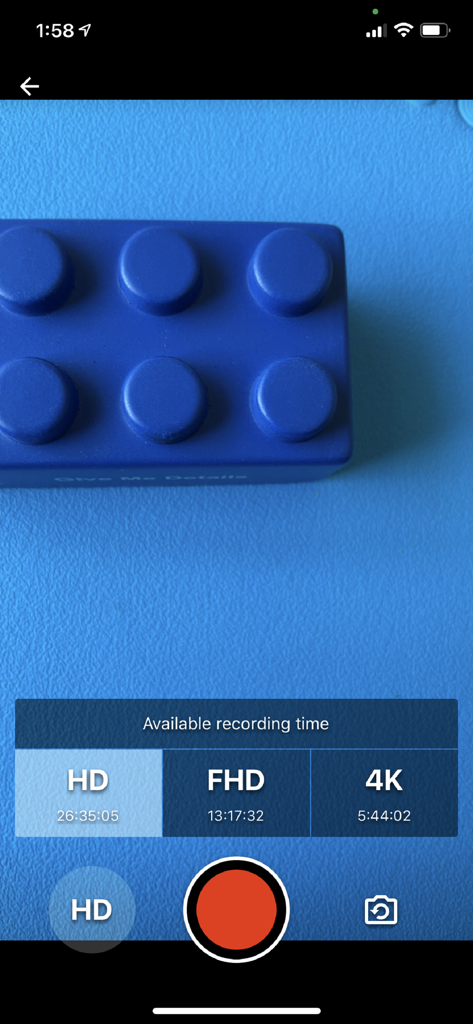
Panoptoモバイルアプリの録画インターフェース。HD、FHD、4K解像度で利用可能な録画時間が表示されています。
Panoptoモバイルアプリの録画インターフェース。HD、FHD、4K解像度で利用可能な録画時間が表示されています。

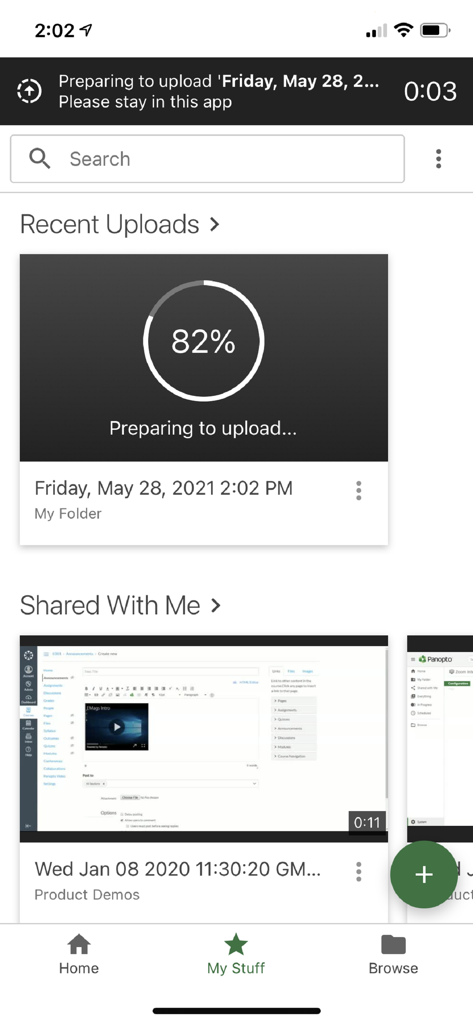
Panoptoモバイルアプリのインターフェース。ビデオのアップロードが進行中であり、共有コンテンツが表示されています。
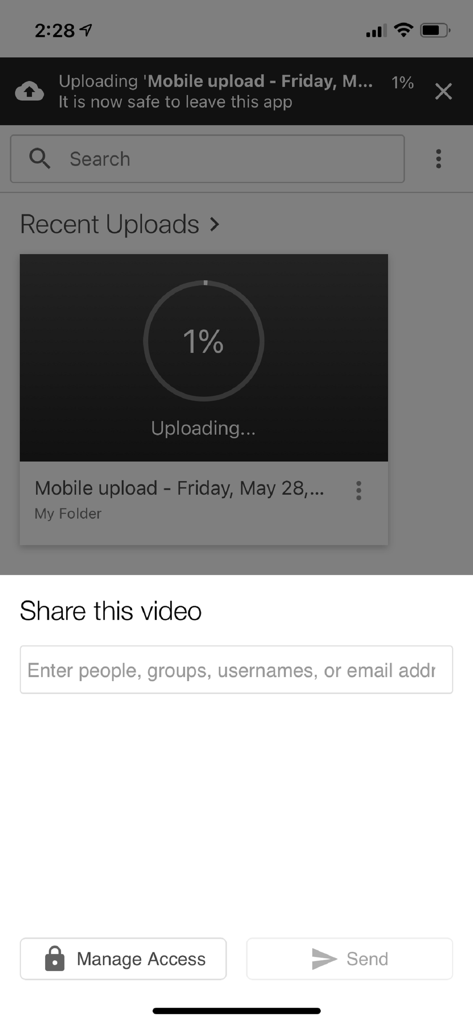
Panoptoモバイルアプリのインターフェース。ビデオのアップロードが進行中であり、共有コンテンツが表示されています。

Panoptoモバイルアプリの画面。ビデオのアップロードの進行状況と共有オプションが表示され、アクセス管理ボタンがあります。

Panoptoモバイルアプリの画面。ビデオのアップロードの進行状況と共有オプションが表示され、アクセス管理ボタンがあります。

ビデオ知識の力を解き放つ

このアプリを際立たせるツール、 494K+ 人のユーザーが選択.

🔍

スマート検索テクノロジー

トピックが言及されている正確な瞬間を見つけます。ビデオ内のキーワードを検索して、スクラブすることなく必要な情報に直接ジャンプします。

🎧

シームレスなバックグラウンド再生

通勤中の生産性を最大化します。画面をオフにしたまま、またはマルチタスク中に講義やトレーニングセッションを聴きます。

📤

モバイル録画と共有

課題、ラボデモ、または会議の議事録をデバイスで直接キャプチャし、ポータルに安全にアップロードして即座にレビューできます。

レビュー分析

ユーザーレビューの分析.

感情スコア

22%
ネガティブ

概要

The mobile app receives overwhelmingly negative feedback, primarily from students attempting to access recorded lectures. Users frequently encounter critical playback issues such as persistent audio-video desynchronization, videos failing to load (often displaying white or black screens), and frequent app crashes. The user interface is widely criticized for being poorly optimized, featuring sensitive controls that lead to accidental skips and an inability to reliably resume videos, often forcing users to restart content or contend with misaligned audio tracks. Many reviewers also highlight the absence of expected mobile features like mini-player or split-screen support on iPads, making the app frustrating and nearly unusable for its intended educational purpose.

主なテーマ

Audio-Video Desynchronization(22)
Playback Reliability(18)
Navigation and Controls(16)
App Stability(8)
User Interface Design(5)
Missing iPad Optimization(3)
Content Access(3)

アプリについて

について知っておくべきこと Panopto.

説明

Panopto Mobile lets you access all of your organization’s video content from your iPhone or iPad. View HD video presentations, lectures, training courses and events. Search inside your videos to find any keyword or topic. And upload or record videos using your device's camera app. Learn anywhere • Watch a lecture, presentation, or training session from your iPhone or iPad • Search within a video to jump right where you need to be • Read closed captions as you watch the video • Navigate videos by tapping on slides, chapters, or transcript • Listen to videos while you are interacting with other apps or while your screen is off Present and teach anywhere • Record a presentation or lecture with the built-in camera • Record meetings or classes in rooms equipped with Panopto Remote Recorder With Panopto’s Video Platform, you can transform how your organization learns and communicates: • Sales and Marketing can record and webcast presentations, demos, and events. • Corporate Communications can deliver recorded or live messages from executives. • Human Resources can deliver online training to employees around the world. • Engineering teams can record meetings and share best practices. • Support teams can record tutorials and visually demonstrate solutions to customers. • Faculty can record lectures, lab demonstrations, medical simulations, and more. • Students can view lectures on the go and take notes that get saved with the recording. • Students can record their own videos and securely submit them for instructor review. • IT staff can integrate Panopto with existing LMS, CMS and identity systems. About Panopto Panopto creates software that enables organizations to record, webcast, search, and share all of their video content and presentations. Panopto's video platform is currently in use at Fortune 500 companies around the world, and is the fastest growing lecture capture solution at leading universities.

最新バージョン

1.5.4

サイズ

32.6 MB

リリース日

2020年6月2日

次の大きな瞬間をマスターする準備はできましたか?

組織のビデオライブラリ全体を手のひらからアクセスできます。どこでも検索、視聴、録画できます。あなたの成長はデスクに縛られるべきではありません。

ダウンロード: App Store
FAQ

よくある質問

について知っておくべきこと Panopto

Panoptoモバイルアプリとは何ですか?

はい、Panopto Mobileは、プレゼンテーション、講義、トレーニングコース、イベントなどの組織のビデオコンテンツにアクセスできます。ユーザーは、iPhoneまたはiPadから直接ビデオを視聴、検索、録画、アップロードできます。

Panoptoアプリでビデオを録画できますか?

はい、ユーザーはデバイスのカメラを使用してPanoptoアプリ内で直接ビデオを録画できます。このアプリは、HD、FHD(フルハイビジョン)、4Kなど、さまざまな品質での録画をサポートしています。

Panopto Mobileはオフラインビデオ再生をサポートしていますか?

はい、Panoptoアプリはオフラインビデオ視聴をサポートしています。ユーザーは、アプリのインターフェースにある「オフラインビデオ」セクションに示されているように、インターネット接続がなくてもビデオにアクセスして視聴できます。

Panoptoでコンテンツを検索するにはどうすればよいですか?

Panoptoは、ユーザーがビデオコンテンツ内の特定のキーワードやトピックを見つけることができる強力な検索機能を提供します。検索結果は、簡単なナビゲーションのために「コンテンツ」と「フォルダ」に整理されています。

ユーザーはPanoptoビデオ内でどのようにナビゲートしますか?

ユーザーは、スライド、チャプター、またはトランスクリプトをタップすることで、Panoptoビデオ内をナビゲートできます。このアプリは目次も表示するため、ビデオ内の特定のセクションにすばやくジャンプできます。

メディアファイルをPanopto Mobileにアップロードできますか?

はい、ユーザーは既存のメディアファイルをPanoptoにアップロードできます。このアプリは専用の「メディアのアップロード」オプションを提供しており、アップロードプロセス中に明確な進捗状況インジケーターが表示されます。

どのような組織がPanoptoを使用していますか?

Panoptoは、世界中のFortune 500企業や主要大学を含む、さまざまな組織で使用されています。営業、マーケティング、人事、エンジニアリング、サポート、教員、ITなどのさまざまな部門に対応しています。

おすすめ

類似アプリ

似た機能とユーザー体験を持つアプリ

App information, icons, screenshots, and descriptions displayed on this page are sourced from the Apple App Store and are the property of their respective developers. Download estimates and rankings are based on MWM's proprietary models and may not reflect actual figures. This page is provided for informational and analytical purposes only.

Believe this page infringes your intellectual property? File a dispute