Participant 3rd Party Zoom App

Participant 3rd Party Zoom App

ダウンロード: App Store
ロゴ: Participant 3rd Party Zoom App

Participant サードパーティZoomアプリ:集中するプロフェッショナルのためのミニマリストクライアント

無駄を省き、ミーティングへの集中を取り戻しましょう。ワンタップアクセスで即座に参加、移動中にデータを最大95%節約、Apple WatchやDynamic Islandから直接マイクやカメラをコントロールできます。

開発元

Think Tap Work, LLC

カテゴリ

Business

ダウンロード

2M+

ユーザー評価

4.7/5

評価数

6K+

対応言語

32

シンプルさを視覚化

このインターフェースを利用する 2M+ 人のユーザー.

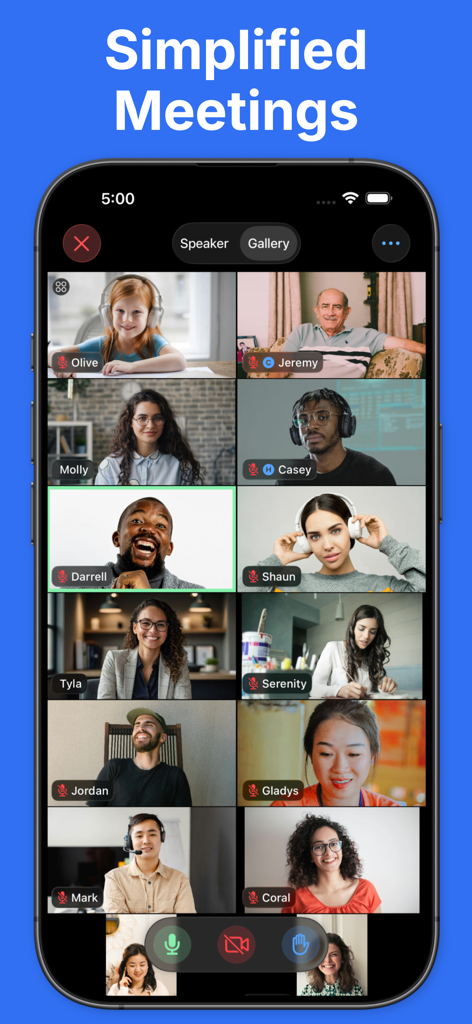
スマートフォンの画面に、クリーンなグリッドレイアウトで数人の参加者が表示されているZoomビデオ会議のミニマルなギャラリービューが表示されている。
スマートフォンの画面に、クリーンなグリッドレイアウトで数人の参加者が表示されているZoomビデオ会議のミニマルなギャラリービューが表示されている。

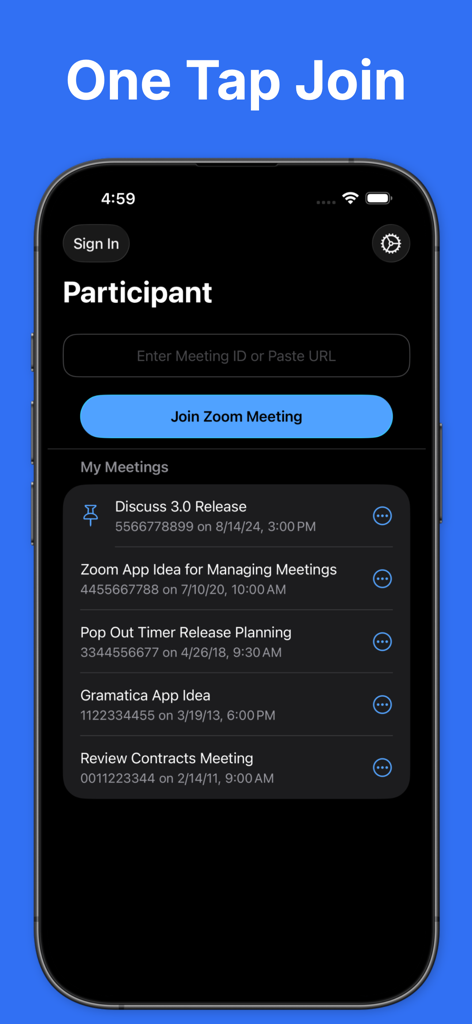
Participantアプリのインターフェース。Zoomのワンタップ参加機能と最近のミーティングリストを表示。
Participantアプリのインターフェース。Zoomのワンタップ参加機能と最近のミーティングリストを表示。

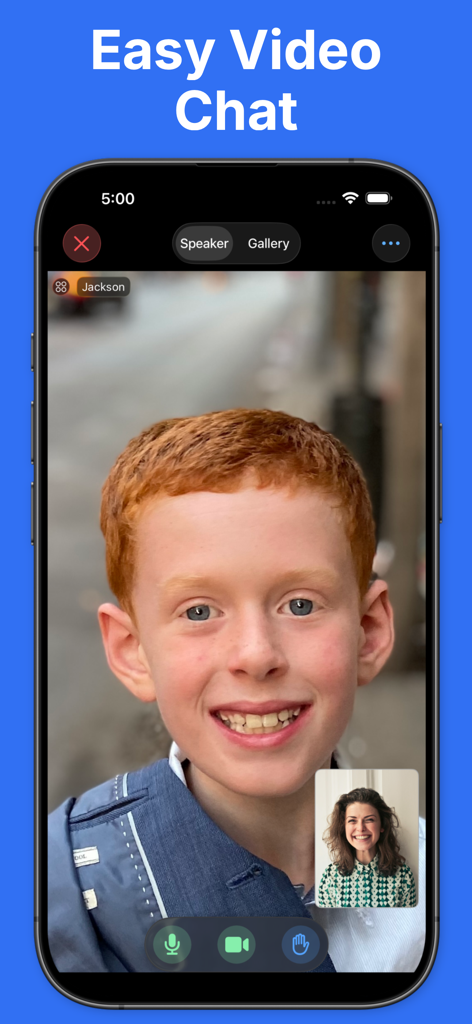
Zoomミーティング用のParticipantアプリのシンプルなビデオチャットインターフェース
Zoomミーティング用のParticipantアプリのシンプルなビデオチャットインターフェース

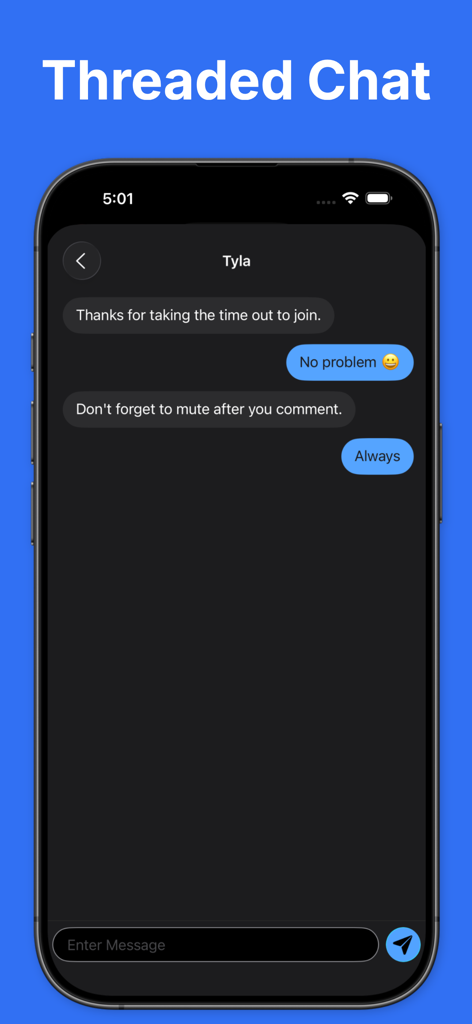
Participantアプリのスレッドチャットインターフェース。iPhoneでのダイレクトメッセージの会話を表示。
Participantアプリのスレッドチャットインターフェース。iPhoneでのダイレクトメッセージの会話を表示。

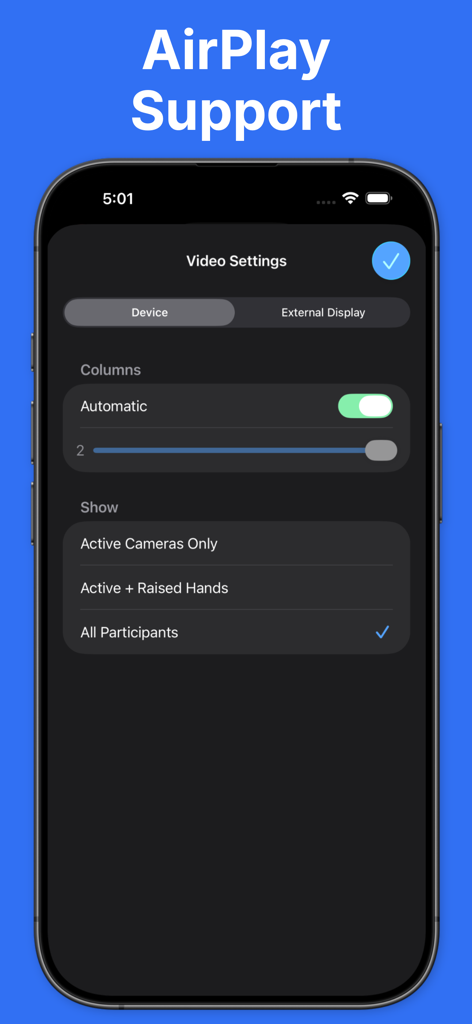
ParticipantアプリのAirPlayおよび外部ディスプレイサポートのビデオ設定インターフェース

ParticipantアプリのAirPlayおよび外部ディスプレイサポートのビデオ設定インターフェース

プロフェッショナルな参加者のために最適化

このアプリを際立たせるツール、 2M+ 人のユーザーが選択.

Appleエコシステムとの統合

Apple Watch、Dynamic Island、またはロック画面からコントロール。携帯電話を見ることなく、マイクをミュートしたり、手を挙げたりできます。

📉

スマートデータセーバーモード

どこからでも自信を持って通話に参加できます。データ消費量を60-95%削減し、セルラーまたは公衆Wi-Fiでの安定した接続を維持します。

ワンタップミーティングエントリー

リンクをメールで探すのはもうやめましょう。最近のミーティングIDとパスコードは保存されており、即座に、手間なくアクセスできます。

アプリについて

について知っておくべきこと Participant 3rd Party Zoom App.

説明

Participant is an intentionally simple, video-focused 3rd-party Zoom client* designed for meeting participants. No sharing, polls, or host features. Participant may not be for you, and that's OK. Here's what it gives you: • Get back in that meeting quickly – your recent meeting IDs and passcodes are stored and one tap away. No more searching for the link or trying to find the passcode in an email. • Control of your mic, camera, and raised hand – always on-screen and easy to reach. • Data Saver Mode – bad connection or on cellular? Use Data Saver to turn off your camera and stop streaming videos. This will reduce your data usage by approximately 60-95% depending on the number of participants. • Live Activity – control your mic or raised hand from the Dynamic Island or Lock Screen. • Watch app – control your meeting from across the room. Use the Apple Watch app to control the mic, camera, and raised hand in a meeting on iPhone or iPad. • Automatic Raised Hand Detection – turn this on in Meeting Settings and we'll raise your Zoom hand when you raise your actual hand. Vision at work. • Put videos in focus – configure columns, focus on active cameras only, or hold and drag to sort it just how you like it. • Sane chat – Pro users can use threaded chat. No more accidentally responding to everyone when you meant to DM. • Get on the big screen – share to your Apple TV and you have total control of what is shown on the external display. • Zoom in/zoom out – simply tap a video to get a larger view. Tap again to close it. • Control host requests – you control what happens if a host asks to unmute or start your camera: ask, always allow, or automatically allow if your hand is raised. Thanks for giving Participant a try. Let us know what you think. Please note that webinars are not currently supported. * Participant uses the Zoom SDK but is not endorsed, certified, warrantied, or supported by Zoom Communications Inc. If Zoom changes their policies or capabilities of their SDK this app may lose access. If you choose to purchase a Pro subscription, payment will be charged to your iTunes account, and your account will be charged for renewal 24 hours prior to the end of the current period. Auto-renewal may be turned off at any time by going to your settings in the iTunes Store after purchase. Terms of use: https://thinktapwork.com/tos.html

最新バージョン

4.4

サイズ

234.3 MB

リリース日

2020年10月22日

Zoomを体験しよう、ノイズなしで。

200万人以上のプロフェッショナルが、無駄を捨ててより速く、ビデオ中心の体験を選んでいます。今すぐ、すべてのAppleデバイスでミーティングをコントロールしましょう。

ダウンロード: App Store
FAQ

よくある質問

について知っておくべきこと Participant 3rd Party Zoom App

Participant 3rd Party Zoom アプリとは何ですか?

Participant は、会議参加者専用に設計された、ビデオ中心のサードパーティ製 Zoom クライアントです。共有や投票などのホスト固有の機能なしで、基本的なコントロールを提供することで、会議体験を簡素化します。

Participant アプリを使用して会議にすばやく参加するにはどうすればよいですか?

はい、Participant アプリは直近の会議 ID とパスコードを保存します。これにより、ユーザーはリンクやパスコードを検索することなく、ワンタップで会議にすばやく再参加できます。

Participant アプリにはデータセーバーモードが含まれていますか?

はい、Participant アプリはデータセーバーモードを提供しています。この機能はカメラをオフにし、ビデオストリーミングを停止するため、参加者数に応じてデータ使用量を約 60〜95% 削減できます。

Participant アプリはライブアクティビティをサポートしていますか?

はい、Participant アプリはライブアクティビティをサポートしています。ユーザーは iPhone のダイナミックアイランドまたはロック画面から直接マイクや挙手をコントロールできます。

Participant アプリは Zoom ウェビナーをサポートしていますか?

いいえ、Participant アプリは現在ウェビナーをサポートしていません。このアプリケーションは、参加者レベルのインタラクションに焦点を当てた標準の Zoom 会議用に設計されています。

Participant アプリには、挙手の自動検出機能がありますか?

はい、Participant アプリは挙手の自動検出機能を提供しています。会議設定で有効にすると、物理的に手を上げると、アプリが自動的に Zoom の手を上げます。

Participant アプリはユーザーにスレッドチャットを提供しますか?

はい、Participant アプリの Pro ユーザーはスレッドチャットを利用できます。この機能は、ダイレクトメッセージを送信する意図がある場合に、全員に誤って返信することを防ぎます。

Participant アプリは会議を Apple TV や外部ディスプレイに共有できますか?

はい、Participant アプリを使用すると、会議を Apple TV に共有できます。外部画面に表示されるコンテンツを完全に制御できます。

Participant アプリは公式の Zoom クライアントですか?

いいえ、Participant はサードパーティ製の Zoom クライアントであり、Zoom Communications Inc. によって承認、認定、保証、またはサポートされているものではありません。Zoom SDK を使用しています。

App information, icons, screenshots, and descriptions displayed on this page are sourced from the Apple App Store and are the property of their respective developers. Download estimates and rankings are based on MWM's proprietary models and may not reflect actual figures. This page is provided for informational and analytical purposes only.

Believe this page infringes your intellectual property? File a dispute