Passport photo maker - AI app
ダウンロード: App Store

このページはアプリまたはその開発者の公式ページではなく、情報提供および論評を目的として作成された独立した編集出版物です。明示的に別段の記載がない限り、アプリおよびその開発者は、MWM、Apple、Google Play、アプリのパブリッシャー、またはアプリの開発者と提携、承認、後援、認可、またはその他の公式的な関係はなく、このページのいかなる内容も、アプリがMWMのサービスを使用して開発されたことを意味するものではありません。すべての商標、ロゴ、スクリーンショット、その他のコンテンツはそれぞれの所有者の財産です。


ロゴ: Passport photo maker - AI app
ダウンロード: App Store

Passport photo maker - AI app

薬局の列に並ぶのはもうやめましょう。高度なAIを使用して、背景を瞬時に除去し、プロ仕様の衣装を追加して、数秒でパスポート、ビザ、IDカードの政府指定写真を作成しましょう。

主要数値

ダウンロード

43K+

ユーザー評価

4.6/5

評価数

400

開発元

out thinking electronics private limited

カテゴリ

Graphics & Design

対応言語

29

最新バージョン

1.0.7

サイズ

66.0 MB

リリース日

2024年1月9日
機能

公式書類作成が驚くほど簡単に

薬局の列や高価な写真スタジオはもう必要ありません。当社のAI駆動テクノロジーにより、公式写真は瞬時に準拠し、プロフェッショナルで、すぐに利用可能になります。

AIによる背景・コンプライアンス対応

スマートなアルゴリズムが自動的に背景を除去し、色を調整して、厳格な政府の要件を満たします。これにより、完全に安心できます。

スマートドレス・雰囲気フィルター

服を着替えることなく、デジタルでプロフェッショナルな衣装に着替え、微妙なフィルターを使用して、今後10年間で最も良い姿に仕上げましょう。

以下のスクリーンショットと説明は、アプリの公式ストアリスティングから直接取得されたものであり、アプリ開発者の所有物です。

アプリストア

スクリーンショット
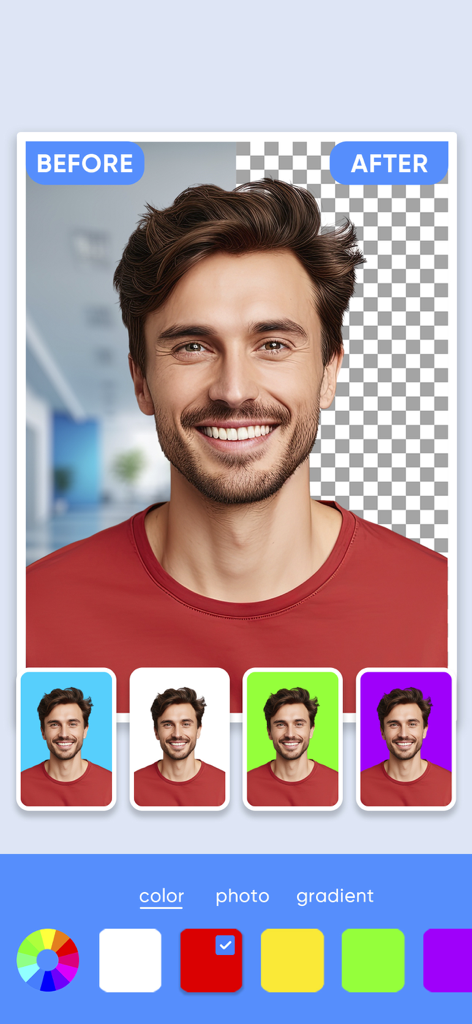
Passport photo maker - AI app - パスポート写真のAI背景除去の前後の比較。様々な色の背景オプション付き

パスポート写真のAI背景除去の前後の比較。様々な色の背景オプション付き

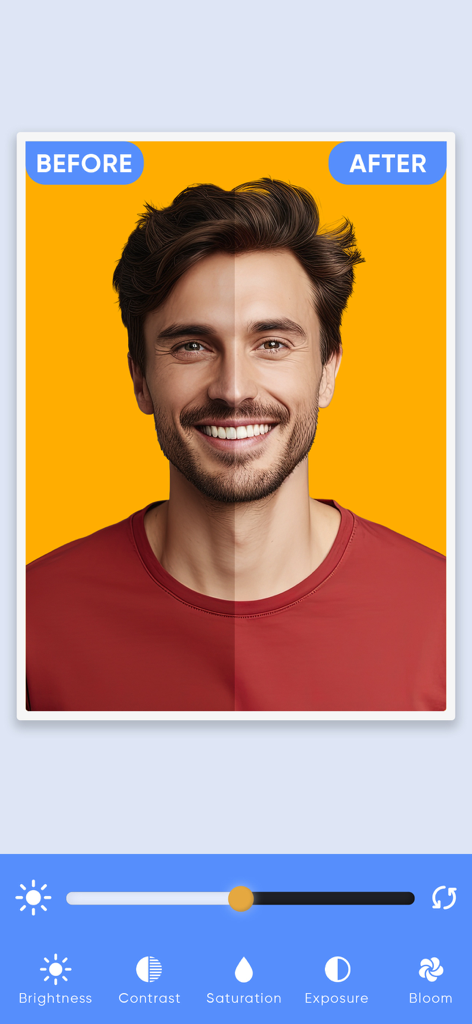
Passport photo maker - AI app - 男性のポートレートの前後の比較。パスポート写真メーカーアプリでの明るさやコントラストの調整を示す

男性のポートレートの前後の比較。パスポート写真メーカーアプリでの明るさやコントラストの調整を示す

Passport photo maker - AI app - AIパスポート写真アプリのインターフェース。プロのスーツに着替えるためのスマートドレス機能を表示
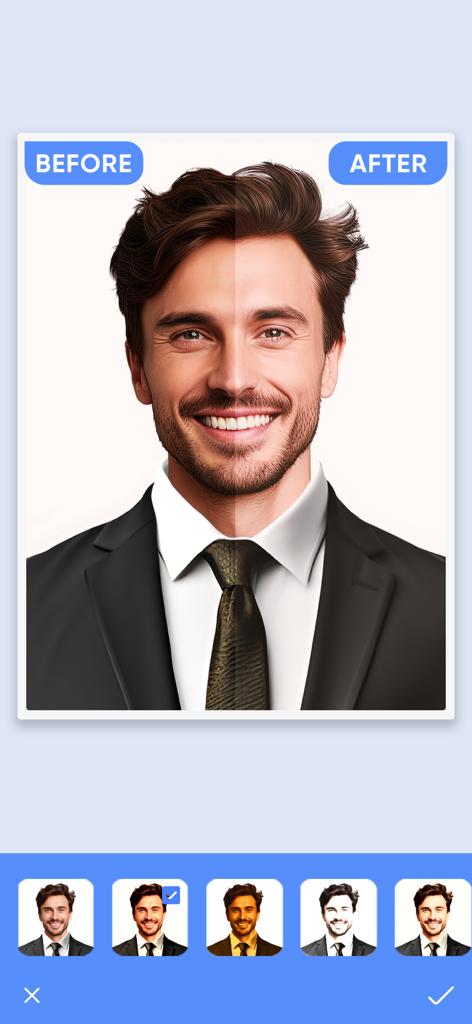
AIパスポート写真アプリのインターフェース。プロのスーツに着替えるためのスマートドレス機能を表示

Passport photo maker - AI app - AIフィルターとエンハンスメントツールを使用したパスポート写真の前後の比較
AIフィルターとエンハンスメントツールを使用したパスポート写真の前後の比較

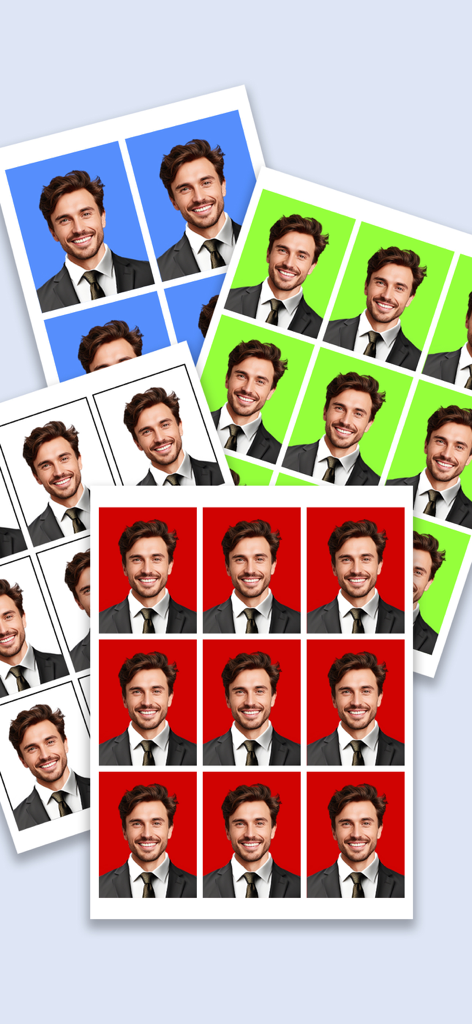
Passport photo maker - AI app - スーツを着た男性が、青、緑、白、赤などの様々な背景色のプロ仕様パスポート写真の複数のシート
スーツを着た男性が、青、緑、白、赤などの様々な背景色のプロ仕様パスポート写真の複数のシート

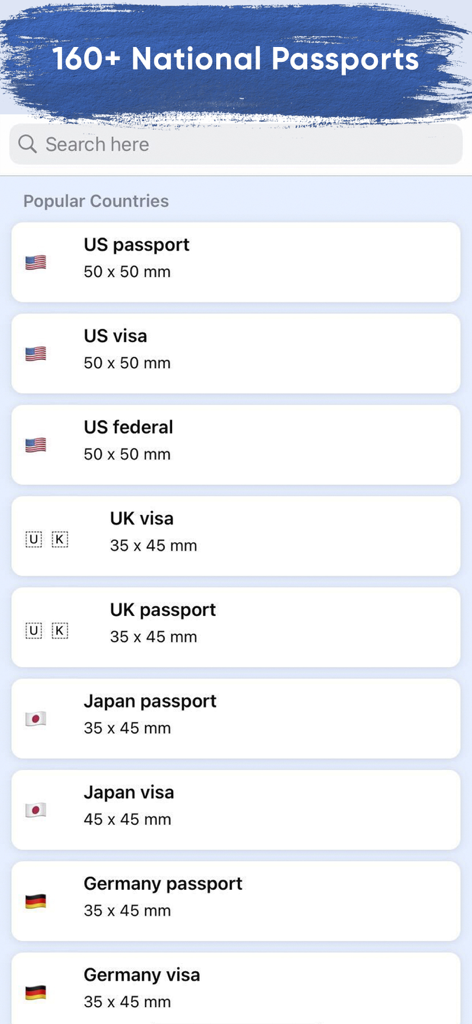
Passport photo maker - AI app - パスポート写真メーカーアプリの様々な国のパスポートおよびビザ写真のサイズ要件のリスト
パスポート写真メーカーアプリの様々な国のパスポートおよびビザ写真のサイズ要件のリスト

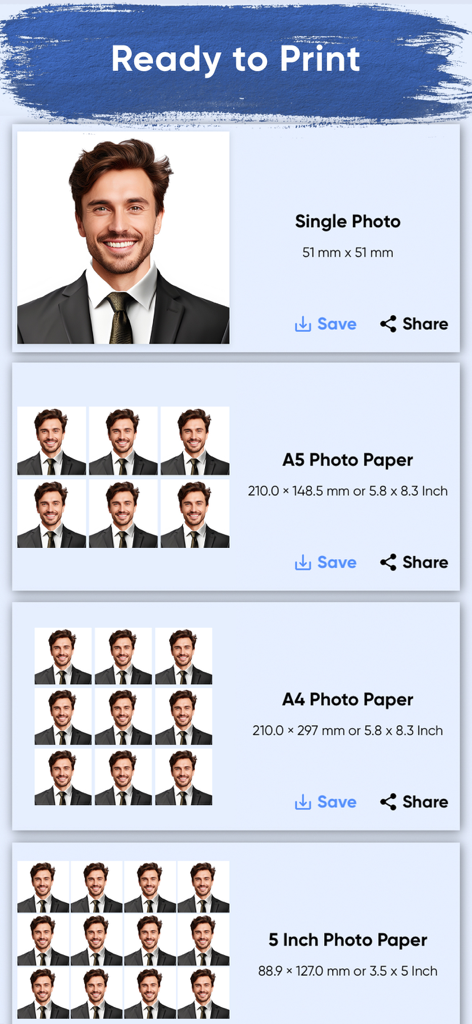
Passport photo maker - AI app - A4およびA5サイズを含む、パスポート写真の複数の印刷レイアウトオプションを表示するインターフェース

A4およびA5サイズを含む、パスポート写真の複数の印刷レイアウトオプションを表示するインターフェース

説明

Transform Your Smartphone into a Passport Photo Booth with Passport Photo Maker! Create professional passport photos from the comfort of your home with our intuitive app. No more trips to photo booths or studios – everything you need is right at your fingertips. Effortless Photo Selection & Capture: Choose a picture from your gallery or take a fresh one with your camera. Our app ensures your photo adheres to standard passport requirements. Advanced AI Background Removal: Sophisticated AI algorithms automatically remove the background for a seamless look. Customizable Backgrounds: Choose from pre-configured colors or create your own with our color slider and gradient options. Professional Photo Filters & Effects: Enhance your photo with filters adjusting brightness, contrast, saturation, and more. Apply effects like sharpness and shadows for the perfect passport photo. Dress to Impress with Professional Attire: Change into a suite of professional outfits with our smart dress feature. Fine-tune with the eraser tool for a natural and fitting appearance. High-Resolution, Print-Ready Photos: Generate 300 dpi images, ready for printing at home or at a local print shop. Multiple page size options available for different document requirements. Why Choose Passport Photo Maker? User-friendly: Easy navigation for all tech skill levels. Versatile: Ideal for passports, visas, ID cards, and licenses. Regularly updated: Aligns with the latest photo guidelines. Share & save easily: Share via email or social media, or save for future use. Dedicated support: Our team is ready to assist with any queries. The Ultimate Convenience for Official Photos: Passport Photo Maker is your go-to app for all official document photos. Regular updates ensure your photos are always compliant with current standards. Whether it's for a passport, visa, or any other ID, our app simplifies the process. Download Now: Join thousands who have streamlined their passport photo process. Download Passport Photo Maker today and experience hassle-free, professional-quality photo creation! Subscription Important Notes about subscription • Subscriptions may be managed by the user and auto-renewal may be turned off by going to the user's Account Settings after purchase • Any unused portion of a free trial period, if offered, will be forfeited when the user purchases a subscription to that publication, where applicable Subscription plans: 1. USD $3.99 per week without free trail 2. USD $4.99 per week with free trail Subscriptions automatically renew unless they are turned off at least 24 hours before the end of the current period in account settings. Renewals are charged within 24-hours preceding the end of the current period. Payment is charged to iTunes Account at confirmation of purchase. Subscriptions are managed by the user. Terms of Service: https://ebrochure.app/terms.php Privacy: https://ebrochure.app/privacypolicy.php

Download

ダウンロード: App Store

このページはアプリまたはその開発者の公式ページではなく、情報提供および論評を目的として作成された独立した編集出版物です。明示的に別段の記載がない限り、アプリおよびその開発者は、MWM、Apple、Google Play、アプリのパブリッシャー、またはアプリの開発者と提携、承認、後援、認可、またはその他の公式的な関係はなく、このページのいかなる内容も、アプリがMWMのサービスを使用して開発されたことを意味するものではありません。すべての商標、ロゴ、スクリーンショット、その他のコンテンツはそれぞれの所有者の財産です。