pathRecorder - come back
ダウンロード: App Store

このページはアプリまたはその開発者の公式ページではなく、情報提供および論評を目的として作成された独立した編集出版物です。明示的に別段の記載がない限り、アプリおよびその開発者は、MWM、Apple、Google Play、アプリのパブリッシャー、またはアプリの開発者と提携、承認、後援、認可、またはその他の公式的な関係はなく、このページのいかなる内容も、アプリがMWMのサービスを使用して開発されたことを意味するものではありません。すべての商標、ロゴ、スクリーンショット、その他のコンテンツはそれぞれの所有者の財産です。

ロゴ: pathRecorder - come back
ダウンロード: App Store

pathRecorder - come back

深い森や広大な海でも、絶対的な自信を持ってナビゲート。インターネット接続なしで正確なルートを記録し、重要なウェイポイントをマークし、帰宅方法を見つけましょう。ハイカー、セーラー、オフローダーのために、堅牢な信頼性を求めるユーザー向けに設計されています。

主要数値

ダウンロード

21K+

ユーザー評価

1.0/5

評価数

0

開発元

Gianluca Natalini

カテゴリ

Navigation

対応言語

1

最新バージョン

3.3

サイズ

5.8 MB

リリース日

2012年4月10日
機能

自立した冒険家のための精密ナビゲーション

セルラーデータが利用できなくなる環境向けに設計されたpathRecorderは、オフグリッドを旅する人々に信頼性の高いオフライン追跡、正確なウェイポイント、および生データのエクスポートを提供します。

確実に帰宅

「ComeBack」機能を使用して、開始地点または保存された座標に戻りましょう—インターネット接続は不要です。

技術データポータビリティ

高精度のCSVログで旅を記録します。高度、速度、コースデータをExcelまたはNumbersにエクスポートして、プロフェッショナルな旅行後の分析を行います。

以下のスクリーンショットと説明は、アプリの公式ストアリスティングから直接取得されたものであり、アプリ開発者の所有物です。

アプリストア

スクリーンショット
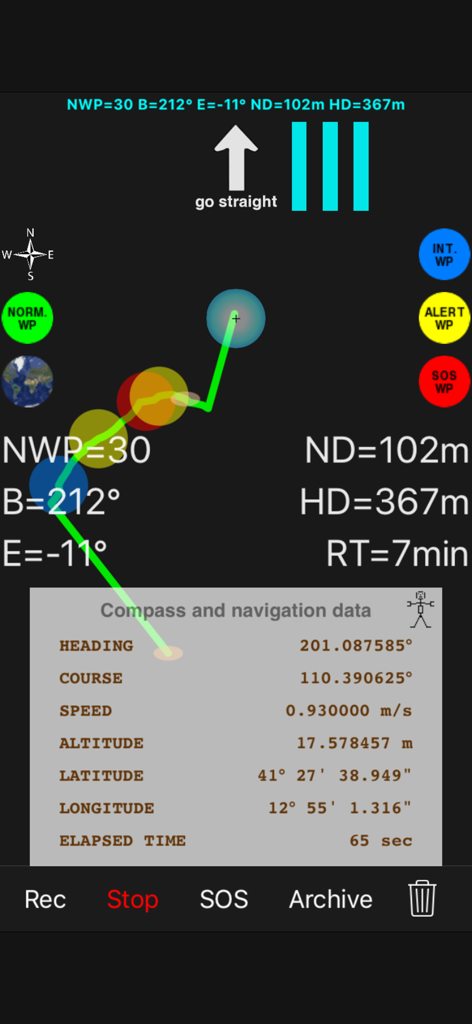
pathRecorder - come back - 高コントラストの技術ナビゲーションインターフェース。リアルタイムGPSデータとウェイポイント付きの記録されたパンくずリストパスを表示。
高コントラストの技術ナビゲーションインターフェース。リアルタイムGPSデータとウェイポイント付きの記録されたパンくずリストパスを表示。

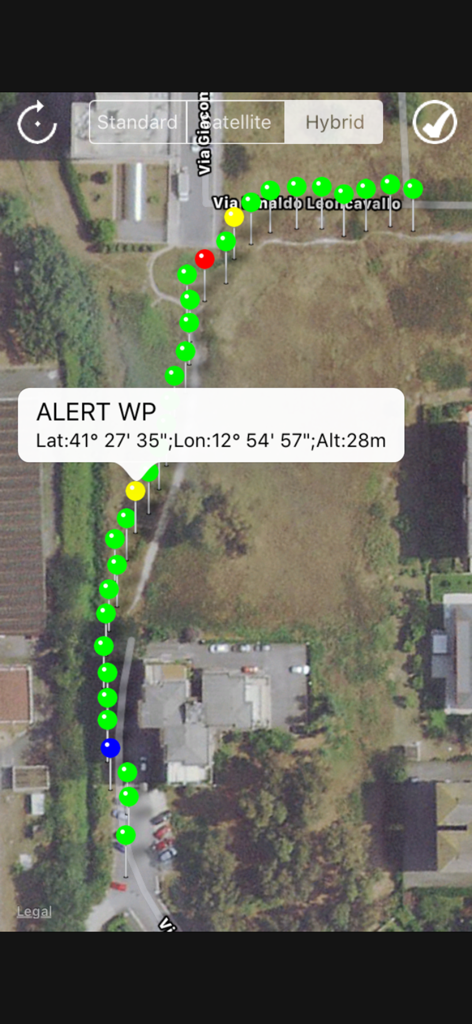
pathRecorder - come back - 衛星地図ビュー。色付きのウェイポイントのパンくずリストパスと、緯度経度を含む特定の警告座標のポップアップを表示。
衛星地図ビュー。色付きのウェイポイントのパンくずリストパスと、緯度経度を含む特定の警告座標のポップアップを表示。

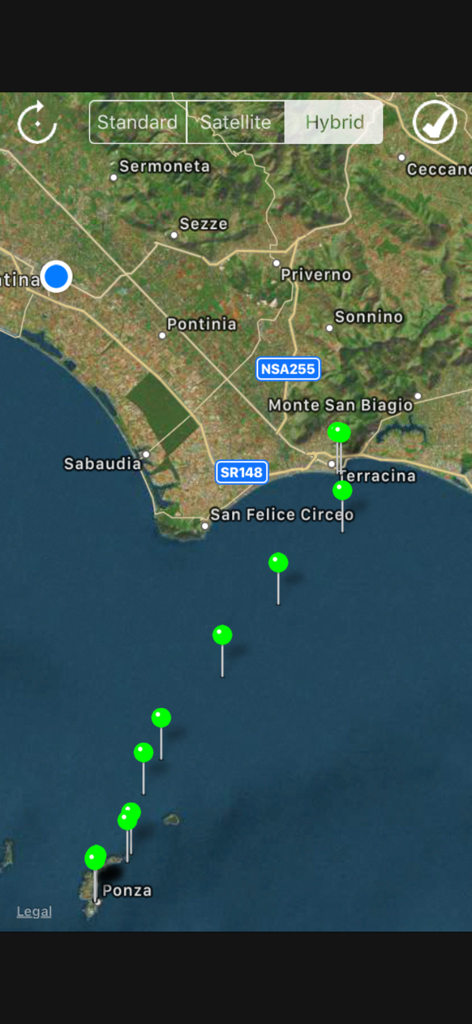
pathRecorder - come back - オフショアナビゲーション用の緑色のウェイポイントを持つ記録されたパスを表示するハイブリッドマップ。
オフショアナビゲーション用の緑色のウェイポイントを持つ記録されたパスを表示するハイブリッドマップ。

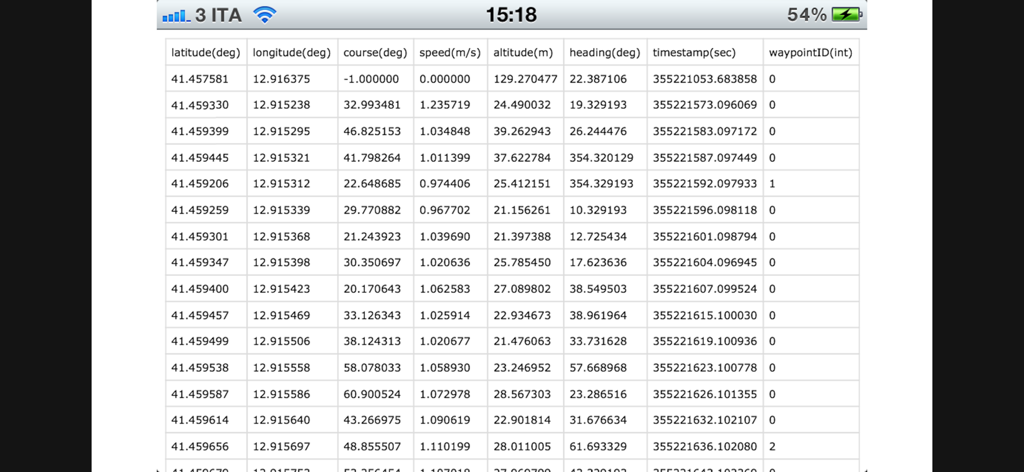
pathRecorder - come back - 座標と速度を含む記録されたGPSナビゲーションデータのスプレッドシートビュー。
座標と速度を含む記録されたGPSナビゲーションデータのスプレッドシートビュー。

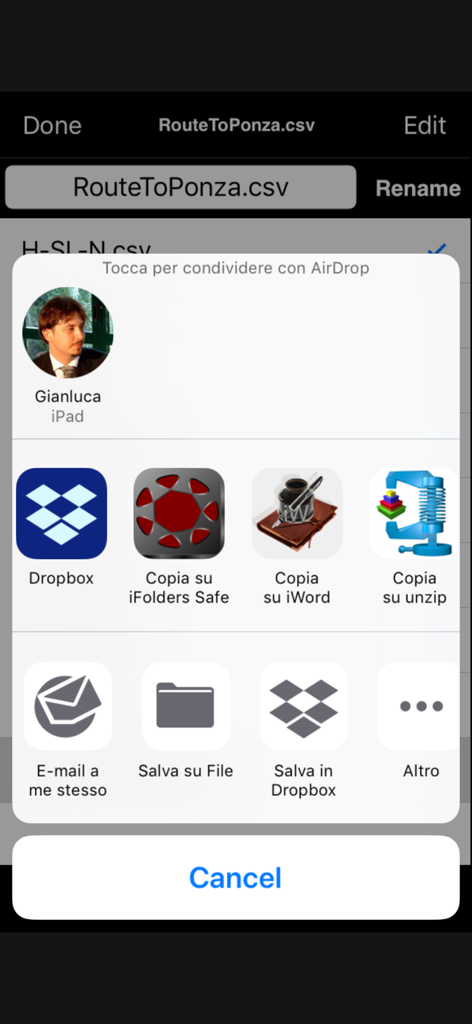
pathRecorder - come back - データ分析のためにiOS共有メニュー経由でCSVファイルとして記録されたルートを共有。
データ分析のためにiOS共有メニュー経由でCSVファイルとして記録されたルートを共有。

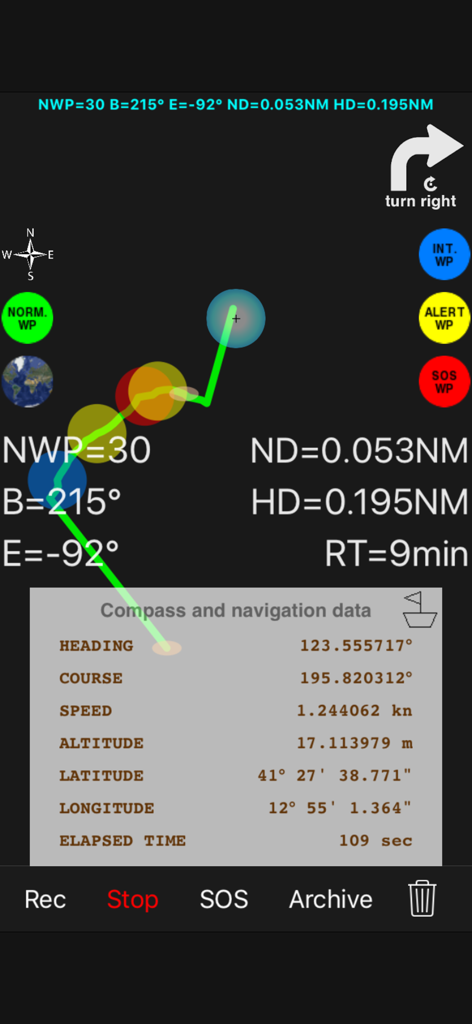
pathRecorder - come back - パンくずリストパスと緯度経度を含むGPSデータを持つ高コントラストナビゲーション画面。

パンくずリストパスと緯度経度を含むGPSデータを持つ高コントラストナビゲーション画面。

説明

Do you love hiking in the mountains? Do You follow the mountain trails with your jeep or your mountain bike? Do you like sailing? Do you want to mark your points of interest on the route, the points where you have to be careful, etc...? Do you want to save a position of interest (ex. for fishing or diving) and return to the saved point of interest in the next days? Do not want to get lost and be sure to return to the starting point (home) of your trip? Do you want to be able to send an SOS with your current position, the registration of the route taken and the request for help? Do you want to share the recording (numerical data of position, speed, route, orientation, timestamp) of your route with the related navigation data? "pathRecorded - come back" is the right application for you. You can also: - Register your trip by pressing the "Rec" (route recording) button - Record a single point of interest by pressing "Rec" and "Stop" - Go back (return to the initial position of the voyage or go to the saved point of interest by pressing the "ComeBack" button) During the "Comeback" function it will be possible to start a new path by pressing the "Rec" button: the application will continue the journey from the current position. Other characteristics: - Ability to save the recorded routes using text files - Archive for saved routes - File manager to load, rename and delete saved routes - "AirDrop", "iTunes File Sharing", "Open In", "iCloud Drive", "Dropbox", etc ... "SOS email" to share the recorded route data - Recording of the path on a text file (format: .csv) that can be imported into any Text Editor, Excel, Numbers, Openoffice Calc, etc... for future analysis: * registered .csv file: latitude (deg); longitude (deg); course (deg); speed (m/s); altitude (m); heading (deg); timestamp (sec); waypointID (int); * possible waypointsID (integer) (stored points of the route): 0: NORMAL, 1: INTEREST, 2: ALERT, 3: SOS * course error led indicators * graphical indicator for next waypoint and home waypoint * sound indicator for approaching and home waypoint * walking or sailing mode * meters or nautical miles as units of measure for distance * meters/second or knots as unit of measure for speed * high contrast for the interface components (the interface is visible also when the device is illuminated by sun) NOTES FOR NAVIGATION: This route navigator / recorder has been designed to work in different places than commercial car navigators. It is therefore suitable for routes where cars can not travel (ex. in the sea or in the mountains) but can also be used on cars, on normal urban or rural roads or on mountain / forest paths. INTERNET CONNECTION NOT NECESSARY: Internet connection is not required for navigation, route recording ("Rec") and return home ("ComeBack"). Application type: - UNIVERSAL APP

Download

ダウンロード: App Store

このページはアプリまたはその開発者の公式ページではなく、情報提供および論評を目的として作成された独立した編集出版物です。明示的に別段の記載がない限り、アプリおよびその開発者は、MWM、Apple、Google Play、アプリのパブリッシャー、またはアプリの開発者と提携、承認、後援、認可、またはその他の公式的な関係はなく、このページのいかなる内容も、アプリがMWMのサービスを使用して開発されたことを意味するものではありません。すべての商標、ロゴ、スクリーンショット、その他のコンテンツはそれぞれの所有者の財産です。








