pdf compressor & compress pdf
ダウンロード: App Store

このページはアプリまたはその開発者の公式ページではなく、情報提供および論評を目的として作成された独立した編集出版物です。明示的に別段の記載がない限り、アプリおよびその開発者は、MWM、Apple、Google Play、アプリのパブリッシャー、またはアプリの開発者と提携、承認、後援、認可、またはその他の公式的な関係はなく、このページのいかなる内容も、アプリがMWMのサービスを使用して開発されたことを意味するものではありません。すべての商標、ロゴ、スクリーンショット、その他のコンテンツはそれぞれの所有者の財産です。

ロゴ: pdf compressor & compress pdf
ダウンロード: App Store

pdf compressor & compress pdf

ファイルをクラウドにアップロードすることなく、数秒でファイルサイズを縮小します。機密性の高いPDFをデバイス上でローカルに結合、分割、ロックし、完全なプライバシーとプロフェッショナルな効率を実現します。

主要数値

ダウンロード

81K+

ユーザー評価

4.5/5

評価数

1K+

開発元

Sounak Sarkar

カテゴリ

Business

対応言語

13

最新バージョン

2.6

サイズ

8.1 MB

リリース日

2022年2月19日
機能

ドキュメントワークフローを効率化

プロフェッショナルや学生が、完全なプライバシーを保ちながらPDFをオフラインで圧縮、結合、保護するための必須ツールキットです。

プライバシー最優先の処理

機密性の高いドキュメントはデバイスから離れることはありません。オンラインツールとは異なり、すべての処理はローカルで行われるため、データセキュリティは100%保証されます。

精密なサイズ制御

学校や職場のポータルへの厳格なアップロード制限に対応するため、品質スライダーを使用してファイルを簡単に縮小できます。ただし、可読性を失うことはありません。

以下のスクリーンショットと説明は、アプリの公式ストアリスティングから直接取得されたものであり、アプリ開発者の所有物です。

アプリストア

スクリーンショット
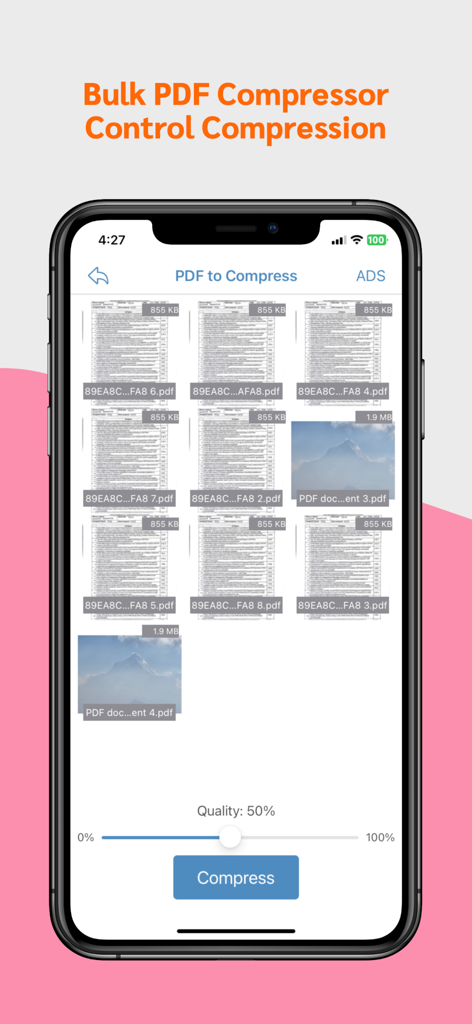
pdf compressor & compress pdf - 品質スライダーと複数のファイルが表示されたバルクPDF圧縮アプリの画面

品質スライダーと複数のファイルが表示されたバルクPDF圧縮アプリの画面

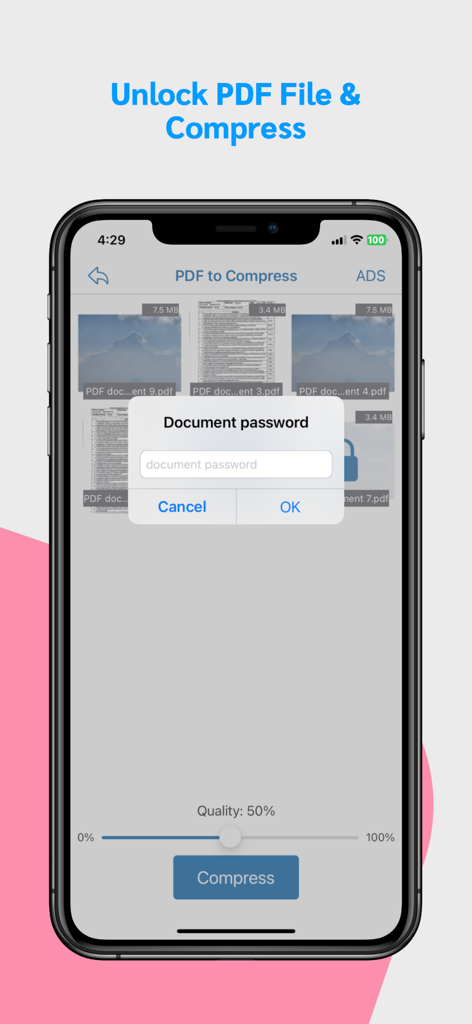
pdf compressor & compress pdf - 圧縮前にPDFファイルをロック解除するパスワードプロンプトを示すモバイルアプリのインターフェース。
圧縮前にPDFファイルをロック解除するパスワードプロンプトを示すモバイルアプリのインターフェース。

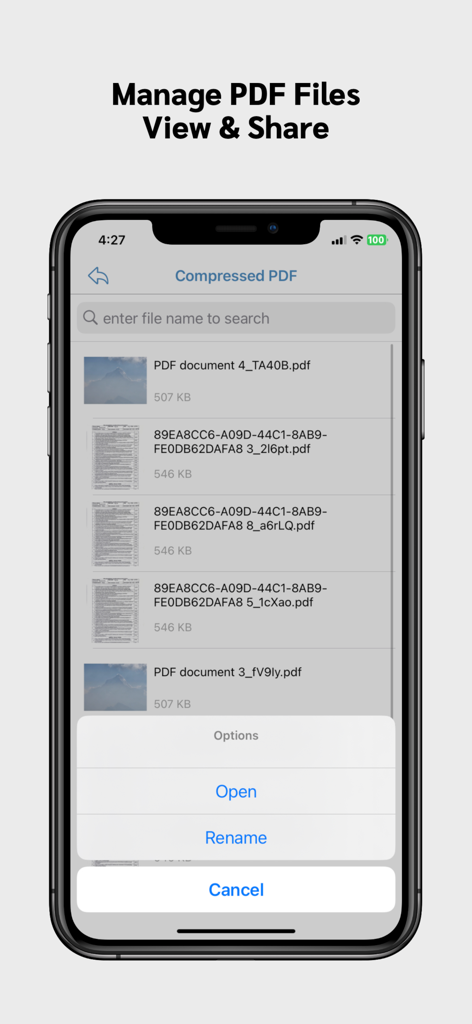
pdf compressor & compress pdf - 開くまたは名前を変更するオプションとともに、圧縮されたPDFファイルのリストを示すモバイルアプリのインターフェース
開くまたは名前を変更するオプションとともに、圧縮されたPDFファイルのリストを示すモバイルアプリのインターフェース

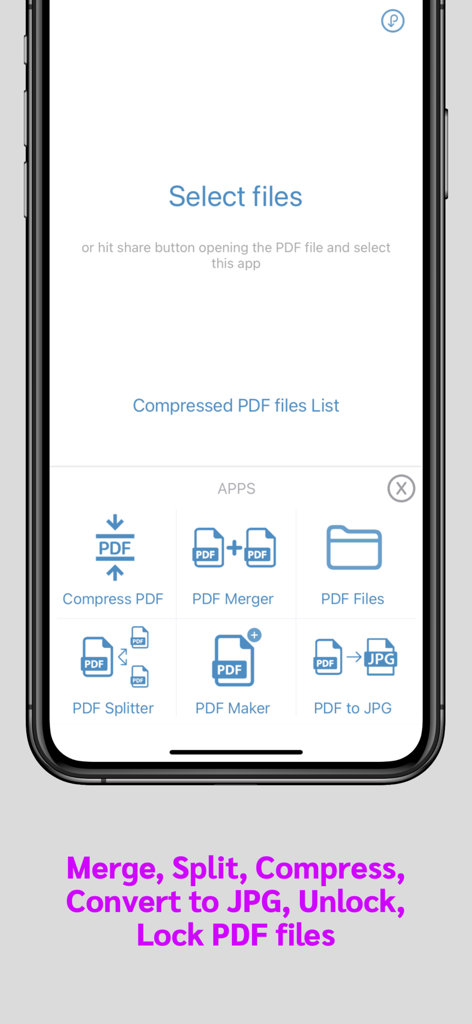
pdf compressor & compress pdf - PDFファイルの圧縮、結合、分割、変換のためのツールを示すPDF管理アプリのモバイルインターフェース。

PDFファイルの圧縮、結合、分割、変換のためのツールを示すPDF管理アプリのモバイルインターフェース。

説明

Introducing our Offline PDF Compressor app - shrink PDF files without internet. Free up space and share documents effortlessly. Compress large pdf files easily and quickly using this PDF compressor app. Save phone memory by reducing pdf file size. FEATURES: * Control amount of compression you want by sliding the quality slider. * Share compressed pdf files * Bulk compress PDF files * Merge PDF files * Split PDF files * Convert PDF to JPG (Single, Multiple images) * Lock PDF flle * Unlock PDF file Note: All PDF files are compressed locally. None of your files are uploaded to any of out servers. So your privacy is always protected. Our App can be used for free with Ads and limited features, however, you can purchase a PDF Compressor Premium subscription for the additional advanced features, and remove Ads. SUBSCRIPTION AND TERMS: When you download our App you can opt in to a 3 days free trial for monthly and 7 days free trial for yearly subscription. Our App offers auto-renewing monthly/yearly subscription options for access to the app's features and content. Your PDF Compressor Premium subscription will automatically renew at the end of each term and payment will be charged through your iTunes account. You can turn off auto-renew at any time from your iTunes account settings but refunds will not be provided for any unused portion of the term. To avoid renewal, you must cancel at least 24 hours before your subscription or trial ends. Your account will be charged for renewal within 24 hours prior to the end of the current period. Any unused portion of a free trial period will be forfeited if you purchase a subscription. SUBSCRIPTION PRICING: Premium Monthly: $0.99 / Month (3 days free trial) Premium Yearly: $5.99 / Year (7 days free trial) Read more about our terms, conditions, and privacy here: • Privacy Policy: https://www.racersoft.in • Terms of Use: https://racersoft.in/terms-of-use/

Download

ダウンロード: App Store

このページはアプリまたはその開発者の公式ページではなく、情報提供および論評を目的として作成された独立した編集出版物です。明示的に別段の記載がない限り、アプリおよびその開発者は、MWM、Apple、Google Play、アプリのパブリッシャー、またはアプリの開発者と提携、承認、後援、認可、またはその他の公式的な関係はなく、このページのいかなる内容も、アプリがMWMのサービスを使用して開発されたことを意味するものではありません。すべての商標、ロゴ、スクリーンショット、その他のコンテンツはそれぞれの所有者の財産です。