PDF Converter - PDF Scanner

PDF Converter - PDF Scanner

ダウンロード: App Store
ロゴ: PDF Converter - PDF Scanner

PDF Converter - PDF Scanner: プロフェッショナル向け究極のオールインワンツールキット

iPhoneまたはiPadを強力なモバイルワークステーションに変えましょう。AI搭載の要約、プロフェッショナルな請求書作成、安全なファイル管理で、ドキュメントを即座に編集、署名、変換できます。

開発元

Techgear Inc

カテゴリ

Business

ダウンロード

3M+

ユーザー評価

4.4/5

評価数

60K+

対応言語

11

効率性を指先で

このインターフェースを利用する 3M+ 人のユーザー.

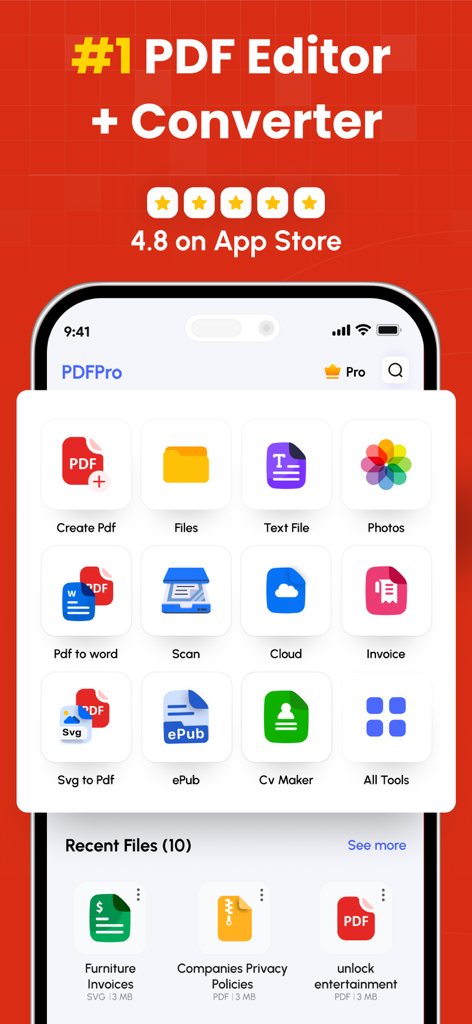
PDFコンバーターおよびエディターアプリのインターフェース。スキャン、変換、請求書や履歴書の作成ツールが表示されています。

PDFコンバーターおよびエディターアプリのインターフェース。スキャン、変換、請求書や履歴書の作成ツールが表示されています。

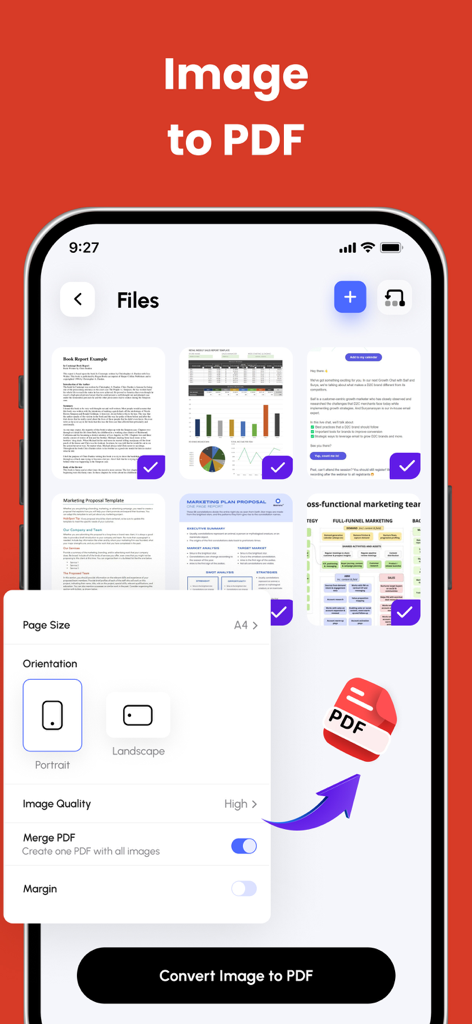
複数の画像を1つのPDFに変換するプロセスを示すモバイルアプリ画面。向きと品質の設定が含まれています。

複数の画像を1つのPDFに変換するプロセスを示すモバイルアプリ画面。向きと品質の設定が含まれています。

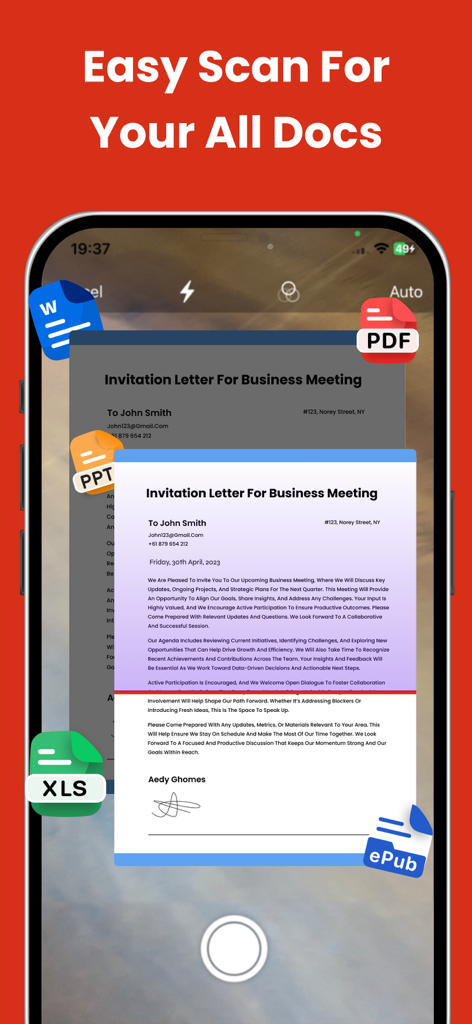
ビジネスレターをスキャンするスマートフォンアプリのインターフェース。WordやPDFなどのさまざまなドキュメント形式のアイコンが表示されています。

ビジネスレターをスキャンするスマートフォンアプリのインターフェース。WordやPDFなどのさまざまなドキュメント形式のアイコンが表示されています。

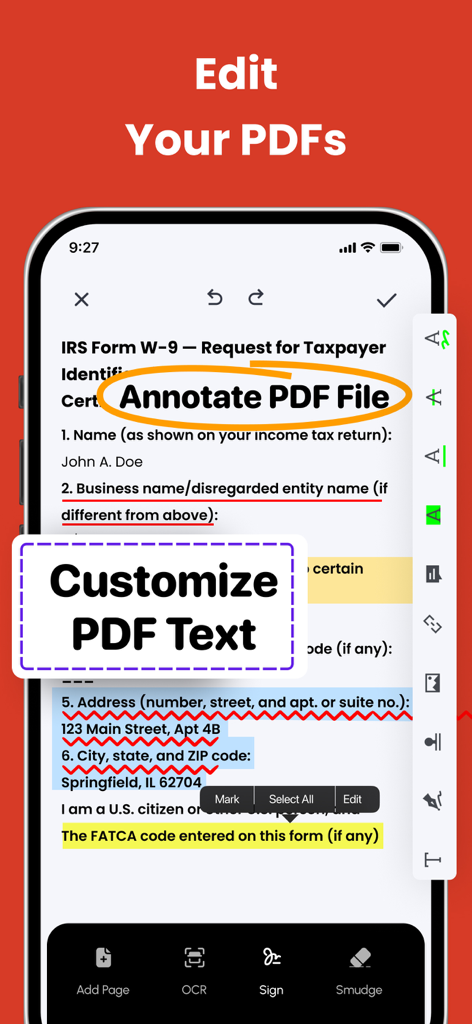
PDFドキュメント上でテキスト注釈とカスタマイズ機能を示すモバイルアプリのインターフェース。

PDFドキュメント上でテキスト注釈とカスタマイズ機能を示すモバイルアプリのインターフェース。

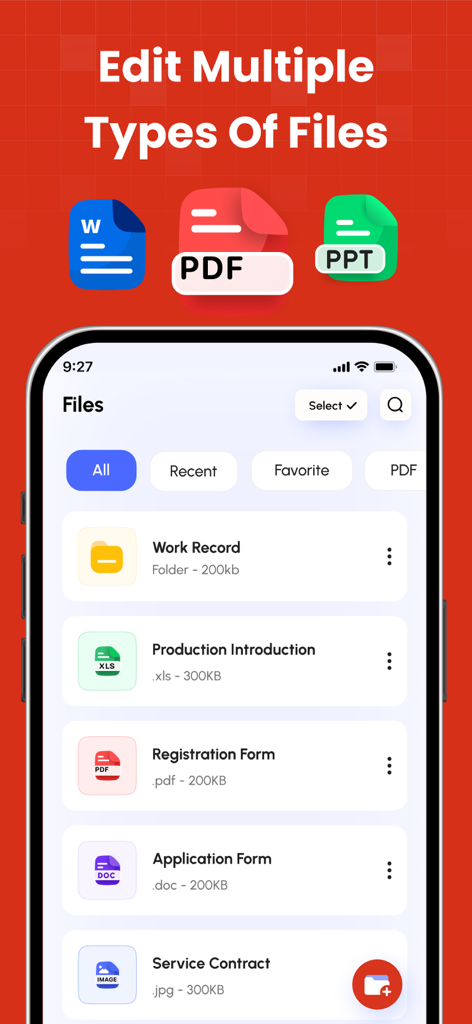
PDF、Word、PowerPointファイルをサポートするファイル管理アプリを表示するスマートフォンの画面。契約書や登録フォームなどのドキュメントリストが含まれています。

PDF、Word、PowerPointファイルをサポートするファイル管理アプリを表示するスマートフォンの画面。契約書や登録フォームなどのドキュメントリストが含まれています。

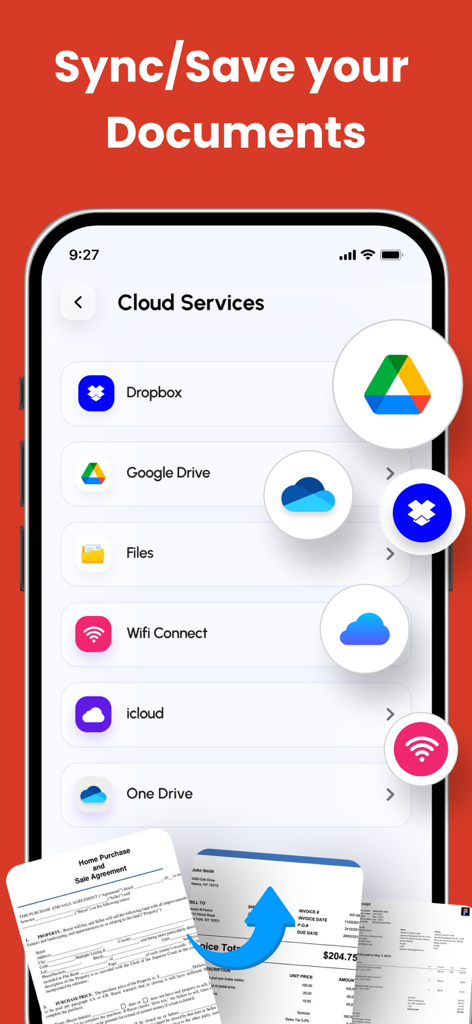
PDFドキュメントの同期と保存のためのクラウドストレージ連携を示すモバイルアプリ画面。

PDFドキュメントの同期と保存のためのクラウドストレージ連携を示すモバイルアプリ画面。

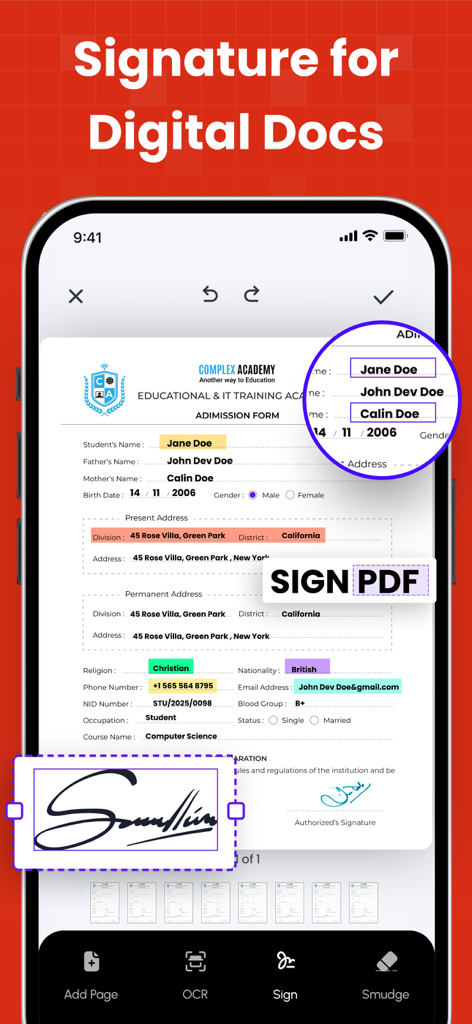
PDFドキュメントにデジタル署名を追加する方法を示すモバイルアプリのインターフェース。

PDFドキュメントにデジタル署名を追加する方法を示すモバイルアプリのインターフェース。

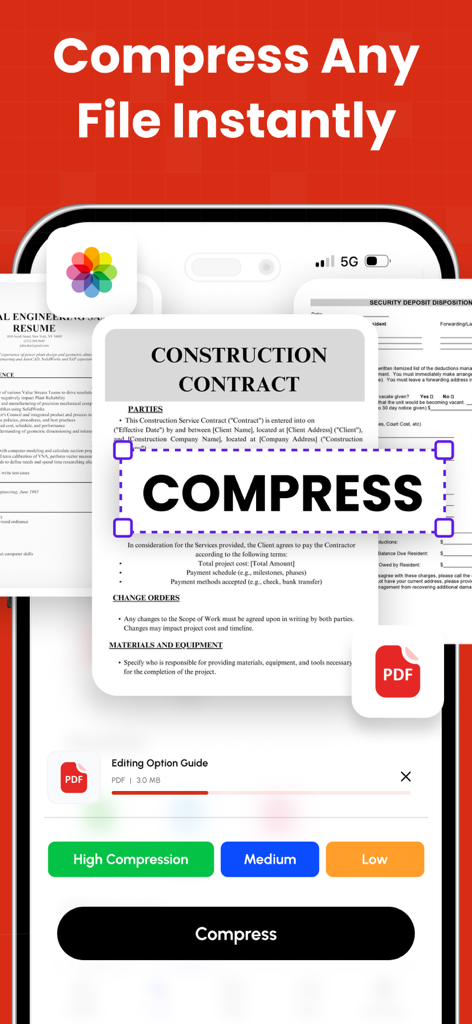
高、中、低の設定でPDFドキュメントを圧縮するオプションを示すモバイルアプリのインターフェース。

高、中、低の設定でPDFドキュメントを圧縮するオプションを示すモバイルアプリのインターフェース。

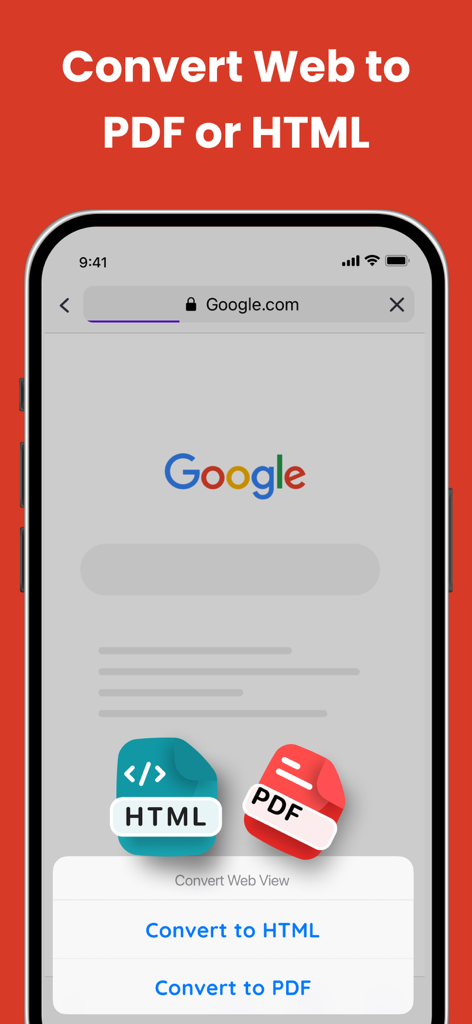
モバイルデバイスでWebページをPDFまたはHTMLに変換する方法を示すインターフェース。

モバイルデバイスでWebページをPDFまたはHTMLに変換する方法を示すインターフェース。

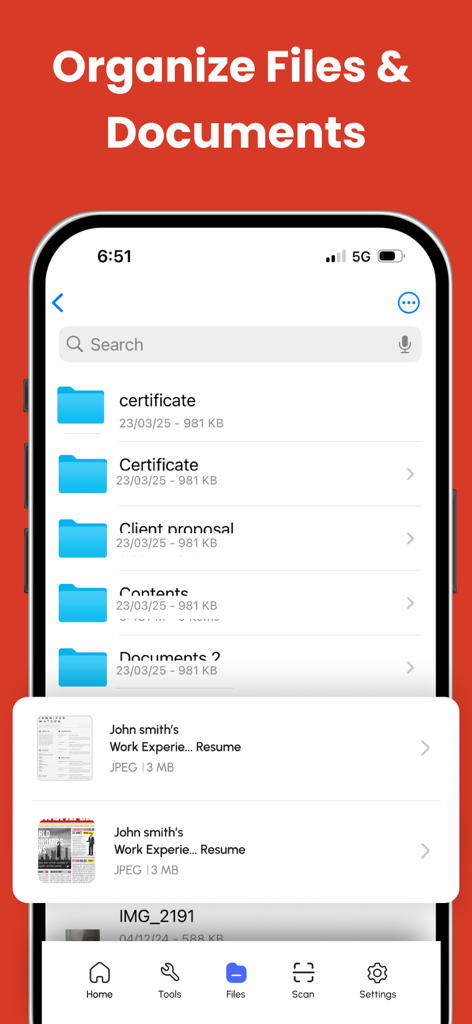
フォルダや検索バーによるファイルおよびドキュメントの整理を示すモバイルアプリのインターフェース。

フォルダや検索バーによるファイルおよびドキュメントの整理を示すモバイルアプリのインターフェース。

モバイルプロフェッショナル向け究極のドキュメントツールキット

このアプリを際立たせるツール、 3M+ 人のユーザーが選択.

🤖

AI搭載の即時要約

内蔵AIを使用して、長いレポートや複雑なドキュメントを数秒で明確で実行可能な洞察に要約し、読書時間を節約しましょう。

🔄

シームレスなユニバーサル変換

Word、Excel、PowerPoint、画像を、元のレイアウトのすべての詳細を保持したまま、プロフェッショナルなPDFに即座に変換します。

✍️

完全なモバイルワークステーション

プリンターやラップトップなしで、デジタル署名、フォームへの記入、プロフェッショナルな請求書作成で契約を成立させ、整理された状態を保ちましょう。

アプリについて

について知っておくべきこと PDF Converter - PDF Scanner.

説明

PDF Converter & Editor: Your Complete PDF Toolkit File Management: Every tool you need to use PDFs, at your fingertips. Merge, split, compress, convert, rotate, unlock, and watermark PDFs with ease. Import files from cloud services like Drive, Box, and OneDrive. PDF Editor: Edit PDFs by adding text, shapes, comments, and highlights. A secure and simple tool for all your PDF editing needs. Enhance your PDF experience with our comprehensive PDF Annotation and Reader app. Whether you need to annotate documents for work, study, or personal use, or simply read PDFs with ease, our app has you covered. Key Features: * Annotation Tools: Highlight important text, add comments, draw shapes, and underline or strike through text to mark up your PDFs effectively. * Reader Mode: Switch to Reader Mode for a distraction-free reading experience. Adjust settings such as font size, background color, and brightness to suit your preferences. * Advanced Annotation: Use advanced tools like text box, sticky notes, and freehand drawing to customise your annotations and make your PDFs more interactive. * Document Management: Organise your PDF library with ease. Create folders, rename files, and move documents between folders for efficient file management. * Search and Navigation: Find specific content within your PDFs quickly using the search feature. Navigate through documents easily with page thumbnails and bookmarks. Additional Features: * PDF Form Filling: Fill out PDF forms directly within the app, saving time and paper. * Digital Signatures: Sign documents electronically with ease. Add, edit, or remove digital signatures as needed. * File Protection: Keep your PDFs secure with password protection and encryption. Key Features: Merge PDF: Combine multiple PDF files into one. Split PDF: Divide PDFs into smaller files. Compress PDF: Reduce PDF file size for easy sharing. CONVERT TO PDF JPG to PDF WORD to PDF POWERPOINT to PDF EXCEL to PDF HTML to PDF Additional Features: Invoice maker CV Maker AI PDF Summary CONVERT FROM PDF PDF to JPG PDF to WORD PDF to POWERPOINT PDF to EXCEL Experience the convenience of managing and editing PDFs with our comprehensive PDF Converter and Editor app. Easily merge, split, compress, and convert PDF files, and edit them with our intuitive PDF editor. Download now and unlock the full potential of your PDF files! Subscription Terms & Details Enjoy unlimited access to all features for $29.99/year, with a 3-day free trial. Payment will be charged to your iTunes account once the purchase is confirmed. Your subscription will automatically renew unless auto-renew is turned off at least 24 hours before the end of the current period. You can manage your subscription and disable auto-renewal at any time via your Account Settings. Your account will be charged for renewal within 24 hours prior to the end of the current subscription period. If you start a free trial and decide to subscribe, any remaining trial time will be forfeited. Privacy Policy: https://thepdfedit.com/privacy-policy Terms of Use: https://thepdfedit.com/terms-and-conditions

最新バージョン

4.2.3

サイズ

177.3 MB

リリース日

2013年8月26日

iPhoneをモバイルパワフルステーションに変える準備はできましたか?

デスクを手放し、当社のオールインワンPDFツールキットを利用している300万人以上のプロフェッショナルに加わりましょう。本日より3日間の無料トライアルを開始し、AI搭載の要約、即時変換、デジタル署名の究極の効率性を指先で体験してください。

ダウンロード: App Store
FAQ

よくある質問

について知っておくべきこと PDF Converter - PDF Scanner

What is the "PDF Converter - PDF Editor" app?

「PDF Converter - PDF Editor」アプリは、PDFファイルの管理、編集、変換のための包括的なツールです。PDFのマージ、分割、圧縮、編集などの機能が含まれています。

Can I edit text in PDFs using the PDF Converter - PDF Editor app?

はい、「PDF Converter - PDF Editor」アプリでは、ドキュメントに直接テキスト、図形、コメント、ハイライトを追加することでPDFを編集できます。包括的なPDF編集ツールを提供しています。

Does "PDF Converter - PDF Editor" support converting images to PDF?

はい、「PDF Converter - PDF Editor」アプリはJPG画像をPDFに変換することをサポートしています。ユーザーはWord、PowerPoint、Excel、HTMLファイルもPDF形式に変換できます。

Can I convert PDFs to other file formats with the PDF Converter - PDF Editor app?

はい、「PDF Converter - PDF Editor」アプリはPDFをJPG、Word、PowerPoint、Excel形式に変換します。この機能により、多様なドキュメント処理が可能になります。

How do I compress PDF files using the PDF Converter - PDF Editor app?

「PDF Converter - PDF Editor」アプリでは、PDFファイルのサイズを縮小して共有を容易にするために圧縮できます。高、中、低の圧縮オプションを提供しています。

Does the PDF Converter - PDF Editor app allow for digital signatures?

はい、「PDF Converter - PDF Editor」アプリでは、ユーザーは簡単に電子署名でドキュメントに署名できます。ユーザーはアプリ内で直接、必要に応じてデジタル署名を追加、編集、または削除できます。

What cloud services integrate with the PDF Converter - PDF Editor app for file management?

「PDF Converter - PDF Editor」アプリは、Drive、Box、OneDrive、Dropbox、Google Drive、iCloud、Wifi Connectなどのクラウドサービスと統合されており、ファイルのインポートと同期が可能です。

What is the cost of a premium subscription for the PDF Converter - PDF Editor app?

「PDF Converter - PDF Editor」アプリのプレミアムサブスクリプションは、年間29.99ドルです。これにより、すべての機能に無制限にアクセスできます。

Does the PDF Converter - PDF Editor app offer a free trial?

はい、「PDF Converter - PDF Editor」アプリは3日間の無料トライアルを提供しています。サブスクライブした場合、残りのトライアル期間は失われます。

How do I manage auto-renewal for my "PDF Converter - PDF Editor" subscription?

サブスクリプションはいつでもiTunesアカウント設定から管理し、自動更新を無効にできます。自動更新は期間終了の24時間前までにオフにする必要があります。

Can the PDF Converter - PDF Editor app scan documents?

はい、「PDF Converter - PDF Editor」アプリには、すべてのドキュメント用の簡単なスキャン機能があります。さまざまな種類のファイルをアプリにスキャンできます。

What annotation tools are available in the PDF Converter - PDF Editor app?

「PDF Converter - PDF Editor」アプリには、テキストのハイライト、コメントの追加、図形の描画、下線、取り消し線、テキストボックス、付箋、フリーハンド描画などの注釈ツールがあります。

Can I protect my PDF files with a password in the PDF Converter - PDF Editor app?

はい、「PDF Converter - PDF Editor」アプリはファイル保護機能を提供しています。ドキュメントのプライバシーを確保するために、パスワード保護と暗号化でPDFを保護できます。

Does the PDF Converter - PDF Editor app allow users to fill out PDF forms?

はい、「PDF Converter - PDF Editor」アプリにはPDFフォーム記入機能が含まれています。ユーザーはアプリ内で直接PDFフォームに記入でき、時間と紙を節約できます。

Can the PDF Converter - PDF Editor app convert web pages to PDF?

はい、「PDF Converter - PDF Editor」アプリはWebページをPDF形式に変換します。HTMLファイルを直接PDFに変換することもサポートしています。

How does the PDF Converter - PDF Editor app help organize documents?

「PDF Converter - PDF Editor」アプリは、PDFライブラリを整理するためのドキュメント管理機能を提供します。ユーザーはフォルダを作成し、ファイル名を変更し、ドキュメントを移動して効率的なファイル管理ができます。

Does PDF Converter - PDF Editor include an AI PDF Summary feature?

はい、「PDF Converter - PDF Editor」アプリにはAI PDF要約機能が含まれています。これは追加ツールの中に記載されています。

App information, icons, screenshots, and descriptions displayed on this page are sourced from the Apple App Store and are the property of their respective developers. Download estimates and rankings are based on MWM's proprietary models and may not reflect actual figures. This page is provided for informational and analytical purposes only.

Believe this page infringes your intellectual property? File a dispute