PDF Editor: Edit Everything

PDF Editor: Edit Everything


ダウンロード: App Storeダウンロード: Google Play
ロゴ: PDF Editor: Edit Everything
PDFエディター:AIを活用したドキュメント処理で、あらゆるものを編集

変更できないファイルで立ち往生するのはもうやめましょう。世界で最も簡単なモバイルエディターで、テキストの編集、契約書の署名、PDFの即時変換を携帯電話から行えます。

開発元

Desygner Pty Ltd

カテゴリ

Business

ダウンロード

307K+

ユーザー評価

4.3/5

評価数

1K+

対応言語

24

制限なく編集

このインターフェースを利用する 307K+ 人のユーザー.

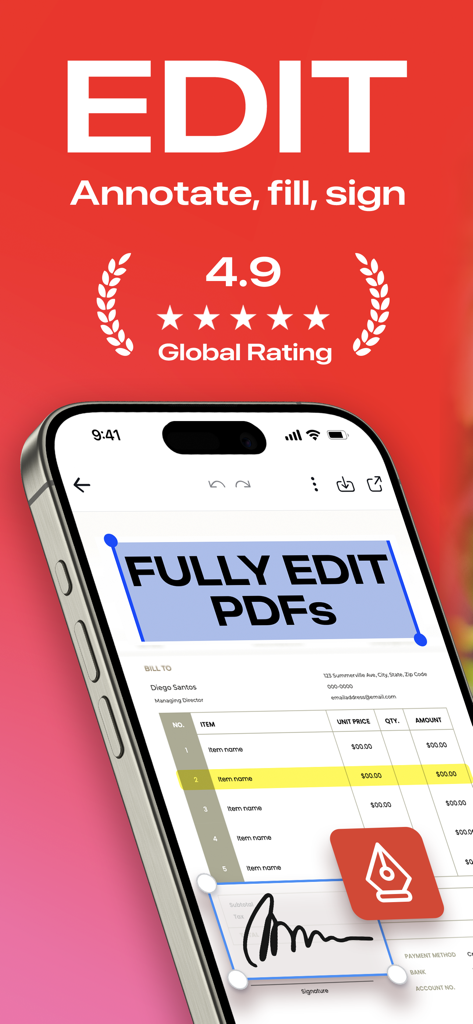
PDF Editorアプリがドキュメントの編集とデジタル署名の追加機能を示すiPhoneの画面

PDF Editorアプリがドキュメントの編集とデジタル署名の追加機能を示すiPhoneの画面

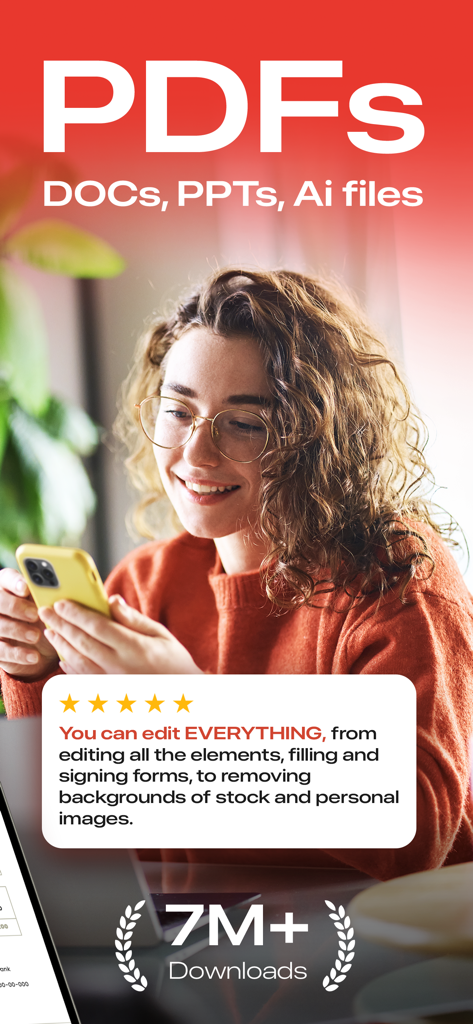
5つ星のユーザーレビューと700万ダウンロードのバッジが付いたPDF Editorモバイルアプリを使用している若いプロの女性

5つ星のユーザーレビューと700万ダウンロードのバッジが付いたPDF Editorモバイルアプリを使用している若いプロの女性

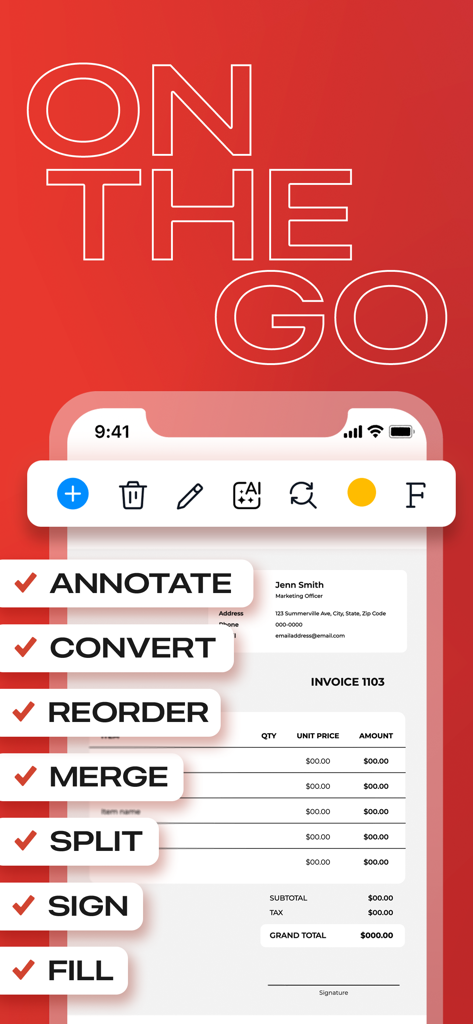
PDF Editorアプリのモバイルインターフェースで、請求書に注釈、変換、署名などのドキュメント編集機能が表示されている

PDF Editorアプリのモバイルインターフェースで、請求書に注釈、変換、署名などのドキュメント編集機能が表示されている

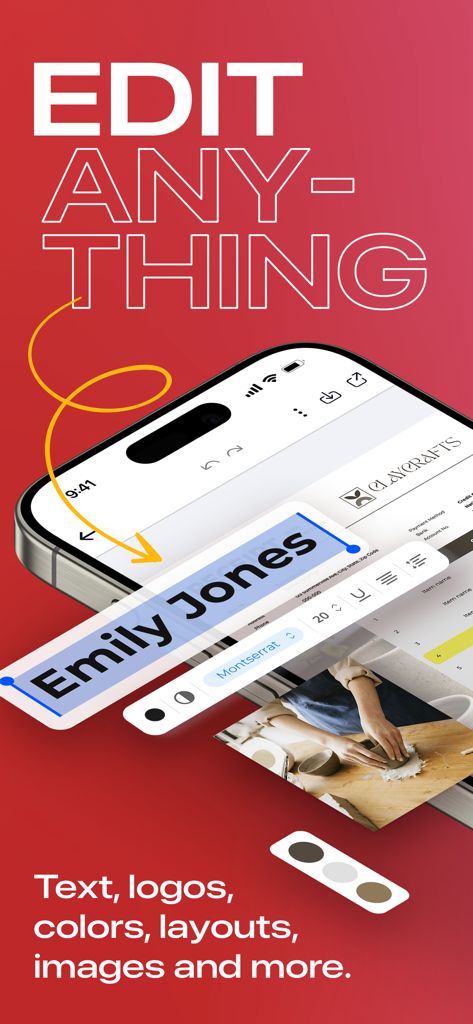
PDF EditorアプリでPDFテキスト編集機能を表示している携帯電話

PDF EditorアプリでPDFテキスト編集機能を表示している携帯電話

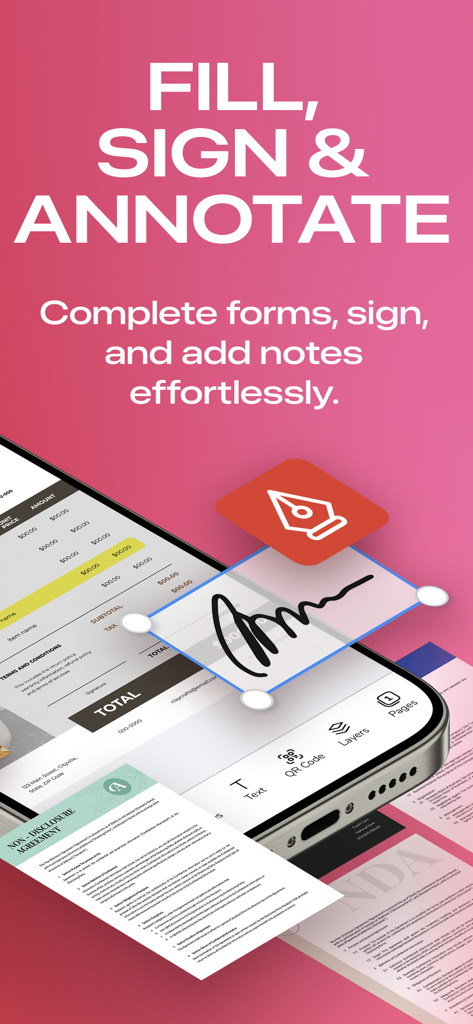
PDF Editorモバイルアプリケーションの記入、署名、注釈機能をNFCが示すスマートフォンの画面

PDF Editorモバイルアプリケーションの記入、署名、注釈機能をNFCが示すスマートフォンの画面

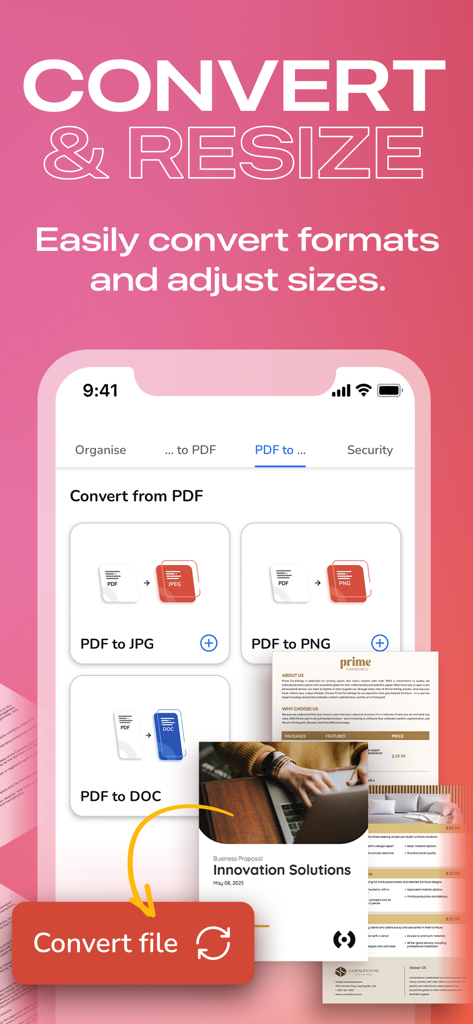
PDFファイルをJPG、PNG、DOC形式に変換するオプションを示すモバイルアプリのインターフェース

PDFファイルをJPG、PNG、DOC形式に変換するオプションを示すモバイルアプリのインターフェース

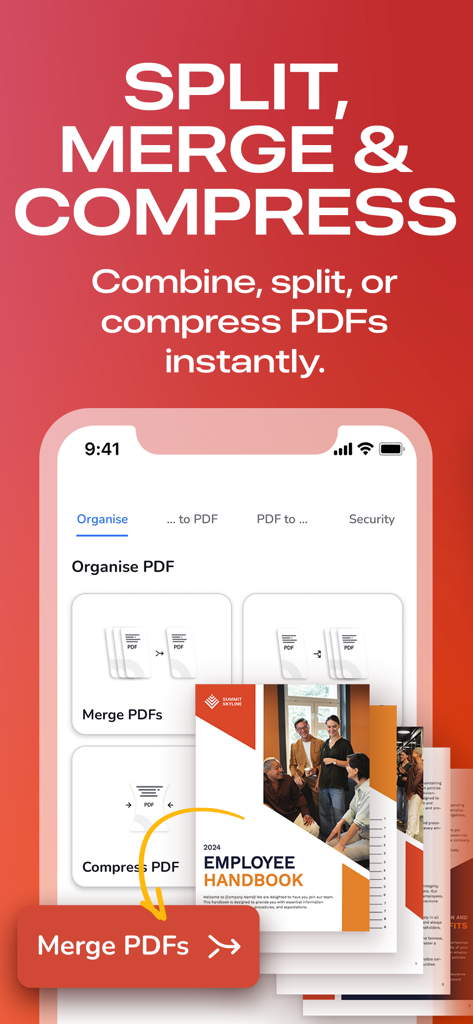
PDF文書を分割、結合、圧縮するオプションを示すモバイルアプリのインターフェース

PDF文書を分割、結合、圧縮するオプションを示すモバイルアプリのインターフェース

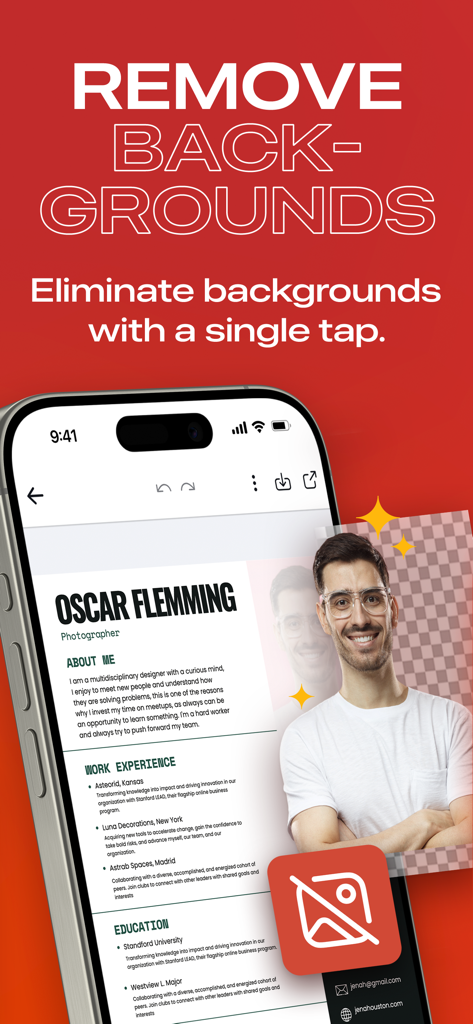
背景除去ツールを使用してポートレートが編集されているプロフェッショナルな履歴書を示すモバイルアプリ画面

背景除去ツールを使用してポートレートが編集されているプロフェッショナルな履歴書を示すモバイルアプリ画面

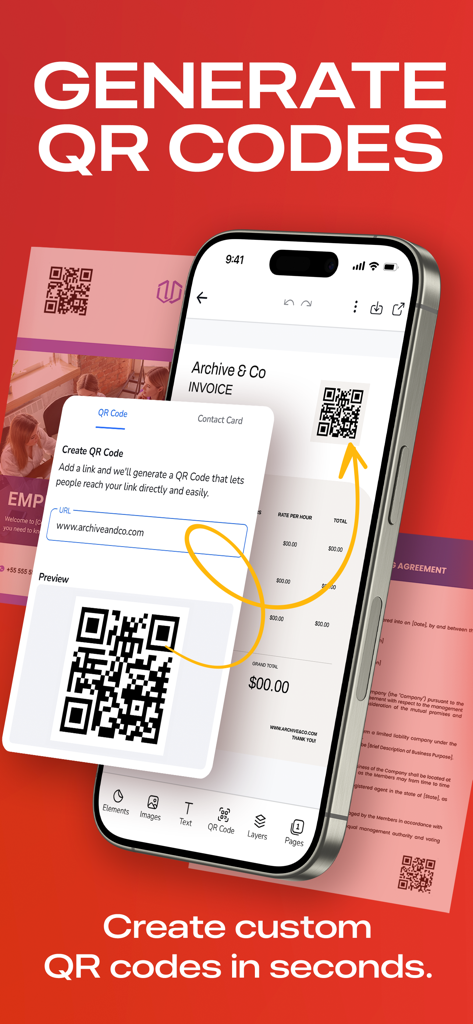
PDFドキュメントのカスタムQRコード作成を示すモバイルインターフェース

PDFドキュメントのカスタムQRコード作成を示すモバイルインターフェース

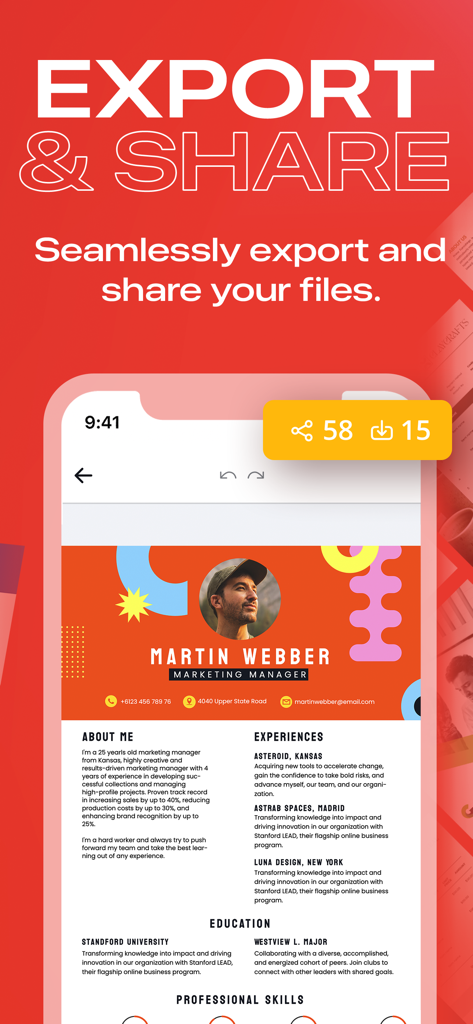
PDF Editorアプリでプロフェッショナルな履歴書のエクスポートおよび共有オプションを示すインターフェース

PDF Editorアプリでプロフェッショナルな履歴書のエクスポートおよび共有オプションを示すインターフェース

どこからでもドキュメントをマスター

このアプリを際立たせるツール、 307K+ 人のユーザーが選択.

✏️

AI搭載モバイル編集

誤字の修正、画像の入れ替え、フォントの更新を携帯電話から直接行えます。直感的なインターフェースにより、複雑な編集もテキストメッセージを送るのと同じくらい簡単に感じられます。

🖋️

インスタントデジタル署名

外出先で取引を成立させましょう。フォームに記入し、数秒で署名を追加できます。プロフェッショナルな契約書のために印刷、スキャン、デスクトップは不要です。

🔁

プログレードの変換

PDFを編集可能なWord文書、PPTプレゼンテーション、または高解像度画像にシームレスに変換します。品質や書式設定を損なうことなく、ワークフローを継続できます。

アプリについて

について知っておくべきこと PDF Editor: Edit Everything.

説明

“THE BEST & EASIEST PDF EDITING APP” Stuck With A PDF File You Can’t Edit? Discover the ultimate PDF Editor – your all-in-one solution for efficient PDF Editing. Try it for free! HOW IT WORKS: 1. PDF Reader & Viewer: It's completely free, offline and doesn’t need an account! Annotate your PDFs, fill out digital forms, add highlights and signatures, draw and organise pages, save and export, split and merge. 2. The PDF Editor: Edit Everything! Create an account to try its full power for 7 days. Afterwards, subscribe to keep editing. With PDF Editor powered by AI, you have freedom to edit any element in your PDF. Effortlessly edit any image, text or even sign. You can even merge and convert your PDF files into other types of documents easily. Whether you're a student, professional, or simply need to work with PDFs, we've got you covered. Experience hassle-free editing with our user-friendly interface. Streamline your PDF workflow today! WHY USE PDF EDITOR • Edit Text and Images: Make quick and precise edits to your PDF documents. Change text, fonts and images as needed. • Convert and Export in Multiple Formats: Save PDFs as Word, PPT or image files for versatile sharing and editing options. • Resize any PDF: Click on resize and choose your new format in order to easily resize it to fit anywhere with the best quality. • Merge PDFs: Combine multiple PDF files into a single document, perfect for reports, presentations and more. • Annotation Tools: Highlight, underline or add comments to important sections. Enhance collaboration and communication. • Secure Your PDFs: Protect sensitive data with password encryption. Keep your documents safe and confidential. • Sign a document by hand: Fill out, save and send PDF forms. • Customize PDFs: Add watermarks, headers and footers for a professional touch. • Organize Pages: Reorder, rotate and delete pages to structure your PDF exactly how you want it. • Cloud Integration: Seamlessly access and save PDFs from popular cloud storage services like Google Drive, OneDrive and Dropbox. • Optimized Performance: Enjoy fast loading and smooth navigation through your PDFs, even with large files. • User-Friendly Interface: Navigate our app with ease, thanks to an intuitive design and user-friendly controls. • Boost Productivity: Simplify your PDF workflow and save time on document management tasks. • Millions of premium and royalty-free extra resources. • One click Background Remover. USE PDF EDITOR TO CONVERT DOCUMENTS • Convert PDF to high-resolution print or small web PDF files. • Convert PDF to JPG and PNG. • Convert PDF to Word. • Convert any image to PDF. • Convert Word to PDF. • Convert PowerPoint to PDF. • Convert Adobe Illustrator to PDF. USE PDF TEMPLATES FOR YOUR NEW PROJECTS • Documents • Invoices • Presentations • Letters • Resumes • Flyers, business cards & more! FREE YOURSELF TO EDIT ANY PDF PDF Editor is your trusted partner for all your document editing needs. Get organized, collaborate effectively and present professionally with our powerful yet easy-to-use app. Download now and unlock the full potential of your PDF files! Experience the future of PDF editing. Get it today! The PRO annual subscription is auto-renewable and it’s charged to your iTunes account and renewed for the same amount within 24 hours prior to the end of the current period. You'll be automatically charged at the end of your trial unless you cancel prior. Auto-renewal may be turned off at any time by going to your settings in the iTunes Store after purchase. Any unused portion of a free trial period will be forfeited after your purchase. We make no warranties or representations that any of its services will continue to be available for any period of time, and you acknowledge and agree that the services could change or terminate at any time in the future. View Terms & Privacy Policy for details. https://desygner.com/legal/terms-of-service / https://desygner.com/legal/privacy-policy

最新バージョン

5.4.7

サイズ

179.9 MB

リリース日

2018年4月22日

立ち往生を解消し、どこでも編集を開始

ワークフローを簡素化した30万人以上のプロフェッショナルに参加しましょう。今すぐ最も簡単なAI搭載PDFエディターをダウンロードして、7日間の無料トライアルで完全な創造的自由をお楽しみください。

ダウンロード: App Storeダウンロード: Google Play

App information, icons, screenshots, and descriptions displayed on this page are sourced from the Apple App Store and are the property of their respective developers. Download estimates and rankings are based on MWM's proprietary models and may not reflect actual figures. This page is provided for informational and analytical purposes only.

Believe this page infringes your intellectual property? File a dispute