PDF Photos - JPG to PDF
ダウンロード: App Store

このページはアプリまたはその開発者の公式ページではなく、情報提供および論評を目的として作成された独立した編集出版物です。明示的に別段の記載がない限り、アプリおよびその開発者は、MWM、Apple、Google Play、アプリのパブリッシャー、またはアプリの開発者と提携、承認、後援、認可、またはその他の公式的な関係はなく、このページのいかなる内容も、アプリがMWMのサービスを使用して開発されたことを意味するものではありません。すべての商標、ロゴ、スクリーンショット、その他のコンテンツはそれぞれの所有者の財産です。

ロゴ: PDF Photos - JPG to PDF
ダウンロード: App Store

PDF Photos - JPG to PDF

領収書、メモ、写真を数秒で高品質のPDFに変換します。安全にドキュメントをスキャンし、クリアフィルターを適用し、オフラインでカスタムレイアウトを作成できます—外出中の多忙なプロフェッショナル、フリーランサー、学生に最適です。

主要数値

ダウンロード

3K+

ユーザー評価

4.2/5

評価数

0

開発元

Muhammad Younas

カテゴリ

Business

対応言語

1

最新バージョン

1.0.1

サイズ

17.8 MB

リリース日

2021年7月11日
機能

プロフェッショナルなPDFをシンプルに作成

プロフェッショナルや学生が、スキャナーやラップトップなしで、物理的なドキュメントを高品質のデジタルファイルに変換するための最速の方法です。

インスタントワンタップ変換

外出先でのマイクロ生産性のために設計された合理化されたワークフローで、領収書、ID、またはメモを数秒で洗練されたPDFに変換します。

スマートマルチフォトレイアウト

複数の写真を単一の構造化されたドキュメントに統合します。プロフェッショナルな保険請求、経費報告書、または整理された学習ガイドに最適です。

以下のスクリーンショットと説明は、アプリの公式ストアリスティングから直接取得されたものであり、アプリ開発者の所有物です。

アプリストア

スクリーンショット
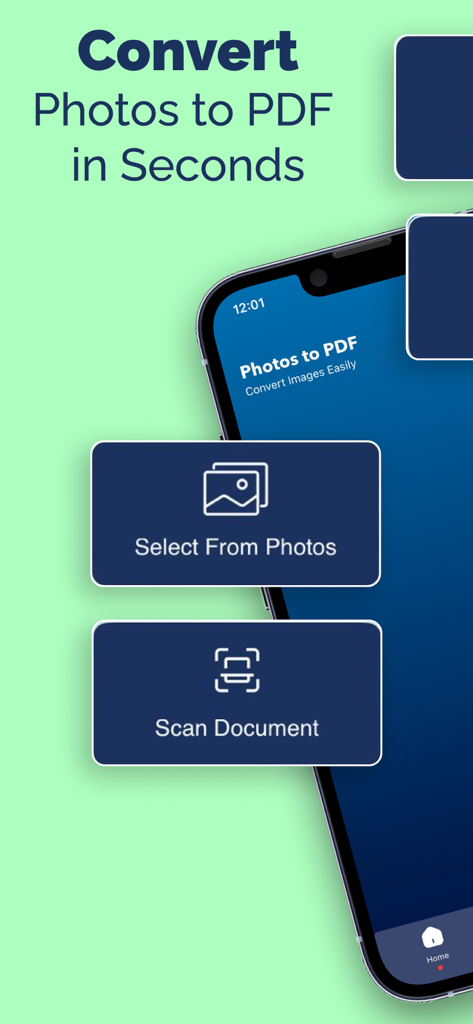
PDF Photos - JPG to PDF - 写真のPDF変換やドキュメントスキャンオプションを表示するモバイルアプリ画面
写真のPDF変換やドキュメントスキャンオプションを表示するモバイルアプリ画面

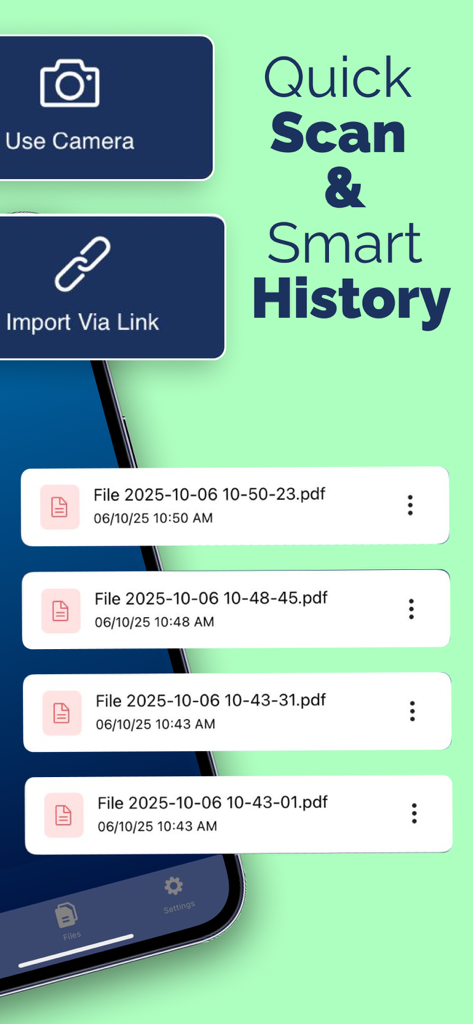
PDF Photos - JPG to PDF - クイックスキャンオプションと変換済みPDFファイルのリストを表示するモバイルアプリ画面
クイックスキャンオプションと変換済みPDFファイルのリストを表示するモバイルアプリ画面

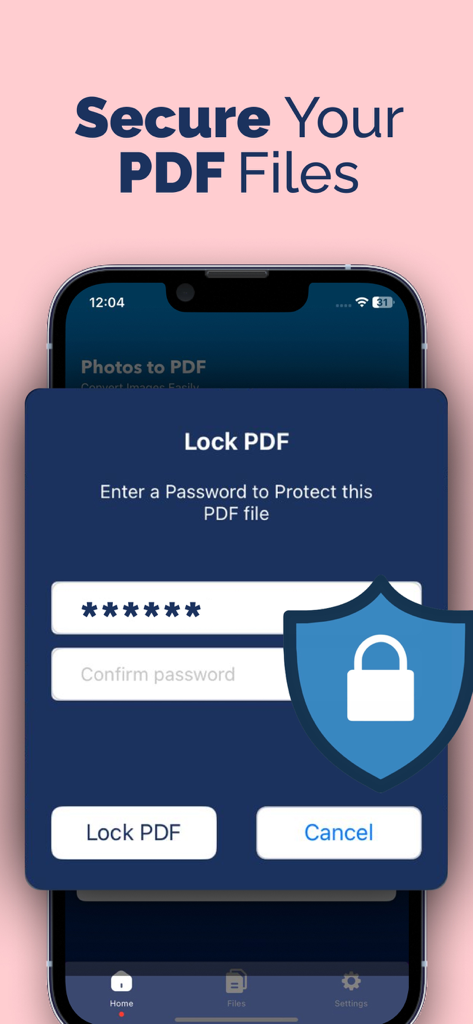
PDF Photos - JPG to PDF - PDF PhotosアプリでPDFファイルを保護するためのパスワード保護機能を whakaるスマートフォン画面
PDF PhotosアプリでPDFファイルを保護するためのパスワード保護機能を whakaるスマートフォン画面

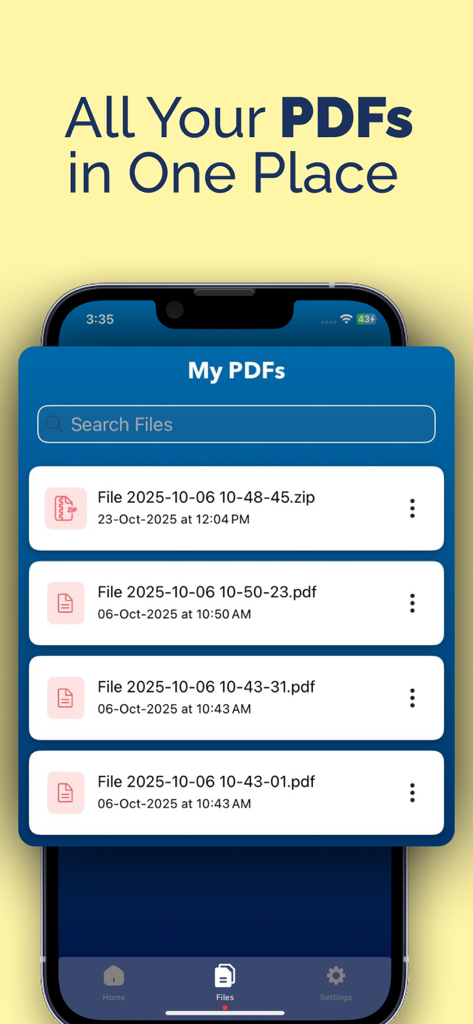
PDF Photos - JPG to PDF - PDF Photosアプリ内の整理されたPDFファイルリストを表示するスマートフォン画面
PDF Photosアプリ内の整理されたPDFファイルリストを表示するスマートフォン画面

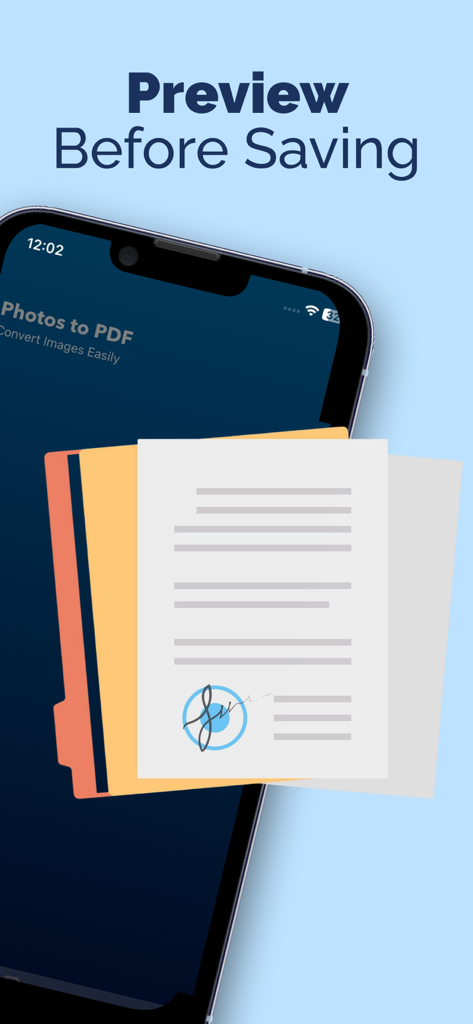
PDF Photos - JPG to PDF - 署名済みドキュメントを表示するPDF Photosアプリのプレビュー画面

署名済みドキュメントを表示するPDF Photosアプリのプレビュー画面

説明

Convert photos into PDF in few steps: 1. Select your input file or Scan Document 2. Add more photos to convert 3. Convert! It will only take a few seconds. 4. Save your file Photos to PDF Converter Features: Fast and Easy Fast conversion and the plus is no internet is required and one click to convert files Flexible Photos to PDF can be as powerful as you want. Want a simple converter? You got it. Want to perform image rotation? You got it. Organised Manage your PDF documents by enter their name Share and Print Export and share all your PDF documents right from the app with a single tap. Send via iMessage, Open in other apps, Print, etc. Filters Apply filters to your photos to enhance their beauty or to make them more clear. Layouts Take photos of documents or scan it then convert to pdf by one click. Choose from predefined Photo layouts. Convert jpg to pdf to easily print one or more photos on a page.Simple and intuitive interface makes PDF Photos the easiest JPG to PDF Converter PDF is created with watermark. To disable watermark, please get PRO version This app includes an optional auto-renewable subscription (Premium Pass): Premium Pass beings with a free trial period, then an auto-renewable monthly subscription when trial ends. Payment will be charged to your Apple account at confirmation of purchase and will automatically renew (at the duration/price selected) unless auto-renew is turned off at least 24 hrs before the end of the current period. Account will be charged for renewal within 24-hours prior to the end of the current period. Current subscription may not be cancelled during the active subscription period; however, you can manage your subscription and/or turn off auto-renewal by visiting your Apple Account Settings after purchase. Any unused portion of the free initial period will be forfeited when you purchase a subscription. Terms of Use https://sites.google.com/view/myapps-tech/terms-of-use Privacy Policy https://sites.google.com/view/myapps-tech/privacy-policy

Download

ダウンロード: App Store

このページはアプリまたはその開発者の公式ページではなく、情報提供および論評を目的として作成された独立した編集出版物です。明示的に別段の記載がない限り、アプリおよびその開発者は、MWM、Apple、Google Play、アプリのパブリッシャー、またはアプリの開発者と提携、承認、後援、認可、またはその他の公式的な関係はなく、このページのいかなる内容も、アプリがMWMのサービスを使用して開発されたことを意味するものではありません。すべての商標、ロゴ、スクリーンショット、その他のコンテンツはそれぞれの所有者の財産です。








