PDF PRO Files - Quick & Easy

PDF PRO Files - Quick & Easy

ダウンロード: App Store
ロゴ: PDF PRO Files - Quick & Easy

PDF PRO Files:オールインワンAIドキュメントパワーハウス

最もスマートなリーダーとエディターで生産性を向上。AIアシスタントを活用してドキュメントを要約し、ピクセルパーフェクトなApple Pencilの精度で署名し、安全なクラウド同期フォルダでプロフェッショナルライブラリを整理しましょう。

ダウンロード: App Store

開発元

Kairoos Solutions S.L.

カテゴリ

Business

ダウンロード

48K+

ユーザー評価

4.6/5

評価数

0

対応言語

10

一目でわかる精度

このインターフェースを利用する 48K+ 人のユーザー.

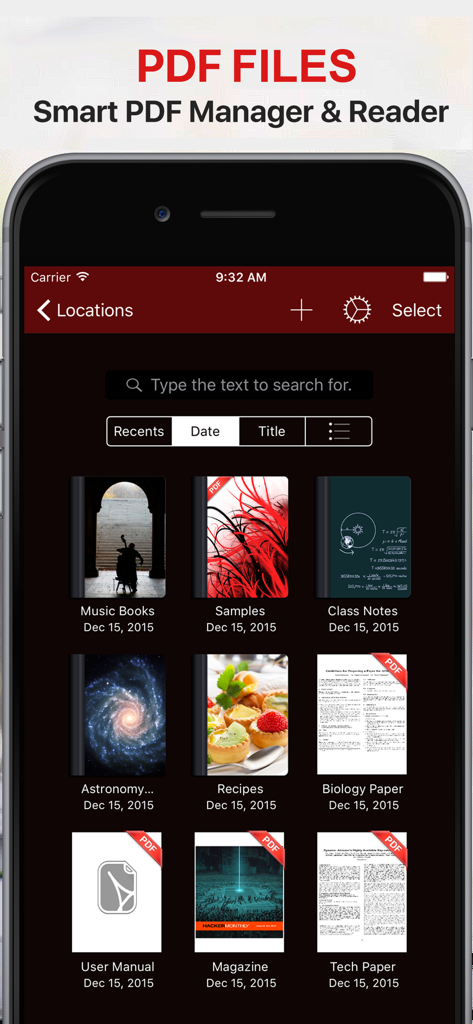
PDF PRO Filesアプリのドキュメントマネージャーインターフェース。ダークモードでPDFライブラリが表示されています。

PDF PRO Filesアプリのドキュメントマネージャーインターフェース。ダークモードでPDFライブラリが表示されています。

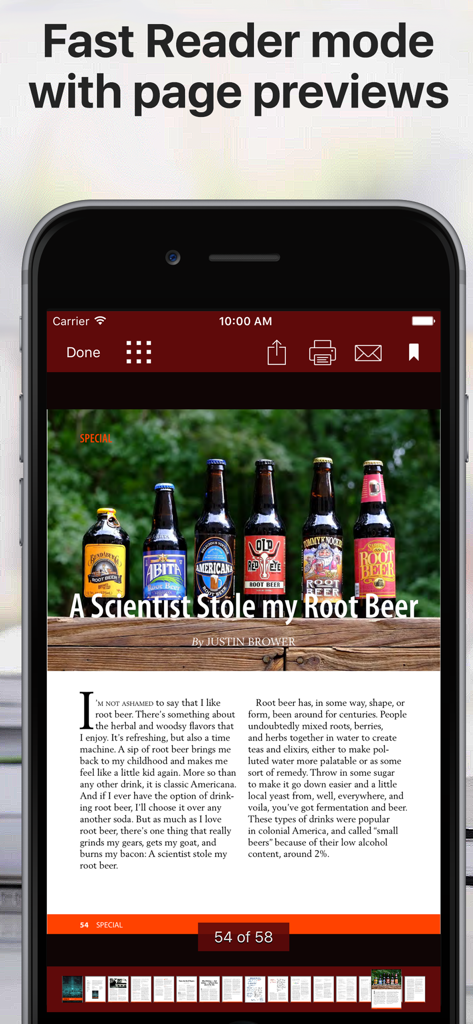
PDFリーダーアプリのモバイルインターフェース。下部にページプレビューが表示された、高速リーダーモードのドキュメントが表示されています。

PDFリーダーアプリのモバイルインターフェース。下部にページプレビューが表示された、高速リーダーモードのドキュメントが表示されています。

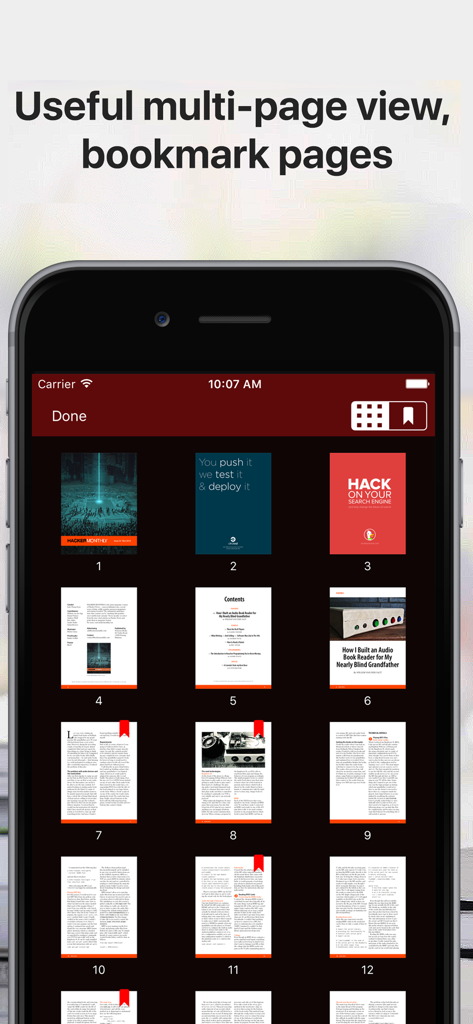
ダークモードでブックマークが付いたPDFドキュメントのマルチページグリッドビュー。

ダークモードでブックマークが付いたPDFドキュメントのマルチページグリッドビュー。

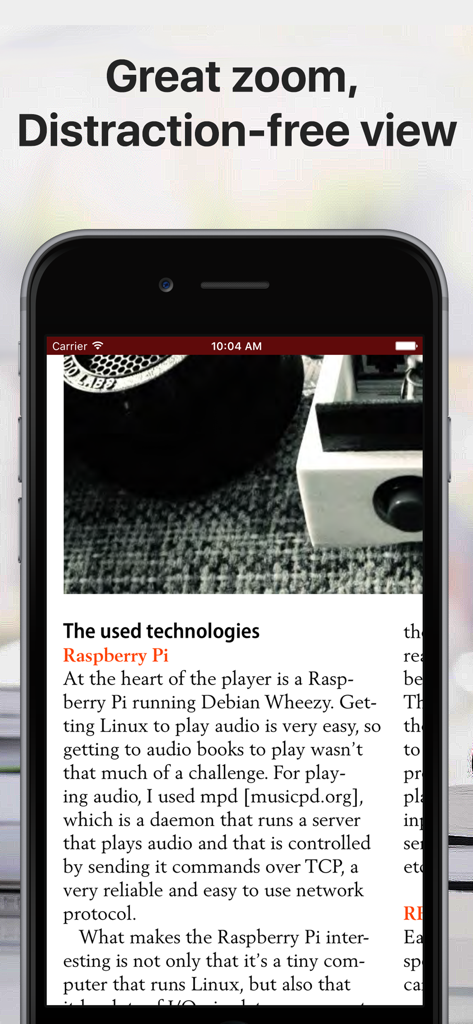
iPhone画面に、クリーンなインターフェースで邪魔にならないリーダーモードのPDFドキュメントが表示されています。

iPhone画面に、クリーンなインターフェースで邪魔にならないリーダーモードのPDFドキュメントが表示されています。

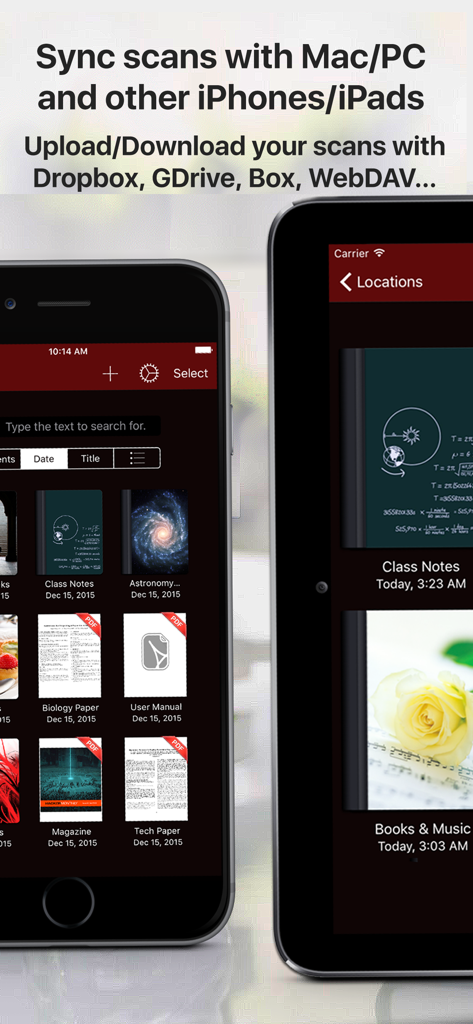
PDF PRO Filesアプリのライブラリ。モバイルデバイスでのドキュメント同期とクラウドストレージ機能が表示されています。

PDF PRO Filesアプリのライブラリ。モバイルデバイスでのドキュメント同期とクラウドストレージ機能が表示されています。

AI搭載の精度でドキュメントをマスターしましょう

このアプリを際立たせるツール、 48K+ 人のユーザーが選択.

🤖

インテリジェントAIアシスタント

PDFと直接チャットして、長文レポートを要約したり、テキストを即座に翻訳したり、複雑な用語を数秒で明確に理解したりできます。

🖋️

ピクセルパーフェクトな注釈

傾きと筆圧に対応したApple Pencilサポートで、自然な署名とメモ取りのための、手書きのゴールドスタンダードを体験してください。

📂

プログレードファイル管理

カスタムカバー付きの無制限のフォルダを整理し、すべてのクラウドサービスとシームレスに同期し、パスコード保護で機密ドキュメントを安全に保ちます。

アプリについて

について知っておくべきこと PDF PRO Files - Quick & Easy.

説明

PDF Files is a smart and powerful but easy to use PDF reader, editor and file manager. Organize your libraries and collections of PDF in unlimited folders and subfolders. You can also convert Microsoft Office, iWork, and other documents to PDF and annotate them! With PDF Files you can: + Annotate, fill in, sign and highlight PDFs: lets you feel the ink and paper thanks to the intuitive, fast and pixel-perfect precise control of your Apple Pencil with useful tilt and pressure sensitivity, and support for palm rejection. Leap forward into the future of PDFs with an optional AI Assistant that is designed to assist you: + Aid in understanding: What’s that word? Allow the AI Assistant to explain. Need a brief? Ask it to summarize. Language barrier? Request for a translation. Your assistant is ready to lend a hand. Chat with the AI Assistant about your PDF! + Use the iOS camera to scan documents then edit and annotate them. + Organize small or huge collections of PDFs files + Powerful document browser integrated with Files app and any cloud services like iCloud, Dropbox, Box, GDrive, oneDrive, etc. to import, export and sync your files. + Powerful PDF Text to Speech read aloud. + File and documents manager. Customize the cover of folders and subfolders with your own images. + Quickly find your documents: List of most recent opened documents, order by date or by title and search by file name. + You can use your iPad and Apple Pencil (and other supported styluses) to write by hand in any text field in the PDF or in your own rich text boxes, like the search field in Safari or a text field in Mail. + Protect your PDF documents with a security passcode + Open PDF email attachments and store them in PDF Files + Bookmark pages in your documents like in an actual book + Zoom pages and read them in a distraction-free user interface + Reader mode interface for distraction free moments. + Dark mode supported. Ready for aviation use. Privacy Policy http://www.noteswriter.com/Kairoos_Privacy_Policy.html EULA https://www.apple.com/legal/internet-services/itunes/dev/stdeula/

最新バージョン

4.4.0

サイズ

271.2 MB

リリース日

2015年12月17日

AI搭載の精度でドキュメントをマスターしましょう

48,000人以上のパワーユーザーに参加しましょう。iPadとiPhone向けの究極のプログレードPDFツールキットで、あらゆるものを数秒でスキャン、署名、要約できます。

ダウンロード: App Store

App information, icons, screenshots, and descriptions displayed on this page are sourced from the Apple App Store and are the property of their respective developers. Download estimates and rankings are based on MWM's proprietary models and may not reflect actual figures. This page is provided for informational and analytical purposes only.

Believe this page infringes your intellectual property? File a dispute