PDF Scanner AI: Scan Documents

PDF Scanner AI: Scan Documents

ダウンロード: App Store
ロゴ: PDF Scanner AI: Scan Documents

PDF Scanner AI: 書類をスキャン: AI搭載ポケットオフィス

数百万人のプロフェッショナルに加わり、ワークフローを数秒でデジタル化しましょう。業界をリードするOCR精度で、あらゆる書類、ID、書籍を検索可能で高品質なデジタルファイルにスキャン、編集、変換します。

開発元

CACAO MOBILE SP Z O O

カテゴリ

Business

ダウンロード

3M+

ユーザー評価

4.7/5

評価数

13K+

対応言語

17

効率が一目でわかる

このインターフェースを利用する 3M+ 人のユーザー.

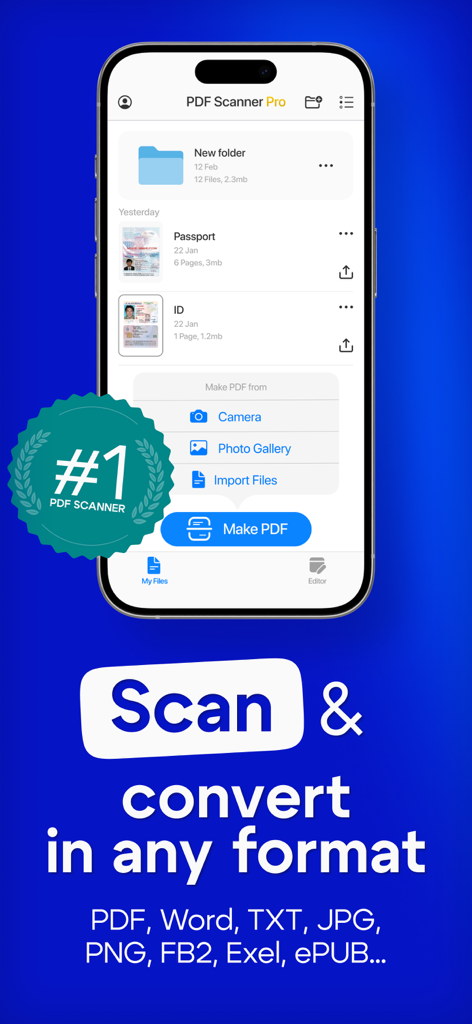
PDF Scanner AIアプリがスマートフォン画面に表示され、書類のスキャンと変換機能を示している

PDF Scanner AIアプリがスマートフォン画面に表示され、書類のスキャンと変換機能を示している

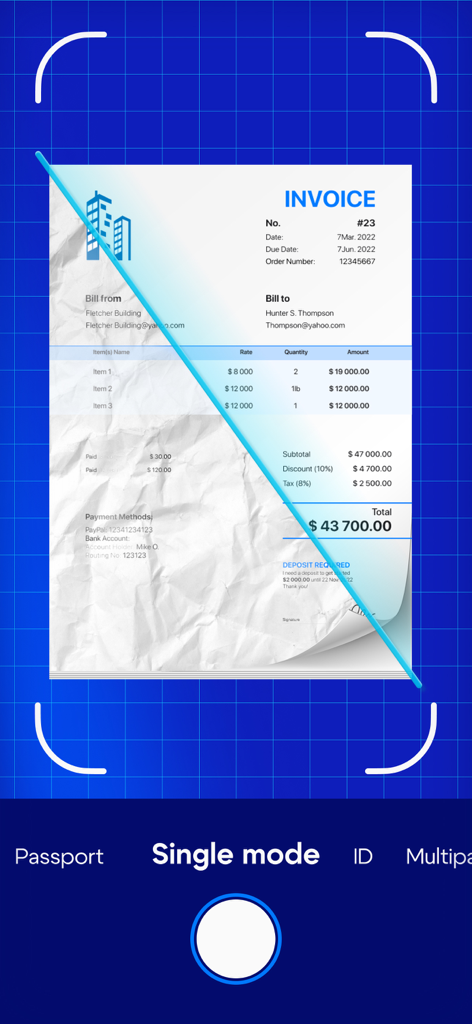
PDF Scanner AIアプリのインターフェースに、物理的な請求書がスキャンされ、デジタルで強化されている様子が表示されている

PDF Scanner AIアプリのインターフェースに、物理的な請求書がスキャンされ、デジタルで強化されている様子が表示されている

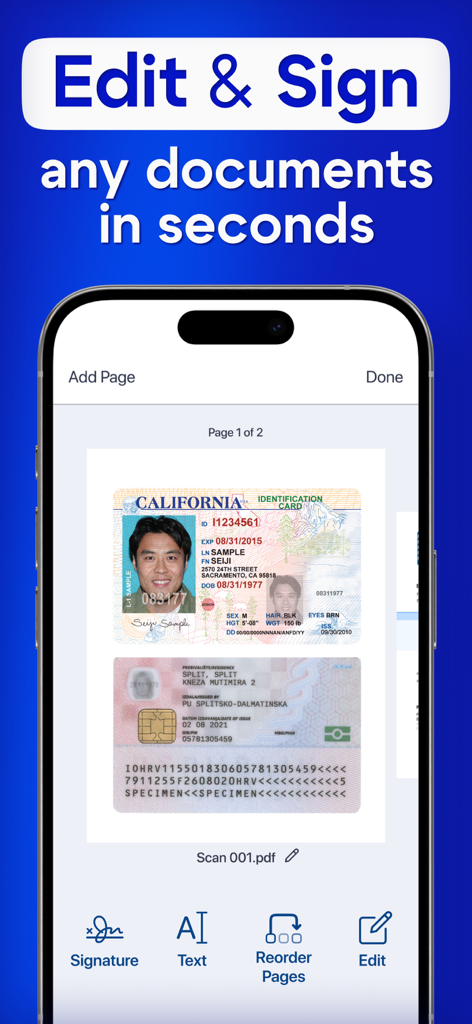
PDF Scanner AIアプリのスマートフォンのインターフェースに、スキャンされた身分証明書の編集と署名が表示されている

PDF Scanner AIアプリのスマートフォンのインターフェースに、スキャンされた身分証明書の編集と署名が表示されている

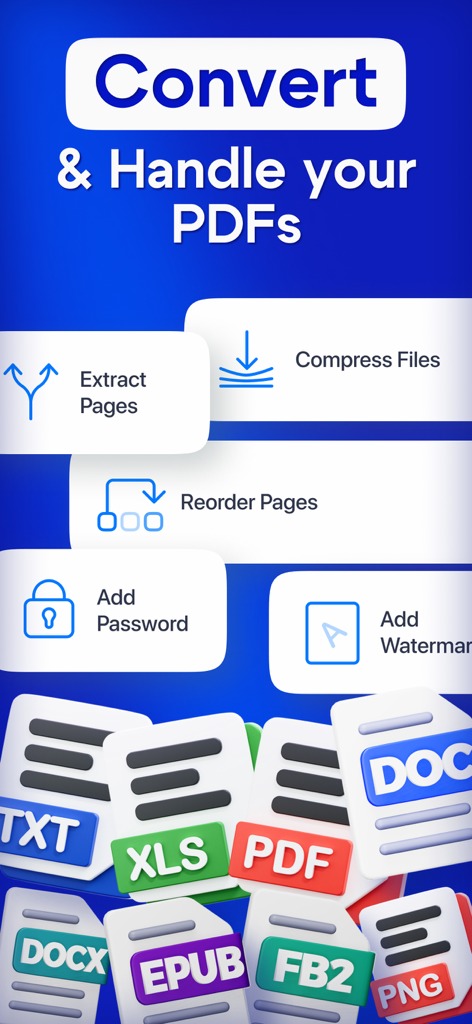
変換圧縮とセキュリティツールを備えたPDF管理画面

変換圧縮とセキュリティツールを備えたPDF管理画面

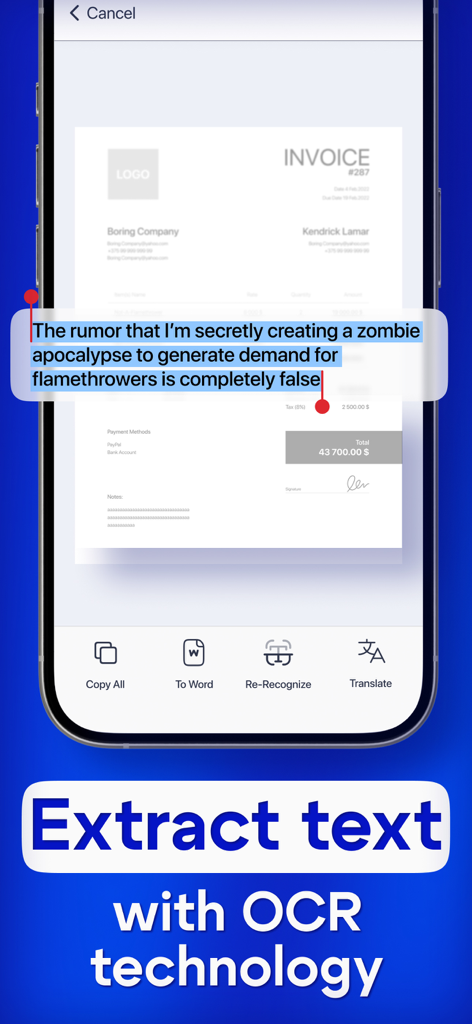
PDF Scanner AIアプリのOCR文字認識機能を示すスマートフォンの画面

PDF Scanner AIアプリのOCR文字認識機能を示すスマートフォンの画面

プロフェッショナルオフィスを、ポケットサイズに

このアプリを際立たせるツール、 3M+ 人のユーザーが選択.

🤖

スマートAI文字認識

高度なOCRで画像を瞬時に編集可能なテキストに変換。メモ、教科書、契約書のデジタル化に最適です。

📸

HDドキュメントデジタル化

自動エッジ検出と品質向上機能で、ID、パスポート、複数ページの書籍の鮮明なスキャンをキャプチャします。

🔒

安全なワークフローとエクスポート

機密データを保護しながら、ファイルをPDF、Word、またはJPGにシームレスにエクスポートし、どこでもプロフェッショナルに使用できます。

アプリについて

について知っておくべきこと PDF Scanner AI: Scan Documents.

説明

Turn your device into powerful portable scanner, that recognizes text and have rich editor tools. Trusted by millions users. PDF Scanner can scan PDF files, ID Photo and books for recognition. After processing the file, get the result. Fast and easy HD scanning! Highly accurately recognizes different materials, scan identity documents, accurately prepares the sources, exports to office formats. PDF scanning app allows you to create, edit and view PDFs, work with content, convert, improve the quality of content and work with scanner. Just in one click! File formats Images: jpg, jpeg, png Multi-page documents: pdf Functions: * Camera scanner allows recognition of scanned files and photos that contain text * Formatting paper and PDF multiple documents into editable formats * Doc scanner & OCR - Online document editing by and retrieving Printed Text * Quickly scan - Easy and convenient interface * Genius scanner has features of Multilanguage, fast text recognition and unlimited requests * Data protection. * Conversion of scanned works, recognition of different formats and data editing Do you have a textbook or any magazine you want to get the text from, but don't have time to print the text? Recognizing Text has never been easier. With PDF scanner document all you need is to scan or photograph the text, then select the file and upload it to our text recognition service. If the image with the text was accurate enough, then you will receive recognized and readable text. What can be done by scannerpro: PDF scan & photo scanner easily scans all documents. ID scanner - simply take a photo of the document, just as you usually photograph food, cats or yourself. It also can scan ID cards, passports, driving licenses, visas, and other identity documents. Isn't it cool? Scan Book, your favorite books and literature also can be scanned. Scan novels, magazines to PDF by using our document edge recognition system in the section of document scan or OCR. Scan Photo and save your favorite pictures by using a pro photo scanner app and OCR scanner. Program for scanning documents, allows you to recognize and identify texts and images, digitize materials, convert them and much more. The PDF format allows you to preserve formatting, regardless of which screen and in which program the file is viewed. In addition, printing documents becomes more convenient, all elements of the document in picture scanner will remain in place, the text will not be able to go beyond the boundaries of the sheet, and the pagination of the text will remain exactly as it is on the device screen. PDF scanner application differs in a set of useful functions, advanced features and settings. Utilities with additional options, intelligent components and high-quality work algorithms are available. Easily analyzes and recognizes and scans documents, files and photos thanks to an intelligent system, also exports recognized material for correction and editing. Terms of use: https://pdfscanner.xyz/termsofuse Privacy policy https://pdfscanner.xyz/privacy

最新バージョン

2.7.111

サイズ

182.4 MB

リリース日

2021年5月14日

書類仕事はもううんざり?

デバイスを強力なAI駆動型ポケットオフィスに変えた300万人以上のプロフェッショナルに加わりましょう。数秒でスキャン、編集、整理を開始できます。

ダウンロード: App Store
FAQ

よくある質問

について知っておくべきこと PDF Scanner AI: Scan Documents

PDF Scanner AI: Scan Documents とは何ですか?

PDF Scanner AI: Scan Documents は、お使いのデバイスをポータブルスキャナーに変えます。テキストを認識し、豊富な編集ツールを提供し、PDF、ID、書籍などのさまざまなドキュメントタイプを認識および変換のためにスキャンします。

PDF Scanner AI: Scan Documents はスキャンされたドキュメントからテキストを認識できますか?

はい、PDF Scanner AI: Scan Documents は OCR(光学文字認識)テクノロジーを搭載しています。スキャンされたファイル、写真、ドキュメントからテキストを認識し、編集可能な形式でのテキスト抽出を可能にします。

PDF Scanner AI: Scan Documents はどのような種類のドキュメントをスキャンできますか?

PDF Scanner AI: Scan Documents は、PDFファイル、ID写真、書籍、請求書、パスポート、運転免許証、その他の身分証明書をスキャンします。また、紙媒体や PDF を編集可能な形式に変換します。

PDF Scanner AI: Scan Documents はスキャンされたドキュメントの編集を許可しますか?

はい、PDF Scanner AI: Scan Documents は豊富なエディターツールを提供します。ユーザーはスキャンされたドキュメントを編集し、署名を追加し、ページを並べ替え、認識された素材を変換して、さらなる修正と編集を行うことができます。

PDF Scanner AI: Scan Documents はどのようなファイル形式のエクスポートをサポートしていますか?

PDF Scanner AI: Scan Documents は、画像(jpg、jpeg、png)および複数ページのドキュメント(pdf)のさまざまなファイル形式をサポートしています。また、Word、TXT、JPG、PNG、FB2、Exel、ePUB などの形式に変換してエクスポートすることもできます。

PDF Scanner AI: Scan Documents を使用中に私のデータは保護されますか?

はい、PDF Scanner AI: Scan Documents にはデータ保護機能が含まれています。このアプリは、ユーザーデータの処理方法を詳細に説明するプライバシーポリシーを提供し、ユーザー情報を確実に保護します。

PDF Scanner AI: Scan Documents を使用して PDF ドキュメントにパスワードを追加できますか?

はい、PDF Scanner AI: Scan Documents を使用すると、ユーザーは PDF ドキュメントにパスワードを追加できます。この機能は、PDF を処理および保護するための高度なツールの 1 つです。

PDF Scanner AI: Scan Documents はテキスト翻訳をサポートしていますか?

はい、PDF Scanner AI: Scan Documents はテキスト翻訳をサポートしています。OCR テクノロジーでテキストを抽出した後、ユーザーは認識されたテキストを翻訳するオプションがあります。

PDF Scanner AI: Scan Documents のテキスト認識の精度はどのくらいですか?

PDF Scanner AI: Scan Documents は、非常に正確な認識テクノロジーを使用しています。インテリジェントにドキュメント、ファイル、写真を分析、認識、スキャンし、正確なテキスト認識を行います。

PDF Scanner AI: Scan Documents を使用して PDF 内のページを並べ替えることはできますか?

はい、PDF Scanner AI: Scan Documents を使用すると、ユーザーはドキュメント内のページを並べ替えることができます。この機能は、編集および PDF 処理ツールで利用できます。

App information, icons, screenshots, and descriptions displayed on this page are sourced from the Apple App Store and are the property of their respective developers. Download estimates and rankings are based on MWM's proprietary models and may not reflect actual figures. This page is provided for informational and analytical purposes only.

Believe this page infringes your intellectual property? File a dispute